If it were possible to select a transparent colour or texture...
Yes, but it is already. All you need is a transparent texture. It is indeed a very useful way of hiding furniture elements (when the model is well designed with named elements)...Thanks, I should have thought of that. This is going to save quite a bit of time.
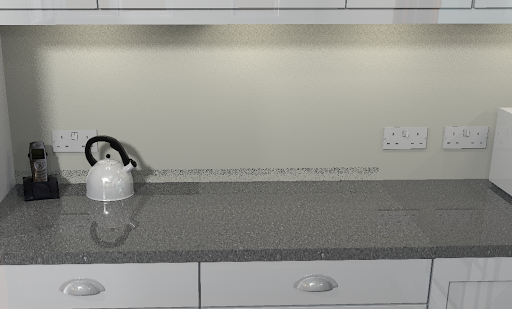
Unfortunately, when it comes to rendering an image, setting the material is not as effective as setting d=0.0000 in the model. In the following image the middle and left of the bench uses a transparent material for the bench trim and the right hand side of the bench uses d=0.0000 in a custom model. As you can see, with the transparent material some of the trim is still creating a residual "shadow". This does not appear to be influenced by the level of shininess.
(BTW - I created a transparent png 640x400 in the gimp by creating an alpha channel layer and then clearing the image).