@Puybaret
Thank you.
In order to be sure, I had to look closely at the film one more time, and consult my project book. A lot of things have changed during the process, and where the former versions had a lot of animations and effects, as far as I can see, there are now only four places in the video that does not involve the use of SH3D:
1) The intro, obviously. The animation of the girl is made and rendered in Poser Pro.
2) The short scene introducing the bad weather ( 01:07 – 01:14) made with After Effects.
3) The poster introducing part two, (04:54 – 05:04) is made with Photoshop, and has no SH3D elements it it.
4) The dancers at the end of the film, which is made with Poser Pro and filmed off a 5K screen with an iPad.
The stills in the first part of the film, are all original renders from SH3D. Colour-correction is, however, performed on one scene,
after discovering that I had forgot to remove a blue filter from the surface of the water. This is the original ( downscaled from 2K):
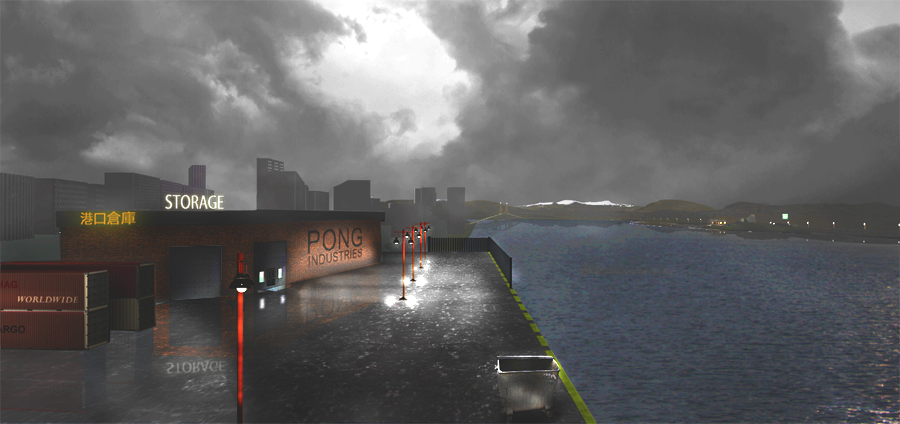
The scene is made from 5 different renderings, and instead of rendering 4 new images, I replaced the blue with grey, and made a tiny adjustment the gamma. It's not really cheating, is it?
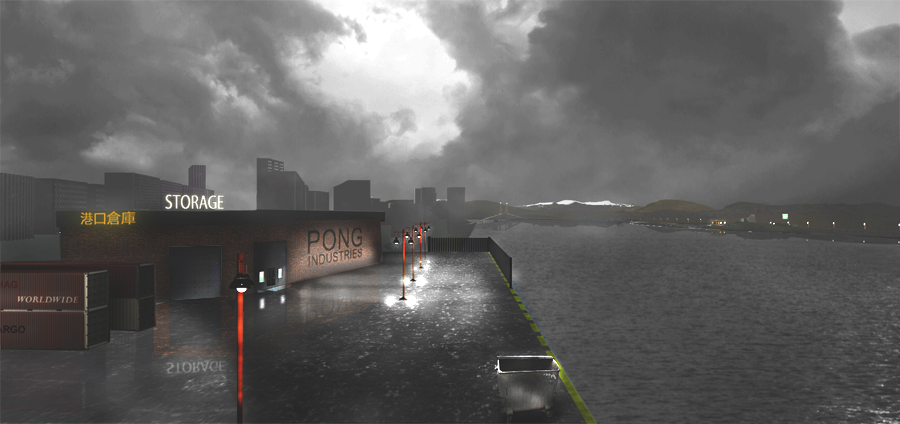
Apart form that, there are no "cheats" performed on the rendered images.
Can you render this picture with SH3D?
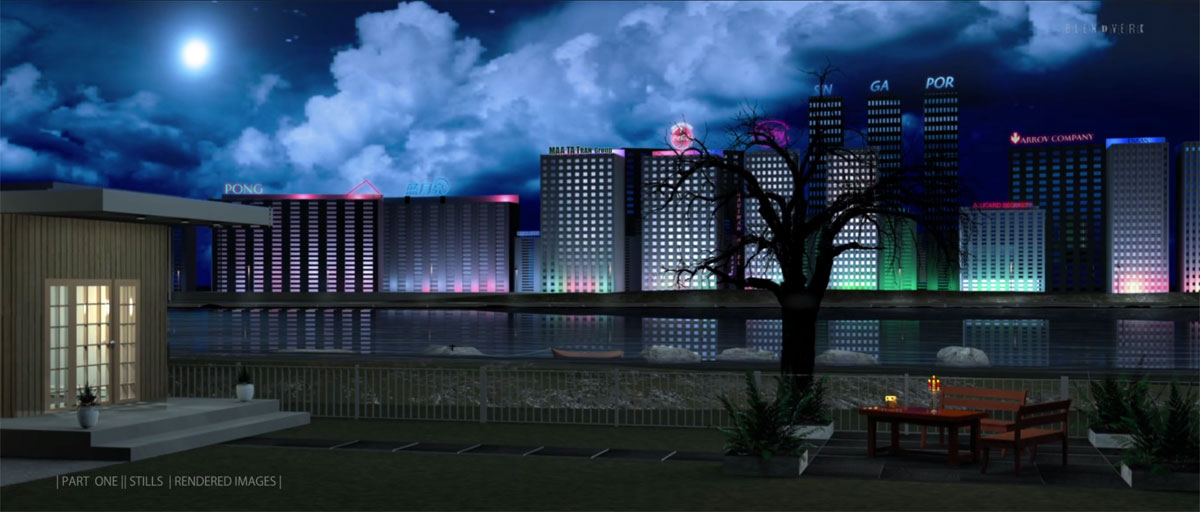
Sure. This is a rendering.
I'm not saying that everything in this picture is MADE with SH3D, but neither are the 3D-models that comes with the program. The tree, for instance, is a png. of a Photoshop-brush, and the neon signs are 3D models made with Photoshop, using 3D extrusion and exporting them as obj. files. Afterwards I edited the mtl. file to add the glow effect. Shining different coloured light on them, they stand out as glowing with different colours in the dark.
And the same with the windows in the city: I'm placing a glowing box behind the windows, to make the windows appear to have light.
The moon is a glowing sphere with a semi-transparent fog placed in front of it to diffuse the light.
The "ghost city" itself, is just a backdrop, made from boxes in horizontal and vertical rows. Use copy/paste, and it will take maybe five minutes. (Things don't have to be big to look big. It's just a matter of perception whether tings appear to be big or small.)
It took some time rendering it; 8 hours on a 12 core Mac Pro.
But this one took longer:

I use about two hundred different lights to light up the bridge alone, and a couple of hundred lights to light up the city and the flowers. It rendered for two days, and then I noticed I had forgotten to include most of the neon signs. The bokeh comes from a semi-transparent .png placed close to the camera. That was a mistake that I regretted when I saw the result – a mistake that shall not be repeated :)
What is NOT made with SH3D in the first part of the video:
The terrains and the skies are made with Vue, and imported into SH3D, like any other 3D object or texture. I have added some birds and some specs of dust, some rain and a lightning effect, trying to bring some life to the stills, and I have created camera movements, zooms and panning, with After Effects, for the same reason. I only zoom between 78% and 100%, and all the images are rendered i 2K.
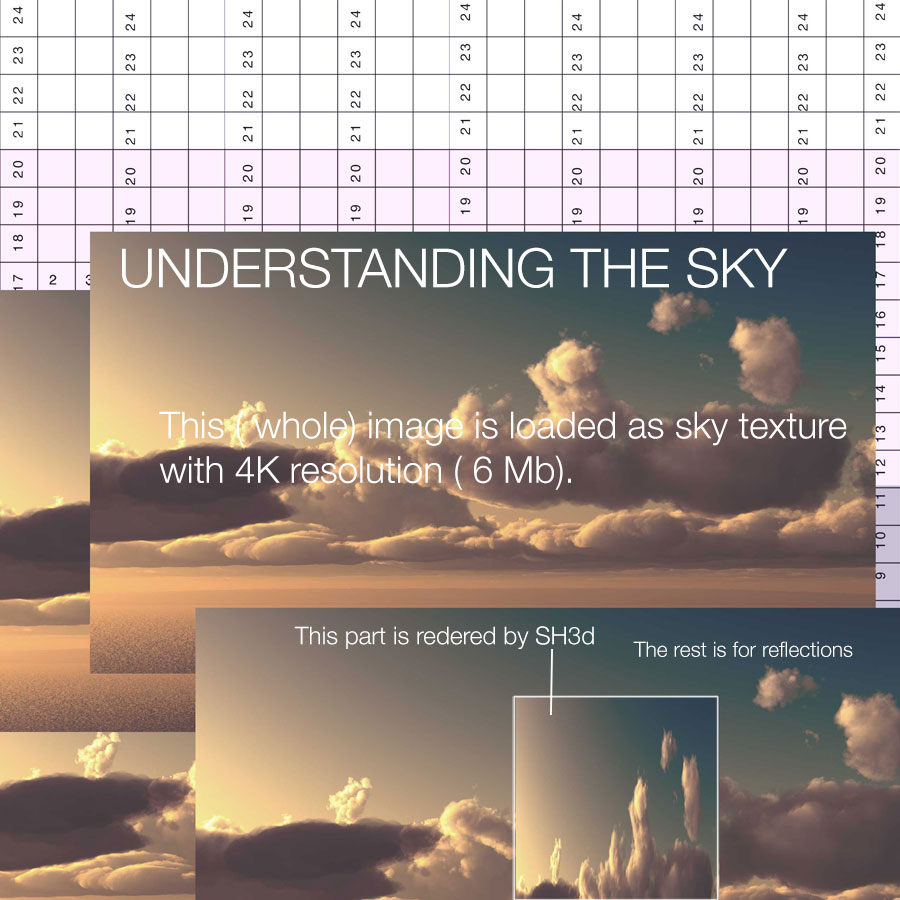
Here's an example on how I'm texturing the sky:
First I find a nice picture, or I make one:

Then I match it to the visible area of the sky, using a matrix that gives me the right coordinates of the equirectangular projection, a term I have learned from one of your earlier discussions with okh ( I think), and have familiarized myself with reading wikipedia :


In part two I have used After Effects a lot.
Creating videos with smooth motion is not possible with SH3D. The videos start abruptly, and ends abruptly. There is no easing in and out, and any change of camera direction is distinctly noticable. So that part had to be fixed with After Effects. Using pixel motion in After Effects, you can slow down a video, or parts of it, to a complete standstill, without losing quality or get jittery movements.
What is NOT created with SH3D in the second part of the video?
Well, not a lot. Only the girl walking up to the house, and the woman walking in the underworld. I decided to leave them in, after all, because it shows that you can use SH3D to create the basics, and then add the action with another program... if you can figure out a way to deal with the perspective; converting the field of view to normal focal length in mm. (Yes, I know you can use Vanishing Point in Photoshop to define the ground plane, and it works OK, but Photoshop has a lot of limitations when it comes to animation.)
This is getting very long...I could go on and on and on on this subject, but I think I will stop here.
This film could not have been made without your little piece of software, as you so modestly call it. There are probably thousands of grateful users out there, like me, using SH3D for all other purposes than creating dream homes or re-arranging the furniture. I guess the girl that invented the wheel never foresaw the full implications of her little invention either :)
cec
