@okh
But what I have tried to do, but have yet to manage, was making a lampshade that would let through a soft glow coloured by the lamp shade (and normal light under).
I have never thought about that. It's a great idea. You should have told me before I rendered this image for my next video
 :
: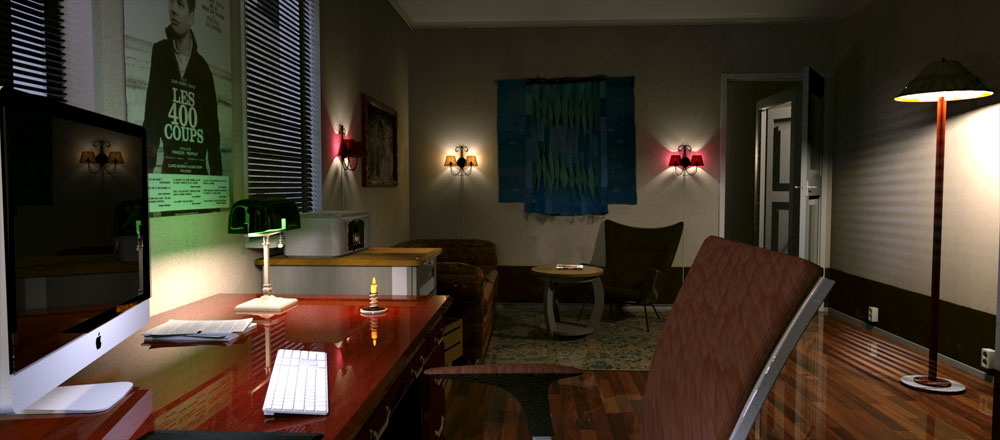
How can I create the illusion of a bulb shining through a semi-transparent lampshade?
Placing a light on the inside, like I did when I created the image above, is obviously not the right solution, so I thought there had to be an object inside the lampshade, a reflective, solid object that resembles a bulb and reflects the lights that are being shined on it. Maybe a stretched-out sphere with a shiny surface would do the trick?
So I tried that, and this is how it turned out:

Far from perfect, but it was a good starting point.
If you (or anyone) should want the project-file, it's here:
Girl-with-mug-and-lampshade.sh3d
So what could I do to improve it?
First of all I should change the lighting and the colour-scheme, make myself a new palette. ( Making a palette is the first thing to do when decorating a home. For people who are not familiar with matching colours, there's a very good pallet-designer here: http://www.colorexplorer.com/colormatch.aspx )
I made a red palette, to create a warmer feeling, and adjusted the lights, and this came out:

The next thing is to give the lampshade a better texture, more opaque ( maybe 60%). With a not quite so see-through texture, I think the result will improve.
But I don't have time for that right now. So if anyone feels an urge to experiment with textures, they can download the adjusted file here:
Girl-with-mug-and-lampshade-red-palette
The girl, btw, is a demo, not at all finished. She is a part of a series of posing models that I'm working on. My project is to create some alternative or complimentary 3D models to the ones offered, with an attempt to create a lifelike appearance and a changeable set of clothing (changed by using the transparency option). I still have some work to do, like fixing the hair texture and the eyelashes,and work some more on the clothing, but once the basics are done, I can create all sorts of different poses in a jiffy – even on demand.
And, while I'm at it; the image above was created with the default renderer. She looks a lot better when using the enhanced renderer, where you can get a better exposure by selecting 'Enhance external brightnes'
Here is a close-up – in daylight, where she's lost in a sort of Martian landscape. Here you can see her complexion better – and you can see the reason I'm working on her eyelashes.

This is the same image created with the default renderer:

Here she is with her friend James:
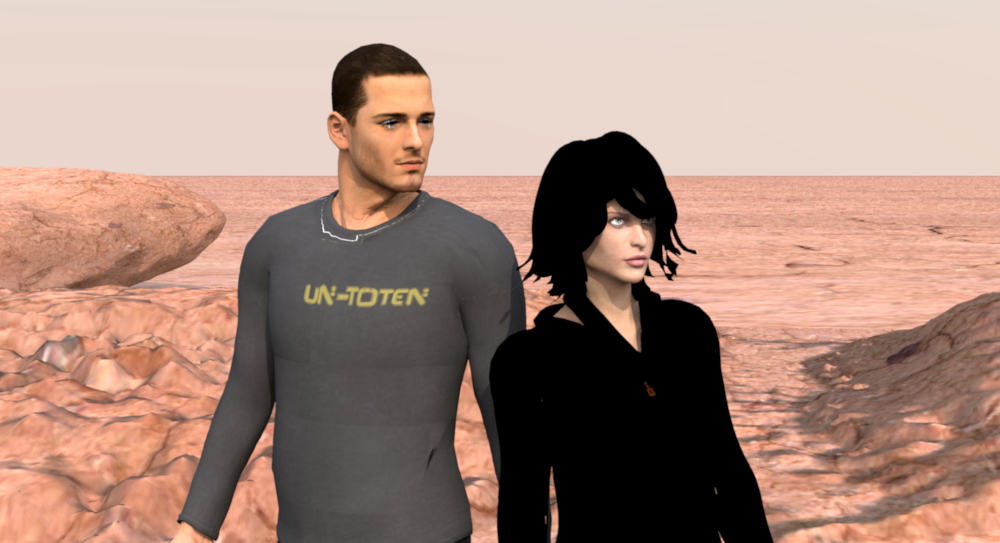
And here they are posing with two models I have downloaded:

It seems my models are matching up quite well.
The most pleasant surprise with this whole discussion, though, is the fact that this thread is now appears to be in breach of Facebook community standards
Eh… is Facebook controlling and censoring this forum? I certainly hope not. In my family, Facebook, with their immense profit-hunger and Victorian censorship, is totally banned. Our children will NEVER be shielded from nakedness. In Denmark we have signs on the beach informing people if for some reason nudism is NOT allowed.
cec
