I've try this:
newmtl TapaPlastico
illum 1
Ka 0.627451 0.321569 0.176471
Kd 0.627451 0.321569 0.176471
Ks 0.627451 0.321569 0.176471
Ns 1.0
Tf 0.627451 0.321569 0.176471
Ni 10.0
d 0.7
without the "map_Kd Dual1214V2_TapaPlastico.png".
Is not need wile this is a transparent material.
You could try different value for d (transparency).
or this
newmtl TapaPlastico
illum 1
Ka 0.2 0.2 0.2
Kd 0.5 0.7 0.8
Ks 0.0 0.0 0.0
Ns 1.0
d 0.4
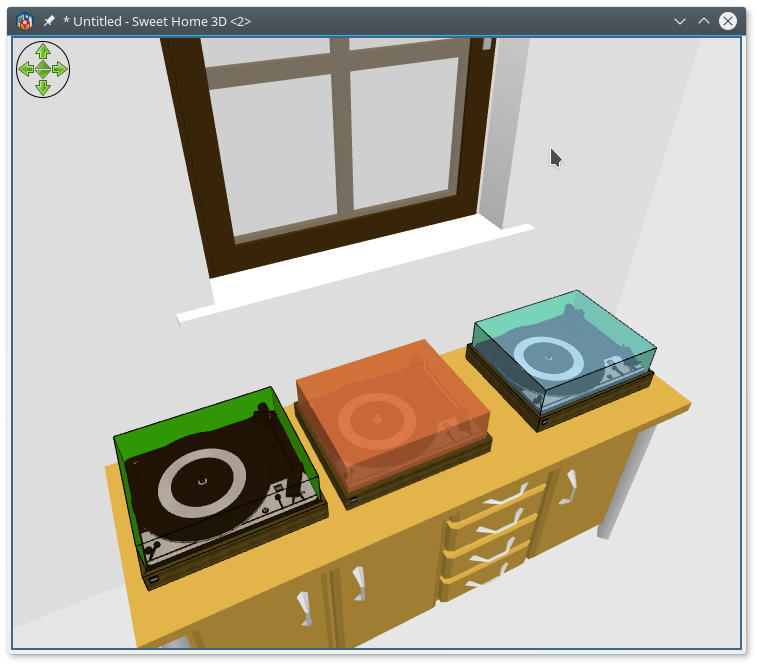
Hope it help!
----------------------------------------
A computer program does what you tell it to do, not what you want it to do. Murphy's Law
When all else fails, read the instructions. Murphy's Law
If you don't like "AS IS", DIY. Dorin's law
