@gythyx
One question, is it possible to make the hole a cylinder within a cylinder instead of within a square?
Well, the cylinder with a hole in it is already there:
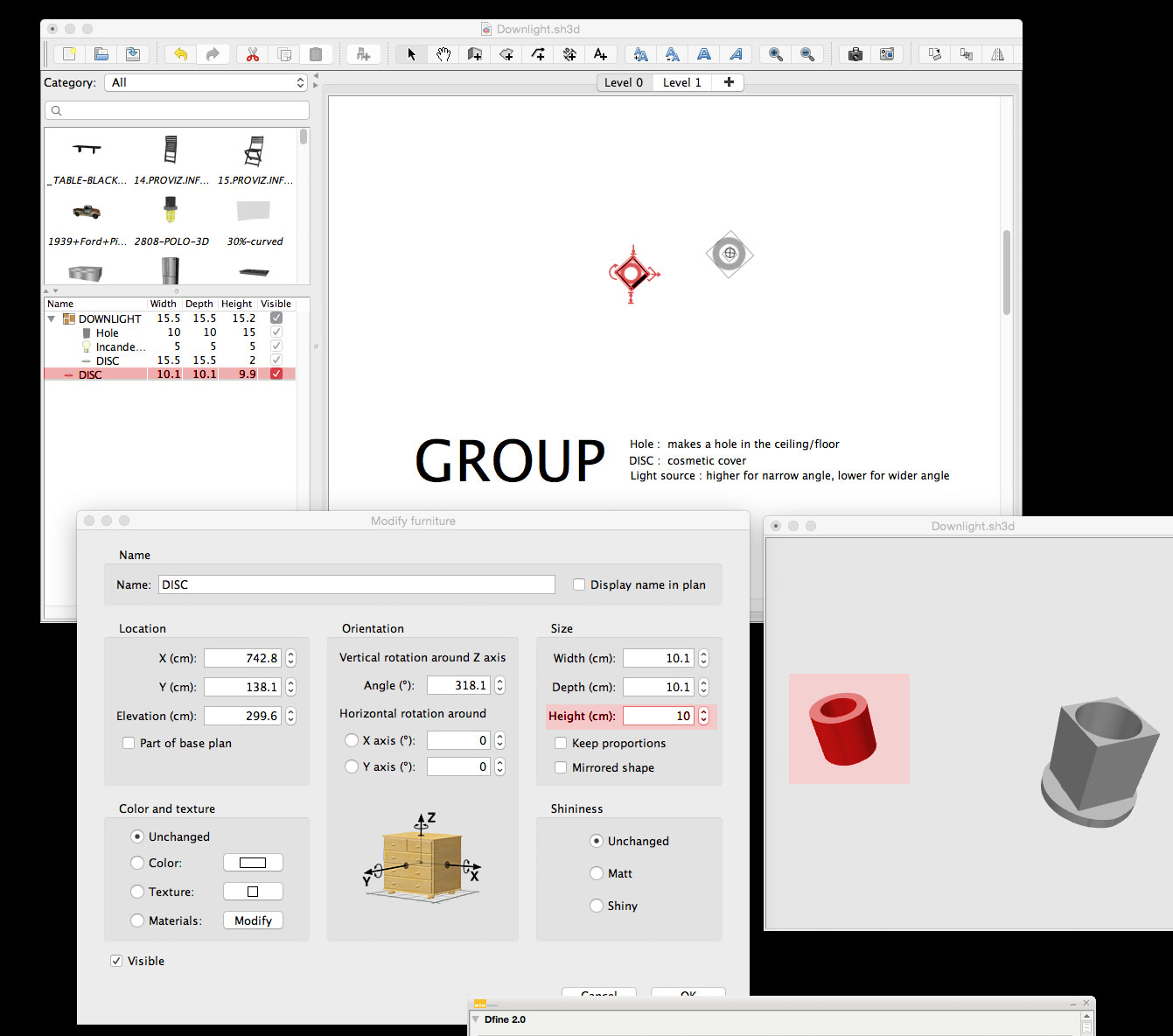
Just export the selection (disc) as 3D object, an re-import it as furniture, and remember to have the "stairs" option selected.
The reason I chose a square was that whether I insert a square or a cylinder into a ceiling, it will make a square hole anyway.
I know there are ways of fixing that, but I haven't yet had time to explore the hidden subtleties of this wonderful program to their full extent.
Maybe someone who has more insight would care to join the discussion?
What tools do you use to make these objects?
The objects are made with 3D extrusion in Photoshop, since it's a program I'm familiar with and have at hand.

But there are lots of less expensive (even free) apps that can do 3D-extrusions. Maybe Gimp can do it...? Maybe someone has a suggestion?
And – while I'm at it:
In my example illustration, the floor thickness is 20 cm. Normally I use 2 cm for floor thickness, since floor separators are closer to 20 cm than to 35 cm heigh.
This will, however, create a small problem when inserting stairs, since the floor thickness will no longer cover the hole in the floor.
So, here is what I do:
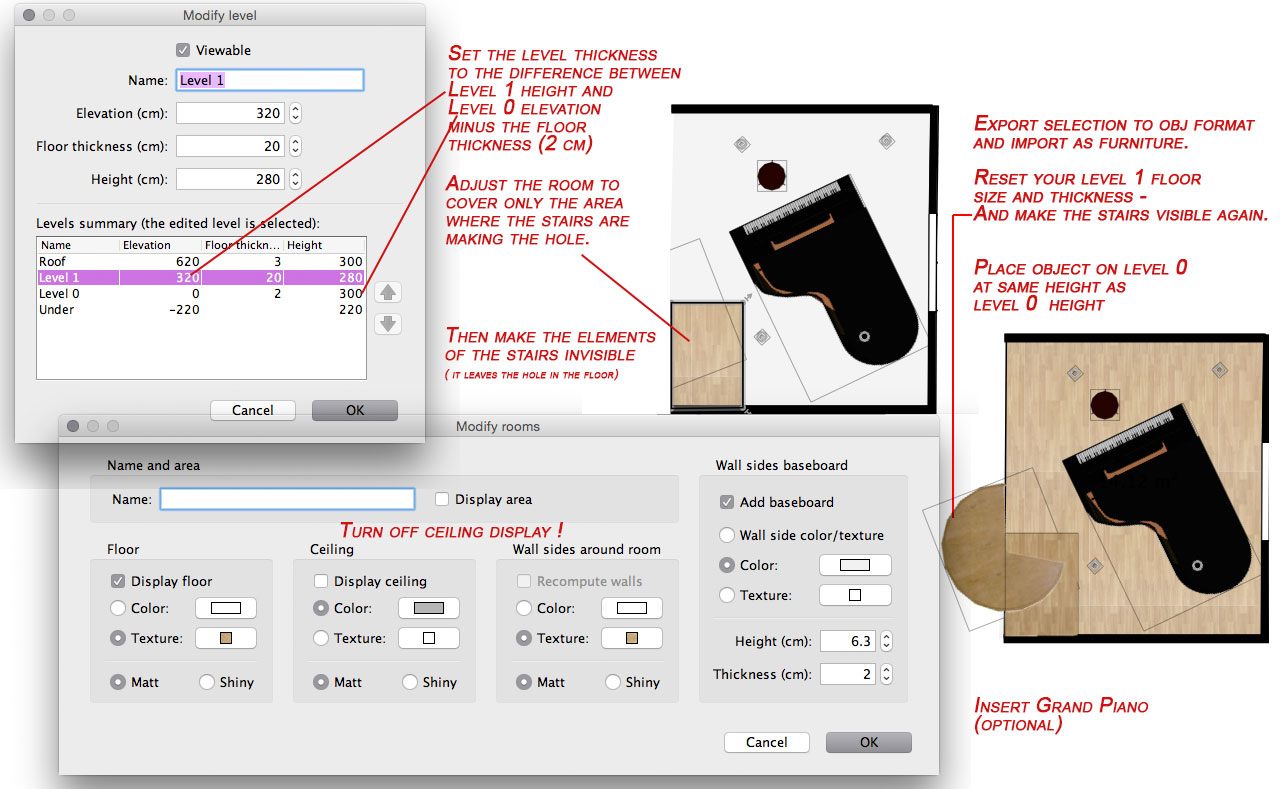
Since the ceiling is a one-sided plane, it is only visible from below.
Hope this is making sense. I'm suffering from a slight attack of "morning sickness" these days...
cec
