Two approaches tested and posted in SF 3D models 400.
First combining cutout and light in one model.
- Apparently not possible with FurnitureLibraryEditor / PluginFurnitureCatalog.properties.
- However in Home.xml (within the .sh3d file) a model with light is called <light ..>, while normal models are <pieceOfFurniture ..>.
- While a <pieceOfFurniture ..> cannot (I think) take light properties, a <light> seems to support staircaseCutOutShape
The downside is that a <light > model cannot be rotated along three axis as can a <pieceOfFurniture>
spot_light_cutout.sh3d
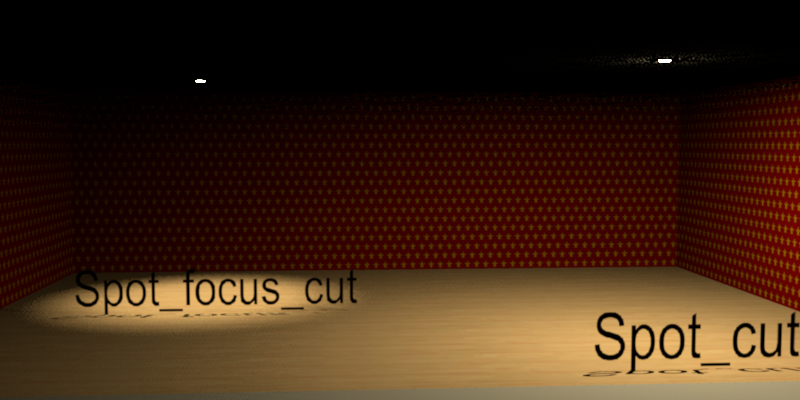
Second, spotlights with lightsource that can be rotated and pointed at different objects.
Simple model (no brackets, no textured glass), three different light-source locations:
- Spot: wide
- Spot_focus: medium
- Spot_beam: narrow
But this is where I am pretty useless. How best to place the lightsource within a model to get Cec quality renderings is Swedish to me.
spot_light_pivot.sh3d
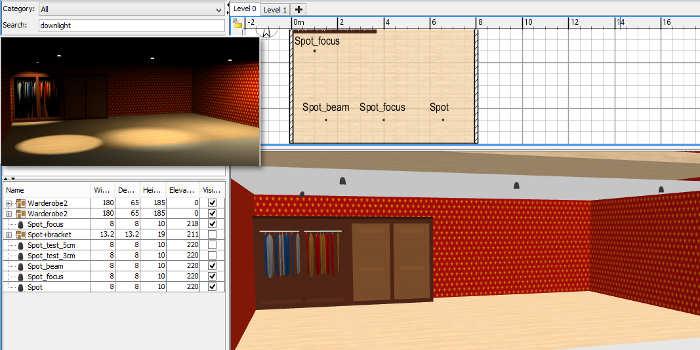
Light-source relevant items in PluginFurnitureCatalog.properties for the three downlights (other properties snipped):
id#12=okh#spot7
name#12=Spot
width#12=8
depth#12=8
height#12=10
lightSourceX#12=4
lightSourceY#12=4
lightSourceZ#12=1.5
lightSourceColor#12=#BB9854
lightSourceDiameter#12=3

id#13=okh#spot7_focus
name#13=Spot_focus
width#13=8
depth#13=8
height#13=10
lightSourceX#13=4
lightSourceY#13=4
lightSourceZ#13=7
lightSourceColor#13=#BB9854
lightSourceDiameter#13=2.5

id#14=okh#spot7_beam
name#14=Spot_beam
width#14=8
depth#14=8
height#14=10
lightSourceX#14=4
lightSourceY#14=4
lightSourceZ#14=8.8
lightSourceColor#14=#BB9854
lightSourceDiameter#14=0.8
ok
PS Takk for omtanken, Cec. Bedre nå.
