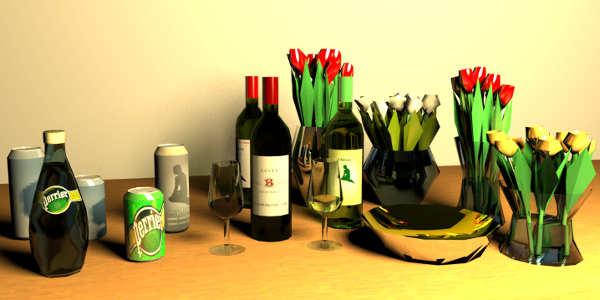
..guess it's OK for "educational purposes"...
..guess it is educational for ok ... So, thanks.Looked at your bottles which render beautifully, especially after your touches, but it is - quite literally - quite a mesh. A look at the mesh in Blender was a bit confusing, but then, I am used to simpler stuff. Also put your bottle through EP simplification procedure (removing normals, adding smoothing), but for some reason that did not work as nicely as expected.
So just to compare (and save rendering time), I mocked-up a model with very few surfaces to compare. There the simplification worked. Never mind the lousy texturing and obvious shortcomings, but for the size 21kb compared to the original at 6243kb, at least it makes testing .mtl very much faster. But again, not your quality level. Will send comparison file by e-mail. It is a bit strange that the smoothing does not work even nicer on your bottle, but maybe the upper and lower part should be split and regrouped as there appear to be an intended row of flat-ish surfaces on top. Cannot remember, did not drink Perrier in a while.
..Ni factor in MTL files is used as the optical density (see MTL specs here),,,
Once I think I have understood something about Wavefront, new ideas are turning up. I really should be doing more homework. Most interesting. Will do more testing, but initial test with my primitive models look very cool. Optical density... Of course, there must be such a thing. Looking through a bottle will never be the same again. ok
Updated SIMPLE file (not the nice Cec' stuff
 ): low_poly_drinking.sh3d
 Test bottle model: bottle_perrier.zip