..main purpose of reducing the size of a model from 6.240kb to 36kb, is to improve the overall performance of SH3D. How much will we gain, compared to what we loose?
Well, it is for me, anyway. Thanks for these tests. Seems my theories on size and rendering times were not too far off. Long distance: little difference: close-up, longer renders vs quality loss. So for renders with bottles at a distance, it really is quite amazing how small models can be used. The octagon Perrier still baffles me, proves how useful smoothing in the .obj file can be.However, even if there may not be as much to save on rendering as expected, the overall performance of SH3D is greatly improved by using smaller models. At least on a slow computer. And reduced file size is an advantage for online presentations.
a model that would look good on close-ups. So it ended up weighing 9.843 kb. ..feel free to download it and use it - improve it - reduce it ...
It looks good and renders beautifully. Even so, being a silly man with a dash of vanity, how could I possibly resist a challenge? Goal, shrink with little or no loss in quality.The elephant in the file is the .png label, an optimizer shrinks it to 11% without quality loss (but it would compress also in .sh3d, so no big save in terms of compressed .sh3d file size). But as the original at some point was a .jpg, the smudges can be removed by a quick colour manipulation/posterization: 1,4%of the orignial.
8406919    100%  original_Tignanello-2012_Stolichnaya_bottle6_3.png
 967149   11,5%  lossless_optimize_Tignanello-2012_Stolichnaya_bottle6_3.png
  118037   1,4%  colour_reduced_Tignanello-2012_Stolichnaya_bottle6_3.png
Label is not the key issue here, though. As for the model, tried a tiny cleanup, removed some unnecessary surfaces and elements, but kept the general number of visible surfaces. Some weight saved. Then after a touch more editing and using the EP simplification smoothing, size comes down quite a bit more. The number of visible surfaces are are approximately the same. Now, if you were to compromise also on the number of surfaces (e.g. Blender Limited dissolve), reduction can be significant. Tried with outside of the bottle just to visualise.
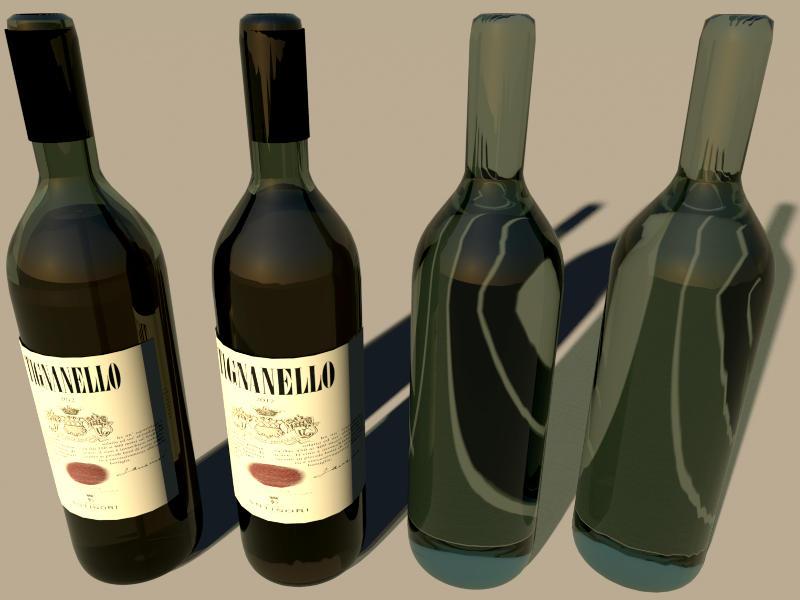
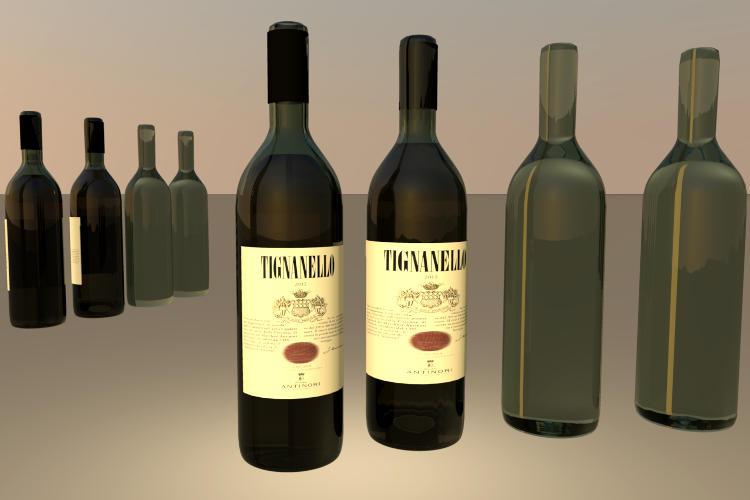
The size reductions shown in the model size column in tig_btl_comparison.sh3d. The entire model is down quite a bit, even without counting the label, just with the smoothing. Just the bottle outside reduced indicates the potential. Frankly, I struggle to see the quality difference. Or if anything, it seems that as long as we are working with polygons for circles, there will always be imperfections. So increasing segments may not even help, but then I work at a lower rendering level.
..surprisingly small difference in the visual appearance between the big and the small bottle – at least there's not a 99.5 % difference
Yes, that is what amazes me as well. Your renderings and tests are very valuable in analyzing the model making process. Where to go for high detail, and where it makes very little difference. Thanks to your input, I am really learning a lot about strategy when making models. Materials will still be a hit and miss, but I think I am beginning to understand which compromises to make for different models. ..pregnant in seat 23B...
Nope, not tried that, for obvious reasons, but that would most certainly qualify for an upgrade. Luggage issue familiar, except that on holiday my suitcase magically fills with women's items that I did not put there. So much for travelling light.Files in the SourceForge #461, including a .zip with the .blend files and the .pngs. For models, either use the zipped .obj files, or pick from the .sh3d test file:
tig_btl_comparison.sh3d
ok
