Following the other thread, I'm opening this one to discuss about cloth, towels and blanket simulation from Blender to SweetHome3D
http://www.sweethome3d.com/support/forum/viewthread_thread,8727
My first attempt was:
That feature is amazing!
I've never been able to use blender, but with a couple of videos and some tests, I managed to have a cloth (decent) and knew a bit more on the software!
I'm still far from understanding how to drop those things on the bed (or how to do it in a such amazing way) but I got something!
Here it is my first result:
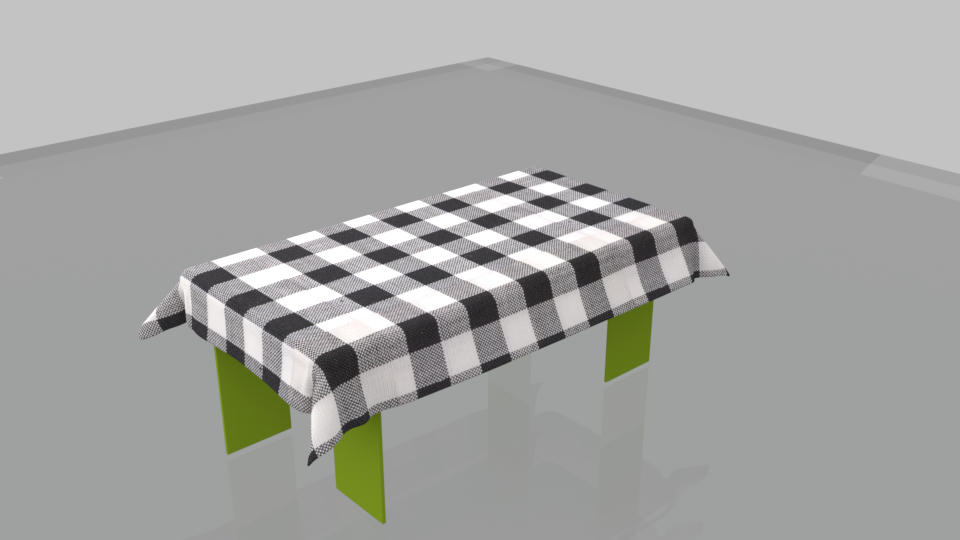
I've never been able to use blender, but with a couple of videos and some tests, I managed to have a cloth (decent) and knew a bit more on the software!
I'm still far from understanding how to drop those things on the bed (or how to do it in a such amazing way) but I got something!
Here it is my first result:
And an answer with good tips from rontant are here:
ndorigatt, congratulations on your first cloth simulation. Not bad for the first attempt.
Blender has a steep learning curve. One has to invest lots of time to learn it. We can sit all day in front of a computer just to experiment with cloth simulation alone, but since it is free, I can't complain about it.
In Blender, you can use cubes, cones, cylinders, etc, or combination of all, to drop the cloth on. To simulate the edge of a bath tub, for example, I used a cube and resized it to about the same height and thickness as the side of a bathtub.
The angle and height where the cloth start to drop, as well as its size, material, etc, play important parts in getting the right result you want.
Of course, before exporting to obj, you have to delete all other stuffs, leaving only the cloth.
Anyway, since this thread is about glass block, maybe we should start a new thread about creating cloth instead.
Blender has a steep learning curve. One has to invest lots of time to learn it. We can sit all day in front of a computer just to experiment with cloth simulation alone, but since it is free, I can't complain about it.
In Blender, you can use cubes, cones, cylinders, etc, or combination of all, to drop the cloth on. To simulate the edge of a bath tub, for example, I used a cube and resized it to about the same height and thickness as the side of a bathtub.
The angle and height where the cloth start to drop, as well as its size, material, etc, play important parts in getting the right result you want.
Of course, before exporting to obj, you have to delete all other stuffs, leaving only the cloth.
Anyway, since this thread is about glass block, maybe we should start a new thread about creating cloth instead.
