@okh
If a man's mind becomes pure, his surroundings will also become pure. (Gautama Buddha)
So free your mind – and adjust your compass.

You know, a woman's mind is cleaner than a man's, because she changes it more often.
As you can see from examining some of my former threads (that you have been generously linking to),
I'm constantly changing my mind (not unlike science), as my knowledge is challenged and updated.
So I might not mean the same tomorrow, even if I'm unshakably confident today.
That goes for this too:
As I am only a man I have not grasped why Cec' template has 0° South
I know that this can be a hard exercise, but try this:1) Open SH3D and insert the sky template.
2) Select Modify areal visitor
3) Adjust Body Angle and Head angle to zero ( 0)
4) Press OK
5) Look at the image displayed in the 3D view
You see, the template is NOT a compass – it's just a guidance for simple placement of backdrops. It's the Body angle that the coordinates refer to.
Using a sundial with the sky template, it might be even easier to calculate the direction of the shadows.
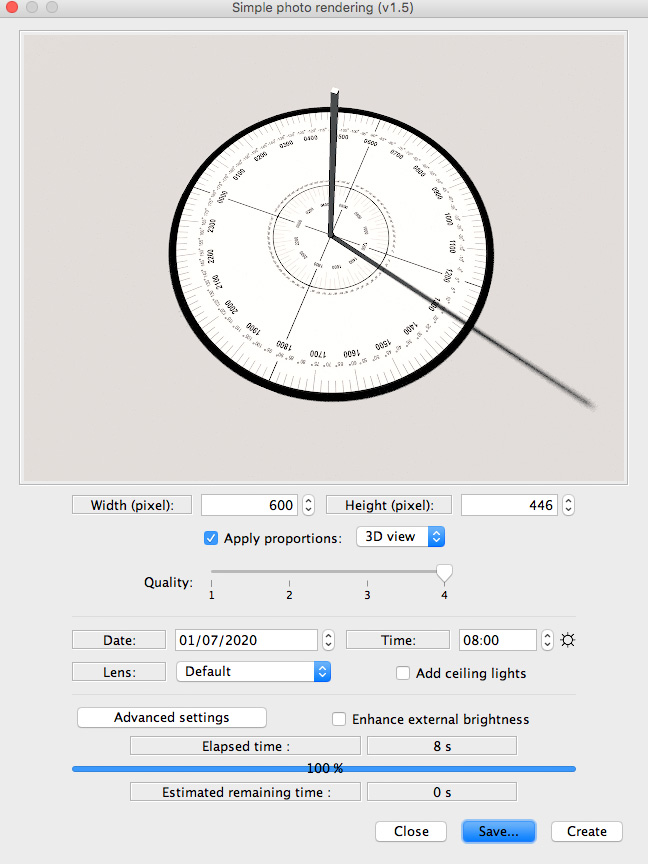
Cecilia
