I finally found a way to create flat roofs in my model with cut-outs for skylights that I found in tune with my workflow.
I thought I would create a thread and add the steps one at a time with the hope that it might eventually end up in the tips and tricks section. Other posts will follow - this is the first.
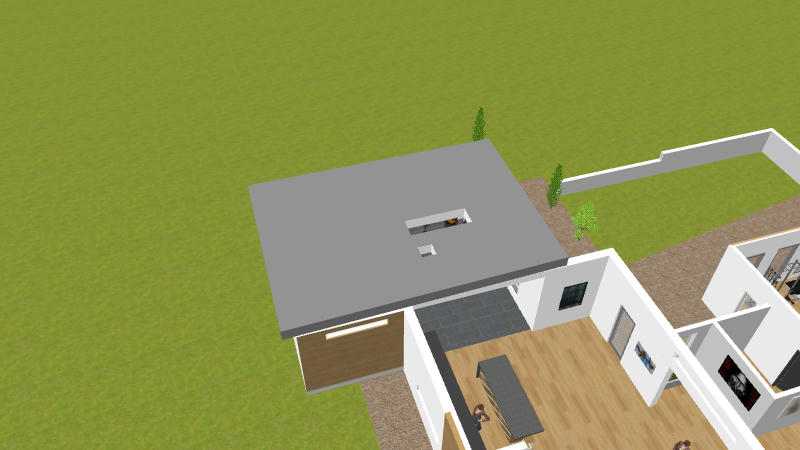
What I Wanted To Achieve
For the sake of example I am only going to do one part of the roof that is why it is incomplete, the two cut outs shown are examples only.
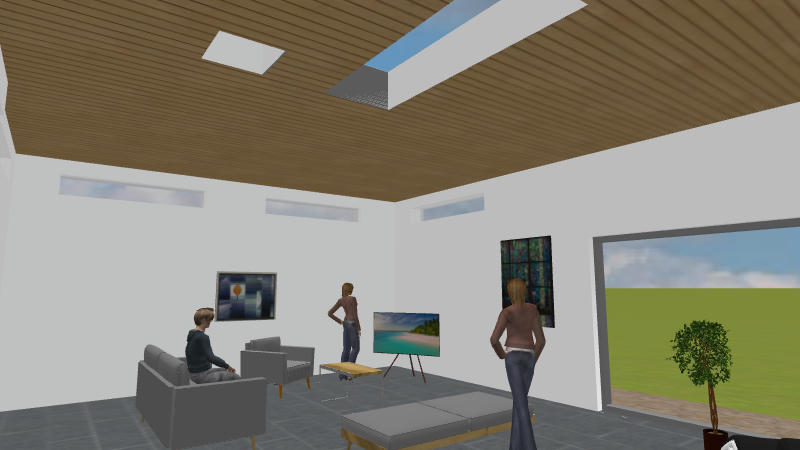
And from below.
Other Methods And Why Not Adopted
I tried the approach that uses a vertical wall, cuts a window, saves out to an OBJ file, (re)imports and during the import flips it to horizontal but this approach did not suit.
1. Not able to work in plan view, difficult to relate window to plan
view objects.
2. Repeated export/import cycles in a dynamically changing model
What I Wanted In A Method - to be able to....
1. Edit, swap and change the roof, skylight size and position
in a fluid manner without having to save out OBJ files. Yesterday's roof probably will not fit tomorrows tweaked design.
2. Work in plan view so I can see how it all fits together.
3. Control colour of plaster walls of skylight cut out. Roof is dark but when I look up from inside I want to see white plaster and hopefully a blue sky, this is an important aesthetic for me.
4. Have freedom over the shape of the roof to be able to follow the contour of walls, arbitrary shape in the sense of the perimeter of the roof.
5. Be able to texture the ceilings as seen from below and to be able to make changes on the fly.
Overview Of Method
The method involves use of levels with details of areas I had problems with and what the solutions were.
continued in next post
