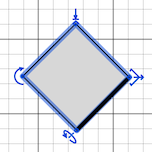
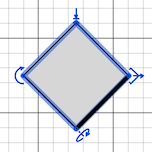
As you noticed, the axes of the horizontal rotation of the objects depends on how you already rotated around its vertical axis: their X rotation axis is parallel to the thick line drawn in front of the object in the plan, and their Y rotation axis is perpendicular to this thick line.
The little arrow used to handle the rotation around a horizontal axis is also supposed to help you guess this axis.
Object rotated around its X rotation axis:
Object rotated around its Y rotation axis:
----------------------------------------
Emmanuel Puybaret, Sweet Home 3D creator
