Hello,
Here's the Terrain Generator plug-in (111 kB) able to generate some terrain shapes from one or more rooms. Once this plug-in is installed, the following dialog box is shown when you choose the additional Tools > Generate 3D terrain from rooms menu item (en français, le menu Outils > Générer terrain 3D à partir des pièces), after selecting some rooms in the plan.
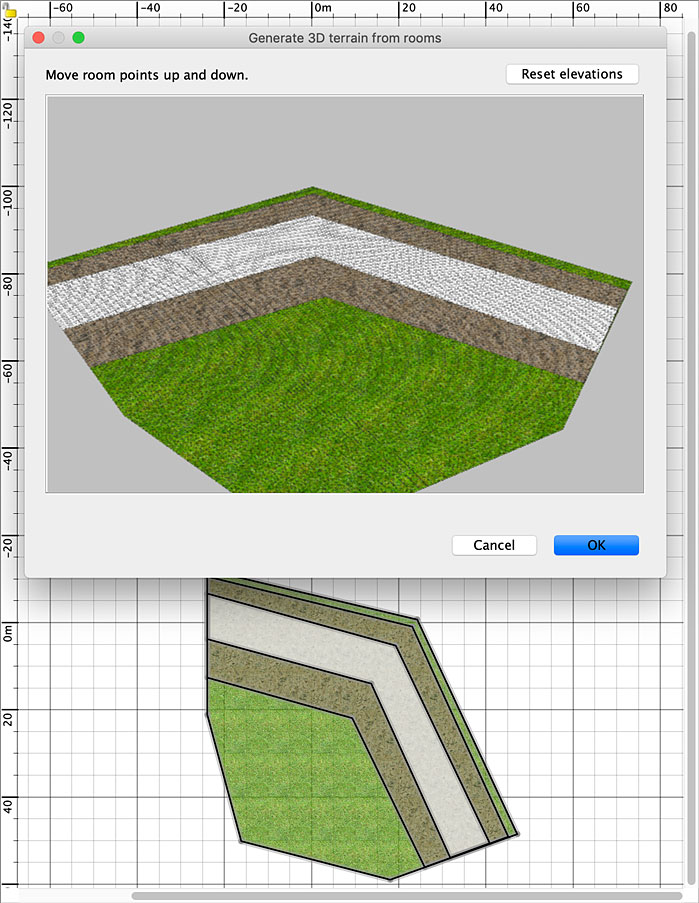
It displays a 3D preview of the rooms on a grid where you can move up dans down the grid points with the mouse to generate a shape like the following one.

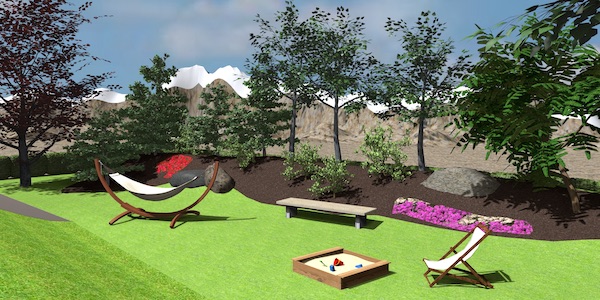
Once you click on OK, a new shape is generated and used as the 3D model of a new piece of furniture added to the edited home and placed over the selected rooms.
Here are a few options to help you design a terrain more efficiently:
- The dialog box of the plug-in is resizable.
- You may turn around the preview of the terrain by dragging and dropping the mouse in the empty zone around the preview.
- You may zoom in and out with mouse wheel or with a drag and drop in the empty zone while pressing Alt key.
- When magnestism is on, points around the dragged point are also more or less elevated according to their distance to that point.
- When magnestism is off (toggling magnetism can be done by pressing Alt key under Windows or command key under macOS), only the elevation of the dragged point is changed.
- When alignment is on (activating it can be done by pressing Shift key), points around the dragged point are more or less elevated along all the current horizontal axis.
- Pressing the Escape key will escape the current elevation change.
- The Reset elevations button will reset all the elevations already set.
- The entered elevations are stored in properties of the rooms to be able to edit again a new shape if the resulting one isn't correct, and you may even enlarge the dimensions of these rooms meanwhile. These properties are saved with the SH3D file.
Note that if you select more than a room, they must be at the same elevation to be able to use this plug-in. Keep also in mind that the grid step is fixed, so don't try to design giant surfaces for which there might be too many points to handle.
Hope you'll like it. I'm looking forward to discovering the landscapes you'll design with this plug-in.
Many thanks to Jacques57 for giving me the idea

Download links for Terrain Generator plug-in:
Terrain Generator plug-in 1.2.2 was released on 08/28/2024
Terrain Generator plug-in 1.2.1 was released on 06/10/2022 to fix a bug under Linux at plug-in launch
Terrain Generator plug-in 1.2 was released on 05/23/2022 with new features explained here
Terrain Generator plug-in 1.1 was released on 04/29/2021 with new features explained here
Terrain Generator plug-in 1.0.1 was released on 03/29/2021 to fix missing borders when terrain smallest coordinates are negative
Terrain Generator plug-in 1.0 was released on 03/28/2021
----------------------------------------
Emmanuel Puybaret, Sweet Home 3D creator
