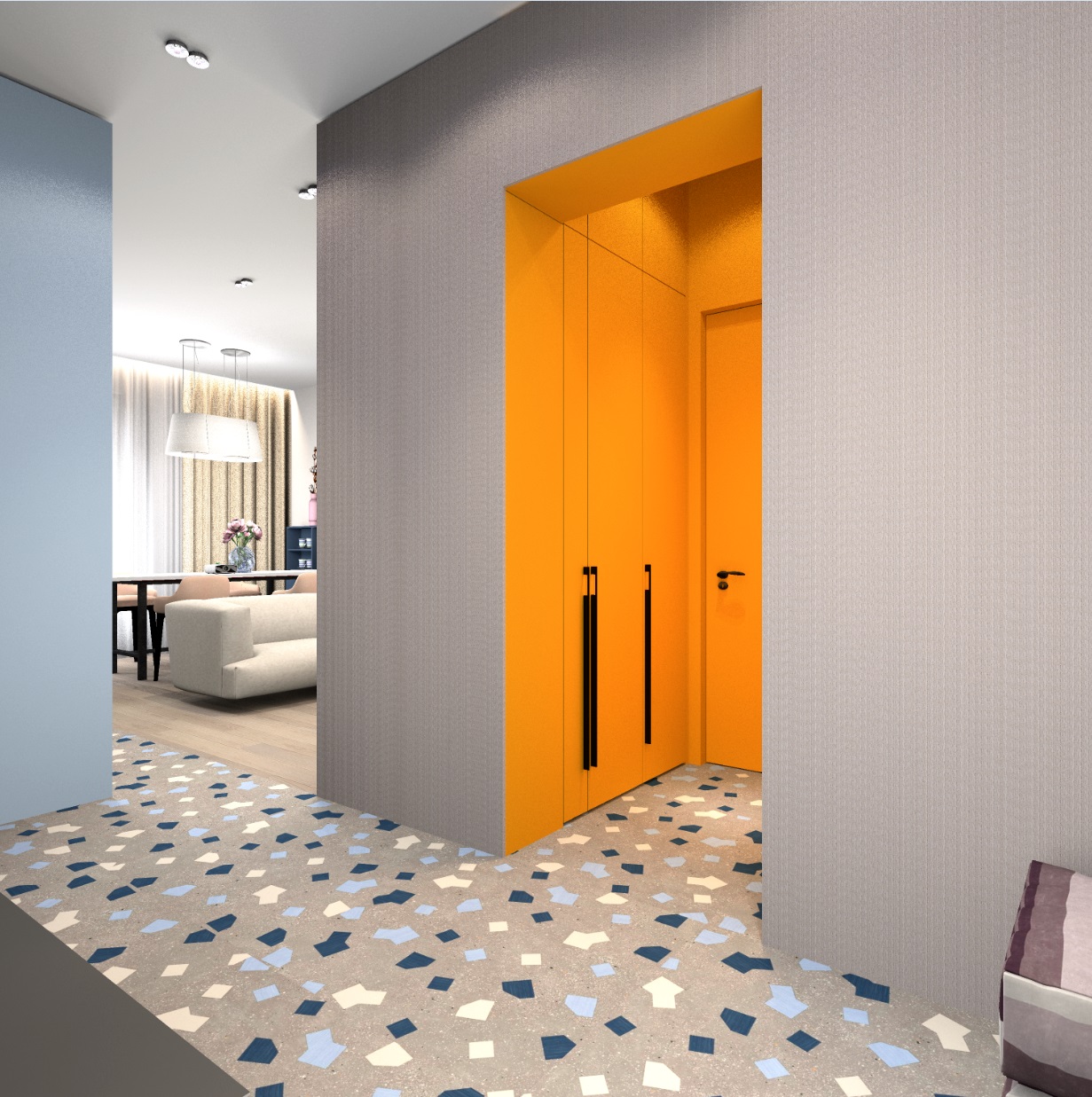
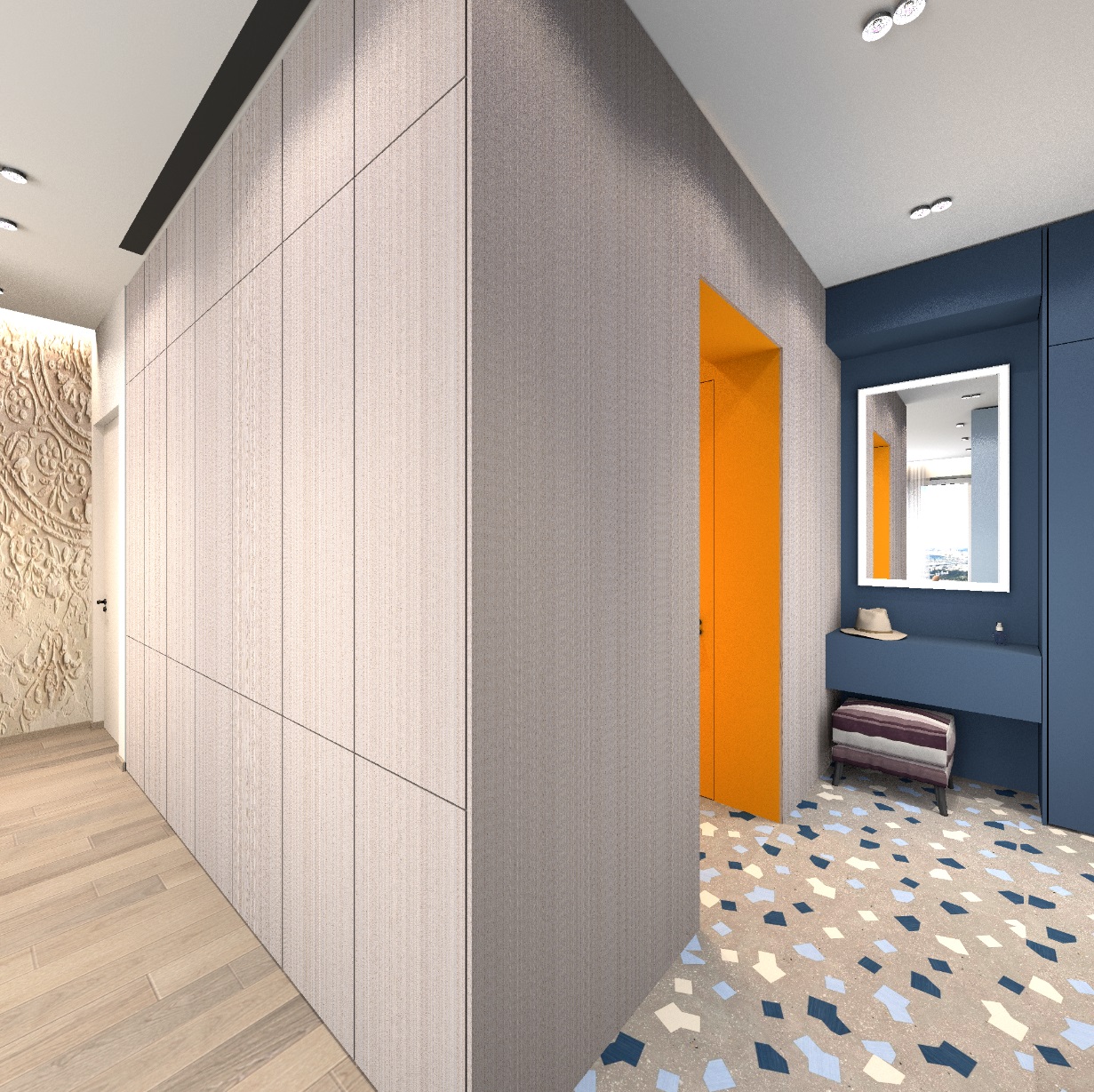
Hello in the New Year. I want to tell you about my way of showing a cinema room in a room. There are several zones in my room, there is a dining table, a sofa, a kitchen, two vestibules. Everywhere there are their own groups of lights, controlled through their switches and dimmers. There is a projector screen built into the ceiling (it stands on the table). During the day, the screen is hidden in the ceiling, in the evening you can watch a movie. There is a great temptation to turn on all the lights like in a real cinema. But after all, we have an interior first of all, and not a cinema with popcorn. Therefore, we need to prepare.
To turn off the lights selectively, I copy the necessary lights and in this copy I remove all the light powers to zero, if they are there (I give them a name with the initial word off---). I have my own homemade spots built into the ceiling, I made them from two hanging lamps of different sizes and power, and this pair is complemented by two luminous spheres for local visual effects. I have told you how these spots are made here https://www.sweethome3d.com/support/forum/viewthread_thread,12554 , they shine very truthfully and give the necessary falling shadows from objects. The lamps turned out to be good. https://www.mediafire.com/view/tkoyssq2trrx60...%25BE%25D0%25B9.jpg/file#
My belief is that you need to turn off only part of the lights in the room in order to work with the picture more delicately, not primitively out of complete darkness. To turn off the desired lamp, I combine it and the copy-off and after combining make the lamp with power invisible. In its place, there is a dummy that looks like a switched-off lamp. I decided to turn off the row of lights along the cabinet and screen and the two lights above the sofa. I also removed the extra organza backlight on the window and replaced the background on the street (city view) with a blue sky. In deep night mode, the texture of the sky will be shown outside the window brightly and without darkening, so you can choose any pictures - sunset, night stars, moon. The window is slightly reflected in the mirror in the hallway, so an evening view in the window is needed even there.
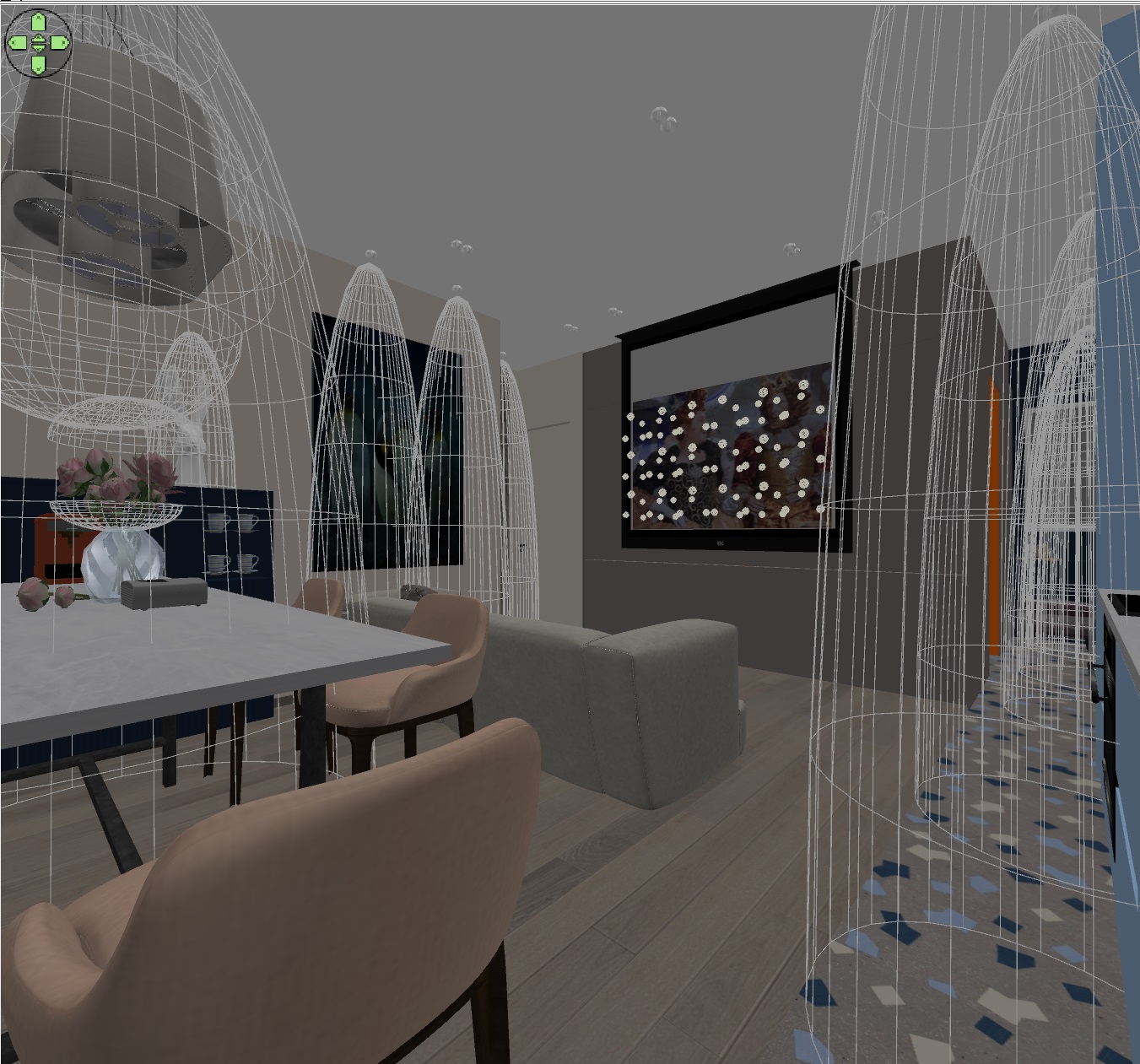
Now about how to make a glowing screen from a projector. I tried different options - panels, hemispheres, balls and realized that it was best to make groups of small multicolored spheres and evenly distribute them next to the screen over the entire area. The regularity of such a grid is not necessary, you can place balls with different steps. Some of the balls need a lilac color, this color is most similar to the general light of the TV screen. Such a group of lamps gives a very important illumination effect on the ceiling and floor, as it will be from a real screen with reflected light from a projector. It is important to give a non-bright white color of the screen itself (the background around the image), slightly gray, so that the white areas of the image burn brighter than this background.
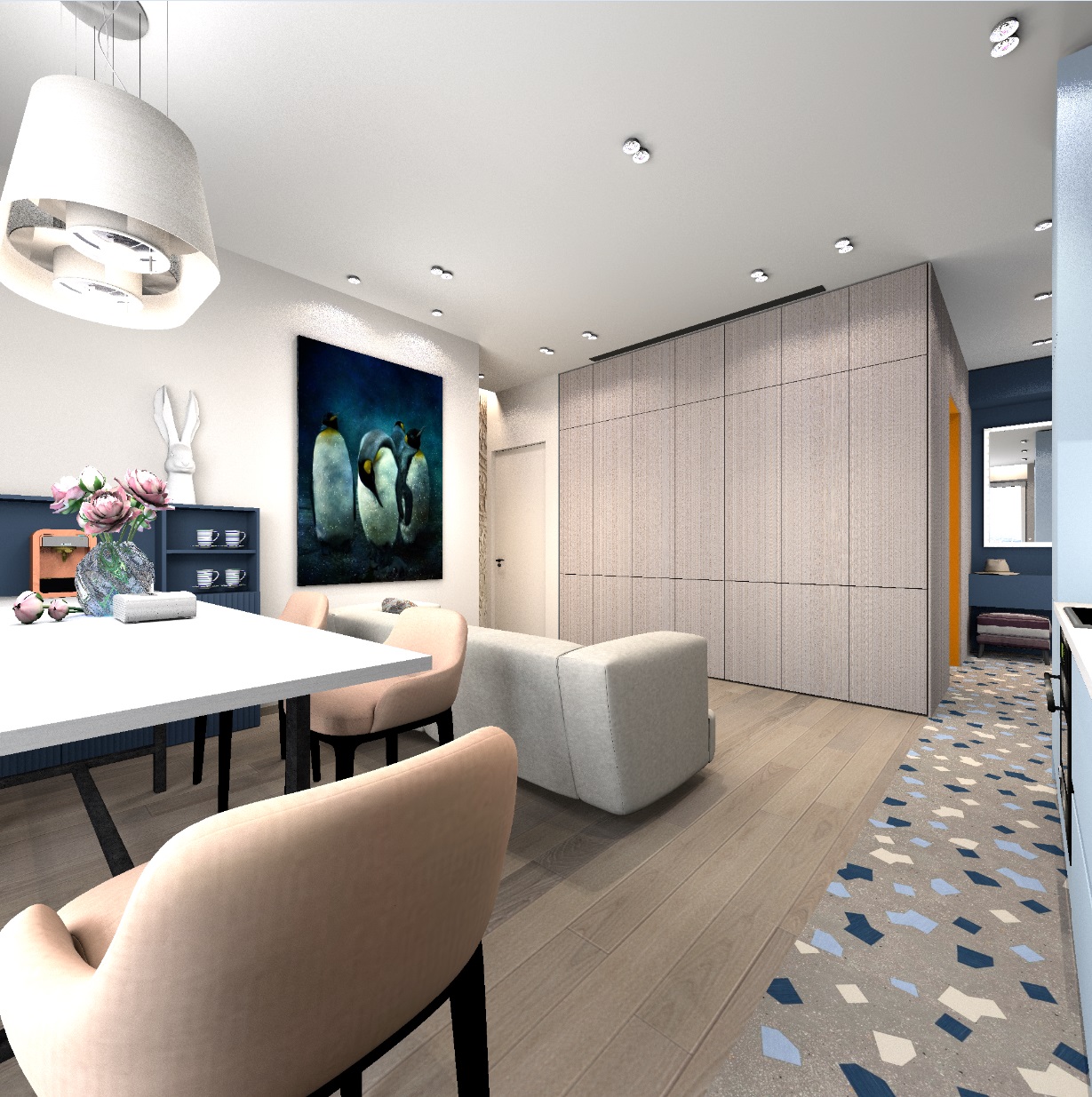
As a result, these are the pictures.
Daytime lighting
Lighting in the evening
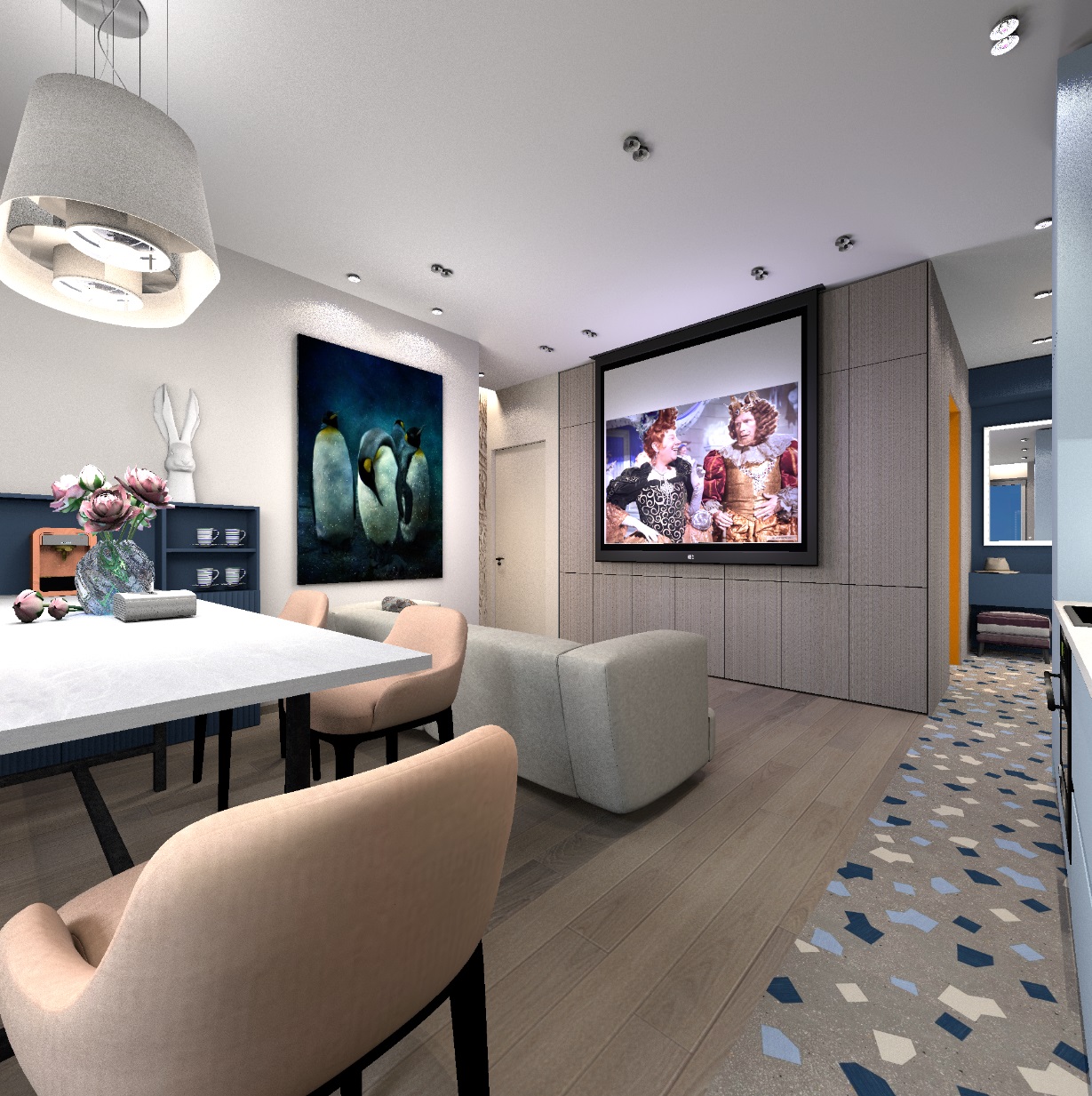
hemispheres for evening lighting, balls at the screen
I also successfully applied the texture method to the fabric. Sometimes it is impossible to find the right seamless texture of a fine-patterned material. I needed to draw a texture for a linen-colored fabric. I took the complex color texture of gray oak parquet and applied this texture on a scale of 1%. The result is thin scars on the entire surface of the box, very similar to the fabric. This 1% method is great if you need to depict a uniform texture of the desired complex color. It can be used for both walls and furniture.