Re: Apartment project with lighting by invisible hemispheres. I continue advertising
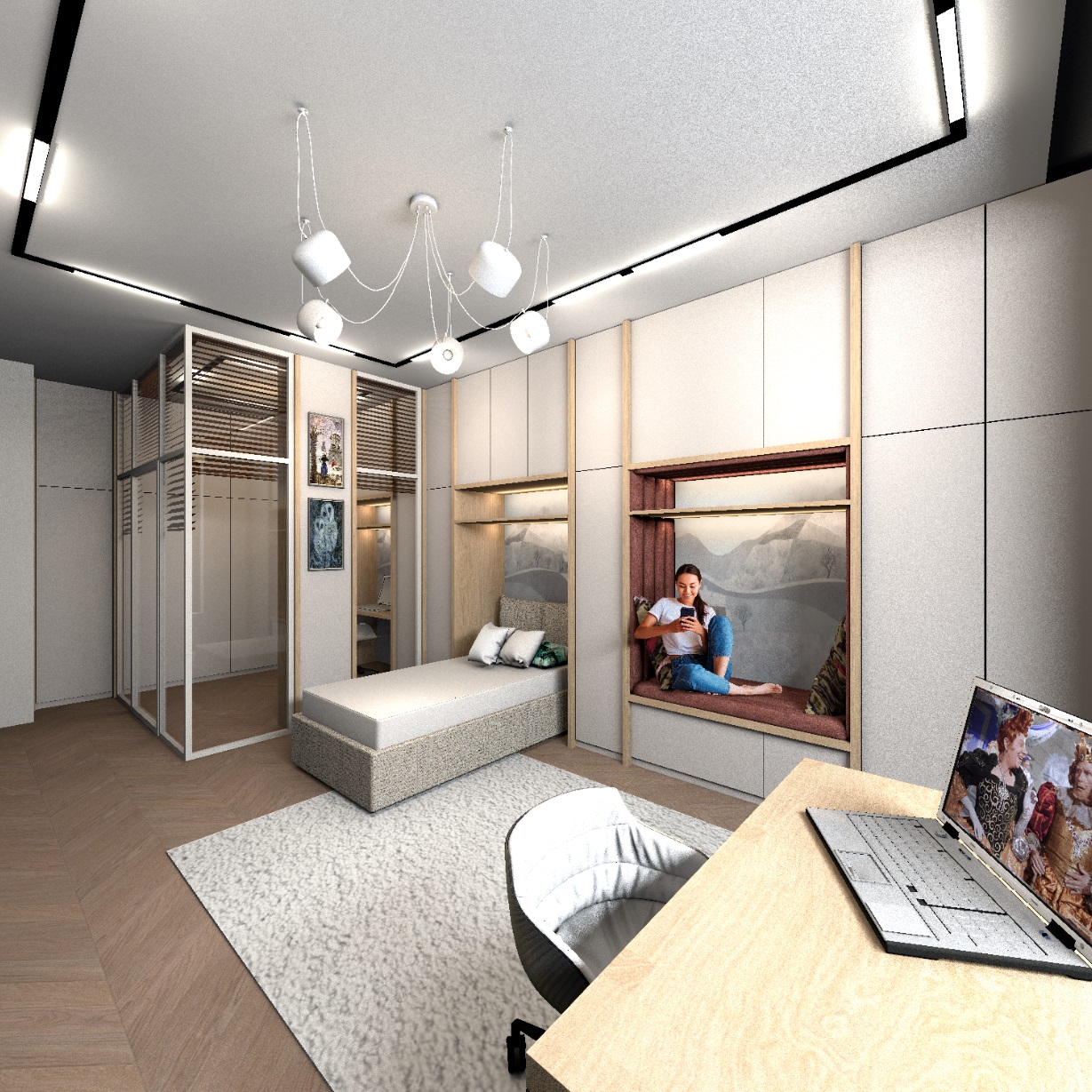
I'm currently working on a room for a teenage girl. In the furniture part there is a niche with upholstered upholstery so that you can sit there with a girlfriend and discuss guys. I decided to put a girl with a smartphone there. How do I make sure that the human figure sits in its place and is the right size? I propose a one hundred percent algorithm. Everything is in order.
1. You have selected the desired photo, the girl is sitting with her feet on the couch, the light is on her left side, everything is as we need, the window is also on this side.
2. The photo should be cropped as much as possible along the outer edge, in Paint or in another program, set the height of this field to 4000 pixels.
3. In Photoshop, you need to carefully clean the entire background with a hard eraser, you can not use a magic wand. After that, select a transparent background with a magic wand and use Photoshop tools to cover the outer edge of the photo with a thin contour 3 pixels wide, the contour color is flesh color. This outline will hide the unnecessary translucent pixels that give a white stripe in YafaRay. With this outline, everything will be without a white edge when rendering.
4. Now is the time to think. Look at the photo and determine where the person in the photo has a fulcrum. If a person is sitting and his foot touches the floor, then the fulcrum is at floor level.If a person is sitting and both feet are on this surface, then the fulcrum is at the seat level.
5. If the feet of the person in the photo do not touch the floor, then sit on the floor. Try to take exactly the same position, tilt your head towards your smartphone, or vice versa, lean back and lean against the wall. Your pose should be very similar to the photo. The position of the hands is not important, the position of the body and head is important. Carefully measure the distance from the fulcrum to the level of your eyes with a measuring tape measure. This is the most important information, do everything without mistakes.
6. With my height of 176cm, I got a size from sitting to my eyes of 75 cm. The girl in the photo is of course shorter than me, so I assumed that I needed a size 69cm, or even smaller.
7. If the feet in the photo touch the floor, you need to sit on a chair and measure from the floor to the eyes.
8. Now you need to make a box with the size as in the saved PNG file after Photoshop. My photo is 4000 high and 4368 wide. You need to create a box with these dimensions and a thickness of 10cm. Check the Keep proportions box and reduce the height of the box to 90cm. All other sizes will decrease proportionally too. Place the photo on the front side, make the other sides of the box invisible. Make the excess approximately like the seating in your project. In my project it is 58-60 cm.
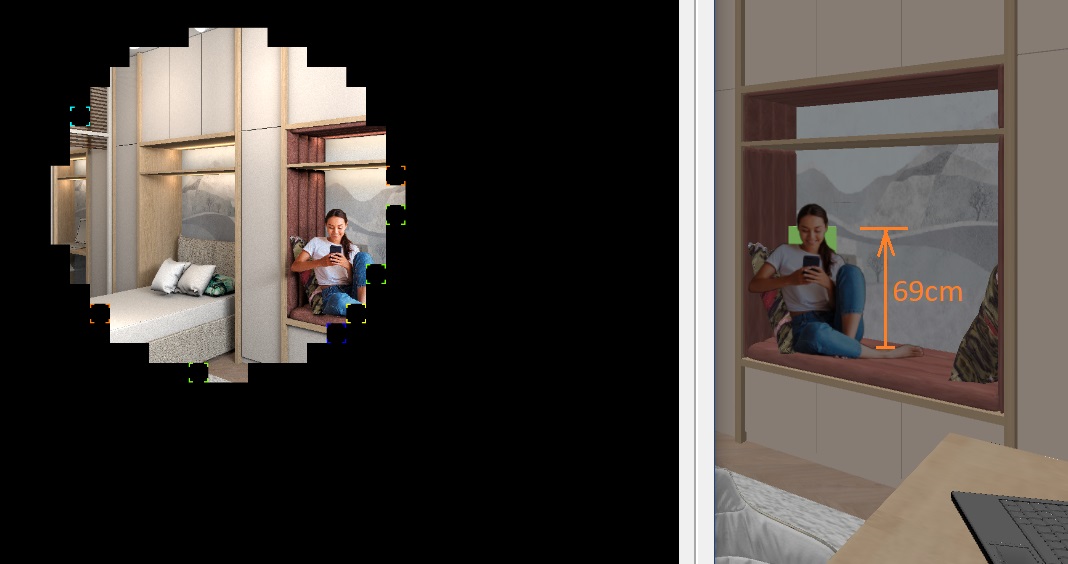
9. Now make a thin bright green box 69cm high and carefully place it on the seat. It should be exactly in the place where the girl's head will be (if viewed from above). It's like there's going to be a spatial model. But in fact it will be a flat photo and it will be shifted forward, otherwise the hand will be cut because of the pillow.
10. Now you need to place the photo exactly on the seat. Rather, it is necessary to touch the edge of the seat photo, or even go down a little by 2cm, as if the person pushed through the upholstery and sat deeper. If you did not guess correctly and the top of the bright green template does not match at eye level, then keeping the proportions (!!!) carefully change the size of the box without changing the height above the floor level. The proportions should be the same as they were in the beginning! The eyes in the photo should match the top of the template. I did a little less, because it's a teenager.
the box with the photo should be placed perpendicular to the viewer's view, the elbow of the right hand will slightly protrude beyond the plane of the niche, as it will actually be. A bonus on the render will be the shadow of this hand on the furniture facade.
This method allows you to accurately create an image of a person in the right proportions, it will look very natural. He will not be a giant or a dwarf.
I will be glad if someone makes their project in SH3D with such a human figure and shows it to everyone. It's not as difficult as it seems. You just need to do everything point by point. I'll be waiting. And of course, all the lighting in the room is made by invisible hemispheres of 1%, there are 20-25 of them here.