 Re: Apartment project with lighting by invisible hemispheres. I continue advertising
I figured out how to insert GIFs into the SH3D program so that they look natural, so that the shapes overlap with the objects of the room. This is the same method of the invisible box, only it must be used in the video editor. First, I took a basic rendering of the room, picked up the gifs, thought about how these figures on the gifs would be located in the space of the room (which objects would overlap these figures, which would be blocked by the figures themselves). As a result, I made 4 layers. The first one is the basic render. The second one is the same render, only with the fireplace window cut out, where I placed a gif with fire. The third layer is a table, a sofa and a doorway (there will be butterflies flying in the kitchen, a couple of dancers appear from the opening, a girl is standing at the table). And the fourth layer is just the sofa. I made these changes in the photo editor, made a transparent background around the objects. Then you need to arrange these layers in the video editor in the order of overlapping. And place layers with GIFs between the layers. Creating a video clip is interesting because you can split the gif file at the moment when, for example, the hand begins to overlap the wall and at this moment part of the gif is transferred to the layer above. The image starts to overlap what it didn't overlap before. As a result, the figures become almost real in space, although they are not in the scene itself. This is an attempt to depict space on a flat render. These are the layers I made:
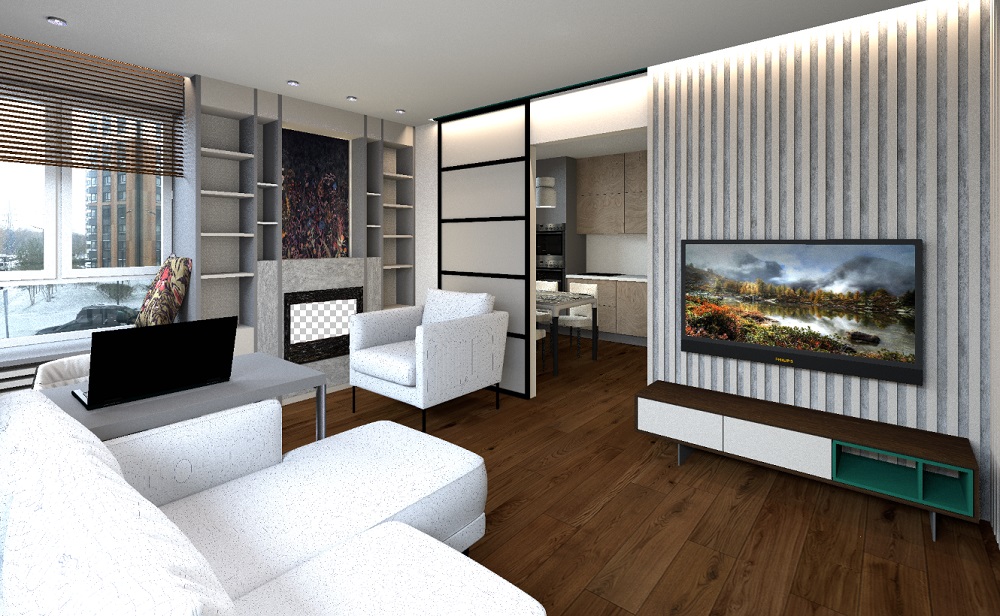
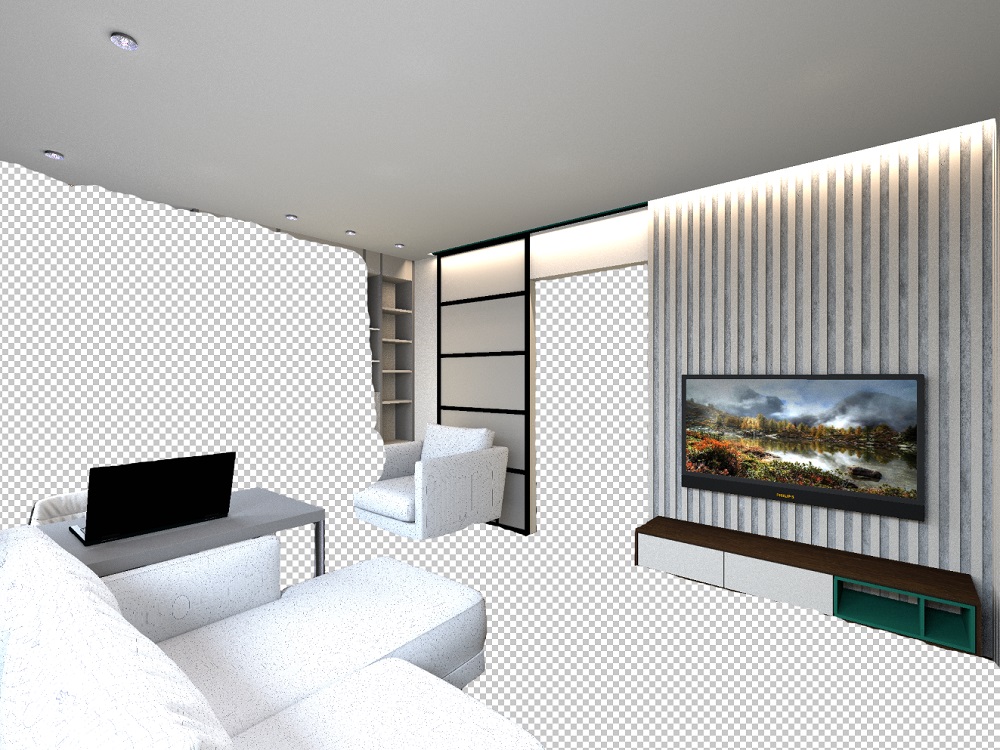
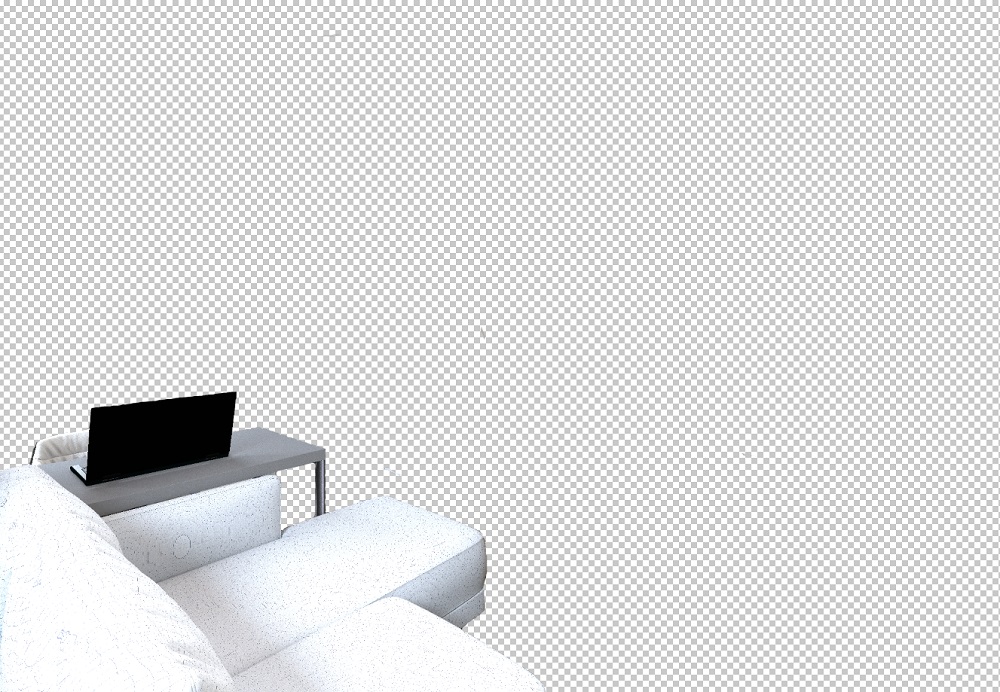
The video editor differs from the render in Yafaray in that you can make the borders not very carefully, when superimposed in the video everything will connect without traces (in Yafaray there are white contours). The main thing is to keep the exact dimensions of all layers (this is obtained automatically). And then they connect into a single whole without shifts and contours.
The video is not recommended for people with a weak mind to watch, sorry. I didn't find any other more decent GIFs.
 https://www.mediafire.com/file/culwyodjwmh736...25BD%25D0%25B3_3.avi/file