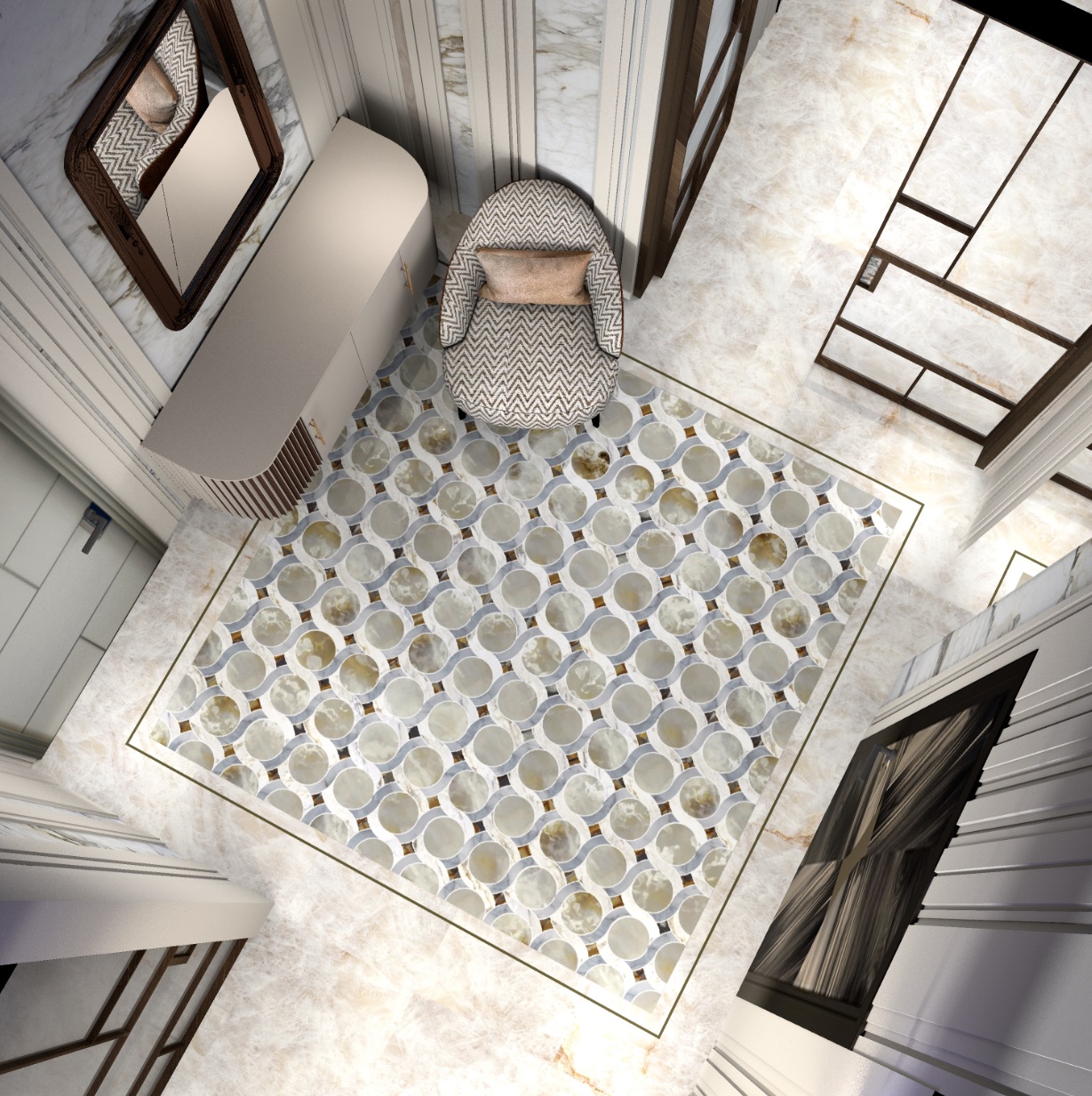
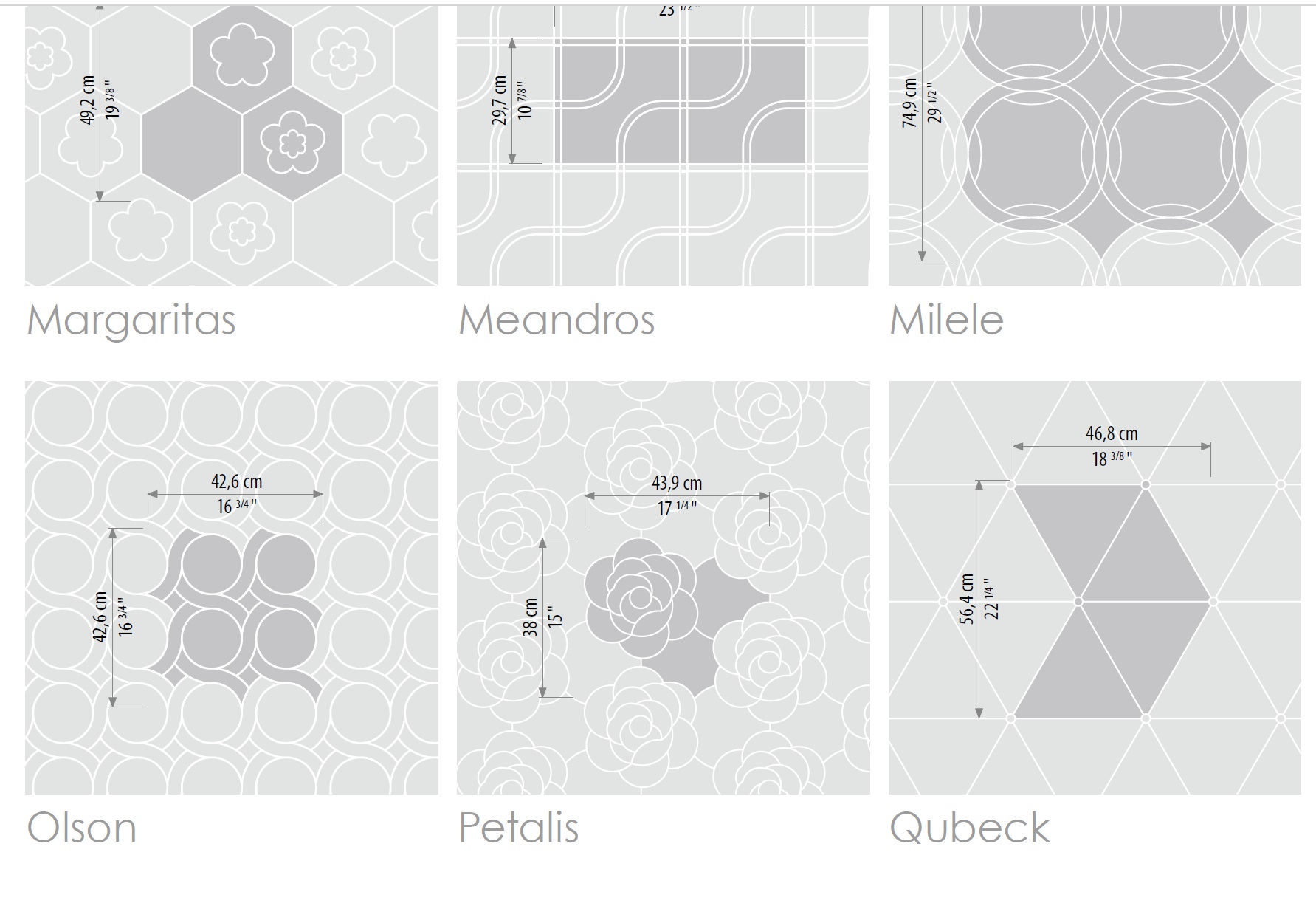
I made a complicated tile. I took a drawing of the module from the catalog of the Italian factory Sicis, placed it as a background image (Olson).
Then, using the background image on the seams of the parts, I exposed walls 250 cm high, 3 cm thick. I assigned the white color of the upper surface to the walls. Inside, between the walls, I put up thick walls with a height of 248cm and 247 cm. Two colors - blue and pink. The result is a module that the tile factory produces in order to lay out large areas.
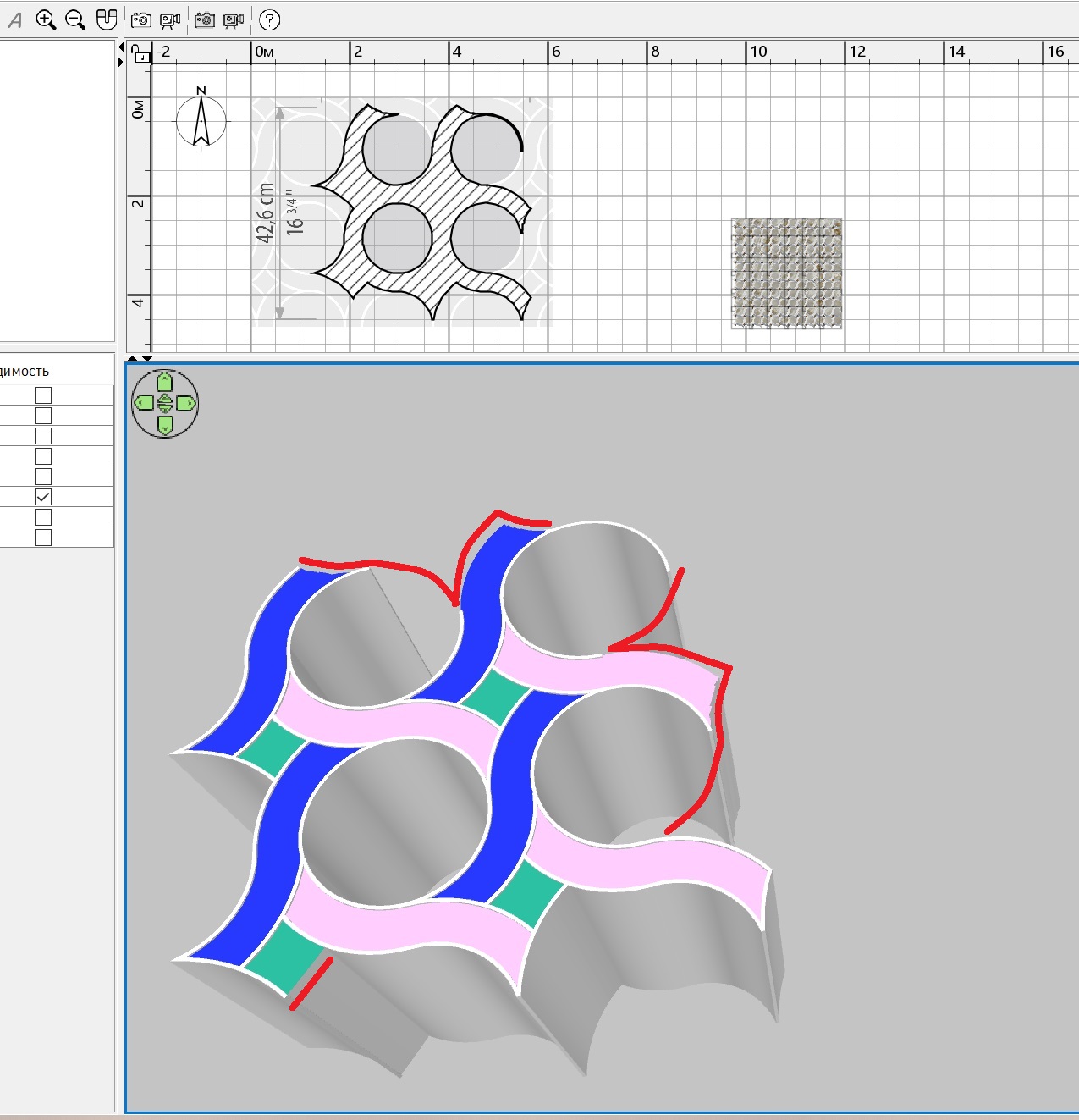
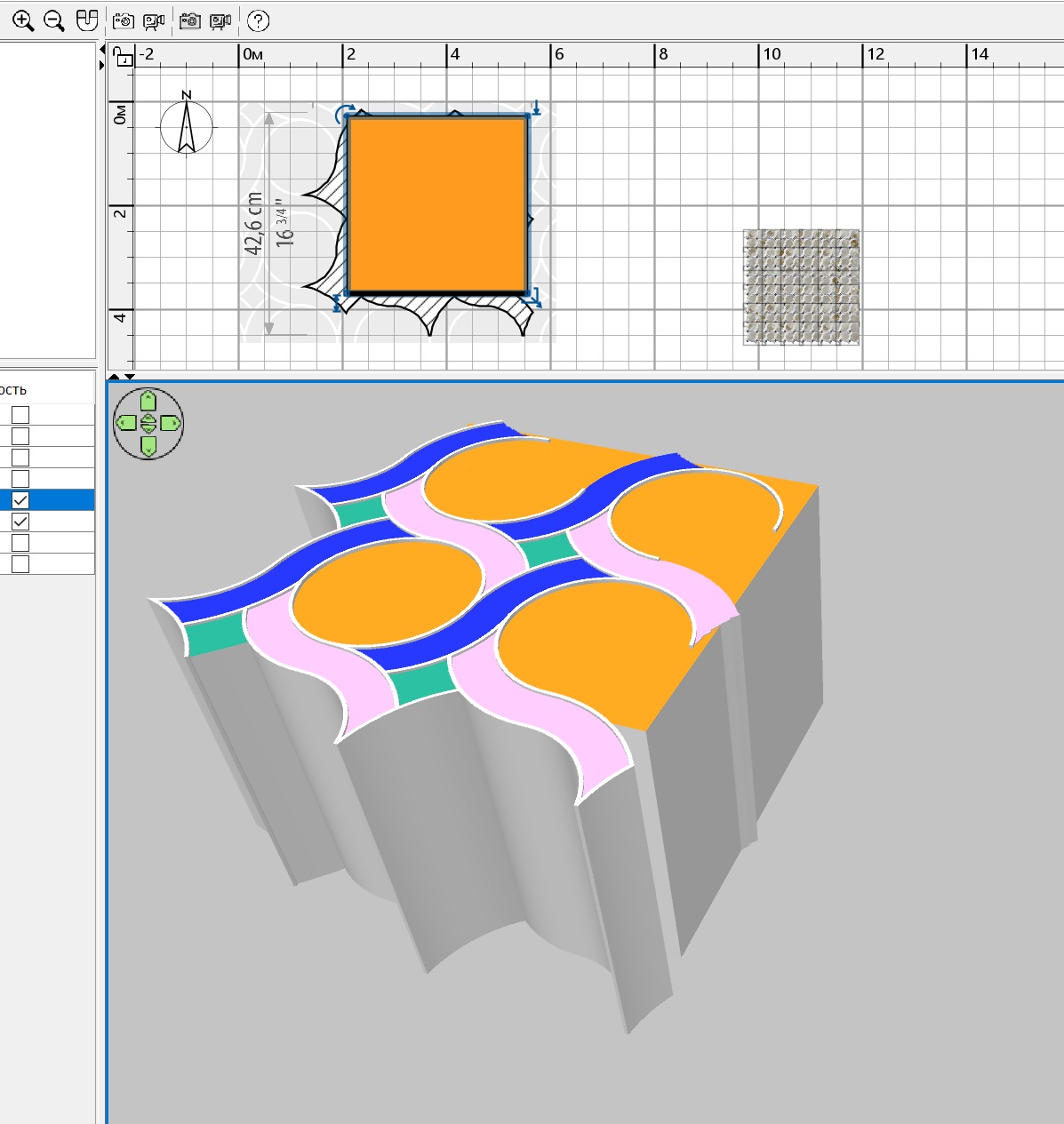
In red, he showed where he removed the seam walls so that there would be no seam lining when connecting the modules. Then I added an orange box, which has a height of 246 cm, it fills the round mosaic elements. Such a high altitude is very useful. If you then make a model of such a high height flat (0.3 cm in reality), you will get an image like on paper, but all the different shapes will remain and they can be changed in texture. I saved it all in OBJ. As a result, the difference in heights in a thin model turns out to be several microns, of course it is not noticeable to the eye!
This model, assembled into a large carpet, unfortunately stops the computer if this model is placed in a complex room scene in SH3D. But I found a simple and effective way to get the computer to work with such a complex object. You need to make a virtual visit and place the viewer exactly in the center of the tile carpet. The tilt of the head should be done as highlighted in colored ovals, the height should be selected experimentally. Then the camera's view will be strictly vertically downwards. It will be a perfect square. And make a printscreen, save it. Then you need to crop this image at the edges in Paint. You will get a carpet with smooth edges from a complex mosaic. It weighs almost nothing and the computer works fine.
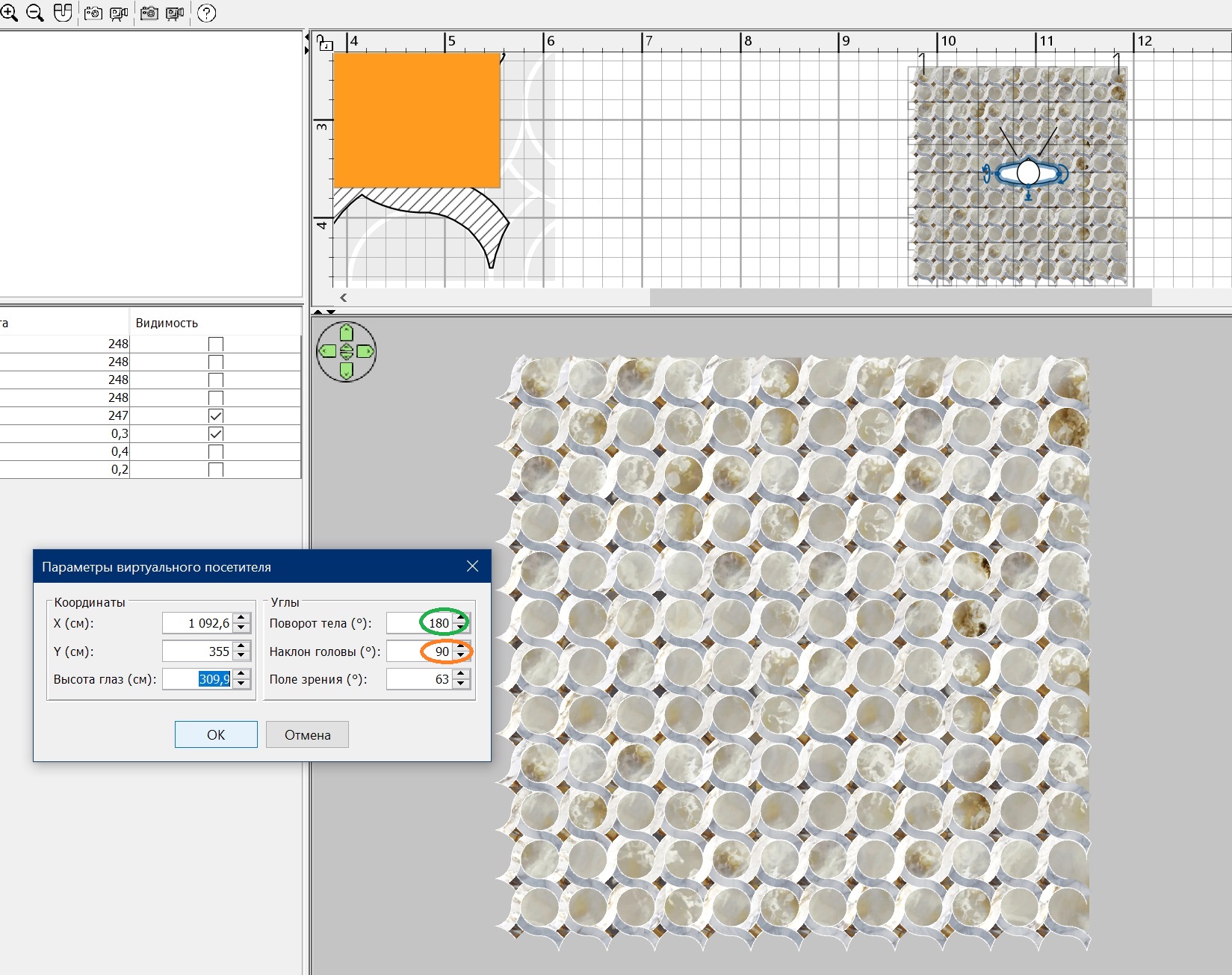
please note that round details are not repeated, I have set personal values for each module. The scale of the onyx texture for the top of the orange box is 350-800%, the shift along the axes is individual, and as a result there are no repetitions of the texture, as in a real stone.
The final image is in no way inferior to a complex wall model. Only it doesn't weigh anything and the rendering is fast in the end.