I decided to make corrugated art glass. You don't need to have a complex texture to do this. It is enough to find a high-quality photo of such glass on the Internet. And save it as a texture in SH3D. My glasses are inserted into the cover of the partitions. I made these bindings from walls 3 and 2 cm high. 3cm is the outer perimeter. 2cm is a thin inner binding. I assigned a dark color to all sides of these walls. Now how to make glass. There are at least three ways. 1. You can fill the space between the walls with other lower walls (height 0.5 cm). And assign the top to all the pieces as a color. Then, in the OBJ import, this group will be a single group inside the binding. 2. Fill everything with a set of boxes of the same color. Also, when importing OBJ, it will turn out as a single piece of material inside each binding. Rectangular boxes are very good for textures - everything is predictable and there will be no gaps, there will just be a stretching of the texture along the shape of the sides of the box. 3. And the easiest way is to create a room by double-clicking inside the outline of the wall bindings. You'll get a room. Change the room. Be sure to remove the visibility of the ceiling there. Otherwise, there will be a white material in place of the glass. And assign a TEXTURE, not a color. If you assign a color, then any texture in the export will look like rain, not like a picture. It may also look like glass)), but the view of natural glass from the photo is better. If you assign a texture, then immediately achieve an even filling of the room without cuts. Before importing to OBJ. This method allows you to make realistic glass)), and the rendering time is minimal for such a complex scene. You do not need to make a transparent material, it is better to think about how to simulate reflections and translucent background. To do this, rotate the photo texture and find the right position. Pre-make a low-quality trial render, improve it by rotating the texture in different places. Yes, you need to make your own groups for all sections, not combine them into large arrays. Then the glass will be more interesting and without repetition.
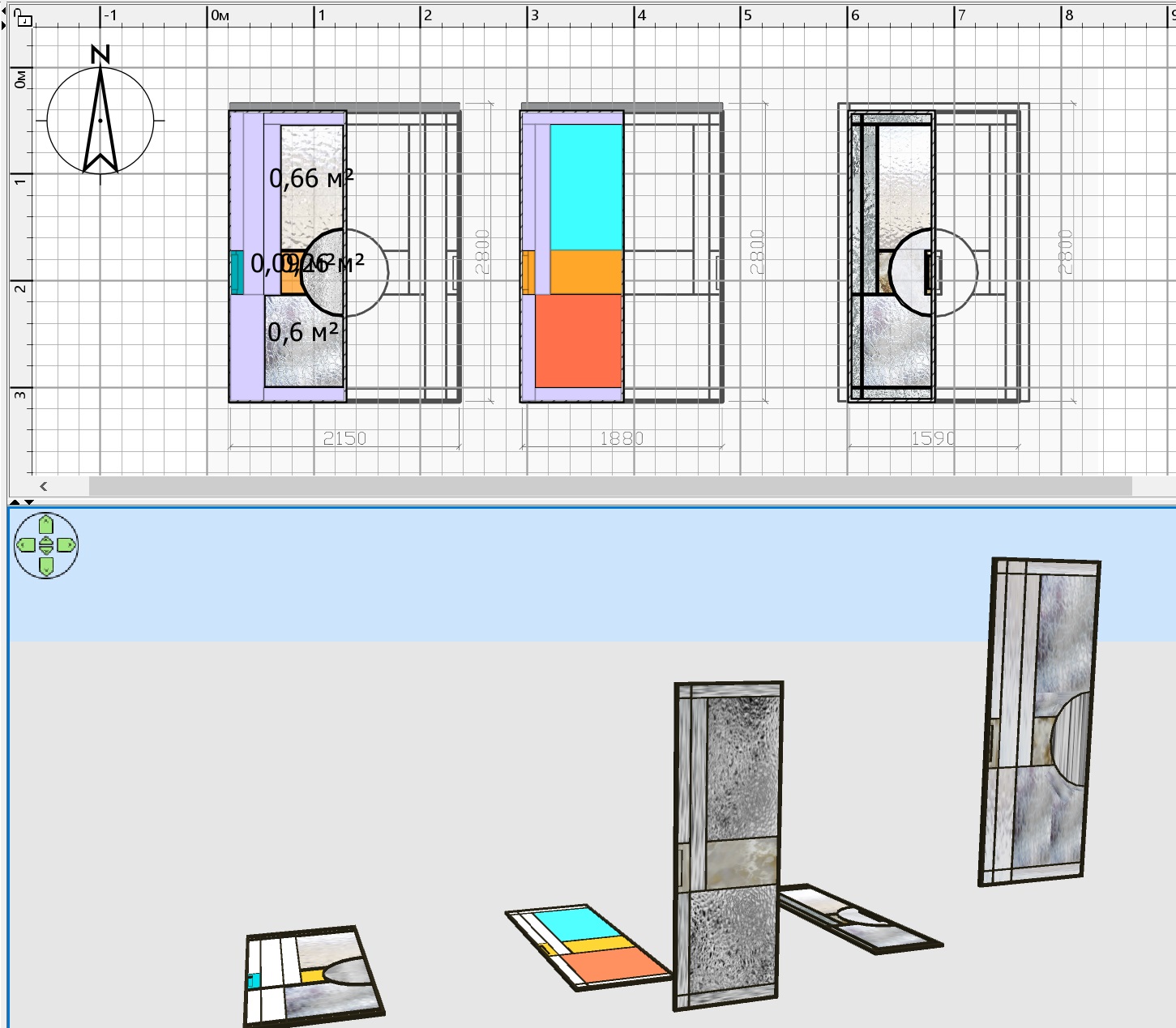
Here the rooms have a color assigned before import, it turns out an elongated "rain" on the render, the vertical structure of the glass. It's fine too.
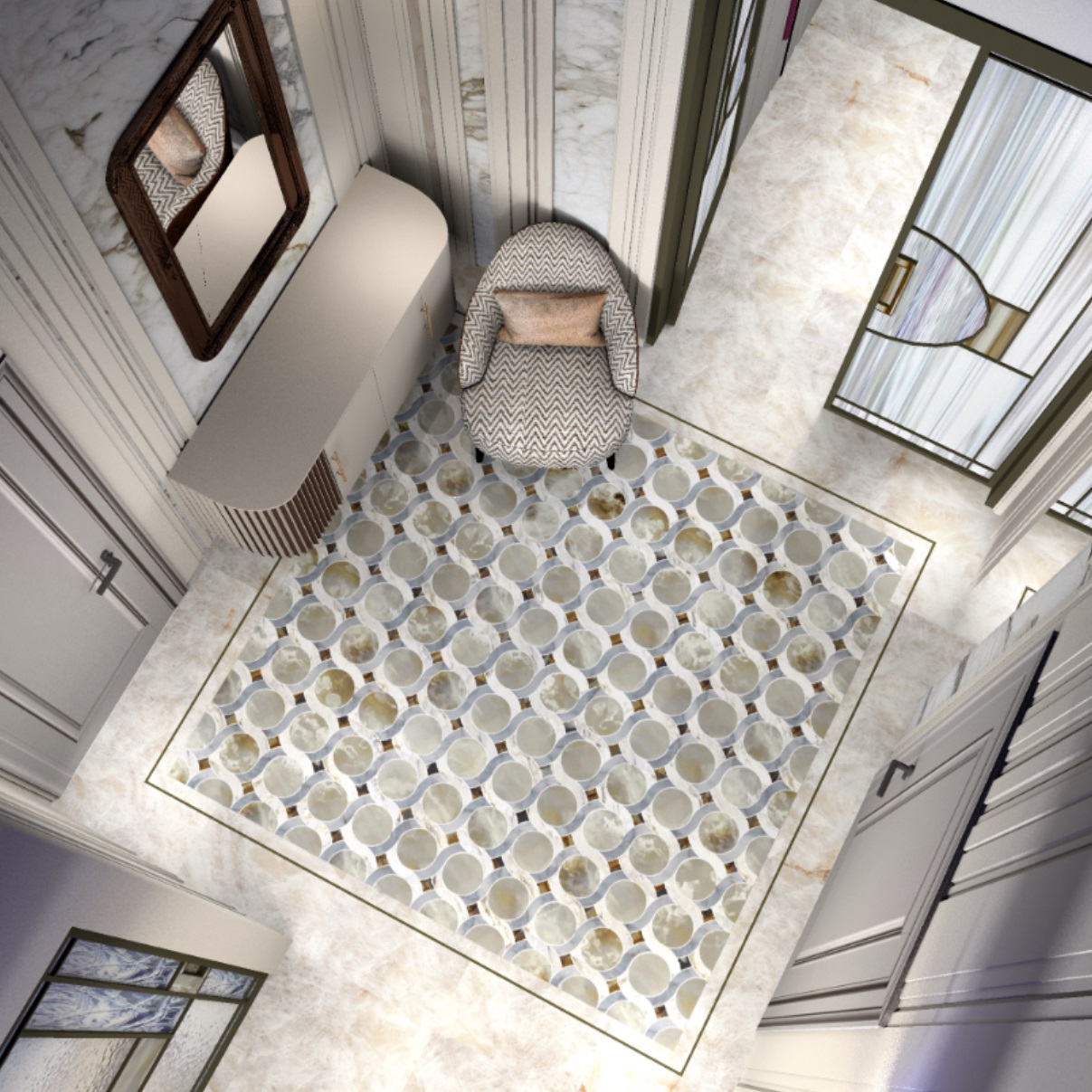
and here the texture for the rooms is assigned everywhere. It turns out like in the glass photo. It's not raining.


