 Re: an attempt to break into the Royal ball. The Pathtracing parameter
That's it, we need to finish. My experiments with PATH TRACING rendering parameters ended with conclusions, I specifically made these examples only using models, without applying textures on invisible boxes (it looks like a scene in the interior of a real room, for example)
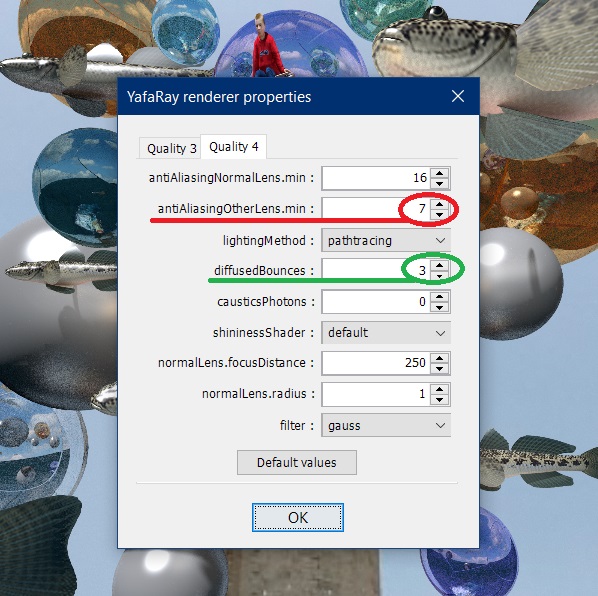
1. This mode differs from standard modes in that it allows you not to simulate, but to receive in reality scattered reflections and even reflexes from surrounding surfaces. They are poorly controlled, but even in such a stripped-down form they give an advantage. Because even the minimum is better than the absence. For practical work in the interior, this mode is not very applicable, because it depends very much on the loading of the scene with models. Each model dramatically adds time. Lighting doesn't have much effect, it's the weight of the models. To apply this rendering mode, you need to reduce two parameters in the settings and look for optimal combinations of them with each other (with a gradual increase in the red parameter on low-resolution trial renderers. I'm trying for 400). In red, I highlighted the main parameter that affects the graininess of the image. The higher the number of the red parameter, the better the picture. In real work, let's say a maximum of 10 units, and you don't need more. The minimum acceptable grain is on the number 4, preferably more. The red parameter directly depends on the desire to spend your time on rendering. It is enough to put the green parameter on the number 2, you can put it on three. It doesn't make sense further, it affects the smoothing of coarse grain, but adds broken pixels. This is a secondary parameter, the main one is the first one, red. All other parameters are of little importance. When working with PATHTRACING mode, you need to find a balance between the numbers of red and green parameters and the resolution in pixels. The best quality at a resolution of 2000 and above. 3000 pixels is optimal. The quality level 4 is best suited for processing mirror surfaces. It is universal for this mode. The third level requires high pixel resolution several times longer to render.
As a result, I'm going to use this mode only in a limited way, it's not suitable at all for complex interior scenes. But if the interior has light-weight models, then it is applicable, only light models are usually primitive, for which this royal parameter is too royal. Everywhere you need to look for the meaning and necessity of application.
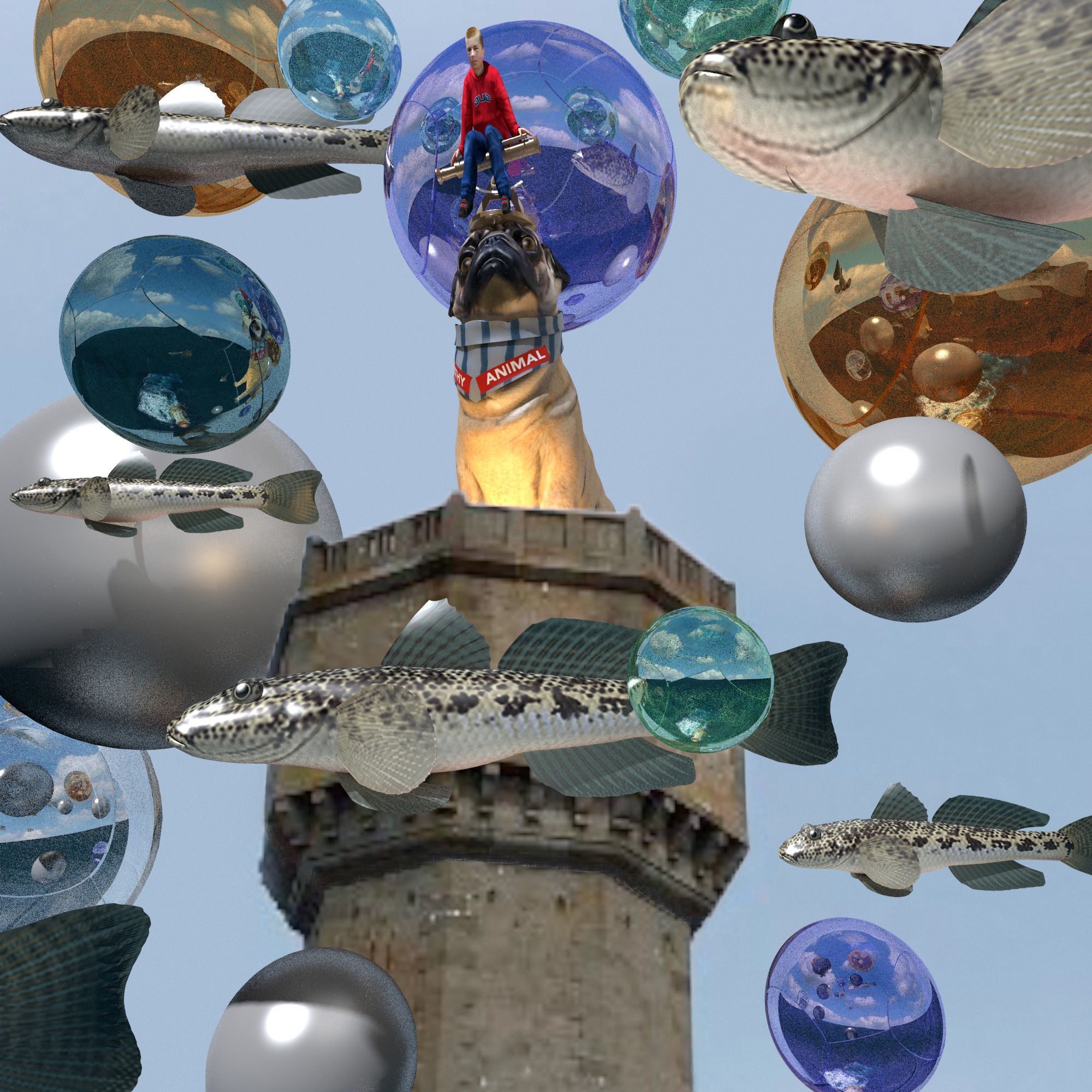

There is a maximum number of heavy weight models in this scene. I have selected the maximum parameters as in the screenshot. With them, the picture in a resolution of 2000x2000 pixels was loaded for 7 hours. The previous images are lighter in terms of models and were uploaded for 2-4 hours in the best resolution (3000-4000 pixels)

