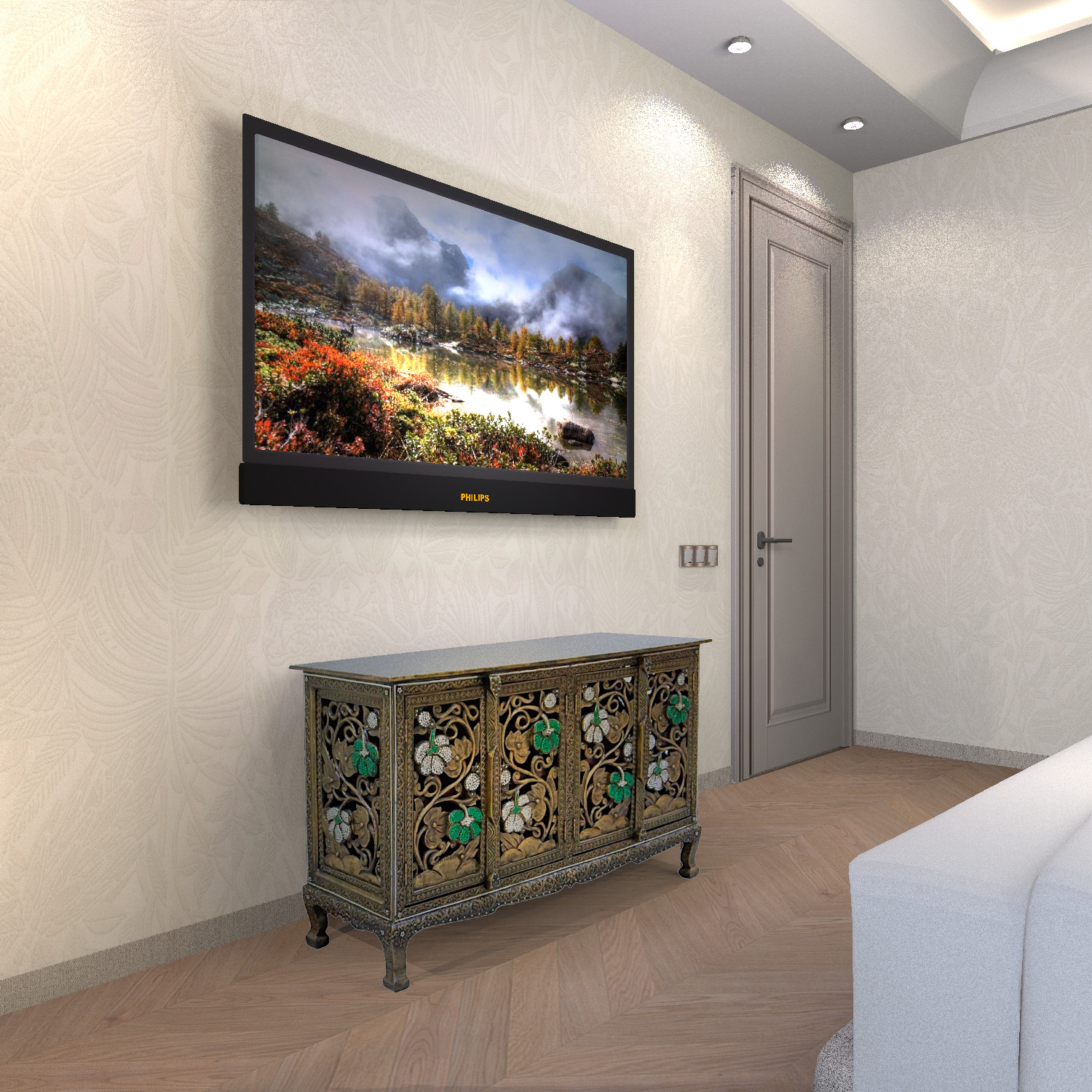
a technique for inserting any piece of furniture into an interior without a model.
very often it is impossible to find a 3D model of the desired object. But there are high-quality photos from different angles. What to do? First you need to prepare. I found an interesting oriental-style chest of drawers. I cut off unnecessary fields as much as possible, cleared the background around the photo of the chest of drawers in the free photo editor. Now you need to find all the information about this chest of drawers. By searching the picture, I found a seller who indicated that the chest of drawers has these dimensions (width, depth, height). Very important information.


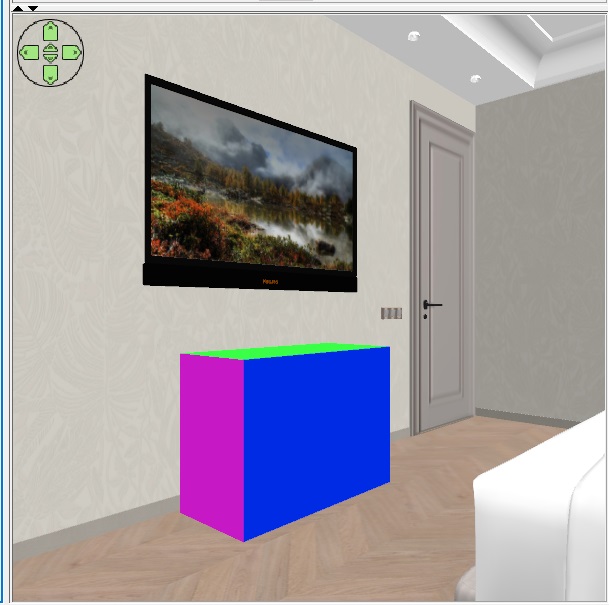
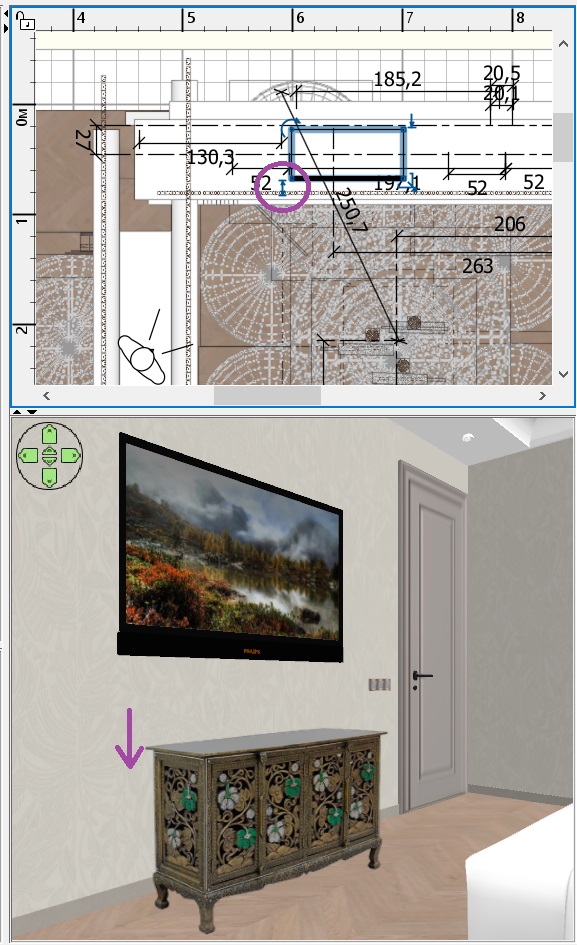
you need to make a box with multicolored sides according to these dimensions. Put it on the floor in the right place, where there will be a real chest of drawers. Sellers often give incorrect product sizes (especially if such a product does not have a well-known brand), but it is better to try to believe them this time. 103x45xh73
Now comes the most difficult job. You need to make a box with the size of the dresser image on a transparent background. These dimensions in my case are 96x81 cm (PNG image size 961x809 pixels). Keeping the proportions, I reduced the box with the image in height to 75 cm, and made the other 5 sides invisible. Now you need to try very hard to put the photo on the background of a colored template so that all the lines in the photo match the lines on the template. It's very difficult, but you have to try. The realism of the image depends on this. You can change the camera position, change the angle of view, and the height of the viewer. And of course rotate the photo box. This photo should be rotated as perpendicular to the camera's line of sight as possible, but you can rotate it slightly to achieve a match. It should work out like mine))). The main thing is the dimensions in width. The photo should slightly overlap the template in width. Please note that the box with the photo does not touch the floor. It hangs in the air in front of the template because it is smaller than the template and is located between the viewer (camera) and this template). This is very useful for rendering, because a box with invisible sides casts a strange shadow on the floor, and if it is hanging in the air and does not touch the floor, then there is no such shadow. Interestingly, the size of the photo can be very small, and then you need to move it very close to the camera. and the effect will be exactly the same.
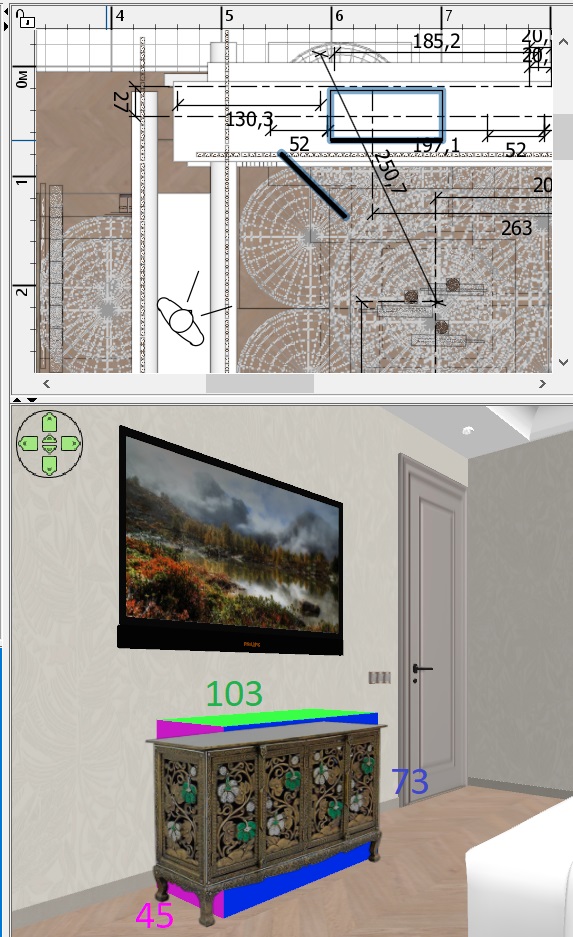
It is very important to turn off the magnet, it interferes with the subtle movements of the box. After all the attempts to combine the template and the photo, I realized that the seller had deceived me, the chest of drawers had a different width. But the main thing is that I managed to align all the lines of the photo and the template. You CAN'T MOVE THE CAMERA from now on. Use this button to lift the template above the floor level so that it disappears from the bottom of the photo.
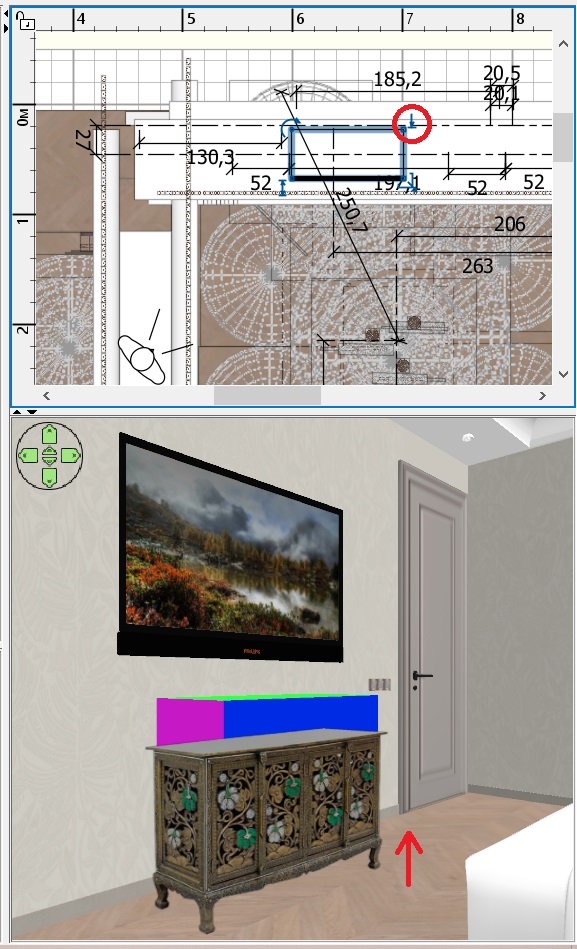
Use this button to reduce the height of the color template so that it disappears along the top of the photo. It will turn out like this.
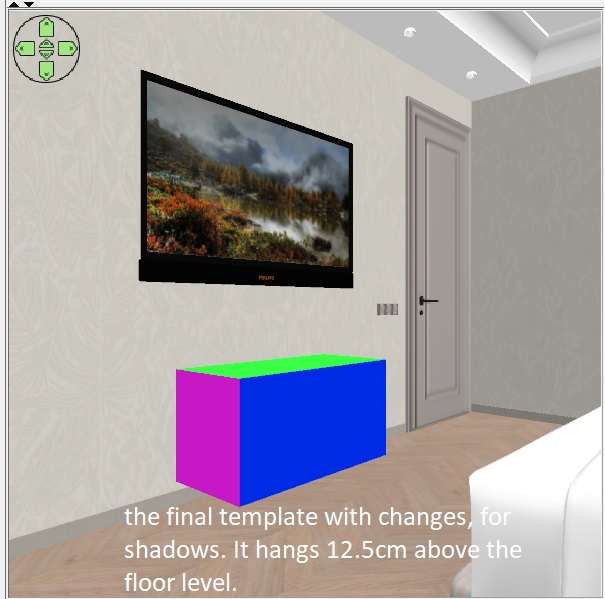
three legs will cast a shadow on the floor, you need to place thin boxes with a height of 12 cm (it was to this height that I raised the bottom of the colored template. These thin boxes should be placed exactly behind the legs in the photo. It is important that they do not stick out from behind the legs of the photo, it is better after that to paint them in the color of the legs of a real chest of drawers, they are still slightly visible on the curves of the shapes. These boxes are on the floor, far away from the box that is hanging in the air. But the render will have real shadows on the floor, as if from a real composite chest of drawers with real legs.
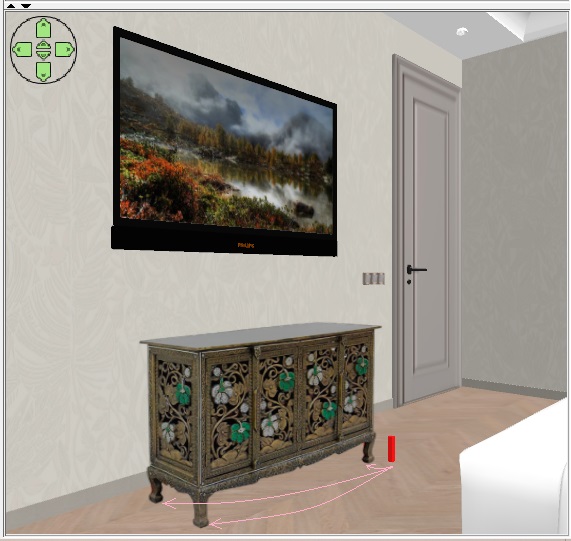
the final render will be like this. The chest of drawers is completely real, it is not visible that it is a collage. In this way, you can insert ANY objects with geometric shapes into the interior. The main thing is to define the basic form for the template. Yes, it's difficult, but sometimes it's the only way out if you don't have the right model. This way, you can insert only one object into the interior, two different objects in the photo will look wrong. Only if it is an object without geometric shapes. For example, a plant, a human, or a cat. There are no visible errors because there are no geometric lines.