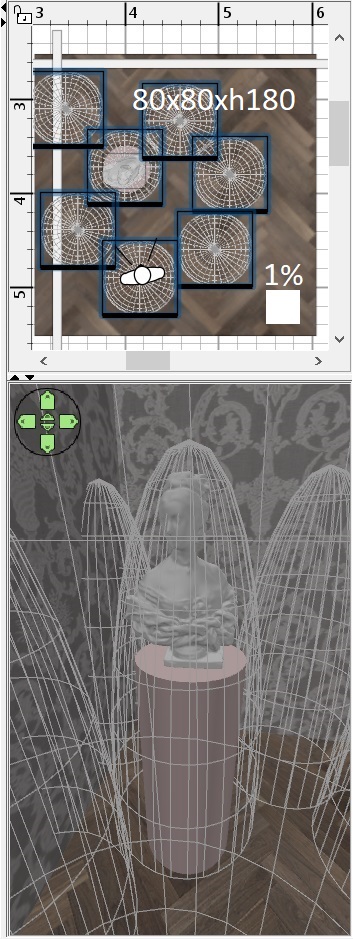
I took a sculpture model. It's a stone bust of a Girl . Such models can be downloaded on free sites. Don't worry that they don't open in the SH3D program. You still have a 90% chance of success. It is necessary to select all files from the package after downloading. There is a 90% chance that the OBJ or 3DS formats you need will be among them. Such models are often painted in the same color, without dividing into parts. It's not important for sculpture. I made two walls out of boxes and a thin box floor. He placed the bust of a girl on a pedestal made of a top hat. At this stage, you need to set the lighting mode to the middle position and work in 3D. So you need to follow one principle in your work. Don't try to do everything at once with one action. We need to act little by little, building up the pressure. Therefore, the first step is a weak filling light medium. I took some tall hemispheres with a base of 80x80 cm and a height of 180 cm. I raised them 20 cm above the floor level. The power of these towers is 1%, no more needed. The color is white, don't forget to set the color from the beginning. YAFARAY render, 0 o'clock night mode. This is what the first step looks like. The quality needs to be set to a weak 400, the image size is 3D in appearance.
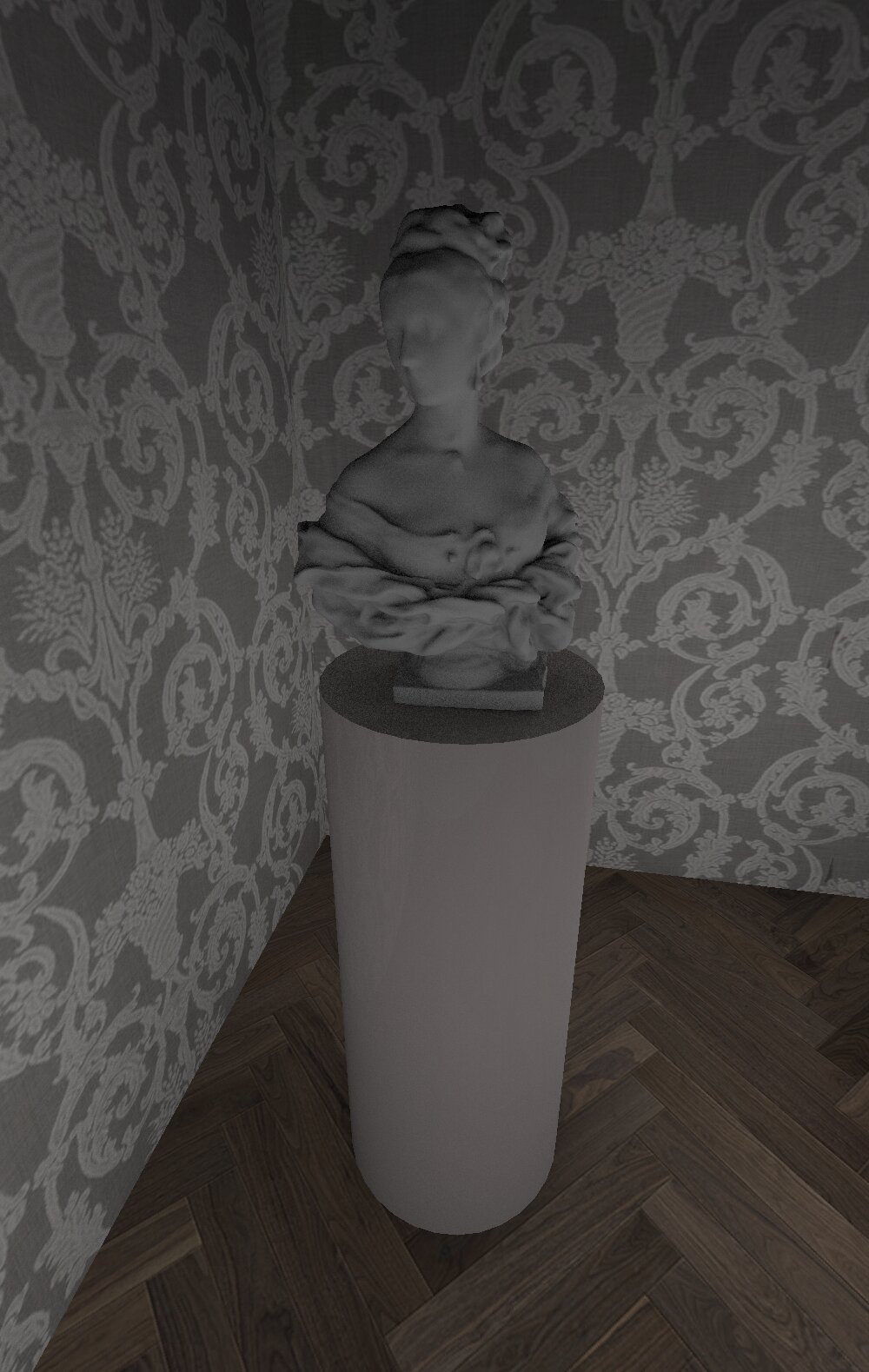
it must be remembered that starting from this step, at each stage of complication, you need to see a good result. You can stop at each of the stages. If that's how the work is moving, then that's right.

