Hi, I am very pleased with your experiment and I am ready to tell you everything I know about this issue. There are several important points.
1. The SH3D program has a limitation on the processing capabilities of large files. There are probably specific numbers, but in your case, I had to delete several large groups of models in turn. Otherwise, I couldn't start rendering, SH3D was putting a red cross.
2. You need to decide if the sun will be involved in your scene. The sun is the simplest light source, but it is difficult to connect it with the indoor light. I advise you to set the night mode to 0 hours so that the sun does not participate at all.
3. Hemispheres are a directional light source, they are a spotlight. The lower the height of the hemisphere, the flatter it is, the brighter and more directional the beam of light from this "dish". If the height of the hemisphere is high and it turns into a cocoon or tower, then the light begins to spread in all directions, not just down. Any hemisphere shines slightly outward, even a very flat one. But the main stream of light goes towards the round base, from the top. At first, all the hemispheres were wrong, they were shining in the other direction. It is necessary to determine where the rays of light are going. In our case, it's from the street inside the room and mostly from top to bottom.
I've turned over your hemispheres. He directed the beams towards the room, assigned a Y-axis rotation of 50, power of 30%, color light blue, not blue. The inner hemispheres were lifted off the floor by 20 cm. their color is orange, not yellow. The power is 2%.
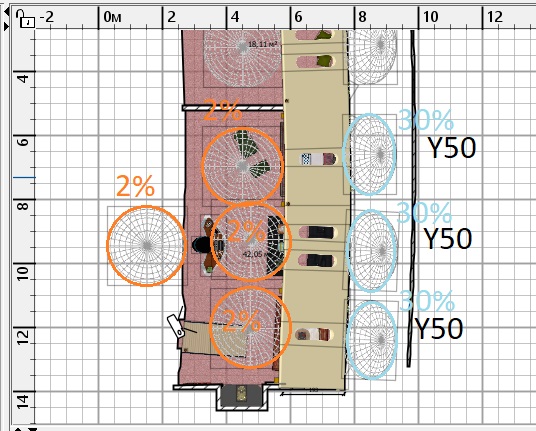
A very important hemisphere is located at the table. It should illuminate the dark black places at the back, where the light from the street does not penetrate at all. This hemisphere mimics the reflexes in the room, which are always present in reality, but cannot appear in SH3D. Therefore, you definitely need to do this imitation yourself.
2000 width rendering mode, 3D view. The fourth highest quality mode. The rendering time is 50 minutes-1 hour and 20 minutes. I tried adding your other models, but the program refused. Therefore, what is in the frame now is the maximum. You need to understand this limit and try not to exceed it when rendering. You can remove unnecessary models, try not to assign textures, and change them to color. It helps.
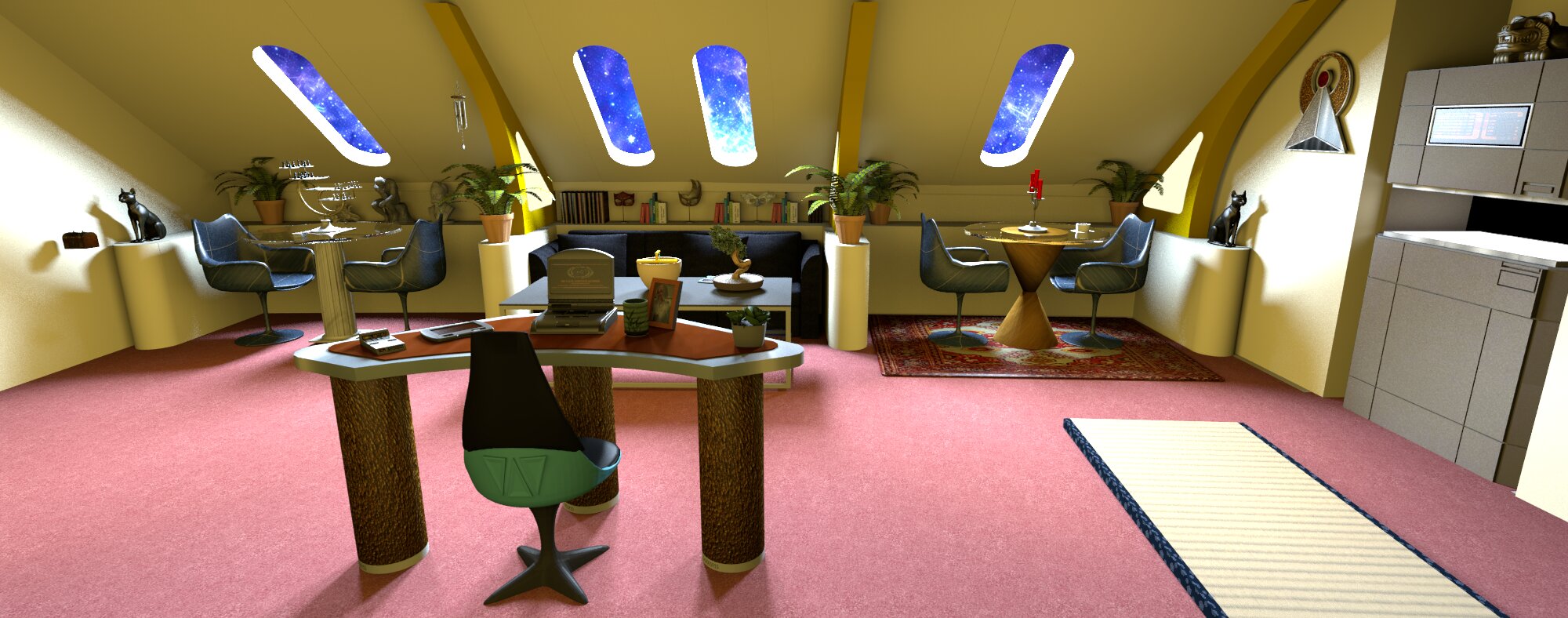
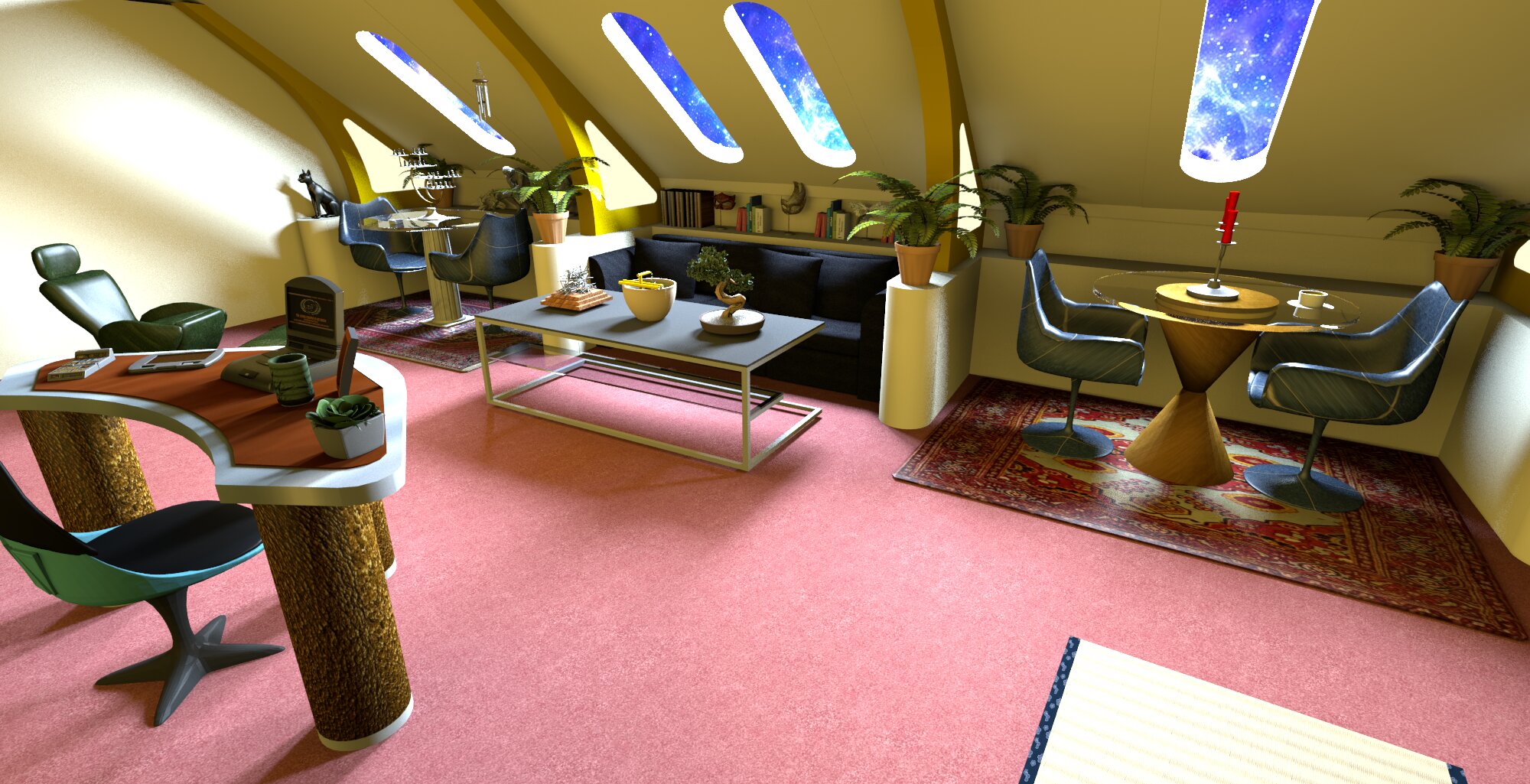
I advise you to avoid very black color and very black texture. Such shapes are poorly perceived during rendering. It is better to assign a dark (not black) texture. And the same goes for very white colors, preferably a little gray.
the SH3D file

