You need extra properties for your door/window that are not available in the obj/mtl definition. Fortunately we have the Furniture Library Editor and that allows us to add multiple extra properties, among which properties for the display of sashes.
Check this forum post for an explanation.
In short: you have to add your door/window to a Furniture Library (.sh3f file) and set the properties for the sashes. (You can create your own library.)
And here is an image (also in the same thread) that shows what-is-what.
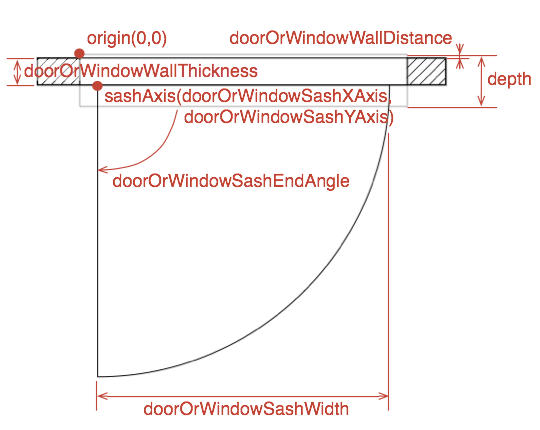
----------------------------------------
Dodecagon.nl
1300+ 3D models, manuals, and projects
