|
Sweet Home 3D Forum » List all forums » » Forum: 3D models and textures » » » Thread: 3D Ceiling Fan (Lighting) |
||
| Print at Dec 19, 2025, 10:32:10 AM |
|
|
| Posted by snmavronis at Jan 18, 2021, 3:35:04 PM |
|
3D Ceiling Fan (Lighting) I'm modeling my house and although there is a similar fan design in SH3D it does not have a light option built-in. I can't seem to add lights around it without making the globe look black in areas. Is there a free model compatible with SH3D of a ceiling fan similar to this that lights? If not a globe light fan, a separate cluster of lights might be acceptable but I prefer a 4-bladed fan. I've been looking all over the place. Or any tips for properly lighting the stock SH3D fan without looking fake would be appreciated. I wish it's ball was translucent so I could put a single light inside. ![]() ---------------------------------------- Steve N Mavronis - Retired PC Tech |
| Posted by Mike53 at Jan 18, 2021, 9:20:05 PM |
|
Re: 3D Ceiling Fan (Lighting) Something like this ![]() fan and lamps are from sh3d library File here |
| Posted by SeppoV12 at Jan 18, 2021, 9:26:51 PM |
|
Re: 3D Ceiling Fan (Lighting) Quick and dirty solution: - make ceiling fan ball material (CeilingFan6900_4_4) invisible - replace ball with transparent ball (same place and dimensions) Transparent balls can be found from SketcUp 3D Warehouse and they seem to be problematic but here are one result: ![]() My test file here: Mike was quicker but I send this any way.. Seppo |
| Posted by snmavronis at Jan 18, 2021, 9:43:05 PM |
|
Re: 3D Ceiling Fan (Lighting) Thank you guys! I'll check this out. :) ---------------------------------------- Steve N Mavronis - Retired PC Tech |
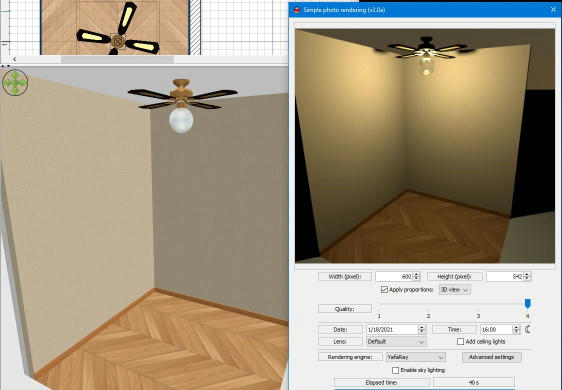
| Posted by snmavronis at Jan 19, 2021, 2:07:33 AM |
|
Re: 3D Ceiling Fan (Lighting) Hmm... Can't get rid of that black hole chrome ball effect and any brighter than 25% washes out the fan blades. After studying what you guys did, I simply made the fan's light globe invisible and added the SH3D pendant hanging ball with it's ceiling cable invisible. I haven't tried different renderers yet. What's the best to use? ![]() This is to visualize our kitchen remodel to be scheduled soon, but I'm working on modeling my whole townhouse. ---------------------------------------- Steve N Mavronis - Retired PC Tech |
| Posted by SeppoV12 at Jan 19, 2021, 3:27:27 PM |
|
Re: 3D Ceiling Fan (Lighting) Yafaray is my favourite render, usually it handles lighting better but is also slower in some cases. I still have problems with that same 'black hole chrome ball effect', I try something new. |
| Posted by Puybaret at Jan 19, 2021, 3:51:25 PM |
|
Re: 3D Ceiling Fan (Lighting) As explained in this thread, you could try to set illum to 0 for the material CeilingFan6900_4_4 in the MTL file of the fan that you use. ---------------------------------------- Emmanuel Puybaret, Sweet Home 3D creator |
| Posted by snmavronis at Jan 20, 2021, 11:21:13 PM |
|
Re: 3D Ceiling Fan (Lighting) I read parts of that thread about using illum=0 although with an exported ball pendant lamp and Kd 1.0 1.0 1.0 for white in the MTL. I get this effect at least with a white-ish light ball in the "original" pendant ball lamp. I got this result but now that I'm re-reading Puybaret's suggesting again I should go back and export the fan model itself! What I did was easy but too many steps and no glow effect. Let me test this again your way since I misread it slightly. ;) ![]() ---------------------------------------- Steve N Mavronis - Retired PC Tech |
| Posted by snmavronis at Jan 20, 2021, 11:22:30 PM |
|
Re: 3D Ceiling Fan (Lighting) Oh before I forget how to I set the Global illumination path? Is that a separate plug-in? ---------------------------------------- Steve N Mavronis - Retired PC Tech |
| Posted by snmavronis at Jan 21, 2021, 12:06:25 AM |
|
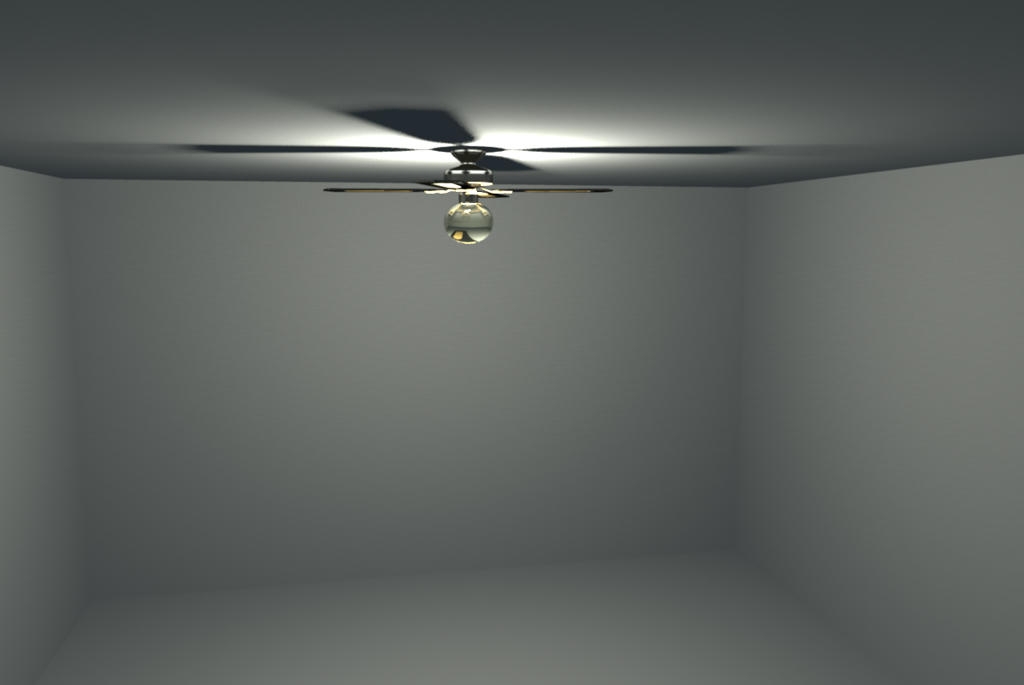
Re: 3D Ceiling Fan (Lighting) Editing the MTL file of the exported ceiling fan directly gave me this undesired result - only downward lighting. I'm not sure what the other default parameters are in the CeilingFan6900_4_4 section: newmtl CeilingFan6900_4_4 illum 0 Ka 1.0 0.964706 0.815686 Kd 1.0 1.0 1.0 Ks 1.0 1.0 1.0 Ns 128.0 ![]() ---------------------------------------- Steve N Mavronis - Retired PC Tech |
|
|
|
Current timezone is GMT Dec 19, 2025, 10:32:10 AM |