Print at Dec 16, 2025, 3:56:38 AM
Posted by dorin at Oct 3, 2021, 12:51:04 PM
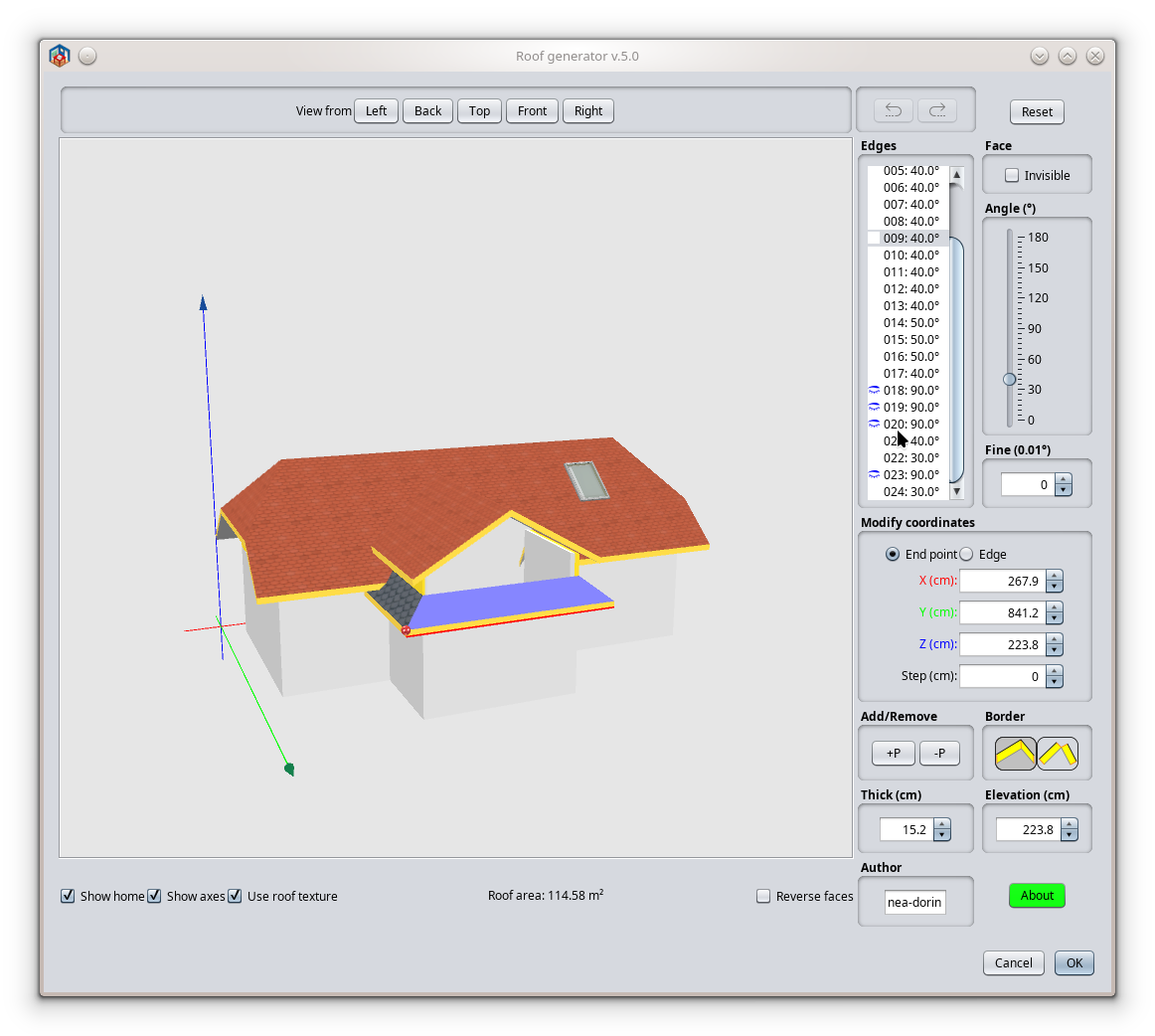
Generate roof plugin
In the series of YAUP: GenerateRoof plugin v1.0 alpha
!!! WARNING !!!

  • Fail on more than 90% of cases
  • Not all texture are correct rendered

Q:"Why you published like this?"
A:"It's a path trout jungle. Someone else could make a highway from this"

How I think to use:

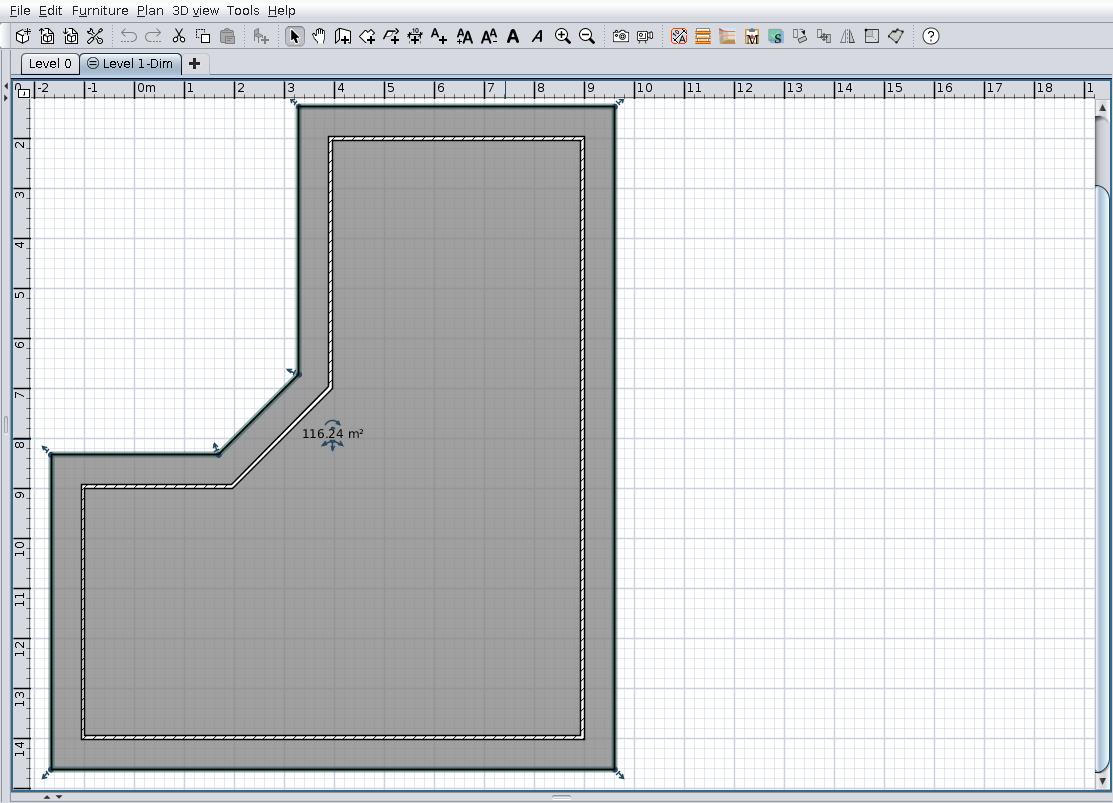
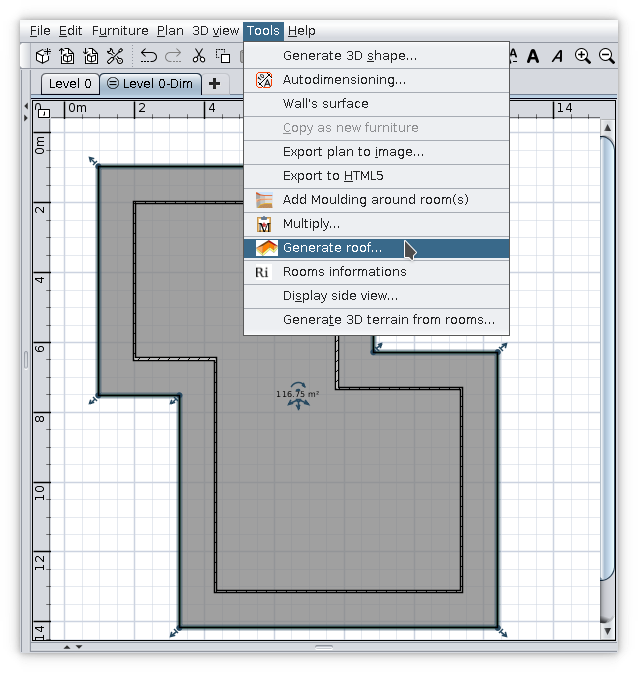
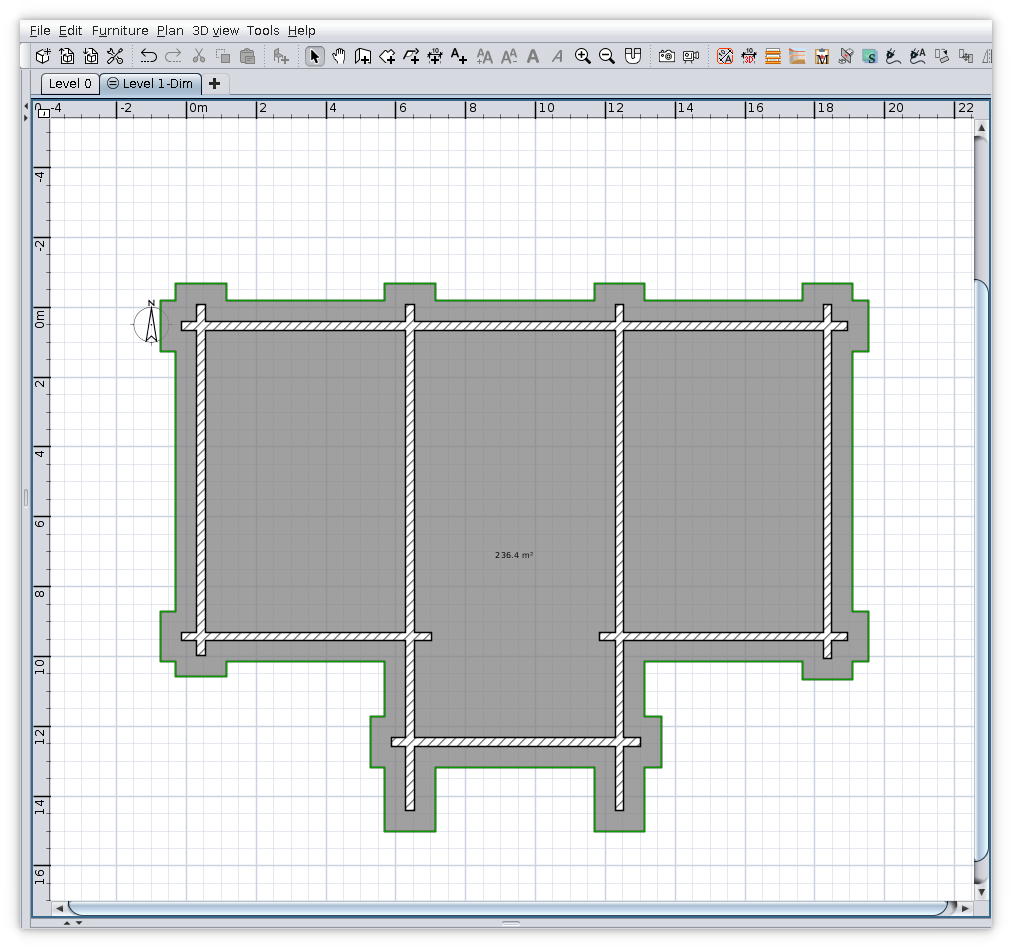
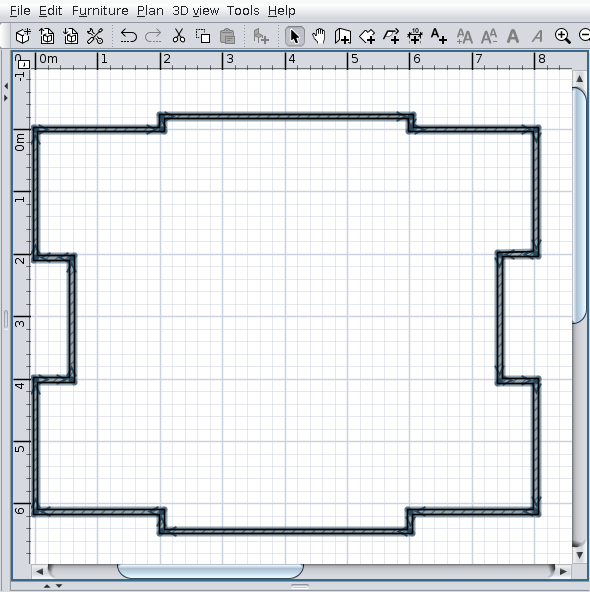
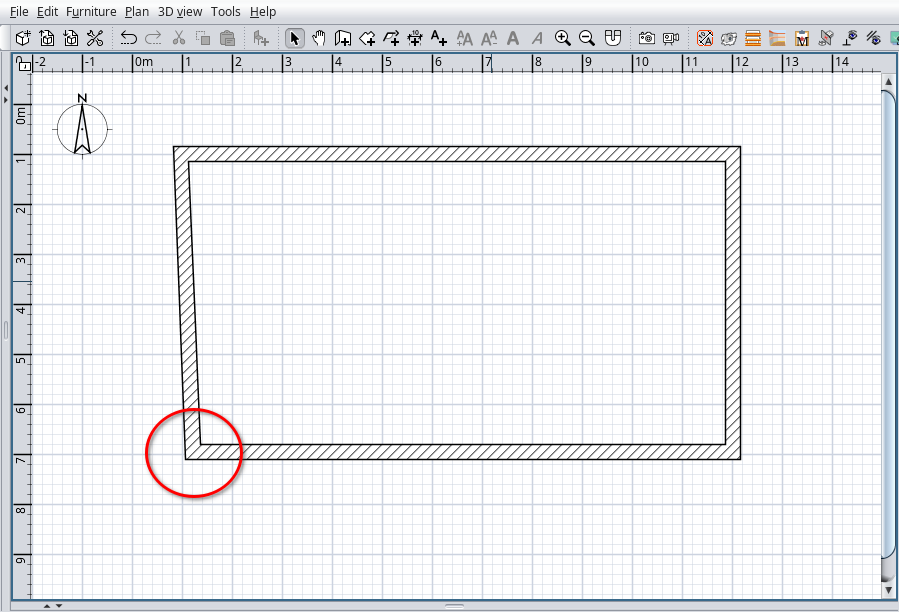
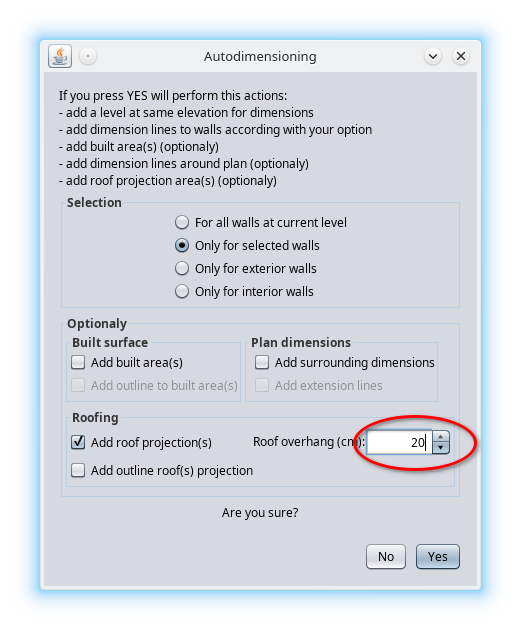
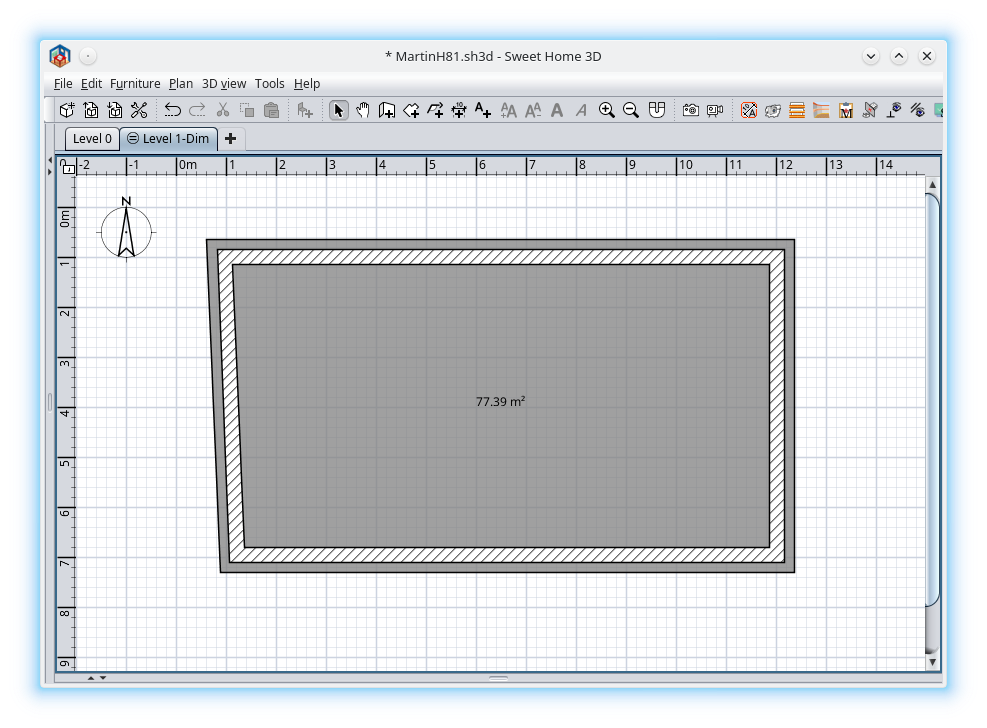
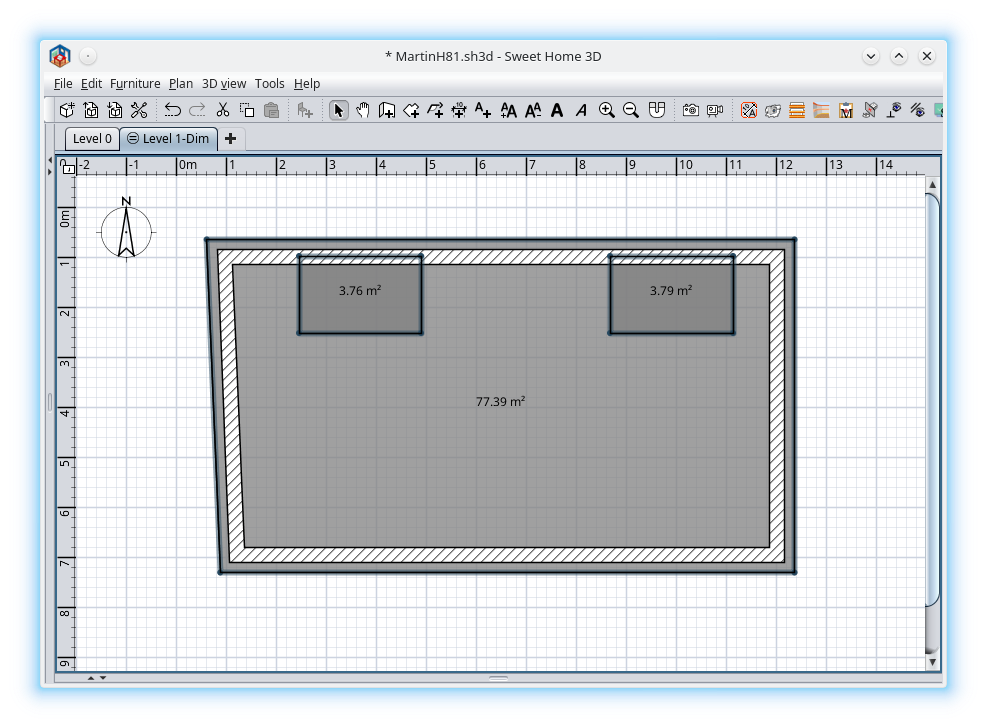
  • Select a room (manually made or trout Autodimensioning))
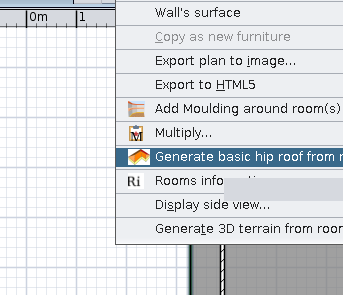
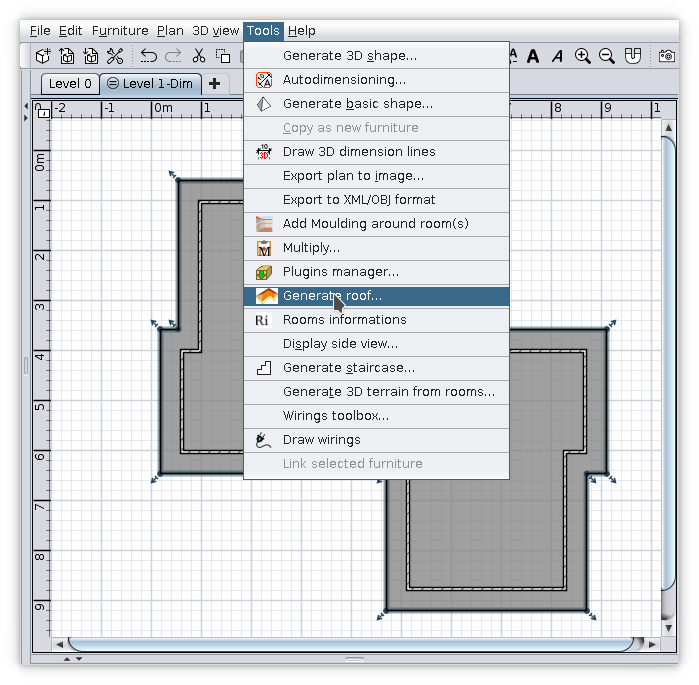
  • Tools -> Generate roof... bla.. bla..
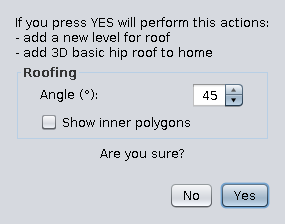
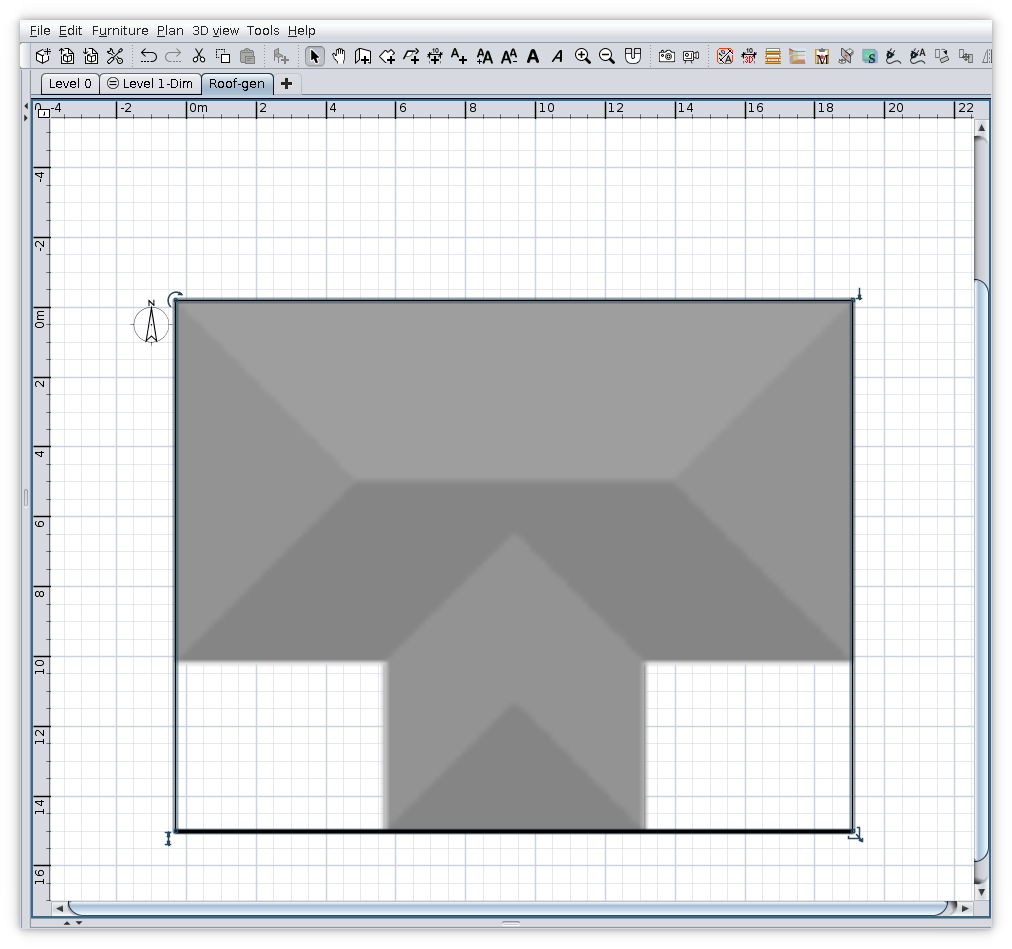
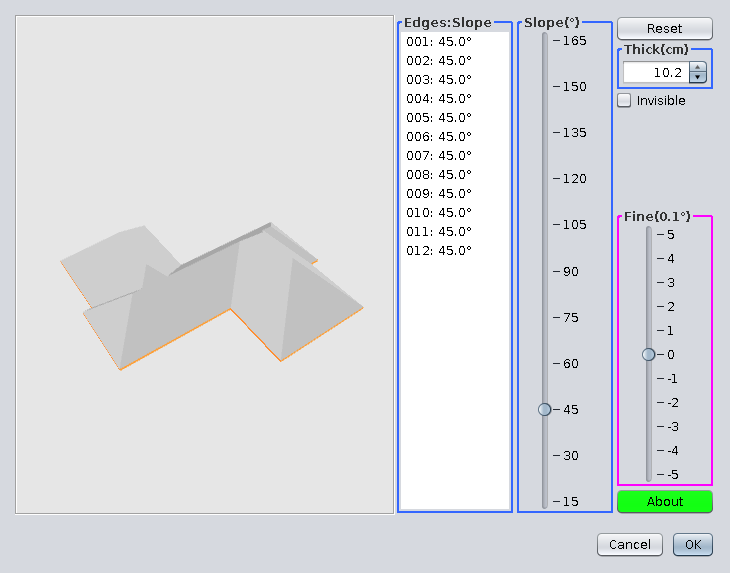
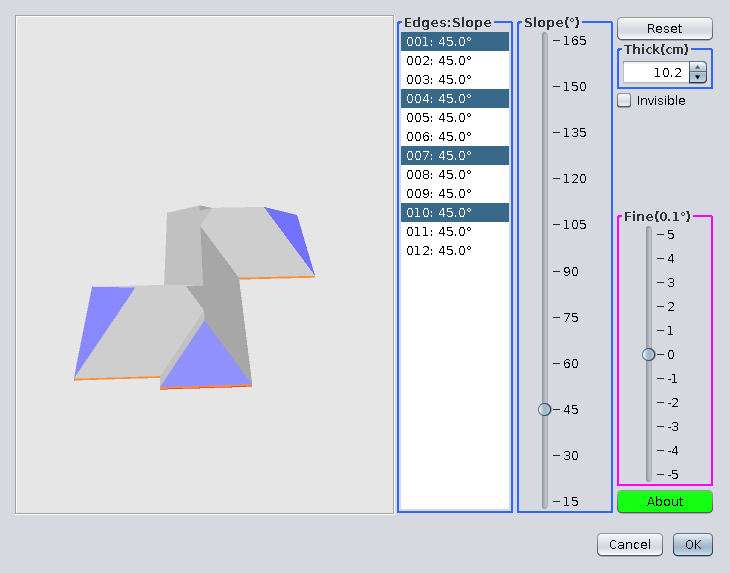
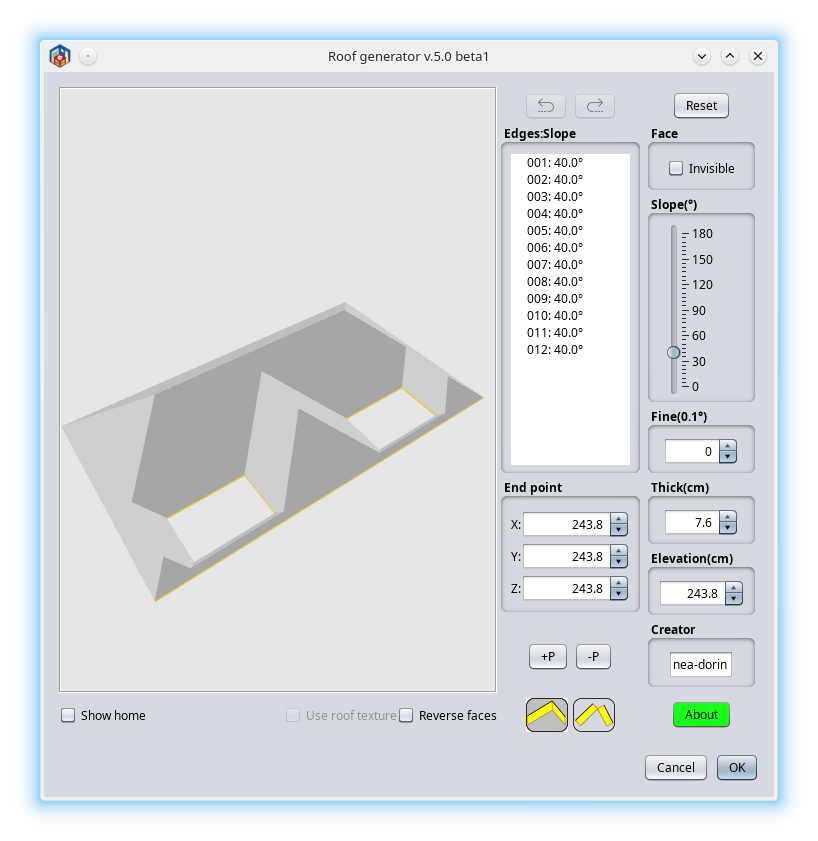
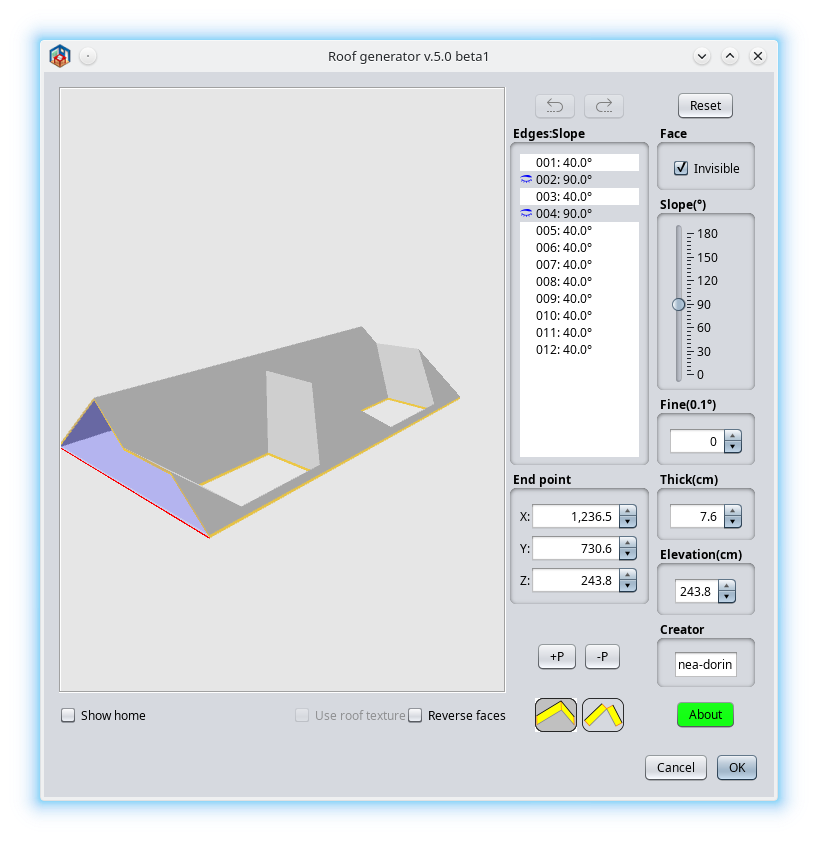
  • Set roof faces angle -> OK (optionally check inner polygons)
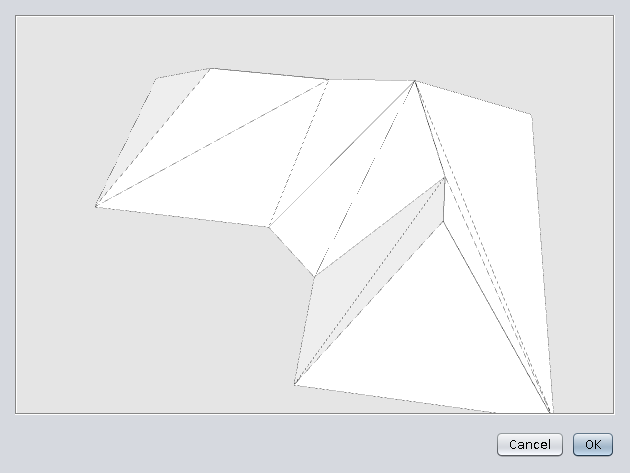
  • On preview click OK


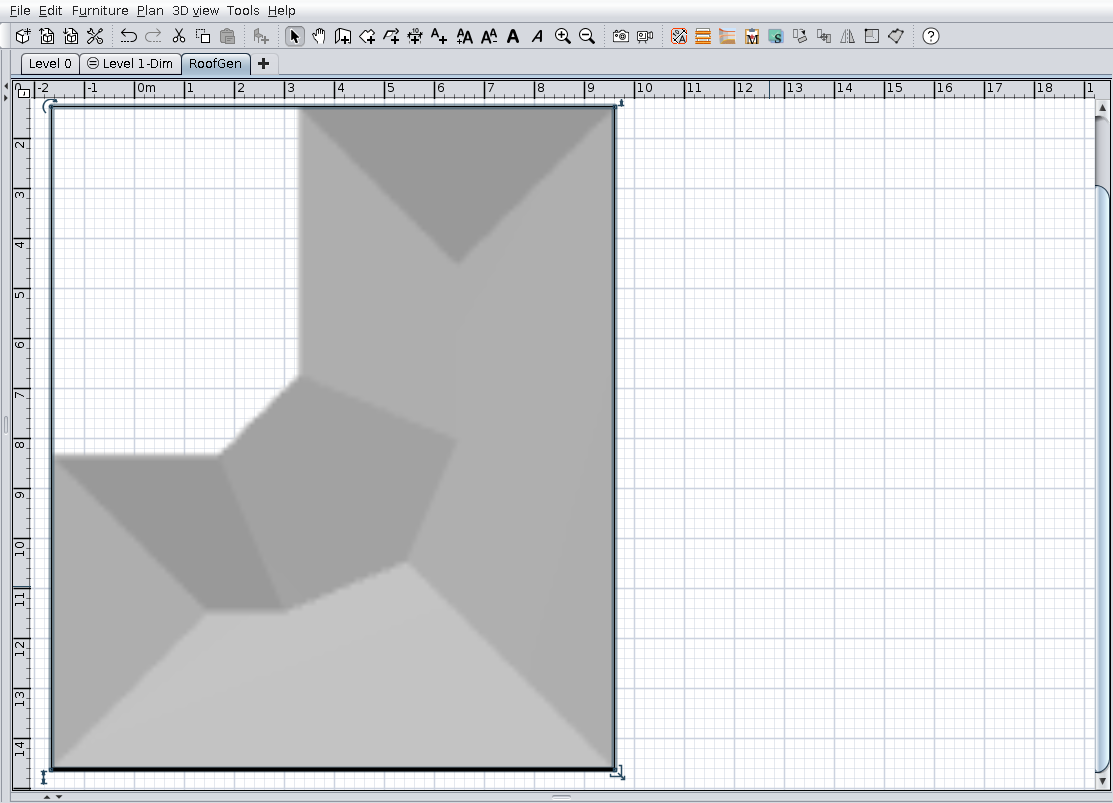
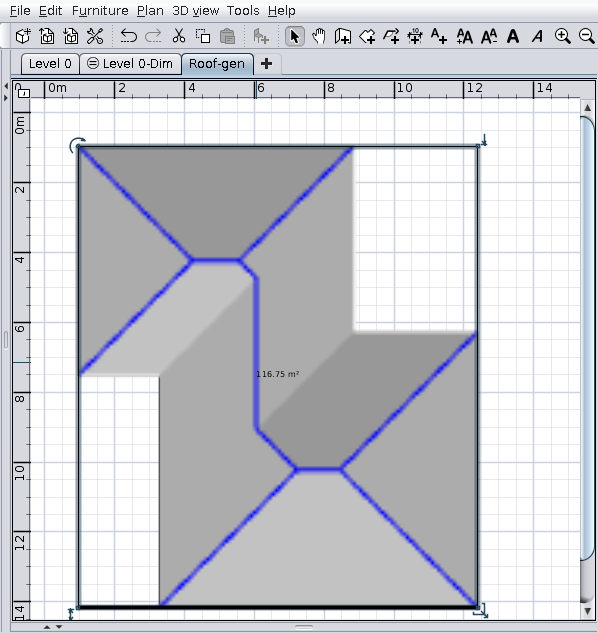
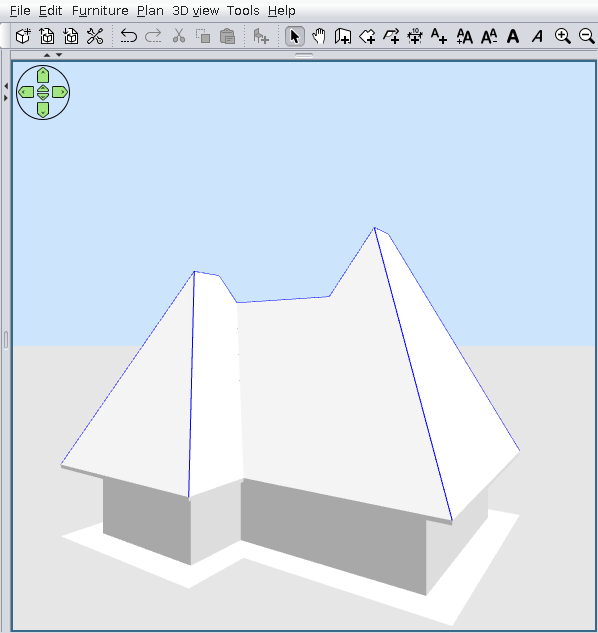
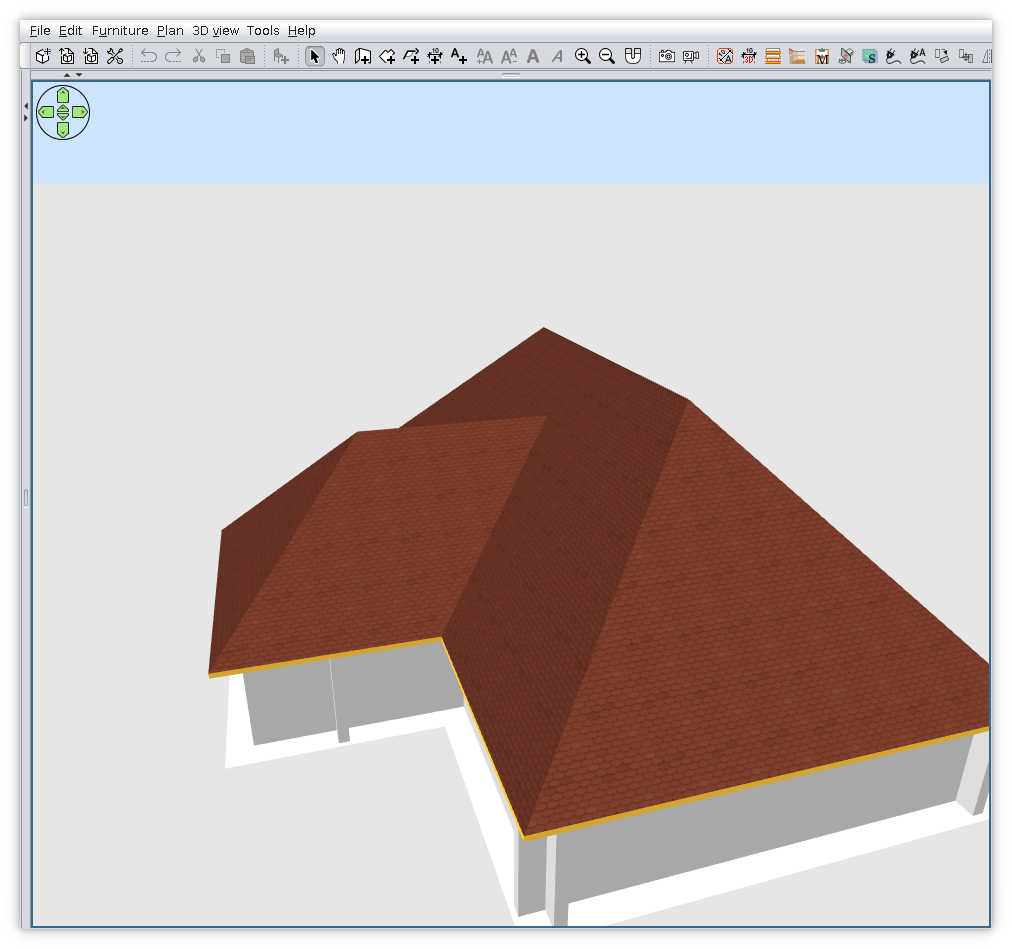
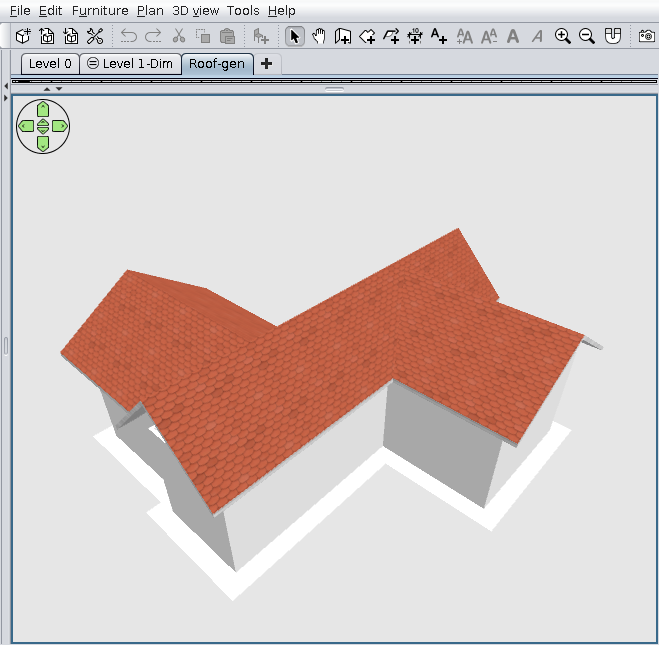
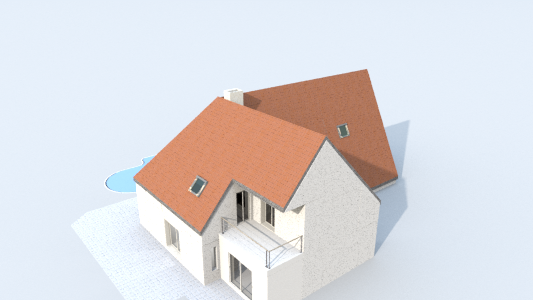
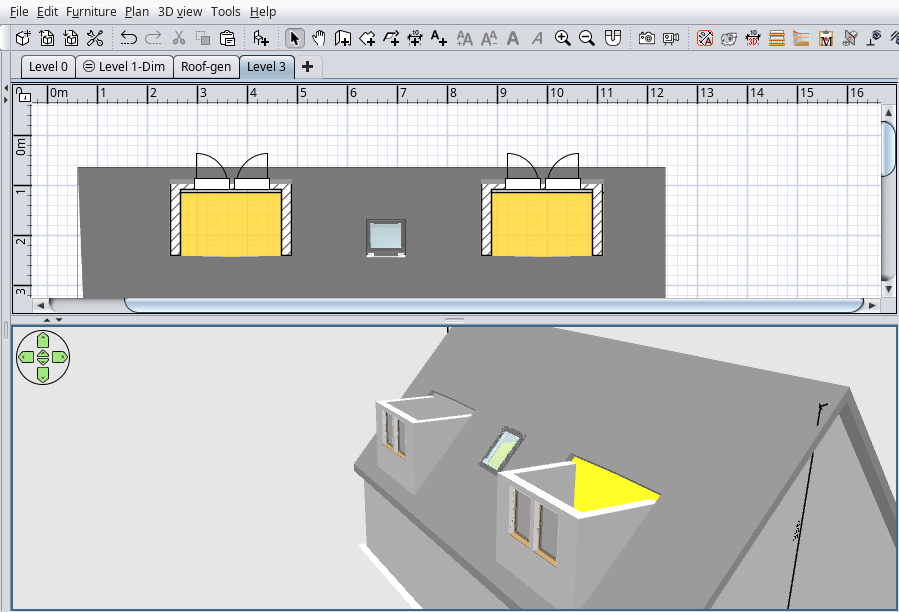
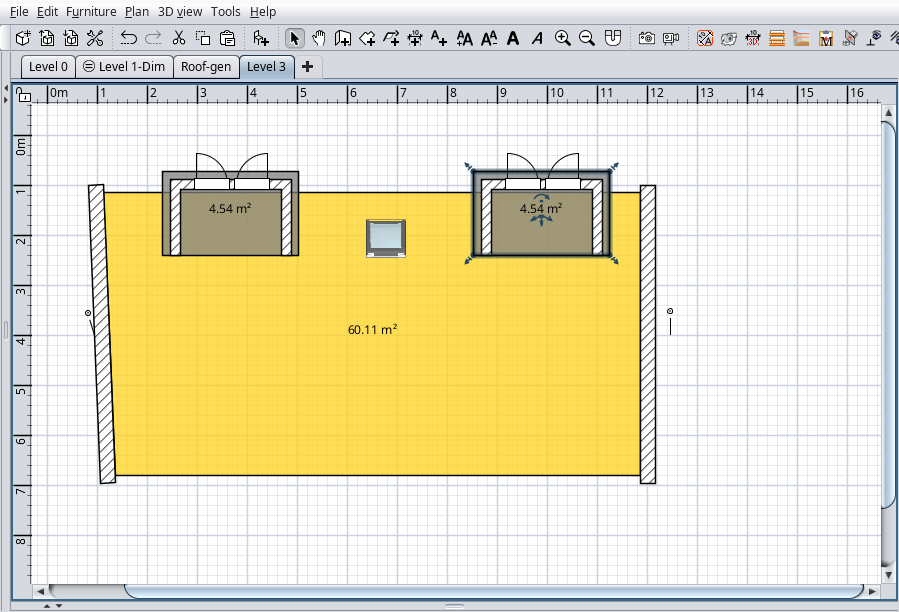
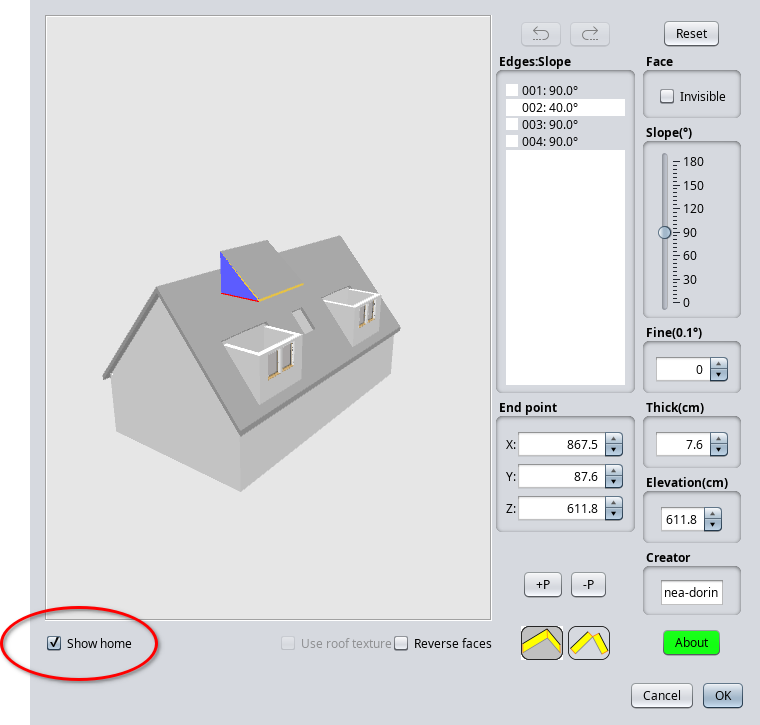
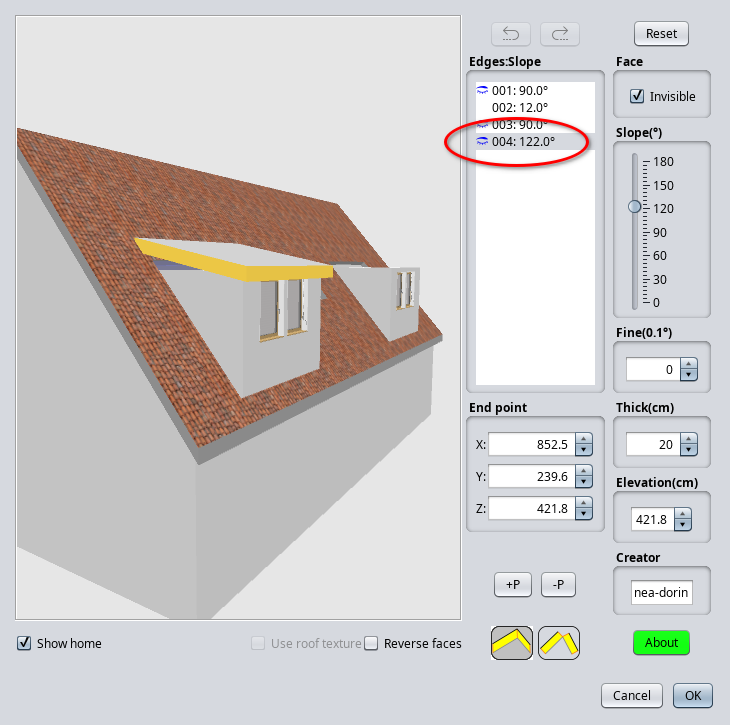
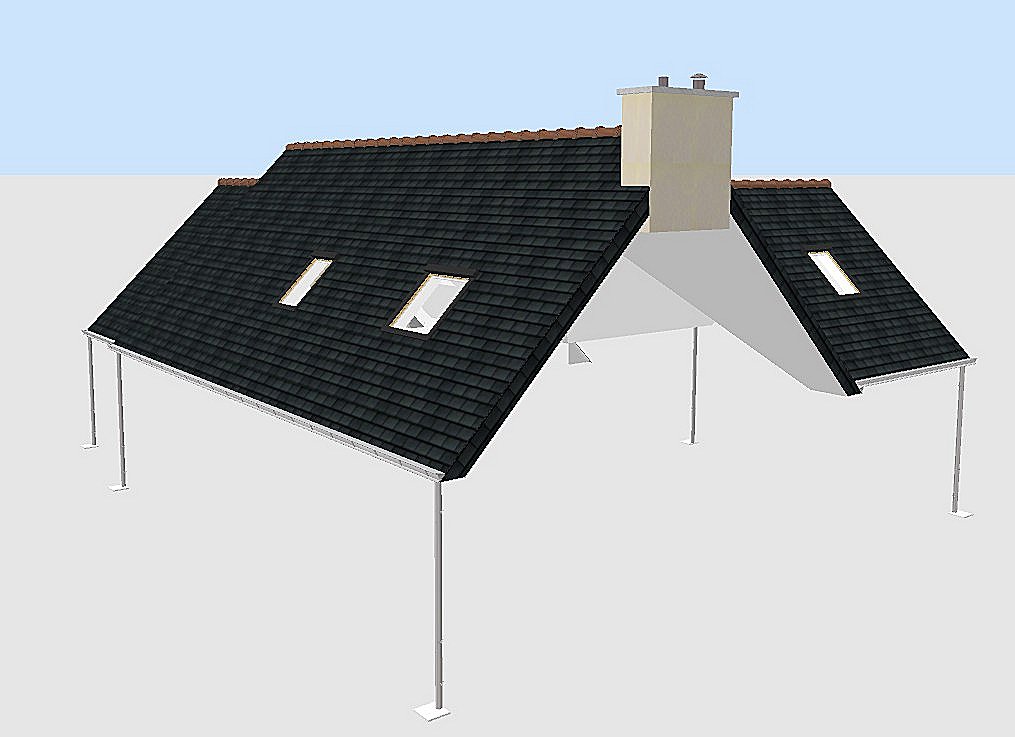
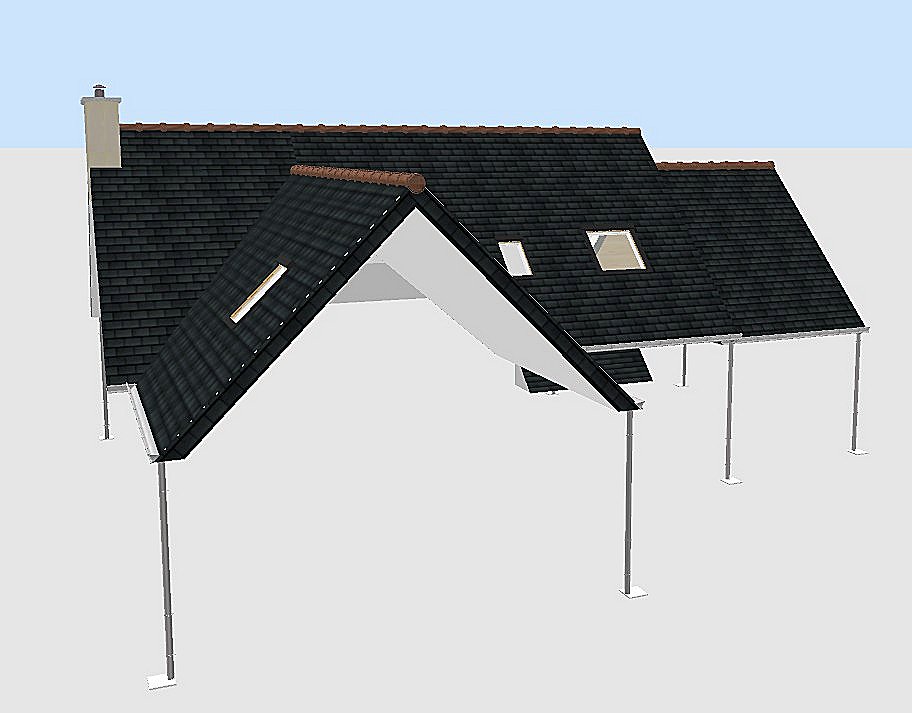
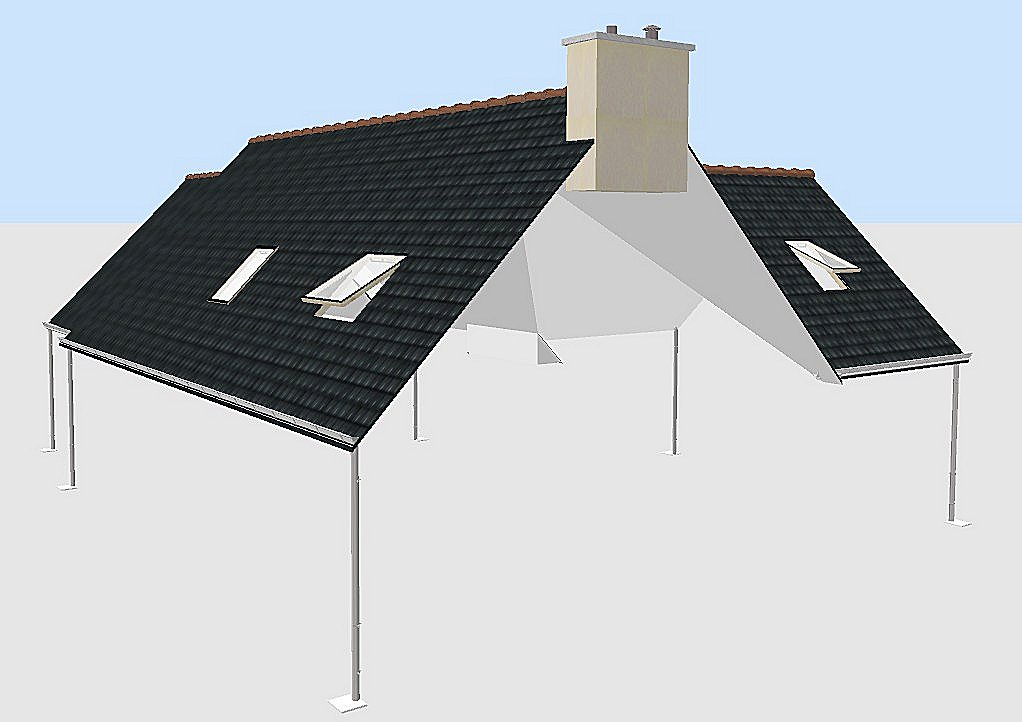
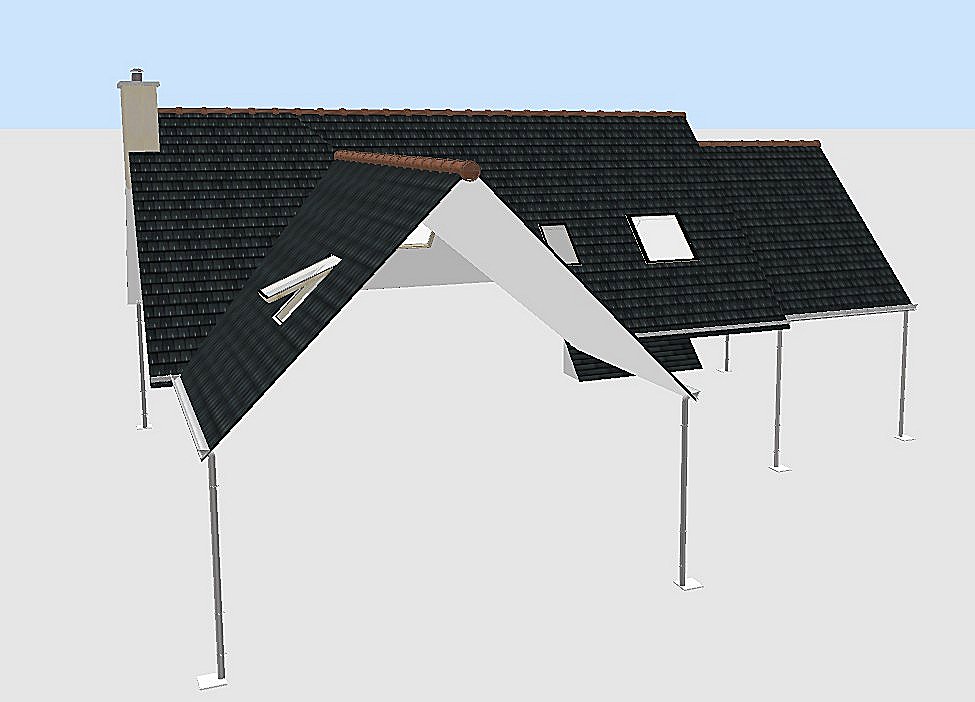
Result something like this:


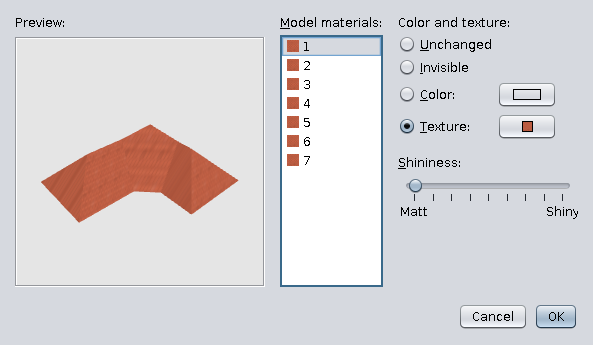
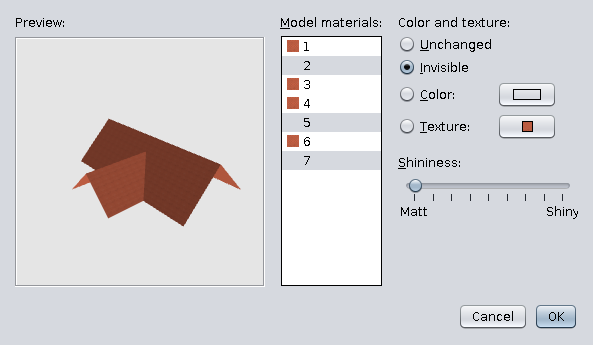
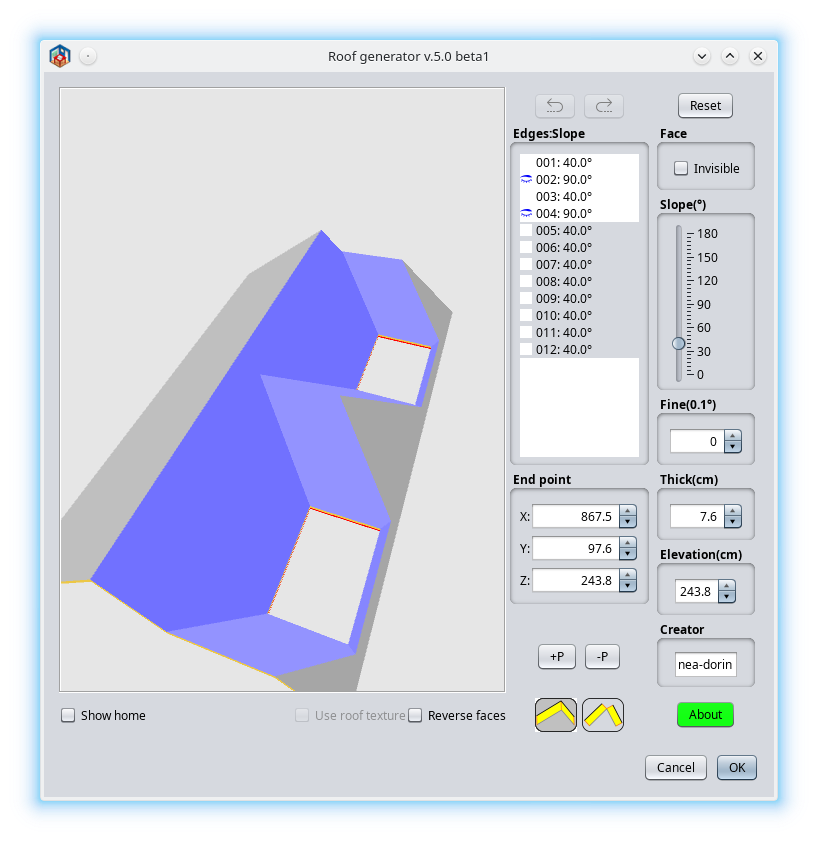
Now you have to set textures and texture angle:


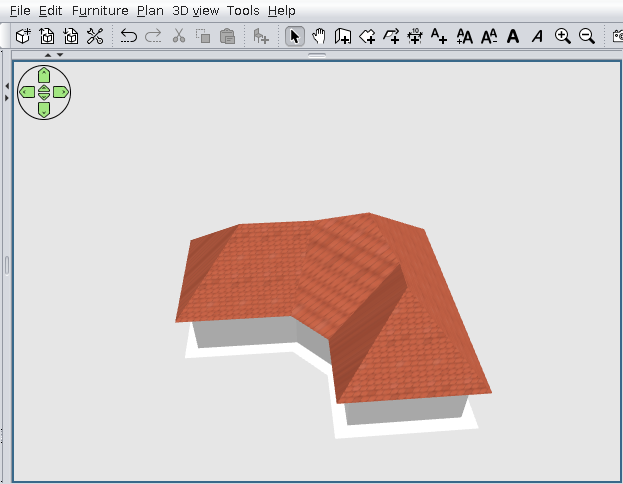
Finally (if You have lack):


Don't forget!!!
It's an alpha stage AND
I'm not a programmer!

PS This is the test file .
----------------------------------------
A computer program does what you tell it to do, not what you want it to do. Murphy's Law
When all else fails, read the instructions. Murphy's Law
If you don't like "AS IS", DIY. Dorin's law

Posted by hansmex at Oct 3, 2021, 2:04:46 PM
Re: Generate roof plugin
Your plugin works on the test-file, and also on a simple square house. That's a start.

The problem with the textures is not new. Maybe Puybaret will solve it some day.

Thank you for your hard work, I'm sure it will get better :-)

H
----------------------------------------
Hans

new website - under constuction
hansdirkse.info

Posted by dorin at Oct 3, 2021, 7:16:29 PM
Re: Generate roof plugin
Thanks Hans!
As usual you are tolerant of me!
I'm sure it will get better :-)
I hope so also but not in my life time.
I think it's a wrong way (approach) or at least too complicated.
There are a lot of math which are over my helmet.
It's hard for a "One man show" and I need help. I haven't received any help so far and I don't think I will.
It is difficult to consult only with yourself.
I think to try with 3D plane approach but is not more simple.
My plan is to try another challenge: cross section plan.
We will see!!!
Thanks again for moral support!
----------------------------------------
A computer program does what you tell it to do, not what you want it to do. Murphy's Law
When all else fails, read the instructions. Murphy's Law
If you don't like "AS IS", DIY. Dorin's law

Posted by Puybaret at Oct 5, 2021, 10:21:45 AM
Re: Generate roof plugin
Nice first version. Congratulations! smile
As inner polygons seem to be generally accurate, I guess you are on the good path to fix most issues.
----------------------------------------
Emmanuel Puybaret, Sweet Home 3D creator

Posted by dorin at Oct 5, 2021, 8:20:22 PM
Re: Generate roof plugin
Thanks Emmanuel!
inner polygons seem to be generally accurate

Of course, are made with your code from PlanControler.
The part responsible with roof computation (partially mine, partially stolen) don't work as expected.
I will let this path for other volunteers(if any).
As I've already say, I will try another approach (if the life time hope permit).
I've study about 3D Plane equation for few weeks and appear is not so complicated as seems at first view.
For this version I've work in frog, with out a plan and try, test and fail without a clear target.
The main path remain the same:
roof projection -> compute roof -> create shape -> add to Home Plane.
Now I'll try to be more clearly organized. I've start to make a logical diagram for this plugin like in '70+ years. I will put it here when I have first version.
----------------------------------------
A computer program does what you tell it to do, not what you want it to do. Murphy's Law
When all else fails, read the instructions. Murphy's Law
If you don't like "AS IS", DIY. Dorin's law

Posted by YGYL at Oct 10, 2021, 8:50:26 AM
applause   Re: Generate roof plugin
The reason for the texture error is that the texture coordinates are calculated incorrectly
-----obj example--------
mtllib Exemple9.mtl
g 1_1_1_1_1_1
usemtl default
v 4496.651 683.83997 1944.5
v 4080.21 267.83997 2360.941
v 5405.8 267.83997 2360.941
v 4739.619 582.83997 2045.1409
v 5090.0 582.83997 2045.1409
vn 0.0072383927 0.71531975 0.6987598
vn -0 0.70748127 0.7067321
vn 0.0048255385 0.7128935 0.7012557
vn 0.0072383634 0.7155777 0.6984956
vn -0 0.708003 0.7062094
vt 2.572153 3.0108545 0
vt 4.0783777 0.0 0
vt 4.0783777 4.7945237 0
vt 2.9361613 3.52434 0
vt 2.9361613 4.7916303 0

f 1/1/1 2/2/2 3/3/3
f 4/4/4 1/1/1 3/3/3
f 4/4/4 3/3/3 5/5/5
--------------------
5 polygon vertices V, corresponding to 5 VT
Bring 5 V's into 3D space,The apex of a partially sloping roof can be seen.

But it is not easy to calculate the correct texture coordinate value, and I don't know
There are such UV tools in other modeling software

Posted by Pelmenik at Oct 29, 2021, 5:12:27 AM
Re: Generate roof plugin
like this plug-in.
I tried it with a 25deg hipped roof for an L shaped house and it worked well. To set percentage and angle for a corrugated texture for each roof section was quick. Now I will attach the flashings and other details.

My usual way to make a roof is by deciding the roof angles, calculate walls for each roof section, .obj, and then lay them into each other at the decided angles and then attach flashings and any other details.

Posted by dorin at Dec 25, 2021, 10:33:03 PM
Re: Generate roof plugin
clown In the series of YAUP: Generate Roof plugin v.1.0
Don't expect too much!
As I promise I've try another approach: planes intersections.
There is advantages and disadvantages.

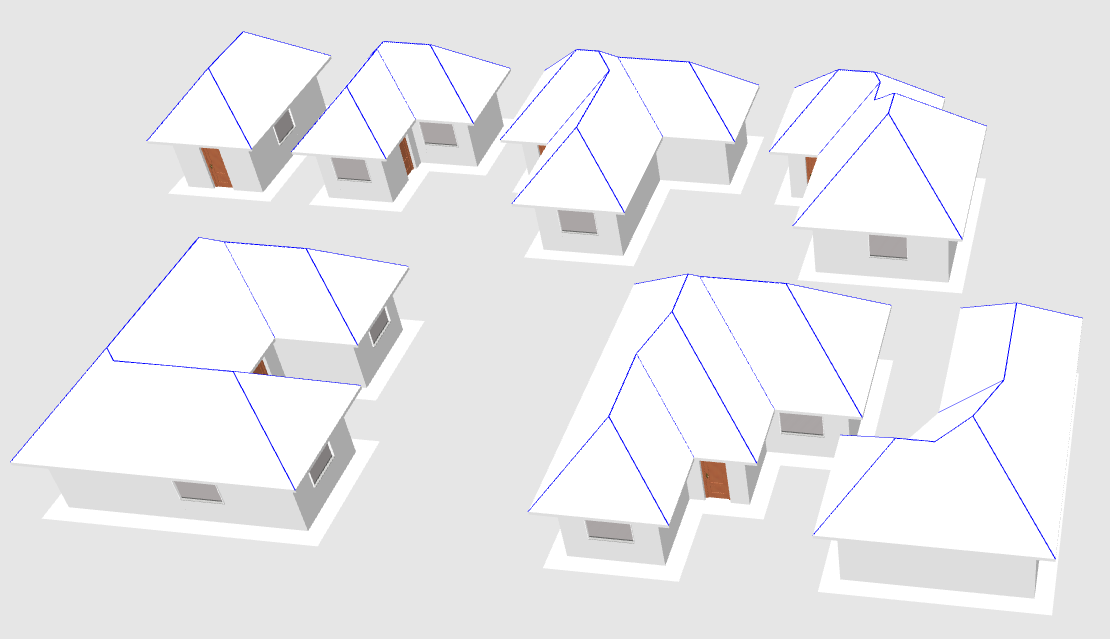
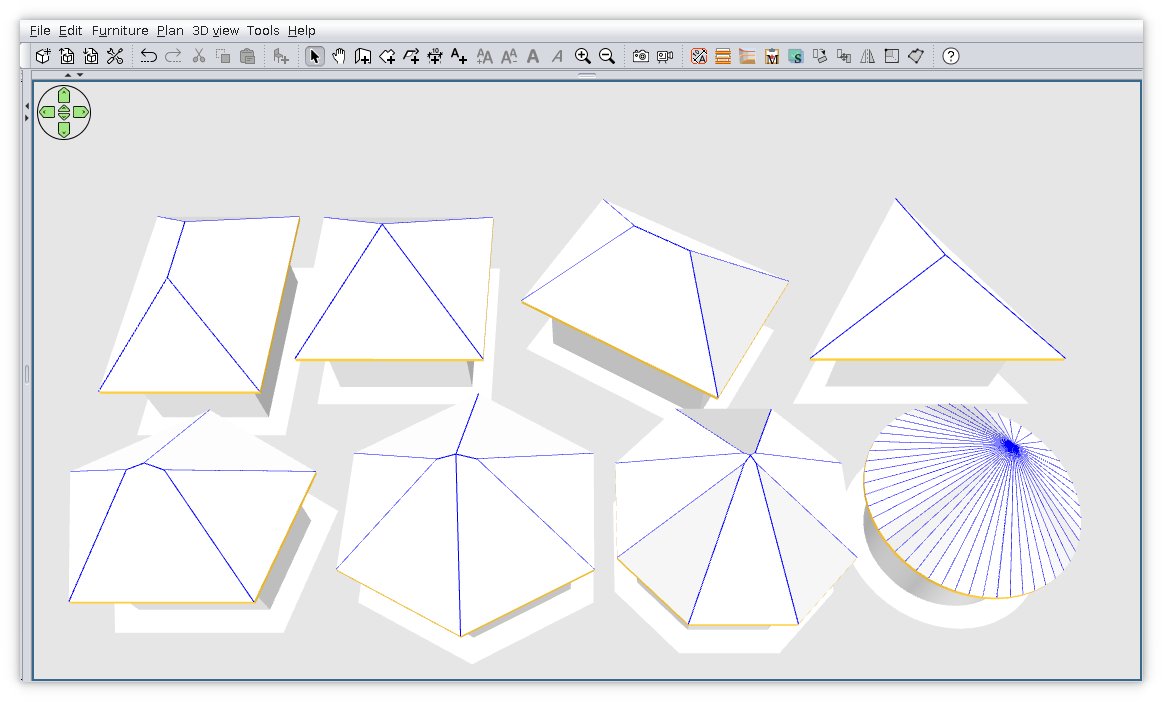
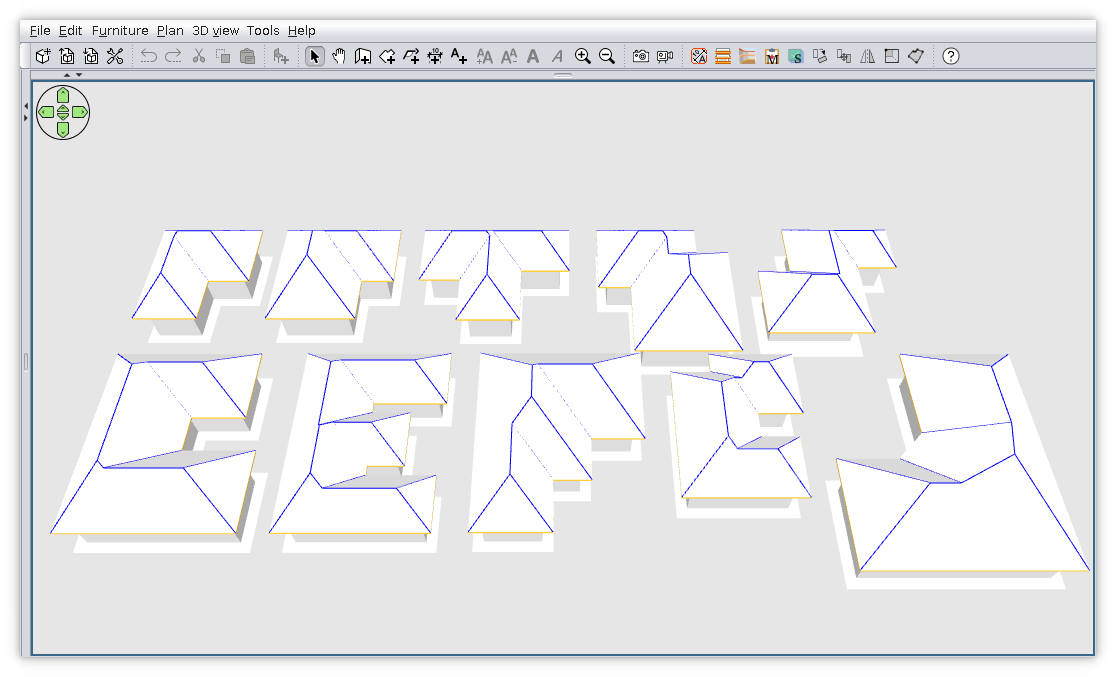
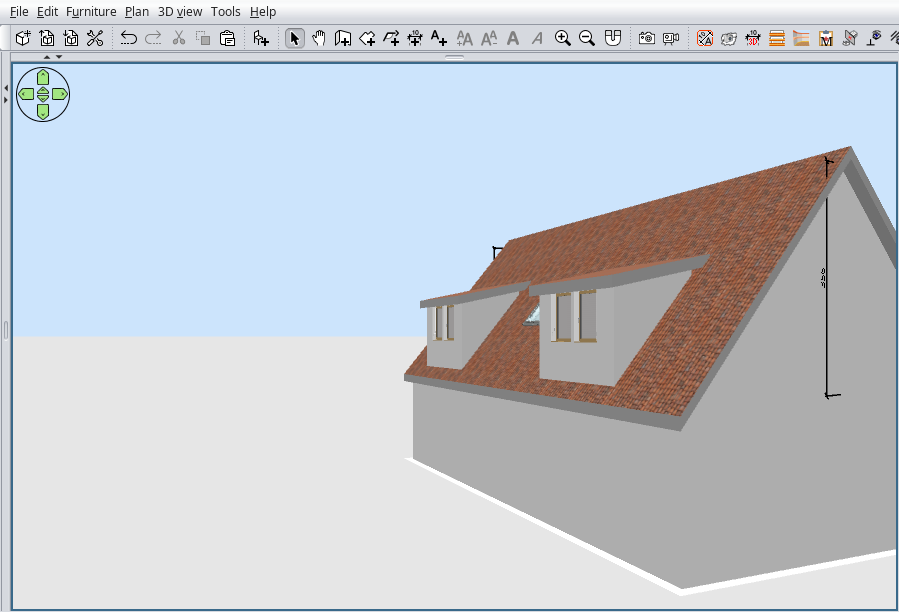
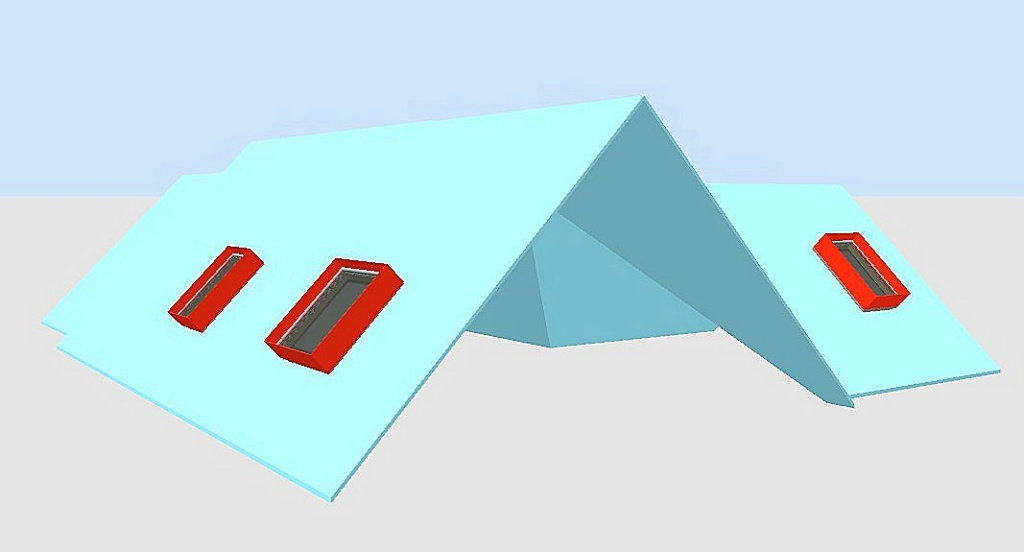
Anyway few words and pictures for this version:
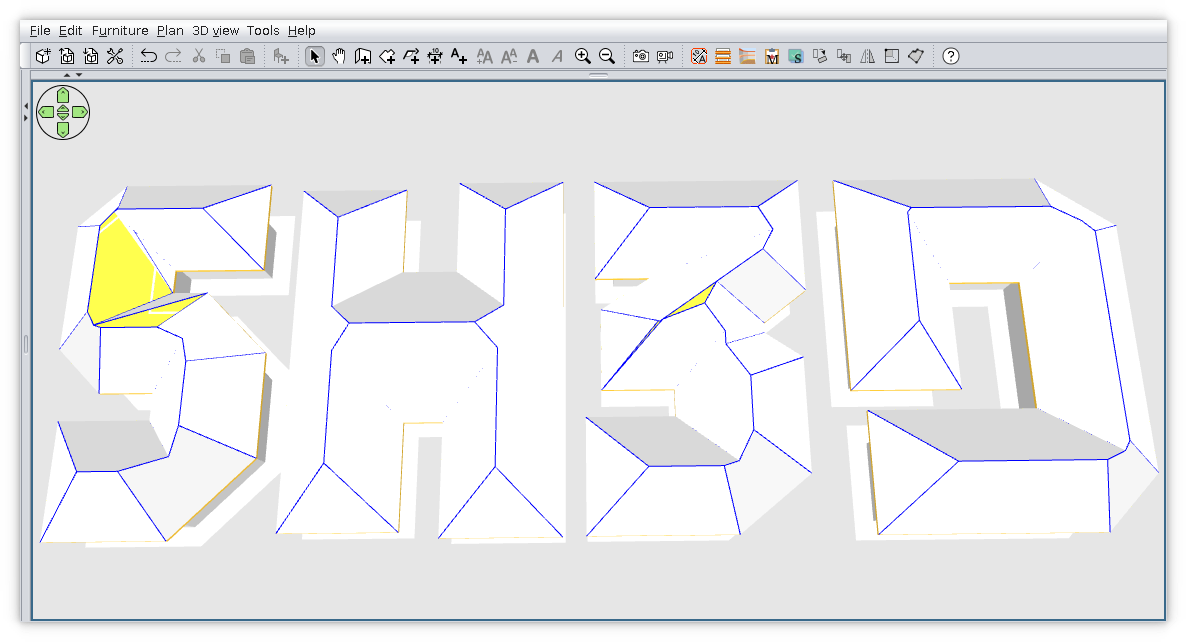
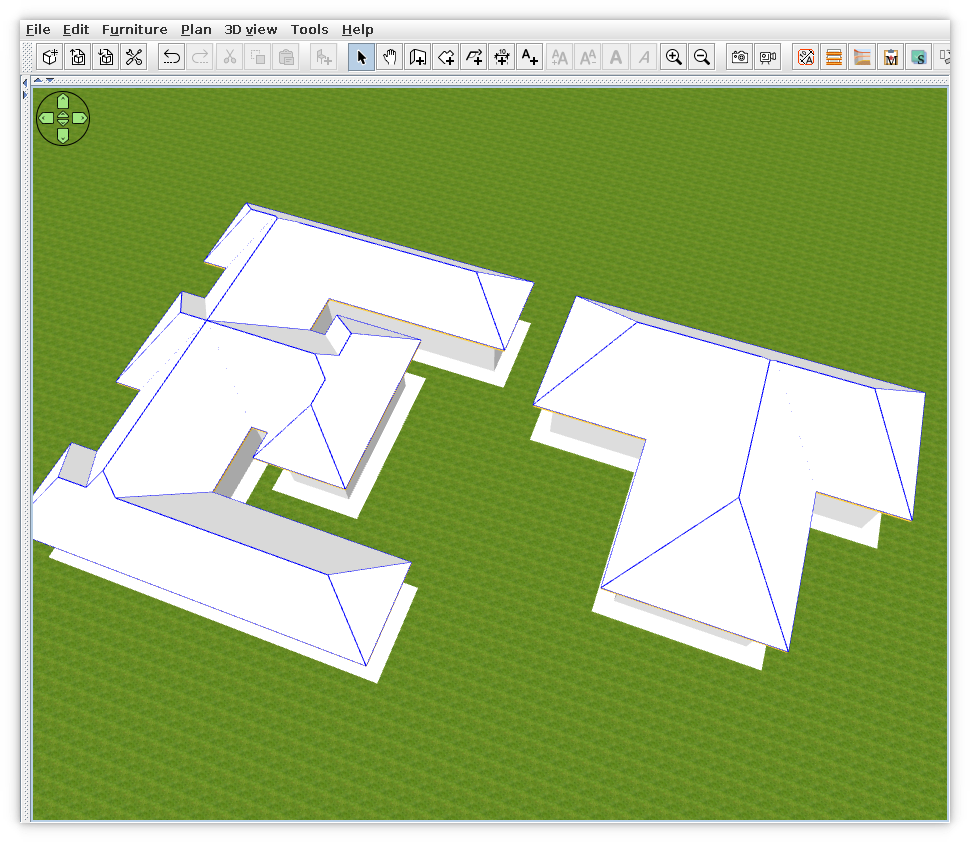
It work for few simple roofs: rectangle and shape L, T, S, F(as described here).
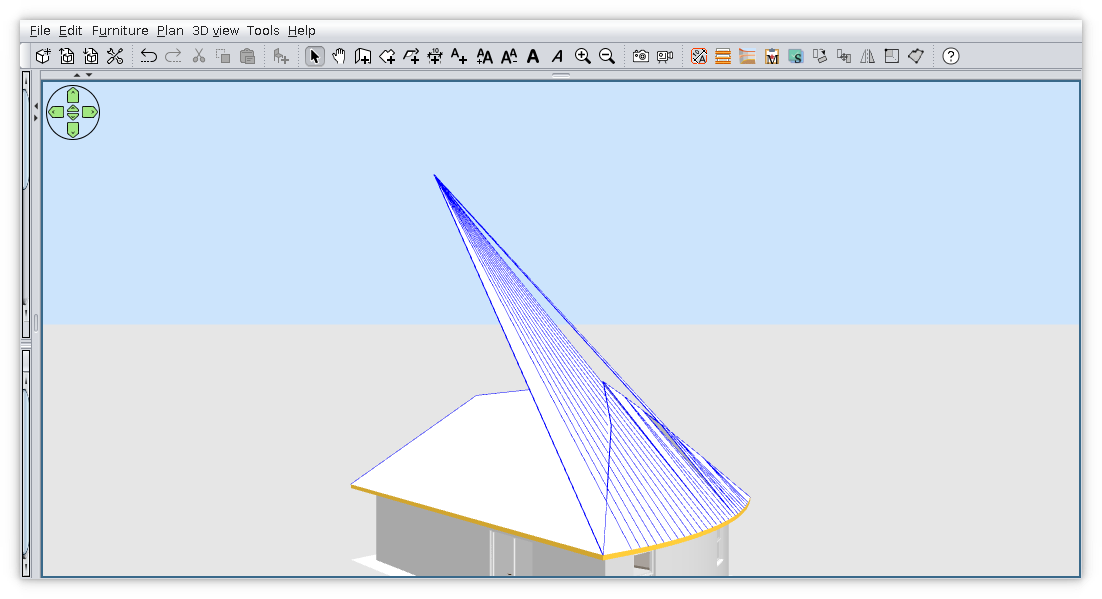
Don't work as expected on complex shapes like E or round.
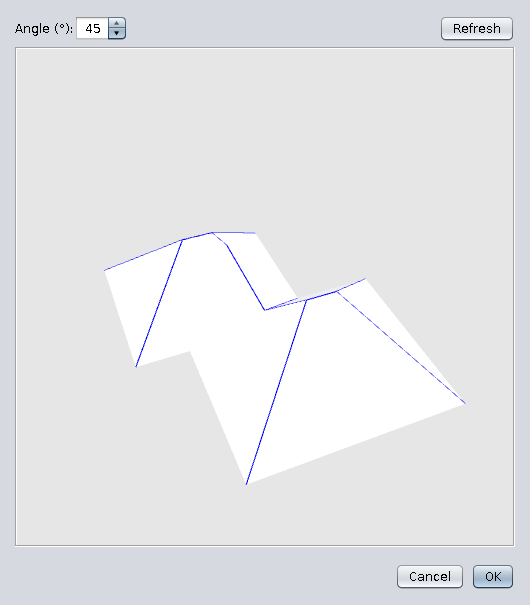
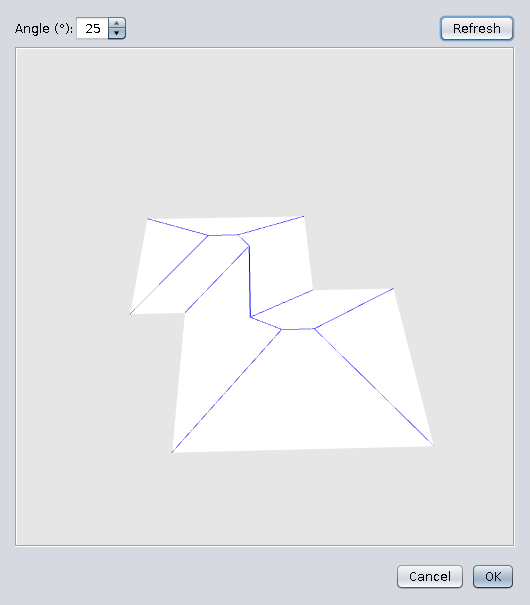
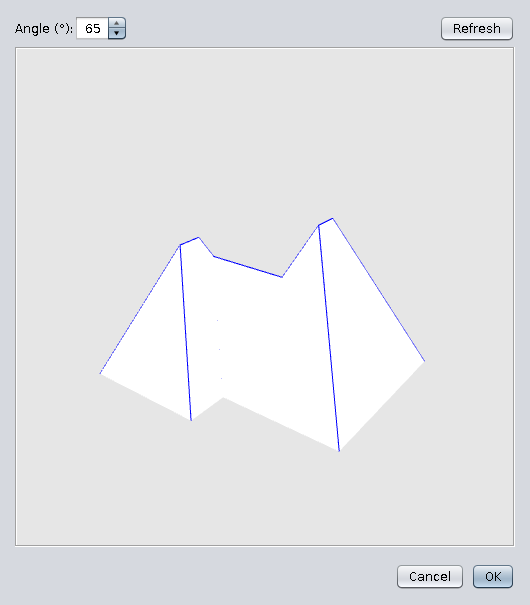
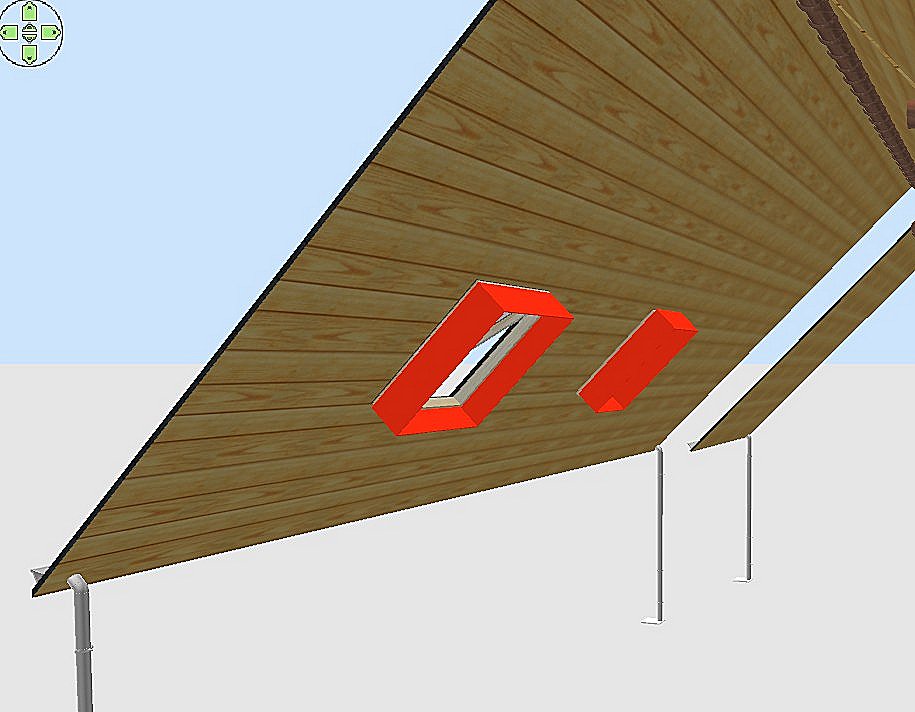
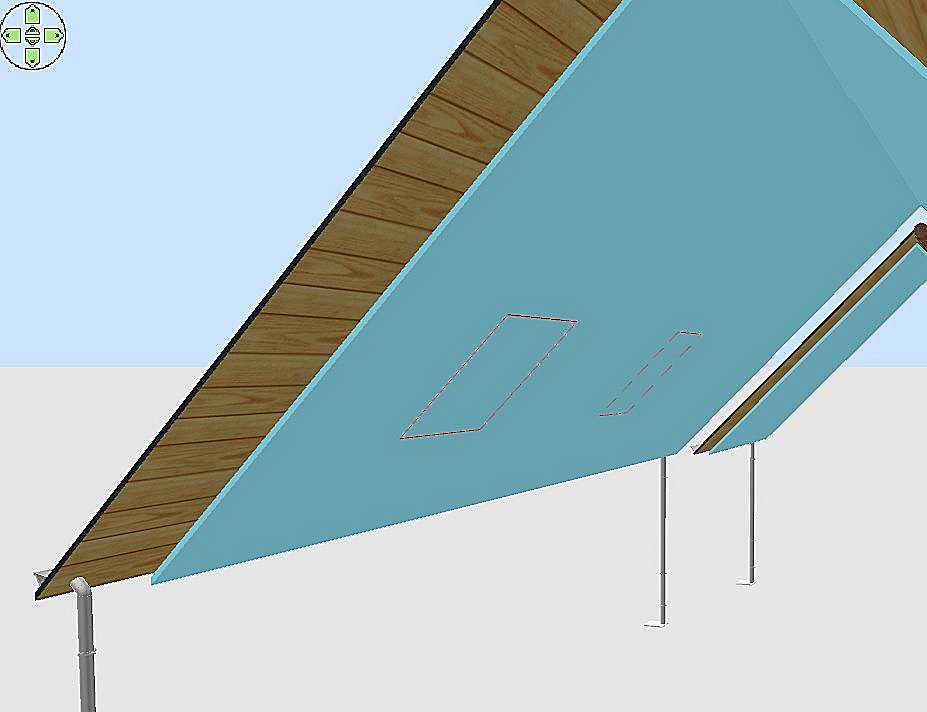
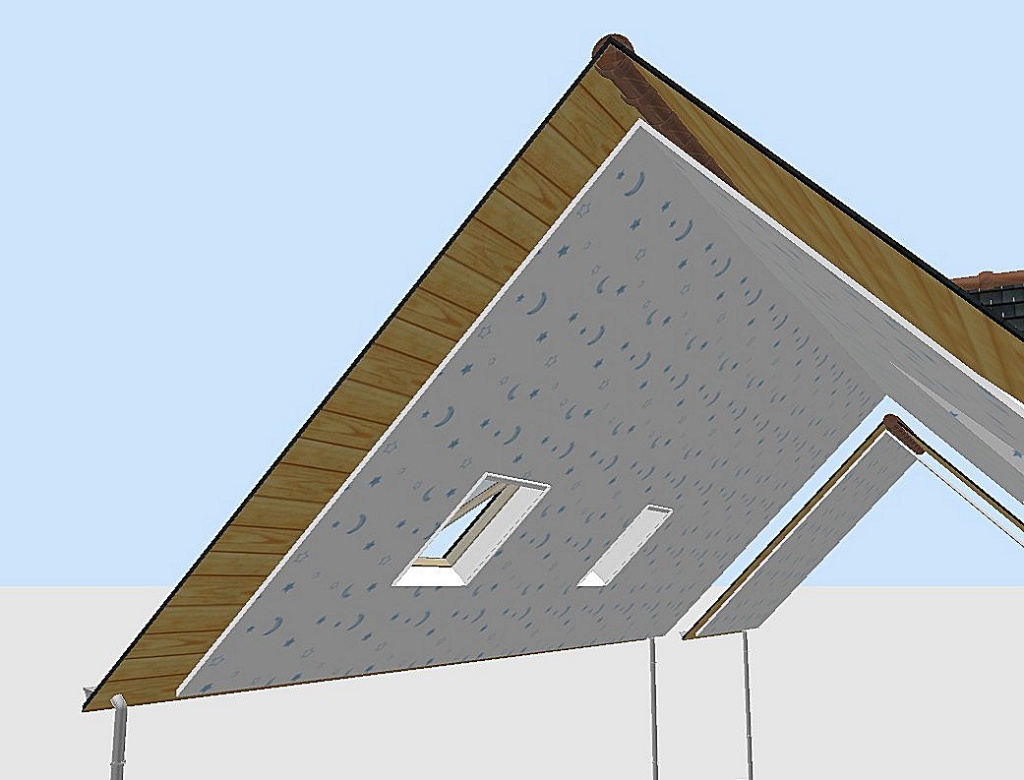
The angle could be adjusted before add roof to home plane.
The blue edges could be made invisible when You set texture.

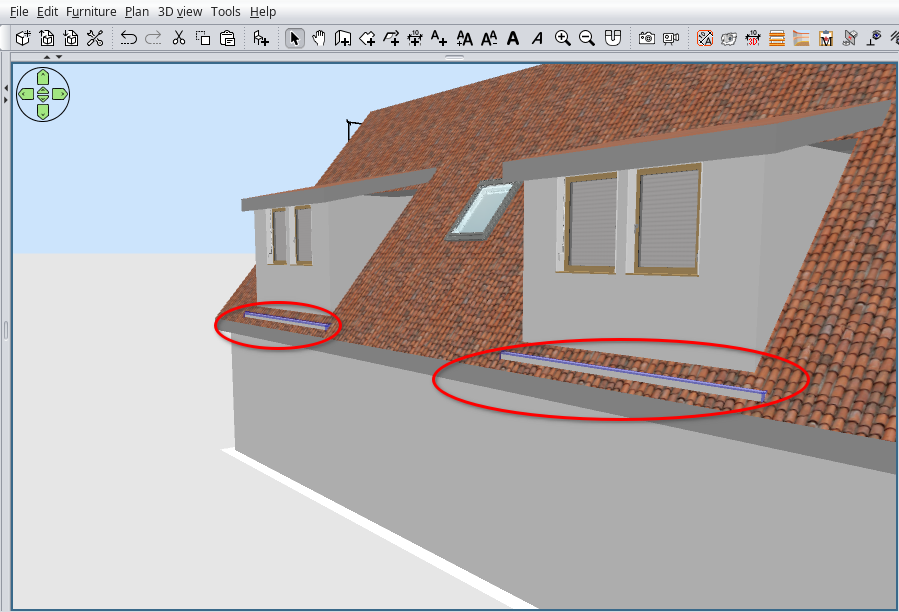
BUGS:
-Sometimes make SH3D unresponsive;
-Texture coordinate are wrong on north faces;
-The interior face of roof are transparent.


Also on SurceForge .
----------------------------------------
A computer program does what you tell it to do, not what you want it to do. Murphy's Law
When all else fails, read the instructions. Murphy's Law
If you don't like "AS IS", DIY. Dorin's law

Posted by Puybaret at Dec 25, 2021, 10:47:01 PM
Re: Generate roof plugin
Nice gift for Christmas! Thank you Dorin smile
----------------------------------------
Emmanuel Puybaret, Sweet Home 3D creator

Posted by bdfd at Dec 26, 2021, 7:47:33 AM
sad   Re: Generate roof plugin
Hi,

Thank you for this first try.

After downloading and installing this plug-in, it works one time (for the garages) and not twice (for the main house) !

After done many tries, I think that I found first bug... biggrin


Why ?

Good luck and HNY !

sad
.
----------------------------------------
Evil progresses when good people do nothing!
---
SH3D 7.1 and nothing else - W11 64b in 4K

Posted by dorin at Dec 26, 2021, 6:48:24 PM
Re: Generate roof plugin
Hi, bdfd.
1. I'm glad You try it and surprisingly work!!!
2. You've right, it's a bug.
"Why?"
When I make this I consider to be only one building in home plane.
The last picture I've post (with more buildings) I have to correct manually this bug.
Select all on newly Roof-gen level (roof & room under roof), cut and paste on first Roof-gen level. Then You delete the empty level.
3. I know is full of bugs and the worst was discovered by Hans.
It appear don't like the very regular shapes and fail.
When I make it I've tested on relatively complex shapes considering, on regular shape to work implicitly. I'm wrong!
Unfortunately, after ~6 month of work 10~12 h/day to this, I need a break.
4. This approach seems to be also a dead way.
Probably I need to learn python to convert Polyskel library or bpypolyskel with which maybe I don't need to reinvent the wheel.
Happy New Year to everybody!
----------------------------------------
A computer program does what you tell it to do, not what you want it to do. Murphy's Law
When all else fails, read the instructions. Murphy's Law
If you don't like "AS IS", DIY. Dorin's law

Posted by crackwood01 at Jan 31, 2022, 2:52:31 PM
Re: Generate roof plugin
Hi Dorin,

here, nothing is happening at all, and i have no preview window

Posted by crackwood01 at Jan 31, 2022, 2:57:58 PM
Re: Generate roof plugin
Hi Dorin, here's a video of what's happening, any idea?

https://screenrec.com/share/Re8dEtCFX0

Posted by dorin at Feb 1, 2022, 11:30:24 AM
Re: Generate roof plugin
1. Thanks You try it and share a video.
2. From video I've see few things:
2.1 The plugin work and show some errors (red arrows)
2.2 You use the alpha version; try to use v1.0
3. Also v1.0 will fail in some situations.
4. I work to new version but it took to long for only one man (when solve something I broke other thing and so on)
----------------------------------------
A computer program does what you tell it to do, not what you want it to do. Murphy's Law
When all else fails, read the instructions. Murphy's Law
If you don't like "AS IS", DIY. Dorin's law

Posted by crackwood01 at Feb 6, 2022, 3:27:47 AM
Re: Generate roof plugin
Hi Dorin,

i can't update the alpha version to 1.0 .. when i download the file, it says that plugin is installed but nothing happens.
I can't locate the installation folder to uninstall the plugin because i paid the full version on microsoft store .. any idea?

Emmanuel?

Posted by crackwood01 at Feb 6, 2022, 3:33:40 AM
Re: Generate roof plugin
Edit: found the installation folder

Posted by crackwood01 at Feb 8, 2022, 12:45:07 AM
Re: Generate roof plugin
Hi Dorin,

first of all i have to say: you're a great programmer and i really love your "YAUP"s!

You really manage to create a useful plugin here!

can't wait to see more of this plugin, we all know that SH3d is a great tool but suffers of lacks of "architectural" functions,
with a improved side view plugin and and improved roof plugin, and who knows a stairs plugin. SH3d will become an handsome tool!

All of the plugins proves that there is a way to achieve such things

can't wait to see more:

i hope someday we could choose wich type of roofs

in the meantime, i have achieved to some roofs


Posted by Gildaniel at Feb 11, 2022, 2:21:29 PM
Re: Generate roof plugin
Hi Dorin!

You so cool, with your usefull plagins!!!!

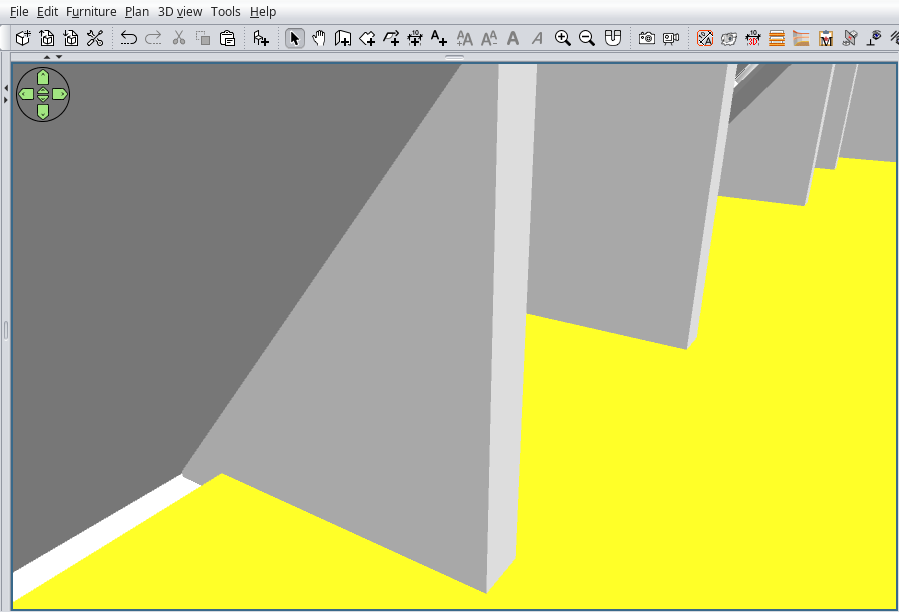
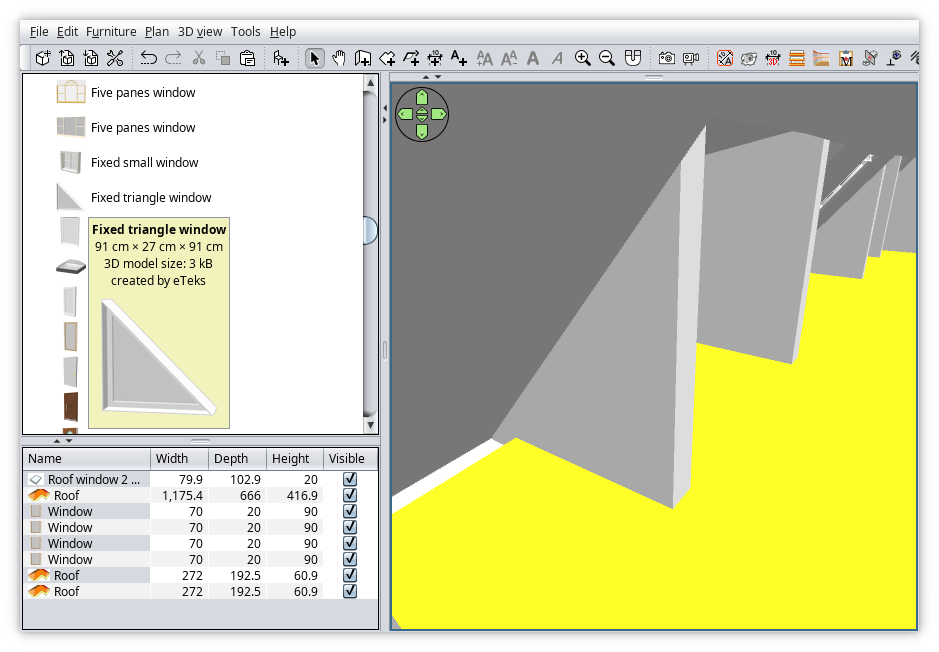
I tried, there are some issues with empty edges (yellow)

Also it could be great to mark somehow basic room sides in order roof to be opened on those

Or, may be, to generate all kind of edges and once, and one can make transparent those edges he doesnt need to show in his case (blue)


Posted by Wiebenor at Feb 12, 2022, 12:56:59 AM
Re: Generate roof plugin
Hello, I have a problem where if I try to add a roof to my building, the generate option is grayed out, any idea how to get it to work???

Posted by Wiebenor at Feb 12, 2022, 12:58:07 AM
Re: Generate roof plugin
One thing I forgot to mention is that I technically don't need the roof, it's just that for the thing that I am currently working on I would like to have a roof to give it a more complete look in a walkthrough of the outside of the building

Posted by Wiebenor at Feb 12, 2022, 9:00:07 AM
Re: Generate roof plugin
Ugh... I got the button to ungrey, by selecting my building, but it doesn't seem to do anything. Now, are we supposed to select the walls, or the "room" that outlines the entire building? I've been selecting the "room" but IDK why it won't even appear to do a single thing, if that's what you are supposed to use to activate the roof plugin.

Posted by Gildaniel at Feb 12, 2022, 1:52:14 PM
Re: Generate roof plugin
You need to draw big room around your external walls, which is your future roof projection. Then select this room and use plugin

Posted by Gildaniel at Feb 13, 2022, 5:21:52 PM
Re: Generate roof plugin
Fast making precise roof overhang projection with help of walls thikness method:

1. Draw your walls
2. Сhoose "room" and dobleclick on external walls there are room creating with the same contour.
3. Then you can change wall thickness in Parameters, to specify roof overhang, if needed.
4. Choose "walls" and doubleclick on the room - SH creates second walls contour
5. Choose "room" once again and doubleclick on new walls contour - now you have room projection; just delete outer walls to see it

Here is video https://www.youtube.com/watch?v=Uwt3G-8FMyE

Posted by dorin at Feb 13, 2022, 8:30:01 PM
Re: Generate roof plugin
Fast making precise roof overhang projection

Use AutoDimensioning plugin
where I've include this feature.
just delete outer walls to see it

Use Select Hide Utility plugin for selections.

I steel work at a new version of Roof Generator.
Meanwhile try to avoid collinear lines on Your roof projection.
Will fail like in Gildaniel video.
----------------------------------------
A computer program does what you tell it to do, not what you want it to do. Murphy's Law
When all else fails, read the instructions. Murphy's Law
If you don't like "AS IS", DIY. Dorin's law

Posted by Gildaniel at Feb 14, 2022, 8:57:51 AM
Re: Generate roof plugin

Use AutoDimensioning plugin
where I've include this feature.

Use Select Hide Utility plugin for selections.


Very usefull plugins, Dorin, how I could miss them!

Are you planning in your roof plugin some method to check sides of projection to be opened roof?

Like here


Posted by dorin at Feb 14, 2022, 7:49:13 PM
Re: Generate roof plugin
@Gildaniel
Also You don't have last version of Multiplier plugin

@Gildaniel,@crackwood01 and others
1. I want to thank You all to test it!
2. I'm not a programmer!
Emmanuel, Tobias, Enko, the new coming Daniels118 and others are REAL PROGRAMMERS. I'm only a fake.
3. I like Your proposed roofs but, even could appear simple, are not so with out a lot of user interactions.
Maybe someday, somebody (younger) will program this.
4. At that moment we have almost nothing decent usable and this task appear to be a nut too hard for my teeth.
5. Along others I try to solve problem with:
- co-planar planes
- rounded parts which have a center
- compute point order of roof faces polygons
6. Don't expect too much from me.
7. Maybe to beg Daniels118 to translate Polyskel library from python to java 1.8
8. When and IF we will have an usable roof generator I hope to can modify it in preview window.
9. From ~40 model of generic roofs I reduce to ~8 from I chose hipped roof which I think could be made from few clicks.
10. Don't ever expect to made in the same way La Sagrada Familia
----------------------------------------
A computer program does what you tell it to do, not what you want it to do. Murphy's Law
When all else fails, read the instructions. Murphy's Law
If you don't like "AS IS", DIY. Dorin's law

Posted by Wiebenor at Feb 15, 2022, 12:47:51 AM
Re: Generate roof plugin
You need to draw big room around your external walls, which is your future roof projection. Then select this room and use plugin


sooo... i'm just selecting the interior room when i shouldn't be? if i then make a room that extends outside the building, it should work?
i'll upload a picture of what i have so far, so you can see if you can spot any glaring problems, aside from the obvious need for an external sized room


not sure how to upload photos here exactly so ill link to it, as well as try to use the image linker system used here, so sorry if theres more than 1 copy


[img]https://i.ibb.co/yYLY8Ds/vaca-hires.png[/img]


hopefully one of those worked, but we'll see. bottom of picture is front, unfinished works of a playground is on the right

Posted by Wiebenor at Feb 15, 2022, 1:01:45 AM
Re: Generate roof plugin
so... i did the making a bigger room method of creating a roof, but it still doesn't bring up any roof building menu, like i understand the plugin should

Posted by dorin at Feb 15, 2022, 6:37:28 AM
Re: Generate roof plugin
The plugin work in this order:
1. Select 1 or more rooms. If are more only first will be computed.
2. Menu->Tool->Generate roof...
Recommendation 1: try on a test file, eventually with file provided on this page.
Recommendation 2: install AutoDimensioning plugin, read instructions , and, if You have some walls, will generate roof projection for that walls.

NOTE 1: If roof are not generated correctly, try to modify a little bit the foot print to avoid some edges to be collinear.
NOTE 2: Even so will not work all the time!

PS: I've try to reproduce Your building and with v.1.0 work!
Verify in Help->About Your installed version.
The result are not total correct (some faces) but it work.
----------------------------------------
A computer program does what you tell it to do, not what you want it to do. Murphy's Law
When all else fails, read the instructions. Murphy's Law
If you don't like "AS IS", DIY. Dorin's law

Posted by Daniels118 at Feb 15, 2022, 6:38:23 AM
Re: Generate roof plugin
Hi Dorin,
you're doing a great work with this plugin. About the polyskel algorithm, there is an excellent Java implementation which also have an interesting feature that could be used to build roofs opened on one side as the one asked by Gildaniel. You can see the code in action here.

Posted by dorin at Feb 15, 2022, 7:45:20 AM
Re: Generate roof plugin
Thanks Daniel! I've see it first and than Polyskel implemented in Blender.
Booth have some dependencies which I don't know how to pack in a plugin.
Also I prefer to use the dependencies of SH3D.
Thanks for help!
----------------------------------------
A computer program does what you tell it to do, not what you want it to do. Murphy's Law
When all else fails, read the instructions. Murphy's Law
If you don't like "AS IS", DIY. Dorin's law

Posted by Daniels118 at Feb 15, 2022, 12:13:22 PM
Re: Generate roof plugin
If you feel the campskeleton API suits your needs I could try to pack all required classes in a single java project that you can directly reference in your plugin. The sw is licensed under Apache 2.0, so it can be modified and included in a GPL v3 licensed plugin.

Posted by Wiebenor at Feb 15, 2022, 4:42:48 PM
Re: Generate roof plugin
The plugin work in this order:
1. Select 1 or more rooms. If are more only first will be computed.
2. Menu->Tool->Generate roof...
Recommendation 1: try on a test file, eventually with file provided on this page.
Recommendation 2: install AutoDimensioning plugin, read instructions , and, if You have some walls, will generate roof projection for that walls.

NOTE 1: If roof are not generated correctly, try to modify a little bit the foot print to avoid some edges to be collinear.
NOTE 2: Even so will not work all the time!

PS: I've try to reproduce Your building and with v.1.0 work!
Verify in Help->About Your installed version.
The result are not total correct (some faces) but it work.


The size of the building I am making is around 268ft long in the left to right direction, if that helps any... I believe I have the autodimensioning plugin, and will try that, but as for you getting it to work, depending on what faces work, it might work in my case, as the roof is just to make the building feel complete in any pictures or videos made.. also remember, that my playground will be the big thing that will be the focus, as the building is already built, but I am doing a design for my church, who's kids are supporting another church in building a playground, so I thought I'd take the rudimentary mspaint looking drawing with post-it notes and added pictures, and try making a quick 3d design...

Posted by Wiebenor at Feb 15, 2022, 4:50:09 PM
Re: Generate roof plugin
Also, in case you're wondering, I did try with a demo house plan or two that came with the program and it worked just fine

Posted by Wiebenor at Feb 15, 2022, 5:01:24 PM
Re: Generate roof plugin
On second try of doing a roof in a demo house, I didn't get it to work, so I think I tried before and it didn't work, sorry for my bad memory... Also just tried autodimensioning, and it didn't work, plus I am using v1.0 of the roof plugin... Is there some other plugin I'm missing, or perhaps a system file that or update, is not present is needed???

Posted by dorin at Feb 17, 2022, 11:21:53 AM
cool   Re: Generate roof plugin
@Daniels118
Sorry for late response!
0. Manny thanks for Your availability to help me!
1. You're right, campskeleton are Weighted straight skeleton which are more useful for YAUP.
2. I imagine an interface like Furniture materials BUT to modify face angle (maybe also the texture) before added to plan.
3. Could be also invent a new kind of furniture (roof) with some specific properties (I don't know how and which) to be able to modify after inserting in plan.
4. I'll be very happy if I could have this java file added to plugin as separate class with ALL dependencies (jutils + etc) or adapted.
5. In such case my job are reduced to make graphic interface and insert object in plan cool dancing
YES I ACCEPT YOUR OFFER!!! wink
----------------------------------------
A computer program does what you tell it to do, not what you want it to do. Murphy's Law
When all else fails, read the instructions. Murphy's Law
If you don't like "AS IS", DIY. Dorin's law

Posted by Daniels118 at Feb 17, 2022, 4:58:32 PM
Re: Generate roof plugin
Hi Dorin,
I think editing a roof after it has been placed could be a plus value. A possible way to implement this could be to encode the generating perimeter along with any user supplied parameter within a custom property attached to the roof object (custom properties can be added with the standard API, see setProperty and getProperty methods in com.eteks.sweethome3d.model.HomeObject), so that you can rebuild the perimeter later even if the user deletes the generating room. Since properties can be made only of strings, all the required information have to be serialized/unserialized in order to be stores/retrieved.
I'm not completely sure about the fact you have to code only the user interface, since from my understanding the library only generates 2D coordinates, so you also have to figure out a way to compute the vertical position of the points. Another open point is the texture mapping, however this could be solved later.
That said, I'm going to put my hands on wink

Posted by Daniels118 at Feb 17, 2022, 8:09:46 PM
Re: Generate roof plugin
Hi dorin. The bad news is the campskeleton library requires the Java compliance level 8. The good news is SH3D runs on Java 8+ on 99.9% of computers biggrin Many thanks to Emmanuel for having confirmed this so quickly!

Here you will find a zip file which contains 2 Eclipse projects, you must import them into your workspace as "existing projects" and choose "load from archive":
  • campskeleton_allinone is the project you have to include in your plugin project;
  • campskeleton_plugin is a test plugin (see below).
The campskeleton library requires the java.vecmath package, which is already included in SH3D, so I have added a dependency from the SH3D project which is not included in the archive, hence you will get a build path error. You could download the source code of SH3D and import it into your workspace to satisfy the dependency, or download just the vecmath package, it's up to you. It must be on the build path, but you haven't to include it in the sh3p package. When building the sh3d package be sure to include all the files from the campskeleton_allinone project.

The example plugin adds the "CampSkeleton" item under the "Tools" menu. It will simply display the example editor from campskeleton (the one you seen in the video) already initialized with the selected room points:


If you have trouble to setup the workspace just let me know.

Posted by dorin at Feb 18, 2022, 8:47:36 AM
Re: Generate roof plugin
Hi Daniele!
Let's start with good news: WORK!!!
After few modifications (work only with rooms in clock wise) and I fix it.
Work with ALL my files used for test including some improbably shape.
Now some TODO:
-this version is the stable one which don't allow negative value for weight (like we see in the demo video).
I have both and I'll try to update current files You have share.
-somewhere in org.twak.utils is a import_obj.py file used to import obj+mtl files in Blender.
That's mean somewhere this files are generated. I'll see where.
If so is all I need to pass them to exportObject(). It's too good to be true!
-for 3D I've see this in src.
All this mean I've have to start work from 0 the roof plugin and it's OK.

Thanks again for priceless help!!
Dorin
----------------------------------------
A computer program does what you tell it to do, not what you want it to do. Murphy's Law
When all else fails, read the instructions. Murphy's Law
If you don't like "AS IS", DIY. Dorin's law

Posted by ndorigatti at Feb 18, 2022, 10:23:39 AM
Re: Generate roof plugin
Hi dorin, hi daniele, i'm not enough inside the plugin dev, but reading last dorin message I have this:

Given what the campskeleton generates, in order to generate 3d view, if you can get the "lines" that are inside the generated geometry you could "elevate" nodes inside the polygon and you have a 3d object similar to the old version of the plugin, right?

If campskeleton allows you to get all the nodes (did not see the code, but nodes are part of the maths usually), i can find those inside the polygon by using the raycasting technique (basically for each point you draw a line bigger than the polygon max size, and you check how many times it crosses the polygon, if odd is inside, if even outside).

I'm sorry I can't help on the dev part, i have small kids and never have time to use my pc when not at work :(

Posted by Puybaret at Feb 18, 2022, 11:04:43 AM
Re: Generate roof plugin
Dorin, about some roof parts which looks like missing, I always wondered if it wasn't due to the generated shapes which two faces wouldn't be visible (back and front faces). The default settings in Java 3D is to cull (hide) back faces. If you want to change this, just create an instance of PolygonAttributes, call setCullFace(PolygonAttributes.CULL_NONE) on it and use it to change the appearance of the shape with setPolygonAttributes.
----------------------------------------
Emmanuel Puybaret, Sweet Home 3D creator

Posted by Daniels118 at Feb 18, 2022, 11:33:30 AM
Re: Generate roof plugin
@dorin
this version is the stable one which don't allow negative value for weight
Sorry, I didn't realize negative weights wasn't available in this version. Hope you can get it work, otherwise just ask.
for 3D I've see this in src
You're right, I didn't see yet the code when I wrote about vertical positioning of the points. Looking at the video published on the research project page referenced on github I've learned the library is born specifically to build roofs, so now I'm expecting it is 3D-ready.

@ndorigatti
Thank you for your effort, but in the end it seems the vertical position comes out of the box (see above).
Anyway, I like exploring other solutions, so let me expose some thoughts. The method you proposed is easy to implement for simple shaped roofs, but it would require some kind of guessing for complex shapes, because not all inside points should be elevated by the same amount. If you look at the 2D image in my previous post, you can easily end up that the right side of the roof won't be as tall as the left side. This doesn't mean the method is wrong, it just means it requires some degree of intelligence, which require some effort to implements. Maybe we could come to a complete solution in 10 minutes, maybe not. Since the library developers seem to have already solved this problem, you could look at the code to understand how they did, if it really is of your interest.

Daniele

Posted by ndorigatti at Feb 18, 2022, 1:22:59 PM
Re: Generate roof plugin
@Daniels yeah, i see. TBH my idea was just to get the "inner" part of the roof and elevate it using the same logic dorin developed previously, not that i'd use raycasting to get the elevation.
But given there is already a solution for 3d in campskeleton, it's perfect to start from that.

The only thing (as a user) I'd like to see in a plugin like this is the possibility to move/change the control point and specify the elevation for different parts of the roof (obviously with some limitations). It comes in my mind a very basic but similar thing to the terrain editor developed by Puybaret.

As soon as my kid starts to sleep alone and early, I'd look into the code happily ^^

Posted by sjb007 at Feb 18, 2022, 1:40:51 PM
Re: Generate roof plugin
* Where I put a number in {}, i.e. {2.0} I'm, referencing https://wiki.openstreetmap.org/wiki/OSM-4D/Roof_table which is a great reference for thinking about all the various roof forms.

Couple of requests to add for consideration if at all possible:
1. If I understand the principle, moving the big yellow dots changes the angle of projection away from the perimeter line. If so, it'd be useful to have an overlay showing what that value is.
2. On each perimeter line have the ability to disable that plane of roof. This would be good for gable ends {2.0} with already peaked walls below, or unusual roof shapes.
But otherwise this looks awesome. Now all we need are rooflights! laughing
A couple of other pie-in-the-sky ideas coming to me:
3. A segment or points get an elevation parameter which I think would allow half-hipped {2.3}, and saltbox {3.0} and "cutouts" {3.0 free outline example}, but that may not be possible based on the library.
4. A slightly easier idea for half-hipped and the like is to use two rooms. Room one uses the campskeleton to generate the planes, and room two is used to clip the generated roof. So the campskeleton segments for the half hipped ends are further out, and the clip room segments are closer in, causing that stubby little end plane. I hope that made sense.

Posted by dorin at Feb 19, 2022, 6:41:46 PM
Re: Generate roof plugin
@Emmanuel
1. PolygonAttributes I've set it starting with v.112 and I've solve to don't see the sky through the roof when in virtual visitor.
Also from v.117 I've fix the elevation problem observed by bdfd.
2. The missing part from roof faces are really missing.
The blue lines have to mark the edges; are not wire frame lines.
I don't make an mechanism for treating errors and at the moment is ALL or NOTHING!.
Nothing when at least one face are null, nothing happen on screen.
The incomplete faces are wrong defined but have at least 3 points in place of 4 or more.

@ALL FRIENDS
I'm surprising how many people want to help me. MANY THANKS!
At that moment I'm still trying to continue on that direction because I think it wort.
Some description:
-I steel use plans intersection like in v1.0 but I add also the offset polygons and edge intersection from v.1.0 alpha.
-From plans I have 3D points and superpose it over 2D points from edge intersections.
-Planes help me to know to which face belong the point and give me the height but it give me also too many points.
-To compute face I have to identify point-by-point from start to end.
To reduce points numbers and put it in the correct list I identify few problems:
--Co-planar panes intersect other plans in the same point and I need only one in that position
--When roof are circular or only same parts are arc circle I need a list with centers (that's I work now)

About use of this YAUP (my vision):
-Generate bottom roof; copy and paste at specified elevation (roof thickness);connect with a border in a single object.
All this make by plugin.
-Then modify resulted object moving point, edge or faces.
Could be useful the option to insert/delete.
Of course the points up and down have to be synchronized.

Only for developers or for anyone curios Roof Work
It's 2 folders compressed; one eclipse with current work version (132) and second with files for test.
Could be good as references.

When we consider this way is a dead way maybe me or some of You will start over.
I want to thanks again to everybody!
----------------------------------------
A computer program does what you tell it to do, not what you want it to do. Murphy's Law
When all else fails, read the instructions. Murphy's Law
If you don't like "AS IS", DIY. Dorin's law

Posted by dorin at Feb 24, 2022, 4:55:27 PM
Re: Generate roof plugin
Some few improvement in Roof work v135
1. The archive contain 2 folders and an sh3p file.
-one folder with eclipse work (with a lot of aid lines)
-one folder with more precise test files
-one plugin file without aid code
2. I've improve 2D intersections but it is more to do
3. On last post I don't explain very clear what I intend to do:
-* What is given? and what is required?
* Given: a roof footprint (room)
* Required: compute roof faces (3D closed polygons)
- Get all information from what is given:
--points, lines, lines angle, angle between lines, lines length
--get user input (general roof angle)
- Try to solve request:
--compute offset polygons and edges in 2D
--compute edges intersections in 2D
--compute planes from 3 points (2 lines points and 1 point at 100cm at angle)
--compute 3D intersection of 3 planes
--compare intersections 3D with 2D and make 3D points lists for every face
--compute 3D polygons, point-by-point, from 3D points from every face, based on indexes of planes
4. Normal users MUST use it with care!! Is not finished(yet).
----------------------------------------
A computer program does what you tell it to do, not what you want it to do. Murphy's Law
When all else fails, read the instructions. Murphy's Law
If you don't like "AS IS", DIY. Dorin's law

Posted by dorin at Mar 2, 2022, 7:07:23 PM
Re: Generate roof plugin
I know is not the moment to boring You while the whole world have other concerns.
Few improvement since previous. Roof work v.137
As usual: 1 folder eclipse, 1 folder with test files and a sh3p.
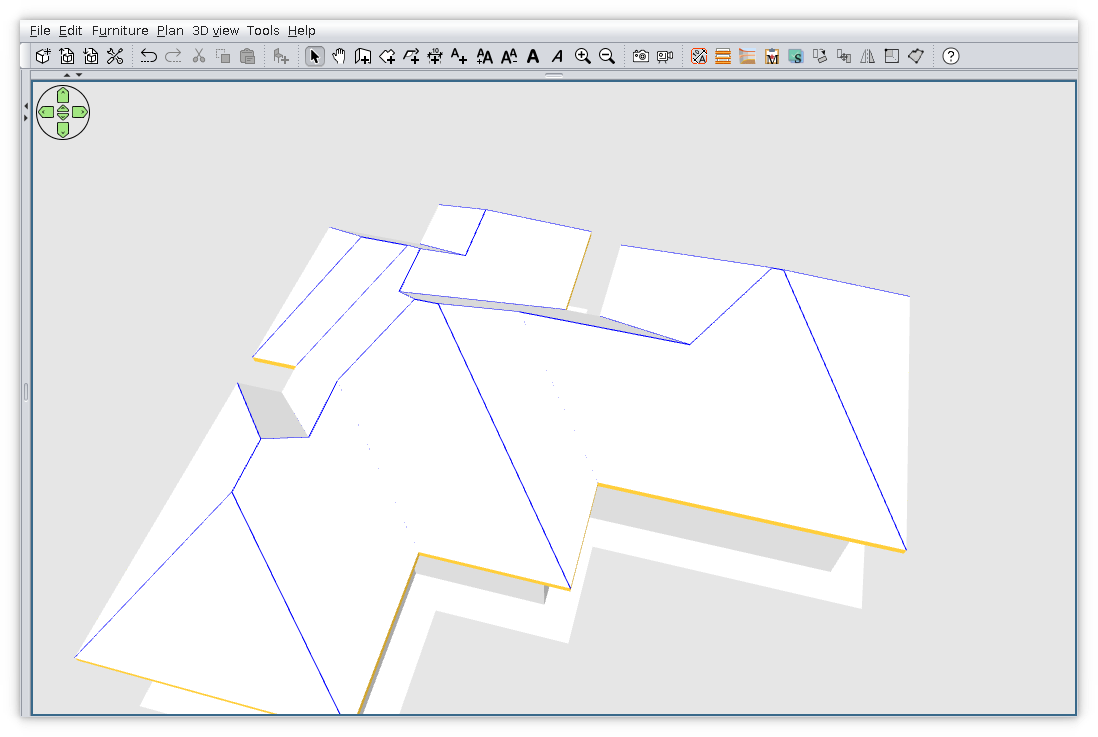
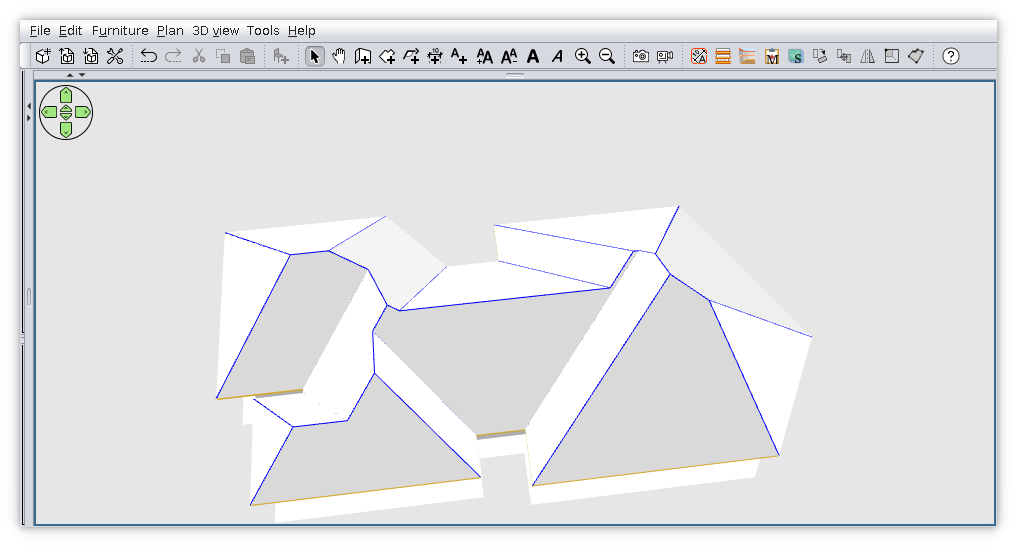
WARNIG!!! Those who what to use plugin file don't forgot to remove previews versions.
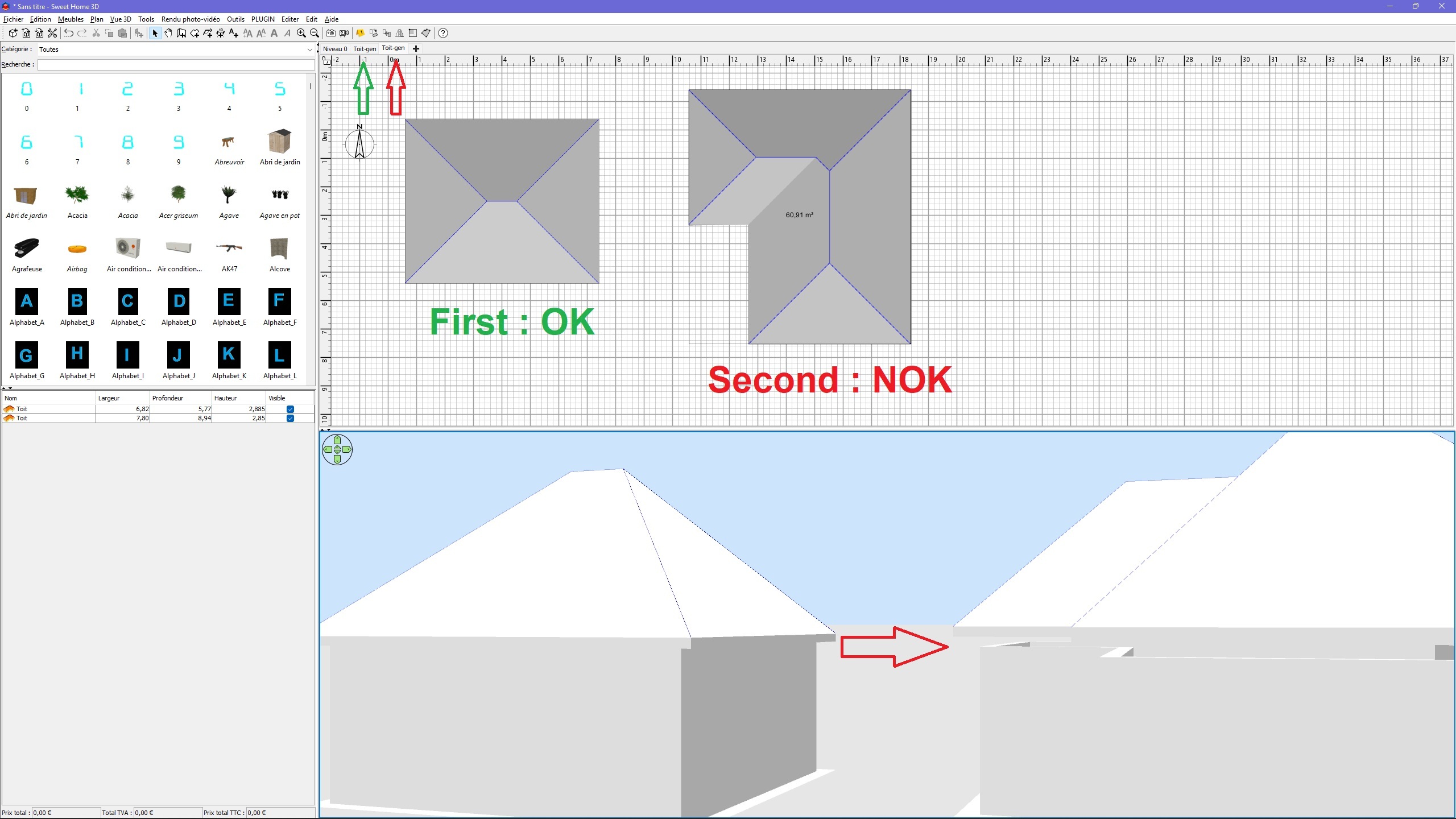
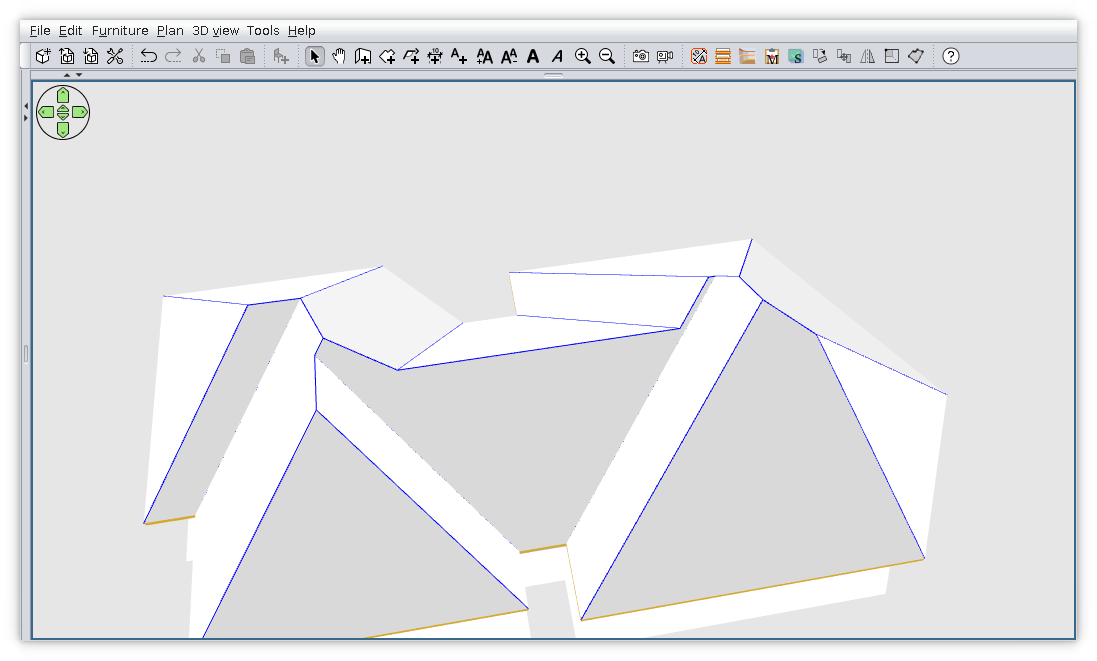
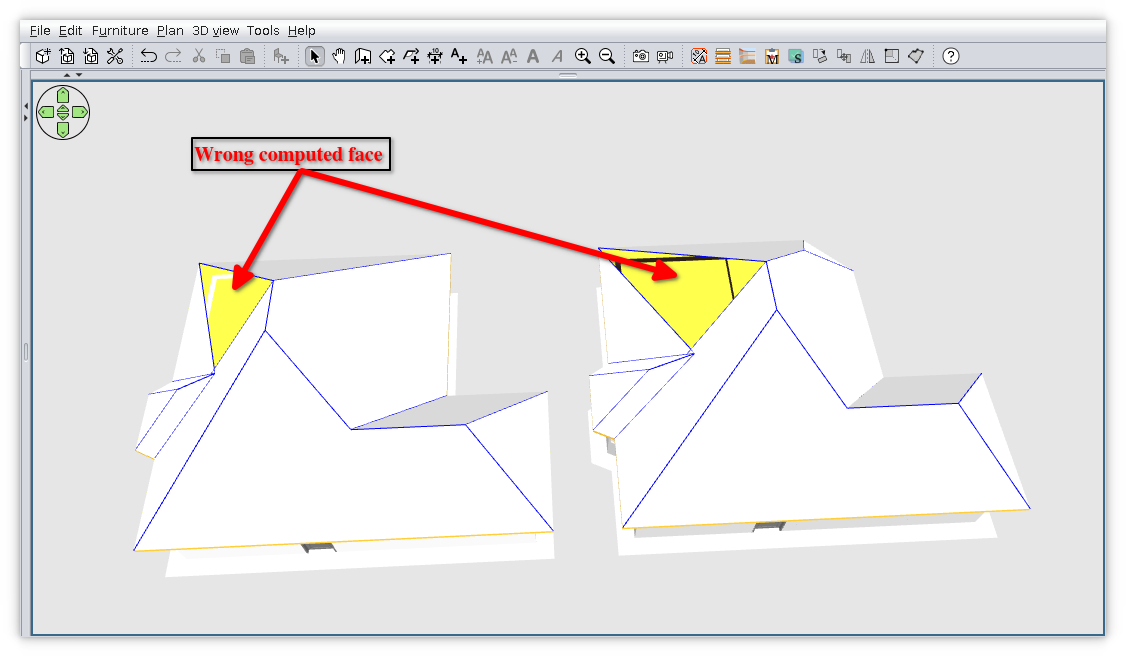
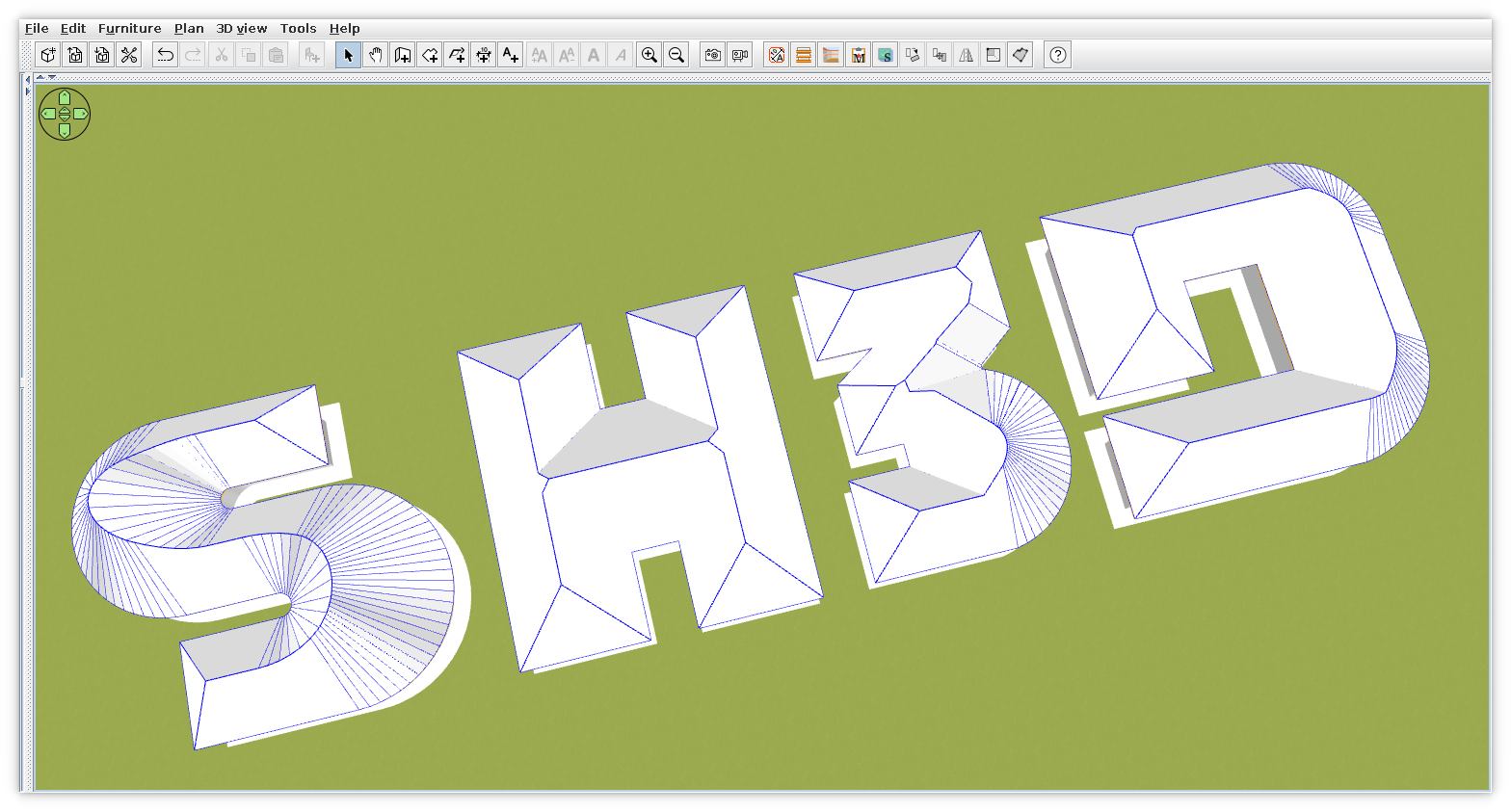
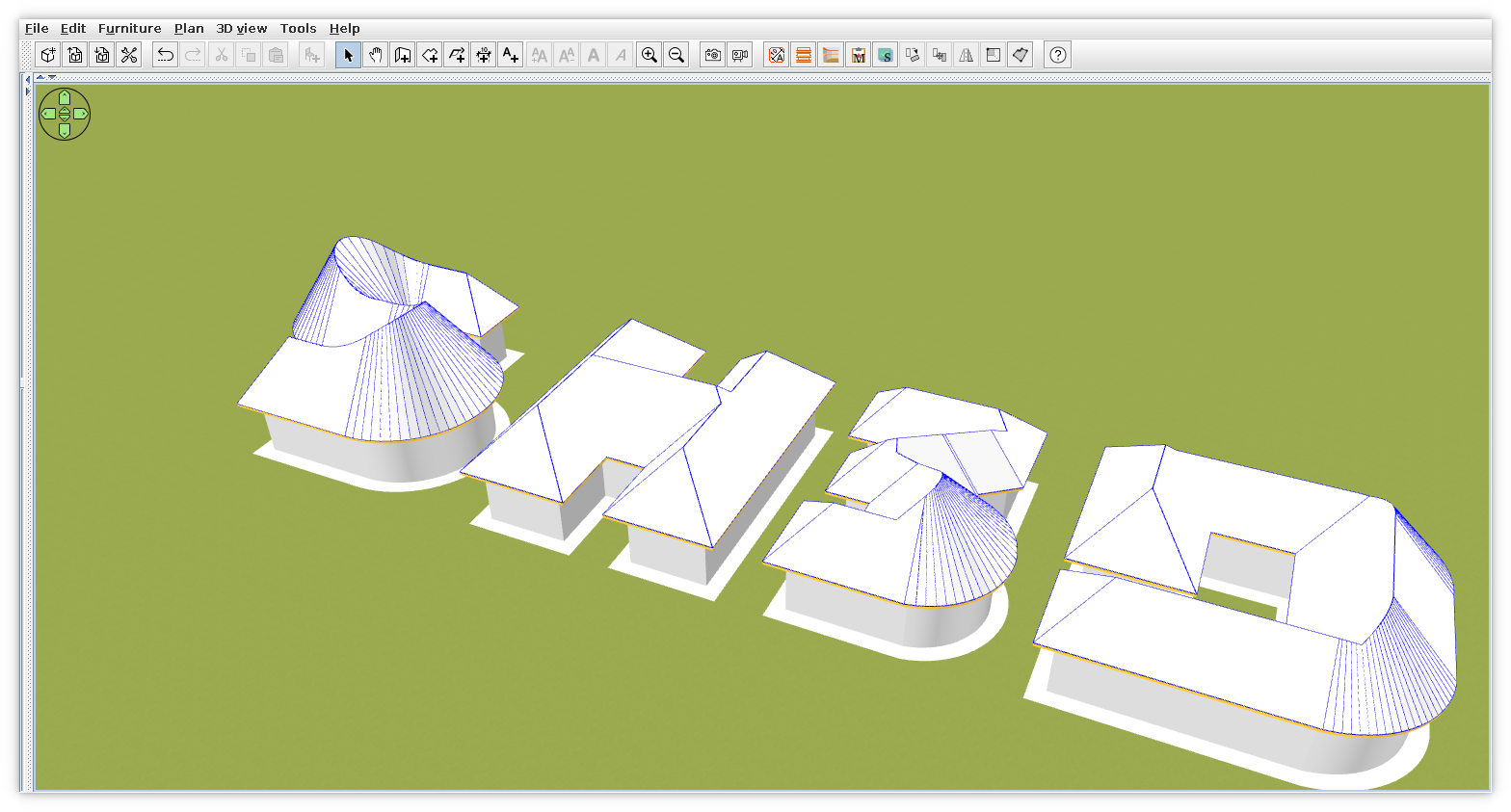
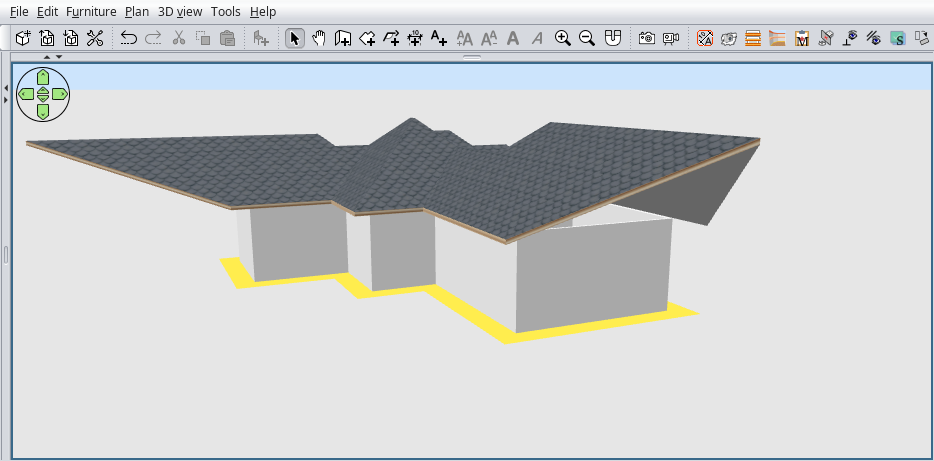
Few screenshot with good and bad:


----------------------------------------
A computer program does what you tell it to do, not what you want it to do. Murphy's Law
When all else fails, read the instructions. Murphy's Law
If you don't like "AS IS", DIY. Dorin's law

Posted by dorin at Mar 10, 2022, 6:15:09 PM
Re: Generate roof plugin
New version 2.0 and on Source Forge
Finally I've give up to reinvent the wheel.
Thanks to Tom Kelly for his campskeleton , a professional solution. It work on more than 95%
Thanks also to Daniele who help me and point me on right direction.
Of course could be improved but not by me.
Problem: steel don't compute texture coordinate correctly.
**Don't forget to to remove previews versions.**


----------------------------------------
A computer program does what you tell it to do, not what you want it to do. Murphy's Law
When all else fails, read the instructions. Murphy's Law
If you don't like "AS IS", DIY. Dorin's law

Posted by Puybaret at Mar 10, 2022, 7:15:48 PM
Re: Generate roof plugin
Very nice and impressive results! My favorite is of course the SH3D roof wink
----------------------------------------
Emmanuel Puybaret, Sweet Home 3D creator

Posted by hansmex at Mar 11, 2022, 1:54:11 PM
Re: Generate roof plugin
Congratulations!!

For someone who can't program, you made a VERY nice plugin.
Thank you very much :-)
----------------------------------------
Hans

new website - under constuction
hansdirkse.info

Posted by Vidium at Mar 11, 2022, 4:34:16 PM
Re: Generate roof plugin
I've been watching your progress and was impressed from the beginning. I'm stunned you have improved the function to this level. Amazing guy. Thank you!

Posted by dorin at Mar 12, 2022, 7:22:34 PM
Re: Generate roof plugin
Thanks to all!
But let's be fair:
1. The real hero is Tom Kelly who transpose the straight skeleton theory and improve it to weighted straight skeleton implementation in java.
I've try many times to read and understudy this but I fail.
2. Without the Daniele's plugin adaptation I'll never be able to do it.
3. What I've done was to make some weak solder between this sources and SH3D.
So that's all. Not big deal!
From my side is an unconditional surrender. If my attempt to make a new algorithm have succeed it would have been really amazing but...

On the other hand:
I encourage every one to try to make plugins for this software or new software in any language. It keep brain in function.
You can even use my method to steal and modify the work of others.
"Never say never"
I think it's time to give way to the youngest.
Majority of You are younger or around my boys children edge and they have also kids.
I'm born decade before the computer age so now it's Your time. Don't waste it!
----------------------------------------
A computer program does what you tell it to do, not what you want it to do. Murphy's Law
When all else fails, read the instructions. Murphy's Law
If you don't like "AS IS", DIY. Dorin's law

Posted by Daniels118 at Mar 13, 2022, 1:08:02 AM
Re: Generate roof plugin
@Dorin
You're fair, nonetheless you made a GREAT work. I've seen "programmers" that would never achieve such results even in a thousand years.
Well done! applause

Posted by dorin at Mar 16, 2022, 2:06:22 PM
Re: Generate roof plugin
@Daniele,
Thanks but there is few problems:
1. Wrong texture;
2. Use full power of CampSkeleton.

1. I don't know how to make texture to be correct rendered.
It is a lot of terms and ordered sequences which I don't know.
I still try but I don't see a good result without help.
There are people who (I suppose) could do this (@enkoniyto, @ndorigatti) and maybe others.

2. Implement:
-2.1 Individual faces angle but for this I need:
--- to be able to select face in preview (similar to texture manager) but with mouse;
--- to add a slider for selected face, synchronized with an input box for precise value;
--- to add an reset button (to 45dg) for all faces.
--- to implement dynamic roof generation in moment You move slider or insert value.
--- I prefer a Model Preview Controller (like in main software) than to rewrite it again.
-2.2 Compute polygons with holes (like B or 8 or D)
--- for this could be selected more than 1 room but with smaller area than exterior roof projection and with all points inside projection.
--- first must verify IF CampSkeleton really can compute this. There is a file for this but I don't know if and how it work.

The most important and urget (for me) is 1.

Do You like my dreams?
----------------------------------------
A computer program does what you tell it to do, not what you want it to do. Murphy's Law
When all else fails, read the instructions. Murphy's Law
If you don't like "AS IS", DIY. Dorin's law

Posted by Daniels118 at Mar 16, 2022, 3:04:14 PM
Re: Generate roof plugin
@Dorin
About the the point 2
To make everything easier you could consider to separate the user input from the 3D preview. I mean you could reuse the 2D editor that comes from campskeleton to handle the user input; since it already works out of the box you haven't to spend any effort to make it work (see my example project). The 3D preview would be a plus.
Of course this is just a hint to reduce the amount of required work, I don't want to change your vision of your project.

Posted by dorin at Mar 20, 2022, 9:15:39 AM
Re: Generate roof plugin
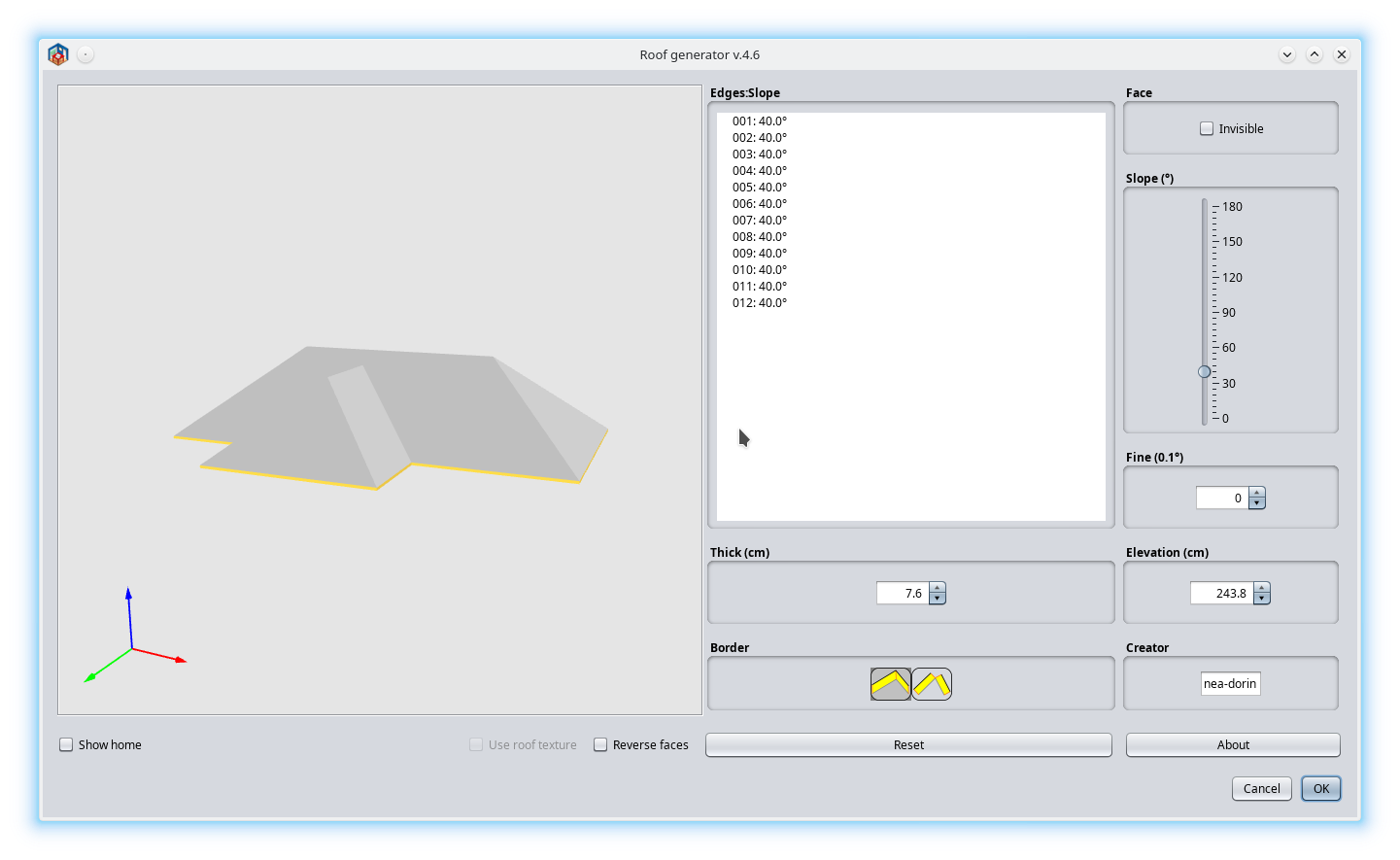
New version 2.5 code-name "DL"
Unfortunately this plugin left YAUP category and go to Normal Plugins.
That happens when professional are implied. Thanks to Daniele who make 99% of work.
For this I owed him a truckload of beer d oh

News:
-bug fix in texture computation - @autor Daniele
-elegant solution to correct faces name - @autor Daniele
-remove blue edges when roof are exported - @autor Daniele
-add a slider in place of spin box
-replace "Refresh" button with "Reset all to 45dg"
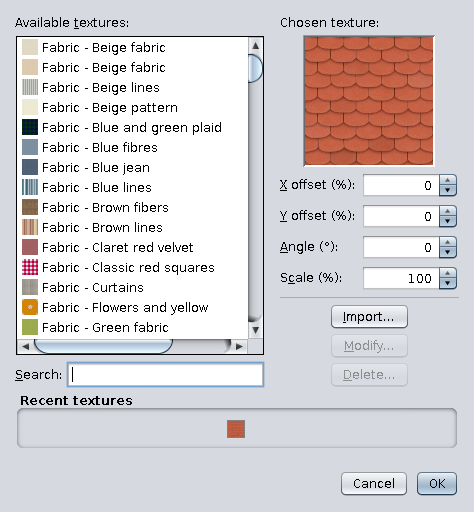
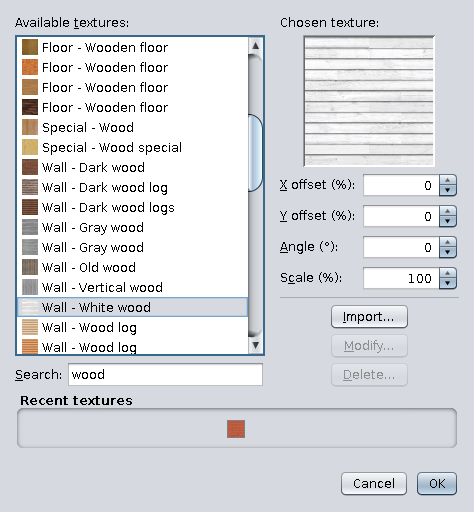
Now You don't need to set a rotation angle for texture, just select 1, few or all and set texture at once.

Reminder of usage:
-select a room (supposed to be roof footprint)
-Tool-> Generate roof...
-change angle as how You like -> OK
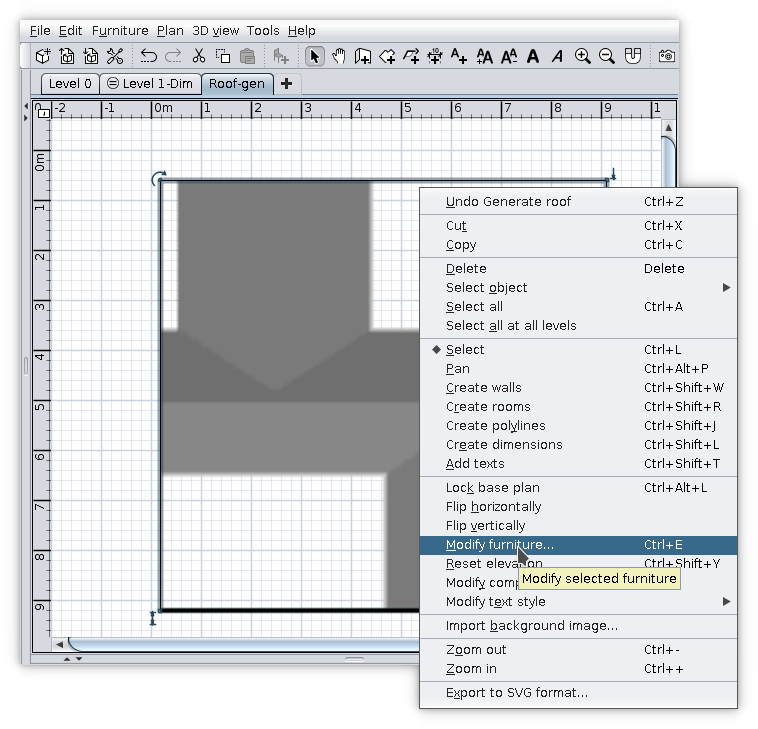
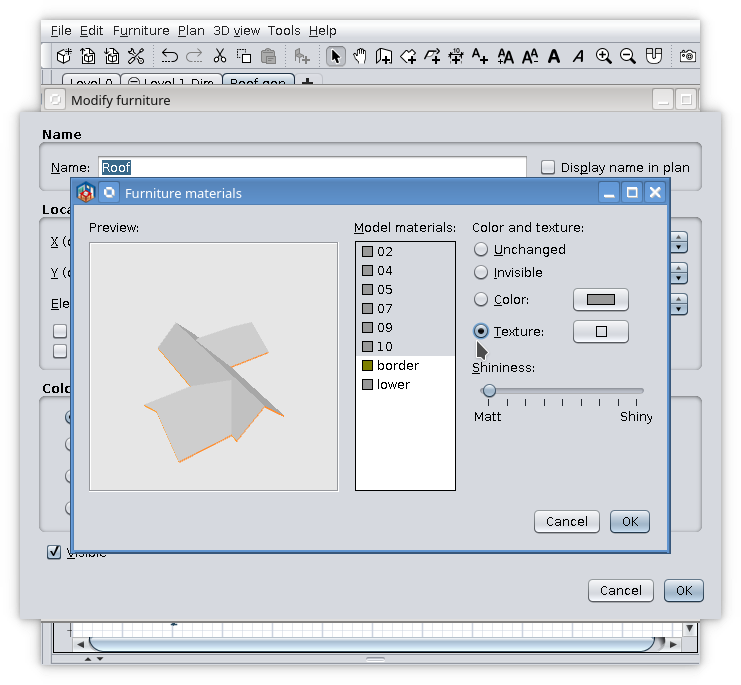
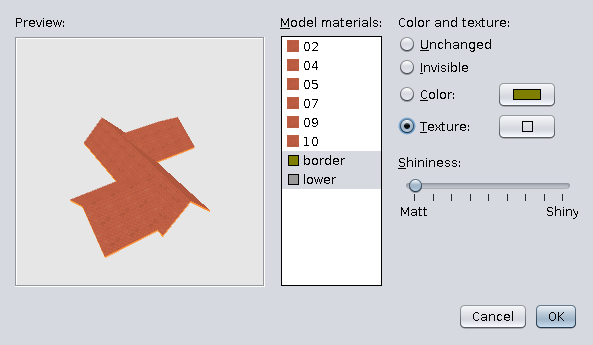
-on 2D plan select object, Modify furniture, modify materials and set what texture you like.

If You try to modify texture globally from first texture button will don't work as expected!
Don't forget to set 3D view to show all levels.


Also on Source Forge
----------------------------------------
A computer program does what you tell it to do, not what you want it to do. Murphy's Law
When all else fails, read the instructions. Murphy's Law
If you don't like "AS IS", DIY. Dorin's law

Posted by hansmex at Mar 20, 2022, 10:40:46 AM
Re: Generate roof plugin
Dorin,

We should erect a statue for the King of Roofs !!

The latest version works very, very well.

I tested on a few complex roofs without any problems.
Even the L-shaped roof with exactly equal sides now generates correctly.

Textures apply correctly and are orientated the way you expect. (Please send subroutine to Puybaret for inclusion in main program).

I see two remaining problems:
1 - The yellow border underneath the roof. It doesn't appear in the furniture list, so we can't change it (for the time being).
2 - The Autodimensioning plugin generates rooms for all walls, even when I select "Selected walls only".

Thanks you!!

Hans
----------------------------------------
Hans

new website - under constuction
hansdirkse.info

Posted by dorin at Mar 20, 2022, 1:52:42 PM
Re: Generate roof plugin
@Hans
The statue have to be a trinity: Emmanuel, Tom, Daniele.
Surrounded with a fancy and me, at gate, selling tickets to those who want to make selfies with them.
Back to be serious.
Textures apply correctly and are orientated the way you expect. (Please send subroutine to Puybaret for inclusion in main program).

I do if I have any clue "which" and "what".
Daniele try hard to teach me but he finally realize how dump I am and provided me the code.
Emmanuel is smart enough to knew what to do.

@1. It's a ordinary room. Make roof invisible and modify it or delete it.
I've insert it to don't let the roof on the air and to have a contrast.

@2. The AutoDimensionig have to be improved and You have right as usual.
I've also see it but I'm not able to be multitasking.

Thanks but tanks have to go to trinity guys.
----------------------------------------
A computer program does what you tell it to do, not what you want it to do. Murphy's Law
When all else fails, read the instructions. Murphy's Law
If you don't like "AS IS", DIY. Dorin's law

Posted by YGYL at Mar 21, 2022, 4:36:37 AM
Re: Generate roof plugin
Thank you very much!
It is recommended to add the Auto Dimensioning plugin for generating roof room areas to the Generate Roof plugin. Using 2 plugins for one thing will be confusing to most people

Posted by dorin at Mar 21, 2022, 10:22:35 AM
Re: Generate roof plugin
@YGYL
Thanks You test it!

1. All my plugins intend to be some tool box not Swiss army knife.
If You have something to fix in Your house, usually You need different tools from different toolbox (screwdriver with different heads, hammer, pliers etc.)
I don't think some of this are useless any time and could convert a hammer in screwdriver to have all in one finger.

2. I've add roof projection on Auto Dimensioning for two reason:
-- sometime is required in 2D plans in REAL LIFE
-- there are a lot of necessary subroutines which exist already

3. Auto Dimensioning is useful especially for round walls;
For relatively normal house You could draw roof projection by hand and don't use AD plugin.

4. Could You imagine and explain me how a user could interact with program?
-where to make click, then where and what to input or draw something, what program ask next and so on.
-maybe a scratch of UI and some explanations
Don't forget:
A computer program does what you tell it to do, not what you want it to do

5. If You help me to continue version 1 (with plane intersections)
it could be possible to use directly walls and their slope to generate more complex roofs.
Or You could provide another source code for this to contribute to this community.
----------------------------------------
A computer program does what you tell it to do, not what you want it to do. Murphy's Law
When all else fails, read the instructions. Murphy's Law
If you don't like "AS IS", DIY. Dorin's law

Posted by sire42 at Apr 15, 2022, 8:54:08 PM
Re: Generate roof plugin
Hi,

thanks for proving this great software.

Regarding the roof plugin, the possibility to set multiple slopes would be nice indeed.

I noted, you wonder about user interaction for this, i.e. selecting the faces and directly setting the slope for the face.

I cannot help with this, but maybe for the first go, another approach is feasible as well:

I had a look into the code (currently, i am reluctant to setup a development environment to try myself *shame*), it seems the key entry point into the algo is the function getRoofFaces(...) with value "weigth" [sic]; so instead of the scalar value for slope, one would need to pass through an array/vector to use in the edges loop there as weight.

You may offer the user, for the beginning, two slope sliders. Adopt the code to pass both values as array/vector and in getRoofFaces just loop over this vector restarting at end ("wrap-around"). By this, you have already a solution for an arbitrary number of edges altering the slope every other edge. This can already cover for the most practical 4 edged roofs including sort of gable roofs if one slope is set to 90° (or close to 90°, I noted in the algo descriptions some possible concerns about singularities at this point).

This approach can be extended by simply extendending the slope vector, if once the user interaction is capable to cover arbitrary face slope setting so that eventually the slope vector length equals the edges/faces count.

best regards

Posted by dorin at Aug 8, 2022, 7:31:12 AM
Re: Generate roof plugin
News (no breaking)!
In the last several months I've made some kind of team with Daniels118.
That's mean I make a wish and he make it real.
Then I make it public like it is my work. In fact that's all my effort.
Anyway, it was a heavy time consuming and a lot of try and fail, than start from the beginning.

Finally new version 3.0 !

What's new (not to mach):
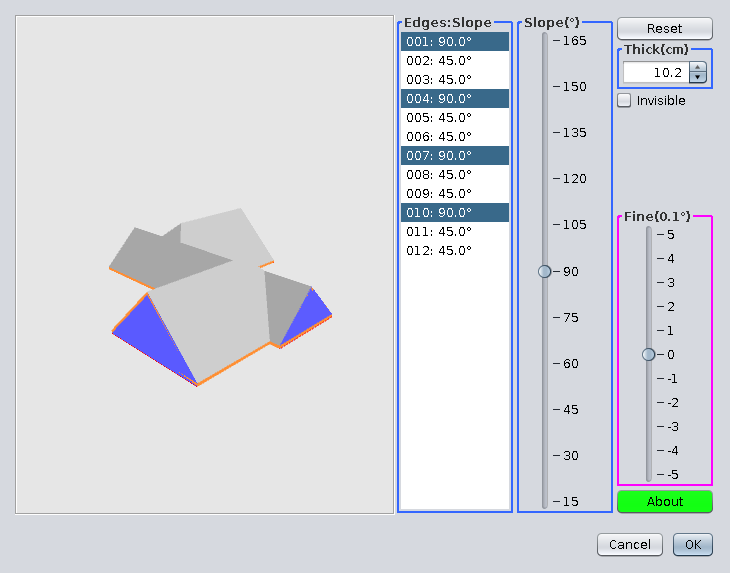
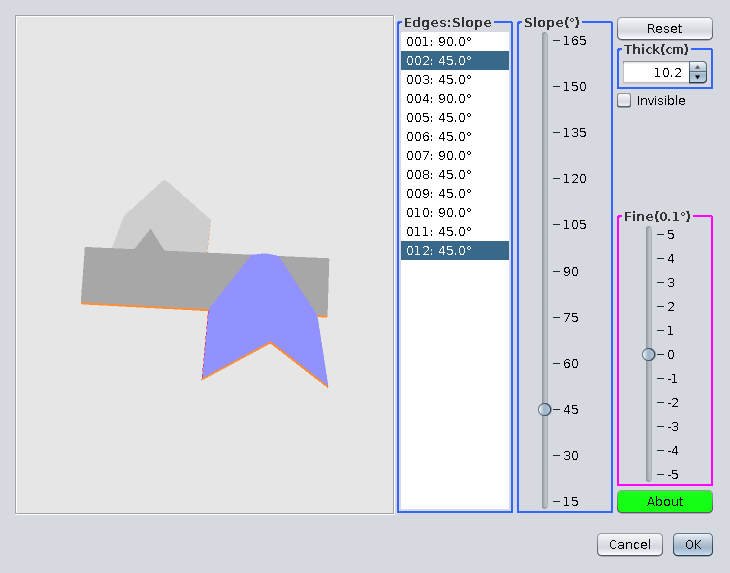
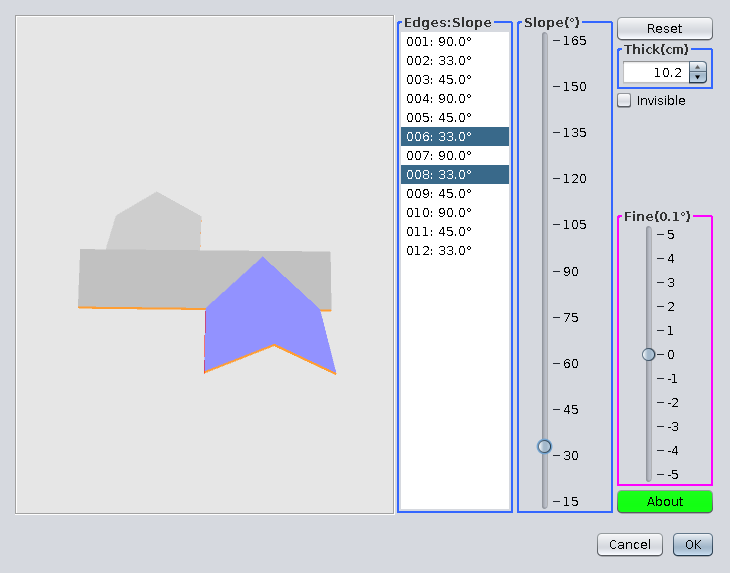
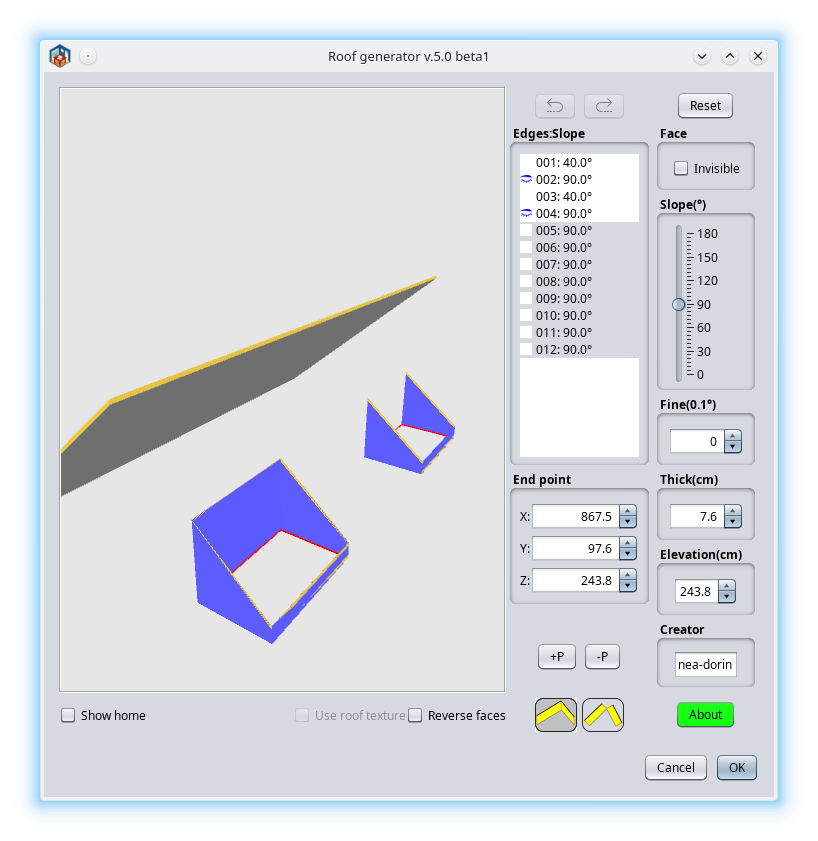
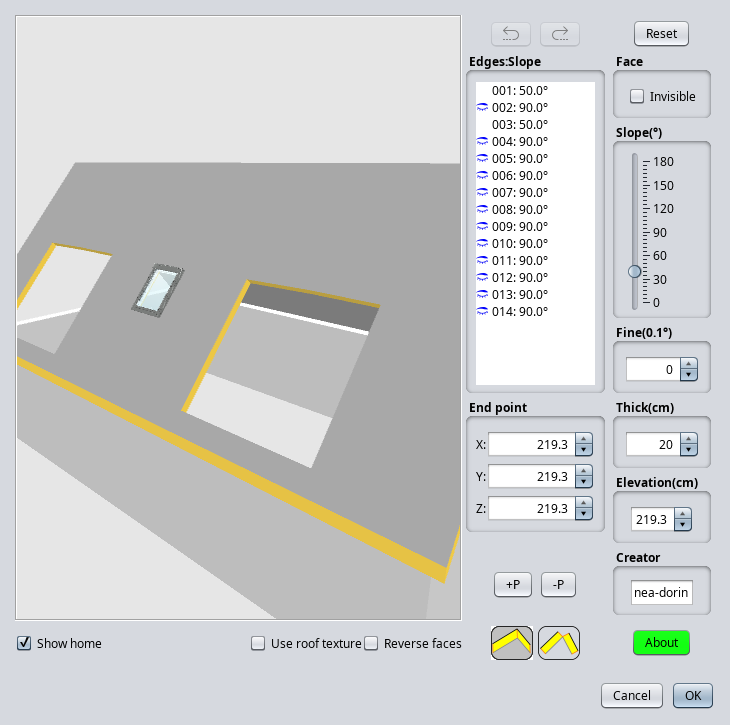
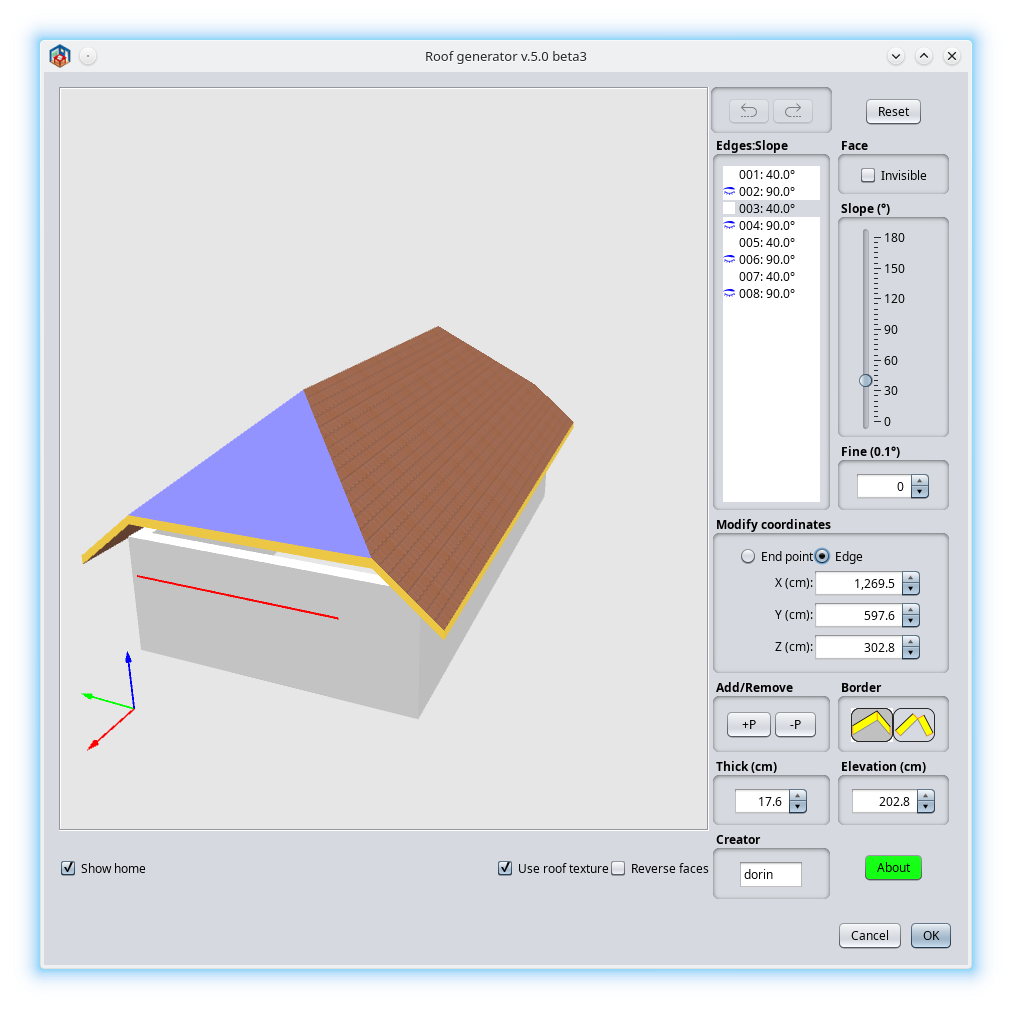
1. Individual face selection with mouse (thanks to Emmanuel & Daniele),
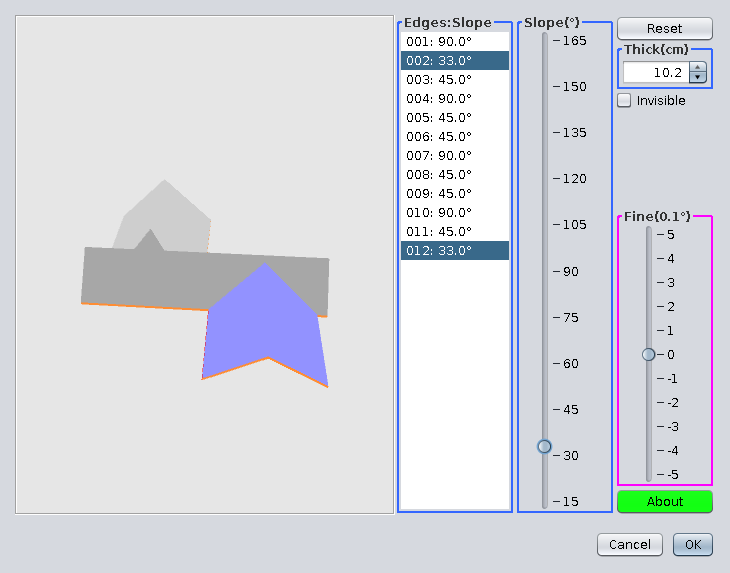
2. Individual face angle set (thanks to Daniele),
3. Add a Help button with some useful information (I've stole some codes from Daniele).
-Add Chinese translation (thanks to YGYL but incomplete at that moment, need updated).
As You could see I have nothing to do with this version.

Some screenshots and explanations (for new comings):
- Start from a selected room as roof projection (generated by Auto Dimensioning plugin or manually drawn)


- Tools->Generate roof


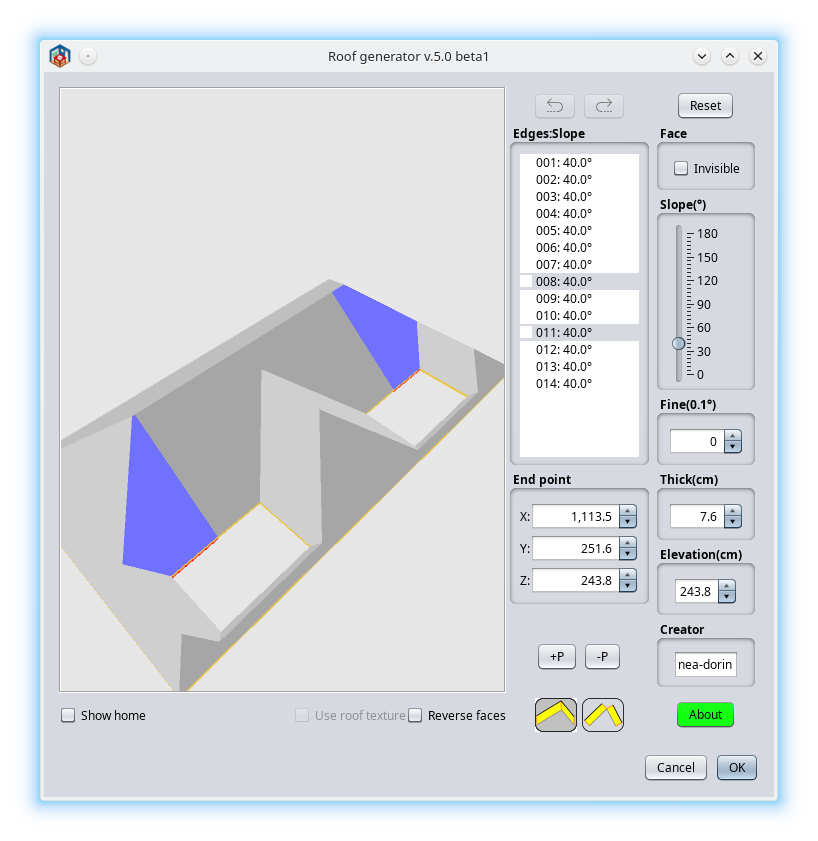
- You will see something like this


- Select a face with mouse


- Rotate roof and select other face.


- Press Ctrl+click on other face


- Click elsewhere to deselect all, select a face, then Ctrl+Click to select desired faces.


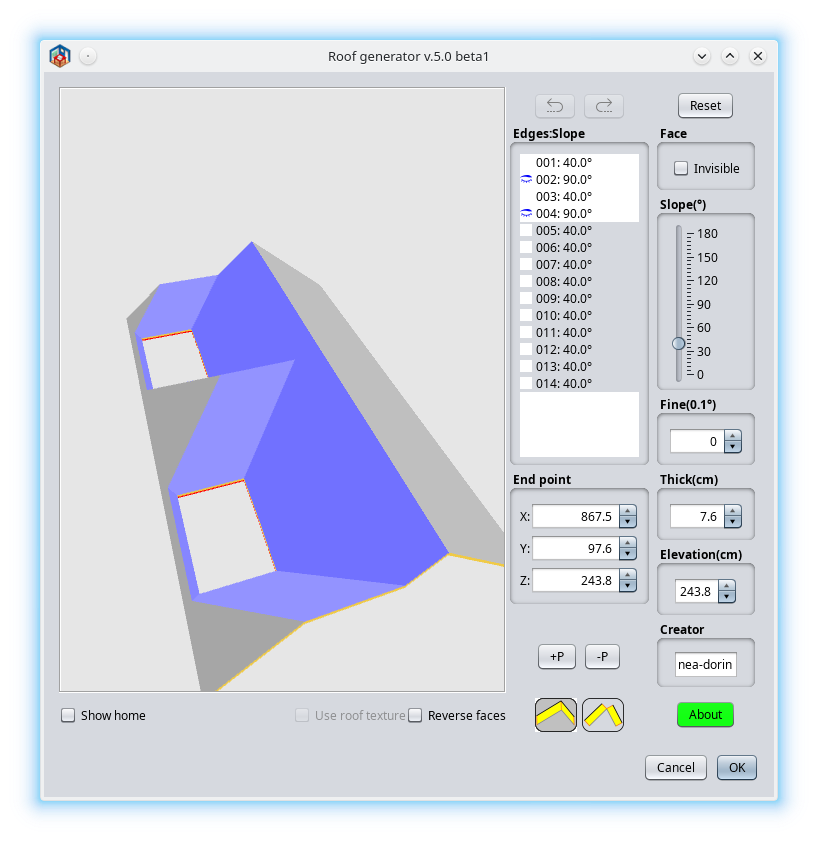
- With this selected faces modify faces angle with the slider.


- Make the same with other faces


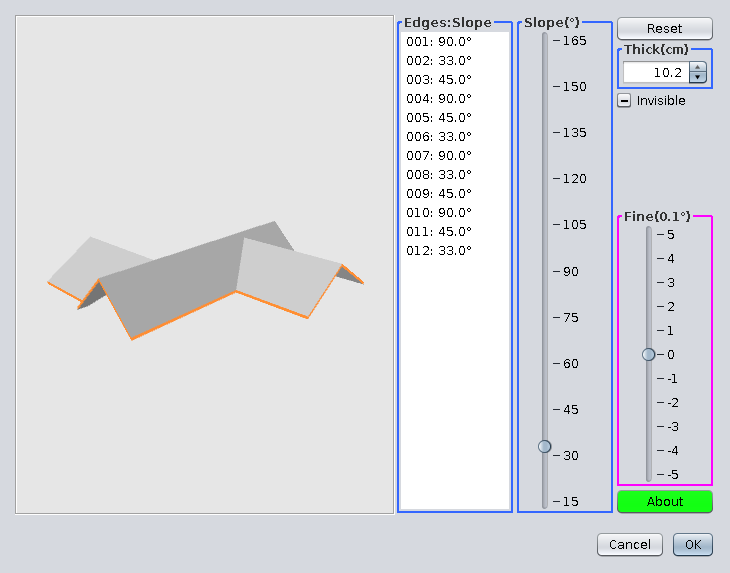
- Click Ok to export roof on home


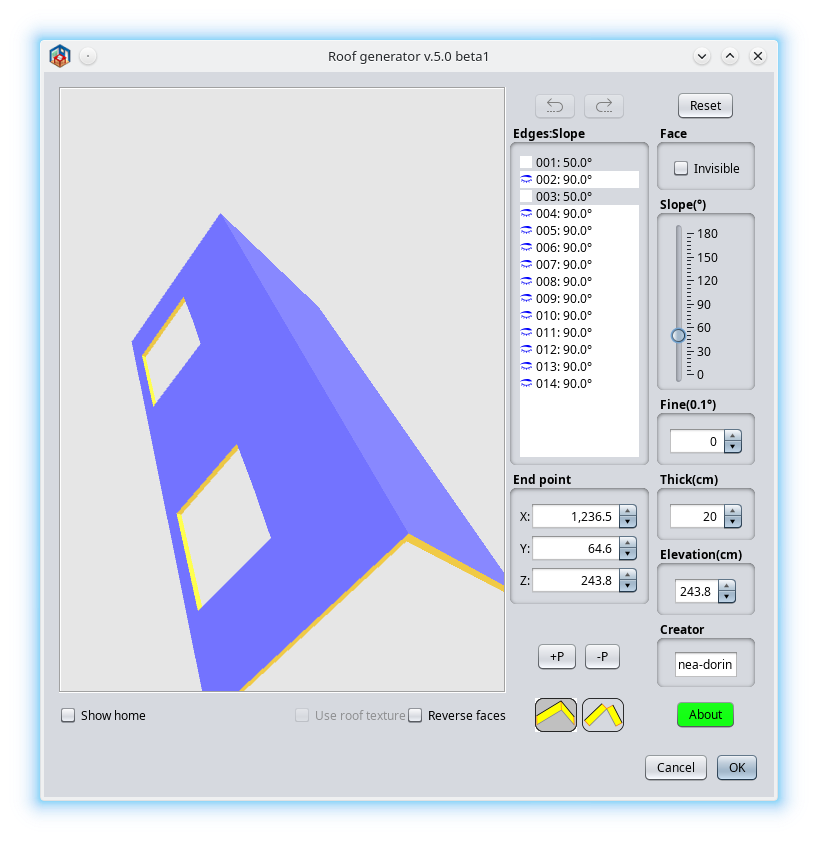
- Open in Modify furniture -> Modify materials
Select all faces and set the desire texture


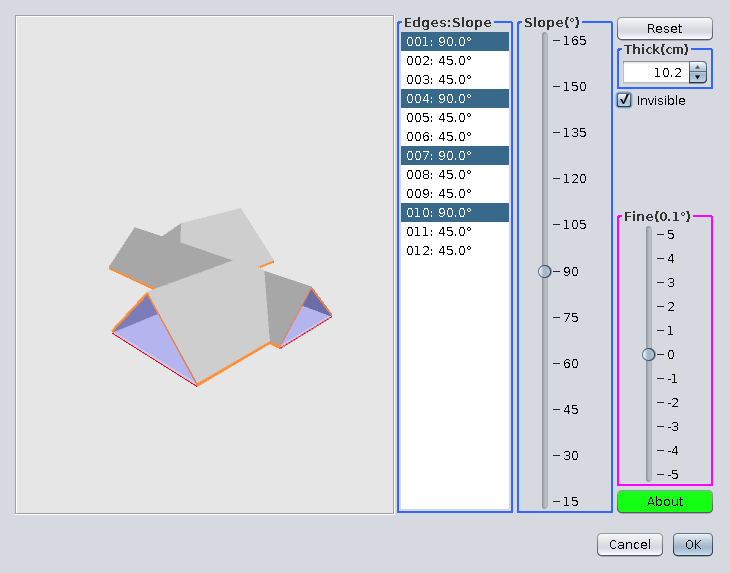
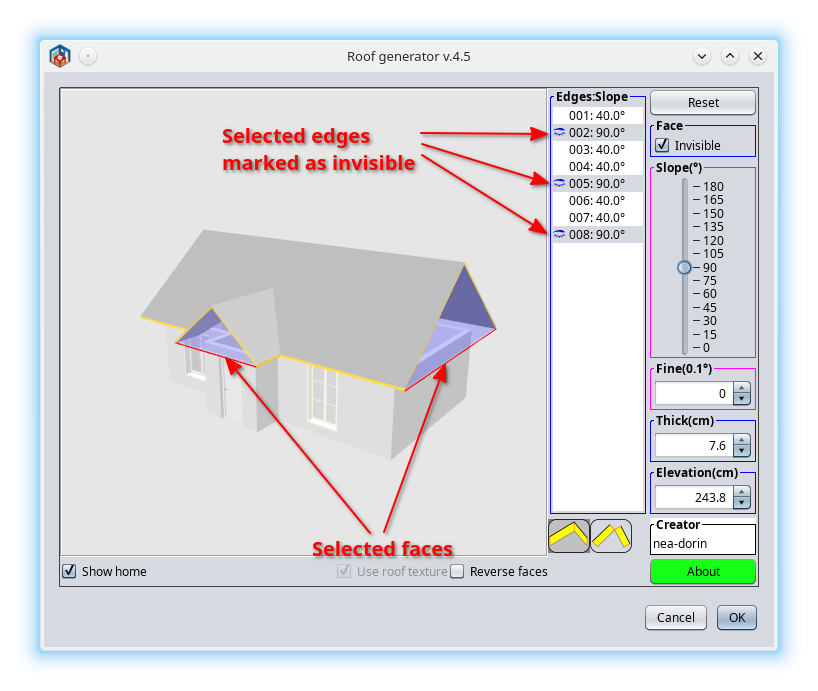
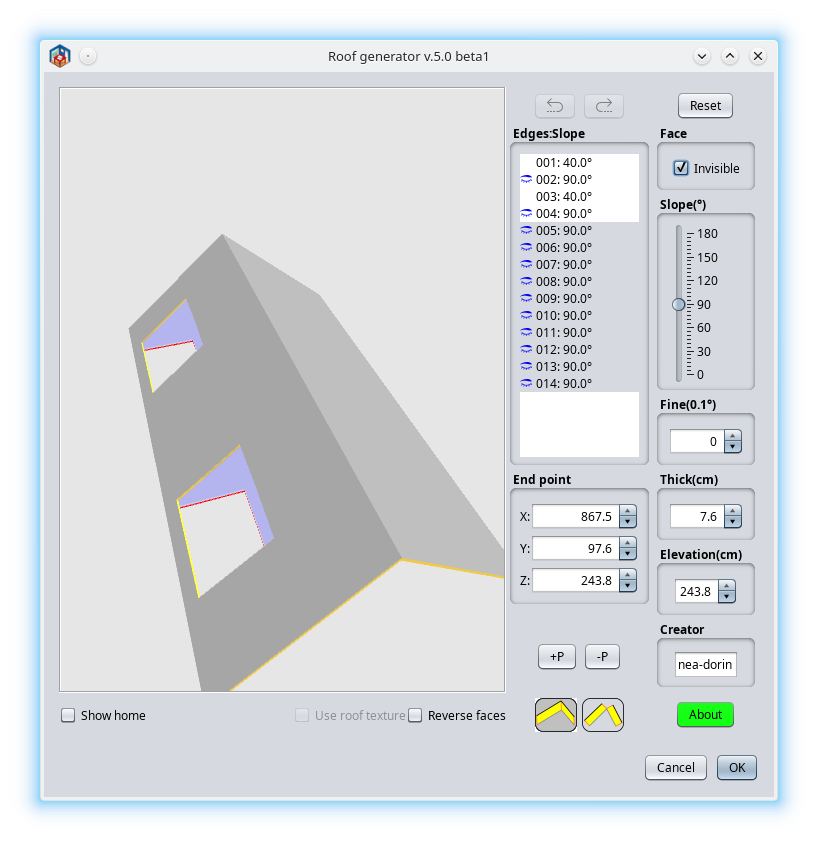
- Select some specific faces and mark as invisible. Ok.


- That could be the result


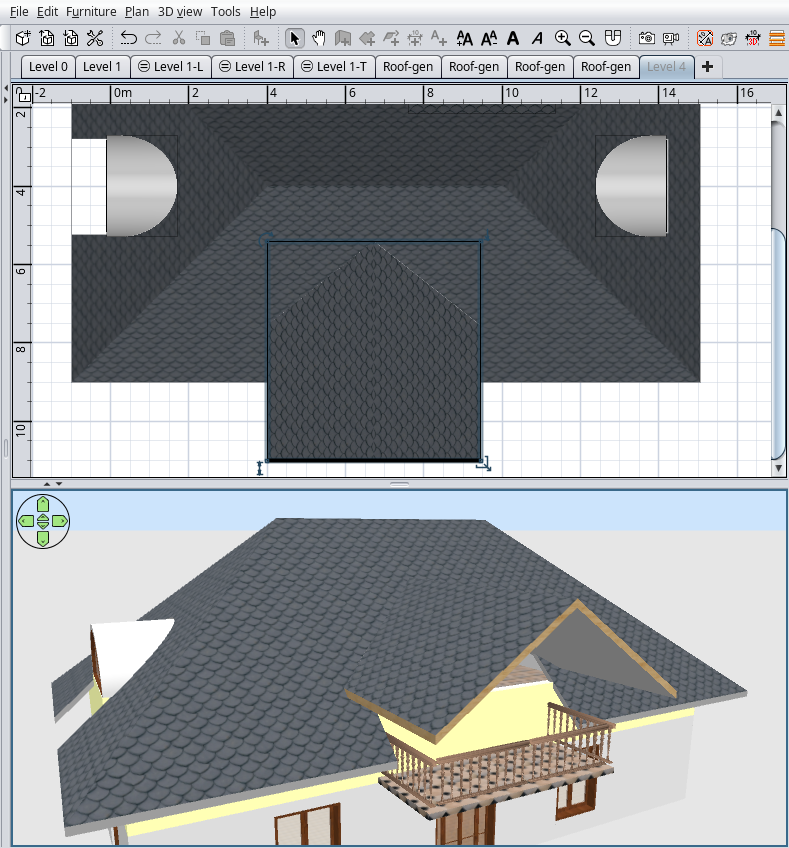
Also on Source Forge
----------------------------------------
A computer program does what you tell it to do, not what you want it to do. Murphy's Law
When all else fails, read the instructions. Murphy's Law
If you don't like "AS IS", DIY. Dorin's law

Posted by hansmex at Aug 8, 2022, 8:15:31 AM
Re: Generate roof plugin
Hello Team Dorin,

Thank you very much for this new version. It works, more or less.

I followed the steps in Dorin's message, and this is what happens:
- the plugin generates a correct roof
- the new interface appears with the angle slider
- however, the list with roof sections is not visible, and
- I cannot select individual roof parts in the 3D preview
- after clicking OK I try to apply textures
- when I select Modify Roof, I can apply textures to each individual roof section

Maybe you published version 2.9 instead of v3.0 ??

H
----------------------------------------
Hans

new website - under constuction
hansdirkse.info

Posted by Daniels118 at Aug 8, 2022, 10:15:31 AM
Re: Generate roof plugin
Hi Hans,
the angle slider was already there in the previous version (2.5), the version 3 adds the faces list and the help button. If you click the help button you will see the current version. Also note that this version requires SH3D 7.0 or later.

Please be sure you have installed the latest version and don't forget to restart SH3D to let the changes to take effect.
If you have done the steps above and still experience problems, please post a screenshot of the GUI.

Posted by hansmex at Aug 8, 2022, 11:05:14 AM
Re: Generate roof plugin
It seems the plug-in doesn't replace the previous version, or maybe I did something wrong.

Seems to work like it should now, but I will test more in the coming days.

Once again, many thanks to Team Dorin :-)

H
----------------------------------------
Hans

new website - under constuction
hansdirkse.info

Posted by GrahamI at Aug 23, 2022, 2:36:56 PM
Re: Generate roof plugin
Does anyone have some samples of how to use this Plugin ?
Regards Graham

Posted by Puybaret at Aug 23, 2022, 3:29:53 PM
Re: Generate roof plugin
Did you look at the previous messages? Just try to reproduce some similar rooms.
----------------------------------------
Emmanuel Puybaret, Sweet Home 3D creator

Posted by GrahamI at Aug 25, 2022, 6:12:32 AM
confused   Re: Generate roof plugin
Hi Dorin,
I have a rectangular Roof and the Roof loads with the 2 Sides and the 2 Ends at 45°. I would like to change the angle of the 2 Ends to be a different angle. How can I achieve that please?
Regards Graham sad

Posted by GrahamI at Aug 25, 2022, 7:37:25 AM
Re: Generate roof plugin
Hi Dorin,
Please ignore my earlier message. I have now read your earlier message with illustrations and I believe the answer is in there.
Regards Graham

Posted by GrahamI at Aug 28, 2022, 3:06:59 PM
sad   Re: Generate roof plugin
Hi Dorin,
Despite all attempts I am unable to Use your Plugin to create my Roof. I hope you will help me here ....
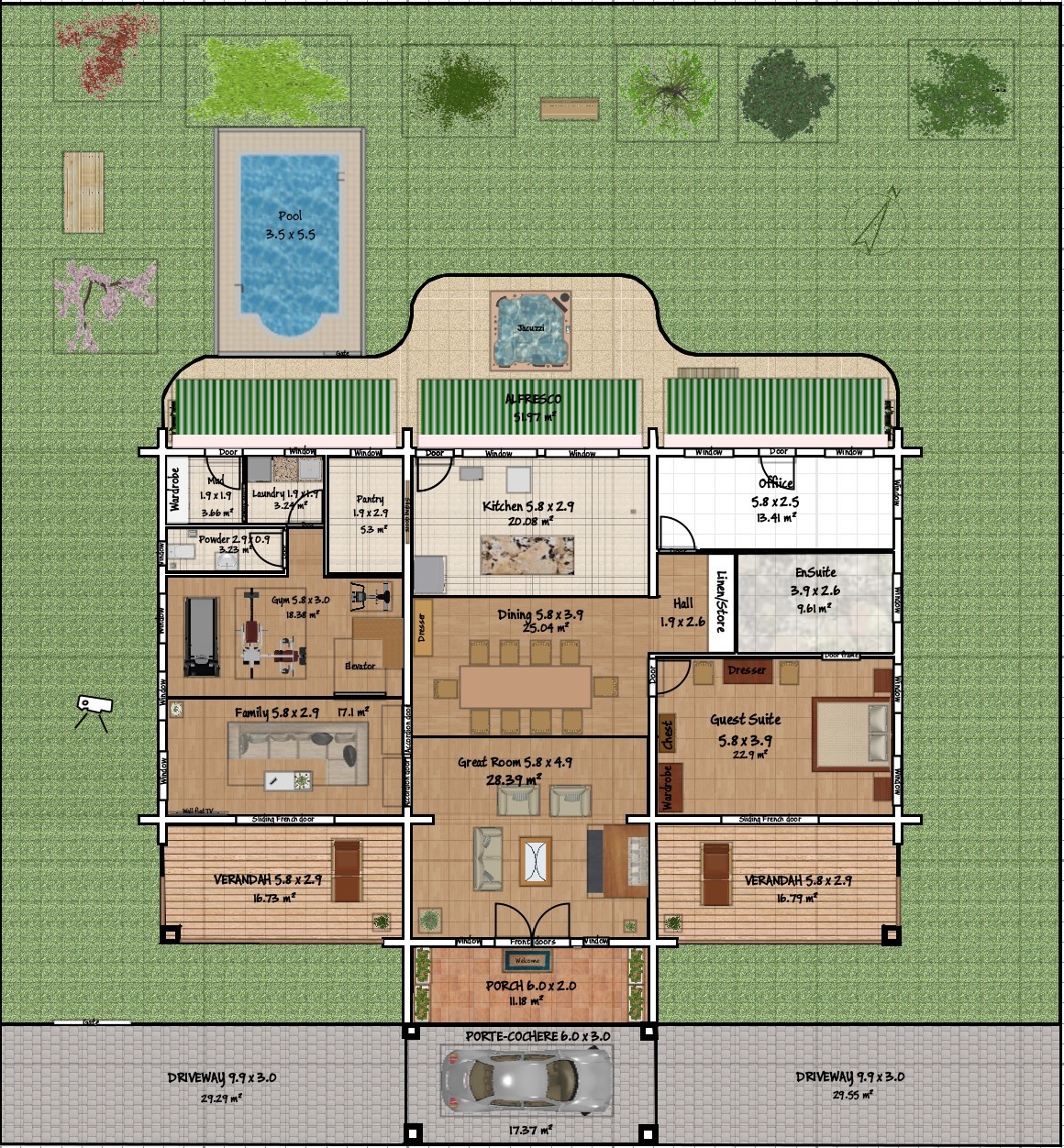
I'm wanting a 5m wide roof at the Northern end, running East/West and then 3 Ridges running North/South with an East/West wing over the Port Couchere in the South.
Can you help me with GenRoof please?

Regards Graham

Posted by GrahamI at Aug 28, 2022, 3:13:50 PM
Re: Generate roof plugin
I'm having trouble uploading the Image

Posted by dorin at Aug 28, 2022, 7:54:21 PM
Re: Generate roof plugin
I'm glad to see here someone closer of my age (well, also more wiser than me).
Don't expect too much from me.

Let's start:
You've send me this:


If You send the sh3d file maybe could be easier.
Anyway I put it on background and I've try to understand what was in Your intentions
I suppose this could be the base structure.


Hiding the background, remain this:


I use Auto Dimension plugin to generate roof projection. (not mandatory)


The result is this:


It's not quite useful but it's a start
It appear You want to make a house from round wood,
so, You have to adjust the roof projection probably something like this,
by deleting unnecessary points from room


Now, with room selected, Tool->Generate roof...


Well, here are at least two variants:
1. simple hipped roof
Press Ok


Modify texture


2. Something like gabled roof
Select triangle faces and set angle at 90 dg ( or what ever You want)


After press Ok


Set texture...


Select some faces and mark them as invisible


Could be something like this


Of course You could make it better.
Good lack!
----------------------------------------
A computer program does what you tell it to do, not what you want it to do. Murphy's Law
When all else fails, read the instructions. Murphy's Law
If you don't like "AS IS", DIY. Dorin's law

Posted by GrahamI at Aug 29, 2022, 12:52:51 PM
Re: Generate roof plugin
Hi Dorin,
Thank you very much for your very prompt reply. It is much appreciated.
I have not given you the full picture, for that I apologize.
I will attach the SH3D file separately. Until I get this finished I would like to keep this private. After that it will be available to TV and ALL in the Public Domain.
Regards Graham

Posted by dorin at Aug 29, 2022, 7:44:56 PM
Re: Generate roof plugin
1. I don't know if my explanations was useful (solve the problem);
2. The file would have been useful for more precise help;
At this moment I don't need it anymore.
----------------------------------------
A computer program does what you tell it to do, not what you want it to do. Murphy's Law
When all else fails, read the instructions. Murphy's Law
If you don't like "AS IS", DIY. Dorin's law

Posted by GrahamI at Aug 30, 2022, 1:34:25 PM
Re: Generate roof plugin
Yes it's a Log Home, with a lot of work to be done still.
The First floor is to have a Bathroom and 4 more Bedrooms.
Much to be done... 😒
Regards Graham

Posted by Klaus60 at Nov 12, 2022, 10:28:49 AM
Re: Generate roof plugin
Wanted to start a new attempt to generate the roof but unfortunately without success.
Have the same problem as Graham.
I marked all the walls and carried out the Plugin Auto Dimension.
Now I can't get any further, Generates Roof (3.0) is still grayed?
How can I hide the background?
Sorry for my beginner questions.
Regards Klaus

Posted by dorin at Nov 12, 2022, 12:06:41 PM
Re: Generate roof plugin
Select generated roof projection (room) or any other room and Generate roof... will became active.
With Autodimensioning yo don't need to select enithing on plan.
Just lunch and chose "Selected walls" and check generate roof projection with noting selected in plan.
----------------------------------------
A computer program does what you tell it to do, not what you want it to do. Murphy's Law
When all else fails, read the instructions. Murphy's Law
If you don't like "AS IS", DIY. Dorin's law

Posted by Klaus60 at Nov 12, 2022, 4:27:04 PM
Re: Generate roof plugin
@dorin, first of all, thanks for the answer.
I probably make a mistake, I still don't manage to activate the roof generator.

I did the following:
1. 2nd floor selected
2. All walls marked
3. -> Tools -> Autodimension
4. Roofenerator is still gray ??

Would it be possible to explain the step by step to me?
I hope it is not too much.

Regards Klaus

Posted by Puybaret at Nov 12, 2022, 5:08:32 PM
Re: Generate roof plugin
Isn’t this post detailled enough?
----------------------------------------
Emmanuel Puybaret, Sweet Home 3D creator

Posted by Klaus60 at Nov 12, 2022, 6:18:16 PM
Re: Generate roof plugin
You are right that is very detailed, I just stand too stupid to generate a roof. The roof generator is gray and I don't know what I'm doing wrong ??

Posted by dorin at Nov 12, 2022, 6:35:57 PM
Re: Generate roof plugin
@Emmanuel
Probably is not enough.

@Klaus60
1. You have to exercise before use a plugin, to understand how it work.
(any kind of plugin).

So,
2. For Roof generator:

  • open a new file sh3d
  • draw a room
  • select it
  • Go to Tools -> Generate roof...
  • work with roof
Follow STRICTLY this steps and then we can continue to talk.
Don't forgot: Roof generator work IF IS at least one room selected.

I wish you success and don' be afraid to ask.
Tomorrow you will the one who help me or others!
----------------------------------------
A computer program does what you tell it to do, not what you want it to do. Murphy's Law
When all else fails, read the instructions. Murphy's Law
If you don't like "AS IS", DIY. Dorin's law

Posted by Klaus60 at Nov 13, 2022, 3:08:25 PM
Re: Generate roof plugin
@dorin, thank you very much for yours Effort.
I selected the walls and not the rooms !!
Now the roof generator works !!
So now I have my next problem - the shape of the roof.
I took some pictures and uploaded.

https://www.mediafire.com/view/jlwwbllnq6hb6d2/IMG_3652.JPG/file
https://www.mediafire.com/view/pj2kh96c2s2iswq/IMG_3653.JPG/file
https://www.mediafire.com/view/thnye8keyr0k94...022-11-13_131958.jpg/file

Maybe you also have an idea?

Regards Klaus

Posted by dorin at Nov 14, 2022, 9:21:21 AM
Re: Generate roof plugin
@Klaus60
I'm glad it worked for you.
For what you want is not really simple but it's possible.
The roof projection generated by Autodimensioning are not useful in this case.
You'll need to make your particular room. Here is some tips:

1. I recommend to use some aided walls to make the room:


2. Round corresponding walls and generate the room:


3. Tools -> Generate roof...


4. Select faces as in image:


5. Set the slope of selected faces at 90deg:


6. It's possible to have something like this:


7. In this case, identify the face (in my case 014) and set it at 45deg


8. Do the same with faces of the other side then select the triangle faces:


9. Slope them also at 90deg then export the roof (Ok):


10. In plan select roof and go to modify texture;
Select all faces and set texture:


11. Select faces at 90deg and mark them as invisible then OK:


12. Will have to look something like this:


One more hint: usually the roofs don't have 45deg but 37deg so you'll have to make many trays!
----------------------------------------
A computer program does what you tell it to do, not what you want it to do. Murphy's Law
When all else fails, read the instructions. Murphy's Law
If you don't like "AS IS", DIY. Dorin's law

Posted by Klaus60 at Nov 14, 2022, 11:02:32 AM
Re: Generate roof plugin
@ dorin thank you very much for your work !!
I tried to build a roof with the templates but it doesn't look nice.
https://www.mediafire.com/view/gvzdu3kp2knswo...022-11-14_112036.jpg/file

Supporting walls or the right wall heights have created (screenshot 2022-11-13). Or do you mean something different ?
Try to create new walls with a sheet again today.
To create the roof, I don't find a solution at the moment even though you have explained it very well.
But probably the creation of the roof exceeds my skills !!

Regards Klaus

Posted by dorin at Nov 14, 2022, 5:01:05 PM
Re: Generate roof plugin
1. Try to learn how to share images or image links.
Emmanuel have more important things to do than to fix all your post.
2.
probably the creation of the roof exceeds my skills !!

I don't think so. You've already do more things in your project.
Your roof is relatively OK but you have to make some small slop adjustments of different parts (wile you use also other roof parts than Generate roof).
Anyway you are on the right direction. Keep going!
----------------------------------------
A computer program does what you tell it to do, not what you want it to do. Murphy's Law
When all else fails, read the instructions. Murphy's Law
If you don't like "AS IS", DIY. Dorin's law

Posted by sjb007 at Nov 21, 2022, 2:15:54 AM
Re: Generate roof plugin
Hi Dorin. I just tried using your plugin for an awkward shaped roof I have. It got really close although it needed a quick export and tweak as it wasn't perfect. I have noticed that the shading the roof generator sets is very odd. The outside is much darker that the inside of the roof. Using blender I saw pretty much the same odd shading. I checked the face normals... some were incorrect, but fixing those didn't fix it. What seemed to have fixed it was unchecking autosmooth in blender, exporting out as an obj, and importing back into SH3D. Unfortunately this causes the "inside" of the roof to be invisible. i.e. the mesh only has a single side. I couldn't figure out how to simply fix this in Blender, so I applied a solidify modifier to the mesh, and fixed the materials to be more "inside roof" like. I'm not sure if any of this helps, but it was just an observation that might help understand why the textures are "flipped" in the first place.

Posted by dorin at Nov 21, 2022, 1:20:20 PM
Re: Generate roof plugin
@sjb007
You've right!
I've see this problem when I've try to help Klaus60.
I've find a possible solution but first have to be analyzed in GRT (Generate Roof Team)
In few days (or sooner) will be public.
----------------------------------------
A computer program does what you tell it to do, not what you want it to do. Murphy's Law
When all else fails, read the instructions. Murphy's Law
If you don't like "AS IS", DIY. Dorin's law

Posted by dorin at Nov 22, 2022, 7:28:17 PM
Re: Generate roof plugin
After some consultation within the team we decide to publish
New version 3.1

What's new :
- fix bug in faces texture rendering
- other organize of translation files
- some minor changes in camp skeleton library
- add Italian translation
- TODO: update Chinese translation

Also on Source Forge
----------------------------------------
A computer program does what you tell it to do, not what you want it to do. Murphy's Law
When all else fails, read the instructions. Murphy's Law
If you don't like "AS IS", DIY. Dorin's law

Posted by sjb007 at Nov 23, 2022, 12:42:57 AM
Re: Generate roof plugin
Hi Dorin. Sorry to be the bearer of bad news, but the new 3.1 plugin is broken. I get no Tools > Generate roof... menu entry. I made sure to remove the old 3.0 version of the plugin from the AppData plugins directory.

It doesn't appear in the About dialog or Daniels plugin manager which makes me think it is failing to be recognised or loaded as a plugin.

I also use Daniels Auto Logger. No obvious exceptions, and it doesn't change as the roof generator is added and removed. I'll include it just for completeness:
DynamicPluginLoader: plugin.classpath property not set
SPI for freehep PNGEncoder installed!
DynamicPluginLoader: plugin.classpath property not set
Object3DBranchFactory replaced with ExtensibleObject3DFactory
DimensionLineEx3DFactory added successfully
Top camera polyline listener removed!
Wiring3DFactory added successfully
Top camera polyline listener removed!
View3DEnhancer installed successfully!
Top camera polyline listener removed!


Posted by dorin at Nov 23, 2022, 6:24:33 AM
Re: Generate roof plugin
@sjb007 I've downloaded again this morning and I've moved in plugins folder.
It work.
Verify the size of your file. It have to be 623.2 KiB.
----------------------------------------
A computer program does what you tell it to do, not what you want it to do. Murphy's Law
When all else fails, read the instructions. Murphy's Law
If you don't like "AS IS", DIY. Dorin's law

Posted by sjb007 at Nov 23, 2022, 1:09:33 PM
Re: Generate roof plugin
623 KB (638,192 bytes)
SHA256: E97BB8647D61BC78D8F48DBE2EC9A5ADD9EF92CC57C18EB20A558042F758380B

I've tried removing all my other plugins to see if it is a conflict, but it still didn't work.
I've tried both MediaFire and SourceForge versions. Still didn't work.

Only thing I can think of that is left is my SH3D is version: 7.0j (a patched version from Emmanual as I recall) on Windows 10.

Posted by sjb007 at Nov 23, 2022, 1:11:17 PM
Re: Generate roof plugin
Ah. I see I'm a couple of patch releases behind. I'll update and report back.

Posted by sjb007 at Nov 23, 2022, 1:24:37 PM
Re: Generate roof plugin
Nope. I'm now on the newest 7.0.2. No plugins apart from the roof generator. I have no Tools menu at all, and the libraries in the about dialog is not showing anything.

Posted by Puybaret at Nov 23, 2022, 1:45:16 PM
Re: Generate roof plugin
Sorry Dorin, but it doesn't work on my side too, with the log reporting this:
Invalid plug-in jar:file:/Users/manu/Library/Application%20Support/eTeks/Sweet%20Home%203D/plugins/GenerateRoof.sh3p!/generateroof%2FApplicationPlugin.properties:
Can't find resource for bundle java.util.PropertyResourceBundle, key name

Probably, an issue in a properties file (if you don't use English, it may not happen).
----------------------------------------
Emmanuel Puybaret, Sweet Home 3D creator

Posted by sjb007 at Nov 23, 2022, 3:28:11 PM
Re: Generate roof plugin
I'll post a theory. In the previous version all the properties were in a default unlocalised poperty file. In this version many of the values were moved into an en_US property file. I'm a Brit, so my localisation is en_GB. Usually applications fall back to en_US, but it seems you are not doing this, so for anyone not using en_US, fr, it, or zh_CN, the plugin will not work. Another option would be to rename the property file to just be en, not en_US.

Posted by sjb007 at Nov 23, 2022, 3:32:44 PM
Re: Generate roof plugin
Confirmed!

I copied the en_US to an en file rezipped and it started working. I strongly advise you to have a fallback to en_US in the code.

Posted by dorin at Nov 23, 2022, 5:35:12 PM
Re: Generate roof plugin
OK!
New version 3.1.1

Try to fix a bug which prevent loading plugin on some OS with global language settings other than en_US.
Hope this time will work for everyone.

Also on Source Forge
----------------------------------------
A computer program does what you tell it to do, not what you want it to do. Murphy's Law
When all else fails, read the instructions. Murphy's Law
If you don't like "AS IS", DIY. Dorin's law

Posted by Puybaret at Nov 23, 2022, 6:20:24 PM
Re: Generate roof plugin
Thanks, it works now.
The ApplicationPlugin.properties file is the default properties file for all languages and should contain all the properties you may use in the plug-in.
If you want to specify some different values for some properties like translation or special values for the English in the USA for example, you can create additional properties files with other suffixes like _fr or en_US, but you should not add new properties in these files.
----------------------------------------
Emmanuel Puybaret, Sweet Home 3D creator

Posted by sjb007 at Nov 23, 2022, 7:48:38 PM
Re: Generate roof plugin
Yup. For me too.

Posted by KelvinUceta at Nov 27, 2022, 10:18:23 AM
Re: Generate roof plugin
Wow Dorin,

Didn't tried it yet but will use it for sure!

Great.
----------------------------------------
Dubito, ergo sum

Mobo: ASUS TUF GAMING Z690-PLUS
CPU: Core i9-12900K
RAM: 32 GB DDR4 3200 Ghz
GPU: MSI GeForce GTX 1660 SUPER 6G
OS: Win 11 Pro
3D: SH3D 6.6.1 and Blender

Posted by Cornelis10 at Dec 1, 2022, 8:27:38 AM
Re: Generate roof plugin
Many thanks for your effort.
I do not promote other programs, SH3D is the best for me, but there is "LIVE HOME 3D" which opens SH3D files. I has a sublime "autoroof" generator.
So import your file, generate the roof, export the roof as OBJ and import in SH3D. Comes as a ZIP file with the model and textures.

Posted by Keet at Dec 2, 2022, 8:52:59 AM
Re: Generate roof plugin
Many thanks for your effort.
I do not promote other programs, SH3D is the best for me, but there is "LIVE HOME 3D" which opens SH3D files.
Be aware that there is no Linux version. To make it usable you will need the pro version which is quite expensive AND you need additional packages that all have to be paid for on top of the initial purchase. Even worse, some packages require a facebook like or even following on instagram. That's ridiculous.
For me it would be utterly useless: I'm 100% on Linux, I hate facebook and thus have no account there. The same for instagram.
No matter how good the program might be, with those prices and restrictions it's useless.
----------------------------------------
Dodecagon.nl
1300+ 3D models, manuals, and projects

Posted by crackwood01 at Dec 6, 2022, 10:38:25 PM
Re: Generate roof plugin
Live Home 3d is Interesting.
I really love the 2d elevation of the building, looks professional

Posted by dorin at Dec 7, 2022, 9:17:29 AM
Re: Generate roof plugin
I'm agree with all of you about LH3d.
@Cornelis10 & crackwood01
If you give me the source code, I could try to implement it in SH3D.
Until there the GRT make what is able FOR FREE.
Or for the considerable number of donors.( see the list here )
----------------------------------------
A computer program does what you tell it to do, not what you want it to do. Murphy's Law
When all else fails, read the instructions. Murphy's Law
If you don't like "AS IS", DIY. Dorin's law

Posted by crackwood01 at Dec 7, 2022, 3:32:05 PM
Re: Generate roof plugin
Hi Dorin,

i'm not sure to understand your meaning about the source code of LH3D ...

but for donation: for all you've done with plugins i would love to contribute, could you send me the link for contribution please

Posted by dorin at Dec 7, 2022, 5:40:04 PM
Re: Generate roof plugin
1. By source code I mean the code behind the executable.
Something like this:
if (r == 0) {
if (!roofProjection.isClockwise()) {
roofProjection = getReverseOrder(roofProjection);
}
} else {
if (roofProjection.isClockwise()) {
roofProjection = getReverseOrder(roofProjection);
}
}

This is free to use and free to modify.
Usually a payed software will don't make it public.

2. About contributions: who really want will find a way.
To make it easy: Find the Donation button or directly here
----------------------------------------
A computer program does what you tell it to do, not what you want it to do. Murphy's Law
When all else fails, read the instructions. Murphy's Law
If you don't like "AS IS", DIY. Dorin's law

Posted by crackwood01 at Dec 7, 2022, 11:25:05 PM
Re: Generate roof plugin
Hi Dorin


1-I'm well aware of what a source code is, you asked for the source code of LH3D when you already knew that no one could give it to you.

2- I know how to donate to Daniels118, i want to donate to Dorin

[Moderated]

Posted by dorin at Dec 8, 2022, 6:51:51 AM
Re: Generate roof plugin
Don't take people for idiots please

I beg you to forgive me!

@1. I know that and, in the absence, me or someone else have to reinvent it.
@2. This plugin, AS IS, belong to both of us (Daniele & me).
- I don't have (I don't want to) a PayPal account.
- I don't have also a web page.
Daniele hosts donations separately including for this plugin. See the second link.
Within the team (GRT) we have a good agreement about this.

About the amount I have as references beer, cigarettes pack or vine bottle. I'm (just me) a drunkard and a smoker.
So, 1 or 2 of what I've suggested will be appreciated.
Who think WE (GRT) deserve more are welcome.

PS. If I offended anyone again, I apologize in advance. It was not with this intention.
PS2. Maybe we can discuss more about this plugin here.
----------------------------------------
A computer program does what you tell it to do, not what you want it to do. Murphy's Law
When all else fails, read the instructions. Murphy's Law
If you don't like "AS IS", DIY. Dorin's law

Posted by crackwood01 at Dec 14, 2022, 12:08:01 AM
Re: Generate roof plugin
Donatation has been made.

Thanks for your contribution to SH3D.

2d elevation in black and white on wich you can take measurements would be a great add-on to the software

Posted by crackwood01 at Dec 14, 2022, 12:09:28 AM
Re: Generate roof plugin
Also Donated to eTeks

Posted by dorin at Dec 14, 2022, 7:16:54 AM
Re: Generate roof plugin
@crackwood01 GRT thank you very much!
2d elevation in black and white on wich you can take measurements

Please explain me with more details (eventually with some pictures).
If it's possible for me, I'll try.
----------------------------------------
A computer program does what you tell it to do, not what you want it to do. Murphy's Law
When all else fails, read the instructions. Murphy's Law
If you don't like "AS IS", DIY. Dorin's law

Posted by Mike53 at Dec 14, 2022, 1:51:55 PM
Re: Generate roof plugin
Hi Dorin, you and Daniel have made a much needed plug work very well, thumbs up from me.

Posted by crackwood01 at Dec 14, 2022, 3:12:33 PM
Re: Generate roof plugin
Hi Dorin,

from now the only way to have 2d elevation is by using the plugin recently made.

The problem is that we prefer having black and white elevations and the possibility to take mesaures on it wich is not possible right now without exporting the image and reimport it as a background.


Posted by crackwood01 at Dec 14, 2022, 4:00:02 PM
Re: Generate roof plugin
Honestly, i think you have a lot of good stuff to start with.

You could try modidy the existing elevation plugin "side view" in adding a black and white option (and maybe some standard "black and white textures").
You could try to modifiy the "draw 3d dimensions line" to be able to use it on he 2d dialog.

Being able to export all 4 sides in pdf would be great to.

Posted by dorin at Dec 14, 2022, 4:07:15 PM
Re: Generate roof plugin
Hi to all and tanks for your appreciations.
@crackwood01
Now I understudy what you propose.Thanks for enlightening me!
You've right but, in SH3D, we have 2 different things:
-1. The elevation which are measured from the bottom of piece;
-2. The high of piece;
We need both.
I think that could be solved by Daniels118 trough them 3D Dimension plugin to make it to be able to measure objects even outside the wall or building.
At that moment we could improve some options in this plugins.
Anyway we will try to do something in this way.
Will be useful to many other users.
----------------------------------------
A computer program does what you tell it to do, not what you want it to do. Murphy's Law
When all else fails, read the instructions. Murphy's Law
If you don't like "AS IS", DIY. Dorin's law

Posted by dorin at Dec 14, 2022, 4:13:21 PM
Re: Generate roof plugin
It's appear we write in the same time.
Your proposal are also in my mind for few years.
Step by step we (including you) will make it (SH3D) better.
----------------------------------------
A computer program does what you tell it to do, not what you want it to do. Murphy's Law
When all else fails, read the instructions. Murphy's Law
If you don't like "AS IS", DIY. Dorin's law

Posted by dorin at Dec 16, 2022, 12:21:24 PM
Re: Generate roof plugin
The GRT offer you a new beta version Generate roof v.4.0.beta2
It was planed to appear at the end of 2023.
Without priceless help of Daniele this version are not possible to exist.

All users have to thank to crackwood01 and Klaus60 who "bought" a year for you!

1. It's a beta version so, Used with care!

2. Whats new:
-add roof thickness;
-compute holes in roof projection;
-make faces invisible in preview;
-add a fine tuning slider;
-remove Help button as useless;
-remove room under the roof;
-add some translations(IT and CN).

3. TO DO:
-add some specific property to the roof object(I don't know yet what or which);
-add a entry in the Help menu (for this are needed more collaboration. Maybe hansmax could do this);
-implement the other functions already programed by Tom Kelly.

4. Some pictures with some explanations:

Here are two letters with holes


Ctrl+A to select all (not mandatory). You could also select only needed rooms.


Tools->Generate roof...
As you could see ONLY the B are generated because is the bigger from selection.
If you want D you have to select only D.


Select one or more faces;
Modify slope as needed and make it invisible.


This could be the result in preview. OK.


Set materials texture and you could have this:


Finally few roofs made with this plugin:
This one I've use the holes feature:


For this one I've have to made a lot of aids walls and rooms until I've find an optimal solution
Are made from three different pieces of roof.


We (GRT) wish you all good health and a new year at least as good as the last!

Also on Source Forge
----------------------------------------
A computer program does what you tell it to do, not what you want it to do. Murphy's Law
When all else fails, read the instructions. Murphy's Law
If you don't like "AS IS", DIY. Dorin's law

Posted by Keet at Dec 16, 2022, 1:37:43 PM
Re: Generate roof plugin
WOW! This plugin is getting really professional. Congratulations to the GRT team and thank you very much for your efforts.
----------------------------------------
Dodecagon.nl
1300+ 3D models, manuals, and projects

Posted by hansmex at Dec 16, 2022, 2:50:32 PM
Re: Generate roof plugin
@Dorin

Thanks again for this magnificent work.
Let me know what you need as Help text, and I'll see what I can do.

H
----------------------------------------
Hans

new website - under constuction
hansdirkse.info

Posted by Vinci68 at Dec 16, 2022, 3:32:33 PM
Re: Generate roof plugin
Congratulations to the group, it's a great job. Happy holidays to all !

Posted by dorin at Dec 17, 2022, 7:18:35 AM
Re: Generate roof plugin
Thanks to all.
I forgot to mention that:
The plugin have now the feature to reuse the last saved roof.
Condition: to be the same roof projection(s) without modifications.
Then, when OK, you will be asked to replace or not the existing roof.

@hansmex
I've chose you for this because 10~12 years ago you made a good tutorial about plugins usage.
Many years was a little bible for me.
Wile I've remove help button I intend to add an specific entry under the Help menu (like for wiring and 3D dimensions).
In this case will be good to have some gif.
Thanks for availability!
----------------------------------------
A computer program does what you tell it to do, not what you want it to do. Murphy's Law
When all else fails, read the instructions. Murphy's Law
If you don't like "AS IS", DIY. Dorin's law

Posted by ndorigatti at Dec 19, 2022, 8:07:04 AM
Re: Generate roof plugin
this project is making me hungry of development... I managed to buy a new PC at home, so when I'll have it setup I'll try to download the code and check if I can understand.
You'll tell me if my help is fine or not, but at least I'll try to understand the code!
Great work to all!

Posted by Gildaniel at Dec 20, 2022, 10:00:18 AM
Re: Generate roof plugin
Dorin, no words to express my delight, so nice and usefull tool you made.
You are just damn genius!

Posted by Daniels118 at Dec 22, 2022, 6:33:11 PM
Re: Generate roof plugin
@crackwood01
We are far from having a "black and white" view from the side, however you can now have a textured side view where you can draw dimension lines. To do this, you can exploit the new feature of the Pan 3D view plugin which enables the parallel projection in 3D view (CTRL+J) and allows to align the camera to the selected object (CTRL+K).
You can then add vertical dimension lines using the 3D dimension lines plugin with the help of a "tracing paper" (i.e. a transparent object where you can draw the dimension lines.)
You can download a tracing paper model of 10x5 meters from here.

Here an example result:


Posted by crackwood01 at Dec 27, 2022, 12:46:26 AM
Re: Generate roof plugin
Is there a way to have a console or something while using SH3D

since i've downloaded the latest beta version of the roof generator.

The plugin is no longer working .. when i hit Tools>Generate roof nothing happen anymore

Posted by Daniels118 at Dec 27, 2022, 8:56:12 AM
Re: Generate roof plugin
You may use this method. From my experience it works only for error messages, not normal output (any try to redirect the stdout failed). It should be enough for most cases, however if it shouldn't be so, you may try this method.

Posted by crackwood01 at Dec 28, 2022, 1:37:02 AM
Re: Generate roof plugin
Thank you,

this is the log.txt content after trying to run he roof generator plugin

DynamicPluginLoader: plugin.classpath property not set
Object3DBranchFactory replaced with ExtensibleObject3DFactory
DimensionLineEx3DFactory added successfully
Top camera polyline listener removed!
Wiring3DFactory added successfully
Checking for updates...
Sending usage information...
Top camera polyline listener removed!
View3DEnhancer installed successfully!
Exception in thread "AWT-EventQueue-0" java.lang.IllegalArgumentException: (minimum <= value <= maximum) is false
at java.desktop/javax.swing.SpinnerNumberModel.<init>(SpinnerNumberModel.java:139)
at com.eteks.sweethome3d.swing.NullableSpinner$NullableSpinnerNumberModel.<init>(Unknown Source)
at com.eteks.sweethome3d.swing.NullableSpinner$NullableSpinnerLengthModel.<init>(Unknown Source)
at generateroof.GenerateRoofPlugin.createComponents(GenerateRoofPlugin.java:1148)
at generateroof.GenerateRoofPlugin.generateNewRoof(GenerateRoofPlugin.java:439)
at generateroof.GenerateRoofPlugin.generateRoof(GenerateRoofPlugin.java:278)
at generateroof.GenerateRoofAction.execute(GenerateRoofAction.java:31)
at it.ld.sh3d.devtoolkit.DynamicAction.execute(DynamicAction.java:62)
at com.eteks.sweethome3d.swing.HomePane$ActionAdapter.actionPerformed(Unknown Source)
at com.eteks.sweethome3d.swing.ResourceAction$AbstractDecoratedAction.actionPerformed(Unknown Source)
at java.desktop/javax.swing.AbstractButton.fireActionPerformed(AbstractButton.java:1967)
at java.desktop/javax.swing.AbstractButton$Handler.actionPerformed(AbstractButton.java:2308)
at java.desktop/javax.swing.DefaultButtonModel.fireActionPerformed(DefaultButtonModel.java:405)
at java.desktop/javax.swing.DefaultButtonModel.setPressed(DefaultButtonModel.java:262)
at java.desktop/javax.swing.AbstractButton.doClick(AbstractButton.java:369)
at java.desktop/javax.swing.plaf.basic.BasicMenuItemUI.doClick(BasicMenuItemUI.java:1020)
at java.desktop/javax.swing.plaf.basic.BasicMenuItemUI$Handler.menuDragMouseReleased(BasicMenuItemUI.java:1132)
at java.desktop/javax.swing.JMenuItem.fireMenuDragMouseReleased(JMenuItem.java:575)
at java.desktop/javax.swing.JMenuItem.processMenuDragMouseEvent(JMenuItem.java:472)
at java.desktop/javax.swing.JMenuItem.processMouseEvent(JMenuItem.java:417)
at java.desktop/javax.swing.MenuSelectionManager.processMouseEvent(MenuSelectionManager.java:342)
at java.desktop/javax.swing.plaf.basic.BasicPopupMenuUI$MouseGrabber.eventDispatched(BasicPopupMenuUI.java:903)
at java.desktop/java.awt.Toolkit$SelectiveAWTEventListener.eventDispatched(Toolkit.java:2194)
at java.desktop/java.awt.Toolkit$ToolkitEventMulticaster.eventDispatched(Toolkit.java:2086)
at java.desktop/java.awt.Toolkit$ToolkitEventMulticaster.eventDispatched(Toolkit.java:2085)
at java.desktop/java.awt.Toolkit.notifyAWTEventListeners(Toolkit.java:2042)
at java.desktop/java.awt.Component.dispatchEventImpl(Component.java:4917)
at java.desktop/java.awt.Container.dispatchEventImpl(Container.java:2321)
at java.desktop/java.awt.Component.dispatchEvent(Component.java:4843)
at java.desktop/java.awt.LightweightDispatcher.retargetMouseEvent(Container.java:4918)
at java.desktop/java.awt.LightweightDispatcher.processMouseEvent(Container.java:4547)
at java.desktop/java.awt.LightweightDispatcher.dispatchEvent(Container.java:4488)
at java.desktop/java.awt.Container.dispatchEventImpl(Container.java:2307)
at java.desktop/java.awt.Window.dispatchEventImpl(Window.java:2772)
at java.desktop/java.awt.Component.dispatchEvent(Component.java:4843)
at java.desktop/java.awt.EventQueue.dispatchEventImpl(EventQueue.java:772)
at java.desktop/java.awt.EventQueue$4.run(EventQueue.java:721)
at java.desktop/java.awt.EventQueue$4.run(EventQueue.java:715)
at java.base/java.security.AccessController.doPrivileged(Native Method)
at java.base/java.security.ProtectionDomain$JavaSecurityAccessImpl.doIntersectionPrivilege(ProtectionDomain.java:85)
at java.base/java.security.ProtectionDomain$JavaSecurityAccessImpl.doIntersectionPrivilege(ProtectionDomain.java:95)
at java.desktop/java.awt.EventQueue$5.run(EventQueue.java:745)
at java.desktop/java.awt.EventQueue$5.run(EventQueue.java:743)
at java.base/java.security.AccessController.doPrivileged(Native Method)
at java.base/java.security.ProtectionDomain$JavaSecurityAccessImpl.doIntersectionPrivilege(ProtectionDomain.java:85)
at java.desktop/java.awt.EventQueue.dispatchEvent(EventQueue.java:742)
at java.desktop/java.awt.EventDispatchThread.pumpOneEventForFilters(EventDispatchThread.java:203)
at java.desktop/java.awt.EventDispatchThread.pumpEventsForFilter(EventDispatchThread.java:124)
at java.desktop/java.awt.EventDispatchThread.pumpEventsForHierarchy(EventDispatchThread.java:113)
at java.desktop/java.awt.EventDispatchThread.pumpEvents(EventDispatchThread.java:109)
at java.desktop/java.awt.EventDispatchThread.pumpEvents(EventDispatchThread.java:101)
at java.desktop/java.awt.EventDispatchThread.run(EventDispatchThread.java:90)


Thanks for your time

Posted by dorin at Dec 28, 2022, 5:05:54 PM
Re: Generate roof plugin
@crackwood01
Finlay I've found one of the combination of setting to reproduce this error.
Now I'll try to fix it!
It's something with unit measurement (Inch, foot etc).
Thanks to report it.
----------------------------------------
A computer program does what you tell it to do, not what you want it to do. Murphy's Law
When all else fails, read the instructions. Murphy's Law
If you don't like "AS IS", DIY. Dorin's law

Posted by Daniels118 at Dec 28, 2022, 5:21:18 PM
Re: Generate roof plugin
@crackwood01
This is a bug of version 4.0.beta2, it only happens if you are using the imperial system.
You may switch to the metric system or downgrade to the latest stable version.

@Dorin
The thickness is initialized to 10 cm, but when imperial system is used the minimum value is set to 1 foot = 30 cm, which is greater than the value, causing the exception. Maybe the minimum should be 1/4 foot (3 inches).

EDIT: we wrote at the same time!

Posted by crackwood01 at Dec 28, 2022, 8:38:40 PM
Re: Generate roof plugin
Thank you to both of you

Posted by dorin at Dec 28, 2022, 9:01:13 PM
Re: Generate roof plugin
Looking on multiplier plugin, I think I found a solution.
Very soon will be an update.
Until that, the Daniels118 solution, is good for an workaround.
Thanks again!
----------------------------------------
A computer program does what you tell it to do, not what you want it to do. Murphy's Law
When all else fails, read the instructions. Murphy's Law
If you don't like "AS IS", DIY. Dorin's law

Posted by crackwood01 at Dec 28, 2022, 10:23:52 PM
Re: Generate roof plugin
Hi,

at the moment i just hit CTRL+M , change unit to millimeter, generate the roof, then put it back in imperial!

Little question: is there's a way to automatically have an overhang.

Posted by dorin at Dec 29, 2022, 9:42:58 AM
Re: Generate roof plugin
You could use Autodimensioning plugin which have this option.
Then you can modify the generated roof projection if is not exactly what you want.
Probably you will encounter the same problem with unit measurement.
----------------------------------------
A computer program does what you tell it to do, not what you want it to do. Murphy's Law
When all else fails, read the instructions. Murphy's Law
If you don't like "AS IS", DIY. Dorin's law

Posted by dorin at Dec 30, 2022, 6:12:45 PM
Re: Generate roof plugin
The GRT offer you the final version of Generate roof v.4.0

Next version (4.5 or 5.0) probably at the end of the next year.
We already work on it in the limit of time and your interest.

From CHANGE LOG:
*add feature to compute holes in roof projection
*add roof thickness
*add specific property to roof piece of furniture
*add option to set roof face invisibility before export
*increase slope limit to 165 to cover entire range (180)
*increase slope precision from 1 to 0.1 deg
*increase number of selected faces to n-1
*add the reuse mechanism of the already generated roof
** now you could modify the roof including in new sessions
** implement an better way in generated levels
*add few new elements to dialog

I've not too much to say while Daniels118 have made all hard work:
-The most important is the plugin became active if you select an room(s) OR select a previously created roof with this version.
-Add an specific entry under the Help menu pointing to an help page.
The help page or user manual or both are a work in progress.

Also on Source Forge .
----------------------------------------
A computer program does what you tell it to do, not what you want it to do. Murphy's Law
When all else fails, read the instructions. Murphy's Law
If you don't like "AS IS", DIY. Dorin's law

Posted by Vinci68 at Dec 30, 2022, 9:43:43 PM
Re: Generate roof plugin
A big thank you to all the GRT team. The programming of all these plugins allows SH3D to be always more powerful. I'm envious of all that you do every day to make this software progress. To all of you I wish you a beautiful and happy year 2023.
Didier

Posted by Keet at Jan 8, 2023, 2:00:52 PM
Re: Generate roof plugin
I've been playing with the GR plugin lately (4.0) and I'm very impressed! Up until now I managed to create pretty complex roofs using the bnl-* roof parts but this plugin makes it a lot easier and results in a single object. I now have more problems with creating the right size room(s) than generating the roof itself laughing

Two little glitches which should be easy to fix:
1. When changing the selected roof the elevation is lost. The elevation can be reset after the roof is generated but you have to remember what it previously was.
2. The thickness is reset to the default instead of preserving the thickness you had set. This is a little trickier because it's too easy to forget to reset it to the thickness is was before.

Than a little trick I tried for those who want a different underside for the room part and the part that sticks outside the wall (overhang): Create a second, thin roof for just the room part and elevate it just under the main roof. That way you can set the underside texture/color for the room to a different one than you want for the outside overhang.
----------------------------------------
Dodecagon.nl
1300+ 3D models, manuals, and projects

Posted by dorin at Jan 16, 2023, 1:56:42 PM
Re: Generate roof plugin
@Keet Thanks for feedback!
I know this problems (1 & 2) and will be solved (somehow) in the next version.
Unfortunately there are more other.
----------------------------------------
A computer program does what you tell it to do, not what you want it to do. Murphy's Law
When all else fails, read the instructions. Murphy's Law
If you don't like "AS IS", DIY. Dorin's law

Posted by crackwood01 at Jan 17, 2023, 1:47:07 AM
confused   Re: Generate roof plugin
Hi


Can you send a little video of how to achieve vertical measurements with the tracing paper, for some reasons i cannot achieve it.

One more thing, is it possible to not have the lower border when having 90 degrees slope.

P.S.: don't mind sizing i was only doing some tests.


Posted by Daniels118 at Jan 17, 2023, 7:03:08 AM
Re: Generate roof plugin
The video tutorial for vertical dimension lines has been published here.
You may add the thread to favorites by clicking the star button at the top right of the page to get notified about future updates and tutorials.

Posted by dorin at Jan 17, 2023, 8:07:09 AM
Re: Generate roof plugin
is it possible to not have the lower border when having 90 degrees slope

You have to make the corresponding roof face invisible in Roof generator NOT after. The face border will not be exported.
In fact, on modify materials, you will have to set ONLY texture (color).
----------------------------------------
A computer program does what you tell it to do, not what you want it to do. Murphy's Law
When all else fails, read the instructions. Murphy's Law
If you don't like "AS IS", DIY. Dorin's law

Posted by upsetter21 at Jan 26, 2023, 8:03:27 PM
Re: Generate roof plugin
Hello:
the GenerateRoof Plug-in shows up in my Tools menu, but when I click nothing happens.

I've been trying to figure out how to put a roof on my project for weeks.

Today I am finally going crazy!

Posted by dorin at Jan 26, 2023, 8:26:50 PM
Re: Generate roof plugin
Probably it appear grayed.
Select a room and try again.
----------------------------------------
A computer program does what you tell it to do, not what you want it to do. Murphy's Law
When all else fails, read the instructions. Murphy's Law
If you don't like "AS IS", DIY. Dorin's law

Posted by dorin at Jan 27, 2023, 8:03:50 AM
Re: Generate roof plugin
Follow STRICTLY this steps. I will not writing twice.
1. Open a new file, draw approximately your walls (it is only for learning so, the accuracy is not so important).

2. Draw a room around walls which represent the roof projection.


3. Select that room


4. Tools -> Generate roof...


5. You should see something like this


6. Select the triangle faces (4 in this case). Keep Ctrl pressed to do this.


7. Set their slope to 90 degrees


8. Check the Invisible checkbox


9. Select two faces in front of the house


10. Set their slope to 33 degrees


11. Do the same with faces from the back side of the house


12. Click somewhere outside the roof and you should see this. Click OK.


13. On plan, Right click on selected roof and go to Modify furniture... -> Materials -> Modify...


14. Select all upper faces


15. Set their texture


16. Select border and lower


17. Set preferably a different texture


18. This could be the result


If you are not completely satisfied with the result you could select the generated roof and go back to Tools -> Generate roof.
The plugin it is able now to do this thanks to Daniels118.
----------------------------------------
A computer program does what you tell it to do, not what you want it to do. Murphy's Law
When all else fails, read the instructions. Murphy's Law
If you don't like "AS IS", DIY. Dorin's law

Posted by VeroniQ at Jan 28, 2023, 12:28:57 AM
Re: Generate roof plugin
Whaou, Dorin, thank you very much, it is very clear!!

Posted by Vinci68 at Jan 28, 2023, 11:59:12 AM
applause   Re: Generate roof plugin
Thank you Dorin for your patience in explaining, in great detail, how these plugins work. It helps a lot of beginners... like me!

Posted by dorin at Jan 28, 2023, 8:42:27 PM
Re: Generate roof plugin
Thank you VeroniQ and Vinci68!
Probably you two are the only one who read it all.
Mainly those who don't need more explanations (VeroniQ).
The rest of the people stop reading at point 3 or 13.
It appear it is a YAUT (Yet Another Useless Tutorial).
----------------------------------------
A computer program does what you tell it to do, not what you want it to do. Murphy's Law
When all else fails, read the instructions. Murphy's Law
If you don't like "AS IS", DIY. Dorin's law

Posted by Keet at Jan 28, 2023, 9:01:18 PM
Re: Generate roof plugin
Definitely not a useless tutorial. You have to understand these basic steps before you can start with more complex roofs and start to combine different roofs if a single roof is impossible.
Good work!
----------------------------------------
Dodecagon.nl
1300+ 3D models, manuals, and projects

Posted by crackwood01 at Jan 30, 2023, 8:51:07 PM
Re: Generate roof plugin
Hi Dorin,

i would like to do a 5 degree slope, but roof generator starts at 15.

How can i do it

Posted by dorin at Jan 30, 2023, 9:18:14 PM
Re: Generate roof plugin
You can't now.
We work on this so, in the next version, we hope it should be possible (from 1~179).
We still testing it.
----------------------------------------
A computer program does what you tell it to do, not what you want it to do. Murphy's Law
When all else fails, read the instructions. Murphy's Law
If you don't like "AS IS", DIY. Dorin's law

Posted by ndorigatti at Feb 2, 2023, 8:01:24 AM
Re: Generate roof plugin
nah, I red it and appreciate a lot, even if I already used the plugin with success, i found an additional step i wasn't doing.
Unfortunately I'm one of those who reads everything but rarely comments, so sorry for that, but your work is a high level one and really appreciated. I suggest to save it as a PDF, put it online and add in the plugin notes/description so the ones using plugin manager can see a "GUIDE" immediately!
Thanks for your development and infinite patience.

Posted by Daniels118 at Feb 2, 2023, 9:56:07 AM
Re: Generate roof plugin
Hi Nicola,
this way of managing the guide was already in our plans, in fact the plugin already adds an entry in the Help menu which points to an online page (http://daniels118.altervista.org/sh3d/roofgenerator/help/).
The web page is currently under construction, and will be updated with video tutorials and examples as soon we will have the time to do it, without having to upgrade the plugin.

Thank you for your feedback and appreciation :)

Posted by dorin at Feb 10, 2023, 8:24:30 PM
Re: Generate roof plugin
Some news about tutorials:
1. The tutorial made by Hans (hansmex) it is accessible here and from Help on SH3D.
2. A Roof dormers tutorial could be found here. (YAUT category)
2.1 The file used for the Roof Dormers tutorial .

Good luck!
----------------------------------------
A computer program does what you tell it to do, not what you want it to do. Murphy's Law
When all else fails, read the instructions. Murphy's Law
If you don't like "AS IS", DIY. Dorin's law

Posted by g8up at Feb 17, 2023, 11:40:54 AM
Re: Generate roof plugin
Hello! I'm a Chinese user. Thanks for your awsome tools.

BTW: the "roof generator" can be translated to "屋顶生成器".
What is translated now means "roof electric generator".

Posted by dorin at Feb 17, 2023, 4:04:09 PM
Re: Generate roof plugin
We (the GRT) are happy you like it.

About Chinese(Simplified)(zh-CN) translations:
What if you try to make a better one and I will add it to the plugin?
If you are interested we could collaborate in private.
An other variant could be "自动屋顶建造者" which mean "automatic roof builder" (Google translate)
What do you think about?
----------------------------------------
A computer program does what you tell it to do, not what you want it to do. Murphy's Law
When all else fails, read the instructions. Murphy's Law
If you don't like "AS IS", DIY. Dorin's law

Posted by socrate_54 at Mar 10, 2023, 6:07:51 PM
Re: Generate roof plugin
Hello,
This plug-in works fine
i want to add a window on the roof and it seems impossible.
have you a solution?
Regards

Posted by dorin at Mar 11, 2023, 9:56:29 AM
Re: Generate roof plugin
Read the Roof with dormers tutorial .

Could be something like this:


You could start from something like this:


Hint:


It's not perfect but, with some imagination and a lot of work could be acceptable.
----------------------------------------
A computer program does what you tell it to do, not what you want it to do. Murphy's Law
When all else fails, read the instructions. Murphy's Law
If you don't like "AS IS", DIY. Dorin's law

Posted by Keet at Mar 11, 2023, 7:37:05 PM
Re: Generate roof plugin
I already mentioned this same problem for the staircase generator.
The Roof generator sets the system PC user as the creator in the generated source. That's a problem if you want to share your created home here on the site and don't want to disclose your user name or work from different PC's with different user names.
Maybe implement what I suggested for the staircase generator: add a field to set a name for the creator.
----------------------------------------
Dodecagon.nl
1300+ 3D models, manuals, and projects

Posted by dorin at Mar 12, 2023, 8:49:40 AM
Re: Generate roof plugin
It happen with all 3D object generators.
Could be a problem ONLY if you share the .sh3d file.
In such a case you could edit Home.xml to remove creator fields.
Sharing the objects or a library will don't have such information.
----------------------------------------
A computer program does what you tell it to do, not what you want it to do. Murphy's Law
When all else fails, read the instructions. Murphy's Law
If you don't like "AS IS", DIY. Dorin's law

Posted by Keet at Mar 12, 2023, 8:56:13 AM
Re: Generate roof plugin
It happen with all 3D object generators.
Could be a problem ONLY if you share the .sh3d file.
In such a case you could edit Home.xml to remove creator fields.
Sharing the objects or a library will don't have such information.
I know I can edit the Home.xml file to remove the references but that is not the way it should be. It's a plain security leak.

Is this caused by the SH3D exporter or a Java function? If it's in the SH3D exporter Emmanuel should be able to fix this for all generators. Even replacing the creator tag with 'default' is better than the real user name.
----------------------------------------
Dodecagon.nl
1300+ 3D models, manuals, and projects

Posted by Daniels118 at Mar 12, 2023, 10:05:42 AM
Re: Generate roof plugin
The cause is here:
HomePieceOfFurniture roofPiece = new HomePieceOfFurniture(new CatalogPieceOfFurniture(null, roofName, null, iconContent, modelContent, size.x, size.z, size.y, 0, true, null, System.getProperty("user.name"), true, null, null));

Maybe it would be better to put the plugin name rather than the user name there.

Posted by dorin at Mar 12, 2023, 10:49:38 AM
Re: Generate roof plugin
@Daniels118 You've right!
I've replaced with null and it works.
Will be available on next version.
----------------------------------------
A computer program does what you tell it to do, not what you want it to do. Murphy's Law
When all else fails, read the instructions. Murphy's Law
If you don't like "AS IS", DIY. Dorin's law

Posted by Keet at Mar 12, 2023, 11:21:22 AM
Re: Generate roof plugin
@Daniels118 You've right!
I've replaced with null and it works.
Will be available on next version.
You guys are great! Thank you for the fast response. I'm waiting for the next update!
I'll copy the solution to the Staircase generator thread where I raised the same problem.
----------------------------------------
Dodecagon.nl
1300+ 3D models, manuals, and projects

Posted by socrate_54 at Mar 12, 2023, 12:53:44 PM
Re: Generate roof plugin
Hello,

Thank you for your quick answer.
I'll try after some garden stuf to do in early spring.

stuf=(spread fertiliser)

Regards

Posted by socrate_54 at Mar 13, 2023, 11:42:42 AM
Re: Generate roof plugin
Hello,

i surely miss something, The roof is well done and the hole for the window is at the right place but the window is still vertical.
So i need some help.

I often don't use forum, so i don't know how to put a picture on it.

Regards.

Posted by Keet at Mar 13, 2023, 1:56:10 PM
Re: Generate roof plugin
...but the window is still vertical...
Your window is probably still typed "Door or window" which means you can't tilt the window.

Set the depth of the window to the thickness of the roof you created. Export the window and re-import it but don't check the 'Door or Window' property. You now have your window back which you can tilt but it won't create a hole in a wall. No problem since you want to insert it into the roof, not a wall.

You will have to tilt the window to the same degree as you have the sloping of your roof part where the window is to be placed and you will have to set the position and elevation to fit it right into the hole in the roof.

If the window had options for deformation ('opening the window') this will be preserved and should still work, even when tilted.
----------------------------------------
Dodecagon.nl
1300+ 3D models, manuals, and projects

Posted by socrate_54 at Mar 13, 2023, 6:23:37 PM
Re: Generate roof plugin
Tank you vert much, that works

Posted by mutajlako at Apr 8, 2023, 10:46:02 AM
Re: Generate roof plugin
Hello, can someone help how to show Generate roof in Tools ? I download and install Generate roof 4 (see it in plugins) but in tools i only see Copy as new furniture ? :/

Posted by dorin at Apr 9, 2023, 9:43:57 AM
Re: Generate roof plugin
Try with SH3D > 7.0 installer version.
Last is 7.1 from here .
----------------------------------------
A computer program does what you tell it to do, not what you want it to do. Murphy's Law
When all else fails, read the instructions. Murphy's Law
If you don't like "AS IS", DIY. Dorin's law

Posted by harryth at Apr 20, 2023, 4:18:45 PM
Re: Generate roof plugin
Hello Dorin,
first of all a big thank you for providing this plugin. It will save a lot of time compared to designing a roof with external tools and import it to SH3D.
I am struggling with creating a hole in a roof. You showed in this thread how it should work.
You gave a hint to have not a square hole but a 5 corner hole. If I do it like this, it works.
But if I want to have a square hole it looks like this


and if I try to make the side areas to 90° I get this:


Can you give me a hint what I am doing wrong here?

Thanks in Advance

Best Regards

Harald

Posted by dorin at Apr 21, 2023, 8:18:12 AM
Re: Generate roof plugin
Hi Harald,
what I am doing wrong here?

Nothing wrong, just read my first signature.
The Weighted Straight Skeleton algorithm compute holes in the roof projection NOT in the roof face.
Accordingly to the hint, the difference for the extra point could be less than 1 cm which, in real world of the house constructors, it's not a big deal.

Probably you want something like this:


The plugin interface:


Probably you (and others users) have to wait.
If all roll normally this will be a gift for this Christmas.
It's a work in progress (a lot of work sad ) and noting push as (GRT) to be hurry!
----------------------------------------
A computer program does what you tell it to do, not what you want it to do. Murphy's Law
When all else fails, read the instructions. Murphy's Law
If you don't like "AS IS", DIY. Dorin's law

Posted by Keet at Apr 21, 2023, 9:24:05 AM
Re: Generate roof plugin
Wow, that looks very promising!
While you're at it, try to make the border textures to follow the roof line wink Or even better a selectable texture for each border so you can differ between the horizontal sides and the sloping sides.

Many thanks for the immens effort you are putting into this excellent plugin!
----------------------------------------
Dodecagon.nl
1300+ 3D models, manuals, and projects

Posted by dorin at Apr 21, 2023, 9:55:38 AM
Re: Generate roof plugin
try to make the border textures to follow the roof line

Considering done! (Thanks to Daniel118 who is the expert)
Or even better a selectable texture for each border

I think is not better (not now).
Imagine a roof with 87 faces, each face with an average of four sides (borders).
After you calculate this let me know how long could be the list.

On the other hand, I feel you as a programmer: why not take the source, modify and try your wishes than share it with us?

PS I'm SORRY if I managed to upset you crying
----------------------------------------
A computer program does what you tell it to do, not what you want it to do. Murphy's Law
When all else fails, read the instructions. Murphy's Law
If you don't like "AS IS", DIY. Dorin's law

Posted by Keet at Apr 21, 2023, 12:12:05 PM
Re: Generate roof plugin
Imagine a roof with 87 faces, each face with an average of four sides (borders).
87 faces is an extreme roof, most will have less faces. Maybe a switch where you choose to generate separate borders or not. That way you can avoid an extremely long list of properties. Personally I would prefer a long list if it gives me the posibility to fine-tune the look of a roof.
On the other hand, I feel you as a programmer: why not take the source, modify and try your wishes than share it with us?
I am a (professional) programmer but mainly in C# (on Linux). I'm currenty very busy but I'll see if I can make some sense of Java laughing The syntax is apparently very similar to C# so a quick understanding of what is what should be easy.
----------------------------------------
Dodecagon.nl
1300+ 3D models, manuals, and projects

Posted by crackwood01 at Apr 21, 2023, 11:27:01 PM
Re: Generate roof plugin
Thanks Daniele118 and Dorin

little suggestion: area of each slope

Posted by crackwood01 at Apr 21, 2023, 11:30:09 PM
Re: Generate roof plugin
other suggestion:

i know the software doesn't work like others .. but maybe there is a work around to attach wall to roof when part of the wall is missing in 0' slope

Posted by Ejaz at May 6, 2023, 7:32:29 AM
Re: Generate roof plugin
the plugin "generate roof" is not displayed in tools menu in sweet home 3d version 5.3, 5.4
it works in newer versions.
what is the method to work it in older versions
plz guide me

Posted by Puybaret at May 6, 2023, 9:20:08 AM
Re: Generate roof plugin
Why wouldn’t you upgrade your version of Sweet Home 3D ? That would be the easiest solution.
----------------------------------------
Emmanuel Puybaret, Sweet Home 3D creator

Posted by crackwood01 at Aug 14, 2023, 5:04:28 AM
Re: Generate roof plugin
@Daniels118

@crackwood01
We are far from having a "black and white" view from the side, however you can now have a textured side view where you can draw dimension lines. To do this, you can exploit the new feature of the Pan 3D view plugin which enables the parallel projection in 3D view (CTRL+J) and allows to align the camera to the selected object (CTRL+K).
You can then add vertical dimension lines using the 3D dimension lines plugin with the help of a "tracing paper" (i.e. a transparent object where you can draw the dimension lines.)
You can download a tracing paper model of 10x5 meters from here.


The terrain generator plug-in has a built-in wireframe option, i mean, when i use revit i can switch from wireframe to hiddenline.

could this be a starting point to get a 2d blackandwhite elevation view

Posted by Daniels118 at Aug 19, 2023, 5:52:18 AM
Re: Generate roof plugin
@crackwood01
The Pan3dView plugin already has this option, you can find it under the menu 3D view -> Pan 3D view settings. The option is named "Outline" and you have 4 choices:
- none
- perspective
- parallel projection
- both

But please note that wireframe is not the same of a technical drawing.

Posted by Frazc at Aug 23, 2023, 6:01:27 PM
Re: Generate roof plugin
My roofs are all way up in the air, even with elvation at 0? What am I doing wrong?

Posted by LaVache at Aug 23, 2023, 9:08:23 PM
Re: Generate roof plugin
^ You don't need to create a new level for roofs, it will be created by the plugin, Elevation will be 0 after your upper level.

Posted by dorin at Aug 24, 2023, 6:47:46 AM
Re: Generate roof plugin
What am I doing wrong?

Verify the plugin version.
I suspect you have 3.1.1 NOT 4.0.
On some Windows systems the new plugin version don't replace the old one, so you will have to do this manually or install and use Plugin Manager.
----------------------------------------
A computer program does what you tell it to do, not what you want it to do. Murphy's Law
When all else fails, read the instructions. Murphy's Law
If you don't like "AS IS", DIY. Dorin's law

Posted by Frazc at Aug 28, 2023, 3:44:57 PM
Re: Generate roof plugin
Version 4.0, and @Louis, I'm not adding anything other than a floor, then roof? Even if I place a floor on a new space on the drawing, where nothing has been before, the roof is about 6m up!

Posted by dorin at Aug 28, 2023, 5:10:49 PM
Re: Generate roof plugin
@Frazc
Sorry, but with no offense, it is hard for me to believe you.
The described symptoms correspond to 3.1.1 version.
I believe you have download 4.0 version but, from different reasons it is not installed.
So, PLEASE take some screenshots and put it here:
1. Go to Help->About menu and show me whats there (SH3D version, java etc).
2. Go to Help->About->Library... and, on Plug-in section, scroll to GenerateRoof.
If you have Sweet Home 3D version 7.1 and GenerateRoof-4.0
please send me a test file with your issues.
All this could help me (us, the GRT) to fix possible bugs.
Thanks in advance for your patience.
----------------------------------------
A computer program does what you tell it to do, not what you want it to do. Murphy's Law
When all else fails, read the instructions. Murphy's Law
If you don't like "AS IS", DIY. Dorin's law

Posted by Frazc at Aug 28, 2023, 6:14:29 PM
Re: Generate roof plugin
This forum doesn't support attachments so how do you want the files? I have the screenshots showing ver 7.1.1 and ver 4.0 beta 2 for the roof generator.
Cheers

Posted by dorin at Aug 29, 2023, 6:33:26 AM
Re: Generate roof plugin
1. You could use MediaFire and paste the links here.
2. You don't have the final version of Generate Roof. Take it from here
----------------------------------------
A computer program does what you tell it to do, not what you want it to do. Murphy's Law
When all else fails, read the instructions. Murphy's Law
If you don't like "AS IS", DIY. Dorin's law

Posted by Frazc at Aug 30, 2023, 1:21:52 PM
Re: Generate roof plugin
Downloaded that version, restarted it and all looked ok (screenshots in mediafile also). Tried a new roof, same issue. Hopefully you'll see something wrong in my settings or how I am doing this, but I can't find it!
SH3P file:
https://www.mediafire.com/file/9sltw8oklhlol1...oof_%25283%2529.sh3p/file

About screenshots:
https://www.mediafire.com/view/l538o02bbs5lb8...8-30_at_16.16.19.png/file
https://www.mediafire.com/view/tastoqg8kpetuv...8-30_at_16.17.26.png/file

Posted by hansmex at Aug 30, 2023, 1:46:21 PM
Re: Generate roof plugin
It would be more informative if you share the SH3D file (not the plugin SH3P) and screenshots of your results.

H
----------------------------------------
Hans

new website - under constuction
hansdirkse.info

Posted by Frazc at Aug 30, 2023, 2:02:18 PM
Re: Generate roof plugin
Oops! Here you go: https://www.mediafire.com/file/uredbv8rkpvtbwh/NS3.sh3d/file

Posted by Frazc at Aug 30, 2023, 2:04:19 PM
Re: Generate roof plugin
And screenshot of the floating roof for anyone not loading the full file: https://www.mediafire.com/view/0edghd8i79u506...8-30_at_17.02.59.png/file

Posted by hansmex at Aug 30, 2023, 4:02:54 PM
Re: Generate roof plugin
After several tries, I find that the problem lies in the fact that not all walls have the same height. In the L-shaped building the walls have different heights. In the rectangular building, the same problem occurs.

If you make ALL walls the same height, the Roof Generator works correctly.

Also, there are a few "strange" triangles visible at the "bottom" of the L-building. These are caused by the fact that
- your walls don't connect properly, and
- they don't align properly.

Send me your email addess, and I will mail you the file with corrections.

H
----------------------------------------
Hans

new website - under constuction
hansdirkse.info

Posted by Keet at Aug 30, 2023, 4:05:35 PM
Re: Generate roof plugin
A quick look shows several inconsistencies:

Check you preference settings for new levels because the Roof Generator generates a level 'Roof-gen' with elevation 365. If you have that set in your preferences (wall-height+floor-thickness=365) than that is the cause. (Dorin can determine if it's because you have a level height of 1 on level 0 that could cause the Roof Generator to use a default.)

Your level 0 is 1 high, should be 300 with walls 300 high.

Change the Roof-gen level elevation to 300 and the probem is fixed. (double click on the level tab.)

@Hans: good find, I missed the different wall heights.
----------------------------------------
Dodecagon.nl
1300+ 3D models, manuals, and projects

Posted by dorin at Aug 30, 2023, 4:28:32 PM
Re: Generate roof plugin
1. Suggestion: Make some clean in your plugin folder. You have at least 4 copy of this plugin file.
One it is enough.
- Recommendation: delete (move) ALL and keep (reinstall) the last (4.0).
- NOTE: This will not solve your problem.
2. Analise:
- You have different high walls at the same level (300 at living and 365 at garage);
- Roof-gen level elevation is at 365 like the highest wall;
- The roof elevation is at 0 and belong to Roof-gen level;
- So the roof will appear in 3D at Roof-gen elevation + roof elevation.
3. Solution:
- If you keep the actual design you will have to set the Roof-gen level elevation at 300 and the roof will be in the correct position.
4. Explanation:
- The roof generator try to put the roof above the higher wall in the plan BUT it can't guess your mind.
----------------------------------------
A computer program does what you tell it to do, not what you want it to do. Murphy's Law
When all else fails, read the instructions. Murphy's Law
If you don't like "AS IS", DIY. Dorin's law

Posted by Frazc at Sep 1, 2023, 2:33:35 PM
Re: Generate roof plugin
Thanks guys! Turns out it was not just the tallest wall driving the roof elevation, it was the tallest object/furniture! All sorted, thank you

Posted by JonnyD at Sep 1, 2023, 3:44:14 PM
Re: Generate roof plugin
Can I just say that I love this plugin? It saves so much work, particularly on complicated roofs. So, thank you.

Posted by dorin at Sep 1, 2023, 7:42:23 PM
Re: Generate roof plugin
@Frazc
I'm glad you solve it but this
it was the tallest object/furniture!

not sound good for me.
I'm not a programmer but I'm in doubt I've permit such condition.
Could you explain us how you discover this? Please! For us it is useful to know.
----------------------------------------
A computer program does what you tell it to do, not what you want it to do. Murphy's Law
When all else fails, read the instructions. Murphy's Law
If you don't like "AS IS", DIY. Dorin's law

Posted by dorin at Sep 1, 2023, 7:46:47 PM
Re: Generate roof plugin
@JonnyD
GRT thanks you for the appreciations!
----------------------------------------
A computer program does what you tell it to do, not what you want it to do. Murphy's Law
When all else fails, read the instructions. Murphy's Law
If you don't like "AS IS", DIY. Dorin's law

Posted by marhsebethkar at Sep 18, 2023, 9:50:19 AM
Re: Generate roof plugin
Thanks for the tips It is crucial to get the hang of any new plugin before diving in. Your step-by-step guide for using the Roof generator in Sweet Home 3D is spot-on open a new file draw a room select it go to Tools -> Generate roof and start working on the roof. Your emphasis on strict adherence to these steps and having at least one room selected is appreciated. Your support and willingness to help are fantastic and I look forward to assisting you or others in the future..

Posted by dorin at Dec 13, 2023, 9:26:56 PM
Re: Generate roof plugin
Because you've been good and only given us two beers (so we don't get drunk),
Santa Claus ( aka GRT) is giving you this new GenerateRoof version 4.5 for Christmas.
It is also available for download from Source Forge or via Plugin Manager.
At the same time, you could (should) also download the Roof windows library (or from here ) made especially for this plugin.

Depends on installed version of SweetHome3D >= 7.2 which can be downloaded from this site.
This plugin uses the Straight Skeleton algorithm implementation [Felkel's, Obdrzalek - 1998] in Java,
modified to build weighted skeletons by "twak" (Kelly, Tom and Wonka, Peter) as part of a research project.
Thanks to Daniels118, the professional partner in this team, who made it work under SH3D.

Now, because there might be both experienced and new users,
I will present the features of this plugin in full, at the risk of boring some of you.
This presentation is also available in PDF format or from here .

The purpose of this plugin is to generate, modify and insert a roof object into the house plan.
The roof could be hipped, gambled or combinations of these two.

How it is designed to work:
1. From a room (or rooms) selected as the roof projection.
2. From a previously created selected roof.

WARNING:
If something (room(s) OR roof) is not selected, the Tools → Generate roof... option will be grayed out.

Features:
1.1 Single room roof generation (roof projection).
To do this, follow the steps below:
1.1.1 Draw a house (walls) (not required) and then a room (required) around these walls.
1.1.2 Select the room, then go to Tools→Generate roof...
<picture 01>


1.1.3 Something like the following will appear (without red marks)
<picture 02>


Some unnecessary explanations of red markers:
1. Preview
- Here you can see the roof and the house (if checked).
- You can select one or more faces with the mouse.
- Ctrl+click to select different faces.
- Shift+click to select a range of faces.
2. Edges list and their slope.
- When marked as invisible, a blue icon appears, like a closed eye.
- You can also select faces from here.
3. Invisible checkbox for setting the faces invisibility.
- When checked, the selected face will be invisible.
4. Slope angle of faces.
- The default value is set to 40°.
- The range is between 1~179°.
- During focusing, the angle can be set using the arrow keys.
5. Fine slope angle.
- The default value is set to 0°.
- The range is -0.9~0.9° with a step of 0.1°.
6. Roof thickness.
- The default value is set to 7.6 cm (3").
- When applying the vertical edge (11), the range is between 2.5~40.6 cm (1"~16").
- When an orthogonal edge (12) is applied, the range is 2.5~12.7 cm (1"~5").
7. Elevation of roof
8. Show home checkbox.
- When checked, only walls, doors/windows, roofs and roof windows are displayed.
9. Use roof texture check box.
- When editing an existing roof, provide the option to view their laid textures.
- The edges will remain orange to distinguish them from other existing roofs.
10. Reverse faces check box
- When ticked, changes the inner face to the upper face
Border orientation:
11. vertical
12. orthogonal
13. Creator name (can be blank).
14. Reset button. Sets all values to their default value.
15. About button. Press it and you will see what it is about.

You also have an entry under the Menu Help button “Roof generator help”.

1.1.4 Here you can modify the roof according to your needs (dreams).
I’ve made a gabled roof for explanation.
<picture 03>


1.1.5 Click OK to insert it into the plan and set the texture as for any other furniture.
It might look like in the following picture.
You might notice the texture of the borders following the orientation of the borders.
<picture 04>


1.2 Generating a roof from rooms (roof projection with holes).
NOTE 1: The largest room (roof projection) represents the outside of the roof,
the rest, if selected and located inside the main room, will be considered holes in the roof projection.
NOTE 2: There is a big difference between "holes in the roof projection" and "holes in the front of the roof".
The former is like a courtyard surrounded by buildings under the same roof, the latter is for inserting roof windows in front of the roof (we'll talk more about this).

1.2.1 We start roughly as in 1.1.1, but add a few smaller rooms as courtyards.
Select interior rooms AND exterior rooms.
HINT: Draw the larger room first and then the smaller ones. It is easier to select the rooms you need.
<picture 05>


1.2.2.2 After generating the roof, modifying and setting the texture might look like this:
<picture 06>


2.1 Modification of an existing roof
2.1.1 Open a file with the previously created roof(s) and select a roof.
<picture 07-0>


2.1.2 Tools→Generate roof... You can now edit the selected roof.
Here we have unchecked "Use roof texture" to make it more visible. Otherwise only the edges (orange) will remain as indicator.
<picture 07-1>


2.1.3. After modifications, the new roof will replace the old one.
The texture for the old visible faces will be maintained.
For the new visible faces you will have to set it.
<picture 08>


2.2 Add roof windows
2.2.1 Enter in the plan (from the special roof window library) and set the roof window(s) to the desired position.
The angle, rotation and elevation will be set automatically by the plugin.
NOTE: The window must be located entirely on ONE side of the roof. Otherwise it will not be computed.
<picture 09-0>

or
<picture 09-1>


2.2.2 Select the roof and regenerate it without any other modifications.
The rectangular holes for the windows will be created.
If you change the position of the roof window(s) again, you will have to regenerate the roof.
<picture 10-0>

or
<picture 10-1>


The borders around the holes will always be orthogonal.
<picture 11>


3. Use of orthogonal borders
NOTE: I added this to make the roofs look more like the real thing.
3.1 When choosing this type of border, the roof will have some space between the faces.
This also happens in the real world and for this, people use some ridge tiles to seal the roof.
Something like this:
<picture 12>


3.2 If you make the faces invisible in Modify Materials and keep the borders visible,
you can use the borders as a template to make the roof out of tile objects.
After that, you could make the edges and inner faces invisible or delete the whole roof.
<picture 13>


3.3 Using the reverse face checkbox
You can combine two overlapping roofs to get something like this:
<picture 14>


As you can see above it's a roof with orthogonal borders and individual faces on top,
and underneath it's a roof with vertical borders, BUT the inner faces are individually textured.

To do this:
- Copy/paste a created roof in the same place;
- Select the new roof, raise it a little (12 cm) and run Generate roof...
- Check "Reverse faces" and OK.

4. Furniture library for roof windows
At the time of writing this mini tutorial, the roof window library has 6 objects (two from the SH3D furniture library (modified) and the rest from the 3D Warehouse).

This library is a bit special:
- this object IS NOT AN ordinary window, it is like any other furniture.
- they have two specific properties:
-- roof_window = true
-- roof_window_deep = 12 (or other value depending on the specific object).
This is the depth at which the roof window should be inserted on the roof.
It is used to differentiate these objects from others;
-- You can add these properties to any object you want (including a piano),
BUT only rectangular holes will be made in the front of the corresponding roof.
- Also, these roof windows must have a certain orientation to be calculated correctly:
-- they are horizontal, with the outside face up and the top down position.
This orientation is used to correct the position of the roof windows to be flush with the corresponding face and parallel to the roof edge.

That's all!
Daniele & Dorin (GRT)
----------------------------------------
A computer program does what you tell it to do, not what you want it to do. Murphy's Law
When all else fails, read the instructions. Murphy's Law
If you don't like "AS IS", DIY. Dorin's law

Posted by Keet at Dec 14, 2023, 2:42:37 PM
Re: Generate roof plugin
Incredible! This is becoming almost an application on it's own.
I specifically like it that the border textures now align correctly. Until now I had to edit the roof object to create a separate material for each border so I could adjust it's alignment. Many users will like the window option as there were multiple forum questions in the last year about that.

With such a great Christmas present maybe a challenge for next years Christmas?
Look at this image: https://www.mediafire.com/view/iru00f2ydqt24z6/roofgeneratorchallenge.png/file
Left is a generated roof, right is an initially generated roof but then heavily modified in Blender. Notice how the roof line (border) follows the sloping wall heights in the modified roof? You think that's enough of a challenge for next years Christmas?
For completeness here's the Sweet Home 3D project (part of a bigger project): https://www.mediafire.com/file/2z5qiibguf1w85c/RoofGeneratorChallenge.sh3d/file
----------------------------------------
Dodecagon.nl
1300+ 3D models, manuals, and projects

Posted by sjb007 at Dec 14, 2023, 5:41:08 PM
Re: Generate roof plugin
Bellisimo!!! <chef's kiss>

Posted by dorin at Dec 15, 2023, 11:06:35 AM
Re: Generate roof plugin
@Keet and @sjb007 Thanks for the appreciations!
@Keet We accept the challenge BUT
You accept to contribute (with code + time) and to be part of GRT ??
Our time have the same value as your or others.
+ In place to spend valuable time modifying roofs in Blender,
you could help us (all of us) to make this plugin better.

What you propose was in my mind from long time ago but I've been forced to give up because of my very poor knowledge of math, 3D notions and programing skills.

Few considerations:
1. I think the straight skeleton is limited to what you seen already.
2. Probably we have to go back to the version 1.0 and fallow an other path adapted to this version features (maybe more).
3. The problem with straight skeleton is that is limited to 0 elevation of polygon points to compute planes.
I've tried (not too hard) to pass this limitations but not worked every time.
4. To the actual UI it is needed to add a features to select and modify individual points, edges and (or) faces. Like AOI does.
When (if) WE will work at it WE will see probably more.
IMO it worth a try! (even from your side)
----------------------------------------
A computer program does what you tell it to do, not what you want it to do. Murphy's Law
When all else fails, read the instructions. Murphy's Law
If you don't like "AS IS", DIY. Dorin's law

Posted by Keet at Dec 15, 2023, 11:49:33 AM
Re: Generate roof plugin
@Keet We accept the challenge BUT
You accept to contribute (with code + time) and to be part of GRT ??
What you propose was in my mind from long time ago but I've been forced to give up because of my very poor knowledge of math, 3D notions and programing skills.
I have no problem with contributing with both time and code but it's going to take some time. I send you a PM with more details.
----------------------------------------
Dodecagon.nl
1300+ 3D models, manuals, and projects

Posted by Daniels118 at Dec 18, 2023, 2:40:54 PM
Re: Generate roof plugin
Incredible! This is becoming almost an application on it's own.
I specifically like it that the border textures now align correctly. Until now I had to edit the roof object to create a separate material for each border so I could adjust it's alignment. Many users will like the window option as there were multiple forum questions in the last year about that.

With such a great Christmas present maybe a challenge for next years Christmas?
Look at this image: https://www.mediafire.com/view/iru00f2ydqt24z6/roofgeneratorchallenge.png/file
Left is a generated roof, right is an initially generated roof but then heavily modified in Blender. Notice how the roof line (border) follows the sloping wall heights in the modified roof? You think that's enough of a challenge for next years Christmas?
For completeness here's the Sweet Home 3D project (part of a bigger project): https://www.mediafire.com/file/2z5qiibguf1w85c/RoofGeneratorChallenge.sh3d/file

For this particular case there is no need to modify the roof in Blender, you just have to set to 90° the slope of all faces except the ones on the 2 sides, and make them transparent. Then decrease the elevation of the roof level until it matches the walls.

In general, as long as a roof side has a constant slope from its edge till its top, then the roof generator can build it. The straight skeleton algorithm can generate additional faces if required. You can control the slope of the face at the edge, and the slope of the generated faces is computed automatically to match the geometry.
What you cannot do, is to split a side into multiple faces at an arbitrary point between the edge and top, as in the roof created by VeroniQ in her recent post, which has a sort of skirt at the edges (there is no mean to set where the transition should happen, and to set the new slope).

Posted by Keet at Dec 18, 2023, 4:21:12 PM
Re: Generate roof plugin
For this particular case there is no need to modify the roof in Blender, you just have to set to 90° the slope of all faces except the ones on the 2 sides, and make them transparent. Then decrease the elevation of the roof level until it matches the walls.
I tried that but I got all kinds of weird angles and slopes. Probably because I touched the wrong faces to set to 90°. I gave up when I couldn't get it right, all borders remained in the horizontal plane. Have you tried it with the room in the project I uploaded? I would like to see how that worked out because as said, I couldn't get the borders to follow the slopes in the higher point of the roof.

I have now recreated the roof by creating 7 shapes which proved to be incredibly easy and fast to do. I oriented all textures correctly and made hidden sides invisible before exporting each shape. Then I edited the obj files to fix the material names. After import I assembled them together and exported them as a single roof that can be correctly textured with just four material properties: Roof, Ceiling, Border, and Back. The resulting roof is also surprisingly small: only 5kB when exported with only colors, 98kB with three different textures. Now the roof is perfect and I didn't need Blender for that!

For those who didn't notice:
When creating furniture always use textures for all sides so you can fix the orientation if needed. Doesn't make a difference what texture you use as long as you can see that it is aligned as you want. After export/import replace all textures with colors and export again which makes the object a lot smaller. The important thing is that the orientations are preserved so when you replace a color with a texture it looks as intended. (My roof went from 98kB to only 5kB just by replacing textures with colors on the last export.)
----------------------------------------
Dodecagon.nl
1300+ 3D models, manuals, and projects

Posted by dorin at Dec 18, 2023, 9:14:47 PM
Re: Generate roof plugin
A quarter of my part of challenge, done!


The file is here:
https://www.mediafire.com/file/7z4i7r1wjlme1d...atorChallengeDD.sh3d/file

First two from the left are made by Keet, last two are made with the plugin (not the one you have).
Don't try to open it with v.4.5. Probably will don't work (I'm sure).

@Daniels118
I've tried first! It worked but with not the expected results.
The generated roofs are inclined inside and it needed to be in the opposite.

@Keet & company
The roofs are partially set manually in Home.xml only to see if it works and worth.
It worth.
While I'm a drunker and Santa already brings you the presents you will have to be good until the next Christmas.

Marry Christmas to all of you!
----------------------------------------
A computer program does what you tell it to do, not what you want it to do. Murphy's Law
When all else fails, read the instructions. Murphy's Law
If you don't like "AS IS", DIY. Dorin's law

Posted by Keet at Dec 18, 2023, 11:06:54 PM
Re: Generate roof plugin
Looks like you are close to solving the challenge! And it's not even Christmas 2023 yet, let alone Christmas 2024 laughing

This is the roof created with shapes:
(The custom windows were a lot more work than the roof...)


----------------------------------------
Dodecagon.nl
1300+ 3D models, manuals, and projects

Posted by Daniels118 at Dec 22, 2023, 10:07:27 AM
Re: Generate roof plugin
@Keet, @Dorin
Sorry, I didn't notice from the picture that there were 2 non-inclined walls on the left side. By the way, the solution is the same: set the face slope to 90° for faces along non-sloped walls.
Now I've tried it myself, here is the result (I have corrected the slope to 20° to better match the slope of the walls):
https://www.mediafire.com/file/gsu8jvpbakjkq86/RoofGeneratorChallenge.sh3d/file

Posted by Keet at Dec 22, 2023, 12:12:23 PM
Re: Generate roof plugin
That is very close but still not exactly the required result.
Notice the roof in the second image in my previous post. You can see that the roof has 7 segments, not the 3 in your try.
Segments 1,2,7 have a horizontal border. Segments 3,4,5,6 all have a different inclinement that is reduced to 3 inclinements in your roof (1, 234, 567). Not having 7 segments means you can not adjust the texture angle for each segment like I did in this image for segments 2, 4, and 6.


Basicaly it comes back to where this started: the need to incline a border along the wall slope.

Take the room used for the roof. Generate the roof, set the long back to 90° and set the rest to 20°. That is almost correct IF the border would follow the slope of the wall. I don't think you can get that with setting other faces to 90° because it moves other faces to act as a single face following the incline like in your example. That's why you only get 3 segments and not the 7 there should be.

I think the problem is that there is no face for the needed inclinement which can be set to 90° and made invisible. I can't figure out if the room itself could be changed so those extra faces will appear. Adding points at the center of the sloping edges didn't give the wanted result.

Could there be an 'easy' solution if the generator creates an extra face for a sloping wall? This would mean that the generator would have to use walls instead of a room. (The start-end points of a wall are almost the same as the points of a room.) It might make it easier to create holes in a roof too.

A few remarks:
• Previously when you dragged the angle arrow the preview image and degree-number updated while dragging. Now it only updates on mouse-up.
• Wasn't there an option for extending the roof outside the room? (So you don't have to create a larger room.) Or is that just wishful thinking?

Anyway, great work and the effort to find a solution withing the current possibilities is very much appreciated!

Edit: fixed image link
----------------------------------------
Dodecagon.nl
1300+ 3D models, manuals, and projects

Posted by dorin at Dec 22, 2023, 6:28:02 PM
Re: Generate roof plugin
@Daniels118
As usual you've right. I've retried and after ~30" I have the same result.
@Keet
1. Considering your first request, the borders to fallow the sloping walls, I think was already solved.

2. In your specific construction it appear the faces 2,3,4 are part of the same plan. The faces 5,6,7 are also part of the same plan.
So, the program will treated as a single face.

3. It appear you have the same result in Blender with the exception you've use a lot of textures side-by-side.

4. As far as I've read on the net the straight skeleton have at least two minuses:
- don't invent faces where don't exist edges; it can combine (or split again the combined) edges to generate a face(s).
Sometimes this kind of features (to add edge where is needed) could be very useful but I didn't find (yet) even a theory to do this.
- don't fill gaps which could appear between some faces (planes) for the same reason: no edge no plan.

5. All this will don't stop me to try to make some improvements until next Christmas.
Probably will look something like this:


-I try to modify/add/remove points (one at a time).
Unfortunately is not so simple as it looks.

6. About your remarks:

  • Indeed I've modified to act in this way.
    When dragged the plugin try to solve all the intermediary values which cause latency and flickering.
    Anyway for more accuracy use arrows and fine slope.
  • It is still there and is extended to 179 degrees over the room edge.

Thanks for the appreciations of the work of this team (GRT).
----------------------------------------
A computer program does what you tell it to do, not what you want it to do. Murphy's Law
When all else fails, read the instructions. Murphy's Law
If you don't like "AS IS", DIY. Dorin's law

Posted by Keet at Dec 22, 2023, 8:08:29 PM
Re: Generate roof plugin
I can't see it very well but it looks like this last image show the correct roof.

1. Considering your first request, the borders to fallow the sloping walls, I think was already solved.
I meant the inclinement of the border following the slope of a wall, not the texture alignment, that is indeed fixed, very nice!

2. In your specific construction it appear the faces 2,3,4 are part of the same plan. The faces 5,6,7 are also part of the same plan.
So, the program will treated as a single face.
That might appear so but they are not, at least not in the result that is wanted and as I created with shapes. Maybe 1 and 2 could be considered in the same plane since both have the horizontal border and are next to each other but there are definitely 7 separate segments. (They result in 8 faces if you include the vertical back but since it should be invisible I didn't bother creating an invisible shape for that laughing )

...don't invent faces where don't exist edges;...
Yep, that's the problem I mentioned. To generate the correct roof there are 4 extra faces needed but there are no edges on the room to create those. The 4 extra faces needed are the ones against the bottom edge of segments 3,4,5,6 that can be set to 90° and made invisible as shown in this image:

Maybe this view helps to determine how an edge or face could be added. Perhaps when a point is elevated automatically add a point at the original position thus creating a new face.

I try to modify/add/remove points (one at a time).
Unfortunately is not so simple as it looks.
I believe that is not easy!

Wasn't there an option for extending the roof outside the room?
It is still there and is extended to 179 degrees over the room edge.
Where? How? What I meant was enlarge the roof so the borders extend away from the wall creating a small overhang. (and have a third option besides vertical and orthogonal: only the bottom border orthogonal with the tops closed)
----------------------------------------
Dodecagon.nl
1300+ 3D models, manuals, and projects

Posted by dorin at Dec 22, 2023, 9:56:38 PM
Re: Generate roof plugin
Maybe I've don't understood correctly.
What I want to say is this:

The roof is outside the room (yelow).
Or maybe you refer to point 3.3 from the mini-tutorial where I've explained a possibly use of reverse faces.

For my curiosity: can you share the last roof object?
----------------------------------------
A computer program does what you tell it to do, not what you want it to do. Murphy's Law
When all else fails, read the instructions. Murphy's Law
If you don't like "AS IS", DIY. Dorin's law

Posted by Keet at Dec 22, 2023, 10:34:46 PM
Re: Generate roof plugin
What I meant was setting an overhang distance for the roof so you don't have to draw a room outside the walls. You simply double-click a room on the wall outside perimeter. Setting an overhang extends the roof to the size of the yellow outline as in your image. It's much easier to change an overhang number and generate a new roof than having to redraw/extend the room itself until you get it right. I thought I saw that in one of the previous versions but I'm probably suffering from CRS again ;)

Here is the latest version of the roof: RoofChallenge.sh3d
----------------------------------------
Dodecagon.nl
1300+ 3D models, manuals, and projects

Posted by dorin at Dec 23, 2023, 7:14:46 AM
Re: Generate roof plugin
Probably I misunderstood again.
For this purpose I've made an option in AutoDimensioning plugin, roof projection.
To modify this in 3D not only in 2D I try to do in the future for this plugin.
In AutoDimensioning wasn't simple to identify the exterior walls and set the build area or roof projection.
More than a half of the code is dedicated to this features.
The GenerateRoof it is already huge and I don't think it is useful to make it heavier adding something which already exist and work.
My yellow room is generated in this way. Then you could make fine adjustments even to add/remove points where you need.
----------------------------------------
A computer program does what you tell it to do, not what you want it to do. Murphy's Law
When all else fails, read the instructions. Murphy's Law
If you don't like "AS IS", DIY. Dorin's law

Posted by Keet at Dec 23, 2023, 7:52:45 AM
Re: Generate roof plugin
Ah, I'm not getting crazy after all. I knew I had seen it somewhere laughing
No problem, using the AutoDimensioning plugin is fine, I just just didn't think of doing it that way.
----------------------------------------
Dodecagon.nl
1300+ 3D models, manuals, and projects

Posted by stoverpd at Jan 14, 2024, 4:49:41 PM
Re: Generate roof plugin
Hello,
I discovered your plugin, and tried to use it.
I have a problem because in my home I've a roof with different levels.
So when I draw a piece around the walls, all the elevation sections of roof deck are the same.
How to use the plugin with different level, is it necessary to do many roof or it possible to have one roof with different levels?
Thank you for your return

Posted by stoverpd at Jan 14, 2024, 5:00:11 PM
Re: Generate roof plugin
Link to open the home: https://servimg.artdomi.com/maison2023.sh3d

Posted by dorin at Jan 14, 2024, 5:41:37 PM
Re: Generate roof plugin
I like your project! Thanks you share it!
At this moment the plugin can't make roof with edges at different elevations.
I work on this but it's not so simple.
For a multiple levels roof you have to generate multiple roofs.
I've prepared a tutorial for such case because I've needed too.
Is not finished yet but could be used as principle.
Unfortunately is not exactly what you need.
https://www.mediafire.com/file/apcarz1vg63agt...plugin+tutorial3.pdf/file
https://www.mediafire.com/file/mbuc6xlghxpc6cb/Two+levels+roof.sh3d/file
----------------------------------------
A computer program does what you tell it to do, not what you want it to do. Murphy's Law
When all else fails, read the instructions. Murphy's Law
If you don't like "AS IS", DIY. Dorin's law

Posted by architectech at Jan 15, 2024, 7:45:51 PM
Re: Generate roof plugin
Hi: Thanks for a fantastic job! I downloaded the entire post for study and use.

Posted by dorin at Jan 16, 2024, 2:05:18 PM
Re: Generate roof plugin
@stoverpd
Probably your house will look something like this.


Main roof in one piece and a separate roof on the side with swimming pool.
----------------------------------------
A computer program does what you tell it to do, not what you want it to do. Murphy's Law
When all else fails, read the instructions. Murphy's Law
If you don't like "AS IS", DIY. Dorin's law

Posted by drdraco at Feb 12, 2024, 10:25:48 AM
Re: Generate roof plugin
Hi,
I've just intalled the Generate roof plugin, but in the main menu Tools/Generate roof is dimmed so I can not click on it and start using.
I use Win11 and I have the last 7.2 version of SweetHome 3D.
How can I use this plugin?

Posted by dorin at Feb 13, 2024, 10:22:49 AM
Re: Generate roof plugin
1. On short: draw a room and select it.
2. What if you start by reading the mini user manual ?

Recommendation:
Try first to exercise on some test files to have an idea of how it work.
You will learn the capabilities AND the limitations.
After that you could try to use it on the needed place.
There are also other tutorials or tips.
----------------------------------------
A computer program does what you tell it to do, not what you want it to do. Murphy's Law
When all else fails, read the instructions. Murphy's Law
If you don't like "AS IS", DIY. Dorin's law

Posted by MartinH81 at Feb 14, 2024, 7:10:31 AM
Re: Generate roof plugin
Hello everyone

In the manual it says that there is a "Roof Windows-0.1 furniture library for inserting windows in roof faces." Can you tell me where and how to find this?

Thanks!

Posted by drdraco at Feb 14, 2024, 12:00:01 PM
Re: Generate roof plugin
Thanks for the help, but meanwhile I realized that first I have to select the room. Now it works.

Posted by dorin at Feb 14, 2024, 12:24:09 PM
Re: Generate roof plugin
Follow the previous link and, on top of the post you have two links to that library.
----------------------------------------
A computer program does what you tell it to do, not what you want it to do. Murphy's Law
When all else fails, read the instructions. Murphy's Law
If you don't like "AS IS", DIY. Dorin's law

Posted by MartinH81 at Feb 14, 2024, 7:33:05 PM
Re: Generate roof plugin
Dear dorin

Thank you again. I installed the library and it allows me to insert velux windows (I guess that is the name for the windows who are in line with the slope of a roof).

I have two additional questions. This roof has an elevation of 5.5m above the ground and it is actually 6.05m high. When I re-generate the roof I can set the correct elevation right from the start, but I miss were I can actually set the height right from the beginning. Then I have to raise the roof to the correct height after its generation, what changes the slope of the roof, but not the height or slope of the window. Is there a way to either get the right height from the start or otherwise to keep the window aligned to the roof?

And the other questions concerns dormers. I have seen some advice how to build dormers with walls reused as furniture and so on, but when I have a dormer window like that and I look through it from the outside, I just look at the roof. My first guess would be now to use the roof-window library and get a window of the size of the dormer in order to cut out that piece of the roof, but perhaps there is a better way for this. What would you say?

Posted by stoverpd at Feb 14, 2024, 9:12:29 PM
Re: Generate roof plugin
It’s marvellous, it’s exactly this!!! How did you it??
Thank you…

Posted by dorin at Feb 15, 2024, 7:51:46 AM
Re: Generate roof plugin
@stoverpd
1. Hard. (Considering I'm not a programmer).
2. GRT thanks you!

@MartinH81
1. As I've write in the user manual, if you modify the roof position (including elevation) you have simply to regenerate the roof.
The plugin will do the rest for you (align the roof windows).
To do this just select the generated roof and use the plugin.

2. I don't know if I've correctly understood your question. A picture or a demo file could be more explicitly for me.
The roof windows library make holes ONLY in roofs generated with this plugin. For other purposes you will have to use other objects.
For some dormers I've write a tutorial here .
Sometimes you will have to use multiple roofs as parts of the final roof.
----------------------------------------
A computer program does what you tell it to do, not what you want it to do. Murphy's Law
When all else fails, read the instructions. Murphy's Law
If you don't like "AS IS", DIY. Dorin's law

Posted by MartinH81 at Feb 15, 2024, 7:27:21 PM
Re: Generate roof plugin
Dear dorin

I will first try that and then reply here, but I already wanted to thank you. And then I have to check how to include pictures here. :)

Posted by MartinH81 at Feb 15, 2024, 9:48:58 PM
Re: Generate roof plugin
So, here I am again, but I am sorry to say that I did not get it right.

I wanted to model something like this:


So, I selected a room as big as the house level and a smaller room like this:


But instead of getting the roof with a cut out hole like on page 57 of the roof dormer tutorial I get this:


I am doing something wrong. Please tell me what to do. Could be that I did miss a step or did not understand the tutorial right.

Posted by MartinH81 at Feb 15, 2024, 9:53:59 PM
Re: Generate roof plugin
Here are the three images


Posted by dorin at Feb 16, 2024, 7:37:16 AM
Re: Generate roof plugin
You are on the right way!
Now, the next step is to select the faces around the hole, set their slope to 90 degrees and mark them as invisible.
After that you could adjust the rest of the faces as you wish.
To continue you will have to enlarge a little the room for hole, select only this one and generate the roof part over the hole.
For the vertical windows under this last roof you will need a wall and insert in it windows from the normal library not from the special roof windows library.
If you encounter problems just ask.
----------------------------------------
A computer program does what you tell it to do, not what you want it to do. Murphy's Law
When all else fails, read the instructions. Murphy's Law
If you don't like "AS IS", DIY. Dorin's law

Posted by MartinH81 at Feb 16, 2024, 1:21:49 PM
Re: Generate roof plugin
Cool. I am glad that I am heading the right direction. I am not there yet, but I wanted to show you what has worked so far:


So I am right now trying to see how deep this part of the roof has to be in order to match the edge of the dormer window and the rest of the window. And I guess then I have to find a way to fill the rest of the hole.

Posted by dorin at Feb 16, 2024, 3:24:51 PM
Re: Generate roof plugin
@MartinH81
As I've say you are on the right way.
Few remarks:
1. You've modified the shape of the hole room in that way it exceed the middle of the roof. Is not what you've present in your previews post.
2. I've say to set faces around the hole at 90. You forget the face 8.
3. You could make multiple holes by drawing and selecting multiple rooms with this destination.
4. You don't need another way to fill the gaps. Just draw the holes (rooms) correctly.
5. DON'T use the global "Modify texture" but "Modify materials" and there set the textures for every face and border.
Other wise your results will look ugly as in your last 2 picture.

Read twice and
Keep going!
----------------------------------------
A computer program does what you tell it to do, not what you want it to do. Murphy's Law
When all else fails, read the instructions. Murphy's Law
If you don't like "AS IS", DIY. Dorin's law

Posted by MartinH81 at Feb 17, 2024, 10:56:09 AM
Re: Generate roof plugin
Hi

I have made some progress:


Thanks again, Dorin!

Just to recap what I did: I actually split the roof in many seperate parts and modeled each of the both sides of the house on its own. I always made the other side invisible. I calculated the slope of the roof by using the measures (around 50°).

As dorin wrote I used one room to cut out a part of the window and made all of the slopes around it 90° and these sides also invisible. Afterwards I inserted as well one roof over the dormer, using another room and ond the rest of the roof until the roof top with a final room. Of course I had to do some moving around and for whatever reason not everything was in the right place (elevation, etc.), even after copying roof objects. However, I am glad to have reached this point. Now I have to find a way to fill the sides of the dormers and for this I posted a new thread, because I need to fill non-perpendicular triangles of which I don't know the exact measures.

Posted by MartinH81 at Feb 17, 2024, 10:57:46 AM
Re: Generate roof plugin
Oh, the first link did not work. (Don't know how to edit my previous posts here).


Posted by dorin at Feb 17, 2024, 6:55:40 PM
Re: Generate roof plugin
It's a very good progress! Congrats!.

I'm happy you've read and follow my recommendations.
Are reflected on the results. applause

For the sides of the dormers you need some sloping walls.
You could calculate or you could approximate it visually in 3D view.
Personally I use the approximated measurement for the start and after that I perform accurate calculus.

For the roof windows you could simplify the task using the special library in place to made the hole manually even this it is possible.
I know I've write it in the manual but, meanwhile was released 4.5 and the roof windows library to simplify this task.
Don't let us (GRT) to think we work in vain for this. sad wink
----------------------------------------
A computer program does what you tell it to do, not what you want it to do. Murphy's Law
When all else fails, read the instructions. Murphy's Law
If you don't like "AS IS", DIY. Dorin's law

Posted by MartinH81 at Feb 17, 2024, 8:38:19 PM
Re: Generate roof plugin
Dear dorin

Thanks! :)

About approximation/measurement: Yes, I also thought about this and get always confused by the different options for rotation and where I cannot manipulate a shape. Therefore I rather tried with mathematical functions and just found that I had to little information. I also thought about the sloping walls, but this would only help if one of the three angles would have 90° angle. Or do I miss something?

About the last paragraph of your post: I am sorry, but I just do not understand what you want to say and of course I want to follow your advice.

Posted by Keet at Feb 17, 2024, 8:47:34 PM
Re: Generate roof plugin
For the sides of the dormers you need some sloping walls.
I don't think that will work, upside down sloping?

Unless of course the side wall sticks inside the room but I don't think that is what Martin wants. You could use a sloping wall and use a triangle window to cut of the bottom part but creating a shape would be a lot easier.
----------------------------------------
Dodecagon.nl
1300+ 3D models, manuals, and projects

Posted by MartinH81 at Feb 18, 2024, 9:30:28 AM
Re: Generate roof plugin


Posted by MartinH81 at Feb 18, 2024, 9:36:32 AM
Re: Generate roof plugin
1. Is there a way to edit one's own posts?
2. I just realized that I can get one of the blue lines with the help of pythagoras. Still thunking about the rest.

Posted by Keet at Feb 18, 2024, 9:44:50 AM
Re: Generate roof plugin
What I described in your "measure in aerial view" topic included the side wall you already have (with the horizontal top). If you follow what I described you get the wall that is missing including the partial wall that is already there.
Of course you could also calculate just the top part but it's easier with texturing when you have a single object for the full side wall.

Another tip for that: Start with a shape as close as possible to what you need. Place it under the roof and determine where the shape needs to change. Then adjust the points.
----------------------------------------
Dodecagon.nl
1300+ 3D models, manuals, and projects

Posted by MartinH81 at Feb 18, 2024, 10:26:52 AM
Re: Generate roof plugin
Hi

I kind of got it to work, but I relied on an approximation first, as suggested by dorin. This is okay, but actually I wanted to solve it with math in order to always be able to reproduce it. But in the end I took the existing wall and tried different heights and depths in order to see where it intersects with the big roof. And then I had the points for the 3d shape generation. I feel a little bad for not being able to solve this with pure calculation though :(

Posted by dorin at Feb 19, 2024, 5:25:23 PM
Re: Generate roof plugin
@MartinH81
1.My last statement is referring to that: you make a hole for the window and then insert and set it,
in place to let the plugin to do this for you.
We (especially Daniels118) has worked hard few months to do this for users.
That's what I want to say on my last statement.
2. For more precise calculations you could read this post . I've pin it on my browser.

I've made this mini tutorial especially for Martin but also for the others in needs.
Intended to cover two problems:
1. How to make holes in roof for dormers.
2. To make holes in the dormers sides walls under the roof.

I've started to reproduce the Martin home including the non perpendicular walls.
[image 01]


I've use AutoDimensioning to obtain a roof projection with 20cm overhang...
[image 02]


Resulting this
[image 03]


I've draw two rooms (perfect rectangle) representing the future holes for dormers.
Select all three and...
[image 04]


Generate roof... (something like this)
[image 05]


Made the two exterior faces at 90 deg and invisible...
[image 06]


Select ALL the faces around the holes...
[image 07]


Set all at 90 deg...
And I've got this!?!?
[image 08]

If your result is similar to this...
STOP continue! Click Cancel and...

Go back to your holes rooms. You have to apply a small trick:
Select one of them and insert an extra point on the side pointed to the middle of the roof.
[image 09-0]


Modify a little this point (in my case with 1 cm) to not be aligned with the previews and the next point.
[image 09-1]

Do the same with other hole (room)

Select again all three rooms and...
[image 10]


Generate roof.
Verify from start to have 2 faces in place of only one at both holes at sides pointing to the roof middle.
If none or one has and the other doesn't you have to go back and increase the middle point(s) with another cm.
[image 11]


Now make the two exterior faces at 90 deg & invisible,
select all faces around the holes...
[image 12]


Make them also at 90 deg & invisible.
Looks different compared with the first attempt.
[image 13]


So, we could continue.
Select the two visible remaining faces and set it at 50 deg,
Set the thickness at 20cm...
[image 14]


Check Show home to see the walls and where is the roof.
It is a little bit too high.
[image 15]


So, reduce the elevation.
[image 16]


Click Ok and this is the roof.
[image 17]


Drag&drop a roof window from the dedicated library.
In plan could look like this...
[image 18]


In 3D view like this. Don't worry, Let it as is.
[image 19]


Select the roof and Generate roof.
[image 20]

The plugin will make the necessary hole and will set the window(s) in the correct position.

Now, create a new Level 3 (NOT at same elevation)
go to Level 0, select and copy the walls and...
[image 21]


Paste the walls on Level 3,
generate a room inside than delete the upper and the lower walls as unnecessary.
[image 22]


After coloring the room and uncheck the ceiling we have this. Too high.
[image 23]


Select and modify Level 3. Look at their elevation.
[image 24]


To adjust it let SH3D to perform the calculus (by the way, It's able to perform much complex calculations)
[image 25]


Now the Level 3 with walls it is at correct place.
We need to adjust the wall but we need some aids to not guess too much.
[image 26]


On Level 3 I've added two dimension lines set as elevation dimension and visible in 3D at an arbitrary length.
[image 27]


I've modify their length until under the top of the roof.
That give me the maximum high of the walls.
[image 28]


I've set the walls high accordingly.
[image 29]


To avoid some unnecessarily calculus I've split the walls in two equal parts.
[image 30]


Then I've set for each (4 walls) the start and the end point.
In my case 0 and 356. This is the result.
[image 31]


Now, using the roof holes as guidance, I've draw 3 wall for every dormer.
I've adjusted using the arrows and that's why I prefer the walls to be connected.
[image 32]


I've copy it and move to the other dormer. Adjust it again if is necessary (different dormer dimensions.
[image 33]


I've insert and adjust 4 windows from the SH3D library.
While is a vertical wall I don't need and I can't use the roof windows.
[image 34]


I've reduce the dormers walls high as much as possible.
[image 35]


I've hide the roof level to have access at dormers walls and draw two rooms for dormers roofs.
I draw it manually at 15 cm overhang.
Select one of them, show the roof level and Generate roof...
[image 36]


I recommend to use Show home to see where is placed the new roof.
[image 37]


After set the faces angle and visibility, the thickness and elevation,
because I've don't let an overhang on that part, it appear a gap between roofs.
In that case I've increase the angle from 90 to 122 to fill the gap.
[image 38]


After generating I copy/paste the roof over to the other dormer.
On 3D you could see this:
[image 39]

That's the rooms used to generate the dormers roofs and could be deleted.

I've adjust the dormers walls sides at correct slope to fill the gaps.
You need to pay attention to the walls directions.
[image 40]


But under the roof is not really what I want. Will be!
[image 41]


I need a proper triangle. Let's see if we don't have it already.
Found it!
[image 42]


Adjusted and inserted in walls (only one for now)
[image 43]


Modify the window materials (not the object texture) as invisible.
[image 44]


At the end I've copy paste it in the rest of the walls.
[image 45]


That's is!
Unfortunately it took me much more time (4h) to write than to do(15min).
----------------------------------------
A computer program does what you tell it to do, not what you want it to do. Murphy's Law
When all else fails, read the instructions. Murphy's Law
If you don't like "AS IS", DIY. Dorin's law

Posted by sjb007 at Feb 19, 2024, 7:45:21 PM
Re: Generate roof plugin
Bravo, Dorin! applause rose Belissimo tutorial! rose applause

Posted by MartinH81 at Feb 25, 2024, 7:38:00 PM
Re: Generate roof plugin
Oh wow! That is f***** great! Thank you very much.

Posted by MartinH81 at Feb 25, 2024, 8:17:22 PM
Re: Generate roof plugin
Can we actually get the slope of an existing roof?

Posted by MartinH81 at Feb 25, 2024, 8:18:18 PM
Re: Generate roof plugin
Never mind. I guess via selection and regeneration.

Posted by Icra at May 7, 2024, 2:22:05 PM
Re: Generate roof plugin
Hello Dorin,

Thank for the great plug-in.
I would like to generate a clipped gable roof. Is it possible?
A clipped gable roof looks like this:
.

Posted by dorin at May 8, 2024, 9:06:24 AM
Re: Generate roof plugin
Probably you want something like this:

Unfortunately not now (not yet).
It's still a lot of work and I don't have much motivation.
If I'm still alive, probably next year.
----------------------------------------
A computer program does what you tell it to do, not what you want it to do. Murphy's Law
When all else fails, read the instructions. Murphy's Law
If you don't like "AS IS", DIY. Dorin's law

Posted by Keet at May 8, 2024, 9:28:36 AM
Re: Generate roof plugin
That looks very promising! This might turn out as not only a roof generator but a complete object drawing plugin like a advanced 'Generate 3D shape' tool.
I see this plugin being 'abused' for other purposes just like the terrain generator is 'abused' for things other than terrains. I used the terrain generator to create half of a pillow laughing
I'm looking forward to the next release.
----------------------------------------
Dodecagon.nl
1300+ 3D models, manuals, and projects

Posted by Icra at May 9, 2024, 7:00:16 PM
Re: Generate roof plugin
Probably you want something like this:

Unfortunately not now (not yet).
It's still a lot of work and I don't have much motivation.
If I'm still alive, probably next year.


Mulțumesc/Thanks.
Exactly what I'm looking for.
My workaround is to create 3 roofs (is section 3 triangles inside one big triangle, like bellow) with same angle and to hide what I don't need. It is ok but not perfect.
So there is no way to get V5.0 beta?
./\........../\
/\/\....../....\
Thank you.

Posted by dorin at Jun 8, 2024, 7:22:07 PM
Re: Generate roof plugin
Recently we received a new donation. Many thanks to the donors!
GRT decided to reward these users with v.5.0.beta6. Their list is <here> .
Well, knowing how difficult it is to work with and how unstable it is, it will probably feel more like a punishment.
BTW We don't know yet if a final v.5.0 will ever be released.
At least we know for how many users we waste time.
----------------------------------------
A computer program does what you tell it to do, not what you want it to do. Murphy's Law
When all else fails, read the instructions. Murphy's Law
If you don't like "AS IS", DIY. Dorin's law

Posted by dorin at Jun 15, 2024, 2:06:41 PM
Re: Generate roof plugin
Some kind of a new version 4.6 .
News:
-simplified the UI and tried to make it look OK under macOS X
-add axis on 3D
-add pre-maded translation files for all languages available on SH3D
-reorganize the plugin internals according to my new rules.

Also on Source Forge .
----------------------------------------
A computer program does what you tell it to do, not what you want it to do. Murphy's Law
When all else fails, read the instructions. Murphy's Law
If you don't like "AS IS", DIY. Dorin's law

Posted by dorin at Jun 16, 2024, 10:47:58 AM
Re: Generate roof plugin
@byDMA You've right about the huge edges list. I've fixed (I hope).
I've replaced the plugin so you and others will have to download it again.
----------------------------------------
A computer program does what you tell it to do, not what you want it to do. Murphy's Law
When all else fails, read the instructions. Murphy's Law
If you don't like "AS IS", DIY. Dorin's law

Posted by byDMA at Jun 16, 2024, 11:37:44 AM
Re: Generate roof plugin
Thank you Dorin! I know GridConstraints in Java are very tricky. It is much better, unfortunately still not correct (perfect). I show the screens in Flatlaf, but in Metal it's the same.

1. The window after maximizing comes back. Well done!
2. But both after maximizing and in the starting size, the splits are minimally too small. Edge List Frame shows the scrollbar at the bottom, so it's still a bit too narrow. It's ok with the slider, but there are languages where the words are very long, for example German ;-) That's why it could be slightly wider.

Couldn't the width be programmed relatively? 60% 3D View, 20% Edges, 20% Slider?
If this is not possible or is too expensive, then maybe enough rising the insets?


Posted by byDMA at Jun 16, 2024, 11:55:19 AM
Re: Generate roof plugin
Sorry, another problem, I'm only seeing that now. The Axis XYZ disappear in full screen.

Posted by dorin at Jun 16, 2024, 2:55:44 PM
Re: Generate roof plugin
I show the screens in Flatlaf, but in Metal it's the same.
I know that. Only under nimbus and macOS (English) the texts looks better.
A possible solution could be to detect the LaF (like I detect the OS) and instruct the plugin what specific settings to use for the current LaF.(icons, text etc.)
The Axis XYZ disappear in full screen.
I know that also. I've used the default axis provided by SH3D ModelPreview. This wasn't programed for full screen.
A possible solution could be to make my own axis with labels. I will see.
Anyway I remain open to suggestions and pieces of code.
----------------------------------------
A computer program does what you tell it to do, not what you want it to do. Murphy's Law
When all else fails, read the instructions. Murphy's Law
If you don't like "AS IS", DIY. Dorin's law

Posted by byDMA at Jun 16, 2024, 4:55:01 PM
Re: Generate roof plugin
I have to study this part (but not today) (GenrateRoofPluginView.java)
The Insets must be set correct according to
https://docs.oracle.com/javase/8/docs/api/java/awt/Insets.html
and
https://docs.oracle.com/javase/8/docs/api/java/awt/GridBagConstraints.html

/**
* Layout user interface
* @author Daniels118
*/
protected JPanel createUI() {
JPanel roofPanel = SwingTools.createTitledPanel(null);
roofPanel.setBorder(null);
// Column 0~3 Row 0~9
roofPanel.add(roofPreview,
new GridBagConstraints(0, 0, 4, 9, 1, 1, GridBagConstraints.LINE_START, GridBagConstraints.BOTH, new Insets(0, 0, 0, 0), 0, 0));
// Column 4 Row 1
if (OperatingSystem.isMacOSX()) {
roofPanel.add(edgesLabel,
new GridBagConstraints(4, 1, 1, 1, 0, 0, GridBagConstraints.LINE_START, GridBagConstraints.NONE, new Insets(0, 10, 0, 0), 0, 0));
}
// Column 4 Row 2~4
roofPanel.add(scrollEdgesPane,
new GridBagConstraints(4, 2, 1, 4, 0, 0, GridBagConstraints.NORTH, GridBagConstraints.BOTH, new Insets(0, 0, 0, 0), 0, 0));
// Column 5 Row 0
roofPanel.add(resetButton,
new GridBagConstraints(5, 0, 1, 1, 0, 0, GridBagConstraints.EAST, GridBagConstraints.NONE, new Insets(0, 0, 0, 0), 0, 0));
if (OperatingSystem.isMacOSX()) {
roofPanel.add(invisibilityLabel,
new GridBagConstraints(5, 1, 1, 1, 0, 0, GridBagConstraints.LINE_START, GridBagConstraints.HORIZONTAL, new Insets(0, 10, 0, 0), 0, 0));
}
// Column 5 Row 1
roofPanel.add(invisibilityPane,
new GridBagConstraints(5, 2, 1, 1, 0, 0, GridBagConstraints.LINE_START, GridBagConstraints.HORIZONTAL, new Insets(0, 0, 0, 0), 0, 0));
// Column 5 Row 3+4
roofPanel.add(faceAngleSlider,
new GridBagConstraints(5, 3, 1, 2, 0, 1, GridBagConstraints.LINE_START, GridBagConstraints.BOTH, new Insets(0, 0, 0, 0), 0, 0));
// Column 5 Row 5
roofPanel.add(finePane,
new GridBagConstraints(5, 5, 1, 1, 0, 0, GridBagConstraints.CENTER, GridBagConstraints.HORIZONTAL, new Insets(0, 0, 0, 0), 0, 0));
// Column 4 Row 6
roofPanel.add(thickPane,
new GridBagConstraints(4, 6, 1, 1, 0, 0, GridBagConstraints.CENTER, GridBagConstraints.HORIZONTAL, new Insets(0, 0, 0, 0), 0, 0));
// Column 5 Row 6
roofPanel.add(elevationPane,
new GridBagConstraints(5, 6, 1, 1, 0, 0, GridBagConstraints.CENTER, GridBagConstraints.HORIZONTAL, new Insets(0, 0, 0, 0), 0, 0));
// Column 4 Row 9
roofPanel.add(creatorPane,
new GridBagConstraints(4, 9, 1, 1, 0, 0, GridBagConstraints.CENTER, GridBagConstraints.HORIZONTAL, new Insets(0, 0, 0, 0), 0, 0));
// Column 0 Row 9
roofPanel.add(showHome,
new GridBagConstraints(0, 9, 1, 1, 1, 0, GridBagConstraints.LINE_START, GridBagConstraints.HORIZONTAL, new Insets(0, 0, 0, 0), 0, 0));

// Column 2 Row 9
roofPanel.add(showTexture,
new GridBagConstraints(2, 9, 1, 1, 0, 0, GridBagConstraints.LINE_END, GridBagConstraints.HORIZONTAL, new Insets(0, 0, 0, 0), 0, 0));
// Column 3 Row 9
roofPanel.add(reverseFaces,
new GridBagConstraints(3, 9, 1, 1, 0, 0, GridBagConstraints.LINE_END, GridBagConstraints.HORIZONTAL, new Insets(0, 0, 0, 0), 0, 0));
// Column 4 Row 8
roofPanel.add(bordersPane,
new GridBagConstraints(4, 8, 2, 1, 0, 0, GridBagConstraints.SOUTH, GridBagConstraints.HORIZONTAL, new Insets(0, 0, 0, 0), 0, 0));
// Column 5 Row 9
roofPanel.add(aboutButton,
new GridBagConstraints(5, 9, 1, 1, 0, 0, GridBagConstraints.EAST, GridBagConstraints.NONE, new Insets(0, 0, 0, 0), 0, 0));

// First refresh roof
edgesList.updateUI();
plugin.refreshRoof(plugin.homeView, plugin.resource);
return roofPanel;
}

or I ask someone in my company.

Posted by dorin at Jun 16, 2024, 7:06:47 PM
Re: Generate roof plugin
Thanks for the availability to help.
Take care about the compatibility with other common users.
----------------------------------------
A computer program does what you tell it to do, not what you want it to do. Murphy's Law
When all else fails, read the instructions. Murphy's Law
If you don't like "AS IS", DIY. Dorin's law

Posted by byDMA at Jun 17, 2024, 11:56:07 PM
Re: Generate roof plugin
So, that is the raster plan:


If I'm wrong let me know.

Try this:
Mac may be not correct, we will correct this later. Its experimental (replace the lines for layout):

/**
* Layout user interface
* @author Daniels118 & byDMA
*/
protected JPanel createUI() {
JPanel roofPanel = SwingTools.createTitledPanel(null);
roofPanel.setBorder(null);
// Column 0~3 Row 0~9
roofPanel.add(roofPreview,
new GridBagConstraints(0, 0, 4, 9, 1, 1, GridBagConstraints.LINE_START, GridBagConstraints.BOTH, new Insets(0, 0, 0, 0), 0, 0));
// Column 4 Row 1
if (OperatingSystem.isMacOSX()) {
roofPanel.add(edgesLabel,
new GridBagConstraints(4, 0, 2, 1, 0, 0, GridBagConstraints.LINE_START, GridBagConstraints.NONE, new Insets(0, 10, 0, 0), 0, 0));
}
// Column 4+5 Row 0~7
roofPanel.add(scrollEdgesPane,
new GridBagConstraints(4, 0, 2, 7, 0, 0, GridBagConstraints.NORTH, GridBagConstraints.BOTH, new Insets(0, 0, 0, 0), 0, 0));
// Column 4+5 Row 9
roofPanel.add(resetButton,
new GridBagConstraints(4, 9, 2, 1, 0, 0, GridBagConstraints.CENTER, GridBagConstraints.HORIZONTAL, new Insets(0, 0, 0, 0), 0, 0));
if (OperatingSystem.isMacOSX()) {
roofPanel.add(invisibilityLabel,
new GridBagConstraints(5, 1, 1, 1, 0, 0, GridBagConstraints.LINE_START, GridBagConstraints.HORIZONTAL, new Insets(0, 10, 0, 0), 0, 0));
}
// Column 6+7 Row 0
roofPanel.add(invisibilityPane,
new GridBagConstraints(6, 0, 2, 1, 0, 0, GridBagConstraints.NORTH, GridBagConstraints.HORIZONTAL, new Insets(0, 0, 0, 0), 0, 0));
// Column 6+7 Row 1~5
roofPanel.add(faceAngleSlider,
new GridBagConstraints(6, 1, 2, 5, 0, 1, GridBagConstraints.LINE_START, GridBagConstraints.BOTH, new Insets(0, 0, 0, 0), 0, 0));
// Column 6+7 Row 6
roofPanel.add(finePane,
new GridBagConstraints(6, 6, 2, 1, 0, 0, GridBagConstraints.CENTER, GridBagConstraints.HORIZONTAL, new Insets(0, 0, 0, 0), 0, 0));
// Column 4+5 Row 7
roofPanel.add(thickPane,
new GridBagConstraints(4, 7, 2, 1, 0, 0, GridBagConstraints.CENTER, GridBagConstraints.HORIZONTAL, new Insets(0, 0, 0, 0), 0, 0));
// Column 6+7 Row 7
roofPanel.add(elevationPane,
new GridBagConstraints(6, 7, 2, 1, 0, 0, GridBagConstraints.CENTER, GridBagConstraints.HORIZONTAL, new Insets(0, 0, 0, 0), 0, 0));
// Column 6+7 Row 8
roofPanel.add(creatorPane,
new GridBagConstraints(6, 8, 2, 1, 0, 0, GridBagConstraints.CENTER, GridBagConstraints.HORIZONTAL, new Insets(0, 0, 0, 0), 0, 0));
// Column 0 Row 9
roofPanel.add(showHome,
new GridBagConstraints(0, 9, 1, 1, 1, 0, GridBagConstraints.LINE_START, GridBagConstraints.HORIZONTAL, new Insets(0, 0, 0, 0), 0, 0));
// Column 2 Row 9
roofPanel.add(showTexture,
new GridBagConstraints(2, 9, 1, 1, 0, 0, GridBagConstraints.LINE_END, GridBagConstraints.HORIZONTAL, new Insets(0, 0, 0, 0), 0, 0));
// Column 3 Row 9
roofPanel.add(reverseFaces,
new GridBagConstraints(3, 9, 1, 1, 0, 0, GridBagConstraints.LINE_END, GridBagConstraints.HORIZONTAL, new Insets(0, 0, 0, 0), 0, 0));
// Column 4+5 Row 8
roofPanel.add(bordersPane,
new GridBagConstraints(4, 8, 2, 1, 0, 0, GridBagConstraints.CENTER, GridBagConstraints.HORIZONTAL, new Insets(0, 0, 0, 0), 0, 0));
// Column 6+7 Row 9
roofPanel.add(aboutButton,
new GridBagConstraints(6, 9, 2, 1, 0, 0, GridBagConstraints.EAST, GridBagConstraints.NONE, new Insets(0, 0, 0, 0), 0, 0));

// First refresh roof
edgesList.updateUI();
plugin.refreshRoof(plugin.homeView, plugin.resource);
return roofPanel;
}


Posted by byDMA at Jun 18, 2024, 12:17:14 AM
Re: Generate roof plugin
Buttons (Reset and About) are not corect in center, we make it later, show me than the window.

Posted by dorin at Jun 19, 2024, 10:17:56 AM
Re: Generate roof plugin
Sorry for the late reaction. I have a big cervical pain for a week and it doesn't stop yet.
Your new arrangement look like this:
<DMA-01>

<DMA-02>

Some comments:
1. The single thing I've do was to add 2 spaces after the degree sign to make it more legible and increase the edge field (red arrow on DMA-01)
2. As you can see, to add extra rows don't change (improve) the aspect. The grid don't have a fixed size.
3. I've also used the Deutsch translations to show you how to different LaF render it.(red ellipses).
3.1. The truncated long text it's an old problem.
3.2. I'm curious how other applications have solve this in germane (LO, Blender, LibreCAD etc)
3.3. My solution was to find words as short as possible to use in titles and add some Tool tips with a large description.(eg. Thick in place of Thicknesses)
3.3.1 This has to be the translators task. For sample:Böschungsneigung could be replaced with Winkel or Feinjustierung with Fein
3.4. All this are necessary to keep an homogeneity between systems and their custom LaFs.
4. Some of my opinions about the ergonomy of a UI application:
4.1. Like in reading: from left to right and from top to bottom.
4.2. The most used near to top, continuing down with rarely used and finished with bottom OK or Cancel.
4.3. Almost all devices have a Reset button. Almost always is hard accessible to prevent accidental actions.
So, in my opinion, considering this, I put the Reset button on top right corner, away from used controls an Ok button.
I've thinking (from my personal experience), after a half of hour of work to fine tuning a roof to finally press Reset in place of Ok.
Well, most users probably aren't as old and stupid as me, but preemptively...
5. My arrangement also takes care of possible future improvements. (Look at the probably v5.0, if will ever be)
----------------------------------------
A computer program does what you tell it to do, not what you want it to do. Murphy's Law
When all else fails, read the instructions. Murphy's Law
If you don't like "AS IS", DIY. Dorin's law

Posted by Puybaret at Jun 19, 2024, 10:28:30 AM
Re: Generate roof plugin
Dorin, get a good rest, Sweet Home 3D doesn’t worth that you get more pain sad
----------------------------------------
Emmanuel Puybaret, Sweet Home 3D creator

Posted by byDMA at Jun 19, 2024, 6:33:07 PM
Re: Generate roof plugin
Hi Dorin, thank you, the grids are very well.

try this and SEND me privat the compiled plugin for test.
The width of the edge panel we create with list width, not spaces.

package generateroof;

import java.awt.Color;
import java.awt.Component;
import java.awt.Dimension;
import java.awt.Event;
import java.awt.GridBagConstraints;
import java.awt.Insets;
import java.awt.event.ActionEvent;
import java.awt.event.ActionListener;
import java.awt.event.MouseAdapter;
import java.awt.event.MouseEvent;
import java.io.IOException;
import java.net.URLEncoder;
import java.util.HashSet;
import java.util.ResourceBundle;
import java.util.Set;

import javax.swing.AbstractAction;
import javax.swing.AbstractButton;
import javax.swing.ButtonGroup;
import javax.swing.DefaultListCellRenderer;
import javax.swing.ImageIcon;
import javax.swing.JButton;
import javax.swing.JComponent;
import javax.swing.JDialog;
import javax.swing.JLabel;
import javax.swing.JList;
import javax.swing.JOptionPane;
import javax.swing.JPanel;
import javax.swing.JRadioButton;
import javax.swing.JScrollPane;
import javax.swing.JSlider;
import javax.swing.JSpinner;
import javax.swing.JTextField;
import javax.swing.ListSelectionModel;
import javax.swing.SpinnerNumberModel;
import javax.swing.SwingUtilities;
import javax.swing.border.TitledBorder;
import javax.swing.event.ChangeEvent;
import javax.swing.event.ChangeListener;
import javax.swing.event.ListSelectionEvent;
import javax.swing.event.ListSelectionListener;

import com.eteks.sweethome3d.model.HomeMaterial;
import com.eteks.sweethome3d.model.UserPreferences;
import com.eteks.sweethome3d.swing.AutoCommitSpinner;
import com.eteks.sweethome3d.swing.ModelPreviewComponent;
import com.eteks.sweethome3d.swing.NullableCheckBox;
import com.eteks.sweethome3d.swing.NullableSpinner;
import com.eteks.sweethome3d.swing.SwingTools;
import com.eteks.sweethome3d.swing.NullableSpinner.NullableSpinnerLengthModel;
import com.eteks.sweethome3d.tools.OperatingSystem;
import com.eteks.sweethome3d.viewcontroller.HomeView;

public class GenrateRoofPluginView {
private final GenerateRoofPlugin plugin;

public GenrateRoofPluginView(GenerateRoofPlugin generateRoofPlugin) {
this.plugin = generateRoofPlugin;
}

float resolutionScale = SwingTools.getResolutionScale();
ModelPreviewComponent roofPreview;
ChangeListener commonListener;
ListSelectionListener edgesListener;
NullableCheckBox invisibilityCheck, showHome, showTexture, reverseFaces;
JSlider faceAngleSlider;
JRadioButton verticalBorder, orthoBorder;
ImageIcon vertIcon, vertSelIcon, orthoIcon, orthoSelIcon;
ButtonGroup borderGroupBtn;
JButton resetButton, aboutButton;
NullableSpinnerLengthModel thickModel, roofElevationModel;
NullableSpinner thick, roofElevation;
JSpinner fineSlope;
JList<SlopedEdge> edgesList;
JScrollPane scrollEdgesPane;
JTextField creator;
JLabel edgesLabel, invisibilityLabel;
JPanel invisibilityPane, slopePane, bordersPane, finePane, thickPane, elevationPane, creatorPane;

/**
* Creates and layout the components shown in the dialog box of this plug-in.
*
* @author Daniels118
*
* @param homeView
* @param resource
*/
protected void createComponents(final HomeView homeView, final ResourceBundle resource) {
UserPreferences preferences = plugin.getUserPreferences();
String unitName = preferences.getLengthUnit().getName();

// Create a common change listener for some components.
commonListener = new ChangeListener() {
@Override
public void stateChanged(ChangeEvent ev) {
if (ev.getSource().equals(showHome)) {
if (showHome.getValue()) {
plugin.homeItems.removeAllChildren();
plugin.homeItems = plugin.createHomeNode(plugin.getHome());
}
plugin.refreshRoof(homeView, resource);

} else if (ev.getSource().equals(faceAngleSlider)) {
int slope = faceAngleSlider.getValue();
int maxAngle = faceAngleSlider.getMaximum() - 1;
// Limit the slope in range 1 to 179 degrees
slope = slope > 1 ? slope : 1;
slope = slope < maxAngle ? slope : maxAngle;
// Update the angle for the selected faces
for (SlopedEdge edge : edgesList.getSelectedValuesList())
edge.setSlope(slope);
fineSlope.removeChangeListener(commonListener);
fineSlope.setValue(0.0);
fineSlope.addChangeListener(commonListener);
if (!faceAngleSlider.getValueIsAdjusting() && faceAngleSlider.hasFocus()) {
edgesList.updateUI();
plugin.updateSelectedFacesFromList(homeView, resource);
}
} else if (ev.getSource().equals(fineSlope)) {
// Add the fine tuning to edge slope
float fineSlopeVal = ((Number) fineSlope.getValue()).floatValue();
float angle = faceAngleSlider.getValue();
float maxAngle = faceAngleSlider.getMaximum() - 1;
float slope = angle + fineSlopeVal;
slope = slope > 1f ? slope : 1.0f;
slope = slope < maxAngle ? slope : maxAngle;
// Update the angle for the selected faces
for (SlopedEdge edge : edgesList.getSelectedValuesList())
edge.setSlope(slope);
edgesList.updateUI();
plugin.updateSelectedFacesFromList(homeView, resource);
} else if (ev.getSource().equals(invisibilityCheck)) {
if (invisibilityCheck.getValue() != null) {
boolean visible = !invisibilityCheck.getValue();
// Update the face visibility
for (SlopedEdge edge : edgesList.getSelectedValuesList())
edge.setFaceVisible(visible);
edgesList.updateUI();
plugin.updateSelectedFacesFromList(homeView, resource);
}
} else {
plugin.refreshRoof(homeView, resource);
}
}
};

// Create edges list selection listener.
edgesListener = new ListSelectionListener() {
@Override
public void valueChanged(ListSelectionEvent ev) {
int edgeSelection = edgesList.getSelectedIndices().length;
// Limit selection to have at least one face with slope < 90 deg
int maxAngle = edgeSelection < plugin.allRoofEdges.length ? 180 : 76;
if (faceAngleSlider.getMaximum() != maxAngle)
faceAngleSlider.setMaximum(maxAngle);
SlopedEdge edge = edgesList.getSelectedValue();
if (edge != null) {
// Set angle
faceAngleSlider.removeChangeListener(commonListener);
faceAngleSlider.setValue((int) edge.getSlope());
faceAngleSlider.addChangeListener(commonListener);
// Set fine slope
fineSlope.removeChangeListener(commonListener);
fineSlope.setValue(edge.getSlope() - faceAngleSlider.getValue());
fineSlope.addChangeListener(commonListener);
}
if (!ev.getValueIsAdjusting() && edgesList.hasFocus())
plugin.updateSelectedFacesFromList(homeView, resource);
}
};
// Create preview
roofPreview = new ModelPreviewComponent(true, true, true, true);
roofPreview.setFocusable(false);
roofPreview.setPreferredSize(new Dimension((int) (800 * resolutionScale), (int) (600 * resolutionScale)));// @byDMA resizing window to 800x600
// Add a mouse listener to get selected faces
roofPreview.addMouseListener(new MouseAdapter() {
private Set<SlopedEdge> selectedEdges = new HashSet<SlopedEdge>();// Using a set avoids duplicates

@Override
public void mouseClicked(MouseEvent ev) {
HomeMaterial pickedMaterial = roofPreview.getPickedMaterial();
boolean sInterval = false;
if (pickedMaterial != null) {
String faceName = pickedMaterial.getName();
for (RoofFace face : plugin.faces) {
if (faceName.equals(face.getFaceName())) {
if ((ev.getModifiers() & Event.CTRL_MASK) != 0 || (ev.getModifiers() & Event.SHIFT_MASK) != 0) {
for (SlopedEdge sEdge : face.getGeneratingEdges()) {
if (!selectedEdges.add(sEdge))
selectedEdges.remove(sEdge);// Toggle selection
}
if ((ev.getModifiers() & Event.SHIFT_MASK) != 0)
sInterval = true;
} else {
selectedEdges.clear();
for (SlopedEdge sEdge : face.getGeneratingEdges())
selectedEdges.add(sEdge);
}
break;// There can be a single face matching the picked material
}
}
int[] edgeIndices = new int[selectedEdges.size()];
int i = 0;
for (SlopedEdge sEdge : selectedEdges)
edgeIndices[i++] = sEdge.getEdge();
edgesList.setSelectedIndices(edgeIndices);
int sMin = edgesList.getMinSelectionIndex();
int sMax = edgesList.getMaxSelectionIndex();
if (sInterval)
edgesList.addSelectionInterval(sMin, sMax);
if (i > 0)
edgesList.ensureIndexIsVisible(edgeIndices[i - 1]);
} else if ((ev.getModifiers() & Event.CTRL_MASK) == 0) {
edgesList.setSelectedIndices(new int[0]);// Deselect when click the background
}
edgesList.updateUI();
plugin.updateSelectedFacesFromList(homeView, resource);
}
});

// Create edges list
// String edgesLabel = resource.getString("edges.txt");// Edges: Slope
edgesList = new JList<SlopedEdge>();
edgesList.setSelectionMode(ListSelectionModel.MULTIPLE_INTERVAL_SELECTION);
edgesList.setListData(plugin.allRoofEdges);// Add edges to the list
edgesList.setCellRenderer(new EdgesCellRenderer());
edgesList.addListSelectionListener(edgesListener);
edgesList.setFixedCellWidth(140);// byDMA resize width of the List in the JScrollPane
// Put edges list into scroll panel
String edgesLab = resource.getString("edges.txt");// Edges: Slope
edgesLabel = new JLabel(edgesLab);// Edges: Slope
// scrollEdges = SwingTools.createScrollPane(edgesList);
scrollEdgesPane = new JScrollPane(edgesList);
if (OperatingSystem.isMacOSX()) {
Dimension preferredSize = scrollEdgesPane.getPreferredSize();
scrollEdgesPane.setPreferredSize(new Dimension(Math.min(200, preferredSize.width), preferredSize.height));
} else {

scrollEdgesPane.setBorder(new TitledBorder(edgesLabel.getText()));
}

// Create slope slider
String slopeSliderLabel = resource.getString("slope.txt");// Slope
faceAngleSlider = new JSlider(JSlider.VERTICAL, 0, 180, 40);
faceAngleSlider.setPaintTicks(true);
faceAngleSlider.setPaintLabels(true);
faceAngleSlider.setMajorTickSpacing(30);
faceAngleSlider.setMinorTickSpacing(5);
faceAngleSlider.setBorder(new TitledBorder(slopeSliderLabel));
faceAngleSlider.addChangeListener(commonListener);

// Create fine slope angle spinner
SpinnerNumberModel fineSlopeModel = new SpinnerNumberModel(.0, -0.9, 0.9, .1);
fineSlope = new AutoCommitSpinner(fineSlopeModel);
fineSlope.addChangeListener(commonListener);
// Fine angle panel
String fineSlopeShort = resource.getString("fineSlope.txt");// Fine slope
finePane = SwingTools.createTitledPanel(fineSlopeShort);
finePane.add(fineSlope);

// Create face invisibility check box
String invisibility = resource.getString("invisibility.txt");// Invisible
invisibilityCheck = new NullableCheckBox(invisibility);
invisibilityCheck.setNullable(false);
invisibilityCheck.setValue(false);
invisibilityCheck.addChangeListener(commonListener);
// Invisibility check panel
String faceVisible = resource.getString("face.txt");// Face
invisibilityLabel = new JLabel(faceVisible);
if (OperatingSystem.isMacOSX()) {
invisibilityPane = SwingTools.createTitledPanel(null);
} else {
invisibilityPane = SwingTools.createTitledPanel(invisibilityLabel.getText());
}
invisibilityPane.add(invisibilityCheck);

// Create roof border thickness spinner
String thickLong = String.format(resource.getString("thickness.txt"), unitName);// Roof thickness
thickModel = new NullableSpinnerLengthModel(preferences, 7.6f, 2.5f, 30.5f);
thick = new NullableSpinner(thickModel);
thick.setToolTipText(thickLong);
// Thickness panel
String thickShort = String.format(resource.getString("thick.txt"), unitName);// Thick
thickPane = SwingTools.createTitledPanel(thickShort);
thickPane.add(thick);
if (plugin.isRoofSelected()) {
String sThickness = plugin.currentRoof.getProperty(GenerateRoofPlugin.ROOF_THICKNESS);
if (sThickness != null) {
float currentThick = Float.valueOf(sThickness);
try {
thickModel.setLength(currentThick);
} catch (Exception e) {
/**
* @author Daniels118 No need to translate this message, only "hackers" have
* chances to see it
*/
plugin.getHomeController().getView().showError("Cannot retrieve thickModel: " + e.getMessage());
}
}
}
thickModel.addChangeListener(commonListener);

// Create roof elevation spinner
String elevationLong = String.format(resource.getString("roofelevation.txt"), unitName);// Elevate roof at needed position
roofElevationModel = new NullableSpinnerLengthModel(preferences, 0.0f, 0.0f, 9999f);
roofElevation = new NullableSpinner(roofElevationModel);
roofElevation.setToolTipText(elevationLong);
roofElevationModel.setLength(plugin.getRoofElevation(plugin.currentLevel));
roofElevationModel.addChangeListener(commonListener);
// Elevation panel
String elevationShort = String.format(resource.getString("elevation.txt"), unitName);// Elevation(%s)
elevationPane = SwingTools.createTitledPanel(elevationShort);
elevationPane.add(roofElevation);

// Create home visibility check box
String displayHome = resource.getString("displayHomeCheckBox.txt");// Show home
showHome = new NullableCheckBox(displayHome);
showHome.setValue(false);
showHome.addChangeListener(commonListener);

// Create texture visibility check box
String useTexture = resource.getString("displayTextureCheckBox.txt");// Use roof texture
showTexture = new NullableCheckBox(useTexture);
showTexture.setValue(false);
showTexture.setEnabled(plugin.isRoofSelected());
showTexture.addChangeListener(commonListener);

// Create reverse faces check box
String reverseFacesTxt = resource.getString("reverseFaces.txt");// Reverse faces
reverseFaces = new NullableCheckBox(reverseFacesTxt);
reverseFaces.setValue(false);
reverseFaces.addChangeListener(commonListener);

// Create creator field
String author = System.getProperty("user.name");
if (plugin.isRoofSelected())
author = plugin.currentRoof.getCreator();
creator = new JTextField(author);
creator.setEditable(true);
// @byDMA 2. store default height for TextField creator
int defaultHeight = creator.getSize().getHeight();
// @byDMA 3. set custom width and default height
creator.setSize(new Dimension(250, defaultHeight));

// Creator panel
String authorText = resource.getString("authorText.txt");// Creator
creatorPane = SwingTools.createTitledPanel(authorText);
creatorPane.add(creator);

// Create borders radio buttons
vertIcon = new ImageIcon(GenerateRoofPlugin.class.getResource("/generateroof/resources/vert.png"));
vertSelIcon = new ImageIcon(GenerateRoofPlugin.class.getResource("/generateroof/resources/vertSel.png"));
orthoIcon = new ImageIcon(GenerateRoofPlugin.class.getResource("/generateroof/resources/ortho.png"));
orthoSelIcon = new ImageIcon(GenerateRoofPlugin.class.getResource("/generateroof/resources/orthoSel.png"));
// Vertical border button
verticalBorder = new JRadioButton(vertIcon, true);// default selected
verticalBorder.setActionCommand("vertical");
verticalBorder.setSelectedIcon(vertSelIcon);
// Orthogonal border button
orthoBorder = new JRadioButton(orthoIcon);
orthoBorder.setActionCommand("orthoUp");
orthoBorder.setSelectedIcon(orthoSelIcon);
// Group border direction buttons
borderGroupBtn = new ButtonGroup();
borderGroupBtn.add(verticalBorder);
borderGroupBtn.add(orthoBorder);
// Border orientation panel
String borders = resource.getString("borderText.txt");// Border
bordersPane = SwingTools.createTitledPanel(borders);
bordersPane.add(verticalBorder, 0);
bordersPane.add(orthoBorder, 1);
// Set initial border
if (plugin.isRoofSelected()) {
String dirThick = plugin.getSelectedRoof().getProperty(GenerateRoofPlugin.ROOF_THICKNESS_DIRECTION);
if (dirThick != null) {
try {
if (orthoBorder.getActionCommand().equals(dirThick))
borderGroupBtn.setSelected(orthoBorder.getModel(), true);
} catch (Exception e) {
/**
* @author Daniels118 No need to translate this message, only "hackers" have
* chances to see it
*/
plugin.getHomeController().getView().showError("Cannot retrieve direction: " + e.getMessage());
}
}
}
// Create a listener for the border buttons.
ActionListener borderActionListener = new ActionListener() {
public void actionPerformed(ActionEvent actionEvent) {
AbstractButton aButton = (AbstractButton) actionEvent.getSource();
if (aButton.isSelected())
plugin.refreshRoof(homeView, resource);
}
};
// Register a listener for the borders buttons.
verticalBorder.addActionListener(borderActionListener);
orthoBorder.addActionListener(borderActionListener);

// Create reset button
resetButton = new JButton(new AbstractAction(resource.getString("resetButton.txt")) {
private static final long serialVersionUID = 1L;

public void actionPerformed(ActionEvent ev) {
faceAngleSlider.setValue(40);
fineSlope.setValue(0.0);
thickModel.setLength(7.6f);
edgesList.setSelectedIndices(new int[0]);
invisibilityCheck.setNullable(false);
invisibilityCheck.setValue(false);
// Reset the angle for all faces to 40 deg
int slope = faceAngleSlider.getValue();
for (int i = 0; i < plugin.allRoofEdges.length; i++) {
plugin.allRoofEdges.setSlope(slope);
plugin.allRoofEdges.setFaceVisible(true);
}
// Reset the author
String author = System.getProperty("user.name");
creator.setText(author);
// Reset the borders
borderGroupBtn.setSelected(verticalBorder.getModel(), true);
edgesList.updateUI();
plugin.updateSelectedFacesFromList(homeView, resource);
}
});
resetButton.setToolTipText(resource.getString("resetButtonInf.txt"));

// About button
aboutButton = new JButton(new AbstractAction(resource.getString("aboutButton.txt")) {
private static final long serialVersionUID = 1L;

@Override
public void actionPerformed(ActionEvent ev) {
HTMLViewer viewer = new HTMLViewer();
viewer.addErrorListener(new HTMLViewer.ErrorListener() {
@Override
public void onError(Exception e) {
e.printStackTrace();
SwingUtilities.invokeLater(new Runnable() {
@Override
public void run() {
try {
viewer.setPage(GenerateRoofPlugin.class.getResource("/generateroof/resources/about.html"));
} catch (IOException e1) {
e1.printStackTrace();
}
}
});
}
});
try {
String lang = resource.getLocale().getLanguage();
String version = plugin.getVersion();
String url = "https://daniels118.altervista.org/sh3d/roofgenerator/about/" + "?lang=" + lang + "&ver="
+ URLEncoder.encode(version, "UTF8");
viewer.setPage(url);
} catch (IOException e) {
e.printStackTrace();
}
JScrollPane scrollPane = new JScrollPane(viewer);
JOptionPane helpPanel = new JOptionPane(scrollPane, JOptionPane.PLAIN_MESSAGE, JOptionPane.DEFAULT_OPTION);
JDialog aboutDialog = helpPanel.createDialog((JComponent) homeView, resource.getString("ROOF_GEN.title"));
aboutDialog.applyComponentOrientation(((JComponent) homeView).getComponentOrientation());
aboutDialog.setLocationByPlatform(true);
aboutDialog.setDefaultCloseOperation(JDialog.DISPOSE_ON_CLOSE);
aboutDialog.setResizable(true);
aboutDialog.setMinimumSize(new Dimension(600, 700));
aboutDialog.setVisible(true);
}
});
//aboutButton.setBackground(Color.green); //standard button, not green
aboutButton.setToolTipText(resource.getString("aboutButton_Warn.txt"));
}

/**
* Layout user interface
* @author Daniels118 & byDMA
*/
protected JPanel createUI() {
JPanel roofPanel = SwingTools.createTitledPanel(null);
roofPanel.setBorder(null);
// Column 0~3 Row 0~9
roofPanel.add(roofPreview,
new GridBagConstraints(0, 0, 4, 9, 1, 1, GridBagConstraints.LINE_START, GridBagConstraints.BOTH, new Insets(0, 0, 0, 0), 0, 0));
// Column 4 Row 1
if (OperatingSystem.isMacOSX()) {
roofPanel.add(edgesLabel,
new GridBagConstraints(4, 0, 2, 1, 0, 0, GridBagConstraints.LINE_START, GridBagConstraints.NONE, new Insets(0, 10, 0, 0), 0, 0));
}
// Column 4+5 Row 0~7
roofPanel.add(scrollEdgesPane,
new GridBagConstraints(4, 0, 2, 7, 0, 0, GridBagConstraints.NORTH, GridBagConstraints.BOTH, new Insets(0, 0, 0, 0), 0, 0));
// Column 4+5 Row 9
roofPanel.add(resetButton,
new GridBagConstraints(4, 9, 2, 1, 0, 0, GridBagConstraints.CENTER, GridBagConstraints.HORIZONTAL, new Insets(0, 0, 0, 0), 0, 0));
if (OperatingSystem.isMacOSX()) {
roofPanel.add(invisibilityLabel,
new GridBagConstraints(5, 1, 1, 1, 0, 0, GridBagConstraints.LINE_START, GridBagConstraints.HORIZONTAL, new Insets(0, 10, 0, 0), 0, 0));
}
// Column 6+7 Row 0
roofPanel.add(invisibilityPane,
new GridBagConstraints(6, 0, 2, 1, 0, 0, GridBagConstraints.NORTH, GridBagConstraints.HORIZONTAL, new Insets(0, 0, 0, 0), 0, 0));
// Column 6+7 Row 1~5
roofPanel.add(faceAngleSlider,
new GridBagConstraints(6, 1, 2, 5, 0, 1, GridBagConstraints.LINE_START, GridBagConstraints.BOTH, new Insets(0, 0, 0, 0), 0, 0));
// Column 6+7 Row 6
roofPanel.add(finePane,
new GridBagConstraints(6, 6, 2, 1, 0, 0, GridBagConstraints.CENTER, GridBagConstraints.HORIZONTAL, new Insets(0, 0, 0, 0), 0, 0));
// Column 4+5 Row 7
roofPanel.add(thickPane,
new GridBagConstraints(4, 7, 2, 1, 0, 0, GridBagConstraints.CENTER, GridBagConstraints.HORIZONTAL, new Insets(0, 0, 0, 0), 0, 0));
// Column 6+7 Row 7
roofPanel.add(elevationPane,
new GridBagConstraints(6, 7, 2, 1, 0, 0, GridBagConstraints.CENTER, GridBagConstraints.HORIZONTAL, new Insets(0, 0, 0, 0), 0, 0));
// Column 6+7 Row 8
roofPanel.add(creatorPane,
new GridBagConstraints(6, 8, 2, 1, 0, 0, GridBagConstraints.CENTER, GridBagConstraints.HORIZONTAL, new Insets(0, 0, 0, 0), 0, 0));
// Column 0 Row 9
roofPanel.add(showHome,
new GridBagConstraints(0, 9, 1, 1, 1, 0, GridBagConstraints.LINE_START, GridBagConstraints.HORIZONTAL, new Insets(0, 0, 0, 0), 0, 0));
// Column 2 Row 9
roofPanel.add(showTexture,
new GridBagConstraints(2, 9, 1, 1, 0, 0, GridBagConstraints.LINE_END, GridBagConstraints.HORIZONTAL, new Insets(0, 0, 0, 0), 0, 0));
// Column 3 Row 9
roofPanel.add(reverseFaces,
new GridBagConstraints(3, 9, 1, 1, 0, 0, GridBagConstraints.LINE_END, GridBagConstraints.HORIZONTAL, new Insets(0, 0, 0, 0), 0, 0));
// Column 4+5 Row 8
roofPanel.add(bordersPane,
new GridBagConstraints(4, 8, 2, 1, 0, 0, GridBagConstraints.CENTER, GridBagConstraints.HORIZONTAL, new Insets(0, 0, 0, 0), 0, 0));
// Column 6+7 Row 9
roofPanel.add(aboutButton,
new GridBagConstraints(6, 9, 2, 1, 0, 0, GridBagConstraints.CENTER, GridBagConstraints.HORIZONTAL, new Insets(0, 0, 0, 0), 0, 0));

// First refresh roof
edgesList.updateUI();
plugin.refreshRoof(plugin.homeView, plugin.resource);
return roofPanel;
}

private class EdgesCellRenderer extends DefaultListCellRenderer {

private static final long serialVersionUID = 1L;
final ImageIcon eyeCloseIcon = new ImageIcon(GenerateRoofPlugin.class.getResource("/generateroof/resources/closed-eye.png"));
final ImageIcon emptyIcon = new ImageIcon(GenerateRoofPlugin.class.getResource("/generateroof/resources/emptyIcon.png"));

@Override
public Component getListCellRendererComponent(JList<?> list, Object value, int index, boolean isSelected, boolean cellHasFocus) {
String s = value.toString();
setText(s);
boolean visible = plugin.allRoofEdges[index].isFaceVisible();
setIcon(!visible ? eyeCloseIcon : emptyIcon);

if (isSelected) {
setBackground(list.getSelectionBackground());
setForeground(list.getSelectionForeground());
} else {
setBackground(list.getBackground());
setForeground(list.getForeground());
}

setEnabled(list.isEnabled());
setFont(list.getFont());
setOpaque(true);
return this;
}

}

}


Posted by byDMA at Jun 19, 2024, 6:38:46 PM
Re: Generate roof plugin
it is a hole file GenerateRoofPluginView.java

I have changed the:
1. windows size to 800x600
2. about button
3. Edge-Panel list width -> should resize the scroll panel width
4. autor TextField -> set manually width to 250, this should resize the columns width 6-7

Posted by dorin at Jun 20, 2024, 5:15:46 PM
Re: Generate roof plugin
@1. The preview size you've propose could be good.
@2. The About button will remain GREEN for my public versions.
Some people could receive a customized version.
@3. Could be a solution but it is away too wide for other languages.
A compromise could be to replace Edges:Slope (Kanten: Neigung) text with only Edges (Kanten).
Another solution could be to replace JList with JTable or Jeks and include a header.
The invisibility checkbox could be also added for every edge to replace the eye indicator.
@4. This setting has not the expected effect.
it is a hole file GenerateRoofPluginView.java

You've modified few lines: 177, 231, 344(// Need cast int), 346,
421, 422 (//Wrong), 478.
For the above lines was enough to make proposal like in patches.
For the createUI method it's Ok to post it entirely as you've done in the paste.

I hope to not upset you. I'm not a programmer so my opinion don't count too much.
----------------------------------------
A computer program does what you tell it to do, not what you want it to do. Murphy's Law
When all else fails, read the instructions. Murphy's Law
If you don't like "AS IS", DIY. Dorin's law

Posted by byDMA at Jun 20, 2024, 9:33:09 PM
Re: Generate roof plugin
Dorin, may be you can create a repository by sourceforge?

Posted by Puybaret at Jun 20, 2024, 11:00:58 PM
Re: Generate roof plugin
byDMA, creating a repository is probably not something that will help Dorin to rest and recover at the moment. I already asked him in the past if he could improve the layout of his plug-in to make it more compliant under macOS, something that he performed very gently.
Maybe, we shouldn’t ask him perfection and anyway, the look and feel of a user interface always depends on one’s taste.
----------------------------------------
Emmanuel Puybaret, Sweet Home 3D creator

Posted by byDMA at Jun 22, 2024, 10:43:58 AM
Re: Generate roof plugin
So, here we are. I compiled it myself and experimented with the sizes. Now it does not matter which language is used and how long or short the words are in the TittledBorder. There is no need to do tricks with the words when translating. I also tried to distribute the components and the distances evenly.


Only this is needed:
1. fix width of the edgeList

edgesList.setFixedCellWidth(200);// byDMA resize width of the List in the JScrollPane

2. corrected grids
explained: ipadx changes the width of JScrollPanel with the EdgeList.
scrollEdgesPane -> 200
faceAngleSlider -> 125


*/
//TODO byDMA
/**
* Layout user interface
* @author Daniels118 & byDMA
*/
protected JPanel createUI() {
JPanel roofPanel = SwingTools.createTitledPanel(null);
roofPanel.setBorder(null);
// Column 0~3 Row 0~9
roofPanel.add(roofPreview,
new GridBagConstraints(0, 0, 4, 9, 1, 1, GridBagConstraints.LINE_START, GridBagConstraints.BOTH, new Insets(0, 0, 0, 0), 0, 0));
// Column 4 Row 1
if (OperatingSystem.isMacOSX()) {
roofPanel.add(edgesLabel,
new GridBagConstraints(4, 0, 2, 1, 0, 0, GridBagConstraints.LINE_START, GridBagConstraints.NONE, new Insets(0, 10, 0, 0), 0, 0));
}
// Column 4+5 Row 0~7
roofPanel.add(scrollEdgesPane,
new GridBagConstraints(4, 0, 2, 7, 0, 0, GridBagConstraints.NORTH, GridBagConstraints.BOTH, new Insets(0, 0, 0, 0), 200, 0));
// Column 4+5 Row 9
roofPanel.add(resetButton,
new GridBagConstraints(4, 9, 2, 1, 0, 0, GridBagConstraints.CENTER, GridBagConstraints.HORIZONTAL, new Insets(15, 0, 0, 5), 0, 0));
if (OperatingSystem.isMacOSX()) {
roofPanel.add(invisibilityLabel,
new GridBagConstraints(5, 1, 1, 1, 0, 0, GridBagConstraints.LINE_START, GridBagConstraints.HORIZONTAL, new Insets(0, 10, 0, 0), 0, 0));
}
// Column 6+7 Row 0
roofPanel.add(invisibilityPane,
new GridBagConstraints(6, 0, 2, 1, 0, 0, GridBagConstraints.NORTH, GridBagConstraints.HORIZONTAL, new Insets(0, 0, 0, 0), 0, 15));
// Column 6+7 Row 1~5
roofPanel.add(faceAngleSlider,
new GridBagConstraints(6, 1, 2, 5, 0, 1, GridBagConstraints.CENTER, GridBagConstraints.BOTH, new Insets(10, 0, 0, 0), 125, 0));
// Column 6+7 Row 6
roofPanel.add(finePane,
new GridBagConstraints(6, 6, 2, 1, 0, 0, GridBagConstraints.CENTER, GridBagConstraints.HORIZONTAL, new Insets(10, 0, 0, 0), 0, 15));
// Column 4+5 Row 7
roofPanel.add(thickPane,
new GridBagConstraints(4, 7, 2, 1, 0, 0, GridBagConstraints.CENTER, GridBagConstraints.HORIZONTAL, new Insets(10, 0, 0, 0), 0, 15));
// Column 6+7 Row 7
roofPanel.add(elevationPane,
new GridBagConstraints(6, 7, 2, 1, 0, 0, GridBagConstraints.CENTER, GridBagConstraints.HORIZONTAL, new Insets(10, 0, 0, 0), 0, 15));
// Column 6+7 Row 8
roofPanel.add(creatorPane,
new GridBagConstraints(6, 8, 2, 1, 0, 0, GridBagConstraints.CENTER, GridBagConstraints.BOTH, new Insets(10, 0, 0, 0), 0, 0));
// Column 0 Row 9
roofPanel.add(showHome,
new GridBagConstraints(0, 9, 1, 1, 1, 0, GridBagConstraints.LINE_START, GridBagConstraints.HORIZONTAL, new Insets(15, 0, 0, 0), 0, 0));
// Column 2 Row 9
roofPanel.add(showTexture,
new GridBagConstraints(2, 9, 1, 1, 0, 0, GridBagConstraints.LINE_END, GridBagConstraints.HORIZONTAL, new Insets(15, 0, 0, 15), 0, 0));
// Column 3 Row 9
roofPanel.add(reverseFaces,
new GridBagConstraints(3, 9, 1, 1, 0, 0, GridBagConstraints.LINE_END, GridBagConstraints.HORIZONTAL, new Insets(15, 0, 0, 15), 0, 0));
// Column 4+5 Row 8
roofPanel.add(bordersPane,
new GridBagConstraints(4, 8, 2, 1, 0, 0, GridBagConstraints.CENTER, GridBagConstraints.HORIZONTAL, new Insets(10, 0, 0, 0), 0, 0));
// Column 6+7 Row 9
roofPanel.add(aboutButton,
new GridBagConstraints(6, 9, 2, 1, 0, 0, GridBagConstraints.CENTER, GridBagConstraints.HORIZONTAL, new Insets(15, 5, 0, 0), 0, 0));

// First refresh roof
edgesList.updateUI();
plugin.refreshRoof(plugin.homeView, plugin.resource);
return roofPanel;
}


Posted by dorin at Jun 22, 2024, 8:59:29 PM
Re: Generate roof plugin
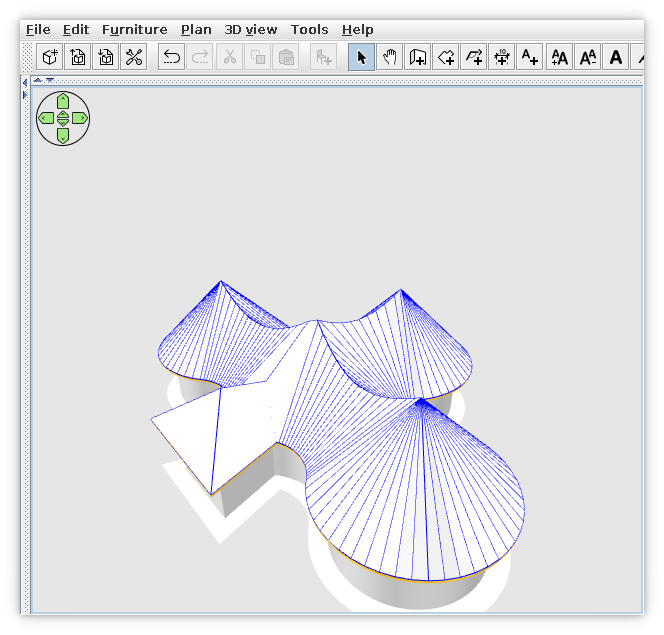
Looks OK! applause
Thanks for the effort!
Thanks also for the hints with the insets.
I'll try it tomorrow on my own variant and for the most common LaFs.
Probably I will publish a new version. thinking
Thanks again!
----------------------------------------
A computer program does what you tell it to do, not what you want it to do. Murphy's Law
When all else fails, read the instructions. Murphy's Law
If you don't like "AS IS", DIY. Dorin's law

Posted by dorin at Jun 23, 2024, 8:38:41 AM
Re: Generate roof plugin
As I promises I've test it with your settings.
That's what the majority of users (common desktops or laptops) will see:

Considering that:
1. Our tastes differ when it comes to colors;
2. It's difficult (for me) to make the plugin highly customizable for all kind of particular users.
3. I'm interested more in the functionality of the plugin than how it look under many different circumstances.
I suggest you to make and share your plugin variant (let's say 4.6.DMA or 4.6.DARK or whatever) dedicated for peoples like you with huge monitor(s) and a dark theme installed.
You've started already and it is a good start. Unfortunately, you'll have to maintain it.
You could post it in the same place with mine to be more easy to find.
----------------------------------------
A computer program does what you tell it to do, not what you want it to do. Murphy's Law
When all else fails, read the instructions. Murphy's Law
If you don't like "AS IS", DIY. Dorin's law

Posted by byDMA at Jun 23, 2024, 1:46:43 PM
Re: Generate roof plugin
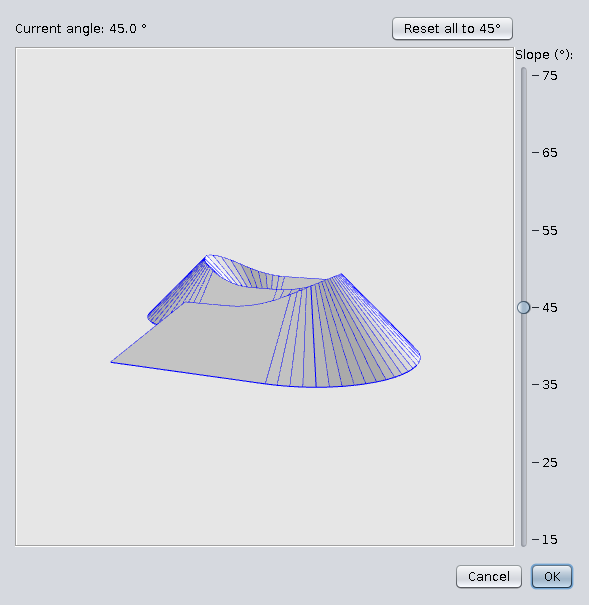
Hi Dorin, tank you for testing. I've seen it that way too.
I'm still learning. The settings of insets are ok for scaling 2, but not for scaling 1. I have seen elsewhere in the code of SH3D and in the plugin "Generate Stairs" how to make the insets dynamic. I'm not doing a separate version, either it's running as it should or I'm not releasing anything.
I'll get back to you when I've tested it for both scales.

Posted by byDMA at Jun 23, 2024, 1:55:47 PM
Re: Generate roof plugin
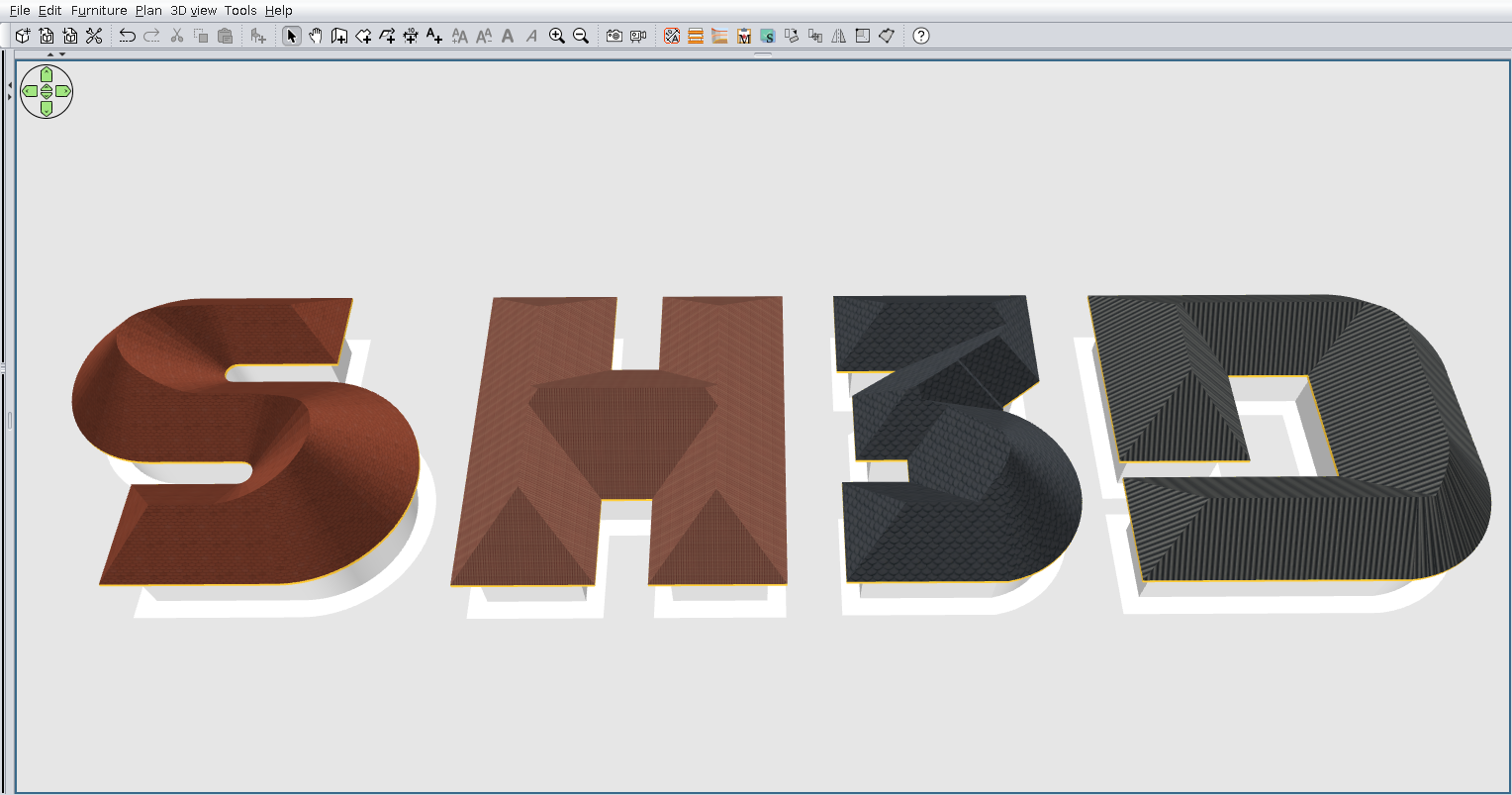
@Dorin
What LAFs are you using? The first one seems to be standard-metal, it's out the box LAF under Linux. And the second one?

And one more question: can you tell me, where ist the code in this file for the coordinates?

Posted by dorin at Jun 23, 2024, 3:47:13 PM
Re: Generate roof plugin
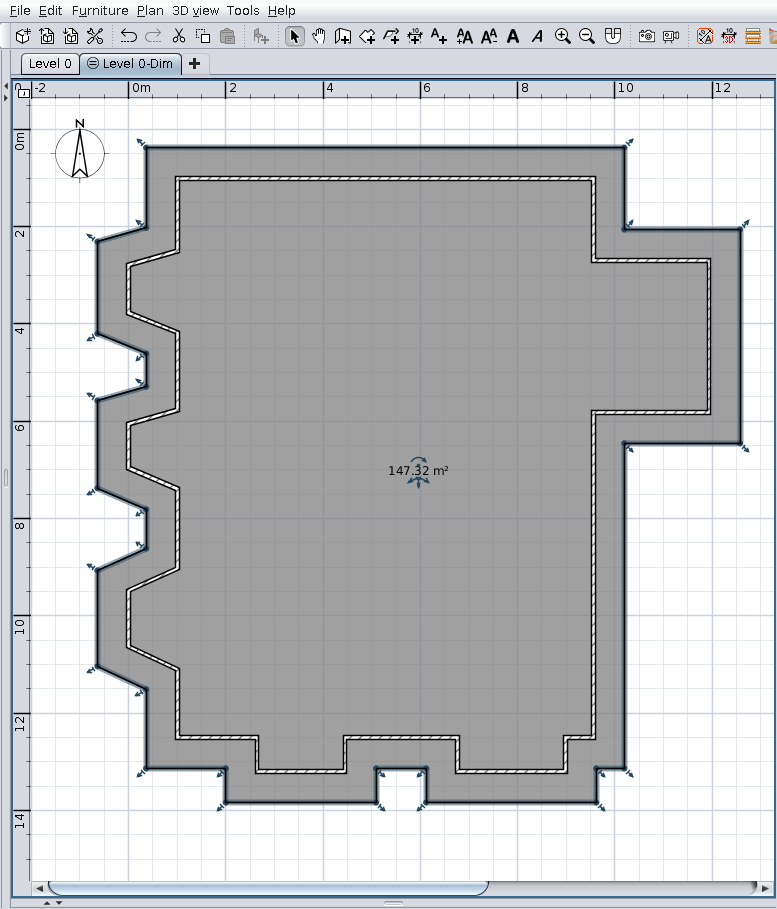
The second one is Nimbus, also out the box LaF under linux.
I've simply add:
-Dswing.defaultlaf=javax.swing.plaf.nimbus.NimbusLookAndFeel
in the bash file for SH3D.
You need to test only on default, the Nimbus is optional.
The axes is there:
roofPreview = new ModelPreviewComponent(true, true, true, true );
at 174 on GenrateRoofPluginView v.4.6

To have a more versatile UI for a plugin we need:
1. to have the necesary informations BEFORE the start of plugin or the UI. Something like this:
for (UIManager.LookAndFeelInfo laf : UIManager.getInstalledLookAndFeels()) {
if ("Nimbus".equals(laf.getName())) {
UIManager.setLookAndFeel(laf.getClassName());
//UIManager.getLookAndFeelDefaults().put("Panel.background", Color.white);
//UIManager.getLookAndFeelDefaults().put("Button.contentMargins", new InsetsUIResource(0,0,0,0));
}
}
And probably more.
2. To pack the plugin with all sizes(16, 32, 64) of icons
3. To put cases everywhere it need to use it.
----------------------------------------
A computer program does what you tell it to do, not what you want it to do. Murphy's Law
When all else fails, read the instructions. Murphy's Law
If you don't like "AS IS", DIY. Dorin's law

Posted by dorin at Jun 23, 2024, 4:40:54 PM
Re: Generate roof plugin
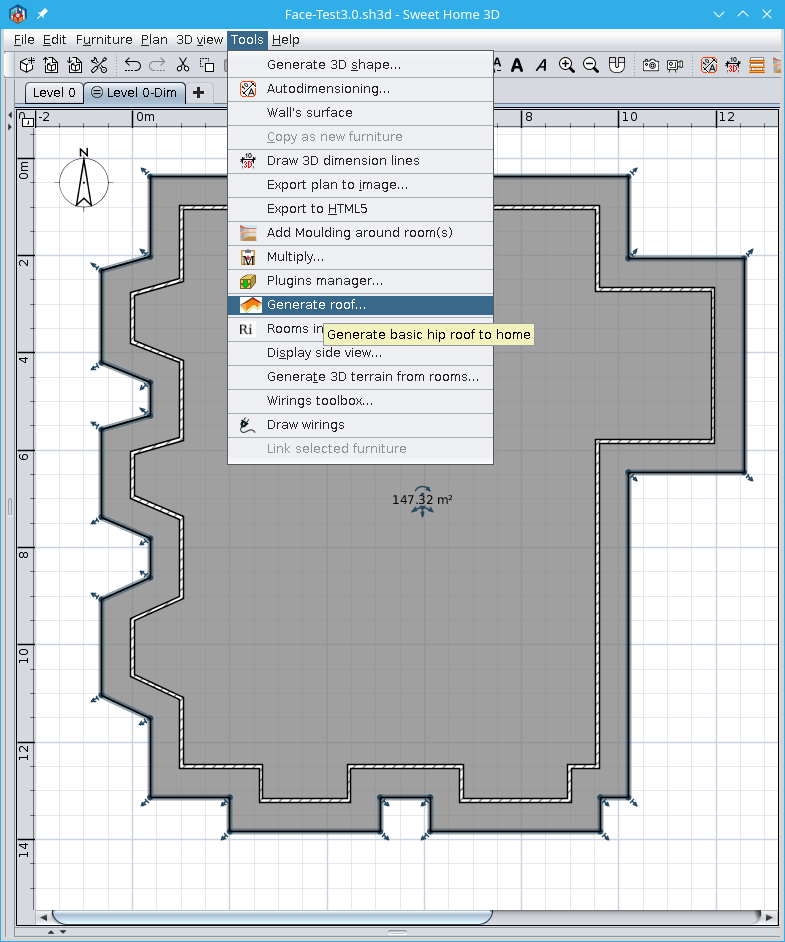
I'm not doing a separate version, either it's running as it should
First you have to analyze if it worth.
In my case there is 5 + ~4 people which really appreciate it.
In your case (dark theme) I've countered 3~4.
Personally I do it for my own pleasure. I have already a roof over head and I don't intend to make another(not in this life).

The axes came from SH3D.
For me I've adopted another approach:
I know you don't like colors but... I don't find another solution biggrin

----------------------------------------
A computer program does what you tell it to do, not what you want it to do. Murphy's Law
When all else fails, read the instructions. Murphy's Law
If you don't like "AS IS", DIY. Dorin's law

Posted by LZQ at Jun 27, 2024, 8:01:31 AM
Re: Generate roof plugin
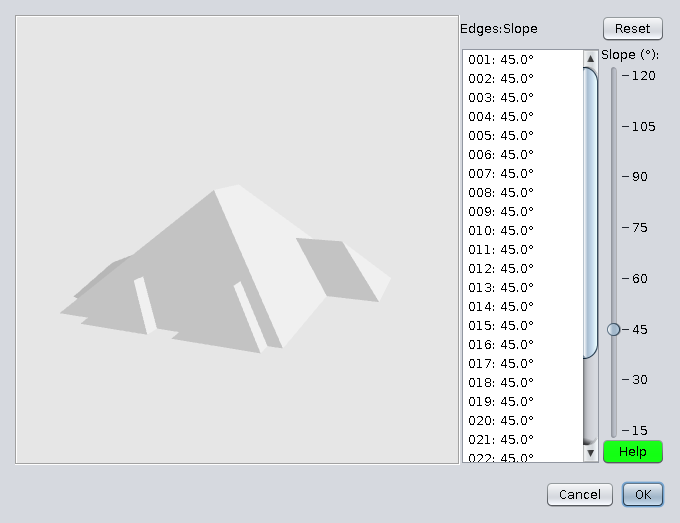
very good🙂

Posted by k005 at Dec 31, 2024, 1:34:23 PM
Re: Generate roof plugin
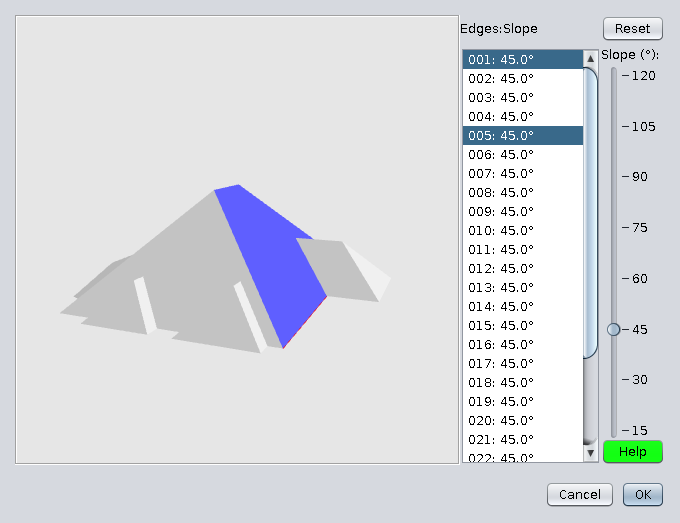
It looks very nice... Can an addition be made if it is not too difficult...

It would be nice if the calculated surface area was written on a label under the screen.

Roof covering area: Approximately 580 m².. ( Sample )

Posted by dorin at Jan 2, 2025, 4:56:57 PM
Re: Generate roof plugin
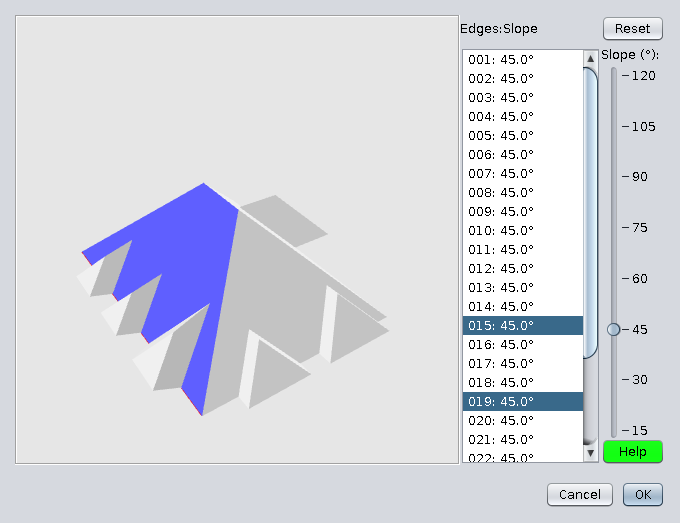
There are (IMHO) two different things:
1. The roof projection which is the base room surface.
2. The roof surface which means (at least to me) the sum of all the faces of the roof surface.
This could be really useful.
Probably a label with the total area AND a label with the sum of the selected roof faces.
I'll see. I need to learn how to calculate the area of the 3D polygon first.
Still a "Happy New Year!"
----------------------------------------
A computer program does what you tell it to do, not what you want it to do. Murphy's Law
When all else fails, read the instructions. Murphy's Law
If you don't like "AS IS", DIY. Dorin's law

Posted by k005 at Jan 2, 2025, 5:20:08 PM
Re: Generate roof plugin
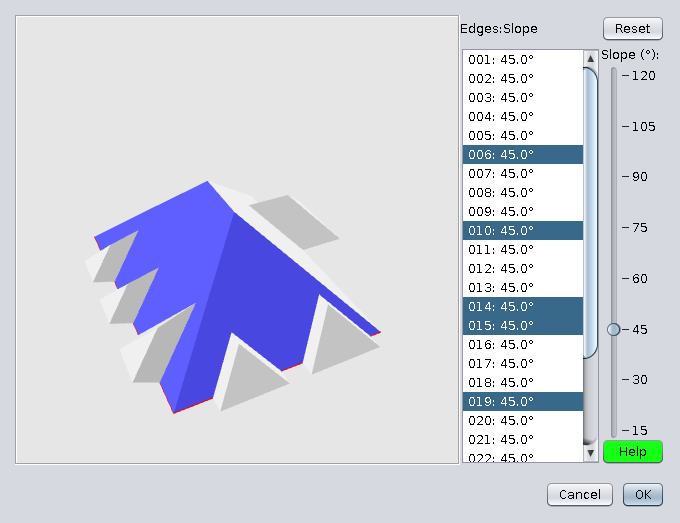
It's a little late, but okay... :) Happy New Year!

- Yes, Area information might be useful... I'll take a look at my archive. I think I can help you with the formula.

Posted by dorin at Jan 2, 2025, 6:01:58 PM
Re: Generate roof plugin
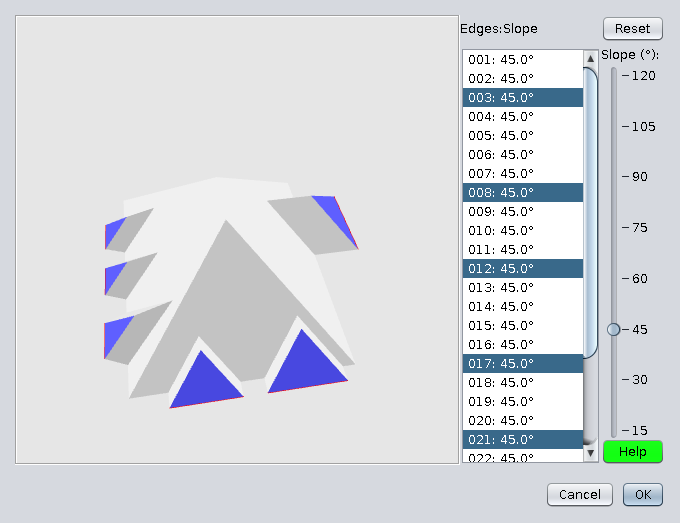
1. Thanks for your willing to help.
2. Don't forget: there is all kind of irregular 3D polygons so I need an universal formula (preferably some java code)
3. The bad news: I've put in hold this plugin for around 8 months. I continue to fight with Stair Builder.
4. The good news: I'll think about this along the others when I'll have time.
----------------------------------------
A computer program does what you tell it to do, not what you want it to do. Murphy's Law
When all else fails, read the instructions. Murphy's Law
If you don't like "AS IS", DIY. Dorin's law

Posted by k005 at Jan 2, 2025, 6:23:58 PM
Re: Generate roof plugin
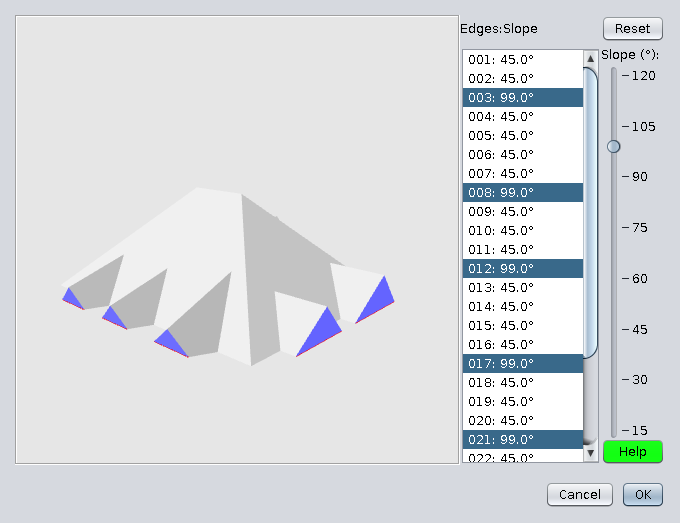
Yes you are right. There must be a universal formula.

Of course, when you have time. Thank you for developing and sharing such a plugin.

Posted by k005 at Jan 3, 2025, 5:24:34 PM
Re: Generate roof plugin
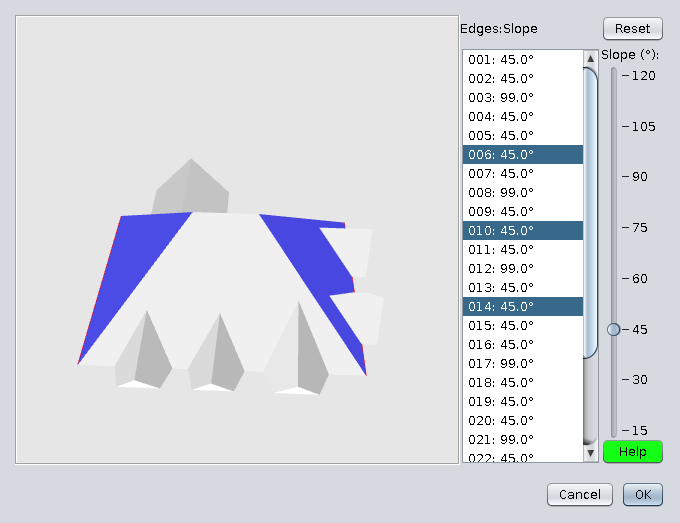
Maybe it will help you find it...


In this code, the area of ​​each triangular surface of the 3D surface is calculated by Heron's formula.
This formula helps you find the area of ​​the surface with the side lengths of the given triangle.


Heron's Formula:


If the side lengths of a triangle are aa, bb and cc, the area AA is calculated as follows:

Here, ss is the half perimeter of the triangle and is calculated as follows:


Posted by dorin at Jan 3, 2025, 5:52:03 PM
Re: Generate roof plugin
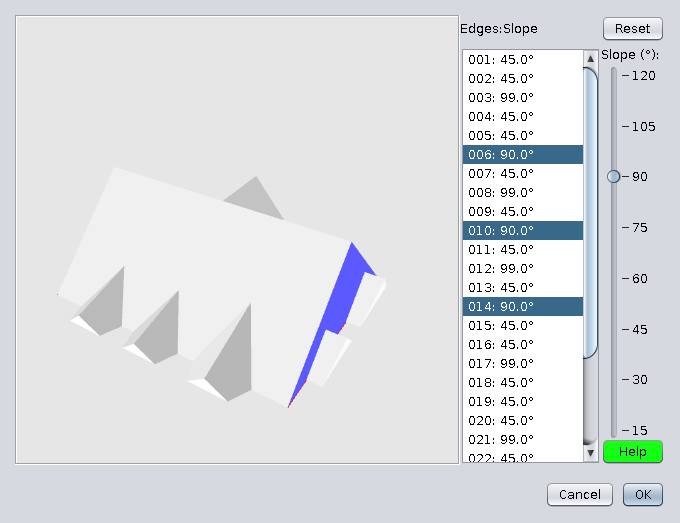
Thanks! Could be useful BUT...
I need to input a 3D series of points (x.y.z) representing the irregular polygon boundary (supposing all points belongs to the same plane)
and something(formula or code, eventually java code) to compute the 3D polygon area.
So, please continue searching.
----------------------------------------
A computer program does what you tell it to do, not what you want it to do. Murphy's Law
When all else fails, read the instructions. Murphy's Law
If you don't like "AS IS", DIY. Dorin's law

Posted by dorin at Apr 20, 2025, 8:54:17 PM
Re: Generate roof plugin
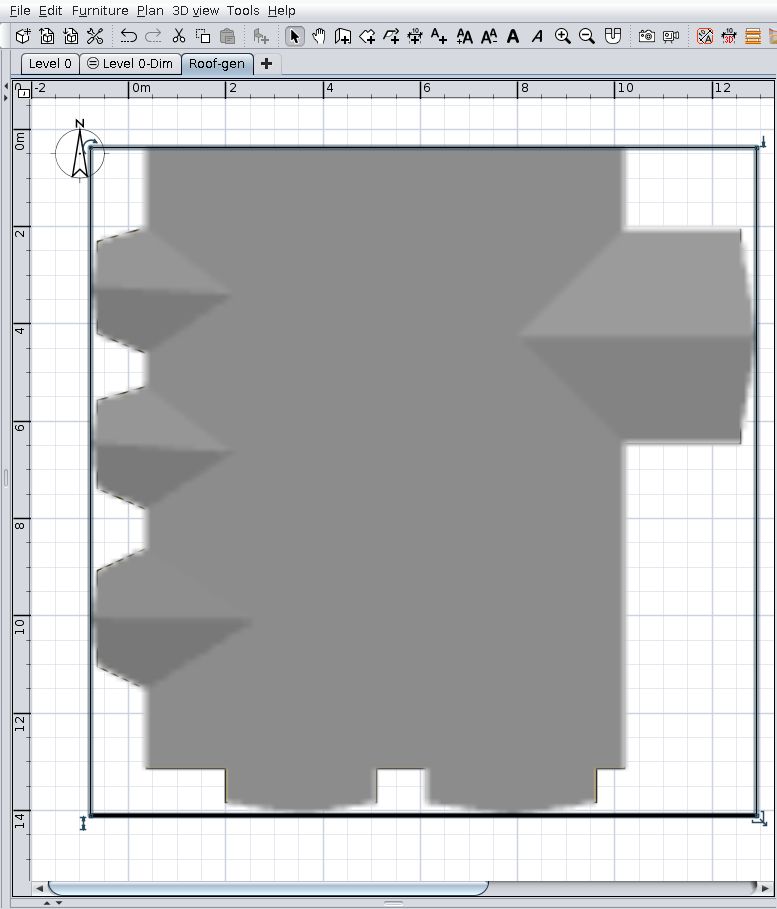
New version 4.7 (Easter)
News:
- add total surface of visible roof faces;
- fix a bug in the preview related to the texture of interior faces when using the "Use roof texture" option;
- improves reset when a previous roof is loaded,
-- will remember the loaded roof parameters.
It have to look like that:

Also on Source Forge .

Meanwhile I use this:


Happy Easter!
----------------------------------------
A computer program does what you tell it to do, not what you want it to do. Murphy's Law
When all else fails, read the instructions. Murphy's Law
If you don't like "AS IS", DIY. Dorin's law

Posted by Keet at Apr 21, 2025, 7:00:35 AM
Re: Generate roof plugin
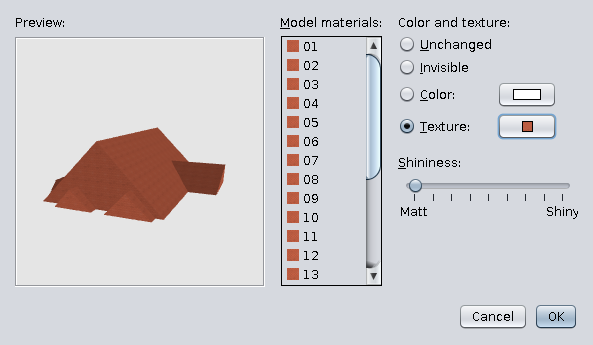
Amazing! Thank you for all the hard work.

Meanwhile I use this:
remember this challenge?: https://sweethome3d.com/support/forum/viewthread_thread,11330_offset,190#60543
You are almost there. With the flexible elevated points almost any possible roof can be generated.
You do realize that this is very close to a multi-point 3D shape generator? That one is limited to 8 points but this proves it's possible to edit with many more points. Replace 'roof' with 'shape' and it's there. And I am definitely going to abuse it for that laughing
----------------------------------------
Dodecagon.nl
1300+ 3D models, manuals, and projects

Posted by dorin at Apr 21, 2025, 5:53:06 PM
Re: Generate roof plugin
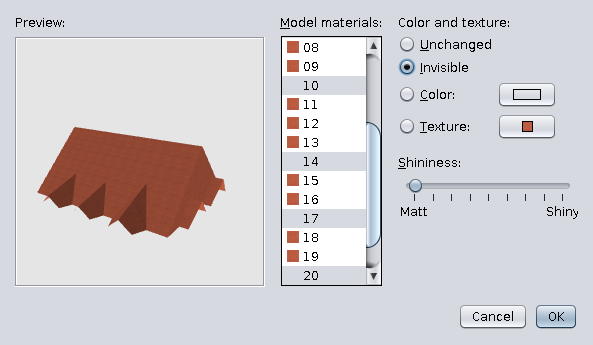
@Keet
Thanks for your appreciation and encouragement.
1.
remember this challenge?
Of course and I've tried again.
Is not so perfect as your but it is a try.
The file:https://www.mediafire.com/file/ebavzdlbpbuu4ug/RoofChallengeD.sh3d/file
And a picture:

Take a look at the slope values of the faces.

2.
You do realize that this is very close to a multi-point 3D shape generator?
I do. It's been on my mind for a long time (probably since the beginning of Shape Generator).
I'll see what I can do.

3.
Replace 'roof' with 'shape' and it's there.
If it were that simple...

4. The RG v.5.0 beta14 is far from usable for common users.
I made it, I use it, but it is very difficult to use even for me.
There is still a lot of work to do and I don't know if there is time for me.

5.
And I am definitely going to abuse it for that
Unfortunately, you and others (including me) will have to wait. crying
----------------------------------------
A computer program does what you tell it to do, not what you want it to do. Murphy's Law
When all else fails, read the instructions. Murphy's Law
If you don't like "AS IS", DIY. Dorin's law

Posted by Keet at Apr 21, 2025, 6:25:50 PM
Re: Generate roof plugin
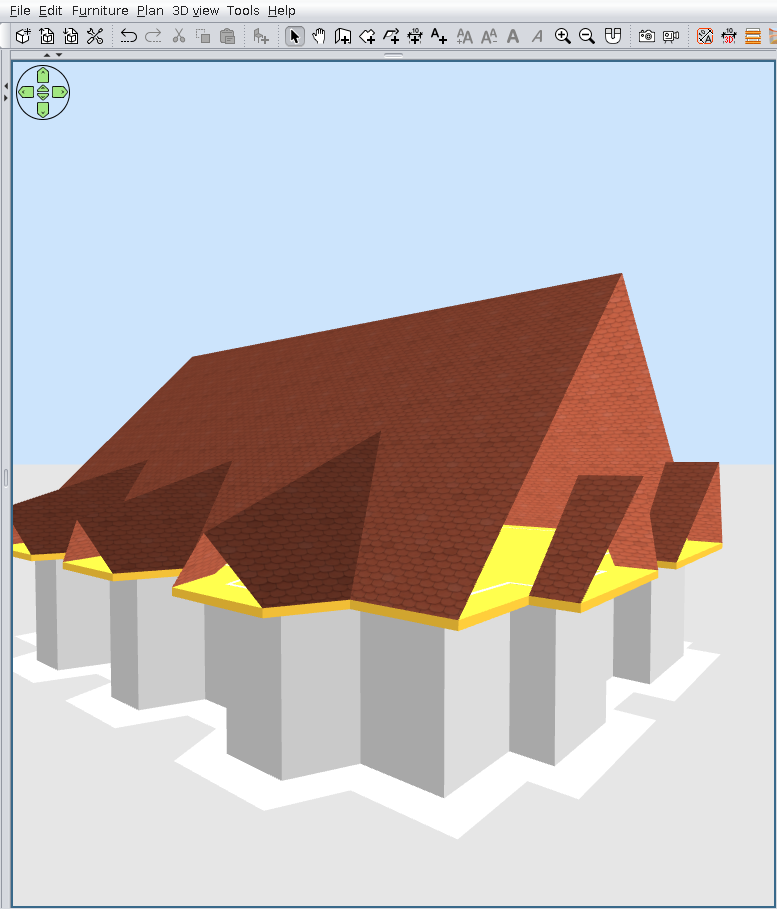
Take a look at the slope values of the faces.
Yep, three digits after the decimal point. Not something you would do by hand. But you don't need to if you can adjust the vertice coordinates.

But you got pretty far with this. I think it is one of the last technical features needed to open up the possibility to create any form and type of roof. It will also open up possibilities for dormers.

The original roof was created with the 3D Shape editor and that worked very well. But with that roof I knew the exact vertice coordinates to create each part. Knowing those coordinates made it very easy. Each part appears at the correct position and elevation when you know the coordinates!
I can't see it very well on the image but the texture alignment seems to need some fixing. Every part needs the outside borderline as the base, stretching toward the top. Just like real roof shingles would be attached. Of course it is Work in progress but so far you have done an amazing job with this.
Thank you very much for your time and effort!
(Looking forward to a multi-point shape editor. I'm afraid I'm wearing it out with the number of times I use that tool!)
----------------------------------------
Dodecagon.nl
1300+ 3D models, manuals, and projects

Posted by dorin at Apr 21, 2025, 8:30:50 PM
Re: Generate roof plugin
Not something you would do by hand.
Indeed, but I have to do it.
But you don't need to if you can adjust the vertices coordinates.
If you do so you will never have a plane or it will be very hard to align the vertices to be part of the plane without the help of the campskeleton calculations.
It will also open up possibilities for dormers.
I already wrote (a year ago) a tutorial about this.
I can't see it very well on the image but the texture alignment seems to need some fixing.
I've posted the file. You can't modify the roof with your current plugin but you could set the texture.
Every part needs the outside borderline as the base
I've anticipated this statement. But now you give me a reason to disagree.
Just like real roof shingles would be attached.
The real roof shingles are attached accordingly with the water flow natural direction.
The roof builders know how the water flow and don't try to fight with the nature force.
Sooner or later the Nature law's win.
The water flow doesn't care how you arrange the texture in SH3D or how nice and symmetrical it looks in the program.
Water simply flows in the direction it has known for millions of years. From top to bottom the shortest way.
The border orientation doesn't mater.

But, most probably I'm (as usually) wrong.
----------------------------------------
A computer program does what you tell it to do, not what you want it to do. Murphy's Law
When all else fails, read the instructions. Murphy's Law
If you don't like "AS IS", DIY. Dorin's law

Posted by Keet at Apr 21, 2025, 9:20:46 PM
Re: Generate roof plugin
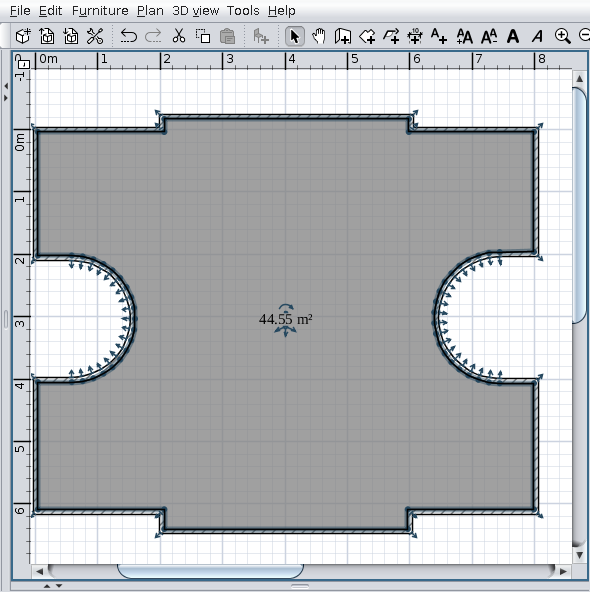
Not something you would do by hand.
Indeed, but I have to do it.
That I don't understand. Isn't the angle a result of a calculation when the position of a point is changed?

If you do so you will never have a plane or it will be very hard to align the vertices to be part of the plane without the help of the campskeleton calculations.
There's a simple and widely used solution: use triangle faces and don't try to force rectangular faces. Even rectangular faces are most likely converted to two triangle faces. Open an exported box in Blender and you will see that each side has two triangular faces and not a single square face.

Every part needs the outside borderline as the base
I've anticipated this statement. But now you give me a reason to disagree.
...
The real roof shingles are attached accordingly with the water flow natural direction. The roof builders know how the water flow and don't try to fight with the nature force. Sooner or later the Nature law's win. The water flow doesn't care how you arrange the texture in SH3D or how nice and symmetrical it looks in the program. Water simply flows in the direction it has known for millions of years. From top to bottom the shortest way.
The border orientation doesn't mater.
I agree. I probably stated it wrong but I meant the same. Not water flowing to the top laughing but the direction of the texture. It should be towards the baseline (where water flows of the roof). With the new functionality of point editing that might change: texture direction towards the lowest point.

I'm currently experimenting with generating furniture parts, for example a cabinet door with handle and hinges. Throw in the dimensions, a bevel size, a material type (color/texture/glass/mirror), a material name, hingenumber, and if you want it smoothed and it generates obj/mtl files for a complete functional door that can open. It does one thing that's difficult to create in Sweet Home 3D: bevels. And one thing Sweet Home 3D can't do at all: smoothing. Shelves/sides were simple but the door was a struggle with keeping the handle and hinges the same size when the size of the door itself changes. Now I'm breaking my head over generating drawers. The goal is to generate parts for a cabinet in any given dimension, even if smaller than the 0.1 limit, like your angles.
So far it seems to work fine but I makes me completely understand your problems with calculating vertices/faces and textures, and of course many digits after the decimal point.
----------------------------------------
Dodecagon.nl
1300+ 3D models, manuals, and projects

Posted by dorin at Apr 22, 2025, 7:03:10 AM
Re: Generate roof plugin
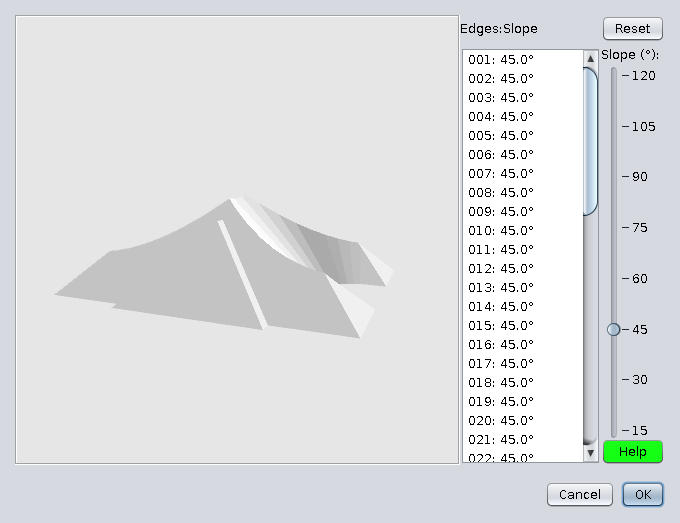
Isn't the angle a result of a calculation when the position of a point is changed?
No, it is a given value and represent the plane slope. The skeleton algorithm calculate the planes intersections.
When I change the position of a point, a new plane will be calculated that passes through that new edge, BUT at the same given angle.
The result of intersections of planes will not always be as you want, so you will have to manually change the slope on almost all faces.
This is how I finally got some sort of triangles.
use triangle faces and don't try to force rectangular faces
I know this and used triangulation to calculate the area of each visible face to get a total roof area.
texture direction towards the lowest point.
Finally that's OK even for me cool

PS. The Terrain generator modify the vertices and the resulted object cud be used as something else (eg. an irregular roof).
----------------------------------------
A computer program does what you tell it to do, not what you want it to do. Murphy's Law
When all else fails, read the instructions. Murphy's Law
If you don't like "AS IS", DIY. Dorin's law

Posted by captaincook at Apr 22, 2025, 1:17:37 PM
Re: Generate roof plugin
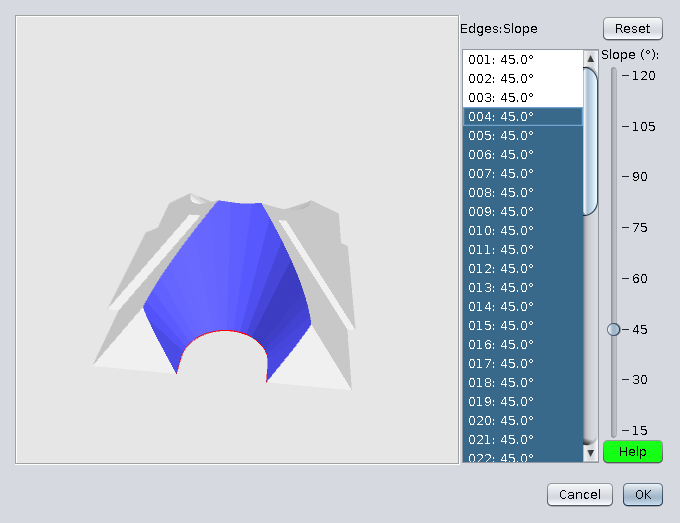
Bonjour Dorin.
Excellent travail que vous avez réaliser pour nous aider à créer des toitures adaptées aux différents besoins de chacun.
Et vraiment très pratique et efficace la solution permettant de placer des fenêtres de toit.
Juste une question. Si je choisis de donner une épaisseur relativement importante à mon toit (30 cm par exemple) cela me permet de créer en même temps le doublage intérieur et sans que cela pose problème au niveau des fenêtres de toit.

Mais comme on le voit du côté gauche de l'image ci-dessous, l'extrémité inférieure du toit représentant son épaisseur est verticale.


Y aurait'il une possibilité de modifier dans le pluging quelque chose permettant de choisir une extrémité différente, par exemple comme celle de droite, que j'ai réalisée en ajoutant un triangle rectangle collé au bord du toit et débordant du mur (dans cet exemple, les pentes du toit sont de 45°).
Avec des épaisseurs très faibles du toit, son dépassement du mur ne pose pas le même problème mais par contre on perd la présence du doublage intérieur.

En tous cas, encore merci pour toute l'aide que vous apportez pour améliorer encore un peu plus les possibilités offertes par Sweet Home.

Posted by dorin at Apr 22, 2025, 8:51:00 PM
Re: Generate roof plugin
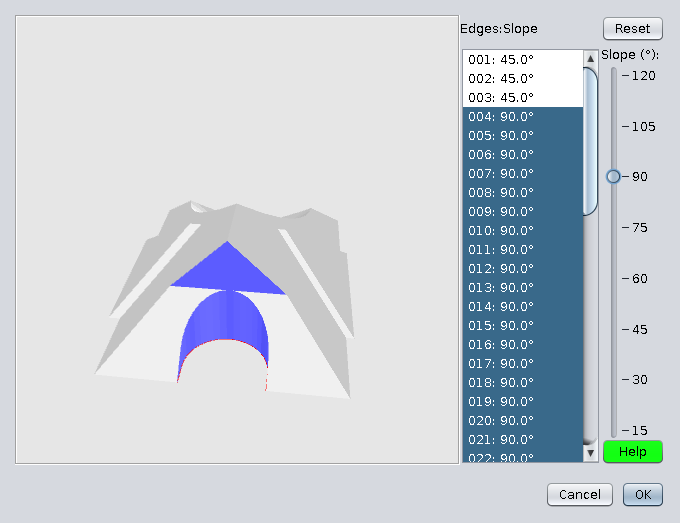
@CaptainCook
1. I am a silent admirer of your projects.
2. The correct approach to your question is like in real life.
Make the roof as it should be(outside the walls) and cover the gap under the roof with another piece of furniture (box).
Preferably on the same level with the roof.

----------------------------------------
A computer program does what you tell it to do, not what you want it to do. Murphy's Law
When all else fails, read the instructions. Murphy's Law
If you don't like "AS IS", DIY. Dorin's law

Posted by captaincook at Apr 23, 2025, 4:09:40 PM
Re: Generate roof plugin
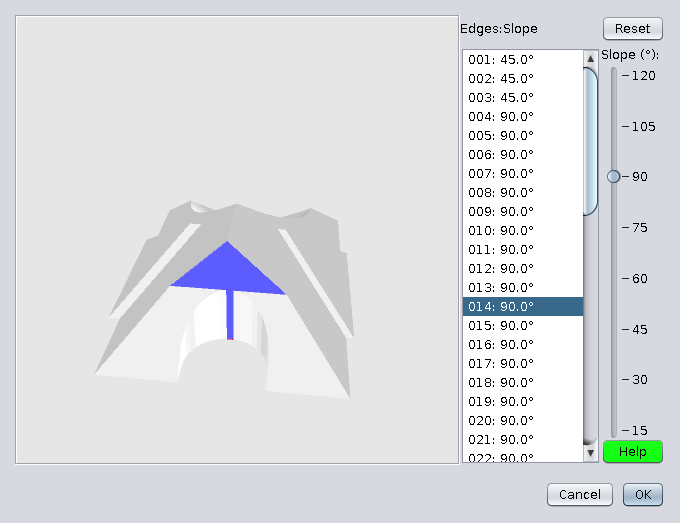
Merci Dorin pour votre réponse.

Juste pour info, ci dessous 2 images de la toiture de ma maison réalisée avant la création du générateur de toit (en 2017).


A l'époque, j'avais réalisé toutes ces surfaces (toiture et doublages intérieurs) à partir de murs fins intégrant les fenêtres de toit et convertis en .obj.

Et 2 images réalisées aujourd'hui avec le générateur de toit.


J'ai fixé l'épaisseur du toit à 5 cm pour limiter la partie verticale des extrémités.

Mais là, il me faudra créer les doublages intérieurs séparément.

C'est néanmoins très ressemblant.

Et en plus, l'avantage aujourd'hui, c'est que je peux aérer ma maison puisque les fenêtres de toit peuvent s'ouvrir. wink wink

Posted by dorin at Apr 24, 2025, 1:29:38 PM
Re: Generate roof plugin
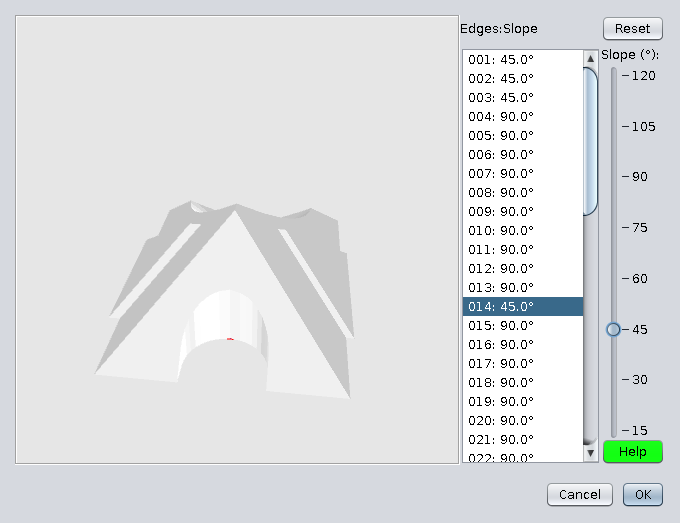
Hi captain,
Mais là, il me faudra créer les doublages intérieurs séparément.
Indeed. If you still have to do this, I see two solutions:
1. Make it out of wooden frames (if you want to keep it that way)
or
2. Use a doubled roof.
For the second option I shared my approach.
2.1 The file:Doubled roof
2.2 Some friendly recommendations (not necessarily for you, but for others)

I've used:
- Autodimensioning for generate 2 different roof hang projection,
- Roof generator for two roofs,
- Roof windows library,
- Multiplier and Special select/hide to seal the top of the roof.

How I've used:
1. I've made the bottom roof projection at 40 cm.
2. I've generate the bottom roof:
-- with vertical borders at 15 and elevation at 210 cm,
-- with Reverse faces checked.
3. I added the roof windows in the same tab as the lower roof and set them roughly to the desired position.
Select the roof and regenerate it to automatically set the roof windows.
4. Return to level 0 and make a new roof projection at 43 cm for the upper roof.
(As the upper roof must be above the gutter - water flow rule)
Select the room, Generate roof and set it as the bottom roof BUT:
-- DON'T check Reverse faces
-- Set the thickness at 5 cm and the orthogonal borders. Save.
5. Fine settings:
5.1 Cut and paste the last roof on the same level as previously and set the object elevation at 12 cm.
5.2 Select the last roof and regenerate it to set the roof windows in the correct position.
Now you could group this 2 roofs and export/import as a single object.
Don't forget to set the individual face texture before to do this.

I don't know if this Bla-Bla could help you, but it may help others.
----------------------------------------
A computer program does what you tell it to do, not what you want it to do. Murphy's Law
When all else fails, read the instructions. Murphy's Law
If you don't like "AS IS", DIY. Dorin's law

Posted by dorin at Apr 25, 2025, 7:37:08 AM
Re: Generate roof plugin
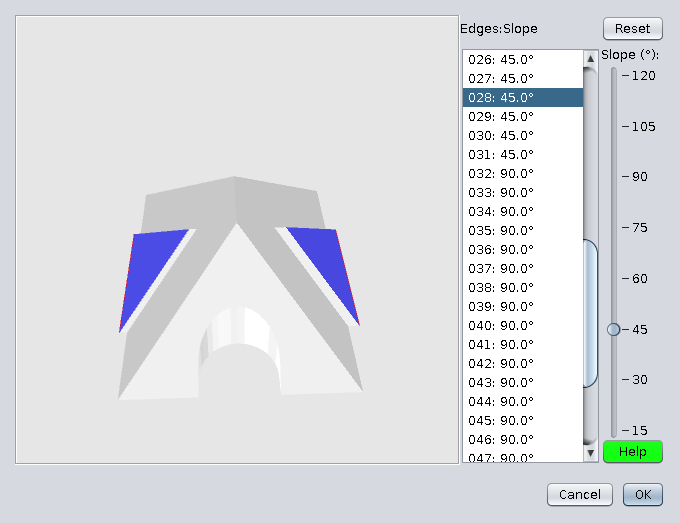
@Keet
1.
By-the-way, what is the difference between normal windows and the roof windows?
You have to look at properties file:
doorOrWindow#1=false
roof_window#1=true
roof_window_deep#1=11.0
First indicate that's NOT a window;
Second is used to identify it as roof_window;
Three it is a value needed to correctly calculate the "window" position.
2. You didn't look at the posted file (RoofChallangeD ). It is different even it have the same name as the one from last year.
3.
Shelves/sides were simple but the door was a struggle with keeping the handle and hinges the same size when the size of the door itself changes.
I've encountered the same problem. In the real life the doors or windows keep their sizes, so I've made the model at same dimensions and I've set the property
doorOrWindowWidthDepthDeformable#1=false
Usualy I do the same for all doors and windows in all the libraries.
----------------------------------------
A computer program does what you tell it to do, not what you want it to do. Murphy's Law
When all else fails, read the instructions. Murphy's Law
If you don't like "AS IS", DIY. Dorin's law

Posted by dorin at Apr 25, 2025, 8:13:39 AM
Re: Generate roof plugin
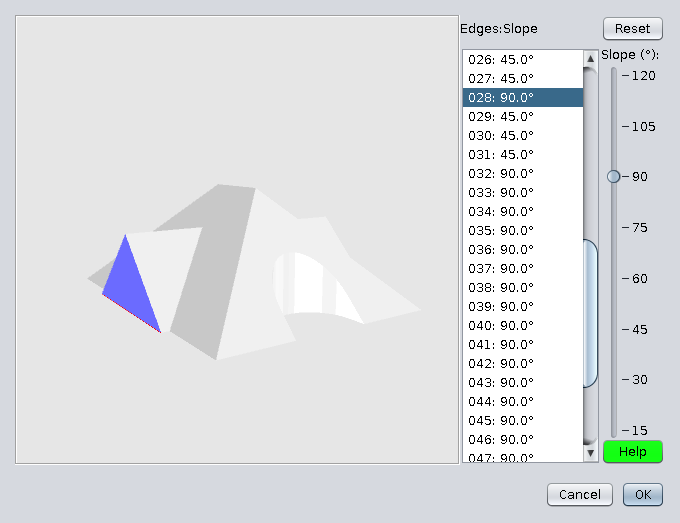
I'm currently experimenting with generating furniture parts, for example a cabinet door with handle and hinges.
I'm interested in this. I wish you good lack!
So far it seems to work fine...
That sound good applause
You could make a dedicated tread for this.
----------------------------------------
A computer program does what you tell it to do, not what you want it to do. Murphy's Law
When all else fails, read the instructions. Murphy's Law
If you don't like "AS IS", DIY. Dorin's law

Posted by Keet at Apr 25, 2025, 8:52:26 AM
Re: Generate roof plugin
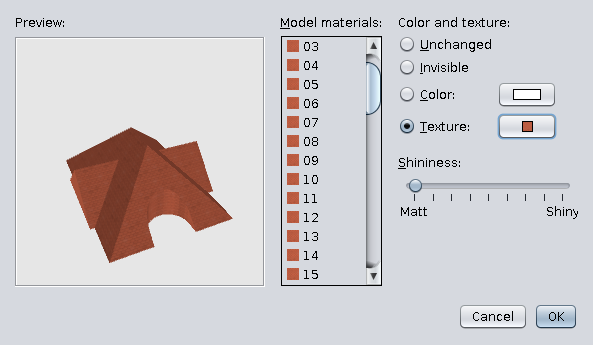
@Keet
1.
By-the-way, what is the difference between normal windows and the roof windows?
You have to look at properties file:
doorOrWindow#1=false
roof_window#1=true
roof_window_deep#1=11.0
First indicate that's NOT a window;
Second is used to identify it as roof_window;
Three it is a value needed to correctly calculate the "window" position.
I did notice it was NOT marked as Door or window. But you are right, I should have examined the properties files.
If I wanted to create a roof window, how do I determine what the roof_window_deep value should be? Or is it always 11.0?

2. You didn't look at the posted file (RoofChallangeD ). It is different even it have the same name as the one from last year.
I took a closer look. A few remarks. First of all: great that you could generate this with the roof generator! That is a huge achievement. The borders are double. There are two sets of faces for every border where you only need one. Probably a double line somewhere in your code. And there are (double) borders between connecting roof parts that you never see. In itself not a problem but the object will be more efficient if these are left out.

3. Shelves/sides were simple but the door was a struggle with keeping the handle and hinges the same size when the size of the door itself changes.
I've encountered the same problem. In the real life the doors or windows keep their sizes, so I've made the model at same dimensions and I've set the property
doorOrWindowWidthDepthDeformable#1=false
Usualy I do the same for all doors and windows in all the libraries.
I know the doorOrWindowWidthDepthDeformable property but that was not the problem. My code accepts parameters for the dimensions of a door. I mathematically recalculate the vertice coordinates of a template model to get a door in the given dimensions. And then the hinges and handle must be added but those must remain the same size AND at the correct position on the model. It's not about deforming when inserted in a wall, but generating an object partly re-dimensioned and partially with static dimensions. This particular door is not to add in a wall but for a cabinet.
----------------------------------------
Dodecagon.nl
1300+ 3D models, manuals, and projects

Posted by Keet at Apr 25, 2025, 9:04:18 AM
Re: Generate roof plugin
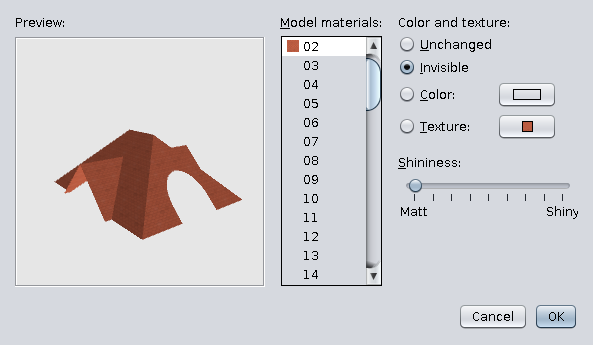
I'm currently experimenting with generating furniture parts, for example a cabinet door with handle and hinges.
I'm interested in this. I wish you good lack!
So far it seems to work fine...
That sound good applause
You could make a dedicated tread for this.
I still in the early stages of experimenting although I can now generate 7 different parts that allows me to create a huge number of different cabinets. Only creativity is the limit.
I'll see if I start a thread about this. A small problem is that it requires Blender at a few stages since the OBJ format I create is Blender. One reason is that is produces no vn lines, so no need to recalculate these. Another reason is that you can generate the same model and by simply changin the line "s off" to "s 1" you can smooth the model(-part). With the Sweet Home 3D export format that would require two different exports with different v* lines.
Another reason is that my current code is in C#, I still have to setup a Java environment. The good thing is that C# is 95% the same as Java so a conversion should be easy.
----------------------------------------
Dodecagon.nl
1300+ 3D models, manuals, and projects

Posted by captaincook at Apr 25, 2025, 10:42:34 AM
Re: Generate roof plugin
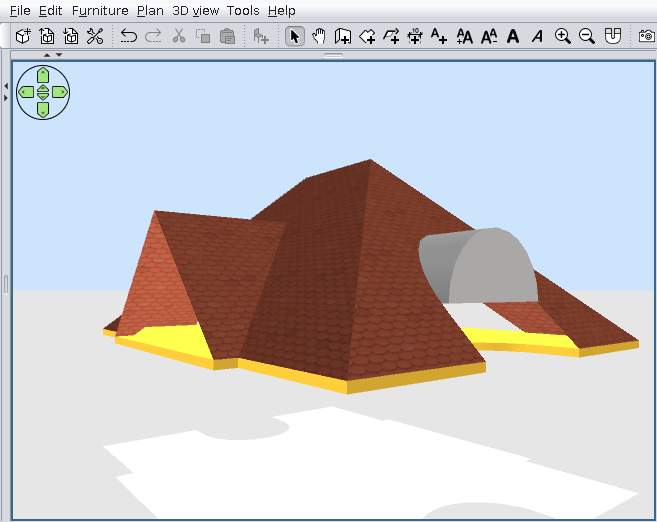
Bonjour Dorin.
Bon, j’ai continué à regarder comment faire pour créer un doublage intérieur avec le générateur de toit.
Pour commencer, à partir de petits murs très fins, j’ai créé des petits cadres convertis en .obj (en rouge) de 30 cm de haut (distance choisie entre le toit extérieur et le futur toit intérieur), inclinés à 45° et aux dimensions extérieures identiques à celles des différentes fenêtres de toit déjà installées.
Je les ai placées du côté interne du toit extérieur, exactement aux niveaux des fenêtres de toit.


Puis j’ai créé le nouveau toit intérieur, donc un peu plus petit (en bleu clair).


Les cadres rouges m’ont donc permis de voir où créer à l’aide de fenêtres de toit provisoires les trous correspondants dans ce nouveau toit intérieur avec le générateur.


Et au final de boucher l’espace entre les deux toits au niveau de chaque fenêtre de toit extérieure. Les petits cadres sont donc maintenant en blanc et l’intérieur du doublage avec du papier peint.


Merci encore pour tous vos conseils et votre aide.

Posted by captaincook at Apr 25, 2025, 2:50:06 PM
Re: Generate roof plugin
Et avec les murs et les fenêtres, c'est mieux.


Encore merci et bon week-end à vous, Dorin.

Posted by dorin at Apr 30, 2025, 8:58:52 PM
Re: Generate roof plugin
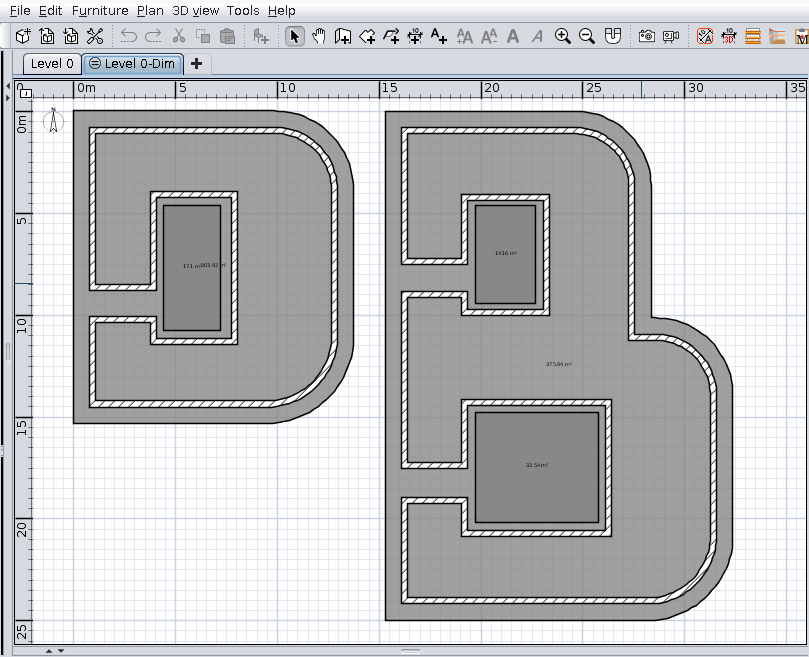
New version 4.7.1 (Francis)
News:
-improves the roof windows library (version 0.2)
--correct the previous and add a new one which could be used for holes on the roof face
--it could be used to do dormers more easy
-adapt the plugin code to use it
I'm not fully satisfied, so
TODO: improving the holes in the roof to be more accurate in all situations

Also on Source Forge
Suggestion: remove the previously versions.

@captaincook
Thanks for the inspiration. hugs
@Keet
1. The mean of roof_window_deep I've explained at the last part of V.4.5 tutorial
2.
If I wanted to create a roof window, how do I determine what the roof_window_deep value should be? Or is it always 11.0?
It mean how much of the window height you decide should be inside the roof.
3. I need you to help me to improve (to be functional) and simplify (reduce number of) roof windows.
----------------------------------------
A computer program does what you tell it to do, not what you want it to do. Murphy's Law
When all else fails, read the instructions. Murphy's Law
If you don't like "AS IS", DIY. Dorin's law

Posted by AceLemos at May 14, 2025, 12:17:48 PM
Re: Generate roof plugin
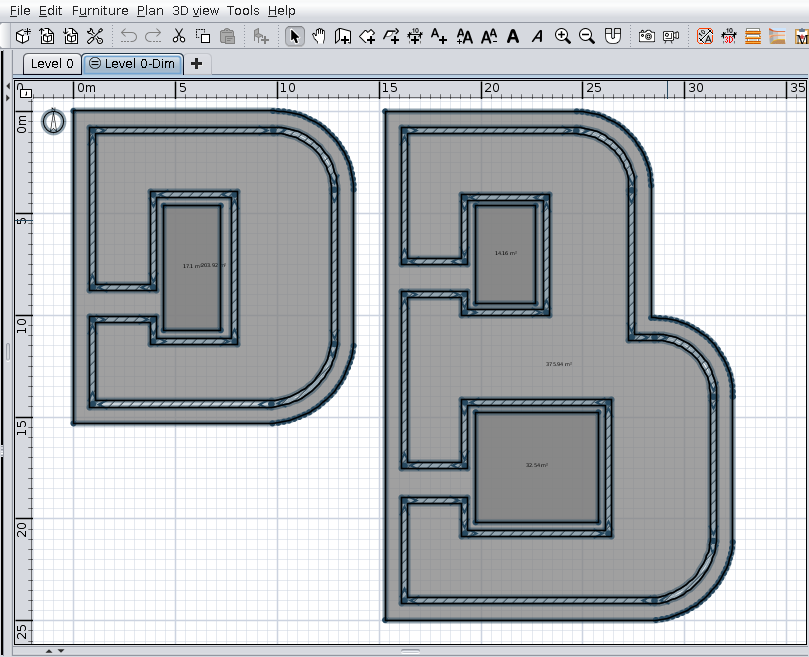
Hi @dorin, amazing plugin and great work to everyone! I just discovered it as I was struggling to create a roof for my house. However, I found an issue I can't see to be able to fix. My house has gables on each side and one side juts out with big windows. The roof generator doesn't seem to understand that so I tried messing around with it, but I have been at it for about 2 days now with no success.

This is the architect's render of the elevations:


When I draw a floor to render the roof, I do this:


So when I generate the roof, this is what I get (even after adjusting for the gables):


I can't seem to get the left side of the back to the shape the architect drew. I think it is because I don't have a part jutting out like in your tutorial. Any ideias?

Thanks for any help!

Cheers

Posted by dorin at May 16, 2025, 8:07:21 AM
Re: Generate roof plugin
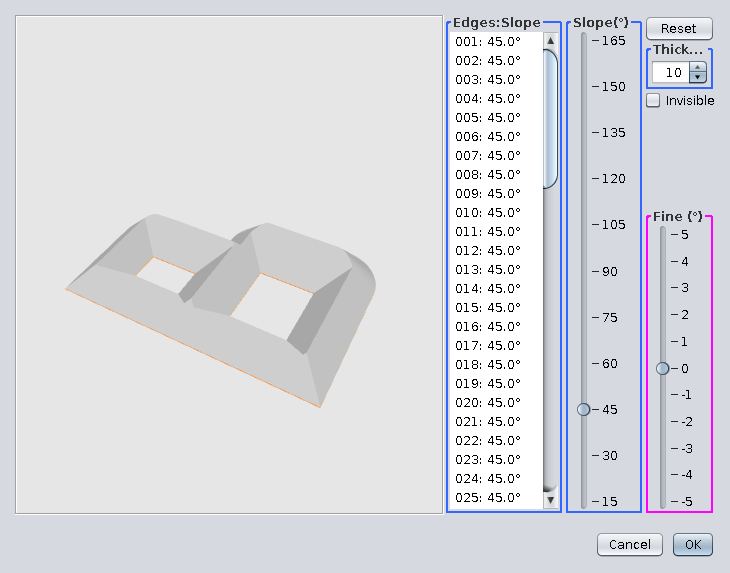
The roof generator doesn't seem to understand that
Indeed. Is not an AI.
You need a trick. Something like this.
Add a very tinny part at the room (1 cm or even less). You will have to test.

I've zoomed to be more visible.

The roof generator.

Final result.

Good luck!
----------------------------------------
A computer program does what you tell it to do, not what you want it to do. Murphy's Law
When all else fails, read the instructions. Murphy's Law
If you don't like "AS IS", DIY. Dorin's law

Posted by Keet at May 16, 2025, 9:36:52 AM
Re: Generate roof plugin
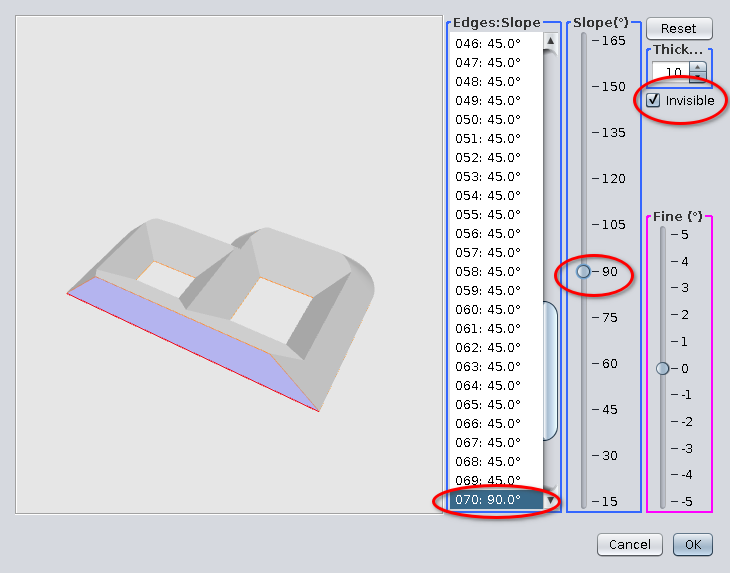
Maybe you can make it so that just adding a room point is enough without the 1cm break. I haven't tested it but that might already work.
----------------------------------------
Dodecagon.nl
1300+ 3D models, manuals, and projects

Posted by dorin at May 16, 2025, 5:57:38 PM
Re: Generate roof plugin
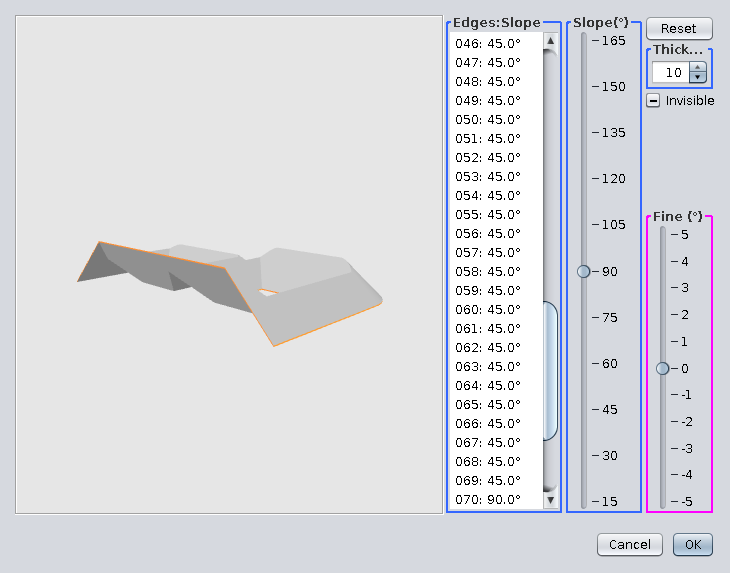
You need 2 points to define an edge.
Need to be at least at 1 cm distance between them because the plugin clean the very close and collinear points.
----------------------------------------
A computer program does what you tell it to do, not what you want it to do. Murphy's Law
When all else fails, read the instructions. Murphy's Law
If you don't like "AS IS", DIY. Dorin's law

Posted by AceLemos at May 16, 2025, 8:35:16 PM
Re: Generate roof plugin
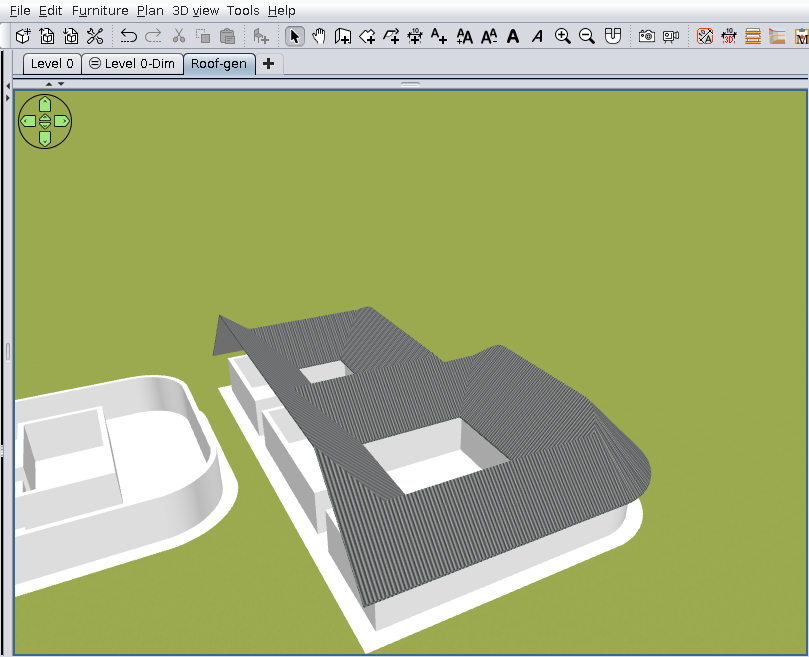
Maybe you can make it so that just adding a room point is enough without the 1cm break. I haven't tested it but that might already work.


Sorry for the dumb question, but what is a room point? Do you mean drawing a room in that space separate from the rest?

Posted by AceLemos at May 16, 2025, 8:37:34 PM
Re: Generate roof plugin
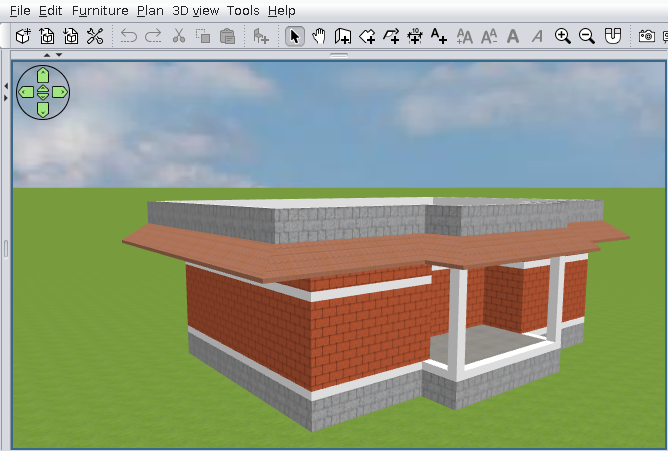
The roof generator doesn't seem to understand that
Indeed. Is not an AI.
You need a trick. Something like this.
Add a very tinny part at the room (1 cm or even less). You will have to test.

I've zoomed to be more visible.

The roof generator.

Final result.

Good luck!


Thank you @dorin, this worked! I put an indent on that wall just in the room I used to generate the roof (not on the actual wall of the floor below it). Thank you. Just speculating here, would it be possible in the plugin to do reference points in the room or something like @keet said? I am not even sure what a room point is, but maybe that is something to go on for future versions?
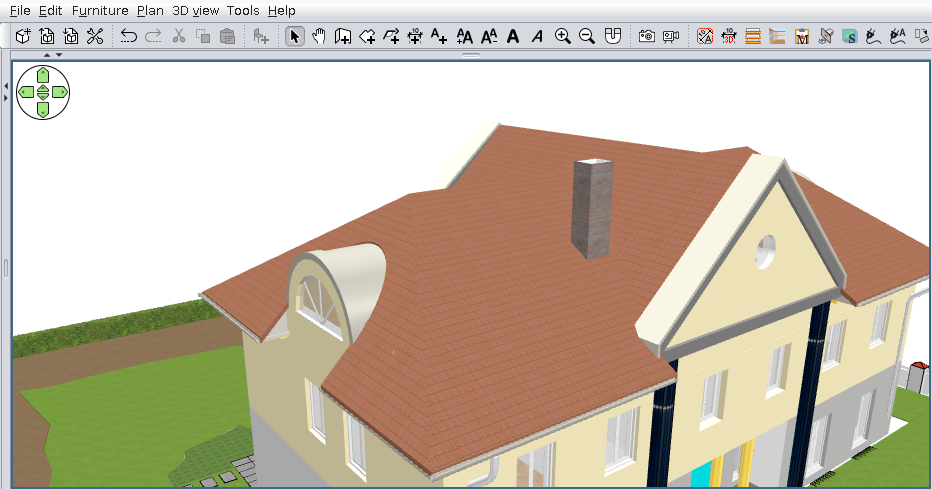
Posted by dorin at May 16, 2025, 9:22:25 PM
Re: Generate roof plugin
I'm using a personal version (5.14) that can manipulate points and roof edges.
BUT
It is very difficult to use even for me.
I will have to find a better approach (if I live until then).
----------------------------------------
A computer program does what you tell it to do, not what you want it to do. Murphy's Law
When all else fails, read the instructions. Murphy's Law
If you don't like "AS IS", DIY. Dorin's law

Posted by dorin at Aug 2, 2025, 7:11:04 PM
Re: Generate roof plugin
New version 5.0
News:
*keep the name given by the user after creation and modification;
*add point of view buttons
*add option to modify roof points/edges coordinates (one at a time);
*add features to:
**add(insert) a point(+P) on selected edge (by splitting the selected edge in two);
**delete a point(-P)(the end point) of selected edge (delete the selected edge);
*add a local undo/redo and reset mechanism
It have to look like this:


It will be available on Plugin manager when will be fixed.
Probably it need an updated manual. Will be on demand.
Also on Source Forge
----------------------------------------
A computer program does what you tell it to do, not what you want it to do. Murphy's Law
When all else fails, read the instructions. Murphy's Law
If you don't like "AS IS", DIY. Dorin's law

Posted by Mike53 at Aug 2, 2025, 11:02:25 PM
Re: Generate roof plugin
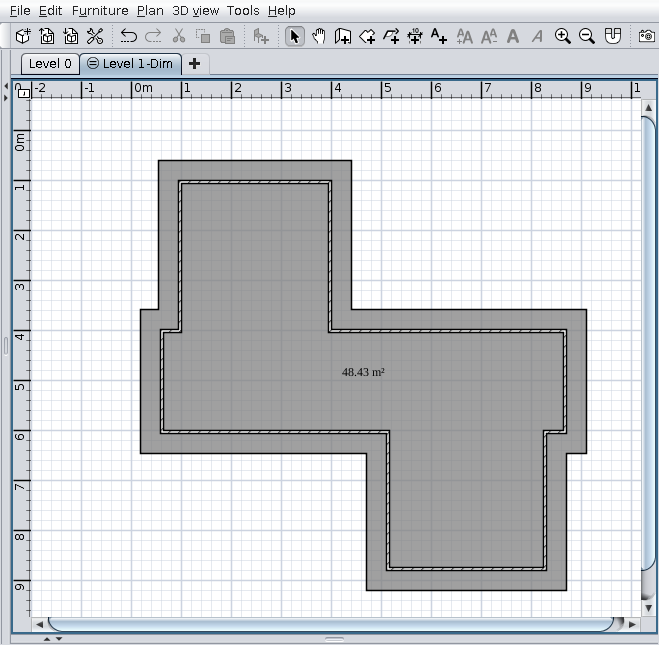
Nice improvements to a very useful plug-in.

Posted by hansmex at Aug 3, 2025, 7:39:04 AM
Re: Generate roof plugin
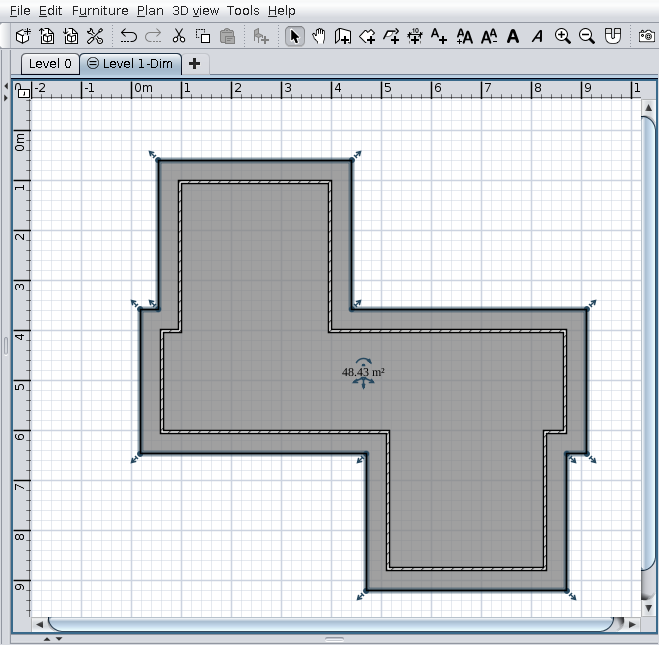
I did a few quick tests on demo houses from the gallery, and (in combination with the Autodimensioning plugin) it works beautifully.

I'm missing just one thing...

There are two options for the Border - vertical and perpendicular to thr roof slope. Can we have a third option - horizontal?

Thank you very much D+D !!
----------------------------------------
Hans

new website - under constuction
hansdirkse.info