|
Sweet Home 3D Forum » List all forums » » Forum: New versions » » » Thread: Wirings plugin |
|
| Print at Dec 21, 2025, 3:10:00 PM | |
| Posted by Daniels118 at Jan 6, 2022, 2:15:12 AM |
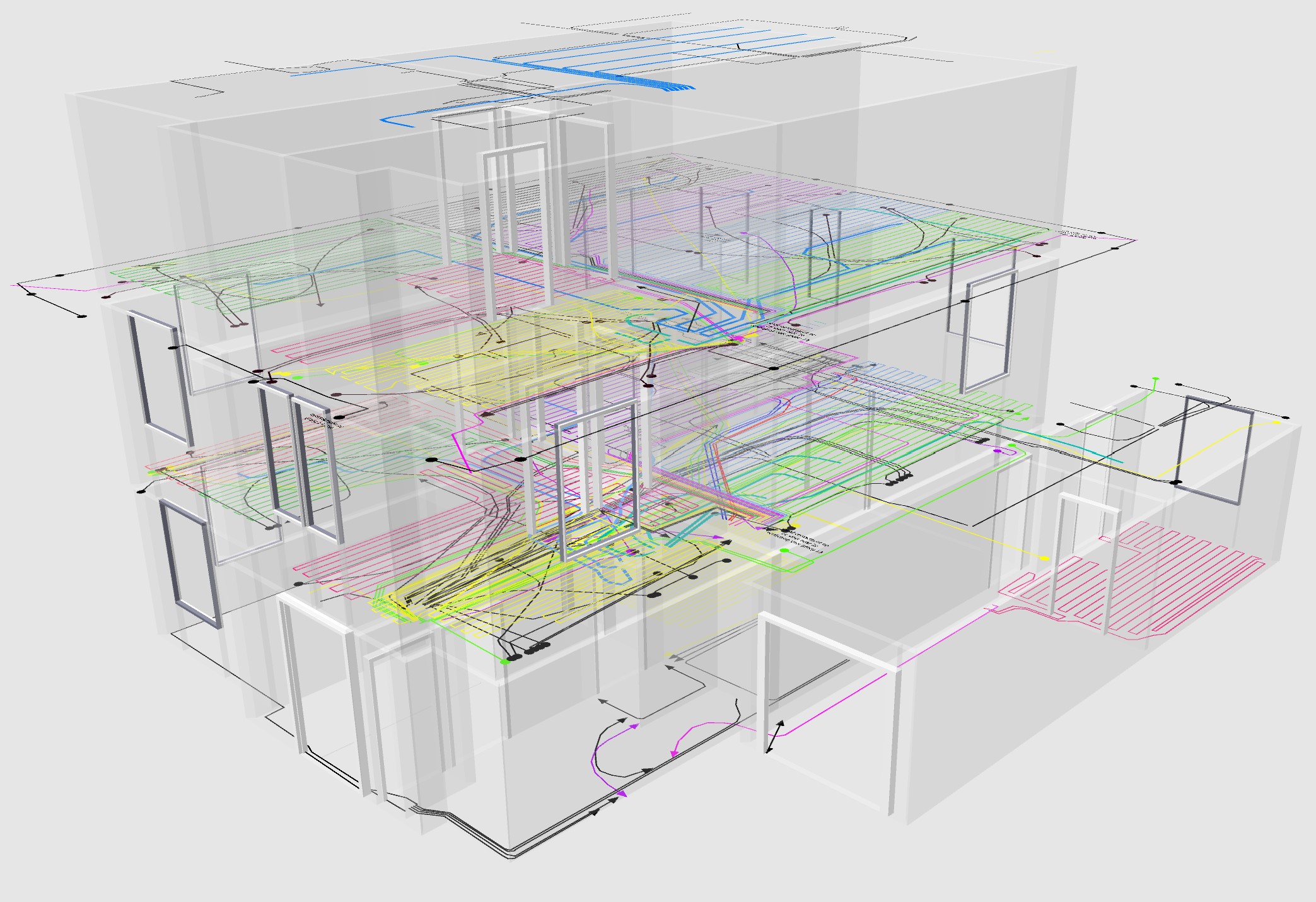
Wirings pluginMy plugin for electrical installations is finally ready! This plugin brings to SH3D the capability to draw 3D polylines that will snap to floors, walls and ceilings, directly in the 3D view. This could be useful to draw electrical installations, plumbing, and simple decorations. In order to use this plugin you have to install Pan3dView plugin version 1.7 or later. The plugin comes with an integrated user guide available in english and italian under the Help > Draw wirings help menu, please take a moment to read it to learn how to use the plugin. Features
Here some screenshots: ![]() ![]() ![]() ![]() Download from here: Wirings plugin |
| Posted by hansmex at Jan 6, 2022, 6:31:34 AM |
|
Re: Wirings plugin Daniele, Thank you for version 1 of this new plug-in. Unfortunately I cannot get it to work. What did I do: - I made sure I have Pan3D v1.7 installed - I made sure I have Wiring v1.0 installed - I open a new, empty instance of SH3D - ! draw a square of 4 walls and insert a room - I click the button of the Selection pointer - I click the button of the Wiring tool. - The background of the Wiring tool turns blue. If I click the button again, the blue background turns white again. That's it. Nothing else happens. The last button clicked (before clicking the Wiring Tool), determines which action is executed AFTER clicking the Wiring button. If that's clicking the Selection button then the program stays in Selection mode after clicking the Wiring button. When I click a wall to start drawing wiring, I move the wall. When I clcik a floor, I move the floor. When (before clicking the Wiring button) I click the Walls button, then after activating the Wiring plugin, I will draw a wall, not wiring. - Variations: I tried it on an existing design, I tried it on a new level with equal elevation called WIRING, I tried it with Baseplan Locked. Nothing happens. I have several other plug-ins installed. Maybe your (combination of) plug-ins doesn't like some of the other plug-ins? I read your HELP file several times. Any suggestions?? Hans ---------------------------------------- Hans new website - under constuction hansdirkse.info |
| Posted by Daniels118 at Jan 6, 2022, 8:00:39 AM |
|
Re: Wirings plugin Hello Hans, and thank you for downloading. From your description I suspect you're trying to draw wirings in the plan view (2D), but this is not supported because it would be impossible (or at least very unfriendly) to set the elevation of each point. You have to draw wirings directly on the 3D view by clicking on a wall side surface or on a floor. The button on the toolbar have to be highlighted blue, it doesn't matter which one of the default tools are enabled since they works only in the plan view. Please let me known if you still experience problems, I could eventually make a video tutorial. |
| Posted by hansmex at Jan 6, 2022, 1:21:45 PM |
|
Re: Wirings plugin Yes, now it works.... Thank you once again!! Has ---------------------------------------- Hans new website - under constuction hansdirkse.info |
| Posted by Daniels118 at Jan 7, 2022, 10:28:25 AM |
|
Re: Wirings plugin Glad to hear that! I'm currently working on these new features:
I'm considering to implement the following features too, but I'm not sure if I really need them:
I've prepared a quick poll, if somebody want to take a minute to reply and I'll receive enough feedback I could add the above features to the roadmap: express your wishes |
| Posted by hansmex at Jan 7, 2022, 12:12:56 PM |
|
Re: Wirings plugin I haven't had time to test your plug-in extensively. Nevertheless, if I may make a suggestion: - Insert wiring into the active level, so that you can create individual levels (visible or not) for water, electricity, etc. - Divise a way to (more) precisely draw wiring, e.g. start 100 cm from corner and place 100 cms above floor Keep up the good work :-) Hans ---------------------------------------- Hans new website - under constuction hansdirkse.info |
| Posted by YGYL at Jan 7, 2022, 2:19:24 PM |
|
Re: Wirings plugin Really 2 great plug-ins, at once to achieve many people's expectations for many years!!!!! |
| Posted by Daniels118 at Jan 10, 2022, 1:14:19 AM |
|
Re: Wirings plugin A new version is available! @Hans - wirings are added to the active level since first release :) - I have introduced 2 new features to increase drawing precision: measurement labels and snap to 90° angles! List of changes in 1.1
![]() (2) Measurement labels: ![]() Download Wirings 1.1 |
| Posted by YGYL at Jan 17, 2022, 3:01:48 PM |
|
Re: Wirings plugin I tested it and it works very well, thanks a lot But I seem to have encountered a bug when I was testing Show/Hide, and it doesn't show up after hiding. But it didn't reproduce it later At that time there were lines of the same color but with different bends |
| Posted by Daniels118 at Jan 18, 2022, 12:56:45 AM |
|
Re: Wirings plugin @YGYL Thank you for your feedback! I never faced this problem, however if you'll find out how to reproduce the bug please report the detailed steps so that I can reproduce and fix it. A little spoiler on my work in progres: ![]() |
| Posted by Daniels118 at Jan 21, 2022, 4:15:56 PM |
Re: Wirings pluginWarning! I discovered a bug using wirings with levels. When you draw wirings they are correctly assigned to the active level. However when you save the file the level of each wiring is not saved. So, when you reopen the file, the wirings are all added to the active level, regardless of the level they were originally. This bug will be fixed in the next release, a popup message will inform you if your file contains such wirings. Apologize me for the inconvenience. ![]() |
| Posted by Daniels118 at Jan 24, 2022, 11:35:17 AM |
|
Re: Wirings plugin Version 1.2 released! List of changes:
|
| Posted by Daniels118 at Mar 29, 2022, 12:53:18 AM |
Re: Wirings pluginWARNING: the following message contains advertising, Have you ever wanted to add wirings to your home, but you got headache with 3D drawing? You don't have to worry anymore! The Wirings plugin is going to enrich with a new feature for automatic wirings creation! -- END advertsing -- The wirings will be added automatically between furnitures that share the same tag. I count to release an alpha version very soon. You can watch it in action here: https://youtu.be/bsenkUxNHCs Comments are appreciated ![]() |
| Posted by hansmex at Mar 29, 2022, 6:39:57 AM |
|
Re: Wirings plugin That looks very nice. Especially the elasticity is impressive! :-) H ---------------------------------------- Hans new website - under constuction hansdirkse.info |
| Posted by Daniels118 at Apr 4, 2022, 5:21:47 PM |
|
Re: Wirings plugin Thank you Hans! I decided to throw away the tags system because it was too cumbersome. Instead, a simple select-and-click system makes things much more easier. New features also include:
https://youtu.be/Z_XFq4QaD8E |
| Posted by Daniels118 at Apr 5, 2022, 10:20:05 PM |
|
Re: Wirings plugin Version 4.0 alpha released Warning: this is an alpha version, it is unstable and may cause crashing or data loss. Test it at your own risk. This version brings the capability to link 2 or more objects automatically. Just select the objects and click on Link selected furniture from the Tools menu, or use the button on the toolbar. If you move a linked object the links will follow the object in real time. If 2 or more wirings are attached to the same object, a different offset is applied to each wiring to avoid overlapping. ![]() Download from SourceForge or using the Plugin manager. |
| Posted by mirakels at Apr 14, 2022, 7:03:13 PM |
|
Re: Wirings plugin I played a bit with version 3 of the plugin. I works reasonably good! A few remarks - when I change the thickness of the polyline it does show the change in plan view, but not in 3D view. - when I use the 'edit points' and delete or add a point from a wire (by accident or deliberate), I cannot add/change any wires in 3D-view anymore. I guess that this last one is because 'edit points' degrades a wire to a normal polyline... It would be great if Puybaret could work with you to integrate this plugins functionality into the main program (and hence support a height/elevation parameter for polyline points)! That would also solve my issue as described in the wishlist forum ;) Thanks for the good work Daniels118 |
| Posted by Daniels118 at Apr 15, 2022, 10:01:29 AM |
|
Re: Wirings plugin Hi mirakels, thank you for your feedback. - you're right, the thickness in the 3D view doesn't update, it will be fixed in the next release. - the Wirings plugin has its own function to remove and add points directly from the 3D view (see the user guide available from the help menu). Version 3.0 has a bug that occurs when you try to add a point, but this has been already fixed in version 4.0 alpha. In the next release I'll try to make the wirings compatible with the Advanced editing plugin. Of course you still won't be able to edit the elevation, but at least wirings won't break anymore. Although I could integrate the polyline elevation within a plugin, I think this is a feature that should be handled by the main program, or at least by the Advanced editing plugin. What I could do is to add an offset parameter so that wirings can be pushed within floors, walls, and ceilings. This feature would be available only for automatic wirings, since this would break the manual editing. You can try automatic wiring by installing version 4.0 alpha, I would be happy to receive your feedback on this new feature. |
| Posted by Helios1977 at Aug 4, 2022, 9:42:32 AM |
Re: Wirings pluginDear All! Try to test this miracle plugin and all for me clear and very useful... But, I can't open table with polylines length. Tools -> Wiring Toolbox ... Nothing is appeared( Language changing not give any effect. Might be some plugin is not installed? Pan 3D + Wiring + Advanced Editing plugins are installed Please help me to get this table with wiring length |
| Posted by Daniels118 at Aug 4, 2022, 4:25:36 PM |
|
Re: Wirings plugin Hi Helios1977, it seems the toolbox has broken with some upgrade, I'll try to fix it as soon as possible. |
| Posted by Daniels118 at Aug 4, 2022, 5:05:00 PM |
|
Re: Wirings plugin Version 4.1.1
|
| Posted by Keet at Aug 25, 2022, 3:23:14 PM |
|
Re: Wirings plugin I found a funny bug, at least on Debian Linux. When I have the help window open for the wirings plug-in and close Sweethome3D the help window remains open and can't be closed. You have to kill it the hard way by killing the Java process. ---------------------------------------- Dodecagon.nl 1300+ 3D models, manuals, and projects |
| Posted by Daniels118 at Aug 26, 2022, 3:46:42 PM |
|
Re: Wirings plugin Hi Keet, thank you for reporting this bug, unfortunately I cannot reproduce it on my Windows machine, moreover the help dialog is the same used by the main program so I have few chance I can fix it. I'm curious, does this happen only with Wirings plugin help or even with the SweetHome3D help window? |
| Posted by Keet at Aug 26, 2022, 11:16:08 PM |
|
Re: Wirings plugin I tried it with the Sweethome3D help window and that closed when closing Sweethome3D. So I tried it again with the Wiring help... and this time it closed when I closed Sweethome3D. The only difference was that I had a really huge project open when the 'bug' occurred and this last time it was a very small project. I'll regard it as a weird fluke on my system and not a bug in the Wirings plugin. ---------------------------------------- Dodecagon.nl 1300+ 3D models, manuals, and projects |
| Posted by GrahamI at Aug 31, 2022, 4:38:08 PM |
|
Re: Wirings plugin How does one get this Plugin? It's not in the List ? Regards Graham |
| Posted by Puybaret at Aug 31, 2022, 7:56:24 PM |
|
Re: Wirings plugin It’s indicated in some posts of this thread that I encourage you to read from its first post. ---------------------------------------- Emmanuel Puybaret, Sweet Home 3D creator |
| Posted by dorin at Aug 31, 2022, 7:56:54 PM |
|
Re: Wirings plugin First: install this plugin Second: You have to install and learn how to use more others including wirings plugin I knew you are somehow impatient but you have to learn more basic. I appreciate only 1 month of learn and work with this program (in your case) to evolve from newbie to advanced. I could help you! ---------------------------------------- A computer program does what you tell it to do, not what you want it to do. Murphy's Law When all else fails, read the instructions. Murphy's Law If you don't like "AS IS", DIY. Dorin's law |
| Posted by GrahamI at Sep 6, 2022, 7:01:41 PM |
|
Re: Wirings plugin You are helping me and I am extremely grateful, thank you. Regards Graham |
| Posted by shoulders at Oct 21, 2022, 3:09:39 PM |
|
Re: Wirings plugin On this old sourceforge issue a user asked about "It would be useful to print a wiring only preview of the house in 2D/3D.", this could be a useful feature. https://sourceforge.net/p/sweethome3d/feature-requests/33/ Also (and I am being lazy here) is there an option to add wiring conduits and perhaps these could surround the wires? |
| Posted by Daniels118 at Oct 22, 2022, 6:05:28 PM |
|
Re: Wirings plugin It would be useful to print a wiring only preview of the house in 2D/3D This can be achieved by using levels as layers. You add another level at the same elevation of the current one (let's call this new level "wirings layer"). Then, while keeping the wirings layer selected, draw the wirings using the plugin. If you have already placed wirings on the wrong level, select them, use the cut tool (ctrl+x), then select the wirings layer and use the paste tool (ctrl+v). Now you are able to hide/show independently wirings and/or the rest of the home. NOTE: to take a picture of the 3D view with wirings visible, you can't use the photo tool. You have to capture the screen using any tool provided by your operating system. This is a known limitation. is there an option to add wiring conduits and perhaps these could surround the wires? This was an old idea I had in mind, however I have not defined a plan to implement this feature. It certainly won't came in the next release, but it could in the following one. |
| Posted by jmg2008 at Nov 15, 2022, 3:38:16 PM |
|
Re: Wirings plugin I get the error the I need Pan3Dview, but I have already installed this. I'm using Sweet Home version 7.0.3. 64 bit |
| Posted by Daniels118 at Nov 15, 2022, 6:57:15 PM |
|
Re: Wirings plugin Hi jmg, please check that Pan 3D view plugin is at the latest version. Also check that the plugins folder contains just one file for pan3dview; having more than one may lead to unexpected behaviour. |
| Posted by Robbyvenetian at Dec 29, 2022, 9:52:54 PM |
Re: Wirings pluginHello Daniele, forgive my lack of understanding. I got the PAn3dView plug in installed but I can't find the help section on the menu with the "draw wirings help". What is Wiring v1.0? I can't find it. Sorry guys. Feel free to laugh at my statements |
| Posted by Daniels118 at Dec 30, 2022, 12:08:39 AM |
|
Re: Wirings plugin Hi Roberto, to use wirings you have to install both Pan 3D view and Wirings plugins. It's highly recommended that you always install the latest version of the plugins, currently Pan 3D view is at 3.7.4 and Wirings at 4.1.1. If you use SH3D in Italian the help is under Aiuto > Guida disegno impianti. I strongly recommend to install the Plugin manager first, it helps to manage and keep updated all plugins directly from Sweet Home 3D. |
| Posted by Robbyvenetian at Dec 30, 2022, 9:31:44 PM |
|
Re: Wirings plugin Hello Daniele, Thank you very much! This plugin is awesome! |
| Posted by Robbyvenetian at Jan 5, 2023, 3:04:39 AM |
|
Re: Wirings plugin Daniele, I have some trouble when I try to run from the walls to the ceiling. Can't get it right. IS there any video tutorial? Thanks. |
| Posted by Daniels118 at Jan 5, 2023, 8:40:21 AM |
|
Re: Wirings plugin Hi Roberto, to add a point to the ceiling you have to hold SHIFT while clicking. For what you ask: 1) place a point on the wall by simple clicking on the wall; 2) place the next point on the ceiling by holding SHIFT and click. Please not that you cannot jump directly from the floor to the ceiling (in such case the line will go straight through the air), so first move from the floor to the wall, add a point to the wall, then move to the ceiling and add a point holding SHIFT. Currently there isn't a video tutorial that cover this operation. Another option is to use the automatic wiring feature. Just select 2 furniture and go to Tools > Link selected furniture (or press the button on the toolbar). One of the furniture could be a switch on a wall and the other a lamp on the ceiling. For this feature I have a video tutorial: Automatic wiring v2 |
| Posted by Alladyn21 at Feb 1, 2023, 12:43:12 PM |
|
Re: Wirings plugin great plugin, thank you very much for your work, it will make my work at home much easier! is there any way to name wires? |
| Posted by Daniels118 at Feb 1, 2023, 5:24:03 PM |
|
Re: Wirings plugin Hi Alladyn21, many thanks for your appreciation. There is no way to name wires at the moment, however you could place text next to wires using the default text tool (text can be made visible in the 3D view too). You may also change the color and style of wires to better distinguish them, just select them and use the "edit polyline" entry from the plan menu. |
| Posted by 44david at Apr 10, 2023, 5:58:23 PM |
|
Re: Wirings plugin Bonjour, J'ai du désinstaller le plugin wirings qui a fait planté l'appli Sweet Home 3D. J'ai pas mal galéré avant de savoir d'ou venait ce bug, mais grâce à son développeur le plugin en cause a été détecté. Du coup, je n'ai pas de solution pour mon plan de câblage électrique ... Bien à vous et merci aux développeurs pour leur investissement. |
| Posted by Daniels118 at Apr 11, 2023, 9:20:11 AM |
|
Re: Wirings plugin Hi 44david, did you install the latest version of both Pan 3D view and Wirings plugin? If you could share your home file I could check the cause of the problem and fix it. |
| Posted by 44david at Apr 11, 2023, 8:15:24 PM |
|
Re: Wirings plugin Hi Daniels & thanks for the response The version of Pan 3Dview is 7.3.5 and i'used the latest of Wirings but I have deleted the latter. I'm ok to send my file, but how, by email ? |
| Posted by Daniels118 at Apr 13, 2023, 2:46:24 PM |
|
Re: Wirings plugin Version 4.2 This version contains an important stability fix! Changelog: - Fixed a bug that happens if you delete a linked furniture - Fixed Dutch translation Download from SourceForge or using the Plugin manager! |
| Posted by 44david at Apr 13, 2023, 7:27:01 PM |
Re: Wirings pluginThank You Very Much Daniele Your responsiveness is remarkable, I will hasten to download this version so that I can continue to use this excellent tool that is Sweet Home 3D. I also salute the developer, Emmanuel PUYBARET, who showed great professionalism in detecting the origin of the bug and who also used the same responsiveness. In a word, BRAVO! Congratulations to you application and plugin developers, thanks to you, we, users, can enjoy your knowledge with confidence, at least here on this forum. David |
| Posted by jorgearrua at Apr 23, 2023, 3:06:14 PM |
|
Re: Wirings plugin Este plugin es fantástico! |
| Posted by Daniels118 at Apr 23, 2023, 7:05:06 PM |
|
Re: Wirings plugin Thanks, thanks, thanks! ![]() |
| Posted by drafthorse at Jun 17, 2023, 5:53:00 AM |
|
Re: Wirings plugin Hey, this plugins looks great but I've been unable to get it to work. I installed the Plugin Manager, and both Pan3DView and Wiring are up to date. Sweethome3D Version is 7.1. The problem is that I can't pan the 3D View at all, and when I select the wiring tool, then clicks to the 3D view are not registered properly. It seems that the clicks are only registered in a tiny fraction of the top left corner of the 3D view, and even then the position of the node on the 3D view is unreliable. I tried this on the i3 window manager, but to make sure that that's not the issue, I also tried on the cinnamon window manager, which is a bit more conservative... :) Both tests were run on Arch Linux. I think something is wrong here with the way the plugin handles clicks on the 3D view, but I'm not super sure. fwiw, I am able to select objects in the 3D view by clicking them, and all the other interactions, like rotate and zoom work fine. Even the accelerated zoom using the Shift key. |
| Posted by Daniels118 at Jun 19, 2023, 1:43:45 PM |
|
Re: Wirings plugin There is a difference in the way screen coordinates are handled depending on the Java runtime version, the behaviour changes starting from Java 1.9 and above. Please open Sweet Home 3D, go to the Help menu and select "About", then check the Java version and report it here. Also check if the behaviour changes by changing the display scaling factor (the procedure depends on the window manager, search the web if you don't know how). You may also try to run SH3D with a different Java runtime to see if this can solve the problem (for this you have to install Java by yourself and download the Sweet Home 3D executable jar). From my side I'm running on OpenJDK 11 on Windows, but I could try to reproduce the problem on Linux Mint+Cinnamon after I have more details. |
| Posted by drafthorse at Jun 19, 2023, 10:00:43 PM |
|
Re: Wirings plugin I checked the java version, and I was running openjdk 20, I downgraded to openjdk 11 and the behavior didn't change. But since you suggested that the behavior changed from java 1.9 and above, I also tried openjdk 8, and that works beautifully. |
| Posted by 241177793 at Jul 16, 2023, 4:59:15 AM |
|
Re: Wirings plugin Greetings Daniels118, I have installed the PAN3D plug-in and Wiring plug-in with my Sweet Home 3D software. The problem is when I'm drawing a wire on walls, the vertical lines didn't count on distance (length) and the horizontal is right. https://ibb.co/w69S07y https://ibb.co/k627qhg https://ibb.co/k1PD9DC The images shows the horizontal wire is 38cm and vertical wire is 0cm with 40cm x 40cm tiles setting on walls, those facts test with SH3D7.1(OpenJDK 11 and ORA JDK1.8, PAN3D3.7.5, Wiring 4.2), SH3D6.6(OpenJDK 11, PAN3D1.7, Wiring 1.7) on different laptop (Windows 7, Windows 10) and none of those could calculate the vertical distance (length) right. Then I've opened the sh3d file with txt and find the wiring xml tag, the inner coordinates only have X and Y, not with the Z dimension on it. https://ibb.co/dGyrJ3V What's wrong with my installation? |
| Posted by Daniels118 at Jul 17, 2023, 9:31:07 AM |
|
Re: Wirings plugin Hi 241177793, there isn't any wrong with your installation, you just found a bug in the plugin. It will be fixed by tomorrow. You don't find the 3rd coordinate because wiring nodes are just a side effect, the real wiring data is stored in custom properties named "it.ld.sh3dplugins.wirings.Wiring@unique_id". |
| Posted by Daniels118 at Jul 17, 2023, 5:17:26 PM |
|
Re: Wirings plugin The length bug has been fixed, version 4.3 just released! Download from SourceForge or using the Plugin Manager. |
| Posted by 241177793 at Jul 18, 2023, 1:03:22 PM |
|
Re: Wirings plugin Many thanks to you! |
| Posted by IvanDiaz at Aug 1, 2023, 10:29:14 PM |
|
Re: Wirings plugin Good morning Daniels118, is there any way to make it possible to edit the measurement lines from a pop-up window or in the 3d plane itself? Editing the line from the 2d plane is very difficult, especially if the line made has been crooked. ![]() |
| Posted by Daniels118 at Aug 3, 2023, 5:05:56 PM |
|
Re: Wirings plugin @IvanDiaz There is a bug that prevents selecting wirings from the plan view, it will be fixed in the next release and I will also add a method to edit the wiring properties directly from the 3D view. |
| Posted by Daniels118 at Sep 3, 2023, 11:38:33 AM |
|
Re: Wirings plugin Version 4.4 beta 2 Compatible with SweetHome3D 7.2 and Pan 3D View 4.0 beta. Requires Pan 3D View 4.0 beta or later. Allows wiring selection from the 3D view (Wiring tool must be disabled) Once selected, the wiring can be edited using CTRL+E available. Download from SourceForge or using the Plugin Manager. |
| Posted by JBRI at Nov 16, 2023, 2:33:21 PM |
|
Re: Wirings plugin After loading the wiring plugin Sweet home 3d will not launch. It says I must load the Pan plugin first but I can't launch the program now! I've tried to delete everything and reinstall several time, no luck!. Please help!!! ![]() |
| Posted by Keet at Nov 16, 2023, 8:40:45 PM |
|
Re: Wirings plugin If you are on Windows: Go to "C:\[USER]\eTeks\Sweet Home 3D" with your file manager. There should be a folder for the plugins. Delete the wirings sh3p file and you can start Sweet Home 3D again. Now first install the Pan3DView plugin before you reinstall the wiring plugin. I suggest that you install the Plugin Manager as mentioned in the post right before yours and use that to install other plugins. On Linux the plugin directory is /home/[USER]/.eteks/sweethome3d/plugins. That is a hidden directory so don't forget to switch your view in the file manager to view hidden files. (Notice the . before 'eteks', hidden files/directories start with a point on Linux.) On Apple? I have no idea. ---------------------------------------- Dodecagon.nl 1300+ 3D models, manuals, and projects |
| Posted by Puybaret at Nov 20, 2023, 5:38:50 PM |
|
Re: Wirings plugin If you use Windows, the plugins folder is in C:\Users\user\AppData\Roaming\eTeks\Sweet Home 3D, and not in C:\user\eTeks\Sweet Home 3D. If you don't see AppData folder, try suggestions here. ---------------------------------------- Emmanuel Puybaret, Sweet Home 3D creator |
| Posted by Keet at Nov 20, 2023, 8:53:12 PM |
|
Re: Wirings plugin I better refrain from remarks concerning Windows in the future The wrong path I mentioned came from another forum post but apparently MS has changed them over the years. I haven't used Windows since XP so I had no idea about those changes. ---------------------------------------- Dodecagon.nl 1300+ 3D models, manuals, and projects |
| Posted by vlycop at Feb 8, 2024, 10:21:21 PM |
|
Re: Wirings plugin Hello I am trying this plugin for the first time, i'm not a huge user of sweethome 3D so maybe i made a mistake, but i can't seam to have the wire go to a negative level ? Like from the ground floor to the frist floor, no issue, but going down to the "basement" it won't do it ? Can someone please double check i'm not just bad at it please :D |
| Posted by Daniels118 at Feb 11, 2024, 11:14:02 AM |
|
Re: Wirings plugin By default the 3D view shows only objects belonging to levels from the ground to the selected one. To show levels at negative elevations you must select them, so levels above (and objects belonging to them) aren't displayed. If you start drawing the wiring at level 1, and then select the basement, then the wiring won't be shown, because it belongs to an higher level. The workaround is to change the 3D view settings so that it shows all levels: right click the 3D view and select "Show all levels", or press CTRL+ALT+A. |
| Posted by otadmin at Mar 28, 2024, 8:37:56 AM |
|
Re: Wirings plugin Thanks for this plugin. Have to learn how to use it. My problem: I have drawn a line and want to change it higher up the wall. In the 3D-view the points can not be selected only in the 2D-plan. How can I change the elevation of a line or its points? |
| Posted by Daniels118 at Mar 29, 2024, 4:53:52 AM |
|
Re: Wirings plugin Have you draw the line using the wiring tool? You can't elevate lines drawn with the standard polyline tool. In the 3D view you can't select points, just drag them when the mouse cursor changes over the point. |
| Posted by otadmin at Mar 29, 2024, 6:53:29 AM |
|
Re: Wirings plugin Thank you Daniel. The short answer seems to be "it is possible". First my mistake, I had the pan3Dview plugin not installed. Have now done so version 4.1 beta. Yes,I have drawn the line with the wiring tool. In the 2D-view it behaves as expected, the cursor changes over "a point" and I can move it in the horizontal plane. In the 3D-view I can select the line (it changes color) but then the cursor does not change when over the line of over "a point". Only in the 3D-view could I move a point vertically. My SH3D version is 7,2, the wirings plugin 4,4 beta2, LinuxMint 21,3 |
| Posted by mirakels at Mar 30, 2024, 10:08:14 AM |
|
Re: Wirings plugin I still think it would be great to integrate the wirings plugin and polylines features, hence extending polylines with an elevation parameter. I.e. promoting polylines to 3D objects... |
| Posted by Keet at Mar 30, 2024, 10:53:45 AM |
|
Re: Wirings plugin I.e. promoting polylines to 3D objects... Not exactly what you want but you can use a box to simulate a 3D object polyline:Draw a long thin box and make all sides invisible except the top. Export and import. This leaves you with a "line" that has a 0-height because it's only a single face (the top) of the box. You can handle that object like any other object, i.e. move, rotate, resize, elevate, color/texture, etc. (except the height of course). I often use boxes instead of polylines because I can handle them like any other object, specifically grouping, give a name, and make them invisible. In some cases the 0-height of the single face object is an advantage, in other cases I use plain resized boxes. ---------------------------------------- Dodecagon.nl 1300+ 3D models, manuals, and projects |
| Posted by mirakels at Mar 30, 2024, 12:30:45 PM |
|
Re: Wirings plugin yes, but the beaty of polylnes is that you can make a connected graph so when you move one point, the edges move along. It is also easy to split line segments or delete points. |
| Posted by Keet at Mar 30, 2024, 1:56:11 PM |
|
Re: Wirings plugin yes, but the beaty of polylnes is that you can make a connected graph so when you move one point, the edges move along. It is also easy to split line segments or delete points. True, but then there are walls... 0.1 height, 0.1 thick. You can split them, have connected corners, and move them. Still not exactly like polylines and you can't use them vertically but they have connected points. For some situations that might be an alternative.---------------------------------------- Dodecagon.nl 1300+ 3D models, manuals, and projects |
| Posted by mirakels at Mar 30, 2024, 7:43:53 PM |
|
Re: Wirings plugin Off coarse we can get rid of all models, options, methods and objects and build everything using walls, rooms and boxes as bese items, export them and impport then as furniture ;) Sort of the differnece between RISC processosr and and Interl processor... The thing is that polylines are there, there are just missing a z-coordinate. To creat the wirings plugin Daniels118 had to create a new kind of object that look quite similar to polylines. So there is redundancy in polylines anbd the wirings plugin. This is creating bloat and inefficinecies in memory and compute usage. Integrating the two would be some much cleaner. |
| Posted by Puybaret at Mar 30, 2024, 8:45:53 PM |
|
Re: Wirings plugin Mirakels, the problem with polylines is that they are flat, so you may not be able to see them from the side in the 3D view. It’s the reason why I prefer to keep them at the floor elevation of the level they are added to, even if the visibility problem remains when you don’t draw a floor room under a polyline. ---------------------------------------- Emmanuel Puybaret, Sweet Home 3D creator |
| Posted by mirakels at Apr 1, 2024, 5:07:18 PM |
Re: Wirings plugin Hi Puybaret,They may be flat bit the they have a with, and are visible in 3D. See this wiring picture that is build of polylines only (build could look much better with elevated lines...;) (and maybe a future version might add thickness to a polyline(Segment)... ) ![]() |
| Posted by Keet at Apr 1, 2024, 7:38:36 PM |
|
Re: Wirings plugin Looks good to me and I don't understand why elevated lines would improve this. But that is probably because I don't know what you want to achieve. There is a way to elevate polylines but maybe it's a bit cumbersome if you need many different elevations: use elevated levels for those polylines you want elevated. ---------------------------------------- Dodecagon.nl 1300+ 3D models, manuals, and projects |
| Posted by VeroniQ at Apr 1, 2024, 9:08:25 PM |
|
Re: Wirings plugin Impressive work, Mirakels! |
| Posted by mirakels at Apr 1, 2024, 10:52:22 PM |
|
Re: Wirings plugin Looks good to me and I don't understand why elevated lines would improve this. But that is probably because I don't know what you want to achieve. There is a way to elevate polylines but maybe it's a bit cumbersome if you need many different elevations: use elevated levels for those polylines you want elevated. Yes I'm using levels (around 40 or so...) to cretae different polylines for different purposes and house levels. But all lines are at exatly the same height within that level. On level for instance holds the electricity wires/tubes running in a floor. Now I let the line end with an arrow top to indicate that the tube actually goes up from that point to for instance a wall socket. But I want to add the wall socket into the picture. The only way to do that is to add a cylinder shape to connect the polyline to the socket, but they are not glued together so when changing the polyline the tube to the socket becomes disconnected from the polyline. Also many tubes run down the wall from the ceiling in a curved way. Polylines cannot do that (as there is no z-coordinate). The wirings plugin can do that but I somehow feel drawing in 3D is not always easy, and combining polylines with wirings-plugin lines is not really possible I think (i.e. glueing them together) So I think integrating polylines with wirings-plugin would be the best of all worlds ;) |
| Posted by Daniels118 at Apr 3, 2024, 7:26:34 AM |
|
Re: Wirings plugin Have you tried the automatic wiring tool? It let you link sockets with a single click, then you can optionally add more points to the cable to make more complex paths: https://youtu.be/Z_XFq4QaD8E |
| Posted by otadmin at Apr 8, 2024, 9:42:38 AM |
|
Re: Wirings plugin I would like to second Miracles thoughts. If this would be possible it is easy and practical to use. |
| Posted by utagger at May 7, 2024, 2:29:39 PM |
|
Re: Wirings plugin Hi guys. I saw the demo video. I've been using SH3D for ages, but I'm new to the wiring plugin. I've installed it + the pan vew 3d one, but I can't find how to start working with them. I couldn't find a Switch to add from the menu of objects. When I select Tools>Wiring toolbox I get an empty list, and just OK/Cancel. Is there something I'm missing? (I'm on a mac, using the latest version of SH3D and both plugins) Thank you so much! |
| Posted by amic at Aug 28, 2024, 7:55:58 AM |
|
Re: Wirings plugin Dear Daniele, thanks a lot for your plugin. I was initially struggling a lot to get it working, I could only use the automatic wiring function (and the pan was not working). And finally, reading all this thread meticulously, I found someone with the same trouble as me. Switching to openjdk-8 was the solution (even at the start of sweethome3d, it seems that the greeting window has changed size). So thanks for all the work ! I guess it would be very interesting to write that as a warning regarding the requirements. If I manage to find some time, I would be interested in contributing to the french translation, which is quite cumbersome at the moments, for instance â€wiring†is translated « plantes » which has really nothing to do ;-). Could you tell me where I could help you for that ? |
| Posted by amic at Aug 28, 2024, 4:33:33 PM |
|
Re: Wirings plugin I am now happy that I can make the plugin work. A strange behaviour is that when I press ESC after having drawing several points, nothing happens… So I need to manually click on the button "Draw wiring" to untoggle it, then it finishes creating the wire. I do not have any idea of why… For information I am on archlinux, SH3D version 7.5, last version of plugins Wirings and pan3dview. |
| Posted by amic at Aug 28, 2024, 6:38:26 PM |
|
Re: Wirings plugin And finally, a last question, I am quite new to SH3D, so I may not think properly ;-) I would want to draw wirings from the first floor to second floor for instance (and also across rooms). I did a new separate level called "wirings" to put all my wires, and I gave it a height corresponding to both floors. I am not sure I can manage to do what I wanted with this configuration. Across rooms it seems to be ok, though not responding very easily. Any ideas or suggestions welcome. |
| Posted by amic at Aug 29, 2024, 4:24:21 PM |
|
Re: Wirings plugin It seems that the plugin is not very adapted for homes with intermediate floors (unfortunately, that is my case…). As an example, if you draw a room at elevation 0, then do another level at elevation 100 with another room (not at the same location), the drawing does not respond very nicely. I have done a workaround : work on a separate document with only one big high wall, draw wiring on it (with the good elevations at each change of direction), and then copy paste on my main document. Then on the plan, edit the points horizontally as for a polyline. I still have to do separate levels for wirings at different levels in order that I see them on the plan, but at least I will be able to do my project. I lose the nice property of linking the objects (auto-wiring), but I hope that the new versions will improve on that ! |
| Posted by Daniels118 at Aug 30, 2024, 5:08:18 AM |
|
Re: Wirings plugin Hi amic, Switching to openjdk-8 was the solution Which java version were you using before? If I manage to find some time, I would be interested in contributing to the french translation, which is quite cumbersome at the moments, for instance â€wiring†is translated « plantes » which has really nothing to do ;-). Could you tell me where I could help you for that ? Extract the plugin as if it is a ZIP archive (you can use 7zip or any other compression program. Navigate to the subfolder "it\ld\sh3dplugins\wirings\resources\", here you will find a file named "package_fr.properties", open it using a text editor, and change the text lines. You can post the file content on the plugin page on sourceforge, and I will insert it in the next release. A strange behaviour is that when I press ESC after having drawing several points, nothing happens… So I need to manually click on the button "Draw wiring" to untoggle it, then it finishes creating the wire. The ESC key only works if the 3D view has the focus. This would be the normal condition when working with wirings, however if you click the 2D view or the furniture catalog the 3D view will lose the focus. May be this your case? I would want to draw wirings from the first floor to second floor for instance (and also across rooms). I did a new separate level called "wirings" to put all my wires, and I gave it a height corresponding to both floors. I am not sure I can manage to do what I wanted with this configuration. Across rooms it seems to be ok, though not responding very easily. Having a dedicated level (or even multiple levels) for wirings is a good approach. One limitation is that drawing on the ceilings actually uses the current level height, so if you extend the height to both floors, you won't be able to draw on the ceiling of the first floor. I'm quite sure I made it work this way because ceilings are not "pickable", but perhaps I can find a better workaround. By the way, I need more details about what you mean with "not responding very easily". It seems that the plugin is not very adapted for homes with intermediate floors (unfortunately, that is my case…). As an example, if you draw a room at elevation 0, then do another level at elevation 100 with another room (not at the same location), the drawing does not respond very nicely. That's true, linking 2 points at different levels and location doesn't work out of the box. The workaround is to set intermediate points: 1) start from the lower level, and set a point on the wall; 2) move the view point at the upper level so that you see the floor at the position where you placed the previous point (on the lower level), and place a point right there (you may check the vertical alignment looking at the 2D view; 3) place a point whenever you want on the upper level, it will work correctly on both floors and walls. |
| Posted by amic at Aug 30, 2024, 8:13:19 AM |
|
Re: Wirings plugin Dear Daniele, Switching to openjdk-8 was the solution Which java version were you using before? I tried with java-11-openjdk, java-17-openjdk, and java-22-openjdk. Both fail. The log message I get starting from a terminal is the following : WARNING: package com.apple.eawt not in java.desktopWhile if I set java-8-openjdk/jre (strangely the name of the version is different but I do not think this is related) I obtain nearly the same message without the warnings and with a better scaling at the end : Java 3D: implicit antialiasing enabledA strange behaviour is that when I press ESC after having drawing several points, nothing happens… So I need to manually click on the button "Draw wiring" to untoggle it, then it finishes creating the wire. The ESC key only works if the 3D view has the focus. This would be the normal condition when working with wirings, however if you click the 2D view or the furniture catalog the 3D view will lose the focus. May be this your case? No, I am really with the focus on the 3D view. I tried both with a separate window for the 3D panel, or for the integrated panel, nothing changes. One limitation is that drawing on the ceilings actually uses the current level height, so if you extend the height to both floors, you won't be able to draw on the ceiling of the first floor. I'm quite sure I made it work this way because ceilings are not "pickable", but perhaps I can find a better workaround. By the way, I need more details about what you mean with "not responding very easily". Thank you for your help. I am not able to reproduce the « not responding easily » on a simple minimal example. My house is really full of different levels (not one above the next…), and the first model is quite heavy, so that may explain why I do not manage to use the « drawing mode ». I will keep you updated if I find a simple example reproducing my troubles ! |
| Posted by ned14 at Oct 23, 2024, 2:50:28 PM |
|
Polylines have wrong width in 3D view I'm drawing in a ventilation duct and I'm finding that the Wiring polylines have the wrong width in the 3D view. Here's a screenshot: ![]() I'm making this by creating little cylinders of the correct diameter everywhere there is a bend, then using the auto-wire feature to create wiring between those points. It's clunky, but it does work. (Incidentally, if I could draw the ducts as polylines, then ask the Wiring plugin to import them as wire, that would be a great feature) In the screenshot above, I made one of the wires the correct width, which is 205 mm so it matches the diameter of the cylinder fragments. This shows correctly in the 2D view, but it is clearly far too thin in the 3D view. If I create a polyline manually, it shows the correct width in both 2D and 3D. Is this a bug in the Wiring plugin? Am I doing something wrong? Other features which would be great to have is rendering the wires as cylinders instead of polylines so they gain thickness. I have some three phase cable which will be quite thick, also I have water pipe. Thanks for your plugin. It's a killer feature, I can't find anything anything else like it which doesn't cost thousands of euro per year in licensing fees. Niall |
| Posted by davidw at Nov 27, 2024, 9:40:28 PM |
|
Re: Wirings plugin Been trying for a few days to use the wiring plugin to draw electrical and water lines on an existing multi-floor project. Tried on * Linux Ubuntu with JDK8, 11 & (Virtualbox VM) * Windows with JDK8 & 11 I installed the plugin Manager then searched and installed Panin3Dview (4.1) then Wirings (4.4 beta2). When I try to draw lines in the 3D view, I sometimes see the magnet appear in a corner, but never see the lines in the 3D view The only time I can see the lines is on a basic 4 wall room and even then I have to switch the 3D view to a separate window in order to display a line. Any suggestion will be welcome David |
| Posted by [email protected] at Apr 13, 2025, 12:46:16 PM |
|
Re: Wirings plugin Good morning and happy Palm Sunday to all. I am using the Wirings Plugin for the first time to create, with a new method, the project of an existing electrical/hydraulic system visible in 3D. Until now I was inserting prepared objects into the walls (corrugated pipes and their curves, electrical boxes of different sizes (502,503,504,506, 507...of which I have the corresponding plate objects and electrical plugs on each of which I impose the texture (bticino matix in my case) of the electrical plug to be represented or the relative electrical symbol) and different junction boxes) created using the trick discovered (by chance) that KEET had explained to me the technical modality of last year...... "I don't know if it was intentional, but your object works like this because it is exported vertically instead of horizontally. This makes the sides of the object the front and back of the "window". A normal window must be exported horizontally in the 2D view. If you drag your object into the wall it will rotate 90°. Since it is imported as a door or window, the hole is still cut but only up to the point where the object is inserted into the wall. I'm sure you noticed this and now you know why. Since you did it this way and placed the object manually, the hole in the wall is as deep as you placed the object. With a normal window the hole would go all the way through the wall, regardless of the thickness of the window. Nice trick that other users will appreciate reading about." This method was quite simple even if heavy for 3d virtualization (a very large number of traces on the walls) so I wanted to try the Plugin Wirings In manual mode everything is ok and easy but in automatic mode (connection between objects) apparently the connections between this type of objects work, but made transparent the walls, you can see that the polylines drawn vertically have a return tracing... that is, they cross the object up to the plane and then return there, horizontally they still pass through the plane connecting the two objects, I physically solved it, using a trick seen on the forum to solve other problems by positioning a solid inside the objects (in my case a sphere of minimum dimensions), thus obtaining directive polylines that by moving the solid object move in a corresponding way..... but connecting a system with 50 or more points on different levels makes it more cumbersome than my first solution even if faster in virtualization and then you can't create any curve unless you multiply the junction points (spheres). Is there an alternative solution? Greetings |
| Posted by Keet at Apr 13, 2025, 2:04:00 PM |
|
Re: Wirings plugin I never used the Wirings plugin so I can't help you with that but... I physically solved it, using a trick seen on the forum to solve other problems by positioning a solid inside the objects (in my case a sphere of minimum dimensions) Don't use a sphere for this. A Sphere is a huge object in terms of vertices and faces compared to for example a Box. If you hover over the object in the top-left catalog window you can see that the default Sphere is 50kB and a default Box 2kB. With 50+ spheres it's no surprise that things slow down a little.If you really need a sphere then use an Ico Sphere from my DodecagonShapes library. The smallest one is 6kB. Use a color, not a texture. ---------------------------------------- Dodecagon.nl 1300+ 3D models, manuals, and projects |
| Posted by [email protected] at Apr 14, 2025, 5:47:24 PM |
|
Re: Wirings plugin hi,Keet I'm glad you've recovered well from your health problems. As usual you're rich in information. Thanks. I knew that the impact was due to the size of the objects (complexity of the construction plot), even if I noticed slowdowns even using objects that partially pierce the walls. On the other hand, realism is paid for in terms of processor calculations. The use of a sphere was only to test the wiring connections that otherwise did not work correctly. I will forward the question to daniels118 (maybe via email directly)....in the meantime I will continue to trace my systems with the old method which, moreover, having three-dimensional dimensions, signals installation problems (overlaps and impossibilities due to the thickness of the walls) which is very useful in the design phase |
| Posted by Daniels118 at Apr 16, 2025, 5:16:33 PM |
|
Re: Wirings plugin @upiazzolla made transparent the walls, you can see that the polylines drawn vertically have a return tracing... that is, they cross the object up to the plane and then return there, horizontally they still pass through the plane connecting the two objects I don't understand what you mean by "return tracing", can you post a picture showing the unwanted behaviour? |
| Posted by [email protected] at Apr 17, 2025, 6:12:12 PM |
|
Re: Wirings plugin Ciao daniele Per spiegarmi meglio qui ho postato un files con le prove con i miei oggetti . Ciascun livello riguarda tipologie di collegamento cosi' come indicate. Il primo livello (nascosto) contiene dei miei test sulle polilinee (alcune prodotte con Wirings altre direttamente con Sweethome) in cui ho sperimentato cosa provoca l'apposizione di nuovi punti nell'oggetto polilinea semplice. Il secondo (base) il muro (reso semitrasparente) ed i miei oggetti che lo forano parzialmente. Salutim Hi Daniel To explain myself better here I posted a file with the tests with my objects. Each level concerns types of connection as indicated. The first level (hidden) contains my tests on polylines (some produced with Wirings others directly with Sweethome) in which I experimented with what causes the addition of new points in the simple polyline object. The second (base) the wall (made semi-transparent) and the my objects that partially pierce it. Greetings https://www.mediafire.com/file/g0j3dzw9at8jo5p/Polyline_with_wirings.rar/file |
| Posted by [email protected] at Apr 17, 2025, 6:57:09 PM |
|
Re: Wirings plugin Forgotten warning...... Objects that partially pierce walls should be placed with MAGNETISM DISABLED |
| Posted by Daniels118 at Apr 18, 2025, 4:38:27 PM |
|
Re: Wirings plugin I don't know if I have understood the problem correctly, however based on my guess I think your problem is originated by objects imported with the wrong front side. I understand the reason you made this to simplify making holes, but the plugin logic is made to take advantage of the built-in features of SH3D which recognize the concept of backside of objects and enforce its usage through the magnetism option. The plugin is designed to make wirings visible on the surface of walls without having to make the walls transparent, and using the backside of objects is the easiest way to determine the surface of the wall where the object is placed. For completeness I'll report the exact logic of the automatic wiring feature. The automatic wiring feature works with 2 main computations: - the point on the object where the line starts/ends - the path connecting the 2 endpoints Endpoint point computation - If the object elevation relative to the the level is 0, then the endpoint is on the floor centered on the object. - If the object elevation plus the object height is equal or greater than the level height, then the endpoint is on the ceiling centered on the object. - In all other cases the endpoint is on the center of the backside face of the object. The computed point is then shifted horizontally along the X axis of the object (according to the object angle) by a small amount, so that multiple wirings on the same object won't overlap. Path computation - If endpoints are both on the floor, or both on the ceiling, then they are connected by a straight line (unless additional mid points have been added manually). - If both endpoints are on the same wall*, or just one is on a wall (the other is either on the floor, on the ceiling), then a 3rd point is added and a bend occurrs so that the line becames "L" shaped (that is, it goes from the point on the wall straight up or down to the same elevation of the other point, and then moves horizontally straight to the other point). - If each endpoint is on a different wall*, then a 4th point is added and 2 bends occurr so that the line becames "U" shaped (that is, it goes from the first point straight down along the wall to the floor, then moves horizontally on the floor straight below the last point, and then goes up straight along the wall up to the last point). - If one endpoint is on the floor and the other is on the ceiling, then the connection breaks. * points are considered to lay on the same wall when they aren't either on the floor or on the ceiling, and the backside of the furniture they belong to are aligned on the same line. There is no real check to see if they really are on a wall. |
| Posted by Daniels118 at Apr 18, 2025, 7:08:40 PM |
|
Re: Wirings plugin P.S. to get a blind hole, just put 2 walls side by side and put a window on one wall. |
| Posted by [email protected] at Apr 19, 2025, 3:17:15 PM |
|
Re: Wirings plugin Hi daniel Thanks for providing me with the Wiring maxima design guidelines and the method to follow to trace the paths. From what I understand, my objects INTENTIONALLY used to partially drill the walls cause the behavior. The solution of building parallel walls could be good (apart from doubling the walls of an entire floor plan) could be valid if all the objects had the same depth otherwise you should provide accordingly. Question is it possible to act having the walls on another level? Let me explain..... On levels all with the same base Level 1 the floor plan and the walls Level 2 the solid objects (the plates with the sockets, the covers of the junction boxes, the fake light points on the ceiling or elsewhere) on which to trace Level 3 my objects to partially drill Would this allow you to trace correctly? If so, then it would be enough to choose the level to display or turn off on the walls of Level 1 Happy Easter |
| Posted by [email protected] at Apr 19, 2025, 3:30:24 PM |
|
Re: Wirings plugin Hi daniel Sorry, incomplete speech... If what you hypothesized were possible, then the levels would be 4.. The tracks on a separate level from the objects used to trace, because in this way, by selecting all the polylines of that level, it would be possible to bring everything inside the walls, correcting only the tracks outside the walls, then acting only on the relative objects |
| Posted by Daniels118 at Apr 20, 2025, 10:48:48 AM |
|
Re: Wirings plugin Yes, you can place every kind of object on a different level. There is no need of looking for workarounds, as I've stated before, for objects that aren't either on the floor or on the ceiling, the wiring will start from their backside, so if the backside is inside the wall, the wiring will be too. If you want that the wiring connects two objects without passing through the floor, then the backside of these objects must lay on the same line (there is 1 cm tolerance). Examples: ![]() |
| Posted by [email protected] at Apr 20, 2025, 1:57:07 PM |
|
Re: Wirings plugin Thanks Daniel I was also testing using the file I had already sent.... I didn't use the double wall... I simply moved my objects that partially pierce on another level and on an intermediate level I put the solid objects AND IT WORKS. I still have a strange problem when I lead to the false lights...the direct connection automation only works if the false light point is placed 20 cm above the height of the wall. It could also be the use of an incorrect object, I will investigate. Thanks again for dedicating part of a holiday to me. Best regards |
| Posted by Daniels118 at Apr 20, 2025, 2:35:56 PM |
|
Re: Wirings plugin Perhaps your walls aren't as tall as the level? Buona Pasqua |
| Posted by [email protected] at Apr 20, 2025, 2:41:29 PM |
|
Re: Wirings plugin Tests continued Even changing the object (I used a 1cm high cylinder) this must always be placed 20cm above the height of the wall...... Starting from an object placed at that height and connecting it to an object placed lower, the connection occurs from the ceiling. Lowering the first connection object retraces everything from the base and restoring the height the connection remains fixed without restoring the previous one. The minimum height from the base plane of an object to make the direct connection to the ceiling (always 20cm above the wall) is 0.1cm. |
| Posted by [email protected] at Apr 20, 2025, 2:44:41 PM |
|
Re: Wirings plugin Buona Psqua anche a te......Hai ragione...non ci avevo minimamente pensato....la vecchiaia...scusa |
|
|
Current timezone is GMT Dec 21, 2025, 3:10:00 PM |