How can I set the drawing canvas to appear (full size) but not the 3d view?
On earlier version this worked:
#home-3D-view {
  display: none
}

#home-plan {
  height: 100%;
  width: 100%;
}
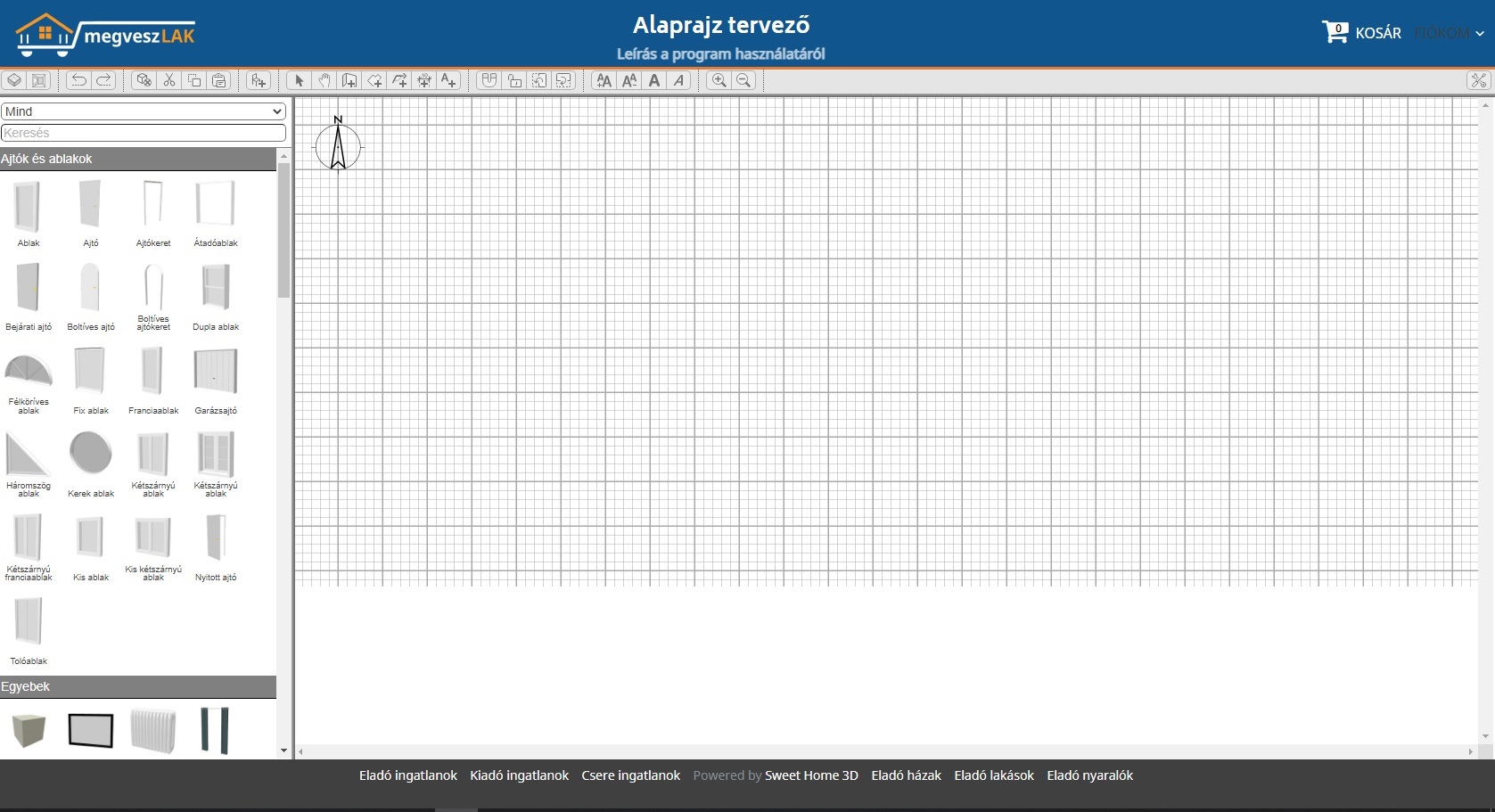
The largest problem is that the buttons seems disabled:
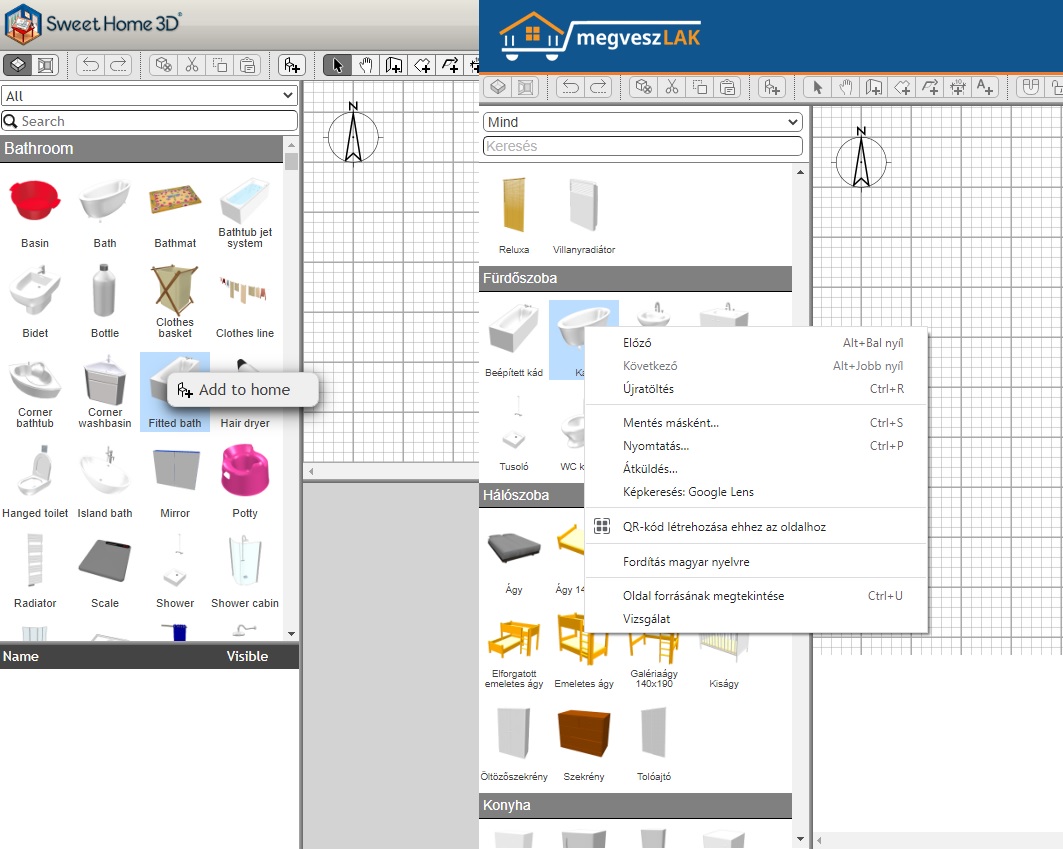
The 3. problem is that there are no right mouse context menu (sweethome online vs megveszLAK.hu test page)
The test page html:
<div style="width:100%;height:100%;">
    <div id="home-pane" style="width:100%;height:600px;position:absolute;top:75px;left:0">
        <div id="home-pane-toolbar" style="height:30px"></div>
        <div id="plan-3D-view-splitter" class="pane-splitter horizontal" style="display: block; width:100%"></div>
        <div id="catalog-furniture-pane">
            <div id="furniture-catalog" style="height:100%;width:100%">
                <div id="furniture-catalog-list" class="furniture-catalog-list"></div>
            </div>
        </div>
        <div id="furniture-plan-splitter" class="pane-splitter vertical" style="display: block; left: 330px;"></div>
        <div id="plan-3D-view-pane" style="position:absolute; left: 332px; width: calc(100% - 334px);height: calc(100% - 34px)">
            <div id="home-plan" style="background-color: rgb(255, 255, 255); color: rgb(0, 0, 0); width:100%;height:100%" tabindex="2">
                <canvas id="home-3D-view" tabIndex="1" width="1" height="1" style="width:100%;height:1px"></canvas>
            </div>
        </div>
    </div>
</div>
The JavaScript:
<script>
        var homeName = "emptyHome";
        var urlBase = "https://alaprajz.megveszlak.hu/";
        var application = new SweetHome3DJSApplication(
            {
                readHomeURL: urlBase + "homes/" + homeName + ".sh3d",
                furnitureCatalogURLs: [urlBase + "lib/resources/DefaultFurnitureCatalog.json"],
                furnitureResourcesURLBase: urlBase
            });

        application.getUserPreferences().setNewRoomFloorColor(0xFF9999A0);
        application.getUserPreferences().setAerialViewCenteredOnSelectionEnabled(true);

        application.getHomeRecorder().readHome(homeName,
            {
                homeLoaded: function (home) {
                    home.setName(homeName);
                    application.addHome(home);
                    application.getHomes()[0].setCamera(application.getHomes()[0].getTopCamera());
                    window.addEventListener("unload", function () {
                        application.deleteHome(home);
                    });
                },
                homeError: function (err) { },
                progression: function (part, info, percentage) { }
            });
    </script>
Thank You
