Hello everyone
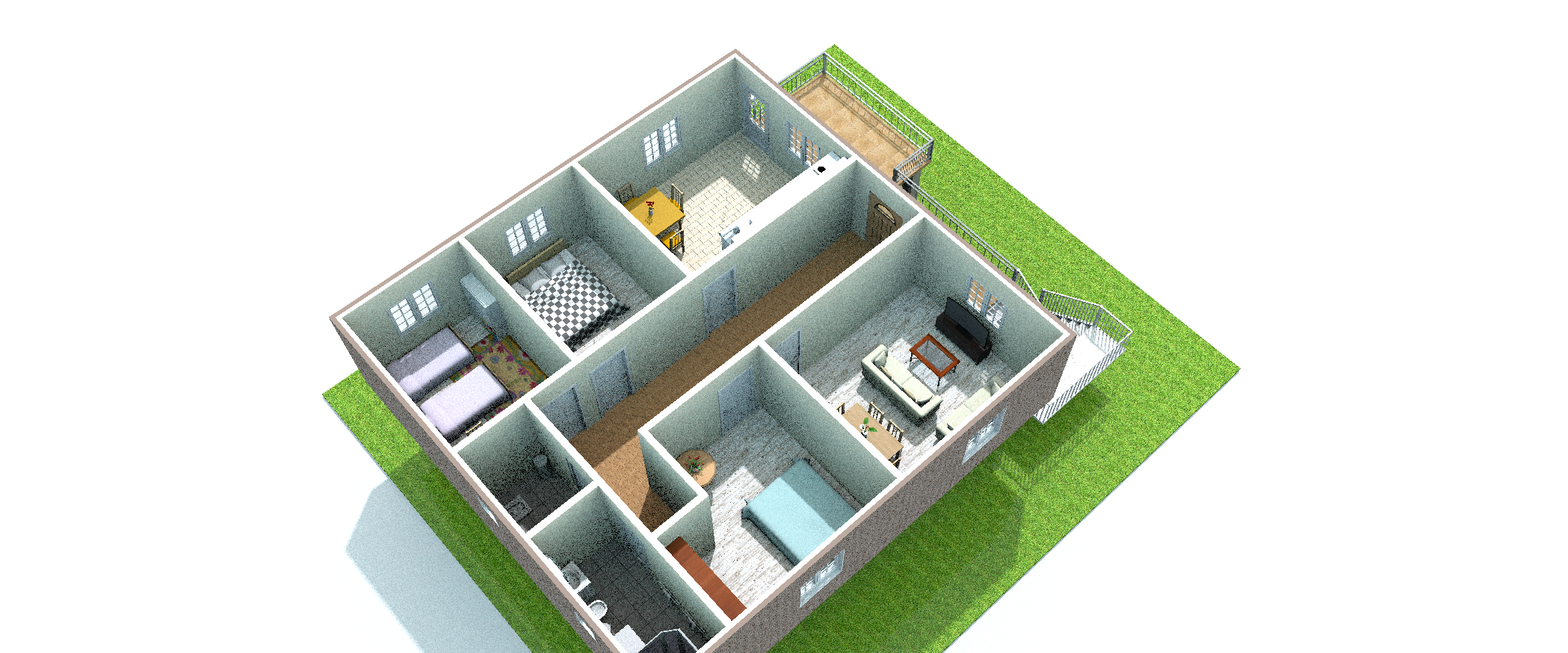
I did a study. I got a render. But the result was like this. am i making a mistake somewhere?
How can I get a quality image?
|
Sweet Home 3D Forum » List all forums » » Forum: Features use and tips » » » Thread: Render misty-sandy |
|
| Print at Oct 5, 2026, 4:58:15 PM | View all posts in this thread on one page |
| Posted by k005 at Aug 12, 2022, 1:12:17 PM |
|
Render misty-sandy Hello everyone I did a study. I got a render. But the result was like this. am i making a mistake somewhere? How can I get a quality image? |
| Posted by Puybaret at Aug 12, 2022, 2:24:19 PM |
|
Re: Render misty-sandy No, this is noise, the less noise you want the more time to compute it will take. Use a higher quality level, or create an image with more pixels and reduce its size with an image handling software. ---------------------------------------- Emmanuel Puybaret, Sweet Home 3D creator |
| Posted by k005 at Aug 12, 2022, 2:53:04 PM |
|
Re: Render misty-sandy I understand. So what pixel size should I use? |
| Posted by Puybaret at Aug 12, 2022, 3:30:07 PM |
|
Re: Render misty-sandy Just try it. It's up to you decide what quality you want and what you want to do with the generated image. ---------------------------------------- Emmanuel Puybaret, Sweet Home 3D creator |
| Posted by k005 at Aug 12, 2022, 3:39:22 PM |
|
Re: Render misty-sandy OK I did it. I tried 1920x1080p in the best quality. it happened. Thank you. |

|
Current timezone is GMT Oct 5, 2026, 4:58:15 PM |