|
Sweet Home 3D Forum » List all forums » » Forum: Developers » » » Thread: Volume Plugin |
|
| Print at Sep 24, 2026, 1:39:21 AM | |
| Posted by k005 at Aug 23, 2022, 4:46:25 PM |
|
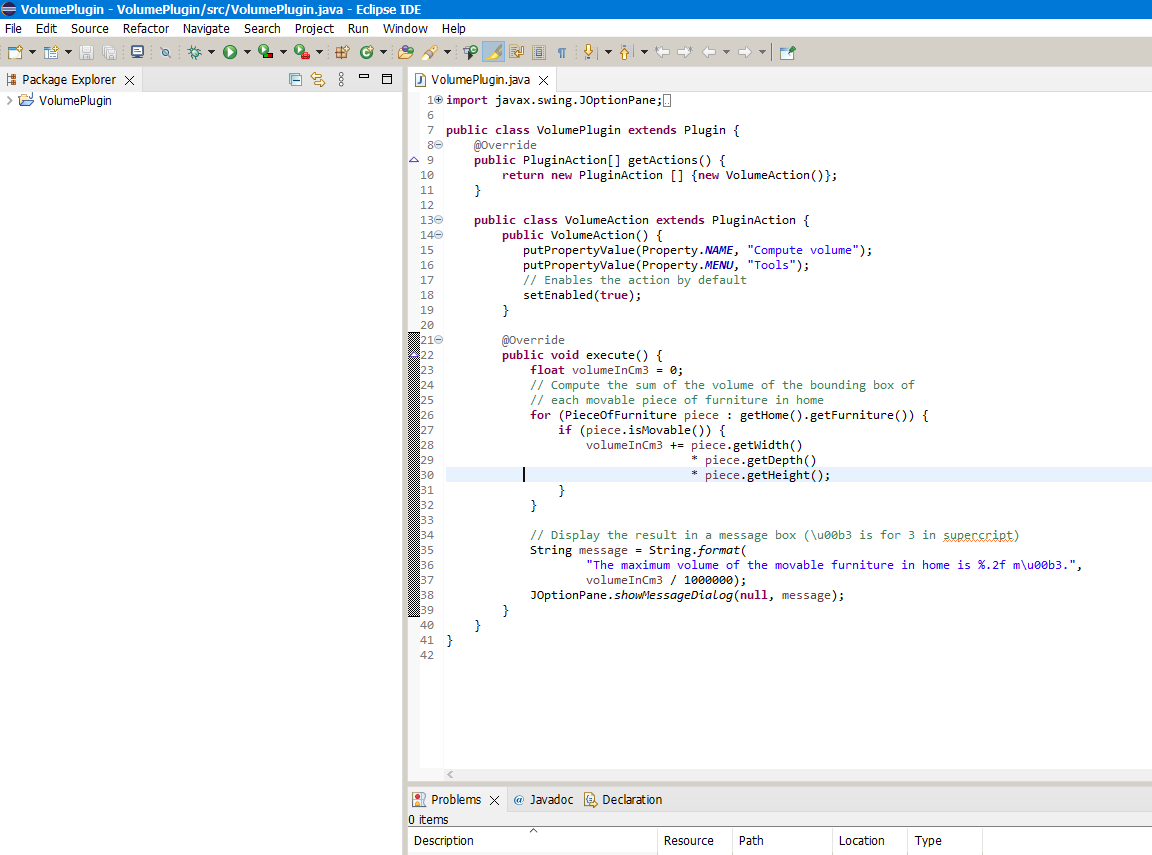
Volume Plugin Hello everyone I saved the sample volume plugin as jar extension and copied it to the Plug-in folder. But it doesn't show up in Tools. where am i doing wrong? Thank you. |
| Posted by k005 at Aug 23, 2022, 4:52:38 PM |
|
Re: Volume Plugin |
| Posted by Puybaret at Aug 23, 2022, 5:12:13 PM |
|
Re: Volume Plugin Did you add a ApplicationPlugin.properties file in your JAR file? ---------------------------------------- Emmanuel Puybaret, Sweet Home 3D creator |
| Posted by k005 at Aug 23, 2022, 5:51:06 PM |
|
Re: Volume Plugin I guess I didn't add it. (I am new to Java.) How can I do it ? |
| Posted by Puybaret at Aug 23, 2022, 6:06:23 PM |
|
Re: Volume Plugin What wasn't clear about it in the Plug-in developer's guide? ---------------------------------------- Emmanuel Puybaret, Sweet Home 3D creator |
| Posted by k005 at Aug 23, 2022, 6:56:34 PM |
|
Re: Volume Plugin Is it this way? 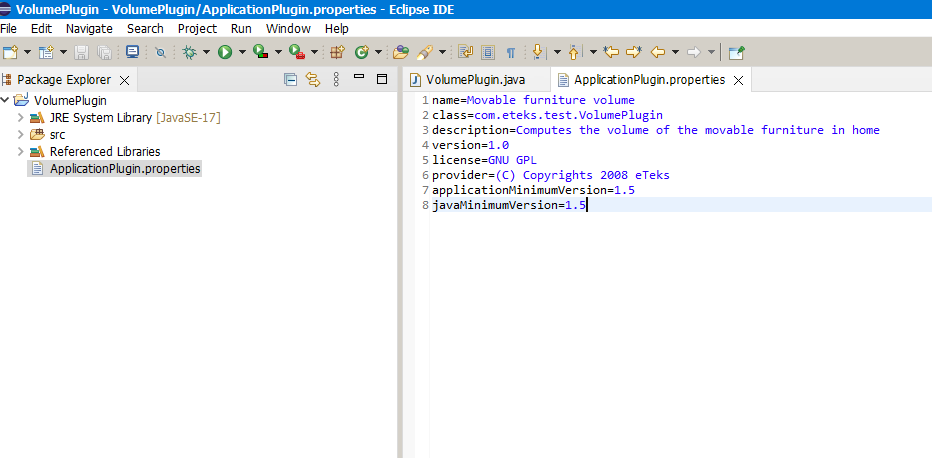 |
| Posted by Puybaret at Aug 23, 2022, 7:15:33 PM |
|
Re: Volume Plugin Yes, just have to follow the next step to get a working plug-in. ---------------------------------------- Emmanuel Puybaret, Sweet Home 3D creator |
| Posted by k005 at Aug 23, 2022, 7:45:40 PM |
|
Re: Volume Plugin When I export the jar file, it doesn't look like your picture-5... I guess I'm making the mistake in this part..? 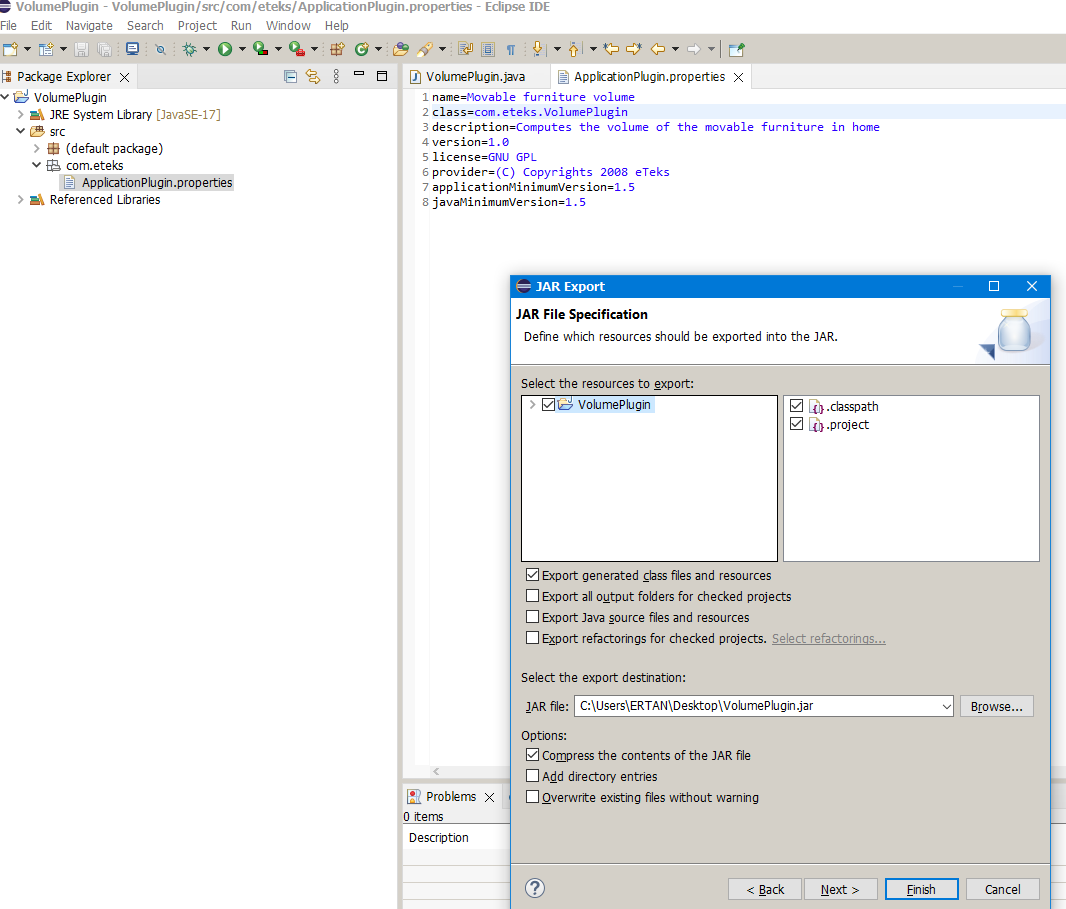 |
| Posted by Daniels118 at Aug 24, 2022, 5:45:51 AM |
|
Re: Volume Plugin The fully qualified class name (package+class name) must match the class parameter in ApplicationPlugin.properties.Move the VolumePlugin.java into the com/eteks folder. |
| Posted by k005 at Aug 24, 2022, 8:55:21 AM |
|
Re: Volume Plugin I'll start again step by step... Thank you. |
| Posted by k005 at Aug 24, 2022, 9:53:35 AM |
|
Re: Volume Plugin I compiled it again. I copied it to the plugin folder. I ran sweethome3d. But it crashed... when I deleted the volumePlugin I created, it popped up. I'm making a mistake on a small point, but I haven't found it yet. |
| Posted by Puybaret at Aug 24, 2022, 10:21:22 AM |
|
Re: Volume Plugin A JAR file is actually just a ZIP file. Could you list here its content with a ZIP utility? ---------------------------------------- Emmanuel Puybaret, Sweet Home 3D creator |
| Posted by k005 at Aug 24, 2022, 1:37:15 PM |
|
Re: Volume Plugin I am adding my work that caused the lock by archiving it. The compiled jar file is also included. https://www.dosya.tc/server38/u4bxxl/VolumePlugin.rar.html ***************************************************************** Actually, I just need an icon-shaped starter frame that is placed in the tools menu for now and added to the toolbar. like the frame I gave below. how should i run it from Sweet Home. I will develop it later. this will be the map to me... Thank you. 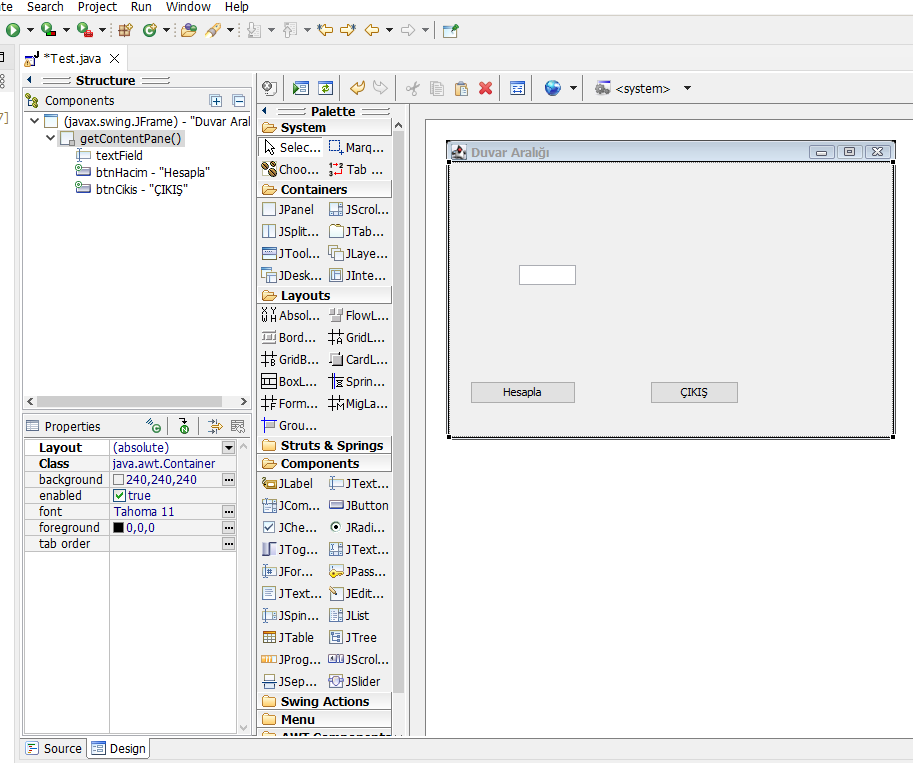 |
| Posted by Puybaret at Aug 24, 2022, 2:18:49 PM |
|
Re: Volume Plugin Your plug-in is correct but you compiled it with a more recent version of Java. In the properties of your project, change the Compiler compliance level to 1.8. ---------------------------------------- Emmanuel Puybaret, Sweet Home 3D creator |
| Posted by k005 at Aug 24, 2022, 2:30:57 PM |
|
Re: Volume Plugin Ok. Thank you very much. Worked. *** Can you send a sample project like in my second question? I can also go through the volumePlugin... but it has menu placement. There is no toolbar! |
| Posted by Puybaret at Aug 24, 2022, 5:39:54 PM |
|
Re: Volume Plugin You could use the method showInputDialog in JOptionPane class (see tutorial here). ---------------------------------------- Emmanuel Puybaret, Sweet Home 3D creator |

|
Current timezone is GMT Sep 24, 2026, 1:39:21 AM |