That's right, but you also posted in the blog that this is how you can save it as an image.
No idea why it doesn't save the whole canvas?
It looks like this:
.jpg)
.jpg)
|
Sweet Home 3D Forum » List all forums » » Forum: Developers » » » Thread: Canvas size in Sweet Home 3D JS |
||
| Print at Sep 23, 2026, 11:55:06 PM |
|
|
| Posted by kingoftailor at Aug 11, 2022, 8:41:47 PM |
|
Re: Sweet Home 3D JS Online I would like to use the floor plan designer in such a way that it can be used on desktop, tablet and mobile. For example, the user goes to an apartment and draws the floor plan on a mobile phone, then completes it on the desktop computer and prints it out. I found several problems. The biggest problem is that the canvas on the mobile version and the desktop version have different sizes, so they are not compatible with each other. The second problem, which is also present in the desktop version, is that the parts of the floor plan that are too large, protruding from the visible surface, are not placed on the saved image (the floor plan view must be reduced so that the entire floor plan is visible, i.e. the entire canvas is not placed on it to jpg, only the visible part of the canvas). |
| Posted by Puybaret at Aug 12, 2022, 9:36:49 AM |
|
Re: Sweet Home 3D JS Online As screens don't have the same size on various devices, the displayed elements may not have the same sizes from a device to the other one. The Online version is able to print what the browser accepts to print. I just added a @media print CSS query to print only the plan and the 3D view, but only Safari seems to generate a correct page, other browsers giving more or less nice results. If you want to print at a given scale with a more predictable result, you should print with installer version. ---------------------------------------- Emmanuel Puybaret, Sweet Home 3D creator |
| Posted by kingoftailor at Aug 12, 2022, 11:47:04 AM |
|
Re: Sweet Home 3D JS Online The problem is not with printing, but with saving as an image: |
| Posted by Puybaret at Aug 12, 2022, 12:06:16 PM |
|
Re: Sweet Home 3D JS Online But... this is not a function provided with Sweet Home 3D JS Online! You should probably create a different plan view at the dimensions you prefer, but I don't know if it will work if that view is not displayed. ---------------------------------------- Emmanuel Puybaret, Sweet Home 3D creator |
| Posted by kingoftailor at Aug 12, 2022, 12:56:30 PM |
|
Re: Sweet Home 3D JS Online That's right, but you also posted in the blog that this is how you can save it as an image. No idea why it doesn't save the whole canvas? It looks like this: |
| Posted by Puybaret at Aug 12, 2022, 2:11:29 PM |
|
Re: Sweet Home 3D JS Online I never posted the code you cited in your message, but maybe the following JavaScript code that I tried in the console to save current plan view in an image will be helpful: plan = application.getHomeController(application.getHomes()[0]).getPlanController().getView();PS: please create different threads for this kind of support requests. This thread is for general information about Sweet Home 3D JS Online. ---------------------------------------- Emmanuel Puybaret, Sweet Home 3D creator |
| Posted by kingoftailor at Aug 12, 2022, 5:25:34 PM |
|
Re: Sweet Home 3D JS Online It's almost good. There is only a problem with the background color. It should be all white. (The invisible part is not white) 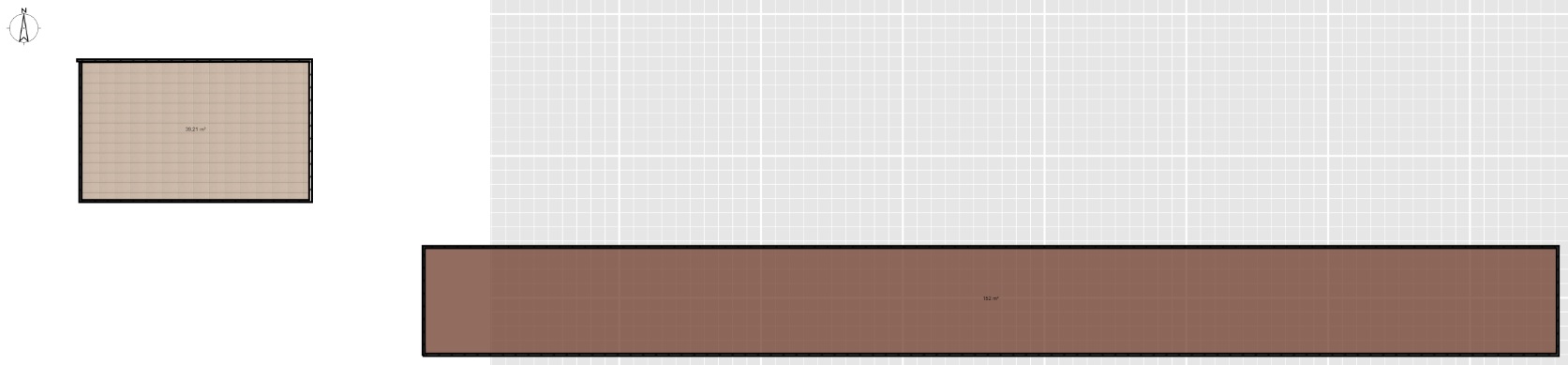 |
| Posted by Puybaret at Aug 12, 2022, 5:41:58 PM |
|
Re: Sweet Home 3D JS Online Maybe fill the canvas with white color. ---------------------------------------- Emmanuel Puybaret, Sweet Home 3D creator |
| Posted by kingoftailor at Aug 13, 2022, 9:49:32 AM |
|
Re: Sweet Home 3D JS Online The problem was that a new canvas was created. This is how it works: |
| Posted by Puybaret at Aug 13, 2022, 10:19:35 AM |
|
Re: Sweet Home 3D JS Online Great you found out, but your solution modifies some attributes of the existing canvas and planView without resetting their values once done. This may have some visible effects on screen… ---------------------------------------- Emmanuel Puybaret, Sweet Home 3D creator |
|

|
Current timezone is GMT Sep 23, 2026, 11:55:06 PM |