Great you found by yourself

----------------------------------------
Emmanuel Puybaret, Sweet Home 3D creator
|
Sweet Home 3D Forum » List all forums » » Forum: Wishlist » » » Thread: Dark Mode |
||
| Print at Sep 23, 2026, 4:30:08 PM |
|
|
| Posted by byDMA at Jun 13, 2024, 9:13:16 PM |
|
Re: Dark Mode | name of the components So, i'm still working on this FlatLafDark-Tkeme. The problem with the icons is solved, now i#m scaling with factor 2, but some fonts must be corrected. And it's almost complete, but i'm still facing two problems: Screenshots https://disk.yandex.ru/d/VY_66hCaQxUThg The two font components are still very huge. In Flatlaf can every component be separately scaled (Label.font = x, MenuBar.font = x, MenuItem.font = x, etc.) But i dont know the name of this element: 1. keystrokes in menu bar (red arrows) 2. title over this internal frame/pane (red arrows) Does anybody know? |
| Posted by byDMA at Jun 14, 2024, 12:59:11 AM |
|
Re: Dark Mode | name of the components 1. MenuItem.acceleratorFont 2. TitledBorder.font :-) |
| Posted by Puybaret at Jun 14, 2024, 6:11:24 PM |
|
Re: Dark Mode | name of the components Great you found by yourself ---------------------------------------- Emmanuel Puybaret, Sweet Home 3D creator |
| Posted by Keet at Jun 14, 2024, 6:25:45 PM |
|
Re: Dark Mode | name of the components Great work! That looks really good and a lot better for the eyes. Are you willing to share the endresult? As a jar file or as a fork on sourceforge? I'd appreciate that very much. ---------------------------------------- Dodecagon.nl 1300+ 3D models, manuals, and projects |
| Posted by byDMA at Jun 14, 2024, 7:52:19 PM |
|
Re: Dark Mode | name of the components Hi Keet, Thank you for your interest! I like to share the files. First for testing. Small corrections are still necessary and I hope that someone will test it and make suggestions for improvement. There are 3 files in this compressed file: https://disk.yandex.ru/d/n85Oi_gPPyITgQ 1. SweetHome3D-7.4.jar -> the Icons for the Dark theme are inside 2. plugins_dark.zip -> all available plugins with the NEW icons, matching the design 3. flatlaf-3.4.1.jar -> swing-engine, with property files, the settings for the Dark theme are also already in this library. You are an advanced user, so I don't have to explain everything in detail. Nevertheless, I have to make a few hints. Before you start, you should consider which environment and which monitors you have, because that is necessary for the correct configuration of the interface. I describe how I did it and then we can see how you have to adjust it when it's not working. My situation: - Linux (open SuSE) with KDE, java -> Oracle (21,22 both ok) - 2 Monitors with the Resolution 2560x1440 - Fonts (very important!) Droid Sans - this is what my startup script looks like on Linux: As you can see, I start in the scaling mode (factor 2x), because the plugin Icons in the toolbar were not scaled (must be clear why). SO the icons are now displayed correctly. All in the resolution 32x32 pixels, as in the files *@2x.png. With the 2x scaling, ALL components are scaled in the swing, including the font sizes. And that was the biggest problem now. It was necessary to adjust the font sizes of ALL components. I have already configured the colors for another application earlier. It is important to understand that the font size setting in FlatLaf depends on the operating system (Mac, Linux, WIndows), the size and resolution of the monitor and, last but not least, on personal preferences. Unfortunately, you can't do this via the program's interface, but you can manually adjust the properties file in the Flatlaf library. You must edit and repack FlatDarkLaf.properties. Important configuration: Try it with your system and let me know how it looks, then I'll give you recommendations on how to adjust the font scaling. |
| Posted by byDMA at Jun 14, 2024, 8:14:23 PM |
|
Re: Dark Mode | changingt the accent base color Next, I would like to explain that you can customize the accent color in Flatlaf. In addition, there are several variations of the accent color in the Dark theme. But of course you don't have to change all of them, just this one: So change the hex code by @accentBaseColor. Done! |
| Posted by Keet at Jun 14, 2024, 8:18:16 PM |
|
Re: Dark Mode | name of the components Thank you! I'm on Debian so like you on linux. That should make it a little easier. I'll try to get it up and running. ---------------------------------------- Dodecagon.nl 1300+ 3D models, manuals, and projects |
| Posted by byDMA at Jun 14, 2024, 9:31:02 PM |
|
Re: Dark Mode | Some impressions Beta-1 Linux Breeze, FlatDarkLaf        |
| Posted by dorin at Jun 15, 2024, 9:13:28 PM |
|
Re: Dark Mode | Some impressions Beta-1 About plugins LaF(particularly Generate Roof). 1. I don't got it this: If you have a huge monitor why you need to have a double size fonts and icons? When I buy a bigger monitor was for to see more information on that not the same but bigger. If so I use zoom or batter eyes glasses. It doesn't matter! 2. On defaults it have to look like this (metal and nimbus): 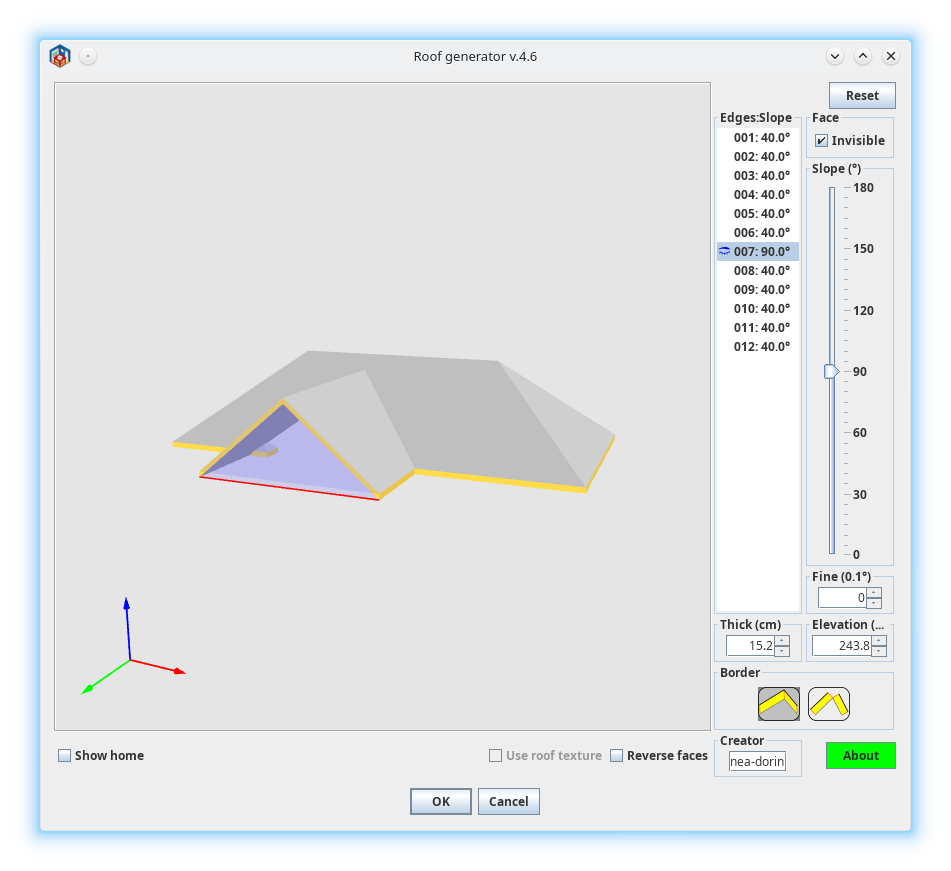 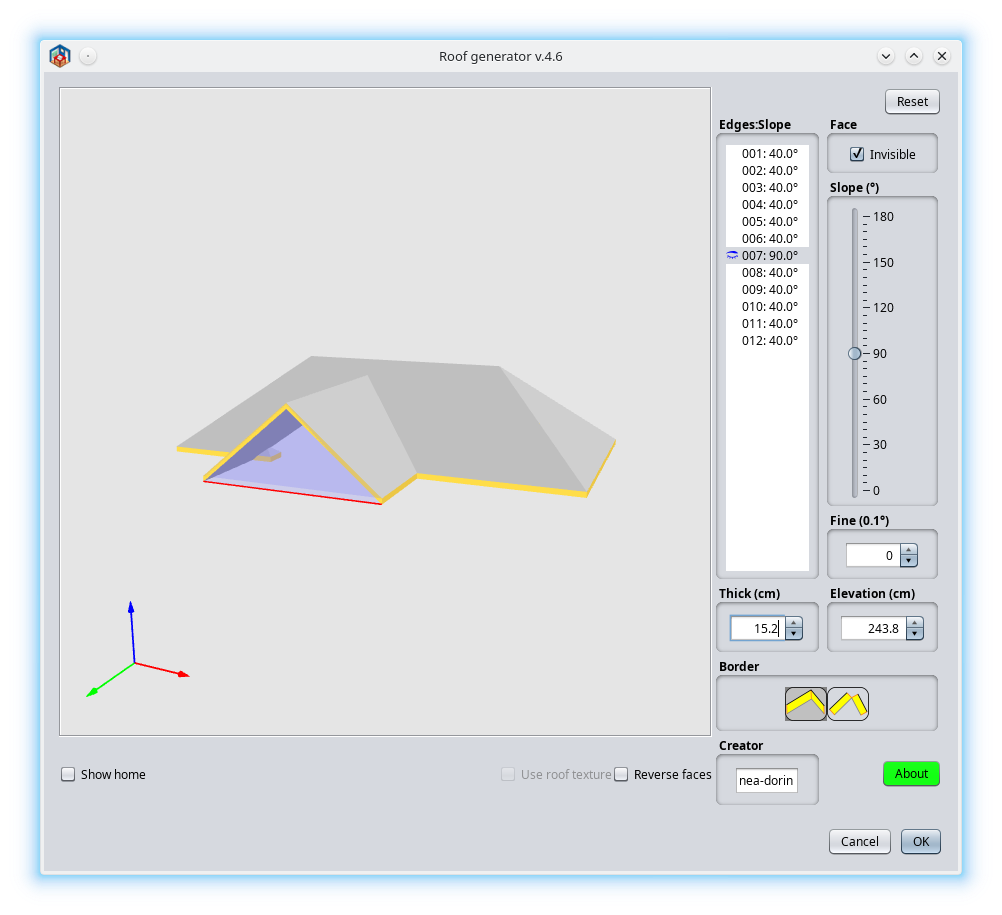 On macOS it looks similar (not exactly) as Nimbus. If under FlatDarkLaf or other LaF don't look OK (columns wide, fonts, borders, icons size etc) I suspect it is the fault of LaF not of the applications. I think (rarely) it is easiest to correct the theme than to modify 100+ applications. No offense, it is only my wrong opinion. ---------------------------------------- A computer program does what you tell it to do, not what you want it to do. Murphy's Law When all else fails, read the instructions. Murphy's Law If you don't like "AS IS", DIY. Dorin's law |
| Posted by Keet at Jun 15, 2024, 9:38:42 PM |
|
Re: Dark Mode | Some impressions Beta-1 I think (rarely) it is easiest to correct the theme than to modify 100+ applications. That's the right opinion. I ran into this when I was trying to set this up. I stopped when I discovered that every program affected needs a special version. That will completely ruin the updates through the plugin manager unless there is maintenance for two different versions. That is not going to happen and rightfully so. A theme has to work on unchanged applications and only affect the display. It should not depend on what monitor(s) I have. That would mean changing code/settings with every monitor change and for every individual user. Basically I want a dark theme changing the color palette. Not bigger/smaller fonts or icons, only colors. I'm going to look into that but I'm incredibly busy at the moment.No offense, it is only my wrong opinion. Still, this looks very good so we'll see where it goes. A simple drop-in of a theme file as intended is the best result we can hope for. ---------------------------------------- Dodecagon.nl 1300+ 3D models, manuals, and projects |
|

|
Current timezone is GMT Sep 23, 2026, 4:30:08 PM |