Print at Dec 19, 2025, 1:00:32 PM
Posted by scjo at Oct 26, 2024, 8:22:04 PM
Chromium / Stainless / Metal in General
What is a good practice to make metal surfaces, in particular chromium / stainless steel, polished as well as rough?

Can it be achieved with colour and shininess only? If so - which values yield realistic results?
Or should I better use textures? If so - are there suitable ones around?

The shelving system I'm modelling consists mostly of chrome-plated parts. I'm pretty inexperienced when it comes to surfaces. Also, my color vision is too limited to make a reliable judgment. OTOH, this is perhaps a simple case for the experienced. I've searched around, but haven't found much information about metal in SH3D.

TIA
----------------------------------------
Cheers - Joe //

Posted by Keet at Oct 26, 2024, 8:38:34 PM
Re: Chromium / Stainless / Metal in General
Export your object. Edit the obj file and add the prefix "sweethome3d_window_mirror_" to every g line you want to appear as chrome. Usually you can see the material in the following line that starts with "usemtl". That makes finding the correct g lines to change easier.
You can change the color to make it look like silver, bronze, etc.
Example: "g shelf_1_1" > "g sweethome3d_window_mirror_shelf_1_1"

Import your object and when you render a photo the parts with the prefix will look like chrome (not in the 2D or 3D panes).

You can see an example of the result here: http://www.sweethome3d.com/support/forum/view...ad,12648_offset,200#62953
----------------------------------------
Dodecagon.nl
1300+ 3D models, manuals, and projects

Posted by scjo at Oct 26, 2024, 10:17:12 PM
Re: Chromium / Stainless / Metal in General
Great! THX!

I would never have found that in affordable time. I will try and post the results in the Balton thread.

I'll take on the rough cromium surfaces by myself.
----------------------------------------
Cheers - Joe //

Posted by scjo at Oct 28, 2024, 5:00:38 AM
Re: Chromium / Stainless / Metal in General
No results, yet. The magic prefix to the *obj group names gives me solid, perfectly smooth mirrors, regardless of any texture. For the wire parts, that is fine.


But I am still looking for a way to make perforated/rough surfaces look more or less metallic. Is there any source of information about group name prefixes in SH3D?
----------------------------------------
Cheers - Joe //

Posted by GaudiGalopin3324 at Oct 28, 2024, 5:37:33 AM
Re: Chromium / Stainless / Metal in General
hi. It is very difficult to deal with rough textures of metal and varnish. All mirror prefixes (there are three of them) in SH3D give the same polished result. I will try to post my experiment today. For other metal grinding options in SH3D, you can only use different JPG images. It all depends on how these textures are distributed in the model on the surface. Sometimes everything works out, sometimes the textures are made in pieces with turns, then everything is bad. I would also like to know the method of a polished rough surface. But I don't know yet.

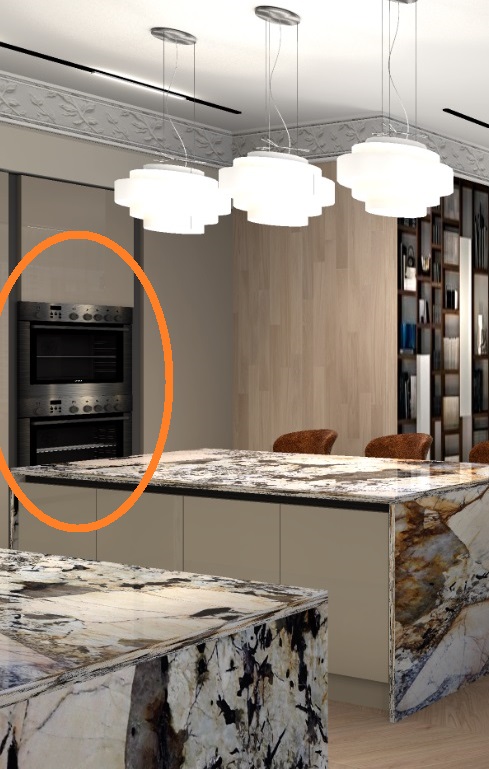
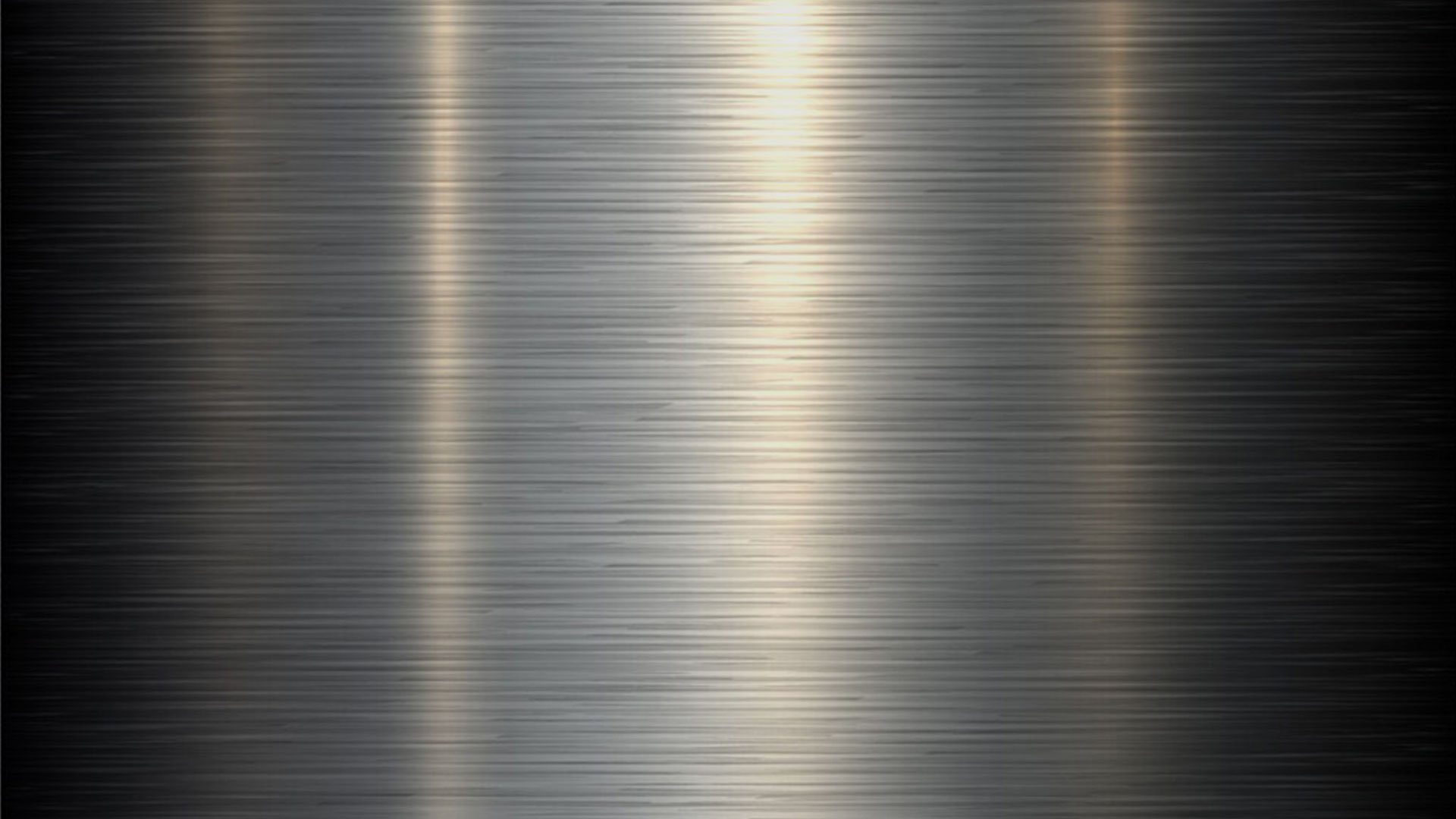
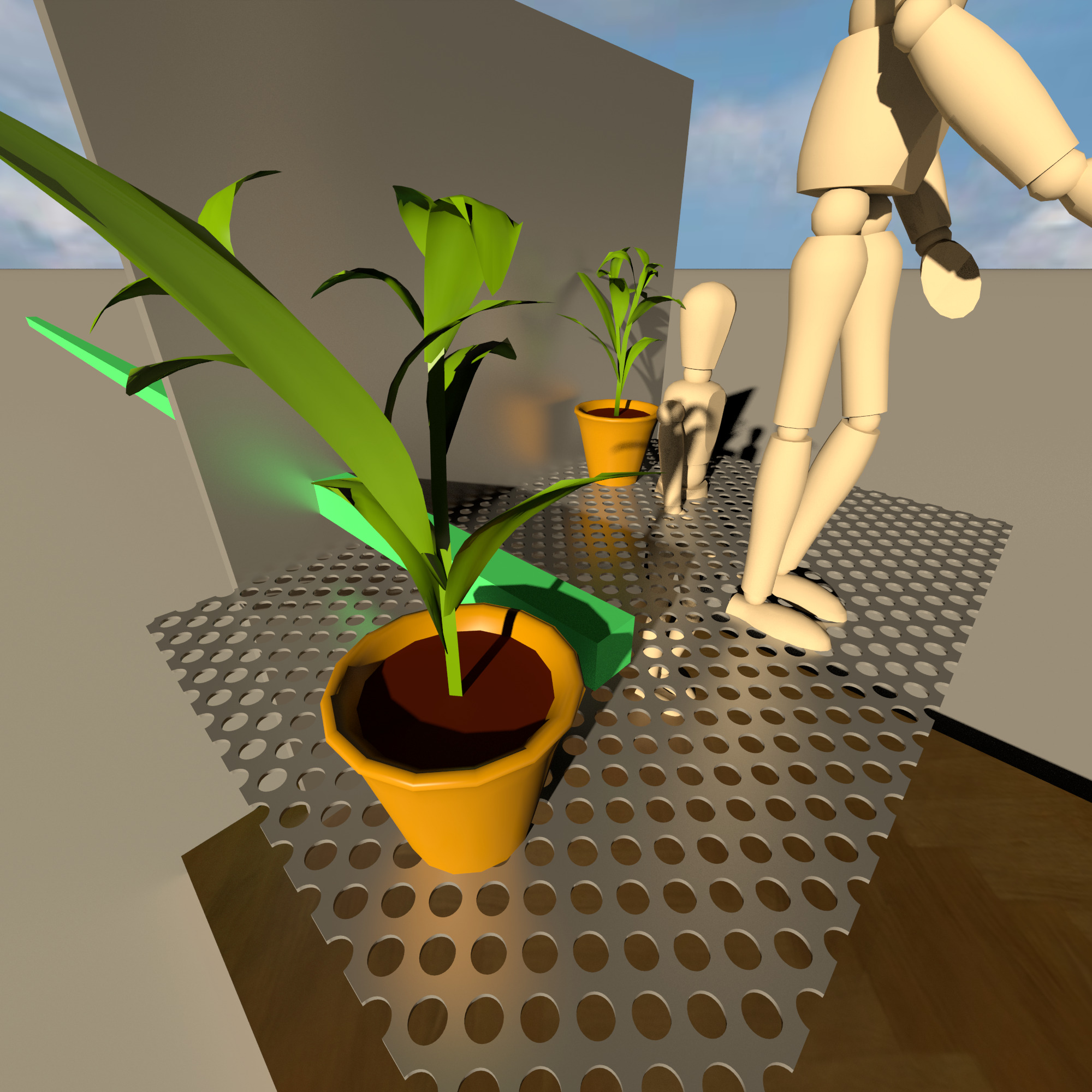
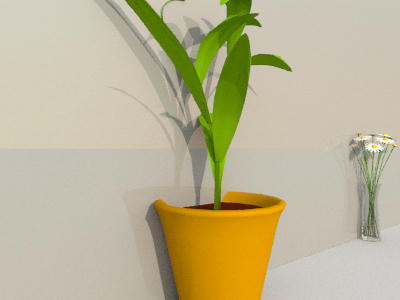
Here is an imitation of unpolished steel using an image in texture


Posted by scjo at Oct 28, 2024, 6:39:05 PM
Re: Chromium / Stainless / Metal in General
Is the oven's surface identic to the lower picture or have you still applied some other *.mtl parameters?

I'm really more and more inclined to use pictures instead of trying to model the physical properties. Also, my personal use case is more about configuration and spatial arrangement than aesthetics.

I will try a diffusely transmitting pane with a shiny mirror very closely behind it. This might approximate isotopically rough metal. But it still does not solve the alpha texturing question for the perforation.

However, I'd like to achieve a wider usefulness, as the shelving system is popular, and perhaps others could use a parts library as well.
----------------------------------------
Cheers - Joe //

Posted by GaudiGalopin3324 at Oct 28, 2024, 9:26:24 PM
Re: Chromium / Stainless / Metal in General
I'm very interested in what you're doing. I ask you to show your results, it's important. I cannot yet boast of achievements in the matte gloss of metal, the MTL file does not seem to be involved in the intricacies of reflections in any way. At least in SH3D. I will be glad to make a mistake... I think you can experiment in the render settings, but then the image processing time immediately increases catastrophically and it makes no sense to study this further. A good texture (a picture of metal) simulates all reflexes much more effectively.

Posted by scjo at Oct 29, 2024, 12:15:27 AM
Re: Chromium / Stainless / Metal in General
I have made first insecure steps in blender - just enough to get an idea of its power.

It occurred to me, you could create the material you want there. Then, under illumination similar to that of the target scene, render a face and take that as texture.

The big drawback is: any greater change of camera position or illumination demands a new render. But at least, you can control it, and re-use the texture setup.

Blender's features go beyond the *mtl format definition, so sophisticated texturing will not be portable. And it is a beast that wants to be tamed. Not much simpler than chess.

Your pure-SH3D results are already impressive, even though SH3D is said to have only a very basic material and texture model. Not sure if the painstaking work with blender would pay off in your case.
----------------------------------------

BTW, after asking
Is there any source of information about group name prefixes in SH3D?
I'm glad about your mirror prefix thread with research and reference to the prefix definitions.

I will post my progress as soon as I have made some.
----------------------------------------
Cheers - Joe //

Posted by scjo at Nov 1, 2024, 1:37:50 AM
Re: Chromium / Stainless / Metal in General
I am still looking for a way to make perforated/rough surfaces look more or less metallic.
Found a way to make perforated mirrors. Now still struggling for rough shininess.
----------------------------------------
Cheers - Joe //

Posted by Keet at Nov 1, 2024, 6:26:02 AM
Re: Chromium / Stainless / Metal in General
A really great way would be to create an actual rough surface. Not a texture that simulates it but an object with 'real' bumps in the surface. Using Sweet Home 3D I can only think about using the terrain generator but that will be an unreasonable job in both time and efficiency.

I know it can be done in Blender. It requires a displacement map you use with a displacement modifier. You need to subdivide the surface to split it into many smaller faces that allow creating the relief and if you can't find a fitting displacement map you will have to create that too. Unneccessary to mention that this will result in a huge object in size because of the many faces needed. But, the result can be a very close representation of the real shelf. With the shelf having a real roughness there's no need for a texture thus the mirror effect with a color works. The real advantage is that light from different angles really works on the surface like it would on the real shelf. That's something that GaudiGalopin too would like very much! Prepare for very long rendering times though...
----------------------------------------
Dodecagon.nl
1300+ 3D models, manuals, and projects

Posted by GaudiGalopin3324 at Nov 1, 2024, 9:22:45 PM
Re: Chromium / Stainless / Metal in General
I answered in the gallery, sorry. Here

Posted by scjo at Nov 3, 2024, 1:20:08 AM
Re: Chromium / Stainless / Metal in General
Background: Shininess in reality is a blurred reflection, similar to looking at a lamp through slightly frosted glass.

Illustration: If a point light source shines to the tip of a dirty shoe, you see hardly any highlight - the incoming light is widely scattered. Then you wax the shoe but don't polish it: a wide, not too bright highlight appears - more light is kept around the reflection angle. Shoe polished: highlight intensifies and shrinks - even narrower scattering, but no clear reflection yet! Chrome plated shoe sick: the light source gets clearly mirrored (albeit shrunk due to the curvature).

With simple renderers, this is mathematically modelled by a so-called specular exponent. Every curve in the diagram shows for a given exponent Ns (see legend) how much light is scattered how far away from the reflection angle.

Ns = 0: perfectly diffuse reflection
Ns = 1: cosine function
Ns = 128: nominal maximum written by SH3D
Ns = 1000: recommended maximum in *.mtl files (SH3D accepts them)
Ns = ∞: directional reflection

The steeper the slope, the shinier the surface. But obviously, with any finite Ns, some light will always deviate more or less from the reflection angle.

Test with SunFlow as well as yafaray
Render the scene with different shininess values of the large box, and with the large box set to mirror.
Compare the difference images of different shiny renders to the perfectly matte (shininess = 0) render

Expectation: mirrored object is blurred to a degree inverse to shininess. I.e., infinite shininess = sharp; finite shininess = blurred; zero shininess = completely dissolved.

Observation
Changing the shininess in SH3D has two consequences.
1. The result image is always a weighted blend of diffuse and clear reflection. The Shininess controls the blending weight, nothing else. Like if you overlay an image through a clear glass pane with one of a sheet of paper. No scattering takes place.
2. SH3D writes the shininess to the Ns value upon export of *.obj/*.mtl files.

Conclusion
  • SH3D approximates shininess by weighted blending of clear reflection into the diffuse image. For low specularities this is an acceptable compromise in favour of software maintainability and processing load. SH3D limits it to 128 which is sensible.
  • All over SH3D, no scattering is implemented, neither with transmission.
  • Varnish or metallic roughness demand a high specular exponent. Therefore they can not be modelled straight forward but only resembled or made up by post-processing the render result(s).

----------------------------------------
Cheers - Joe //

Posted by GaudiGalopin3324 at Nov 5, 2024, 11:16:50 AM
Re: Chromium / Stainless / Metal in General
I'm in a great mood in the morning. wink I'm really looking forward to your comments. I have two tips for you. 1 this is SH3D. 2. This is SH3D and nothing else)). No Photoshop, no Gimp, no Blender. There are no all these double shells and transparent textures, there is ONE light source, the Sun. I want to stall a little)). I think we are on the verge of a big discovery that needs to be studied.

biggrin biggrin biggrin

Posted by scjo at Nov 6, 2024, 3:12:52 AM
Re: Chromium / Stainless / Metal in General
Stop thrilling! It's tearing me apart!hypnotized
Did you manage to make Ns effective?
New Version of yafaray? Other Renderer?
Magic group name prefix? Some Config setting nobody knows?
Or even a code patch?
What's the solution?
----------------------------------------
Cheers - Joe //

Posted by GaudiGalopin3324 at Nov 7, 2024, 9:39:10 AM
Re: Chromium / Stainless / Metal in General
I apologize for the delay in responding. I'll tell you everything now, of course. But first, I will explain my doubts and worries about my "discovery".. I have mixed feelings. Imagine that I drove for a very long time to another city to visit a small art gallery. There are a lot of world masterpieces of painting in it, I have long dreamed of seeing with my own eyes. And here I am in front of the door, but no one opens it for me. I knock, I ring, they don't open. In desperation, I walk around the beautiful old museum building and suddenly see a slightly ajar window.. there is no one around, and I decide to climb in through this window. Here they are, MASTERPIECES, right in front of me. Rembrandt, Van Gogh, Kandinsky, Vrubel.. A fantastic feeling of happiness from what he saw. But the door is closed! And there is no one in the museum. What should I do about it and how much time do I have before the police arrive? I really want all my friends to see these masterpieces, but how can I tell them about this window? After all, you need to go through the door!! And there is no key to the door. Okay, I'll tell you about the window. Maybe you can figure out what to do with it next. I don't know right now. confused
Of course, I put it figuratively about the police, there is nothing criminal here. cool


but not everything is so rosy.. The effect of reflections of objects in the surface is manifested only when assigning a COLOR to the surface. If texture is needed, then the effect is very weak. I assigned a dark gray color and 128 gloss in MTL for boxes and perforated modules and this unpolished steel turned out. Of course, I set the highest quality level, the fourth and Yafaray. The rendering time of 2000x2000 pixels is 1 hour. At the third quality level with the same verbal rendering settings of 8 minutes, the picture quality is grainy, but acceptable. With shaking hands, I uploaded my complicated scene to test my discovery on it. And a complete fiasco.. very grainy surfaces, the time is monstrous.. I do not know what to do with this WINDOW now, I do not know how to use these render settings for real work. Two plates in the form of steel is certainly good. But what to do with a normal, but still closed front door??.. I am waiting for your opinions..
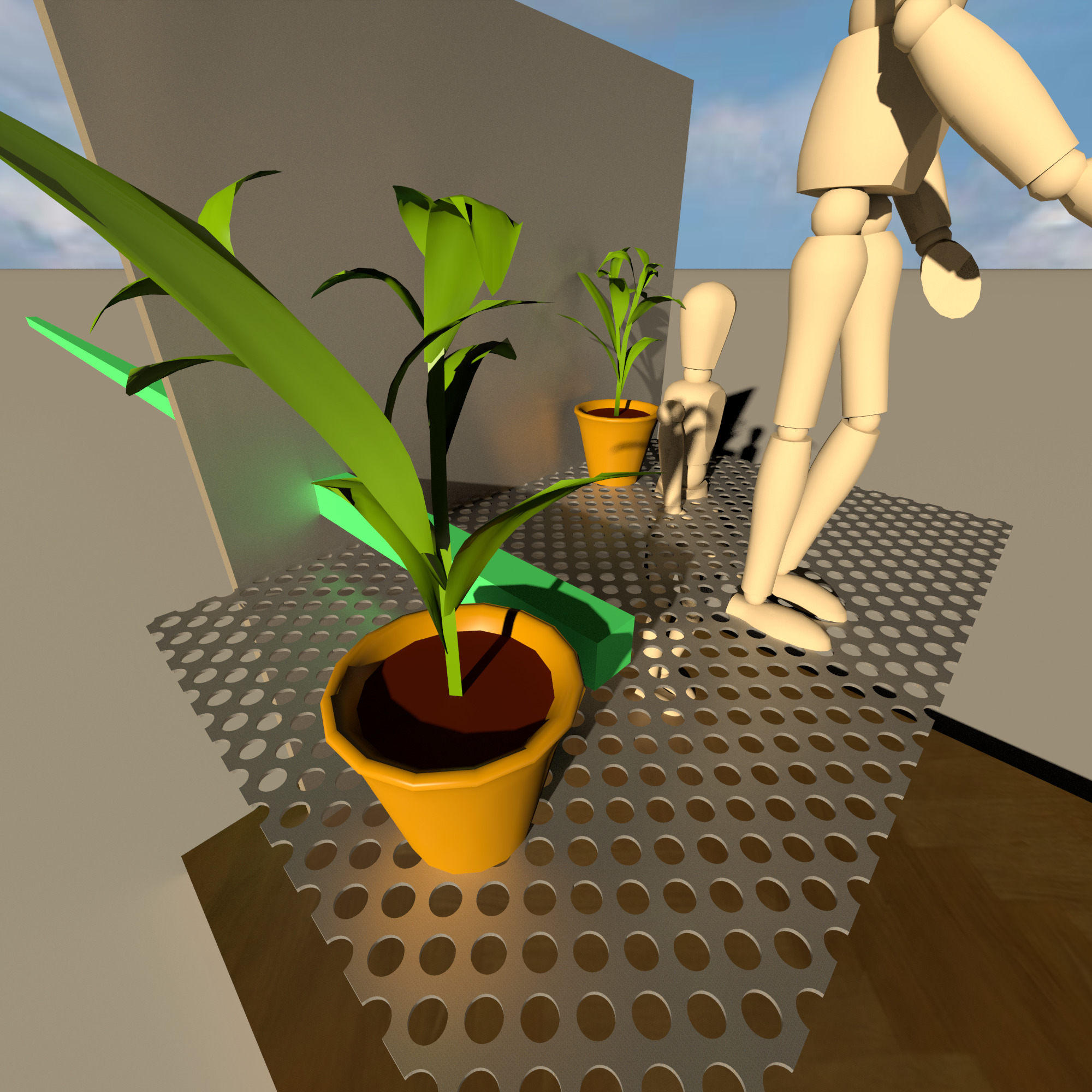
in an hour I will upload a picture with texture instead of color for steel surfaces. It seems to be starting to work out.. We need your participation in the experiments too. Or do you just tell me what to do next? confused confused confused

Posted by GaudiGalopin3324 at Nov 7, 2024, 11:05:57 AM
Re: Chromium / Stainless / Metal in General
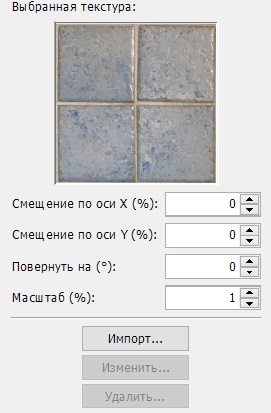
I have assigned a texture from the SH3D library to steel surfaces at a scale of 1%. This makes it possible to obtain a rough surface without visible mesh repetitions, with absolutely any textures according to the pattern. The main thing is the general shade of color, gray-blue, for example, for steel. You can probably use seamless JPG images with a larger scale. We need to experiment.


I see that by assigning texture instead of color, reflections have changed!!! They have become double, I will not rush to conclusions, I still need to study carefully. But in general, the color of the reflections has become dimmer.

Posted by scjo at Nov 7, 2024, 10:03:11 PM
Re: Chromium / Stainless / Metal in General
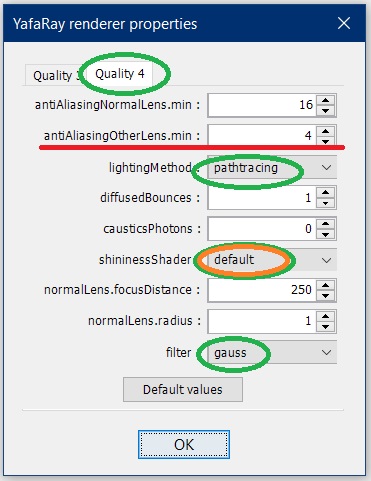
First of all, in an attempt to play with the new discovery, I failed to find the yafaray render properties dialogue you posted. Does it take a hack to reveal it? Probably, It's once more just too late at night for me to spot it.

Second, I'm curious about the behaviour when the texture has an alpha, as this is how I (have to) make my myriad of holes.
----------------------------------------
Cheers - Joe //

Posted by GaudiGalopin3324 at Nov 8, 2024, 6:55:52 AM
Re: Chromium / Stainless / Metal in General
advanced photo and video rendering settings can be downloaded on the plugins page, it is at the bottom, select the newest one. By Enko Nyito
​
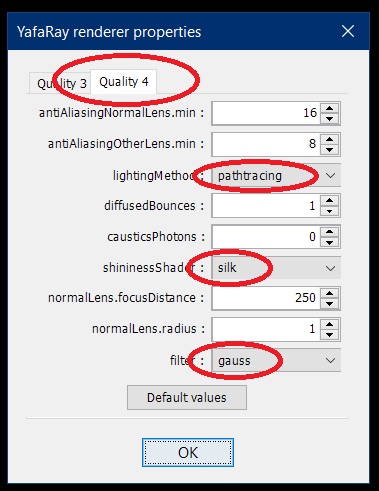
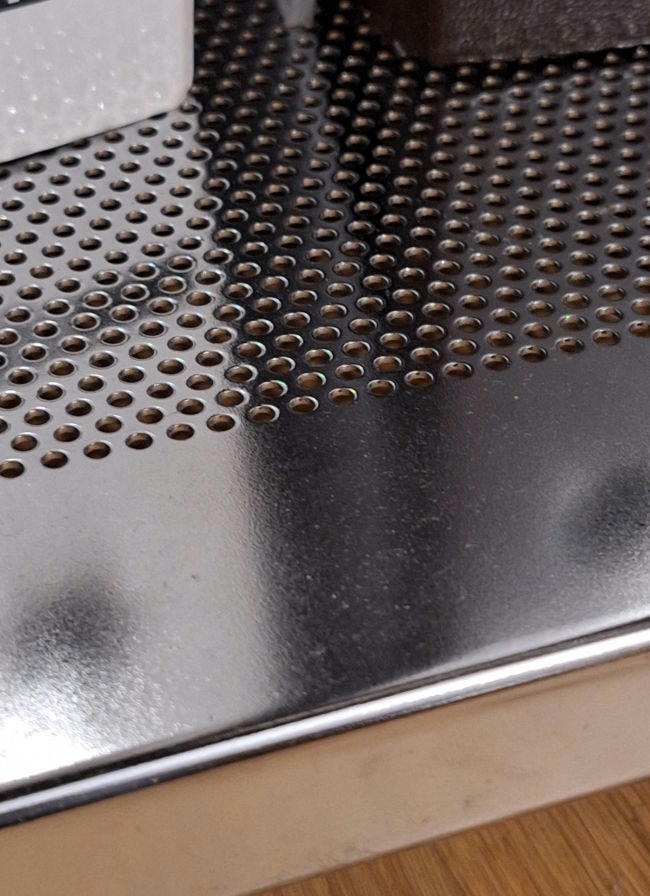
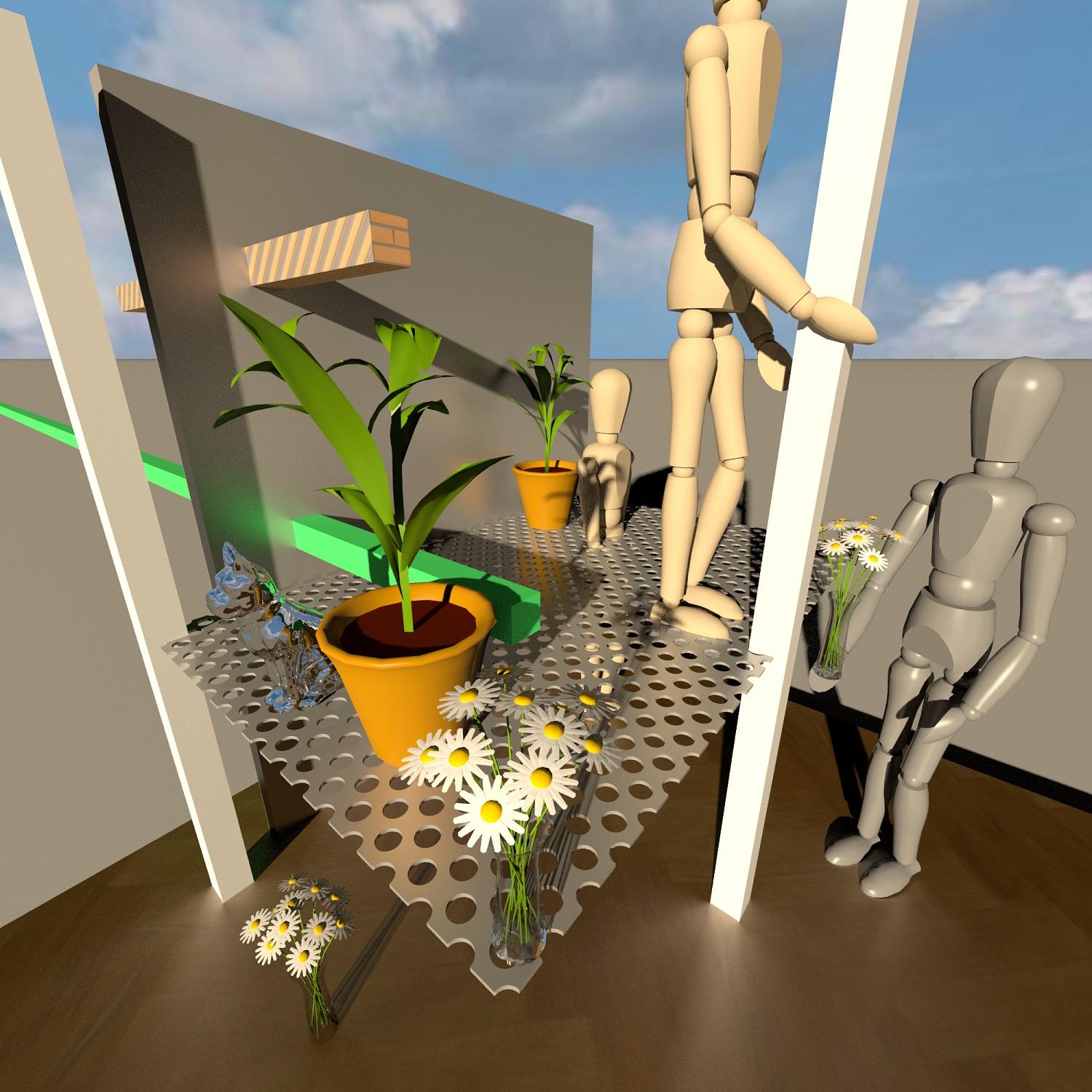
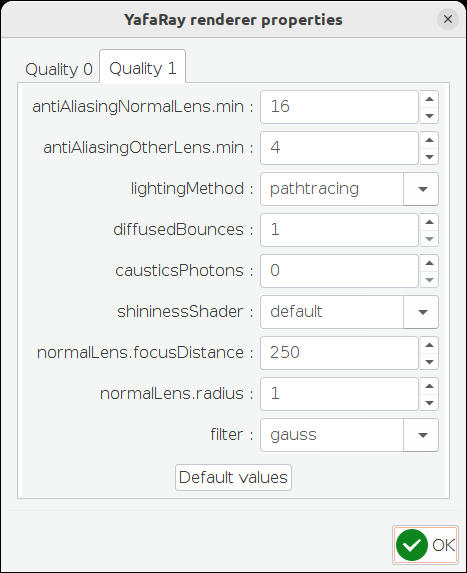
I've dealt with this mode. In the setting of the fourth level, there is a parameter (highlighted in red) that allows you to add grain only for special glossy surfaces, where moire reflections will be. This parameter greatly reduces the processing time, and as a bonus gives a rough texture for steel.​ The rest will be matte without grain. While I haven't had time to test on difficult scenes, I have some problems with my computer. I didn't have time to load a more complex scene, where there are mirrored objects and the render work is visible in surfaces with color (parquet at the bottom) and textures (everything else). It is more or less possible to apply, up to a certain limit of the complexity of the scene.
​
I'll attach the pictures later

Posted by GaudiGalopin3324 at Nov 8, 2024, 7:18:15 AM
Re: Chromium / Stainless / Metal in General


Posted by GaudiGalopin3324 at Nov 8, 2024, 7:21:40 AM
Re: Chromium / Stainless / Metal in General
2000x2000 pixels 4 quality level 45 minutes

Posted by scjo at Nov 8, 2024, 10:12:40 PM
Re: Chromium / Stainless / Metal in General - still not made it
Congratulations to your achievement, GaudiGalopin3324. I didn't succeed. All I get is always that wellknown blend of diffuse and sharp mirror.


I tried to reproduce all relevant settings
material color: #666666,
shininess: 128,
Quality setting: 4,
yafaray's parameters:


What puzzles me is why do my renderer properties offer qualities 0, 1 while you get 3, 4? Plugin imported the wrong way? Version incompatibility? Any config setting missed?

Is that related or is there an error in the model?

@everybody: who can ask the right questions to help tackling this?

> About Sweet Home 3D:
Sweet Home 3D® Version 7.5
Java version 1.8.0_202 - 64bit - 0.1 / 1.8 GB provided by Oracle Corporation
Java 3D version 1.5.2 - NATIVE_OGL

> .../runtime/bin/java -version
java version "1.8.0_202"
Java(TM) SE Runtime Environment (build 1.8.0_202-b08)
Java HotSpot(TM) 64-Bit Server VM (build 25.202-b08, mixed mode)

> uname -a
Linux desktop 6.5.0-45-generic
#45~22.04.1-Ubuntu SMP PREEMPT_DYNAMIC
Mon Jul 15 16:40:02 UTC 2
x86_64 GNU/Linux

For the time being, my enthusiasm is used up. Originally, I only meant to use SH3D as a layout system, no intention of creating realistic images. This idea came from the publishing idea to make the models more useful. I will leave photorealism aside for a while, and instead finish the geometry of the shelf models and make them available as they are. If we are lucky, someone will figure out how to make them metallic and do it themselves or teach me.
----------------------------------------
Cheers - Joe //

Posted by GaudiGalopin3324 at Nov 9, 2024, 12:03:48 AM
Re: Chromium / Stainless / Metal in General - still not made it
Please don't leave. I found that your box has Ns 64.0. I fixed it to 128 and put another one of the same on the floor. I assigned a texture to all sides at a scale of 1%. The strongest reflection effect is obtained with sliding illumination from the sun, not in the forehead. The sun kills reflections. The brightest reflections are obtained in shadow areas. Therefore, this method is a bit strange for general consumption. But with skillful application, it allows you to get the appearance of metal in a strange way. I have already said that this is a very strange and non-standard way, it is wrong. Your render settings didn't seem to work, everything remained on the standard settings. I made the maximum move, set the OtherLens value to 0. Render 1 minute. the file with the corrections is here


Posted by scjo at Nov 9, 2024, 11:44:24 PM
Re: Chromium / Stainless / Metal in General - still not made it
THX for the encouragement! With your corrections to the study, it works for me, too. Very helpful. Now at least I know my system works properly.

Nevertheless, I will concentrate more on the geometry of the parts. Probably I'll come back to surface finishing later. It's quite exciting after all.

Meanwhile the project thread shows what I'm dealing with. Coming soon: larger perforations without millions of polygons.
----------------------------------------
Cheers - Joe //