Print at Dec 19, 2025, 7:13:22 AM
Posted by GaudiGalopin3324 at Feb 16, 2025, 12:30:10 PM
rose   a technique for inserting any piece of furniture into an interior without a model.
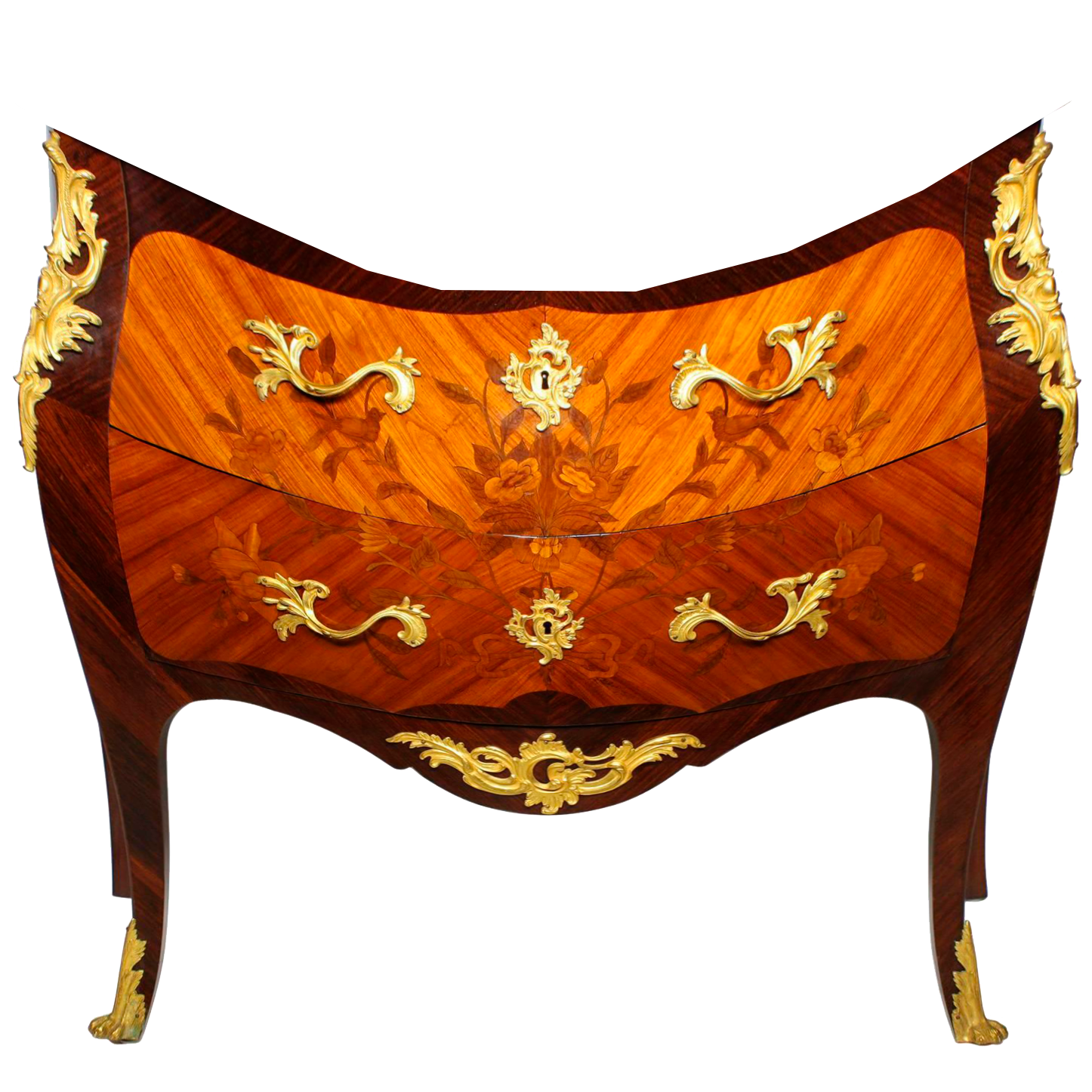
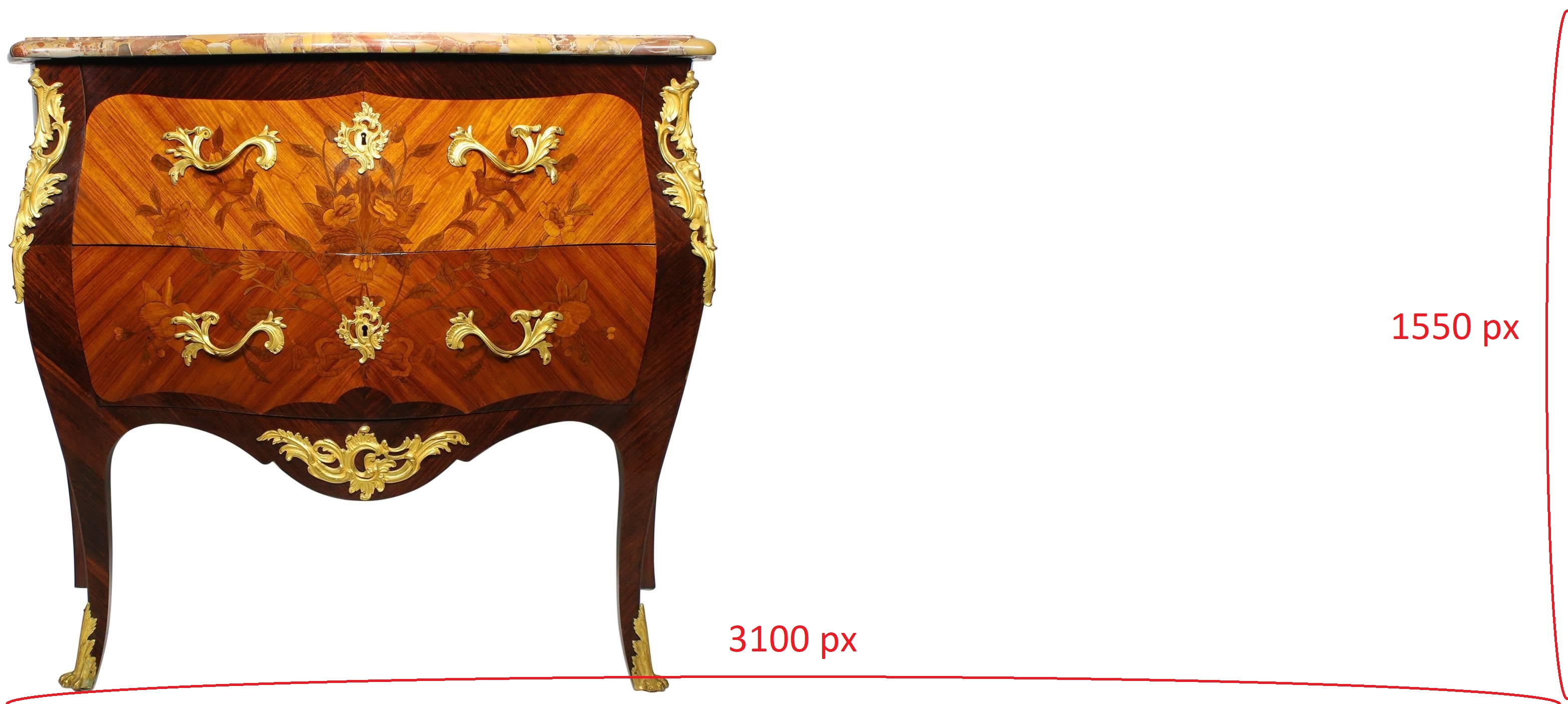
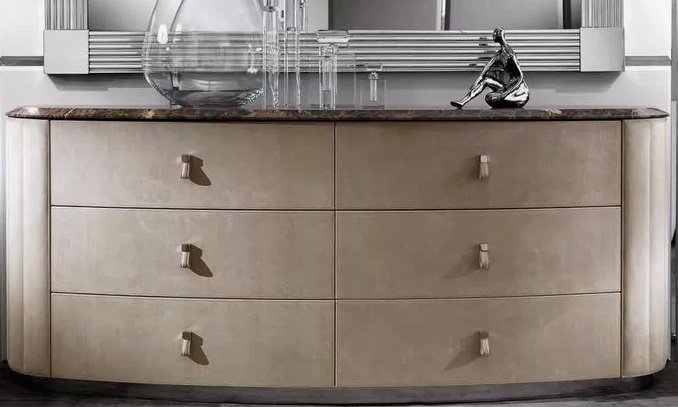
very often it is impossible to find a 3D model of the desired object. But there are high-quality photos from different angles. What to do? First you need to prepare. I found an interesting oriental-style chest of drawers. I cut off unnecessary fields as much as possible, cleared the background around the photo of the chest of drawers in the free photo editor. Now you need to find all the information about this chest of drawers. By searching the picture, I found a seller who indicated that the chest of drawers has these dimensions (width, depth, height). Very important information.


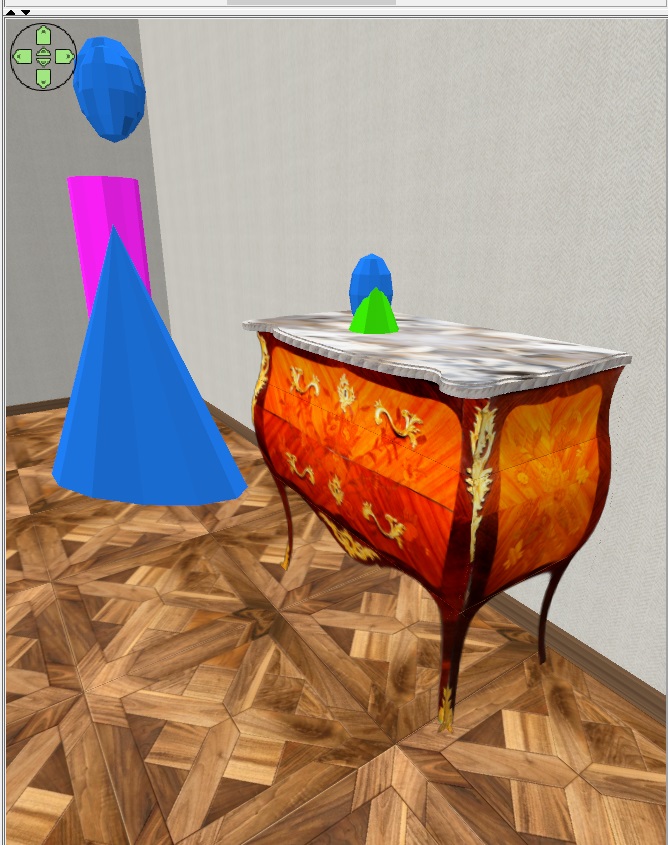
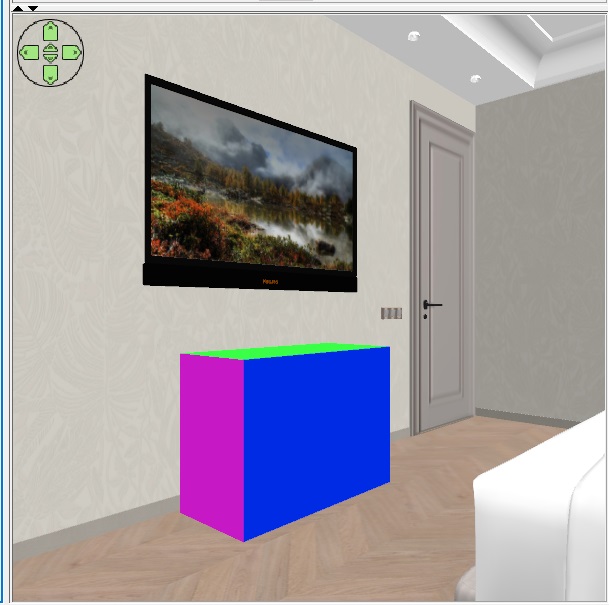
you need to make a box with multicolored sides according to these dimensions. Put it on the floor in the right place, where there will be a real chest of drawers. Sellers often give incorrect product sizes (especially if such a product does not have a well-known brand), but it is better to try to believe them this time. 103x45xh73


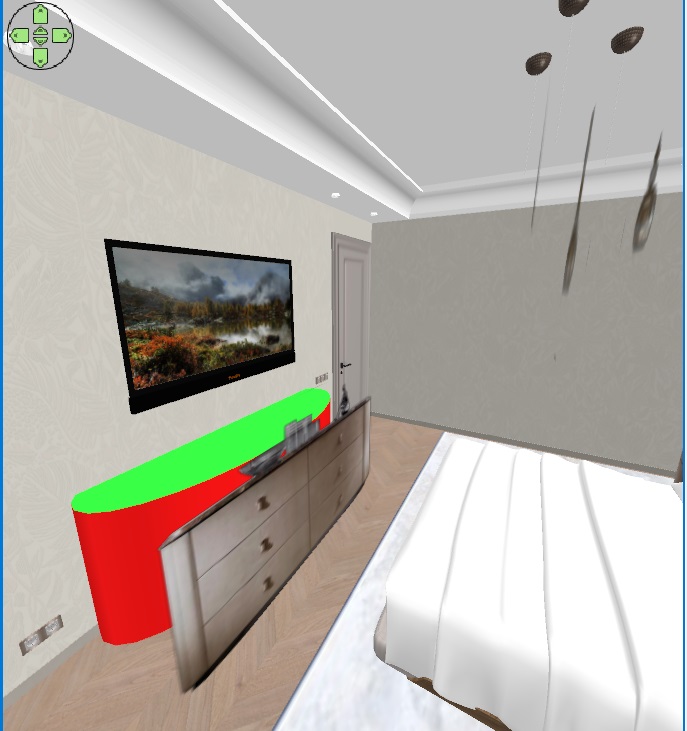
Now comes the most difficult job. You need to make a box with the size of the dresser image on a transparent background. These dimensions in my case are 96x81 cm (PNG image size 961x809 pixels). Keeping the proportions, I reduced the box with the image in height to 75 cm, and made the other 5 sides invisible. Now you need to try very hard to put the photo on the background of a colored template so that all the lines in the photo match the lines on the template. It's very difficult, but you have to try. The realism of the image depends on this. You can change the camera position, change the angle of view, and the height of the viewer. And of course rotate the photo box. This photo should be rotated as perpendicular to the camera's line of sight as possible, but you can rotate it slightly to achieve a match. It should work out like mine))). The main thing is the dimensions in width. The photo should slightly overlap the template in width. Please note that the box with the photo does not touch the floor. It hangs in the air in front of the template because it is smaller than the template and is located between the viewer (camera) and this template). This is very useful for rendering, because a box with invisible sides casts a strange shadow on the floor, and if it is hanging in the air and does not touch the floor, then there is no such shadow. Interestingly, the size of the photo can be very small, and then you need to move it very close to the camera. and the effect will be exactly the same.
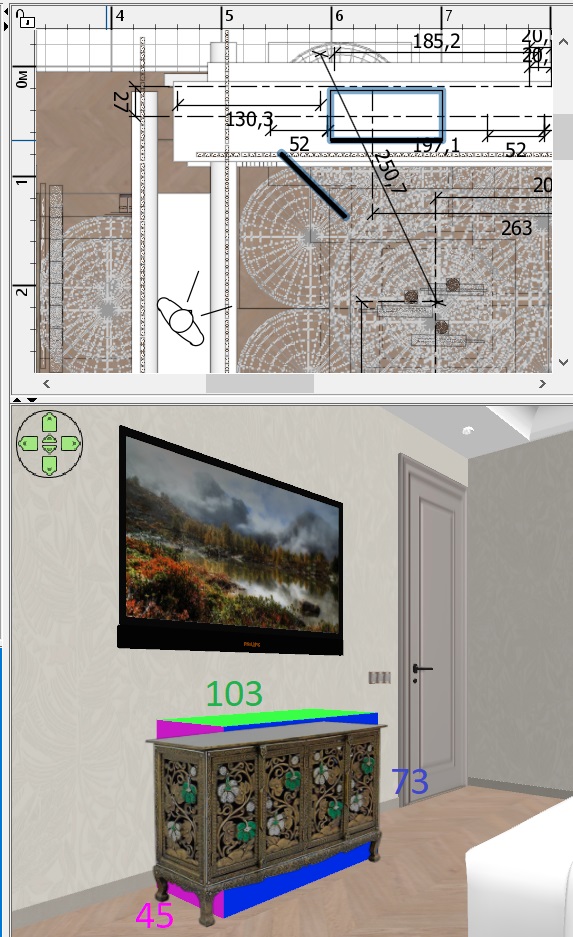


It is very important to turn off the magnet, it interferes with the subtle movements of the box. After all the attempts to combine the template and the photo, I realized that the seller had deceived me, the chest of drawers had a different width. But the main thing is that I managed to align all the lines of the photo and the template. You CAN'T MOVE THE CAMERA from now on. Use this button to lift the template above the floor level so that it disappears from the bottom of the photo.
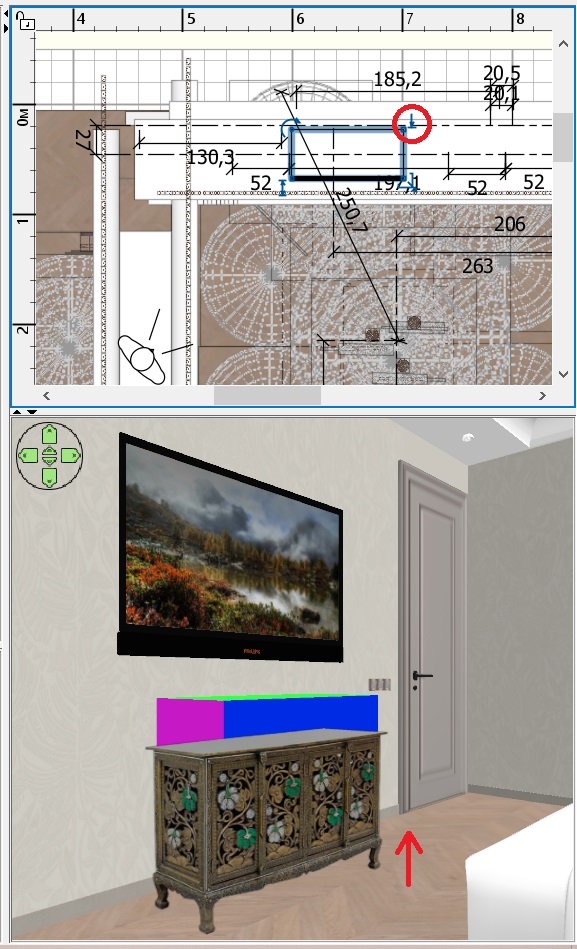


Use this button to reduce the height of the color template so that it disappears along the top of the photo. It will turn out like this.
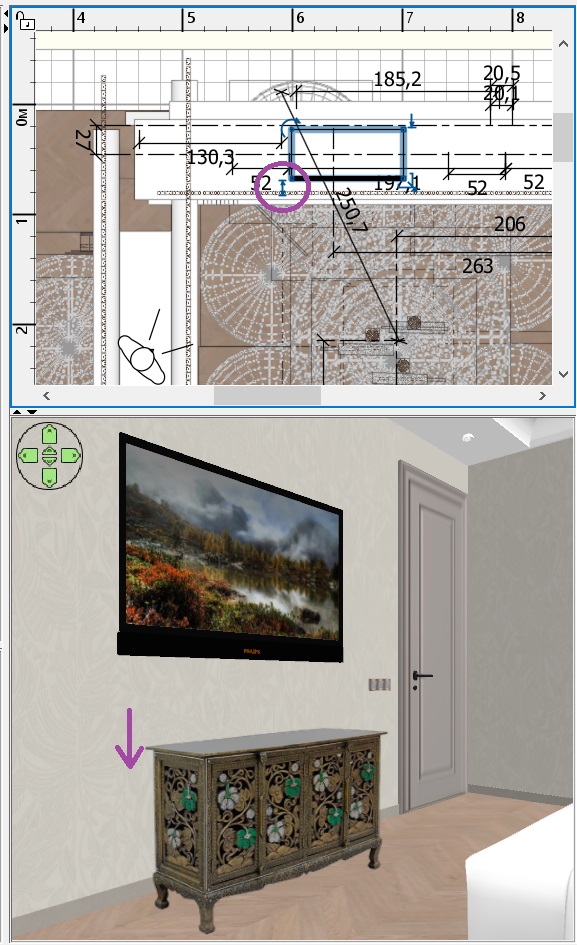
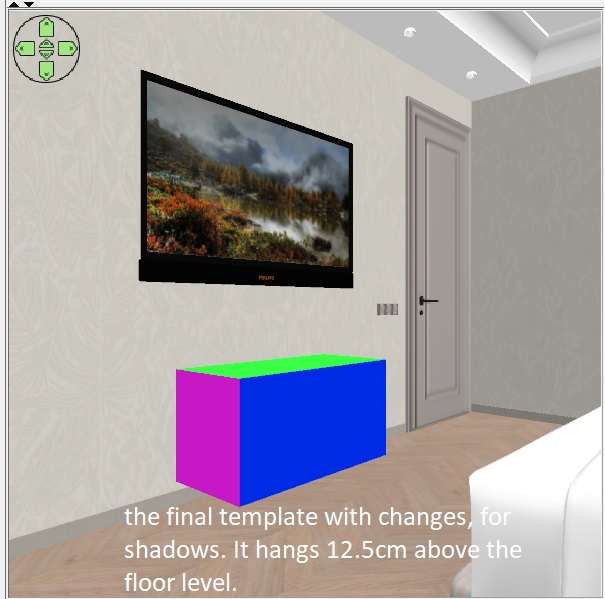


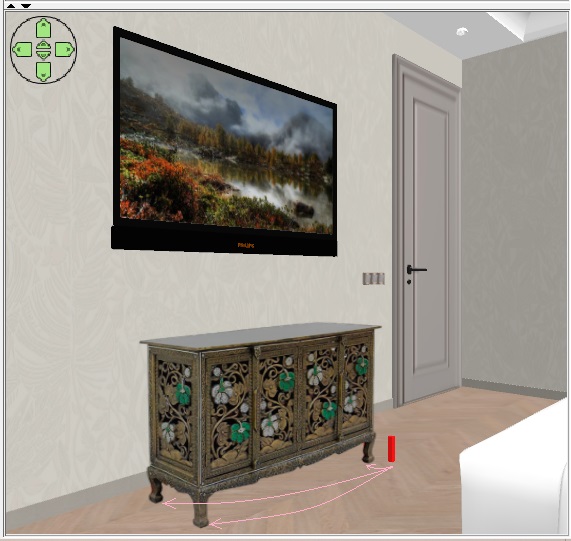
three legs will cast a shadow on the floor, you need to place thin boxes with a height of 12 cm (it was to this height that I raised the bottom of the colored template. These thin boxes should be placed exactly behind the legs in the photo. It is important that they do not stick out from behind the legs of the photo, it is better after that to paint them in the color of the legs of a real chest of drawers, they are still slightly visible on the curves of the shapes. These boxes are on the floor, far away from the box that is hanging in the air. But the render will have real shadows on the floor, as if from a real composite chest of drawers with real legs.


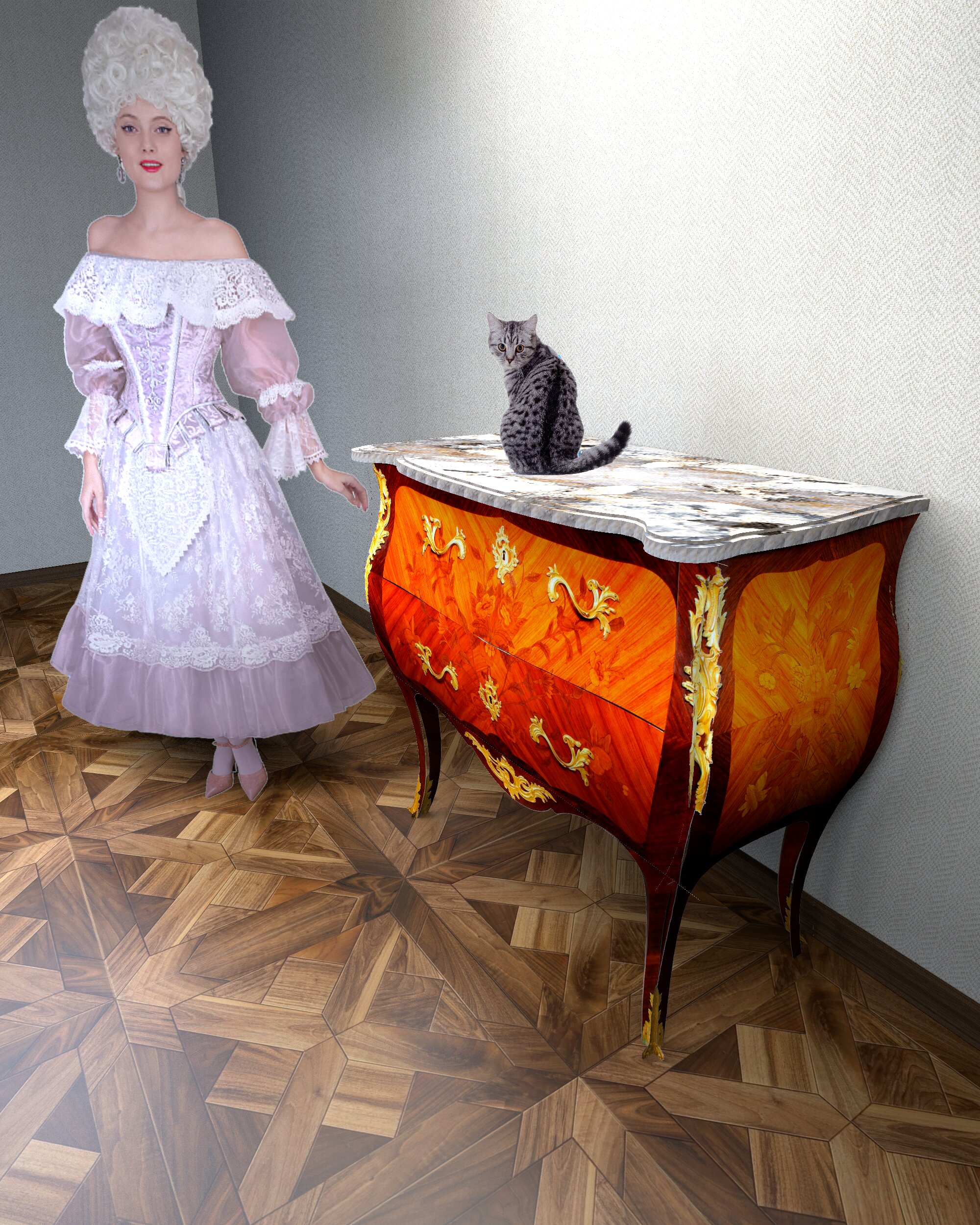
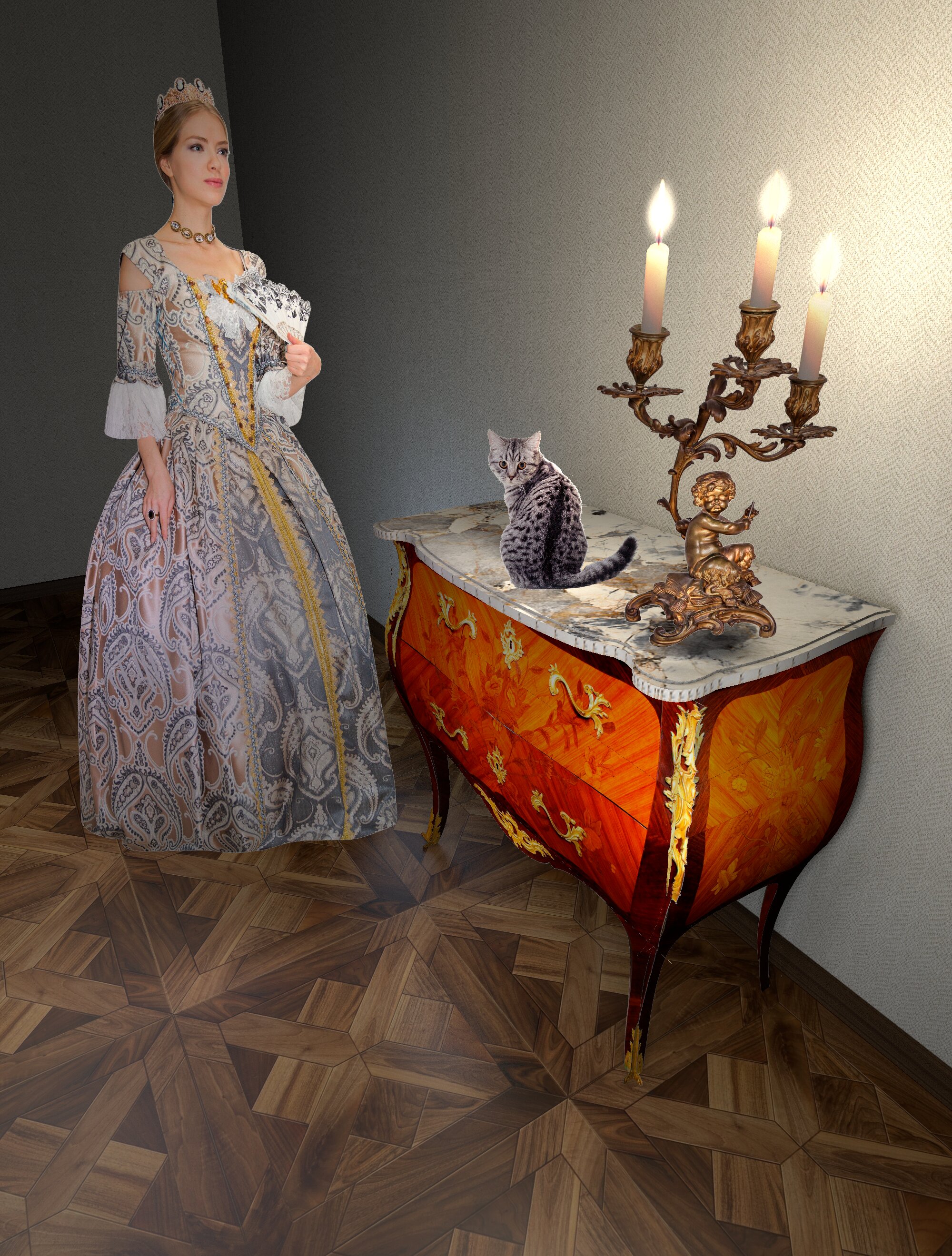
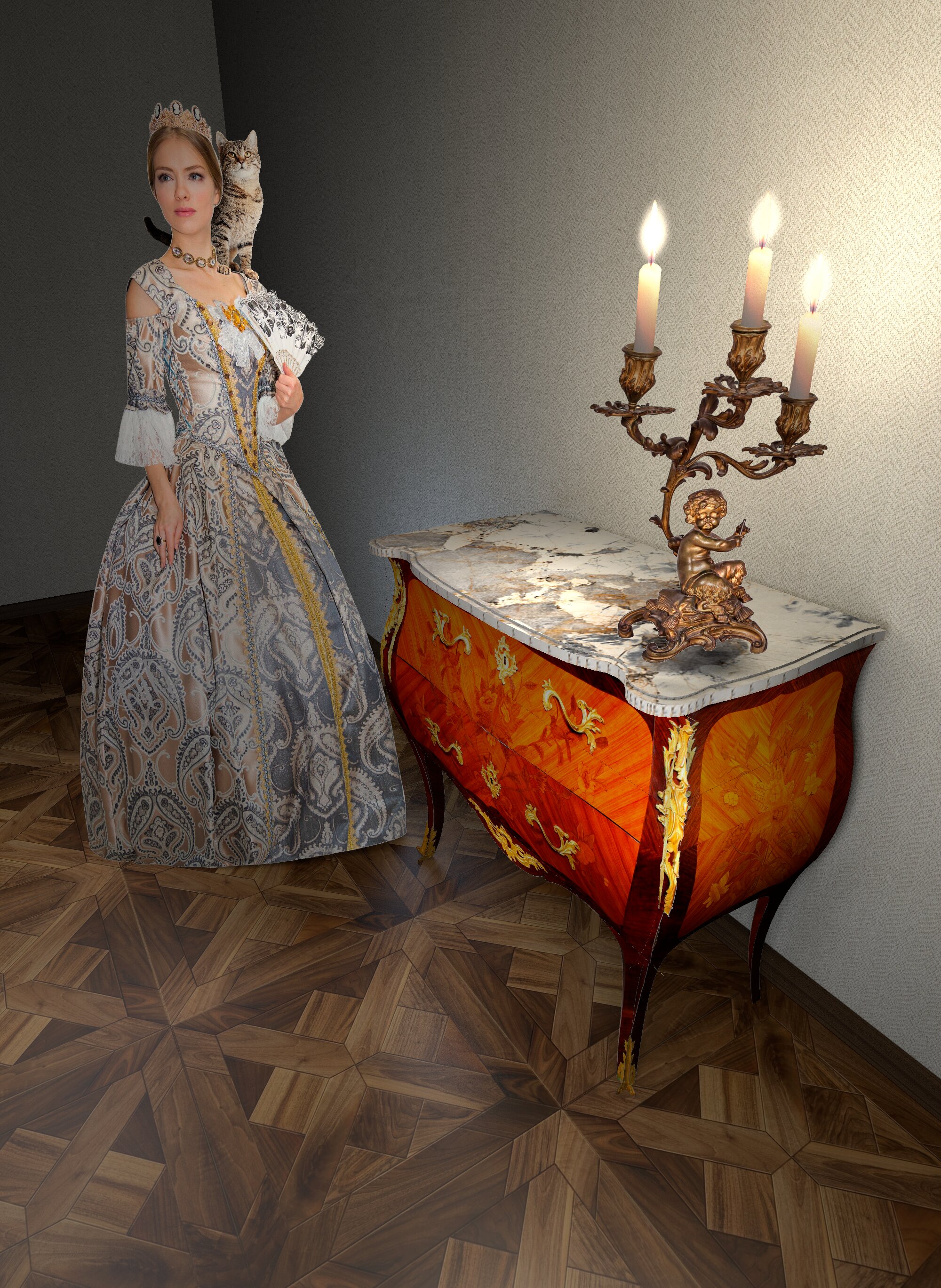
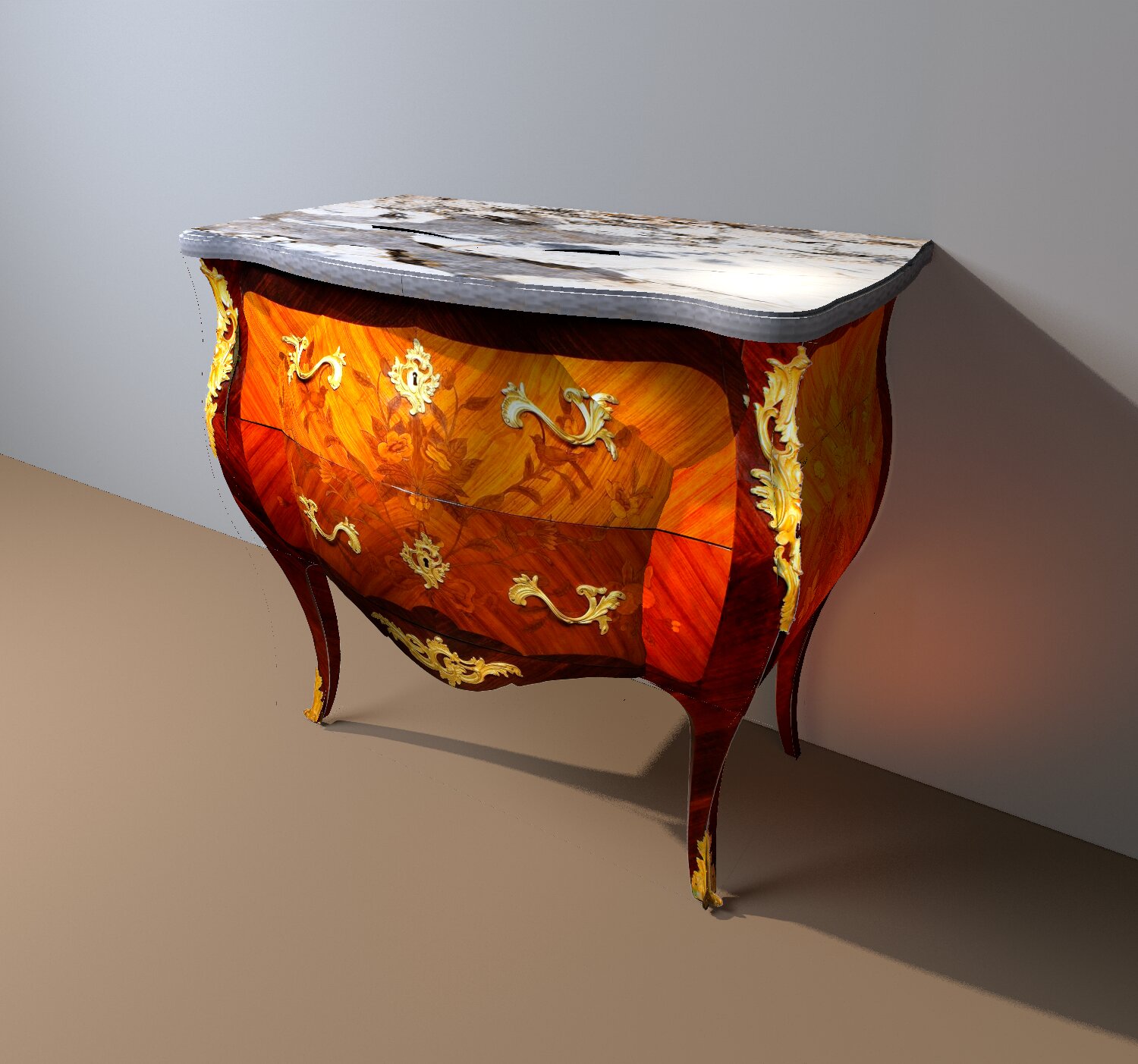
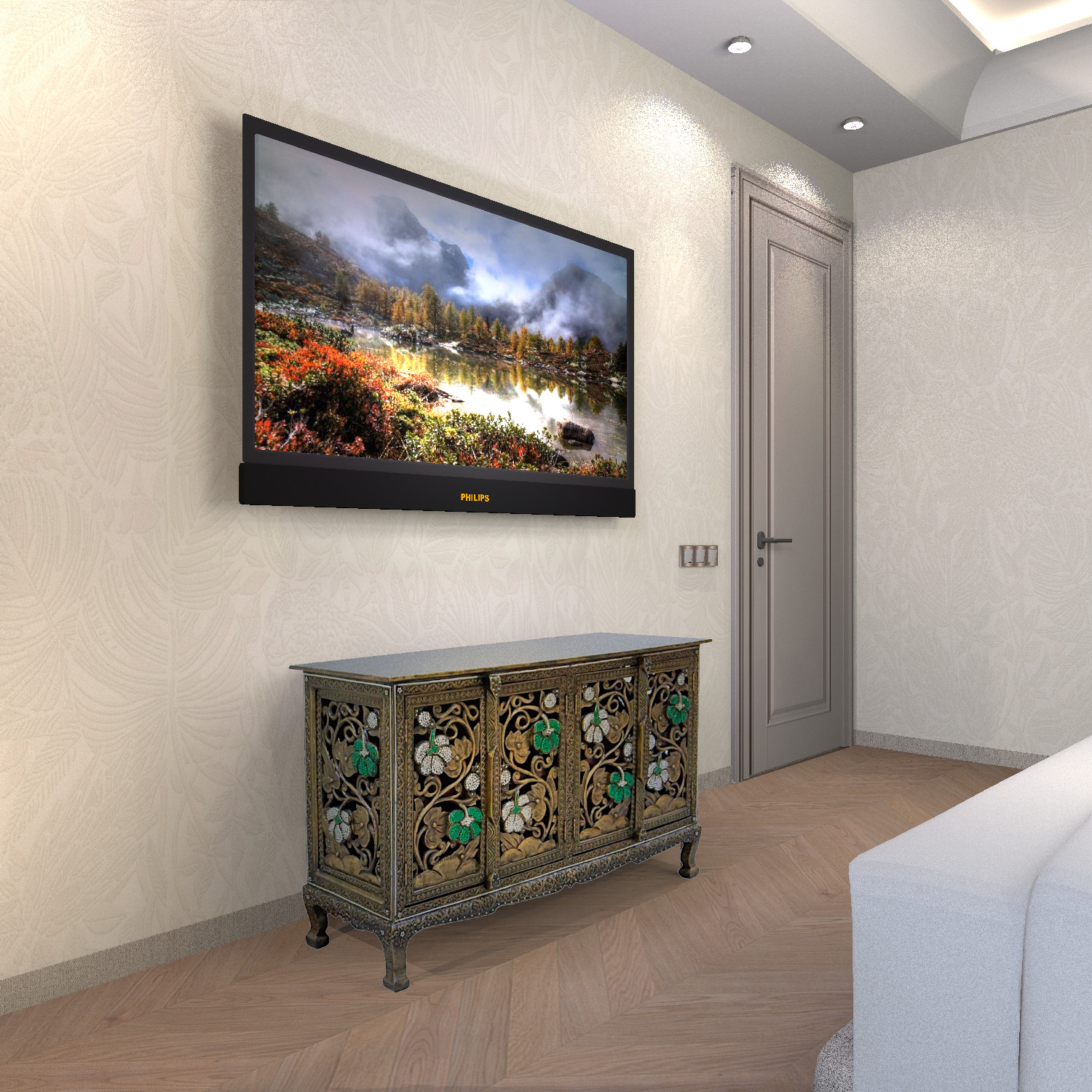
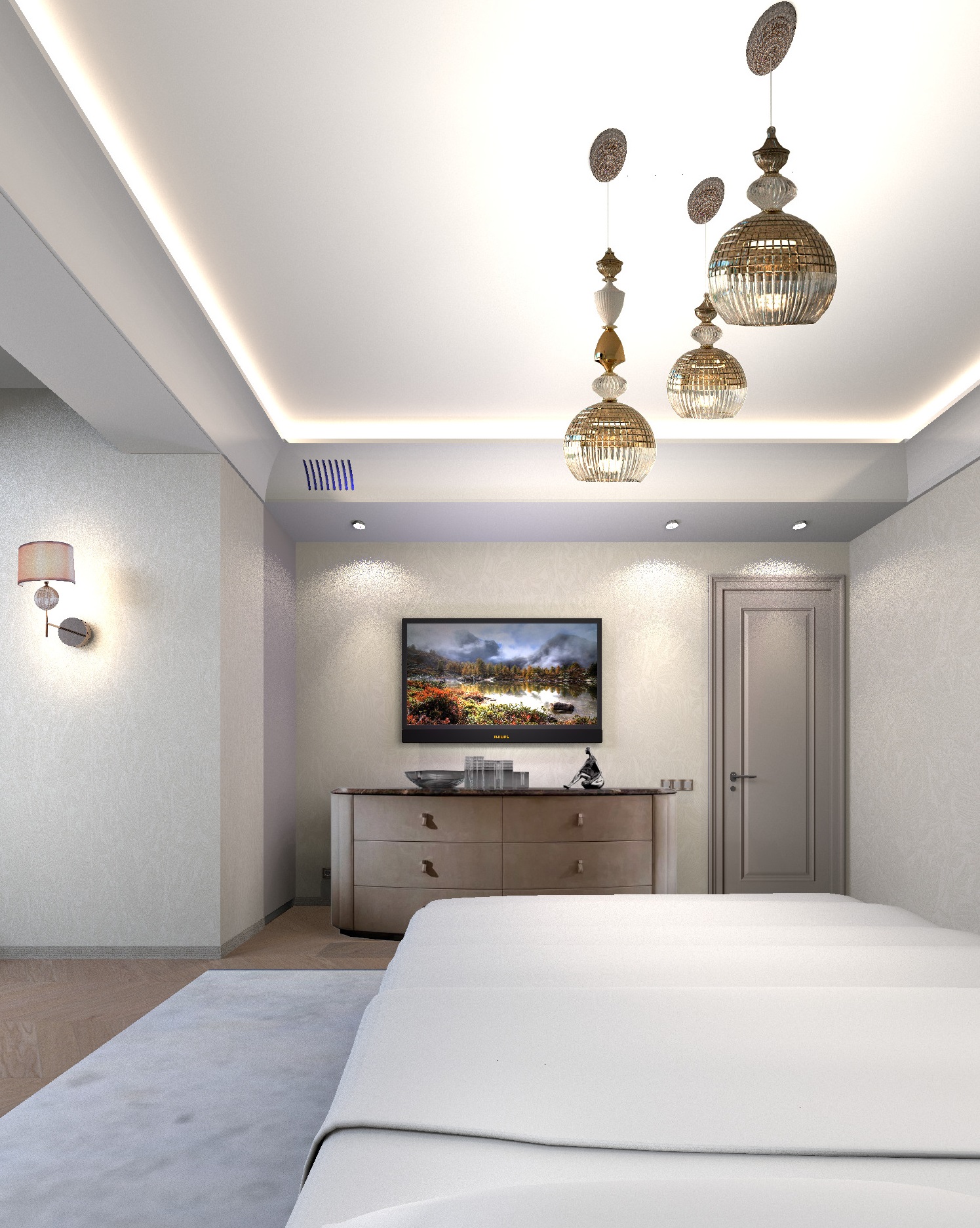
the final render will be like this. The chest of drawers is completely real, it is not visible that it is a collage. In this way, you can insert ANY objects with geometric shapes into the interior. The main thing is to define the basic form for the template. Yes, it's difficult, but sometimes it's the only way out if you don't have the right model. This way, you can insert only one object into the interior, two different objects in the photo will look wrong. Only if it is an object without geometric shapes. For example, a plant, a human, or a cat. There are no visible errors because there are no geometric lines.
love struck

Posted by Keet at Feb 16, 2025, 1:40:12 PM
Re: a technique for inserting any piece of furniture into an interior without a model.
Oh man, I tried to do something like this before and it's realy difficult to get something that looks good. You did an amazing job with this very difficult cabinet!
An excellent tutorial for users that can't find a specific model but can find an image.

I doubt it will work for this model but GIMP has tools to change the perspective of an image.
For simpeler models this could be used to get separate images for front and side. Cut out the front and maybe stretch to the correct width. Then do the same for the side. For this model it will not work very well (see the feet). Generally it will work very well if the perspective only needs a little change.

Select (part of) the image, Tools > Transform Tools > Perspective.
Then drag the corners to change the perspective.
----------------------------------------
Dodecagon.nl
1300+ 3D models, manuals, and projects

Posted by captaincook at Feb 16, 2025, 5:12:16 PM
Re: a technique for inserting any piece of furniture into an interior without a model.
Bonjour à vous.

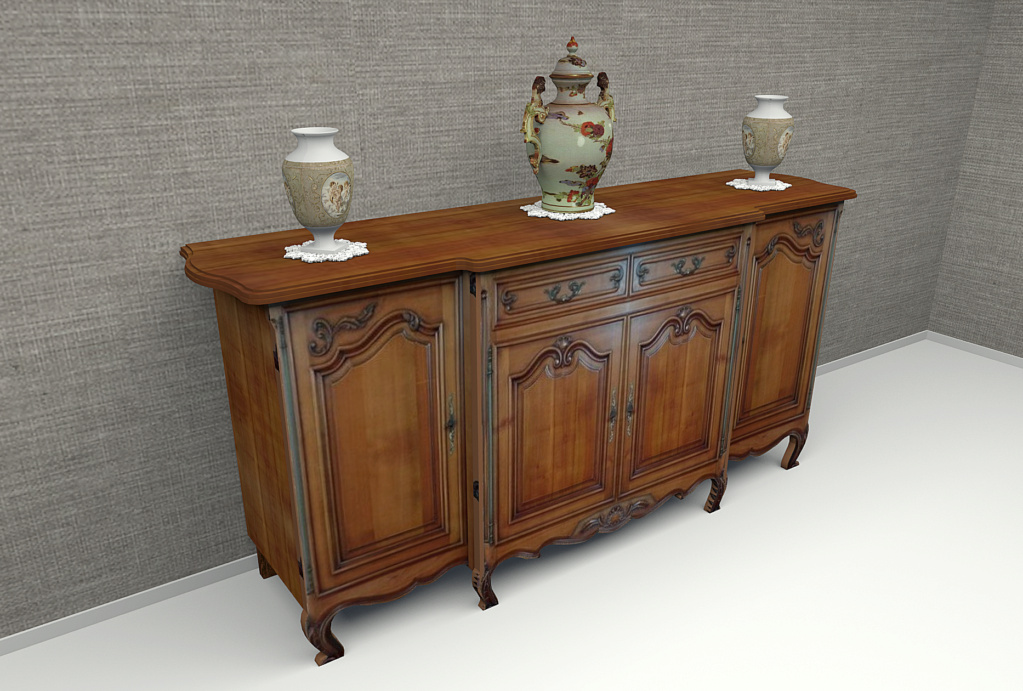
Un peu sur le même principe, j'avais réalisé il y a pas mal de temps un buffet en merisier présent dans la salle à manger de mes parents.


Les formes des pieds avant ainsi que les découpes des bas de portes ont été obtenues à partir de surfaces horizontales découpées selon les photos originales.
Et le décor de façade des portes est réalisé à partir de photos dont j'ai redressé la perspective avec GIMP et appliquées sur chaque portes.

Posted by GaudiGalopin3324 at Feb 17, 2025, 2:53:26 PM
applause   Re: a technique for inserting any piece of furniture into an interior without a model.
Hi! Very impressive examples! Of course, textures on boxes using photos are the right way to achieve a realistic rendering image. The model always looks right. Yes, correcting the curve of a photo using a special program is the right way. Make a rectangle out of a trapezoid and apply it as a texture to the box. Yes. Everything can be done for simple rectangular furniture in this way, I agree. But if you don't have the strength to model a cabinet, if you need to insert it quickly into the interior, then you don't have to make the model in the right way. And insert the photo so that no one notices)))). Yes, you have to agree here. that you become a hostage to the photographer's shooting height. Otherwise, there will be perspective distortions in the lines and shapes in the interior photo. I made a room with a grid of tiles that doesn't allow lying, and I couldn't insert a photo without making mistakes. Although it is probably possible to achieve excellent results even using uneven photos. My sideboard was taken by hand, without a tripod. And the program has all the buttons to align the box in space! No need to have other programs. There is a tilt, a rise, a decrease in height, a rotation of the texture within 1-2-3 degrees, everything can be adjusted and get an even picture of the furniture as a result. But sometimes it's not enough, I agree. And a ready-made buffet model would be better. Or make such a model yourself using SH3D tools. But it's interesting to try all the ways. Moreover, I am still sure that if you combine the photos on the boxes and real 3D objects, you can get a complex interior. And the program can handle it, it may not be able to handle all the models. You have to be careful here. I already know the limits that I can't go beyond, and I'm looking for ways to simplify the scene without compromising the design. Photos on the boxes as a replacement for the model is one of the ways.


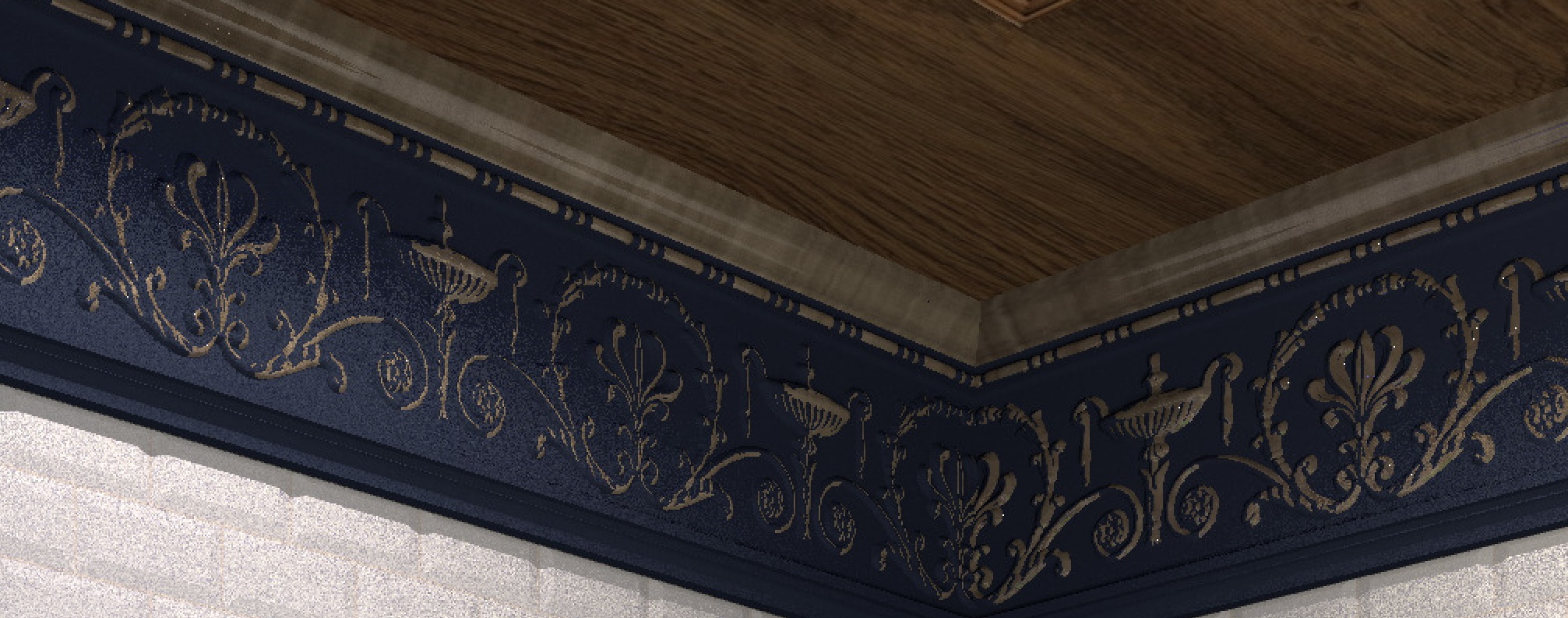
I also used an interesting way to make a gilded relief on the cornice. I made two models of the cornice (they are ready-made). One blue model is ordinary with a relief, and the second is gold with a slightly thicker thickness. If we now connect these two models and move the golden model a little deeper, then the viewer will see only the top of the relief in gold. And a golden relief pattern will appear with the upper sections wiped out. I first learned this method from Emanuel when he told me how to make snow on a car. A very interesting way to duplicate a model is to get the effect of painting in protruding places or snow on objects.

blushing

Posted by GaudiGalopin3324 at Feb 18, 2025, 10:51:25 PM
Re: a technique for inserting any piece of furniture into an interior without a model.
Dresser. Very simple. Quick results.


Posted by captaincook at Feb 21, 2025, 12:14:25 PM
Re: a technique for inserting any piece of furniture into an interior without a model.
Je me suis aussi amusé à reproduire une commode, mais celle ci est dans un style plus ancien (Louis XV).
Pas trop évident parce que seul le plateau supérieur est plat.
Il y a pas mal d'arrondis sur le meuble lui même.
J'ai fait de mon mieux et GIMP m'a bien aidé.


Posted by hansmex at Feb 21, 2025, 3:22:38 PM
Re: a technique for inserting any piece of furniture into an interior without a model.
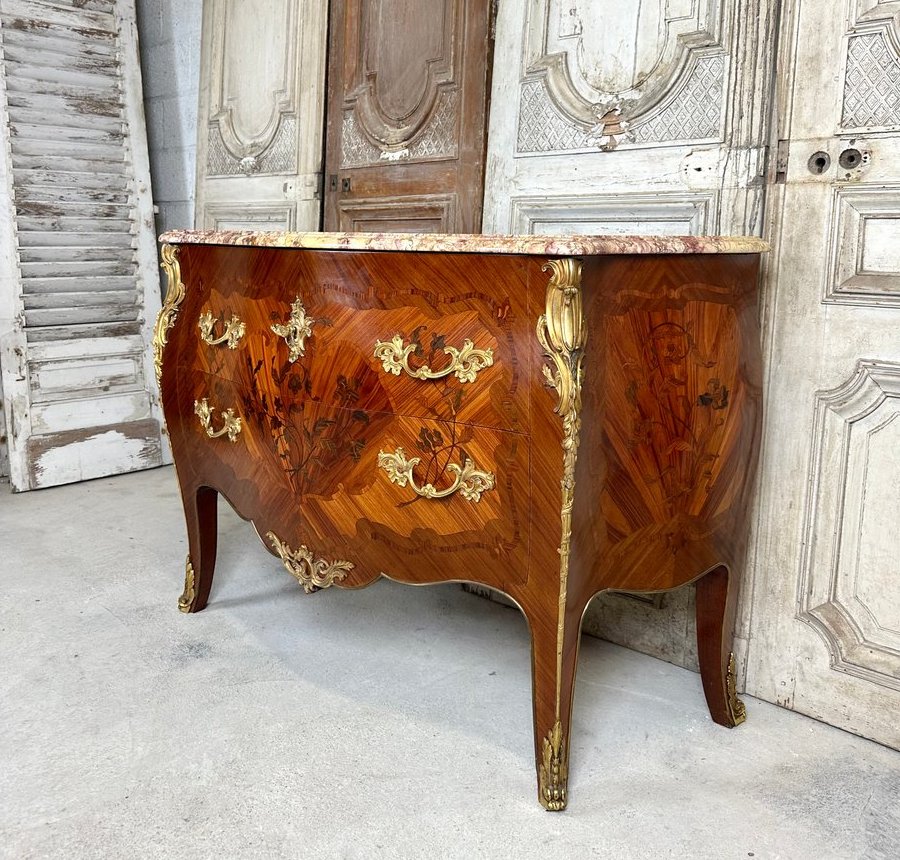
incroyable
----------------------------------------
Hans

new website - under constuction
hansdirkse.info

Posted by GaudiGalopin3324 at Feb 22, 2025, 3:12:08 PM
Re: a technique for inserting any piece of furniture into an interior without a model.
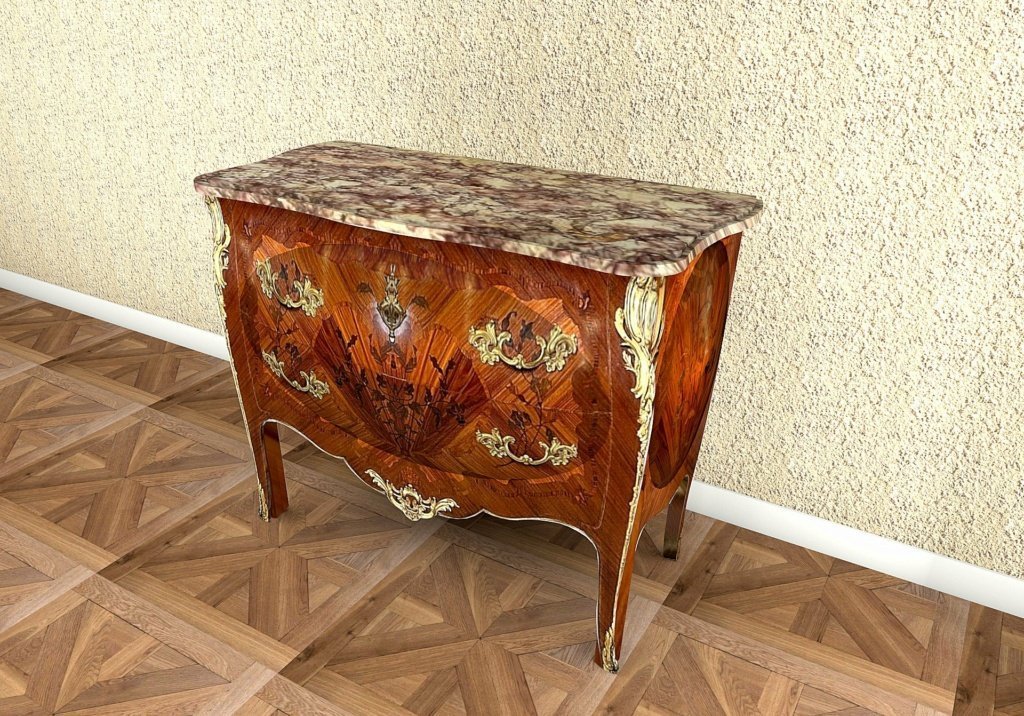
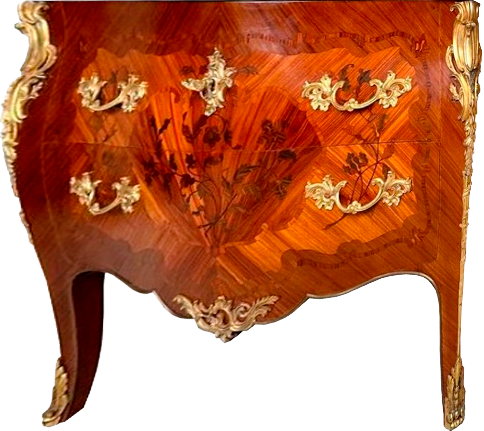
Captaincook, thank you very much, your method of correcting a photo to make a 3D model out of it is a very promising idea. More promising than trying to use just a photo. I also tried to make your Ludovic chest of drawers, yes, it's working great. I made a printscreen from the screen, so the quality of the render was not very high (I need a high-quality source image). So I'll tell you again what you can do with a photo. We need to divide it into fragments. Even such a curved chest of drawers can be successfully applied to a rectangular box. I cut the photo in a vertical line along the right golden leg. Then I stretched each half in the program so that the image turned out to be in the rectangular shape of the frame. The legs should be in a horizontal line, and the top should also be horizontal. The left and right sides are stretched according to this principle. Now we need to clean the background around the furniture. It turned out like this. Two separate stretched images with a transparent background around need to be saved as PNG.


Now you need to create a box and place these PNG images on two sides, making the other sides invisible. From above, I made a tabletop of rooms (two parts with different heights and dimensions, combined into one group, assigned a marble texture on a scale of 900). Lighting using three hemispheres. Everything turns out to be very realistic, you can put the camera from different angles. The weak point of this method is the legs, they come in different thicknesses, I tried to attach additional images of the legs to them, sometimes it turns out well. Such a box does not need to be suspended in the air, it can be placed directly on the floor, the shadows from the legs and chest of drawers are very dense, like from real legs.


Posted by captaincook at Feb 22, 2025, 4:33:04 PM
Re: a technique for inserting any piece of furniture into an interior without a model.
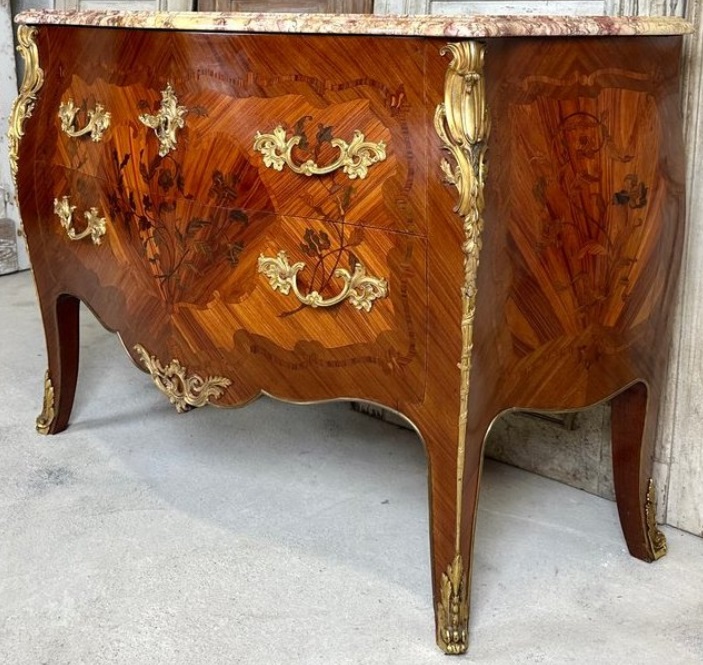
Merci beaucoup pour vos conseils, GaudiGalopin.
Mon problème n'a pas trop été le redressement des textures de la façade et des côtés. Gimp m'a bien aidé pour cela.
Mais mon plus gros souci était que les faces avant et de côté ne sont pas planes mais légèrement bombées.
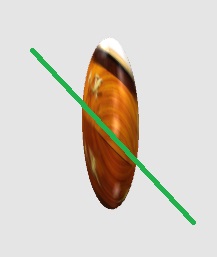
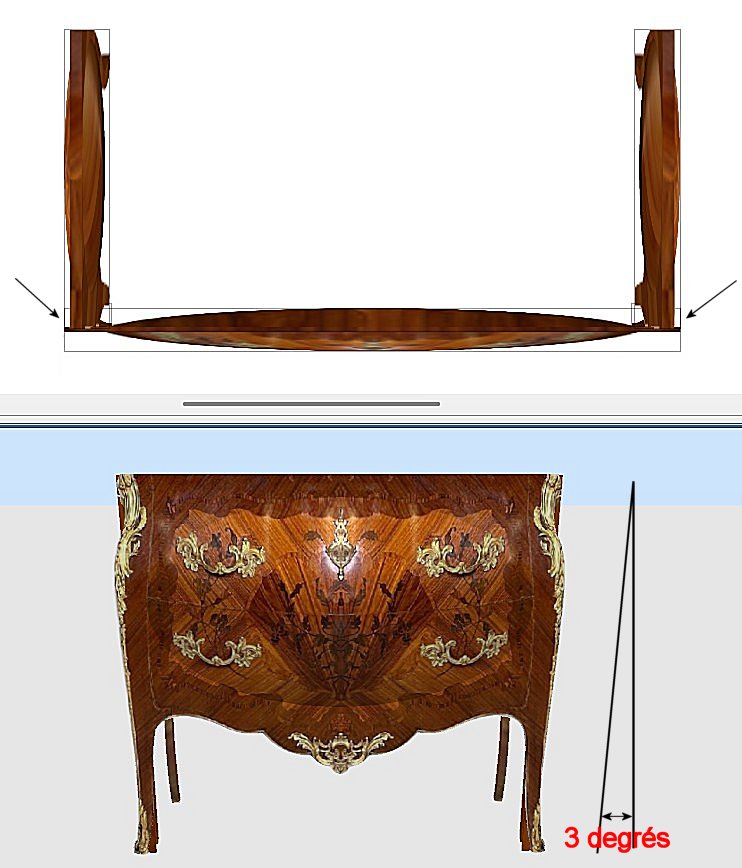
Pour essayer de redonner un peu de volume à ces surfaces, j'ai collé dessus des demi sphères de faible épaisseur (voir les flèches ci dessous) avant d'appliquer les textures sur leur nouvelles surfaces.


Posted by GaudiGalopin3324 at Feb 22, 2025, 4:38:50 PM
Re: a technique for inserting any piece of furniture into an interior without a model.
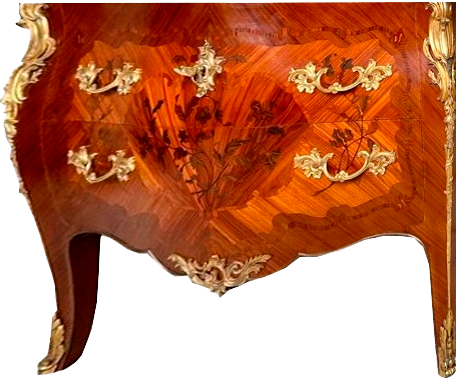
oui, votre travail est très beau et complexe. Et très réaliste.

Posted by captaincook at Feb 22, 2025, 7:09:51 PM
Re: a technique for inserting any piece of furniture into an interior without a model.
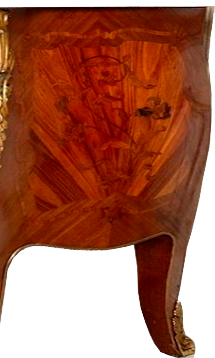
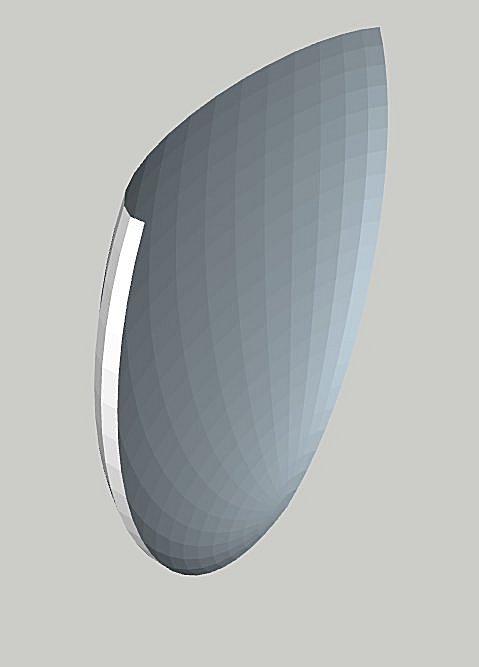
Il y a quand même un problème que je ne sais pas comment résoudre, du moins avec Sweet Home.


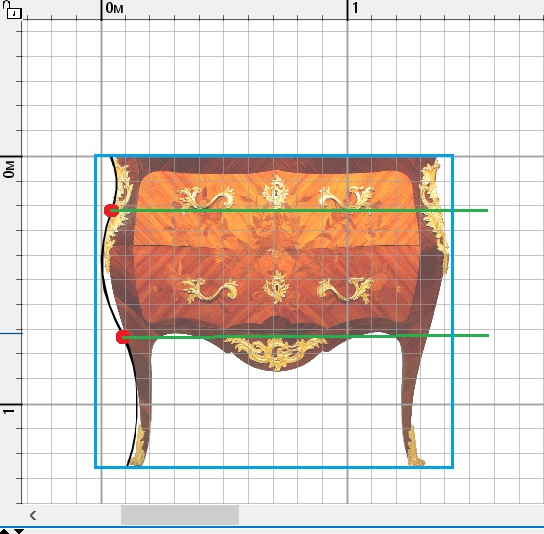
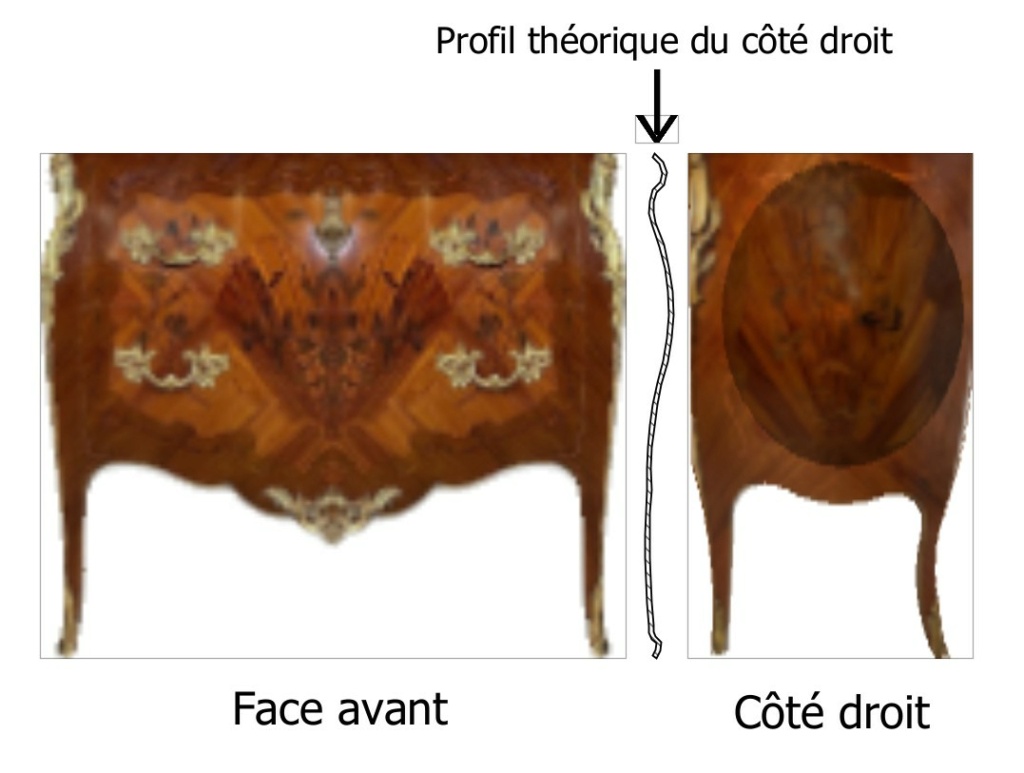
Comment donner au côté droit vue de face un profil comme montré sur l'image lui permettant d'épouser le côté droit de la face avant.
Pour le moment il est rectiligne.
Le problème est évidemment le même pour le côté gauche et aussi dans une certaine mesure la face avant pour qu'elle épouse la forme des côtés.

Je ne maitrise pas suffisamment des logiciels comme Blender ou Sketchup.

Posted by GaudiGalopin3324 at Feb 22, 2025, 8:51:46 PM
Re: a technique for inserting any piece of furniture into an interior without a model.
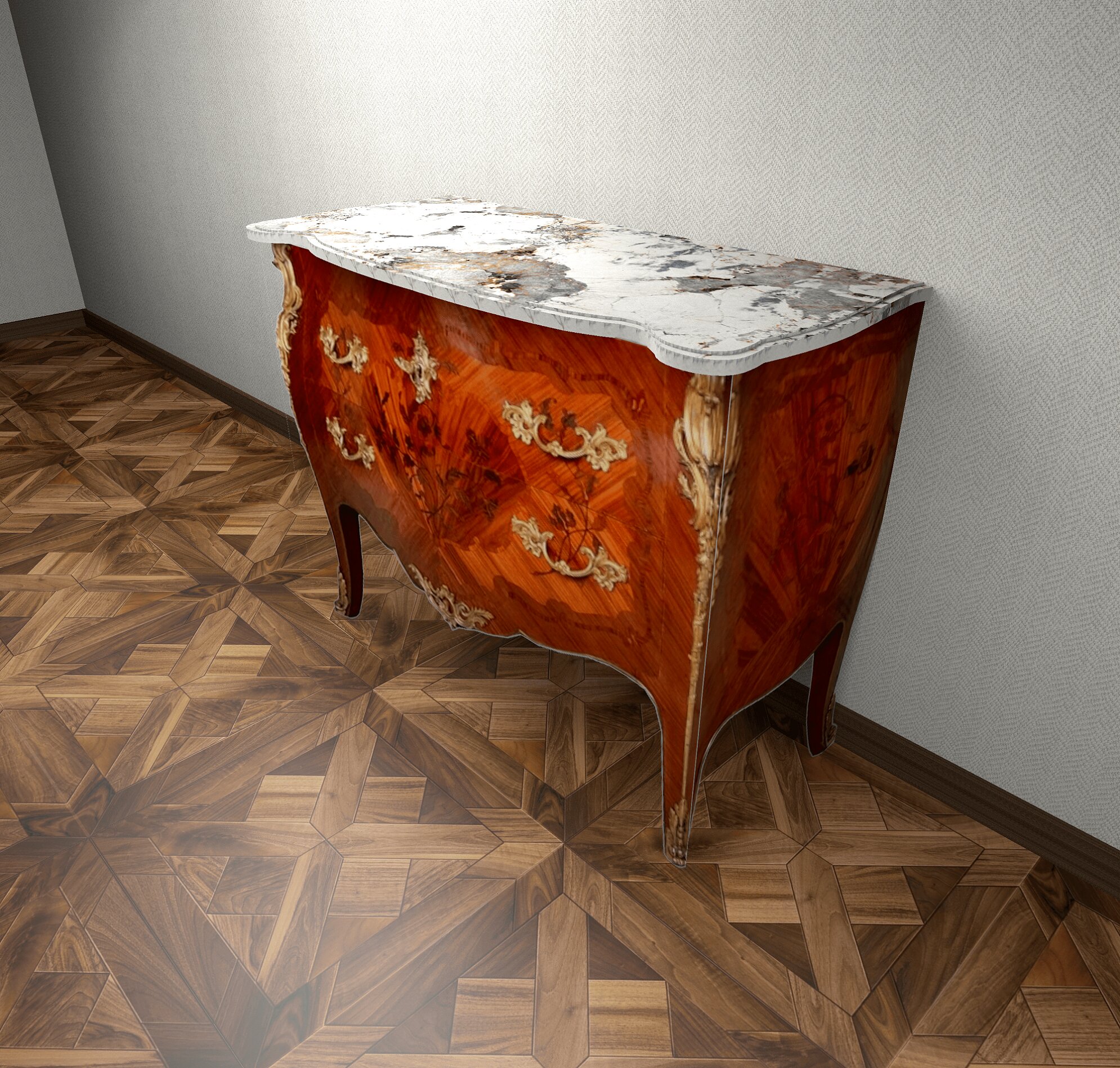
Ici et besoin d'une photo sous l'angle! La texture frontale n'aidera pas beaucoup, elle rendra les meubles complètement plats. Mais une photo de côté avec toutes les distorsions et les reflets fera très bien une IMITATION d'une surface convexe incurvée. Il est donc possible de découper une telle texture asymétrique de la forme avant et de la placer sur une boîte plate. Et perpendiculaire à elle, placez un peu plus profondément dans le coin avec un bord inégal du flanc de la commode avec sa texture. Cela devrait être comme sur un modèle convexe. Presque)). Je vais essayer ce mélange demain. Mais je ne comprends pas comment plier les formes comme Louis. Et pas besoin. smile

Posted by GaudiGalopin3324 at Feb 23, 2025, 8:31:05 AM
Re: a technique for inserting any piece of furniture into an interior without a model.
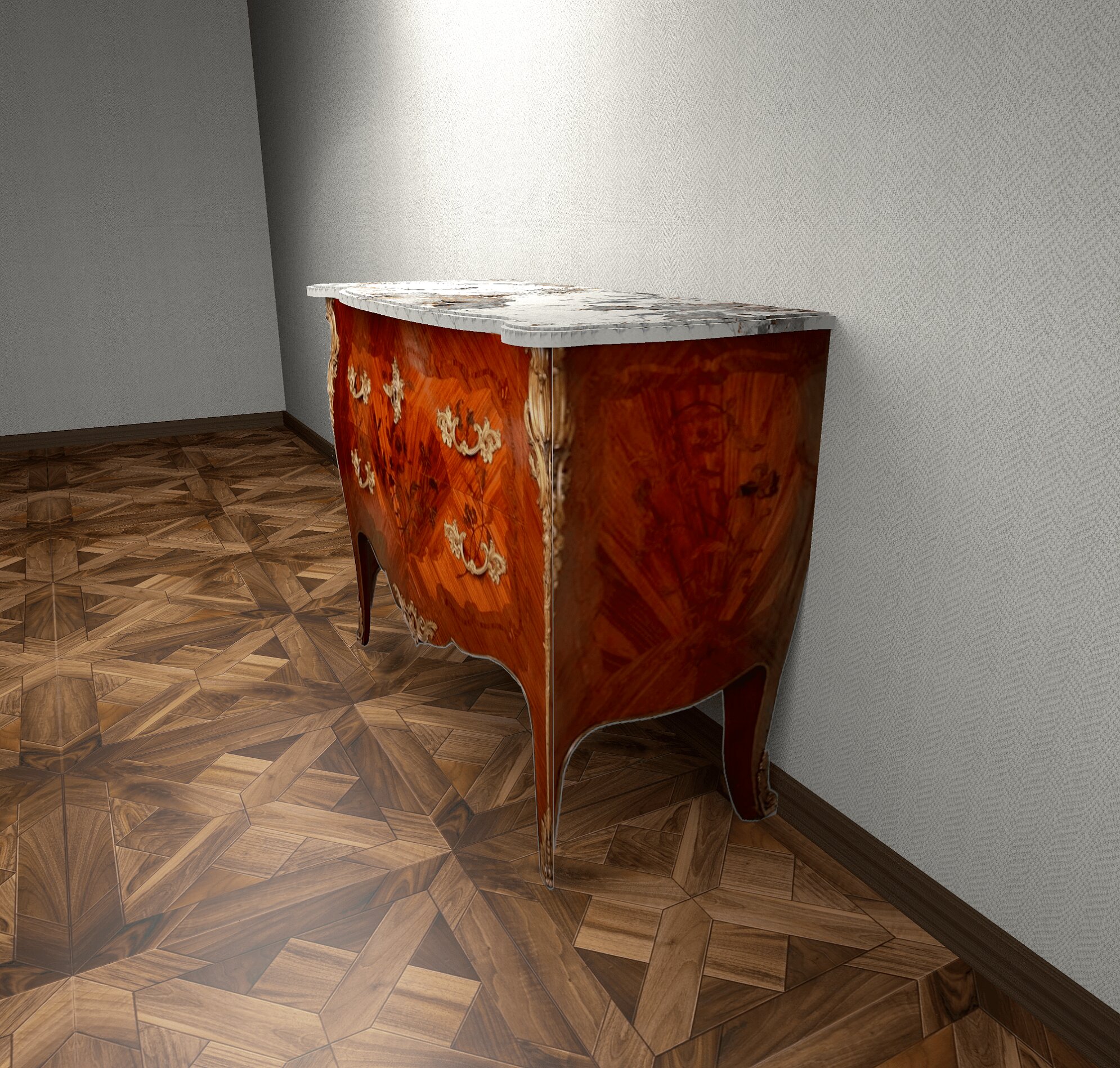
je vois une solution si simple pour SH3D. J'ai fait la partie avant de la commode comme l'image principale et mis la partie latérale décalée. Les deux parties sont découpées sur tous les contours saillants de la photo. Et combiné pour qu'il n'y ait pas de lumières dans la jambe. Le motif doré sur la jambe (son contour) imite une surface convexe curviligne avec une connexion le long de la nervure. Cette astuce n'est possible qu'avec une vraie photo prise sur le côté, pas sur le devant. Toute la composition peut être retirée de différents points, l'effet est préservé.


smile

Posted by captaincook at Feb 23, 2025, 10:37:05 AM
Re: a technique for inserting any piece of furniture into an interior without a model.
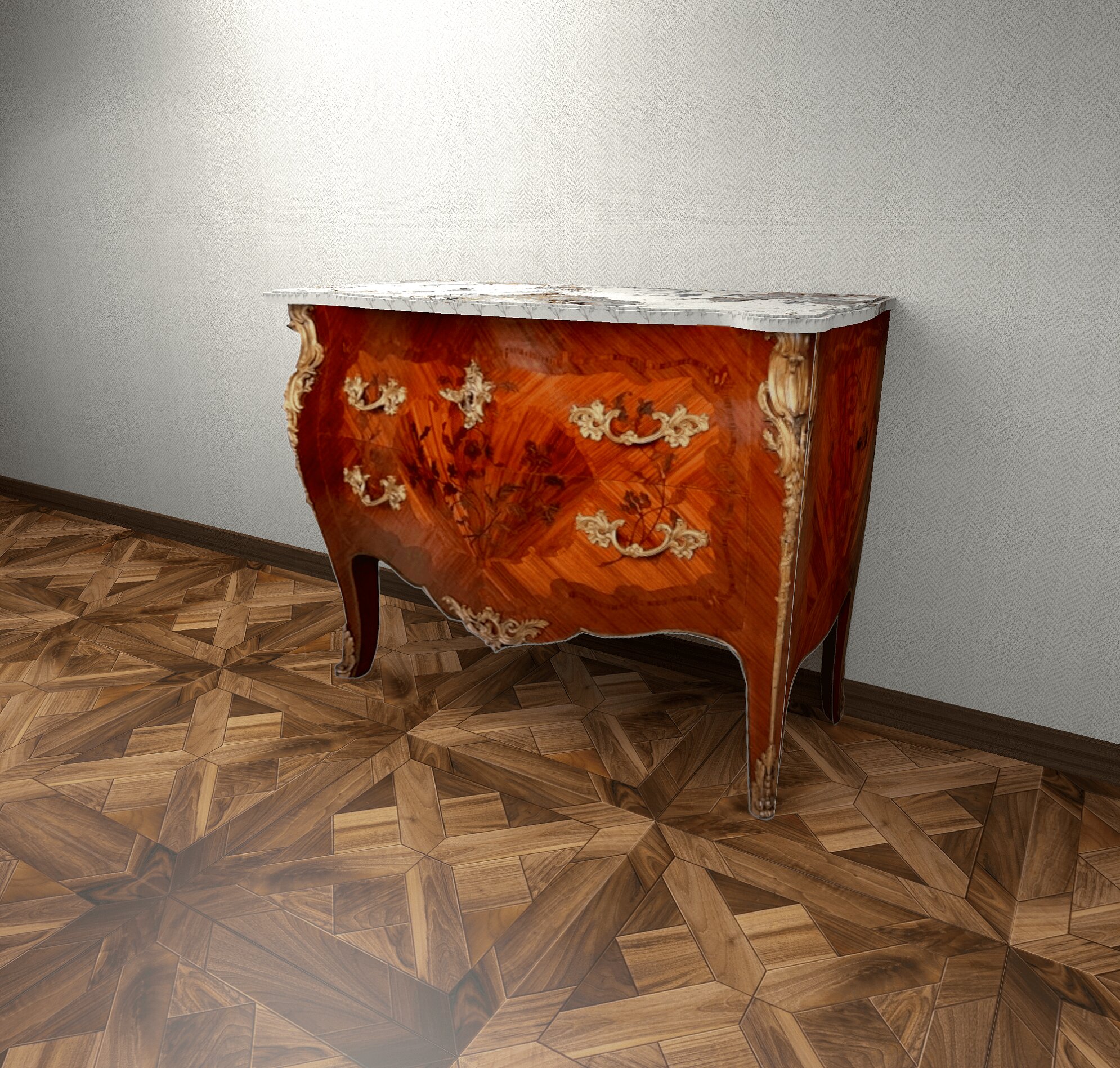
Sur mon dessin original, j'ai aussi rentré légèrement les côtés par rapport à la face avant et je les ai aussi incliné de 3 degrés par rapport à la verticale pour que les pieds n'apparaissent pas trop par rapport à ceux de la face avant.


Bon ça occupe mais j'aime ça.

Posted by GaudiGalopin3324 at Feb 23, 2025, 10:54:27 AM
Re: a technique for inserting any piece of furniture into an interior without a model.
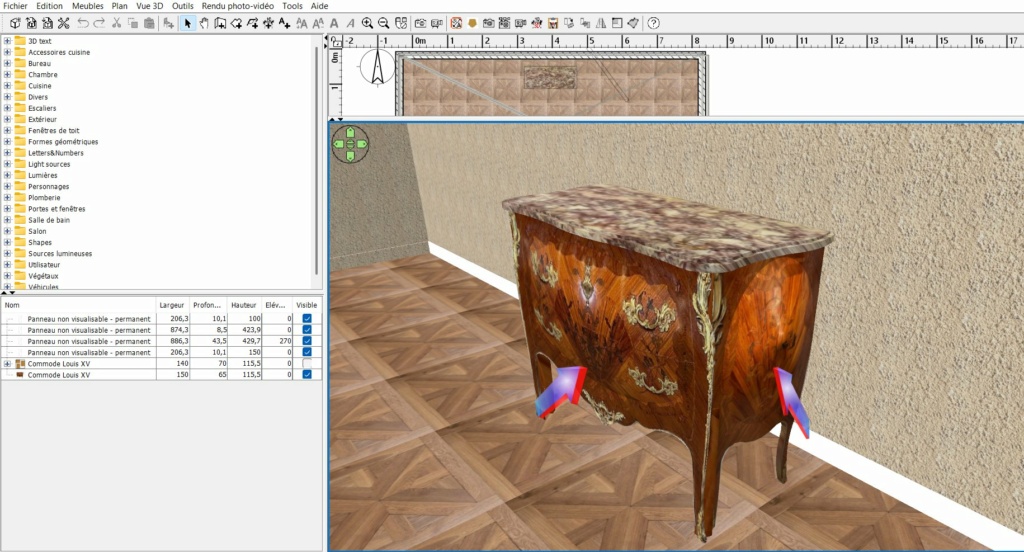
je ne comprends toujours pas comment vous l'avez fait!!!!))) Comment peut-on placer si bien la texture sur une sphère? Est-ce du site Web de Keet? La sphère dans SH3D est très coquine. confused biggrin

Posted by captaincook at Feb 23, 2025, 1:24:08 PM
Re: a technique for inserting any piece of furniture into an interior without a model.
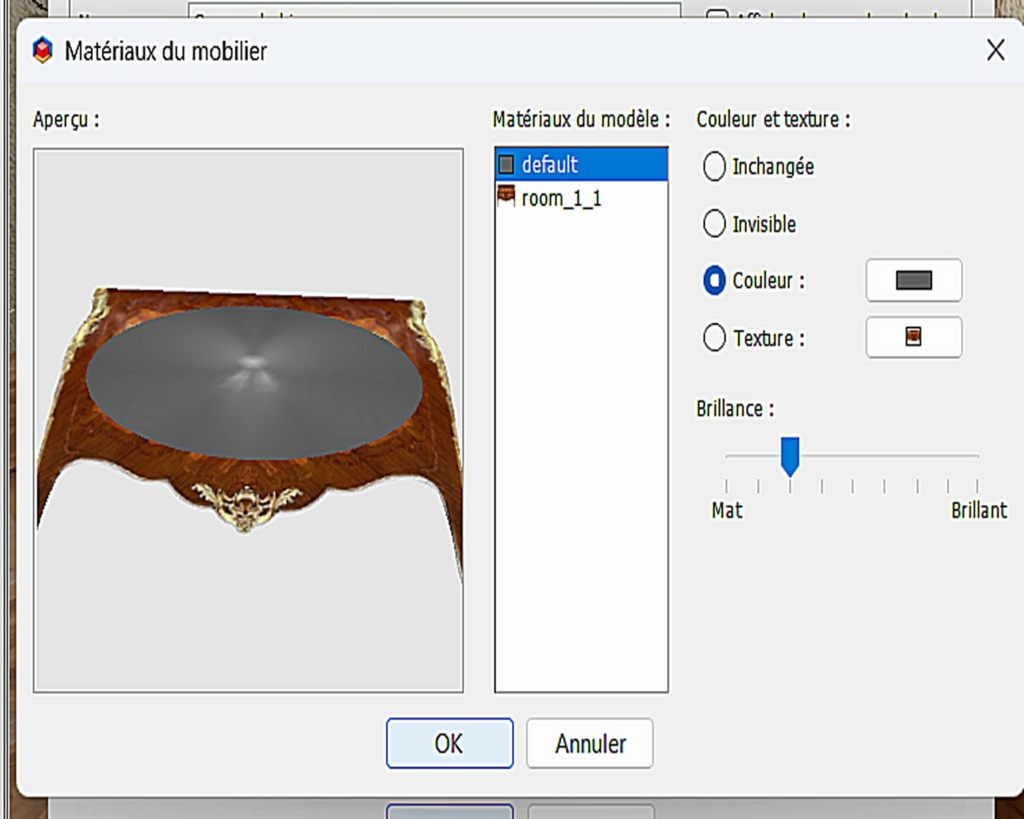
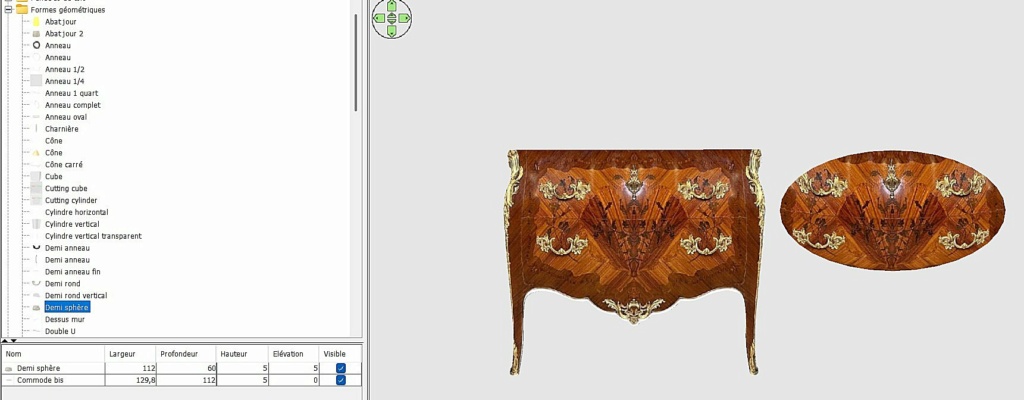
Non la demi sphère ne fait pas partie du site web de Keet mais de mon groupe de meubles "formes géométriques".
J'y ai aussi sa version sphère entière et quart de sphère.


Mais je viens d'essayer à l'instant avec une demi sphère de Keet et en appliquant les mêmes réglages de la sphère et de la texture, le résultat est totalement identique.

Pour info, la demi sphère fait 112 cm de large, 60 de profondeur et 5 d'épaisseur.
La texture issue de celle de la façade entière est réglée comme suit :


Avec le résultat vu sur l'image précédente.

Posted by GaudiGalopin3324 at Feb 27, 2025, 8:46:06 PM
shock   Re: a technique for inserting any piece of furniture into an interior without a model.
Captaincook, j'ai eu un quart de succès. Cela s'est avéré être UNE tâche très difficile. Bien qu'il soit IMPOSSIBLE d'obtenir le rendu, dans le programme SH3D il y a des bugs cachés, je ne les vois pas dans la vue 3D, ils sont de vrais ninjas, apparaissent à partir de rien. Je vais essayer de terminer cette exécution dans les prochains jours, il n'y a presque pas de force)))). biggrin biggrin biggrin

biggrin

Posted by GaudiGalopin3324 at Feb 28, 2025, 7:58:03 AM
biggrin   Re: a technique for inserting any piece of furniture into an interior without a model.
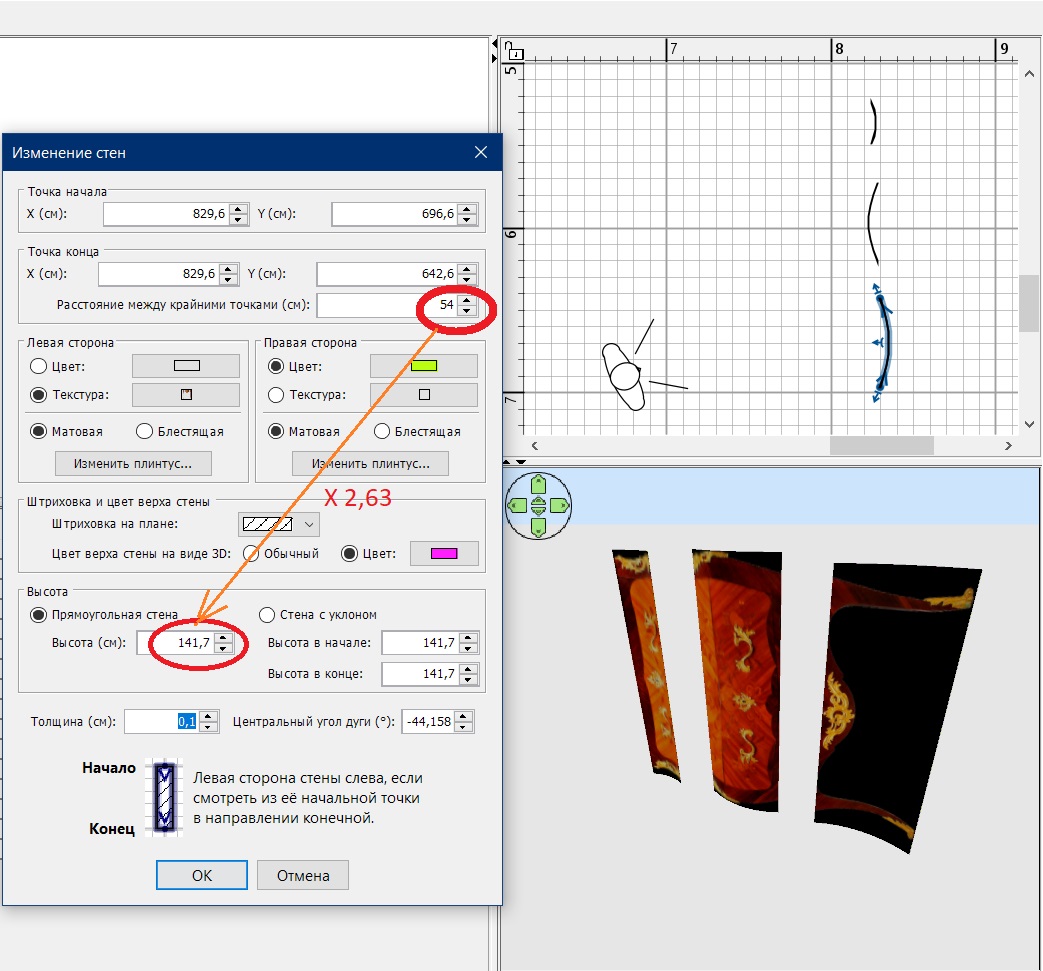
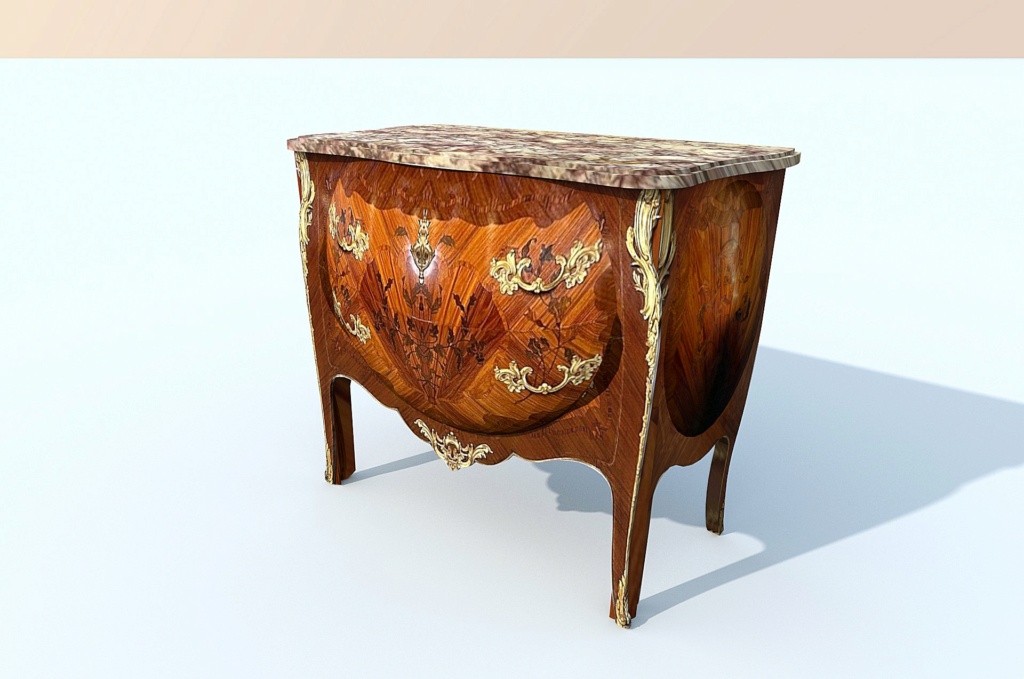
C'est tout. Victoire. Pour faire une telle surface avec une texture dans SH3D, j'ai divisé les images en trois parties en fonction de la hauteur de l'image. Niveau inférieur concave, convexe moyen, supérieur encore concave. Maintenant, j'ai écrit sur le papier les dimensions exactes de chaque image en pixels. J'ai signé sur chaque image un facteur de proportionnalité, j'en ai vraiment besoin.


j'ai placé l'image d'arrière-plan sur le plan, entouré de trois murs le bord de la commode. Chaque section est exposée exactement le long de la ligne de variation de courbure. Maintenant, vous devez travailler séparément avec chaque section du mur. Je les ai copiés et j'ai travaillé de côté. Assurez-vous d'allumer l'aimant!!! Pour un mur, vous devez appliquer un facteur de proportionnalité à ce paramètre pour obtenir la hauteur souhaitée de chaque parcelle. Épaisseur de paroi minimum 0.1 cm. côté gauche texture, couleur droite, haut autre couleur. La texture PNG doit être tournée de 90 degrés pour la surface concave et de 270 degrés pour la partie médiane convexe. Vous devez vous assurer que l'image est exactement placée sur le mur, d'abord mettre la hauteur, puis le bouton pour déplacer la largeur, tout peut être réglé avec précision. Toutes les sections seront finalement légèrement différentes hauteurs, ce n'est pas effrayant. L'essentiel est que l'image sur chaque site s'adapte exactement.


maintenant, vous devez enregistrer toutes les parcelles séparément en tant qu'OBJ et les retourner en tant que modèles, les connecter pour que les images correspondent exactement. Rendre invisibles les côtés colorés des murs. Maintenant, les trois parties sont sauvegardées en tant qu'OBJ et retournées, mais maintenant pivotées en vue verticale. C'est tout. Ainsi, les deux côtés de la commode avec la même courbure seront faits. Maintenant, ils doivent être connectés, inclinés, fixer l'épaisseur, la hauteur. Vous pouvez ajouter des côtés symétriques, ils donneront de l'épaisseur aux jambes. Mais il y a un problème - sur la vue 3D, ils ne seront pas visibles, seulement sur le rendu, vous devez vérifier le rendu. Mais à la fin, il peut s'avérer complexe dans la forme d'une commode)). Une forme très complexe n'a certainement pas besoin de faire, c'est la mort.

biggrin love struck

Posted by GaudiGalopin3324 at Feb 28, 2025, 8:12:31 AM
Re: a technique for inserting any piece of furniture into an interior without a model.
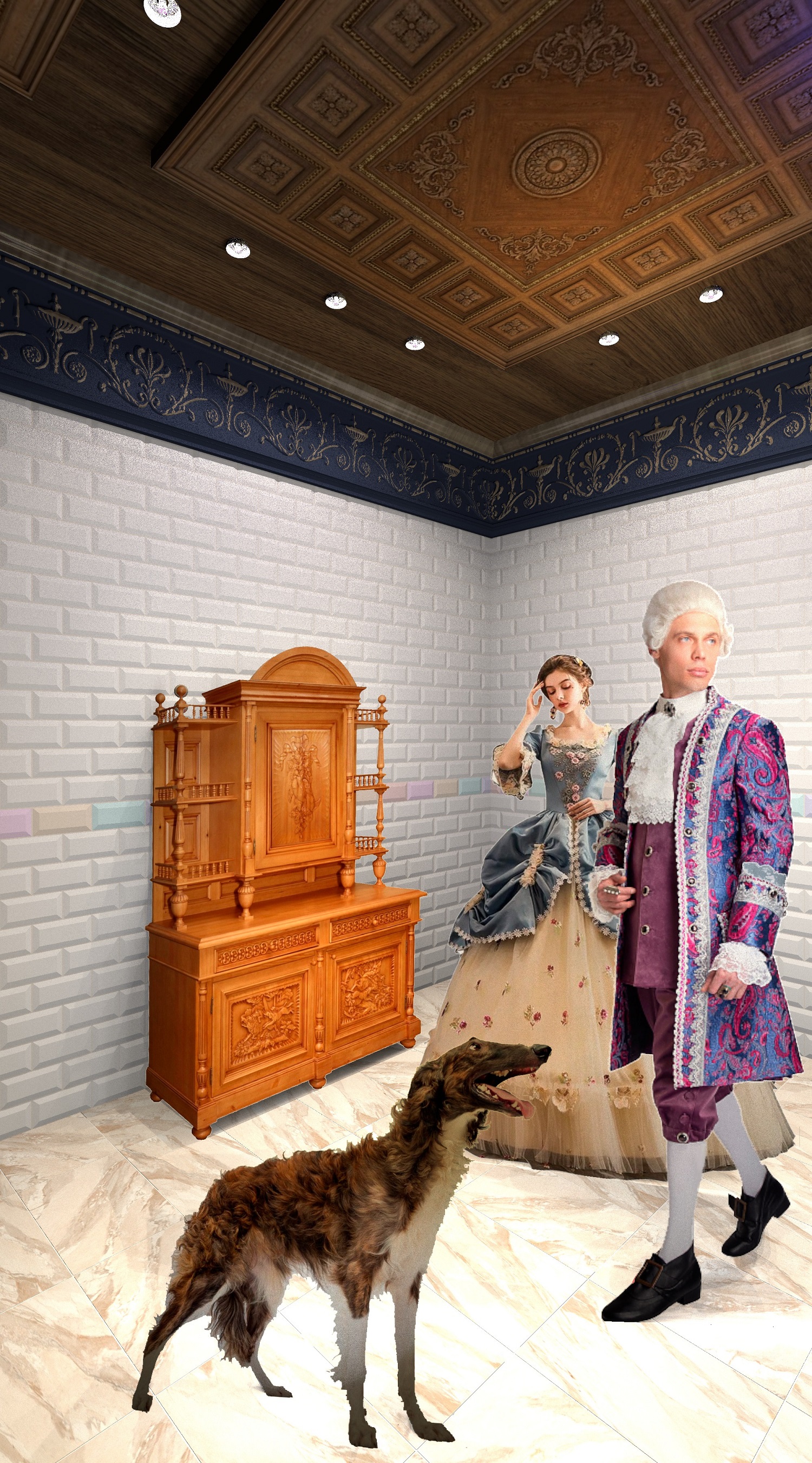
et bien sûr, vous devez placer derrière les images quelque chose de similaire en taille sur un vrai chat et une fille. Ils donneront l'ombre nécessaire sur les murs et le sol.


Posted by captaincook at Feb 28, 2025, 2:39:29 PM
Re: a technique for inserting any piece of furniture into an interior without a model.
Finalement vous avez trouvé la bonne solution et le résultat est vraiment réaliste. Bravo à vous.
J'en suis encore à essayer de créer ces parties concaves et convexes des côtés avec Sketchup mais je ne maitrise pas vraiment ce logiciel alors ce n'est pas pour tout de suite.


Posted by GaudiGalopin3324 at Mar 1, 2025, 7:52:31 AM
Re: a technique for inserting any piece of furniture into an interior without a model.
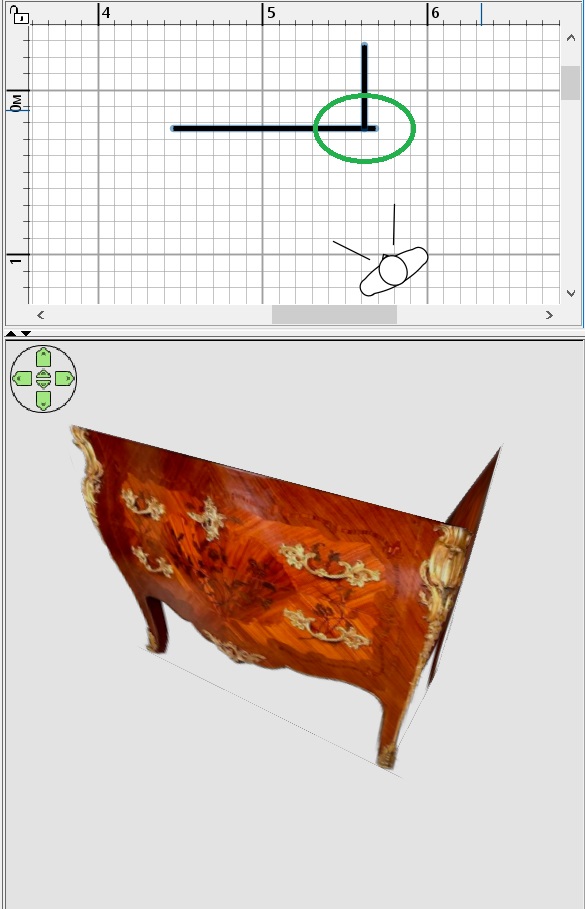
There are only boxes here.

biggrin

Posted by captaincook at Mar 1, 2025, 12:18:57 PM
smile   Re: a technique for inserting any piece of furniture into an interior without a model.
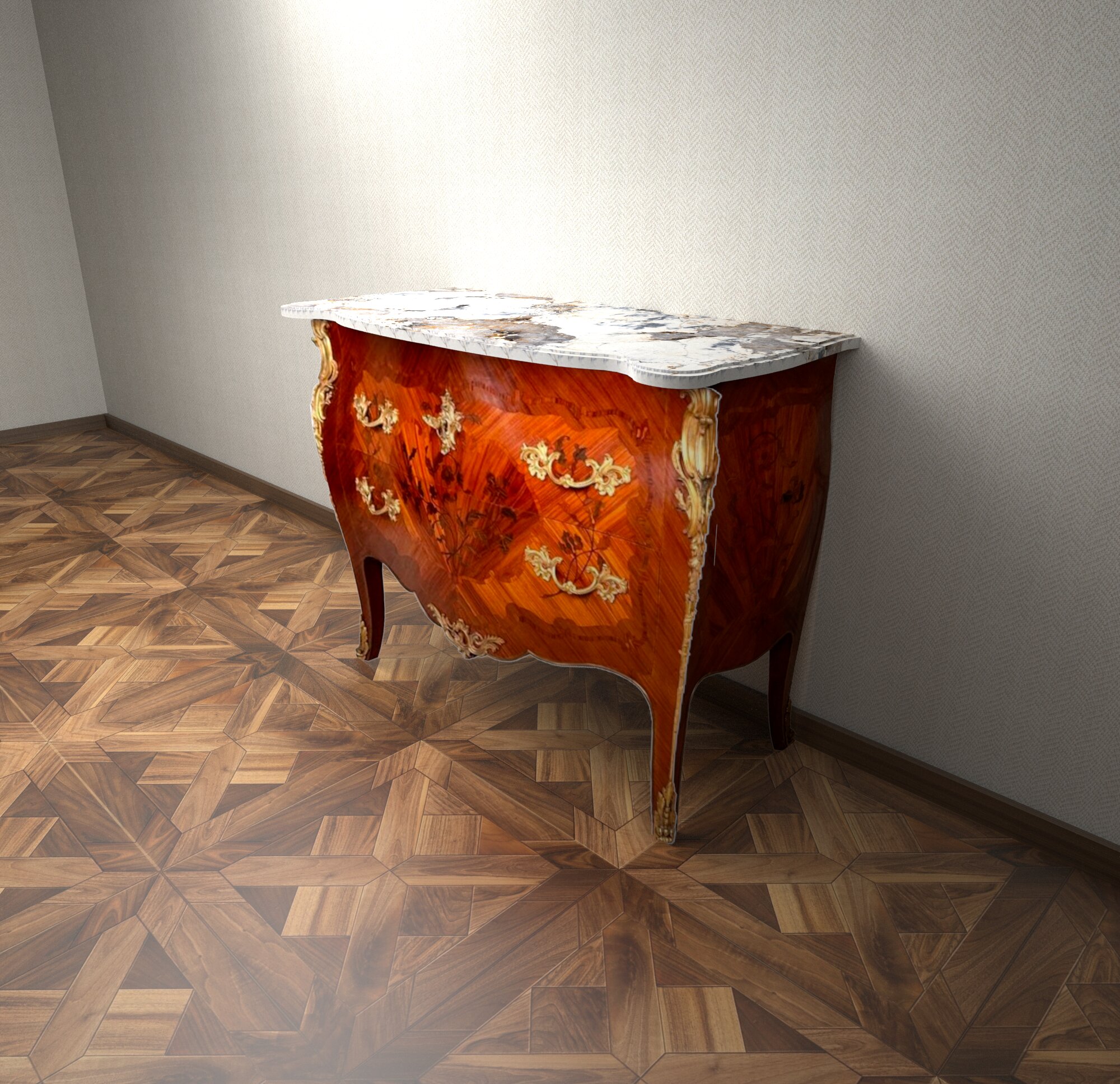
J'aime bien la boite avec une couronne sur la tête, à gauche de l'image.

blushing blushing rose

Posted by GaudiGalopin3324 at Mar 1, 2025, 4:01:41 PM
Re: a technique for inserting any piece of furniture into an interior without a model.
j'aime ça aussi. Mais son cœur n'est pas libre. Il y a un chat(( crying

Posted by GaudiGalopin3324 at Mar 1, 2025, 8:32:44 PM
Re: a technique for inserting any piece of furniture into an interior without a model.
A. Dumas 20 secondes plus tard.. Une page d'un roman inconnu.

smile

Posted by captaincook at Mar 1, 2025, 10:08:37 PM
Re: a technique for inserting any piece of furniture into an interior without a model.
Chat alors, je vois que son coeur est déjà pris.
Tant pis, je me contenterai de la commode.

sad sad

Posted by GaudiGalopin3324 at Mar 2, 2025, 4:11:08 PM
Re: a technique for inserting any piece of furniture into an interior without a model.
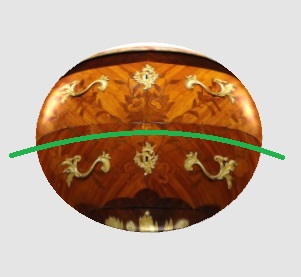
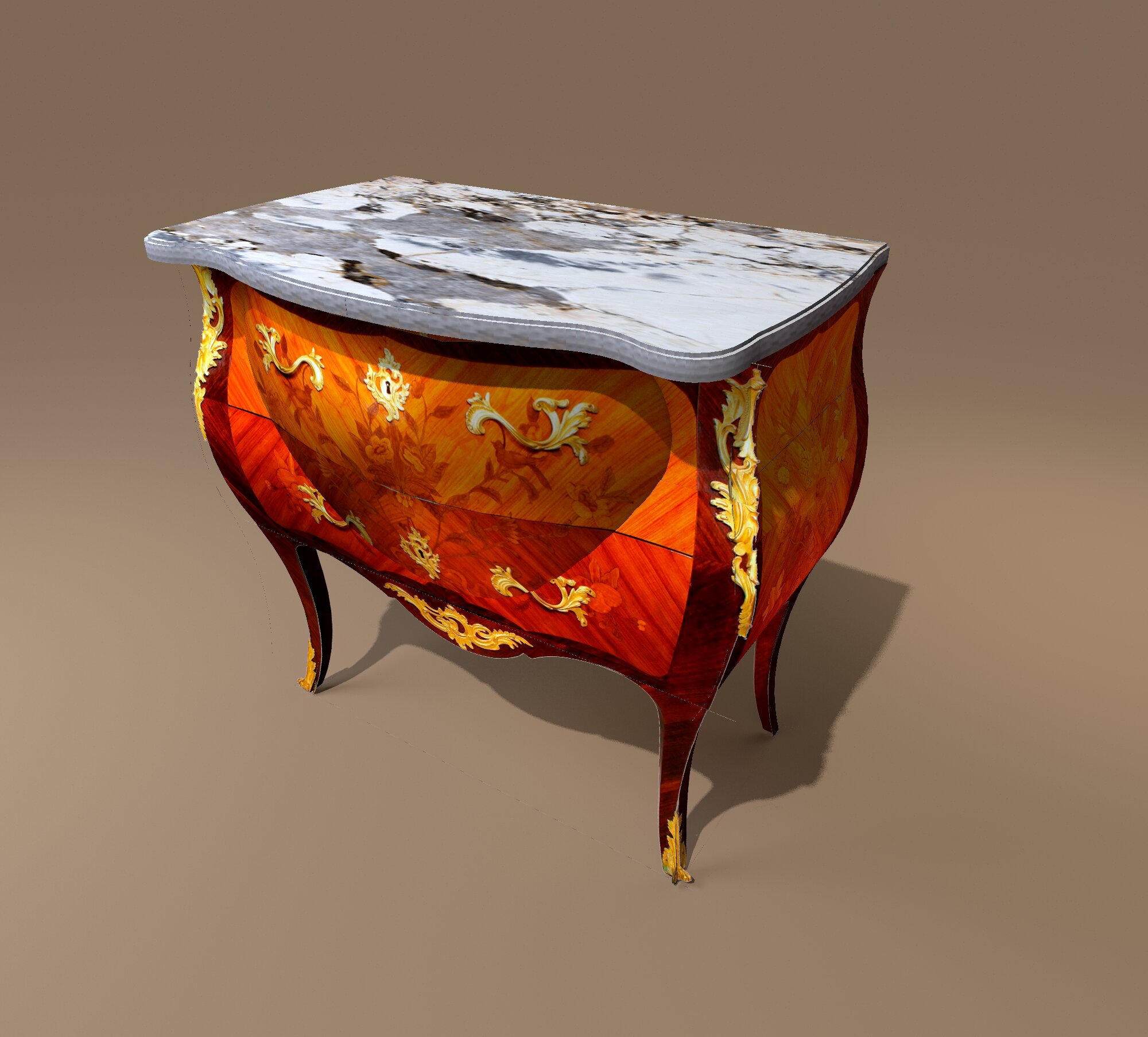
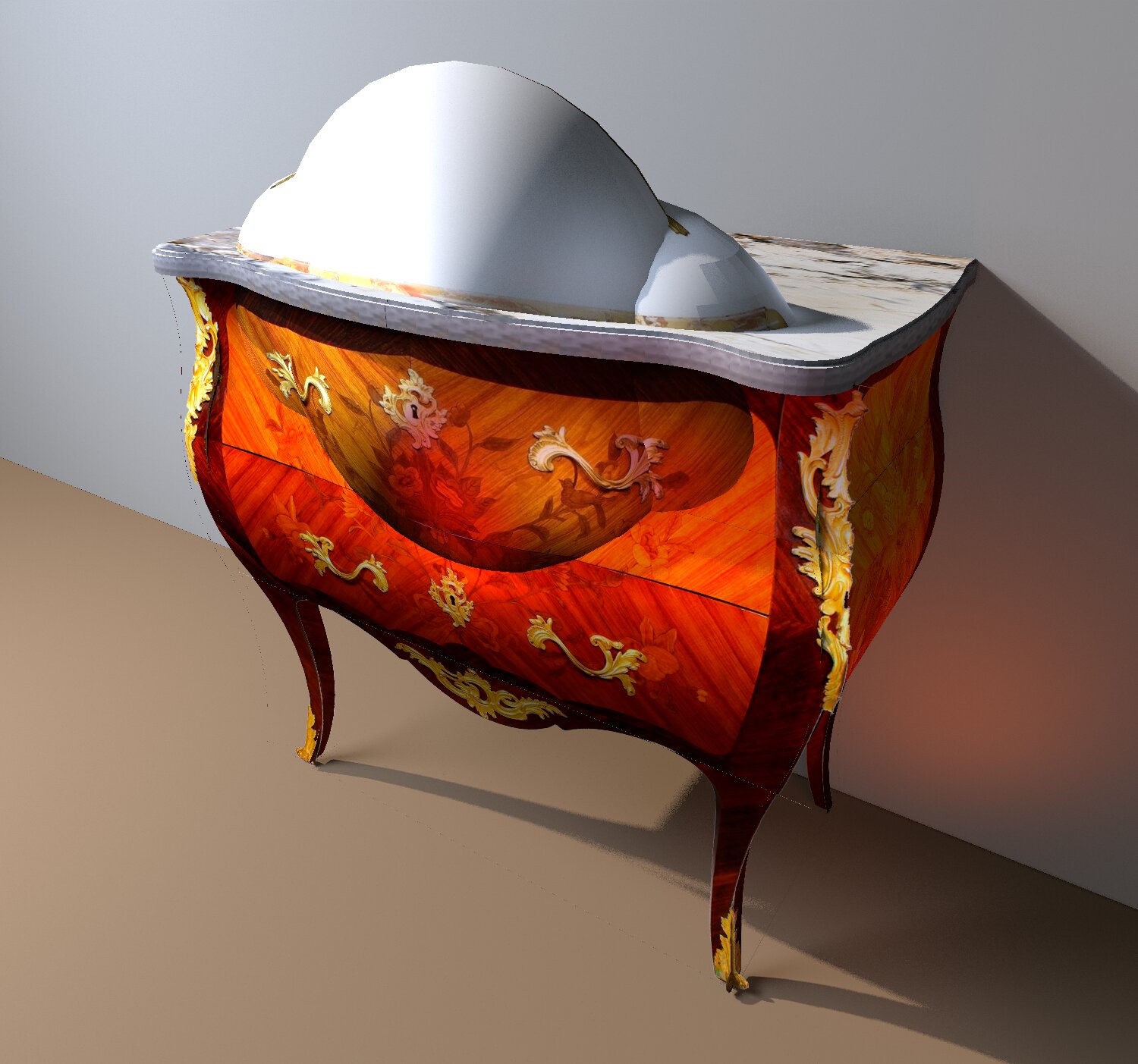
Captaine, continuons avec la commode, oui. J'ai essayé de relier la forme incurvée d'une commode à une sphère convexe pour obtenir une forme de meuble plus complexe. Et pourtant, il y a un gros problème. Jusqu'à présent, il n'y a pas de modèle normal de sphère sur lequel la texture repose correctement. Maintenant, les sphères ont ces caractéristiques. Si vous le regardez de côté, la texture se trouve à un angle de 45 degrés, rien n'aide. Plus l'épaisseur de la sphère est grande, plus ce changement est important. Sur une sphère très plate, elle est moins visible , mais j'ai besoin d'une plus grande épaisseur de sphère, sinon elle ne se connectera pas à la courbure de la commode. La sphère dans mon cas a une largeur de 80 cm, une profondeur de 21,5 cm, une hauteur de 67 cm. la texture Habituelle de la commode ressemble à ceci sur la sphère, les lignes de courbure sont indiquées en vert.


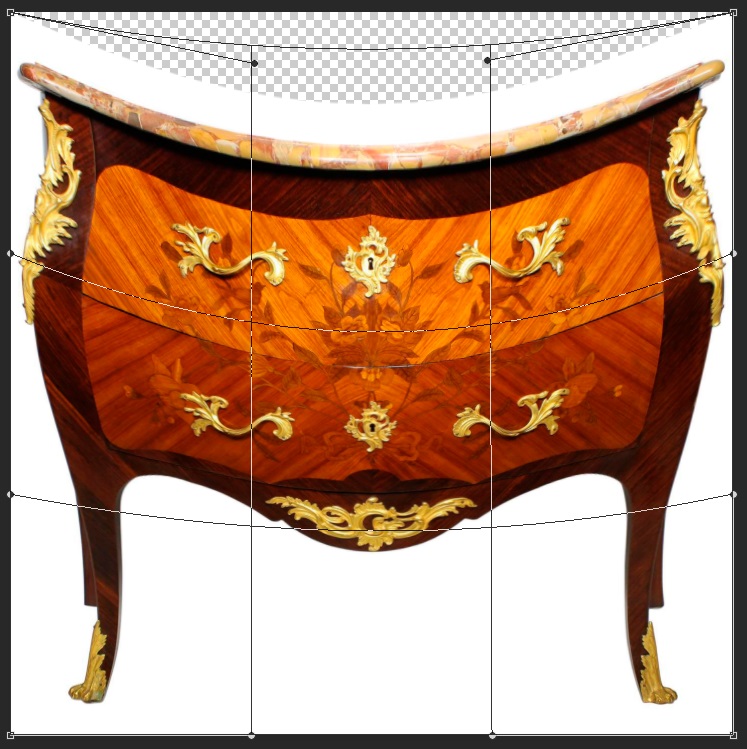
avec de telles distorsions sur la sphère, il est impossible d'obtenir l'effet de forme convexe avec la texture correctement. J'ai donc préparé une texture normale et fait une déformation dans Photoshop. Voilà. Fortement abaissé l'image entière au centre.


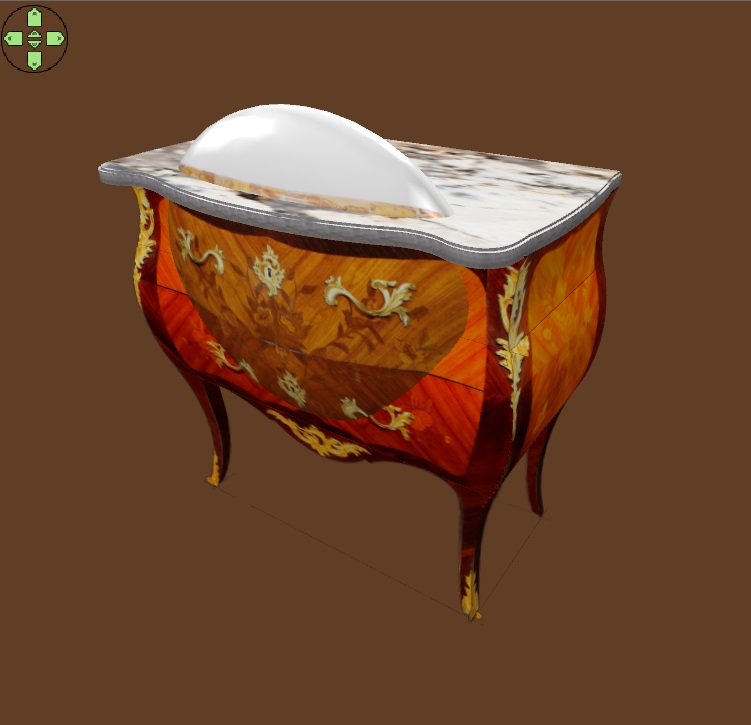
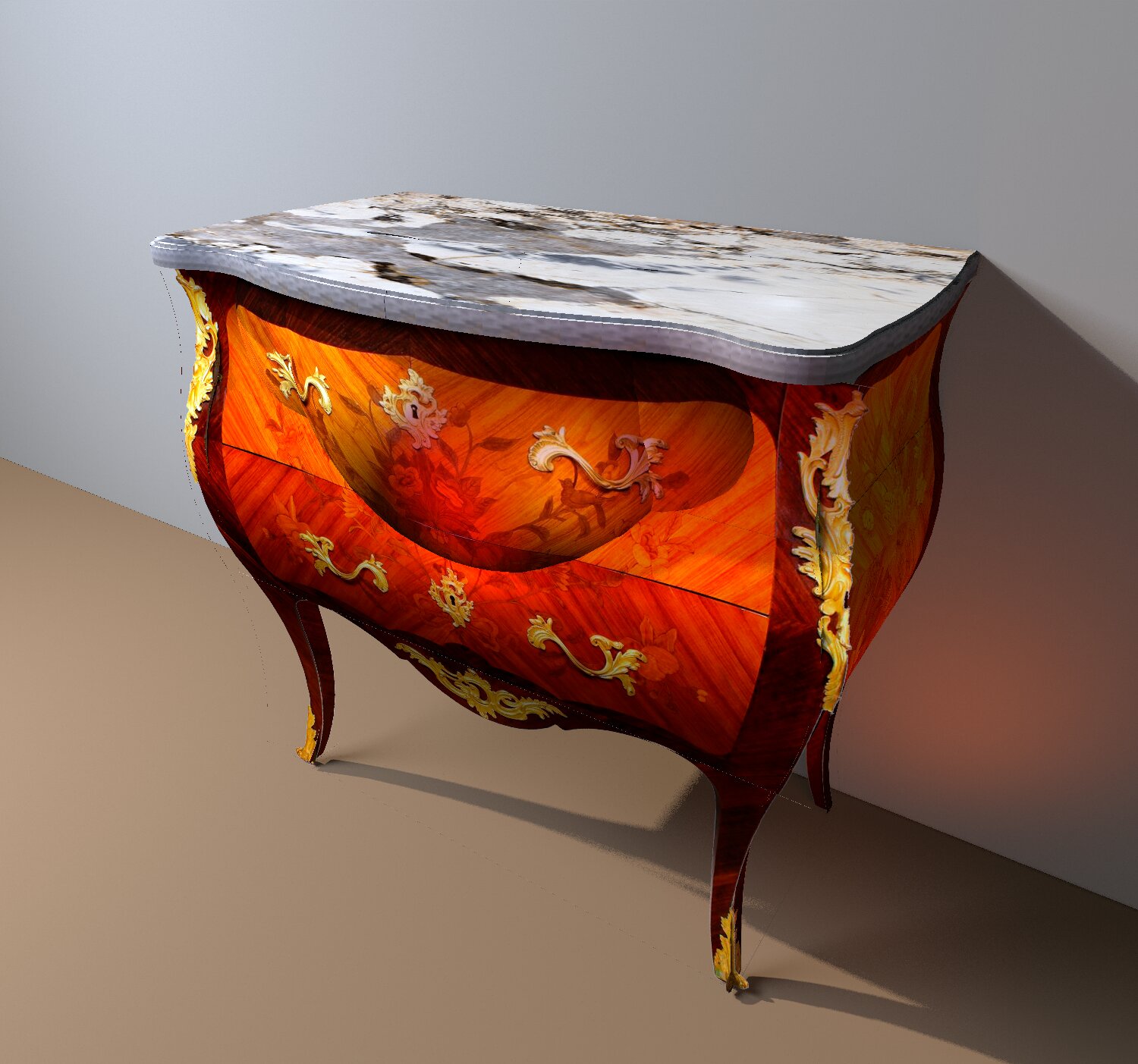
j'ai enregistré cette texture au format JPEG. Parce qu'avec un tel format, tout est clairement visible, il est pratique de travailler avec la sphère. Et au format PNG, il est très difficile de voir la forme réelle, rien n'est clair. Mais j'ai fait une copie de cette texture sur un fond transparent en PNG. Pour le pré-travail, j'ai besoin d'une texture JPEG, et pour le rendu final, je la change en PNG en double. La sphère sort du comptoir pendant que j'expose les réglages de texture exacts, ce n'est pas effrayant. Lorsque je remplace par PNG, le sommet de la sphère disparaît car il y a une zone de texture transparente.


Sur le doublon, j'ai coupé en arc la partie superflue de l'image, enlevé le dessus de table inutile dans l'image.


maintenant, rien ne dépasse du haut. Le rendu final est comme ça.


Posted by captaincook at Mar 3, 2025, 3:47:27 PM
Re: a technique for inserting any piece of furniture into an interior without a model.
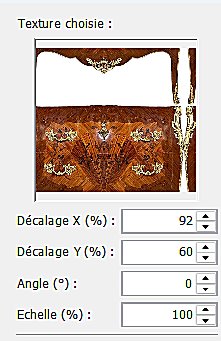
Re bonjour GaudiGalopin.
Bon, comme vous et compte tenu de ce que vous arrivez à faire, je m'y suis remis aussi.

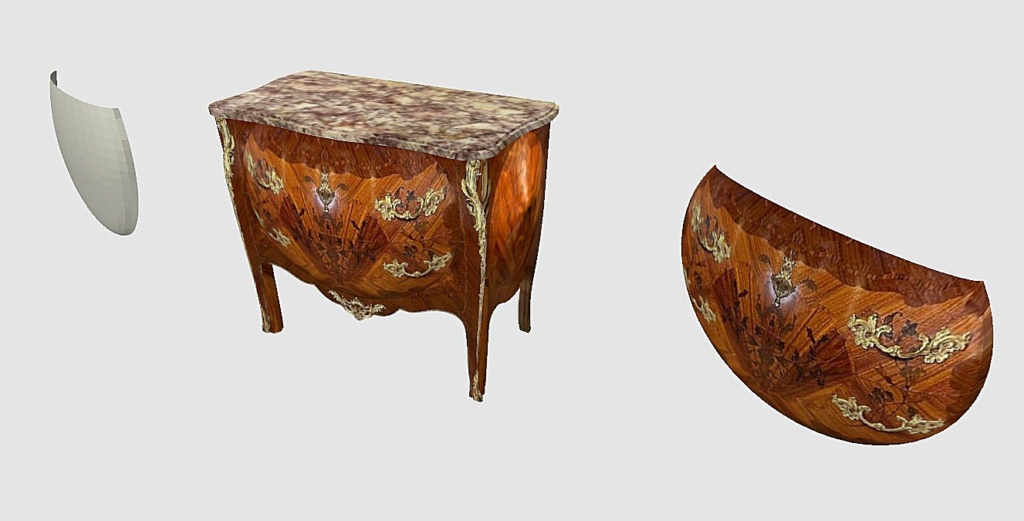
Alors, pour avoir une sphère plus grande et plus épaisse sur la face avant comme vous l'avez fait, je me suis servi de Sketchup pour modifier une demi sphère et lui couper une partie de son haut.


Son épaisseur est environ de la moitié de celle de votre sphère (normal, c'est une demi sphère).

Et voilà le résultat.


A suivre.....

Posted by GaudiGalopin3324 at Mar 3, 2025, 8:22:09 PM
Re: a technique for inserting any piece of furniture into an interior without a model.
bonjour Captainecook. Traditionnellement, je n'ai pas compris comment vous l'avez fait))))! Cette moitié complexe d'une sphère avec un bord coupé-comment??)) biggrin De toute façon, je suis très heureux de voir votre excellent résultat. Pour ma part, je veux partager ma découverte. J'ai trouvé un excellent moyen de travailler avec Sphere. C'est une sphère de la collection Keet de son site Dodecagon. Il y a une sphère avec une projection cylindrique. Vous pouvez travailler avec elle. Il est nécessaire de refaire la texture avec l'image de sorte que la taille du champ soit dans la proportion de 1 à 2. C'est la hauteur de la sphère le long du Méridien vers l'Équateur complet. Une telle texture repose sur cette sphère sans distorsion, il n'est pas nécessaire de déformer quoi que ce soit. Je fais cette opération dans Paint, il est facile d'étirer le champ à la proportion désirée. On doit le faire comme ça.


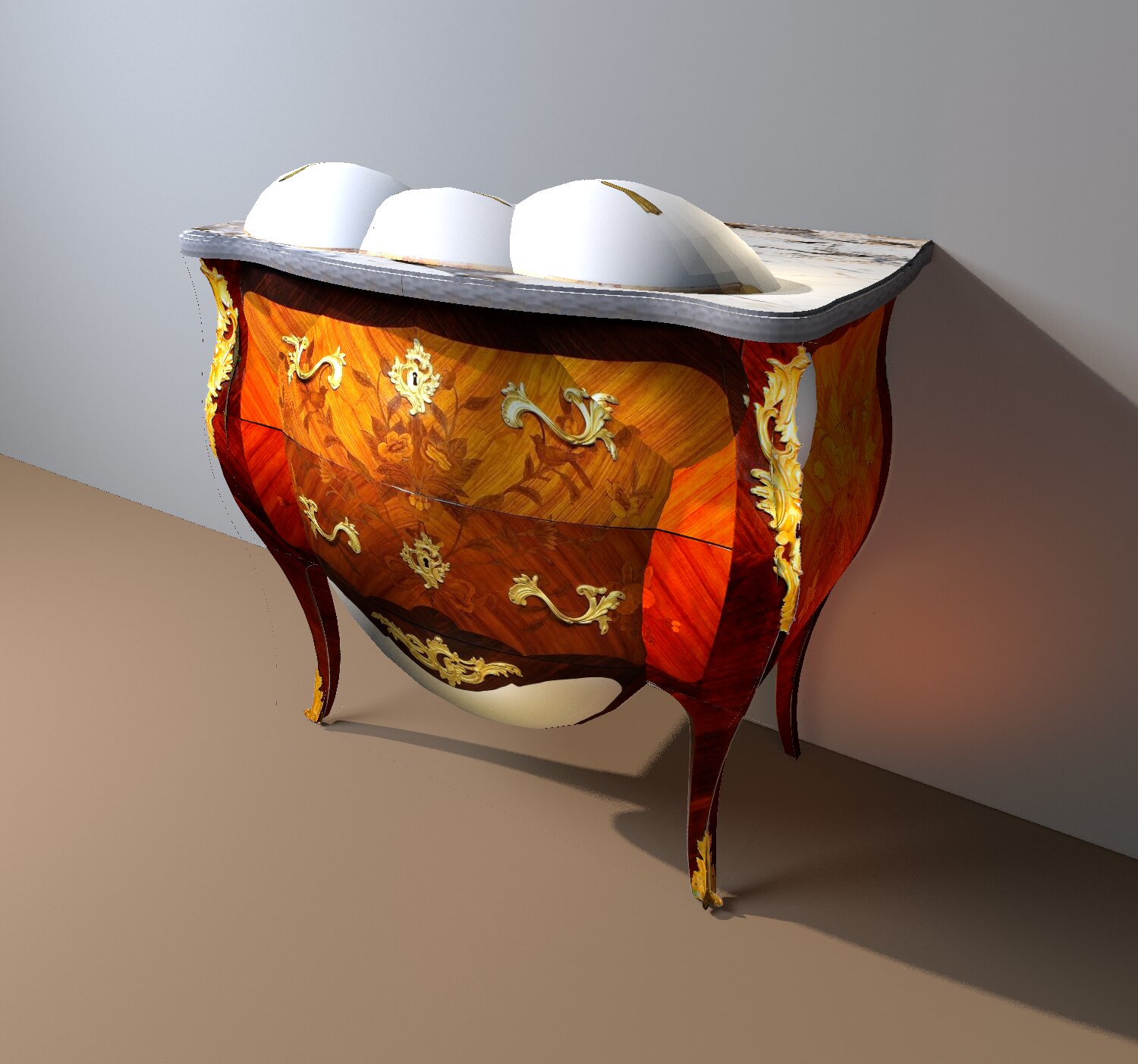
j'ai essayé de faire plusieurs sphères, de les relier par texture sans décalage. C'est possible. Le principe général est que vous devez essayer de garder les mêmes dimensions de hauteur et de largeur dans les 10%. La profondeur de la sphère n'a pas d'importance pour la taille de la texture, il n'y a pas de distorsion. Il est nécessaire d'exposer la texture au centre de la sphère très précisément, puis les changements verticaux seront soignés en mode automatique. Une sphère avec une texture de travail peut être placée à l'extérieur de la commode. Après tous les paramètres, vous devez créer une copie et supprimer les détails inutiles de l'image. j'ai fait des expériences avec de grandes pièces individuelles (poignées). Pour eux, j'ai fait de petites sphères avec une échelle d'image de 200%. Réglage séparé pour les poignées gauche et droite, avec les mêmes rotations, mais la même échelle de l'image, de sorte que les sphères sont symétriques sur la surface de la commode. Dans le flux de travail, cela ressemble à ceci.


rendu final avec PNG


option 2 texture JPEG


PNG


Je suis très heureux qu'il s'avère presque tout faire dans SH3D, c'est une excitation sportive. biggrin biggrin biggrin

Posted by captaincook at Mar 4, 2025, 2:14:14 PM
Re: a technique for inserting any piece of furniture into an interior without a model.
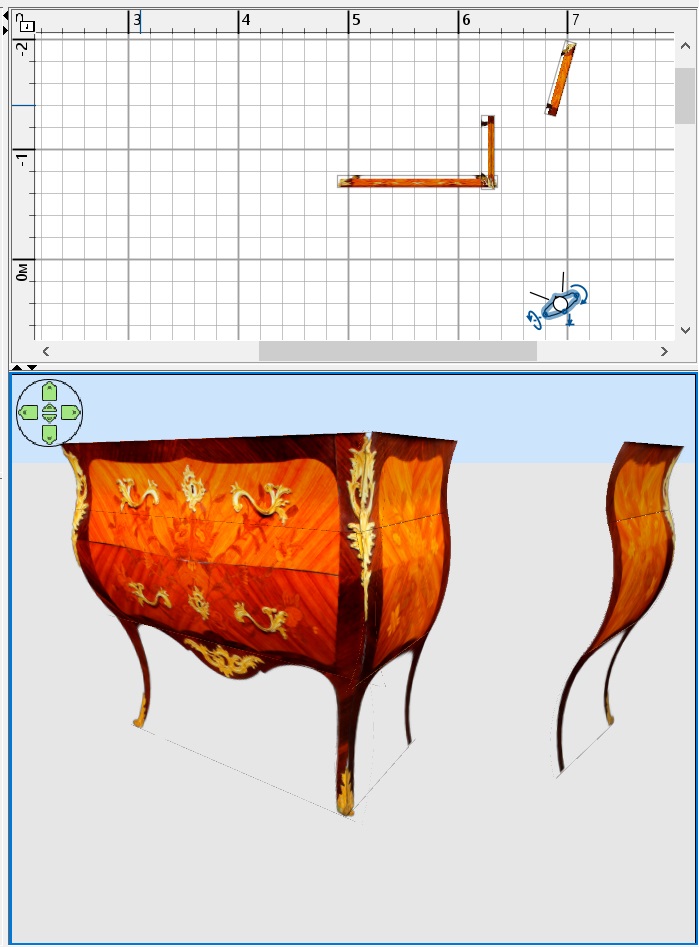
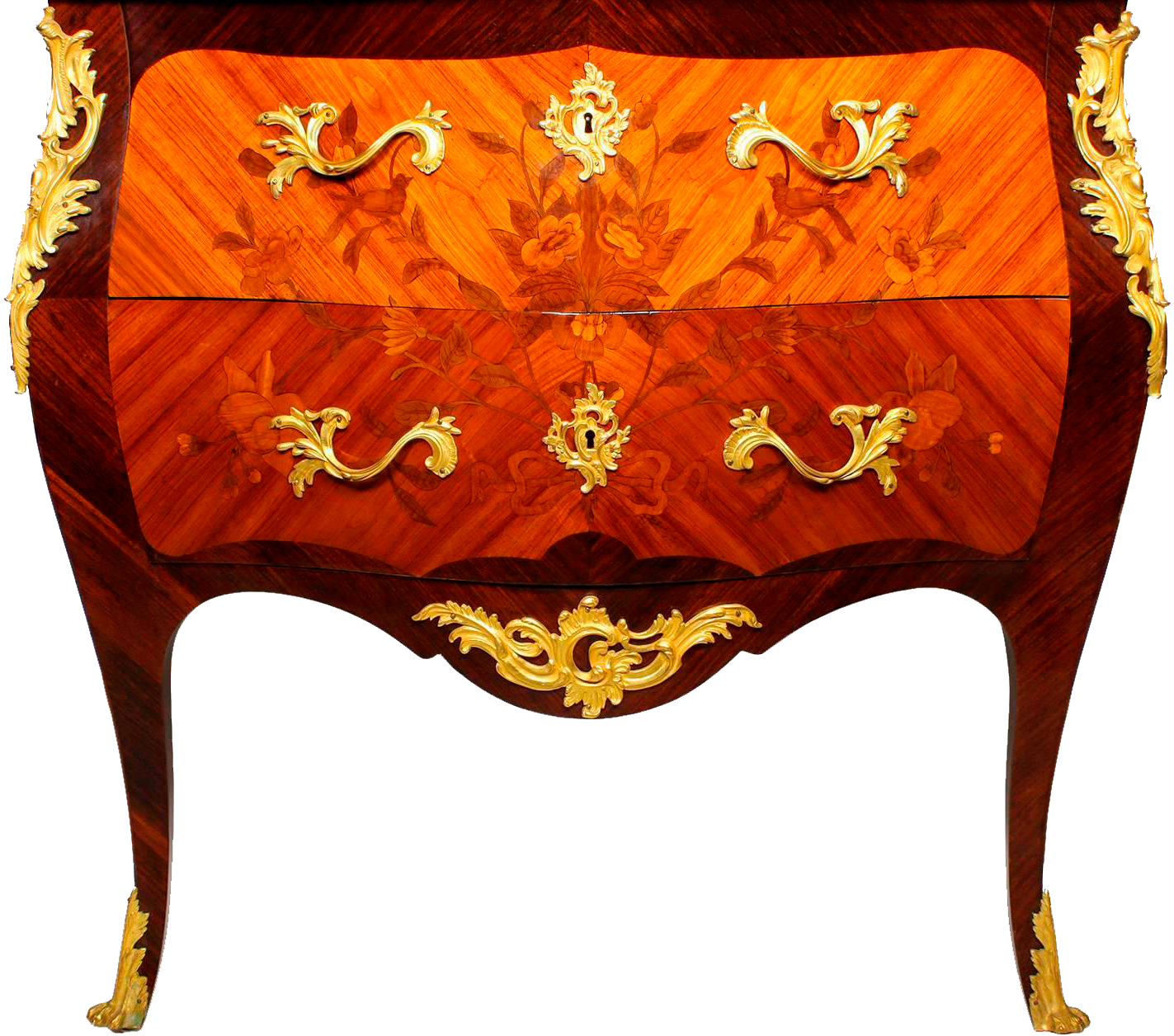
Bonjour GaudiGapolin.
Excellente idée en effet d'utiliser les textures au format PNG puisqu'il permet de définir les zones devant être invisibles. Même si elles restent visibles dans la vue 3D avant création de l'image finale.
Ma méthode permettant de modifier une sphère avec Sketchup est aussi intéressante mais plus compliquée.
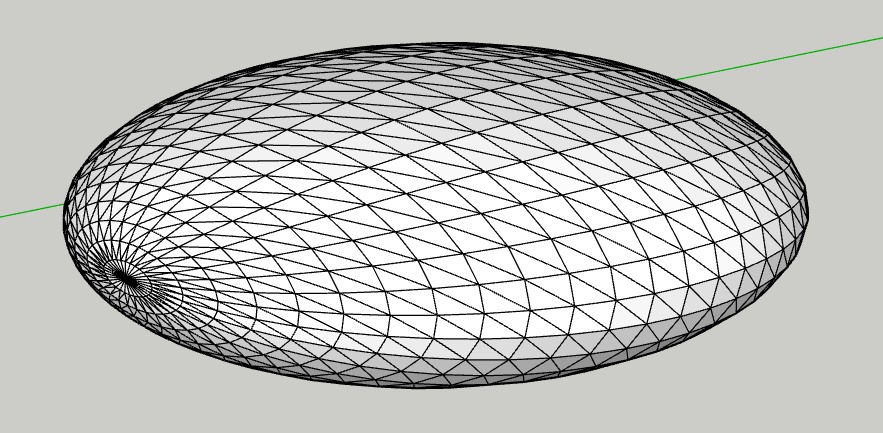
A partir d'une sphère présente dans Sweet Home dont j'ai modifié les dimensions, notamment l'épaisseur, j'ai dû convertir le fichier .obj en .stl, Sketchup n'acceptant pas d'importer les .obj.


Puis lui supprimer la partie qui sera celle du haut quand je l'aurai placée verticalement.


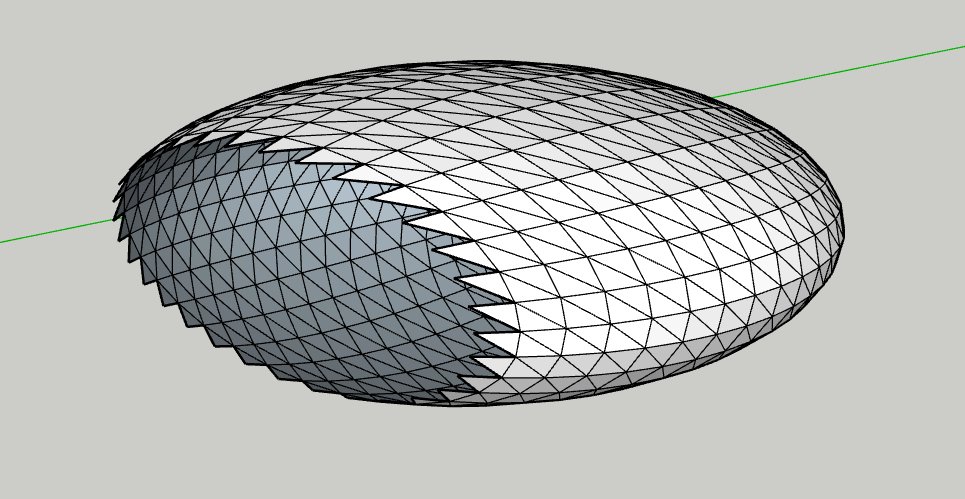
J'ai ensuite supprimé la moitié du dessus puisqu'au final, c'est une demi sphère que je souhaite.


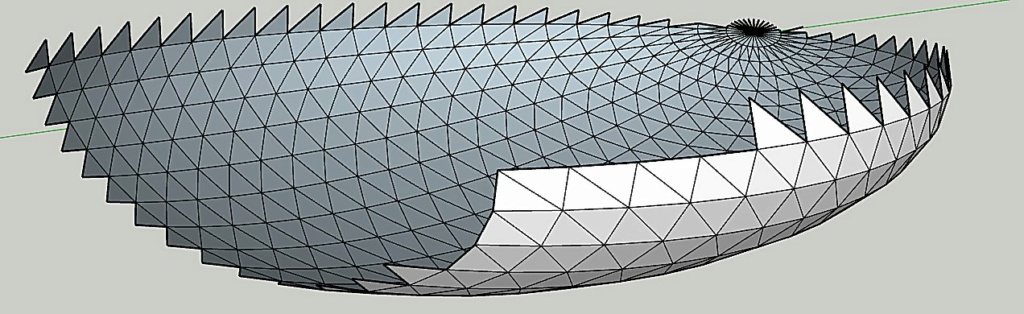
Mais il faut aussi supprimer tous les petits triangles qui ne serviront pas. Sur l'image, je n'en ai sélectionné que quelques uns (ceux dont la surface est en pointillés bleus entourés de traits bleus).


Et ça donne ça :


Mais pour les supprimer tous, ça prend beaucoup plus de temps.
Mais comme je suis en retraite....

Une fois tout fini, on peut exporter le résultat en .obj et l'importer dans Sweet Home, comme vu dans mon message précédent.

Posted by Vinci68 at Mar 4, 2025, 5:12:07 PM
Re: a technique for inserting any piece of furniture into an interior without a model.
Hello CaptainCook,
A toutes fins utiles, je vois dans ton message que tu utilises Sketchup mais que tu ne peux pas y importer tes fichiers .obj ! Par le passé j'ai utilisé ce logiciel et j'importais de l'OBJ. Je viens de réouvrir ce logiciel pour voir comment je faisais à l'époque et en fait j'avais installé une extension - Universal Importer v1.2.6 de Samuel Tallet. Si cela t'intéresse je peux te donner un lien sur mon cloud pour la récupérer, sachant que celle-ci fait environ 113Mo, car, pour l'avoir sur le site de SketchUcation, il faut obligatoirement un compte Trimble.
Si tu en as un, pas de soucis, tu lances une recherche sur le site pour la récupérer, sinon c'est bien volontiers que je te la transmet ;-)

Posted by captaincook at Mar 4, 2025, 6:41:32 PM
Re: a technique for inserting any piece of furniture into an interior without a model.
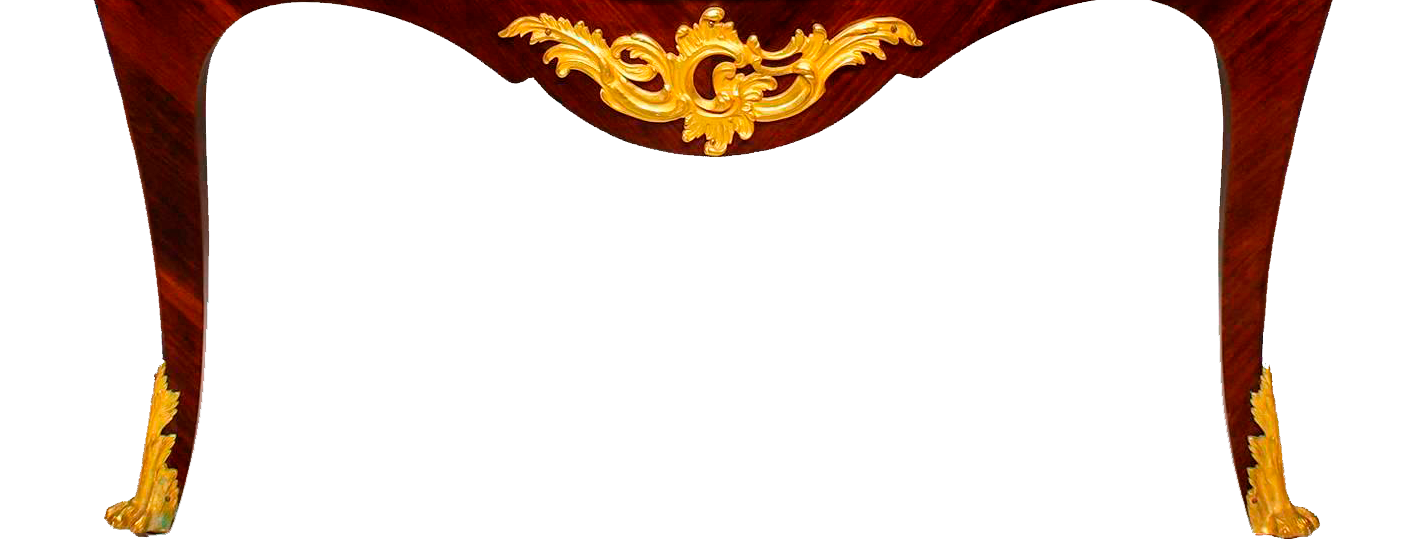
Bonjour Vinci68 et merci pour ton message.

En fait, j'ai deux possibilités pour convertir un .obj en .stl.
J'ai trouvé un site "gratuit" qui permet cette conversion (Aspose).
Et comme j'ai aussi une imprimante 3D et le logiciel qui va avec (Creality Print) qui accepte d'importer les .obj et de les exporter en .stl, je ne suis pas coincé.
Par contre, découvrir Sketchup, ce n'est pas intuitif.
Je préfère de loin Sweet Home smile smile

Posted by Vinci68 at Mar 5, 2025, 12:00:34 PM
Re: a technique for inserting any piece of furniture into an interior without a model.
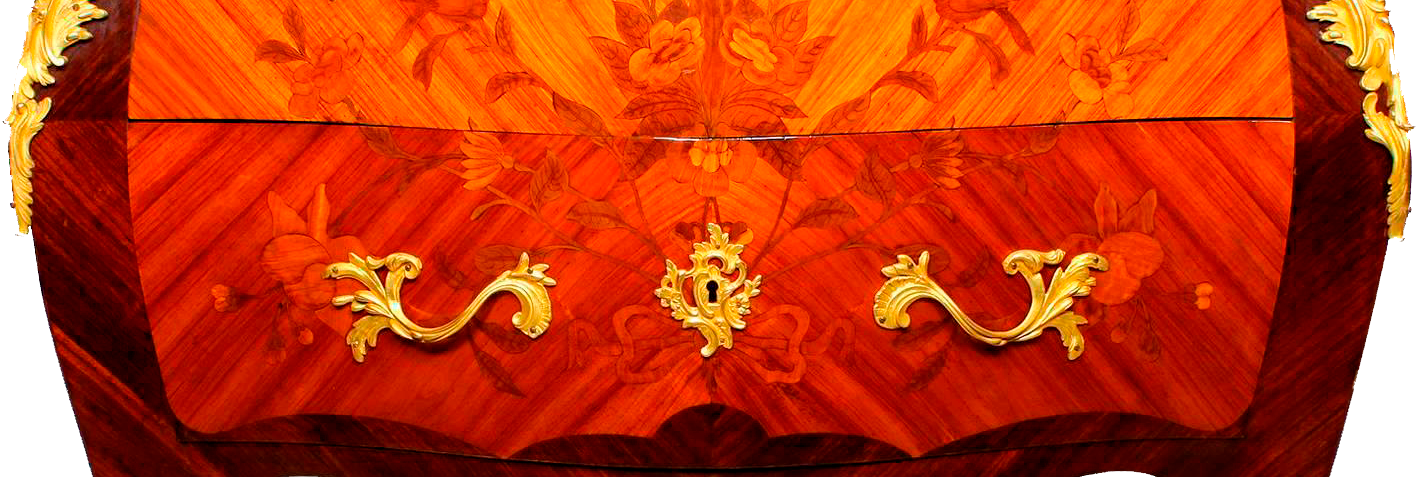
Bonjour captaincook,
Je reconnais que Sketchup n'est pas aisé à appréhender. A l'époque je me suis tapé pas mal de tutos vidéo pour comprendre ce logiciel, ce qui m'a permis de créer mes meubles "anciens" (et oui je ne suis pas tout jeune !). Mais il est vrai que ce forum est très actif et on y apprend tellement que désormais j'essaie également de créer ce dont j'ai besoin directement dans SH3D. Grâce à certains membres "éminents" (ils se reconnaitront !) qui expliquent presque pas à pas comment réaliser les objets et aux créateurs de plugins je m'aperçois que pas mal de choses sont réalisables dans SH3D. Longue vie à SH3D et à ce forum...