|
Sweet Home 3D Forum » List all forums » » Forum: Gallery » » » Thread: analysis of various rendering modes. Replay. |
|
| Print at Dec 20, 2025, 11:44:20 PM | |
| Posted by GaudiGalopin3324 at Aug 20, 2025, 7:45:38 PM |
|
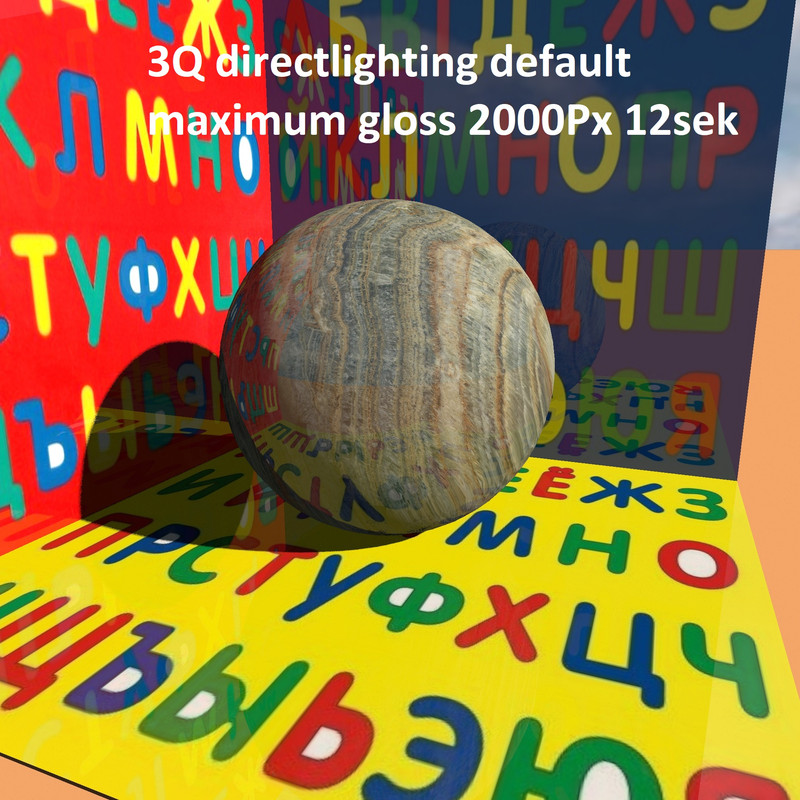
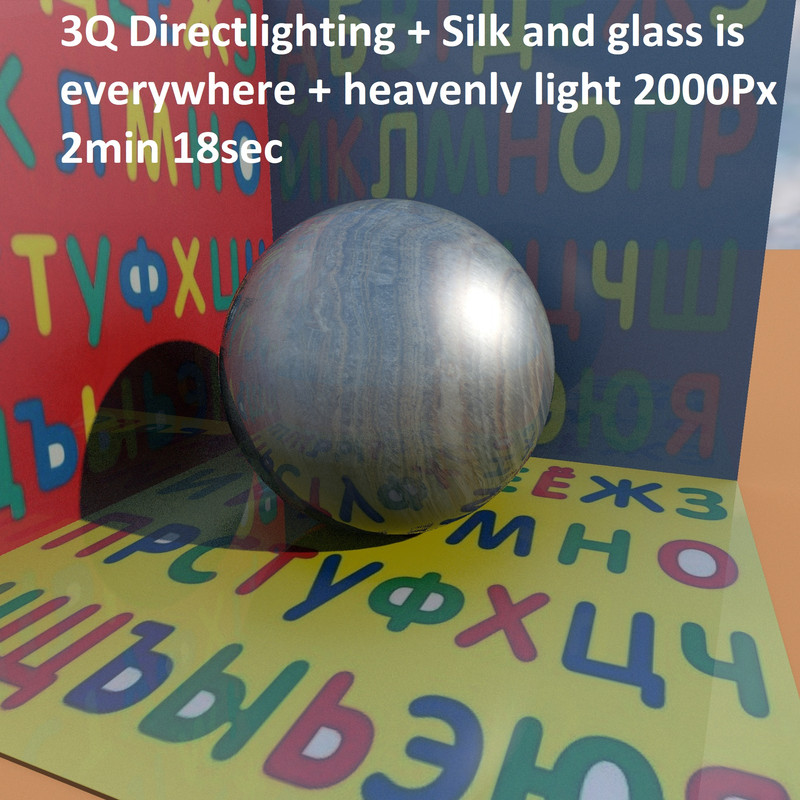
analysis of various rendering modes. Replay. Hi. I've tried exploring different rendering modes before. But my photo hosting service died and all my illustrations disappeared forever. This topic is very interesting, so I will try to repeat this experiment with new knowledge. I will spread it out gradually so as not to miss the main point. I'll start with the basic rendering mode in the third quality level. The basic mode is the "DirectLighting" lighting method and ShininessShader "Default". for the scene, I chose three boxes with a texture of multicolored letters (don't worry, there are no words or meaning here, it's just an alphabet on a colored background). Such letters will help to correctly understand the reflections in shiny surfaces. I have set the maximum gloss for all surfaces - the boxes and the ball are as shiny as possible in all the pictures in the future. There are no changes, everything is the same everywhere. There is only one light source, the sun, and no other sources. so Directlighting + default The reflections in the boxes look great, but there's a strange feeling. On the illuminated surfaces of the ball, it does not look like a polished material, but like a matte material without reflections. There is no glare, so the ball looks strange - in the shadow part it is polished, and in the illuminated part it is matte. It's like it's not treated the same way. It feels weird. |
| Posted by GaudiGalopin3324 at Aug 20, 2025, 8:18:11 PM |
|
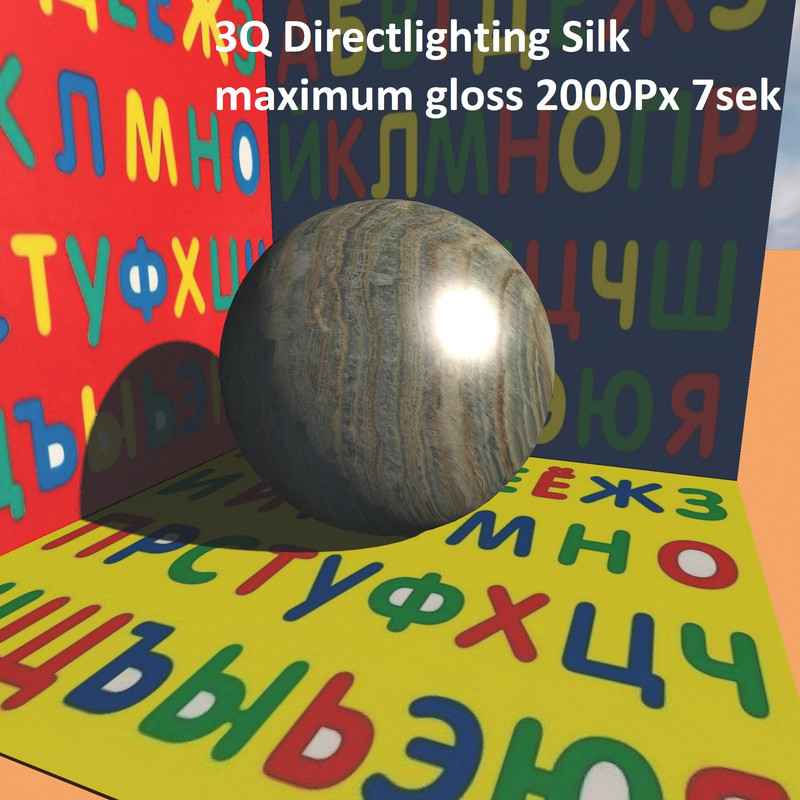
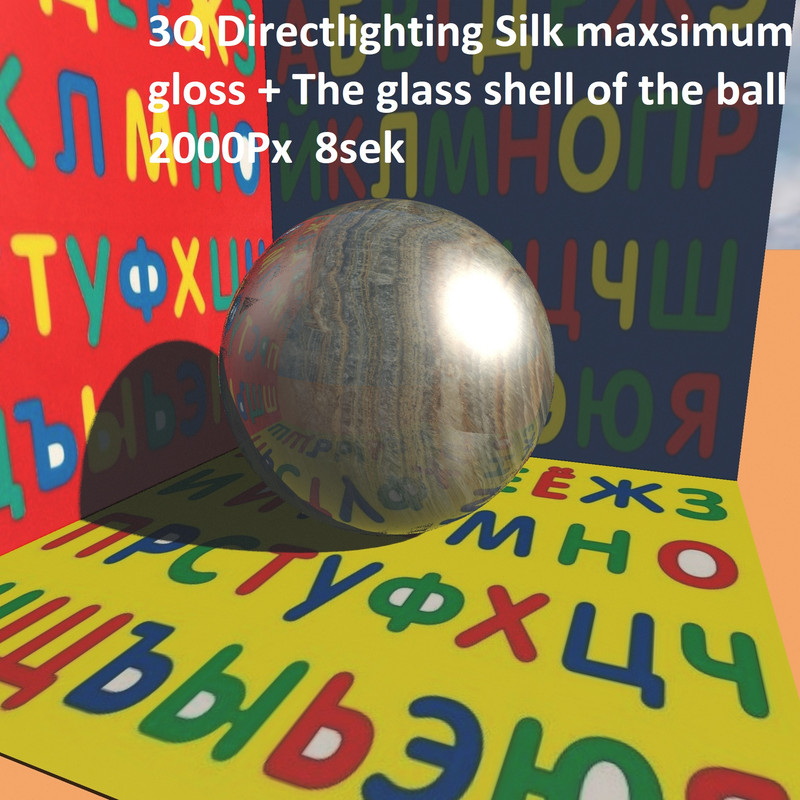
Re: analysis of various rendering modes. Replay. In the Shininess mode, there are three options - default, glossy and silk. I must say right away that in the third quality mode, "default" and "glossy" work exactly the same, but "SILK" is very different and you need to focus on it especially. This mode allows you to get glare from light sources. A fantastic feature needed for a realistic picture. A glare on a polished surface. the glare on the ball has appeared, now everything is fine on the illuminated surface, here the ball is polished and shiny. But now there is a new strange feeling - there are no reflections in the shadow part, there is just darkness. Doubts about the truthful picture begin again. Is there anything that can be done? Yes. You need to create a glass shell around the ball. To do this, select the ball and save it in OBJ format. In the MTL file, add the transparency parameter d 0.1 and the optical light refraction parameter Ni 2 (you can do Ni 1.5). This important parameter cannot be made very large, for example, a diamond has Ni 2.5, which is the maximum. If you make Ni, for example, 5, then terrible chaos will begin. So bring this transparent glass model back and align it with the ball. Now this glass mold needs to be enlarged in all directions by 4mm, and the textured ball needs to be raised by 2mm. The result is a polished stone ball in a thin glass shell, as if covered with a glossy varnish. Now it's a real polished ball from all sides. There is a glare from the sun and there are all reflections everywhere. The time of this picture has not increased!! But everything is ahead, I'll continue later. |
| Posted by GaudiGalopin3324 at Aug 20, 2025, 8:36:24 PM |
|
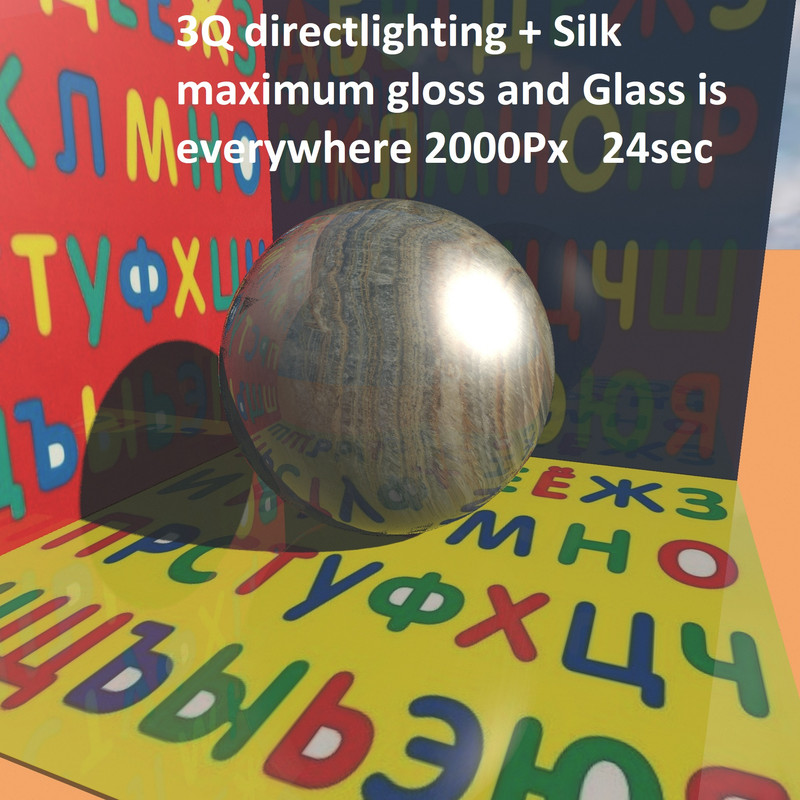
Re: analysis of various rendering modes. Replay. please note that there are no reflections on the polished boxes in SILK mode, although the boxes are still as shiny as possible. Again, you can make glass shells for them. OBJ-MTL-d0.1-Ni2 . Return it back to SH3D and slightly increase the thickness to get a layer of glossy glass varnish. Now the time will start to increase, but it's not critical yet. ![]() |
| Posted by GaudiGalopin3324 at Aug 20, 2025, 9:01:15 PM |
|
Re: analysis of various rendering modes. Replay. there is another important button, it is located next to the button for calling the render settings. This is "Enable sky lighting". This button adds a cool blue light. In the third quality mode, this light simply colors the entire scene with cold light, no more. But in other modes (everything will continue) this light is of great importance. Notice how the time has increased. Strongly. But you have to pay for everything. Not much yet. But it should be continued.. ![]() |
| Posted by Keet at Aug 20, 2025, 9:42:01 PM |
|
Re: analysis of various rendering modes. Replay. Excellent, keep it up! Determining how the the different settings change the results is very difficult for most users (me too). This is a great help. I love the trick with the extra glass ball. How did you ever get that idea? ---------------------------------------- Dodecagon.nl 1300+ 3D models, manuals, and projects |
| Posted by GaudiGalopin3324 at Aug 20, 2025, 10:30:40 PM |
|
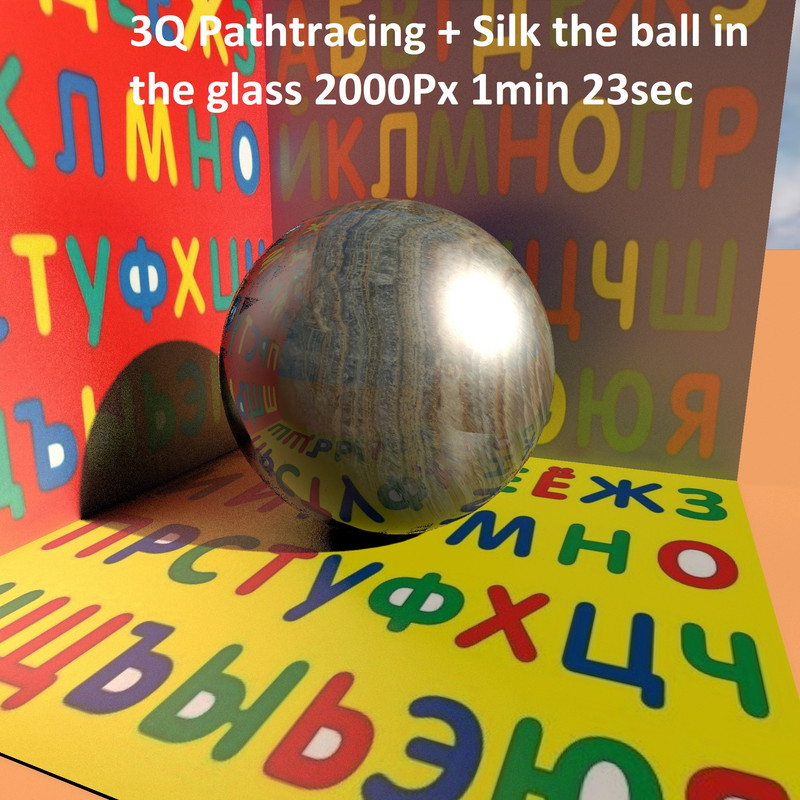
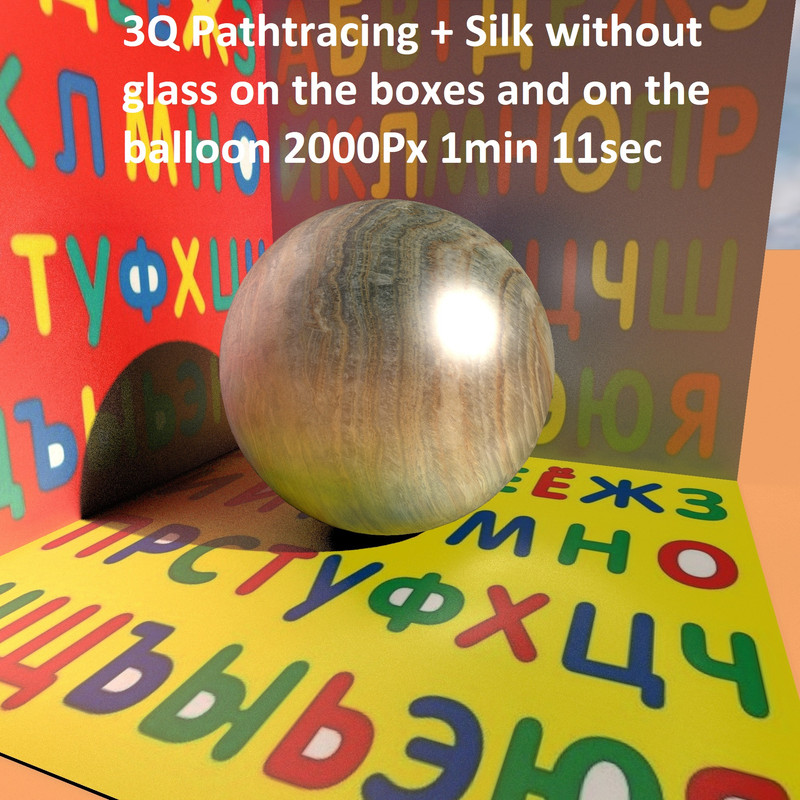
Re: analysis of various rendering modes. Replay. Hello Keet! Thank you so much for your interest in this topic, I will continue to try not to be boring)). Glass shells are, of course, a necessary measure, because it is difficult to achieve expressive results without this additional layer. Is there any way to manage this complex symbiosis? Unfortunately, quite a bit. For example, you can reduce the gloss level for the inner ball and get a small glare from the sun, as if it were not a very polished ball. The glass of the outer shell can be made bright in color - the ball will become slightly colored. For the "Directlighting" mode, these are probably all the options. I would like to switch to a more complex "Pathracing" mode, which introduces new features that are not present at all in the basic "Directlighting" mode. These are reflexes, or rather almost reflexes. Reflexes are the coloring of the surface of an object (ball and boxes) by reflected light from the colored surfaces of other objects and walls. This is the most desirable path to realistic photography. Getting it in SH3D seems impossible at first. But let's try to understand the possibilities of the program. In the following picture, I removed all the glass on the boxes and on the ball (they are still as shiny as possible, but without a layer of varnish). I must say right away that in the "Pathtracing" mode, at the third quality level, the glare from the sun on the ball also appears only in the "Silk" mode. Please note that there is a glare from the sun and there are soft illuminated places on the ball and on the boxes from the letters. The boxes are interestingly colored by reflected light from other boxes. Everything is very complicated and unusual. I think this mode is not entirely realistic, because these soft reflections are something between a smoothed mirror reflection and a real reflex. It's half an illusion, but it's pretty convincing. This must be applied whenever possible. Time increases a lot, of course, but reflexes are a completely unknown game in SH3D. What else can you see in this first picture? Large grains appear on the box in the shadows of the ball. This is the price for new opportunities. Can this be improved? May. I'll tell you later. |
| Posted by GaudiGalopin3324 at Aug 20, 2025, 10:57:25 PM |
|
Re: analysis of various rendering modes. Replay. We will continue in the previous mode of changes. Let's add a glass shell to the ball. The time has hardly increased. But the reflexes under the glass layer have almost evaporated, they are there a little, but not in such a strong form as in the previous picture. But they are viewed a little anyway, so there are differences from the "Directlighting" mode. |
| Posted by GaudiGalopin3324 at Aug 20, 2025, 11:14:07 PM |
|
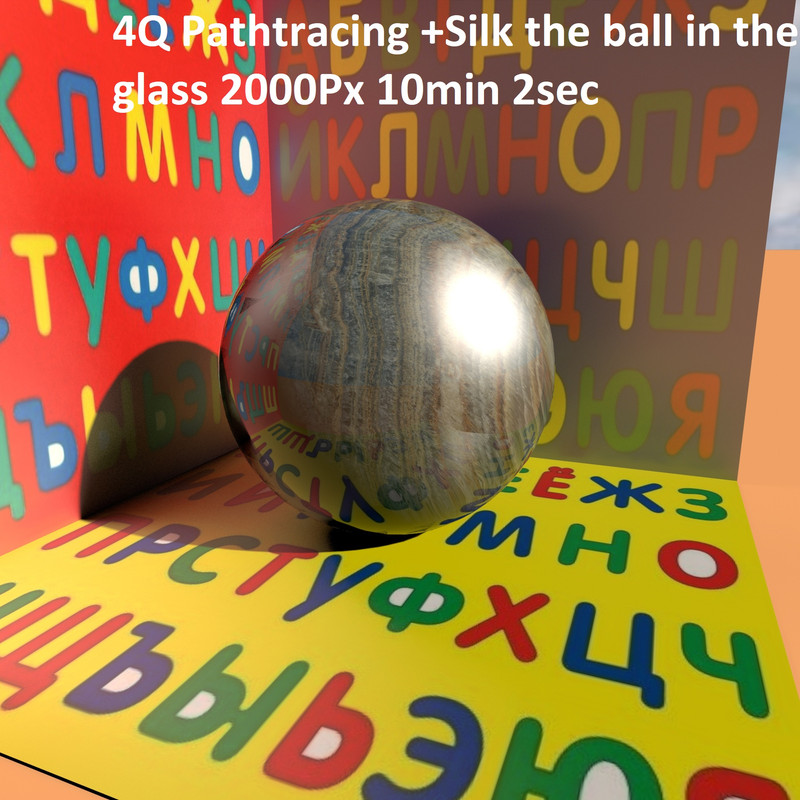
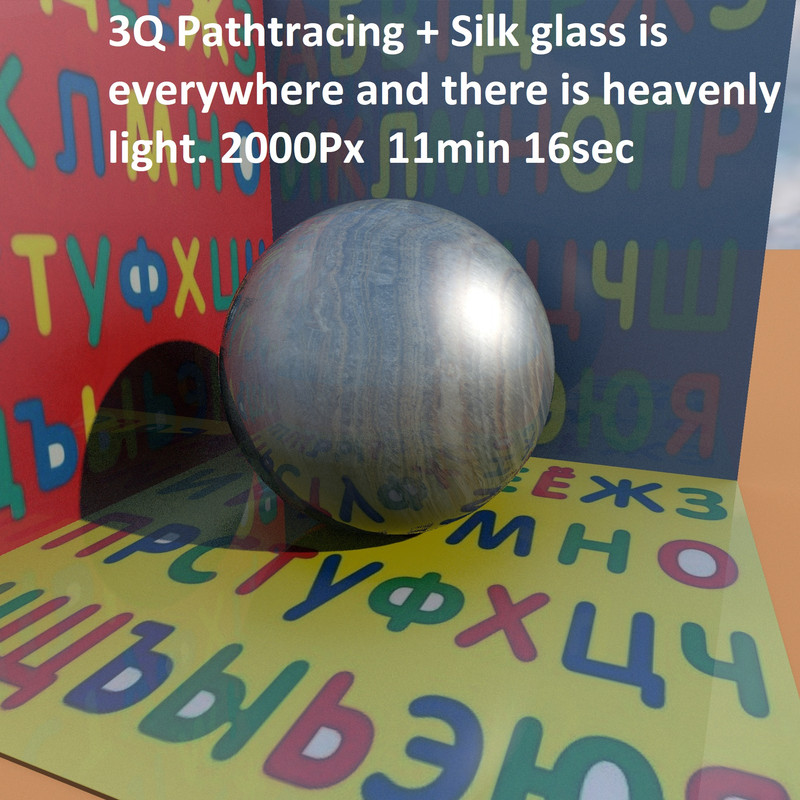
Re: analysis of various rendering modes. Replay. how can I get rid of a large grain in the shadows of the ball? Very simple. Switch to the fourth quality mode. The same settings, "Silk", the time will increase 10 times, but the picture will be grain-free. Increasing pixels at the third level does not improve. For example, 4000 pixels will be the same time as the fourth 2000 pixels mode, but the result is very bad. Here is the fourth quality mode. ![]() |
| Posted by GaudiGalopin3324 at Aug 20, 2025, 11:31:57 PM |
|
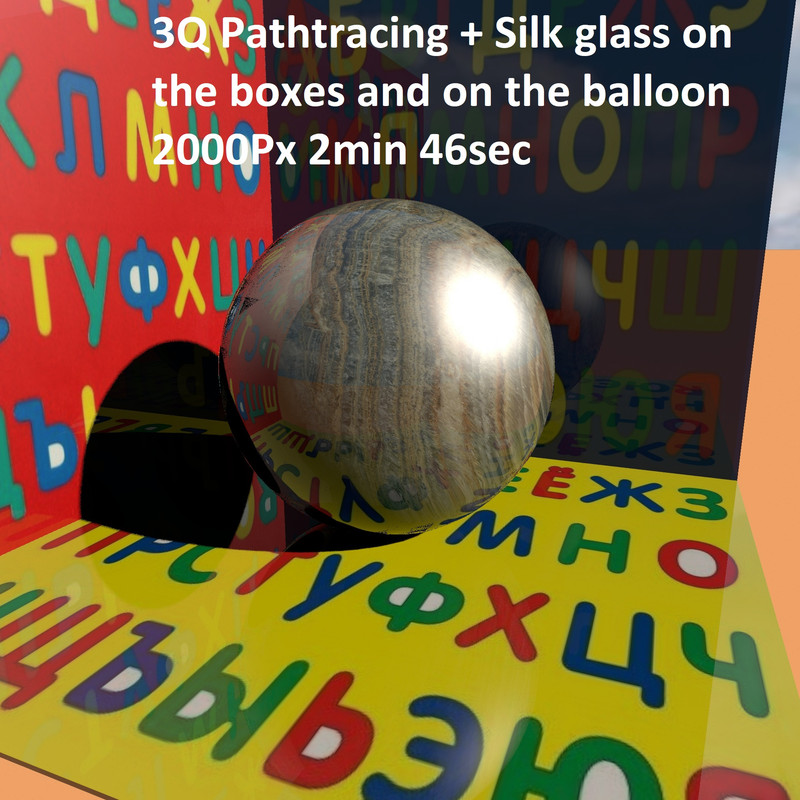
Re: analysis of various rendering modes. Replay. But the joy of such a discovery of the magic mode will not last long. I added glass to the boxes. And suddenly the shadows turned almost black. This mode is very sensitive, and the picture changes unpredictably from external details. In reality, nothing will change, the shadows will not turn black for sure. And then there are such metamorphoses. What can be done? You can add lights to dark places. But there is a simpler solution. The same button for turning on the heavenly light. It highlights the black spots very well. Although it certainly adds blue lighting. ![]() |
| Posted by GaudiGalopin3324 at Aug 20, 2025, 11:43:58 PM |
|
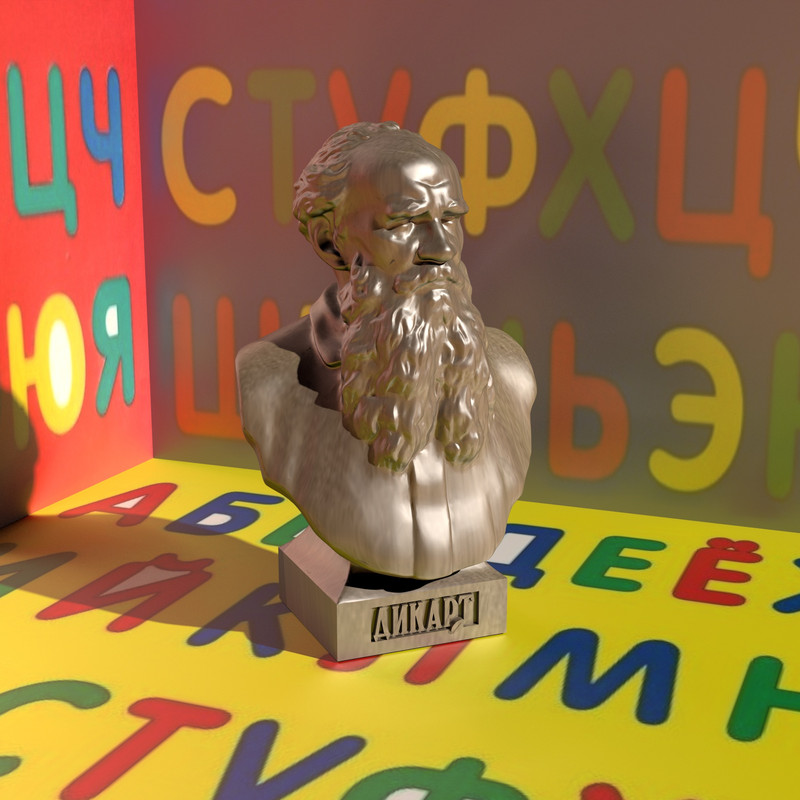
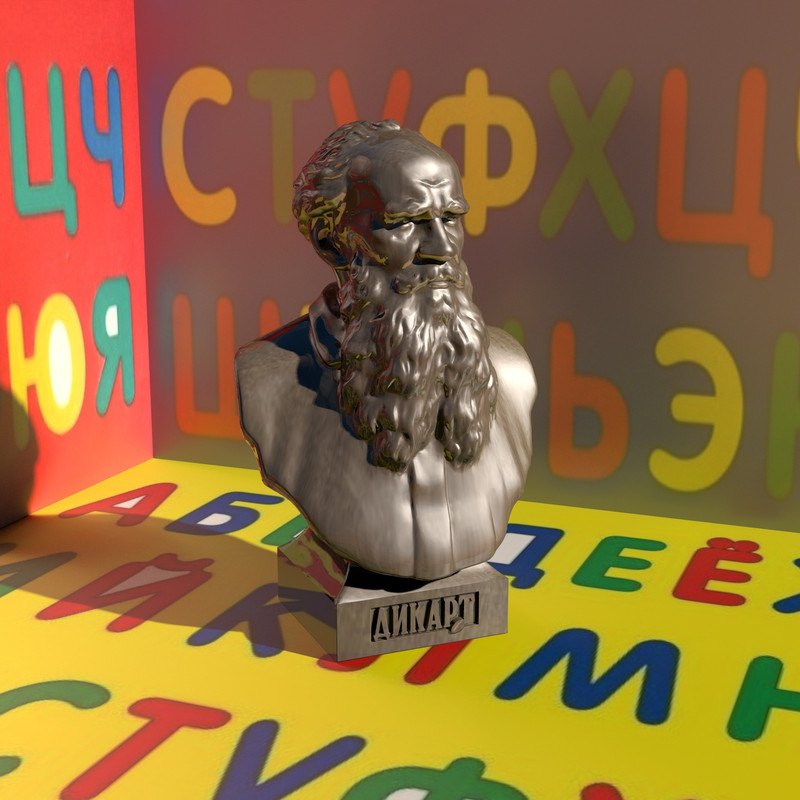
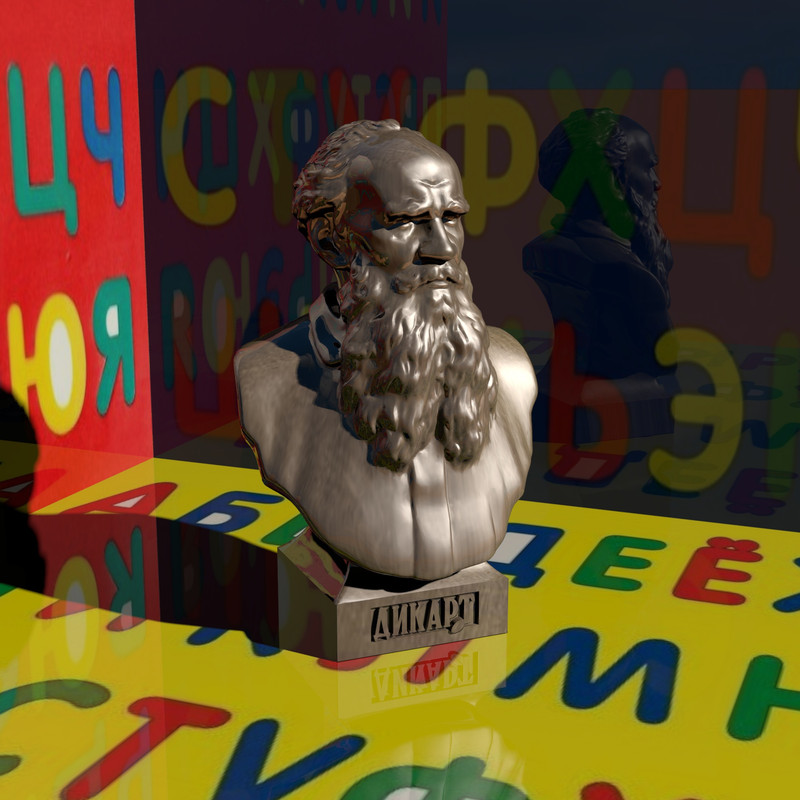
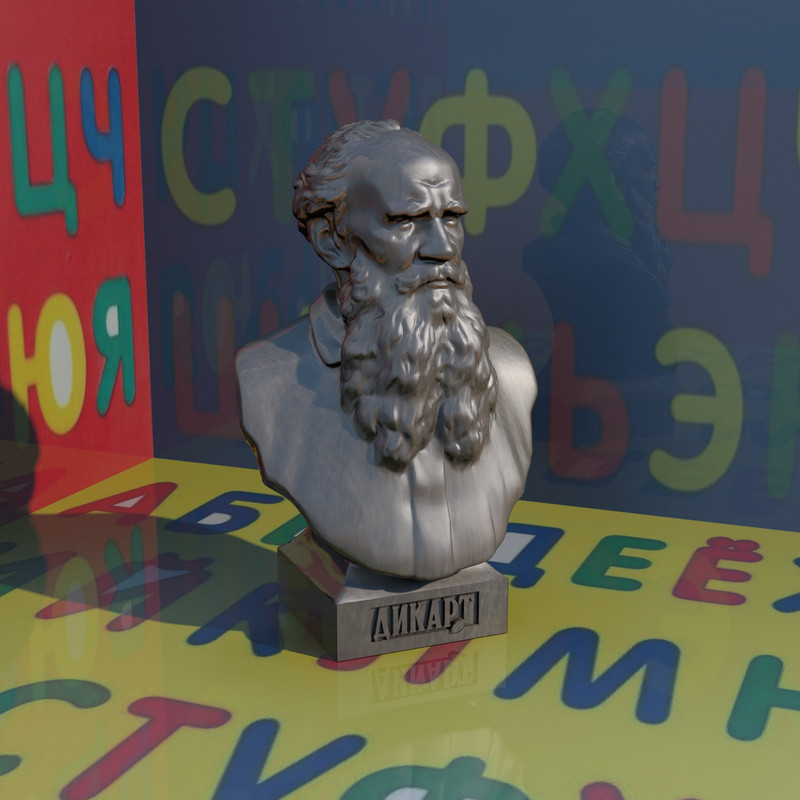
Re: analysis of various rendering modes. Replay. I won't tell you what the settings are in the following pictures. But you can get the look you need. Please take a look. A real bronze sculpture. ![]() |
| Posted by Keet at Aug 21, 2025, 7:33:23 AM |
|
Re: analysis of various rendering modes. Replay. I don't know how the real sculpture is supposed to look but I don't think any of these are perfect. Especially the third one, that seems to look good on a first glance but the shadow is a mirror. That looks really weird, glass on the bottom box? The second rendering looks to be the best if the color and grain truly represents the real object. Did you use a glass shell around the sculpture? It's easy to create such a shell: Resize the sculpture with "Keep proportions" like you did with the glass shell for the ball. Export the resized sculpture. Edit the obj file and replace the first g line with "g glass" and the "usemtl" line below that with "usemtl Glass". Remove all other g and usemtl lines if there are any. Delete the mtl file. Copy the mtl file of your glass ball and rename it with the same name as the obj file. Make sure the "newmtl" line says "newmtl Glass". Import your glass sculpture. ---------------------------------------- Dodecagon.nl 1300+ 3D models, manuals, and projects |
| Posted by GaudiGalopin3324 at Aug 21, 2025, 7:50:28 AM |
|
Re: analysis of various rendering modes. Replay. Yes. I made such a glass shell for a sculpture. It is impossible to create a correct 2 mm thick shell correctly on complex shapes. You can only make a slightly proportionally enlarged model and move it relative to the inner shape. The real shell is probably made in a different way in other programs, but not in SH3D. But you can carefully achieve a layer of glass on the areas visible in the frame (this layer will always be of different thickness, it does not matter for the effect of reflections, the main thing is that this layer should be as minimal as possible). It is impossible to make such glass in an even layer on all sides of the sculpture, only approximately in the visible area from the viewer's side. |
| Posted by GaudiGalopin3324 at Aug 21, 2025, 12:00:34 PM |
|
Re: analysis of various rendering modes. Replay. To simulate metal, it is better to use the texture of this metal in high resolution. If you try to match the color, you will get a sad plasticine smeared with fat. Just like in the second picture. Okay, not plasticine. Milk chocolate, but not bronze. the rendering time is exactly the same for color and texture, interestingly. |
| Posted by captaincook at Aug 21, 2025, 2:57:43 PM |
Re: analysis of various rendering modes. Replay.Bonjour GaudiGalopin. J'ai fait aussi des essais de brillance et j'ai été un peu surpris. A partir de deux images similaires ayant la même texture et le même degré de brillance, la première utilise le "ShininessShader glossy" et le résultat est complètement mat. La seconde utilise le "ShininessShader silk" mais tous les autres paramètres sont identiques et là le résultat est tel que je le souhaitais. Et en plus, ce deuxième choix m'a quelque peu rajeuni. ![]() |
| Posted by hansmex at Aug 21, 2025, 3:23:13 PM |
|
Re: analysis of various rendering modes. Replay. What did Descartes (Dikart) do to deserve such a statue? ---------------------------------------- Hans new website - under constuction hansdirkse.info |
| Posted by GaudiGalopin3324 at Aug 21, 2025, 8:32:43 PM |
|
Re: analysis of various rendering modes. Replay. I have no idea. It's some kind of sculpture and wall panel manufacturer. Their only benefit to society is probably that they have made a 3D model of their product, which is very well executed. ![]() |
| Posted by GaudiGalopin3324 at Aug 21, 2025, 8:36:38 PM |
|
Re: analysis of various rendering modes. Replay. oui, le deuxième capitaine semble beaucoup plus optimiste))) les modes ne sont pas si importants)) ![]() |
| Posted by captaincook at Aug 23, 2025, 12:23:29 PM |
|
Re: analysis of various rendering modes. Replay. Re bonjour GaudiGalopin. Ayant été surpris par les résultats différents de mon message précédent des rendus obtenus avec les réglage Glossy et Silk (Mat avec Glossy et brillant avec Silk), j'ai fait d'autres essais à partir de mes images de meubles de cuisine où vous m'aviez bien aidé pour obtenir ce que je souhaitais. Dans les 2 premières images, les meubles sont de couleur blanche brillante (pas de texture) et la seule différence est le choix du paramêtre de ShininessShader. ![]() ![]() Là , c'est le choix de Glossy qui est le bon et non celui de Silk. Sur les 2 dernières images, la différence est que les meubles sont de texture blanche brillante (pas de couleur). ![]() ![]() Le rendu Glossy est un peu moins prononcé que celui fait à partir de meubles de couleur blanche mais celui fait avec Silk est toujours aussi mat que le précédent. Donc je ne comprends pas que ce soit l'inverse avec le rendu des images de sculptures précédentes concernant le choix de Glossy (résultat mat) ou de Silk (résultat brillant). Mais il est évident qu'il faut faire autant d'essais que nécessaires pour trouver le bon choix. Merci encore. |
| Posted by GaudiGalopin3324 at Aug 24, 2025, 10:07:49 PM |
|
Re: analysis of various rendering modes. Replay. bonjour captaincook. Je pense que le plus grand effet du mode Pathtracing sera dans les intérieurs très colorés. Dans un intérieur blanc avec des objets blancs, il n'est pas intéressant et il n'a aucun avantage. Et pourtant, il est bon pour les grandes pièces, dans les petites surfaces, il n'est pas perceptible. j'ai également remarqué que l'effet en mode Pathtracing (Glossy et Silk) n'est clairement visible que dans les zones faiblement éclairées et dans les zones d'ombre. Il n'y a pas de réflexions et de réflexes distincts sur les surfaces éclairées. ![]() |
|
|
Current timezone is GMT Dec 20, 2025, 11:44:20 PM |