|
Sweet Home 3D Forum » List all forums » » Forum: Features use and tips » » » Thread: Increase memory |
||
| Print at Dec 19, 2025, 3:24:19 PM |
|
|
| Posted by db4tech at Jun 19, 2010, 10:17:56 AM |
|
Re: Increase memory Interesting that it still ran! If it is helpful my kitchen test scene contains several very high resolution textures (1280x1280) for the female model and it rendered fine with 512MB with the swap file on default 'let Windows manage swap file'End users shouldn't really be disabling their swap file unless they have 3-4GB or more of memory, even then there isn't really much of a performance gain, especially under Windows 7 which now handles memory and paging much more efficiently. db4tech |
| Posted by Puybaret at Jun 19, 2010, 1:13:23 PM |
|
Re: Increase memory My main goal is and will always be to let a maximum count of users run Sweet Home 3D out of the box. If this implies that I must support those who disabled their swap file, then it should run for them too. ---------------------------------------- Emmanuel Puybaret, Sweet Home 3D creator |
| Posted by db4tech at Jun 20, 2010, 3:44:51 AM |
|
Re: Increase memory Very wise I can fully understand your thinking but you also want users with newer computer systems to appreciate just how good your program is. So with that in mind, how about option 3 ? ![]() Instead of writing complex code to check a users memory or swap file availability, produce 2 Windows versions for download or Online use, by changing just the small area of code that requests either 512 or 1024MB. Could be advertised as something like the following:
db4tech |
| Posted by hansmex at Jun 20, 2010, 8:56:06 AM |
|
Re: Increase memory db4tech: Selling ideas?? Hans ---------------------------------------- Hans new website - under constuction hansdirkse.info |
| Posted by db4tech at Jun 22, 2010, 1:08:11 AM |
|
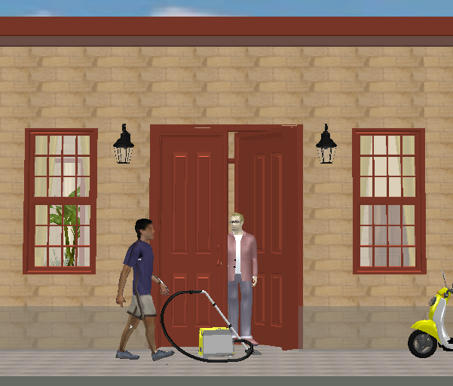
Re: Increase memory He He I like it Hans! By the way the vacuum cleaners are on special offer at the moment but it is a time limited offer. Not to mention the fact the colour even matches your scooter! db4tech |
| Posted by sanjoyp at Oct 7, 2010, 1:08:22 AM |
|
Re: Increase memory Is there a way of doing this in 3.0 beta ? |
| Posted by hansmex at Oct 7, 2010, 1:29:45 AM |
|
Re: Increase memory Sanjoy, My guess is that you can do the xMx-thing once the installed version 3.0 is ready. Hans ---------------------------------------- Hans new website - under constuction hansdirkse.info |
| Posted by fhoofman at Oct 7, 2010, 10:11:45 PM |
|
Re: Increase memory You can change the max memory used by Sweet Home 3D only on the installer version, by changing the value in the -Xmx Java option: - under Linux, edit SweetHome3D script and update the 1024 value in the option -Xmx1024m, - under Mac OS X, right click on Sweet Home 3D application icon, select Show Package Contents, open Contents folder, edit Info.plist file by dragging its icon on TextEdit application, and update the 1024 value in the text <string>-Xmx1024m</string>, - under Windows, create a text file named SweetHome3D.l4j.ini in the same directory as SweetHome3D.exe, and write the max memory Java option in that file, for example: -Xmx2048mOn all systems, 1024m means 1024 MegaBytes. I'm running windows 7, and I create text file SweetHome3D.l4j.ini. content of the text file: -Xmx2048m when I run the exe file, there's an error occur " Could Not Create The Java Virtual Machine" |
| Posted by db4tech at Oct 7, 2010, 11:59:20 PM |
|
Re: Increase memory Hi fhoofman, I'm also using Windows 7 but also tried with XP SP3. Windows seems to be limited to a maximum of (around) 1536 (1.5) to start without the error you mentioned. From all the tests I carried out before (on the previous pages) there's no real benefit on going higher than 1024 anyway. So if you want to try it, my recommendation is to use. -Xmx1024m db4tech |
| Posted by r921vs at Jan 30, 2018, 9:36:17 AM |
|
Re: Increase memory The Info.plist file on mac is protected and can not be changed. How can this be fixed? |
|
|
|
Current timezone is GMT Dec 19, 2025, 3:24:19 PM |