|
Sweet Home 3D Forum » List all forums » » Forum: Features use and tips » » » Thread: render fur |
|
| Print at Feb 5, 2026, 1:20:47 PM | View all posts in this thread on one page |
| Posted by fhoofman at Oct 20, 2010, 5:50:31 PM |
|
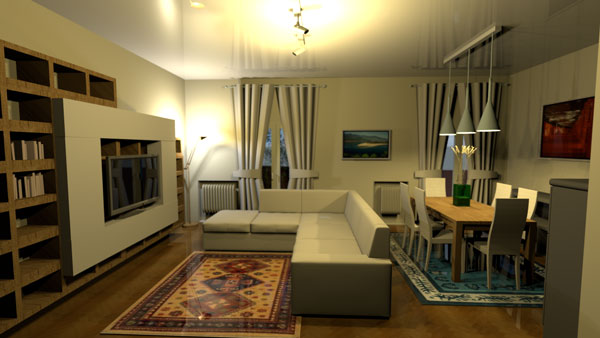
render fur is there anybody ever know how to render a thick fur rug? creation by Vincenzo Mayer is very good, but this render has a reflection on its fur. I'm sure Vincenzo Mayer has the same question permission to using your creation Vincenzo Mayer hope you don't mind ![]() |
| Posted by whippetsleek at Oct 20, 2010, 8:57:18 PM |
|
Re: render fur I know of a way to add fur, or rather fur like polygons to a model, but it increases render times to a degree which you will have to wait days for a high quality render. It would likely be better to mimic the fur with a texture, and just make sure the surface is matt ![]() ---------------------------------------- ![]() |
| Posted by fhoofman at Oct 21, 2010, 3:00:42 AM |
|
Re: render fur do you have the file, so I can try ? |
| Posted by whippetsleek at Oct 21, 2010, 8:31:05 AM |
|
Re: render fur The easiest and most stable way I know of is Google Sketchup. If you have Sketch, you can download a plug in here.... http://rhin.crai.archi.fr/RubyLibraryDepot/plugin_details.php?id=571 You put in parameters for length, thickness, and plushness. To make fur with obj files, it depends on what program you use. Most programs for obj files, you will have to manually make each fur strand editing the frame, as I haven't found a stable plug in to use. 3ds does have some plug ins and if you have 3dstudio, you can make fur within the the dialogs for the program. But you would have to search google, and find a stable plug in. I haven't found any, but I rarely use 3ds. ---------------------------------------- ![]() |
| Posted by Puybaret at Oct 21, 2010, 12:16:53 PM |
|
Re: render fur And why not exporting at Collada format from Sketch Up? At least it's available in its free version... ---------------------------------------- Emmanuel Puybaret, Sweet Home 3D creator |
|
|
Current timezone is GMT Feb 5, 2026, 1:20:47 PM |