|
Sweet Home 3D Forum » List all forums » » Forum: 3D problems » » » Thread: using own textures to show posters? |
|
| Print at Dec 20, 2025, 10:26:22 PM | View all posts in this thread on one page |
| Posted by SilentStrider at Dec 18, 2010, 3:35:39 PM |
|
using own textures to show posters? Hi there I tried to put an image onto a wall and then just change the texture (and the size of the object) to a pic of the actual poster that is on my wall there. Nearly all works fine, but when I click ok it shows the picture I used as texture as tiles, four ones with the point in the middle of the object. Is there an easy way to just use pictures on my hard disk to cover posters with it in the program? My consideration was just to copy an existing model and change the texture of it with another picture (where I shouldn't chose the mirror for it *slight cough*) |
| Posted by hansmex at Dec 18, 2010, 3:52:46 PM |
|
Re: using own textures to show posters? Strider, Yes, there is an easy way, if you think for a bit... A texture is a repeating image, applied to a wall, floor, ceiling or other object. So, for a poster you want it to repeat just once. Import (or Modify) your texture so that its size corresponds with the size you want, let's say 60x90 cms. Now apply this texture to a box of 60x90 cms. Et voila! Hans ---------------------------------------- Hans new website - under constuction hansdirkse.info |
| Posted by SilentStrider at Dec 18, 2010, 5:16:44 PM |
|
Re: using own textures to show posters? I did kinda exactly this... let me make some screenshots. Lets say I use a picture of the Niagara-Falls and want to give it a new texture so I can put on another image ![]() next I import the texture and gives it the size of the actual poster (which is 157cm width and nearly the 49,95cm it says (actual its 53cm height, but thats due that this is a image)) ![]() now I change the object to match my needs ![]() after what you have said it should work now, but look yourself: ![]() but the image looks like this So you see there is a point in the object where it tiles the texture around it. |
| Posted by hansmex at Dec 18, 2010, 5:24:41 PM |
|
Re: using own textures to show posters? Strider, I'll have to check on this. Someone reported this behaviour before on the forum. Not sure if there's a solution to it. Hans ---------------------------------------- Hans new website - under constuction hansdirkse.info |
| Posted by hansmex at Dec 18, 2010, 5:28:07 PM |
|
Re: using own textures to show posters? Strider, Check out this thread. Hans ---------------------------------------- Hans new website - under constuction hansdirkse.info |
| Posted by SilentStrider at Dec 18, 2010, 5:44:16 PM |
|
Re: using own textures to show posters? thanks for showing the thread, I'll try that |
| Posted by Puybaret at Dec 18, 2010, 7:08:59 PM |
|
Re: using own textures to show posters? Either use the other side of your box, or reduce its depth to a very small value. ---------------------------------------- Emmanuel Puybaret, Sweet Home 3D creator |
| Posted by wrosun at Dec 19, 2010, 10:11:39 AM |
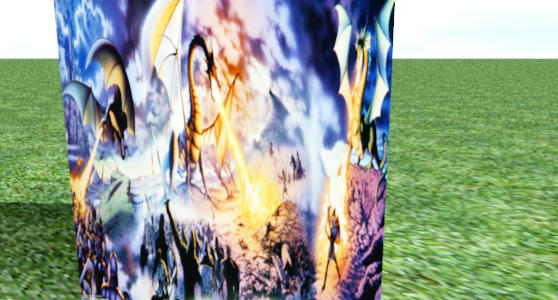
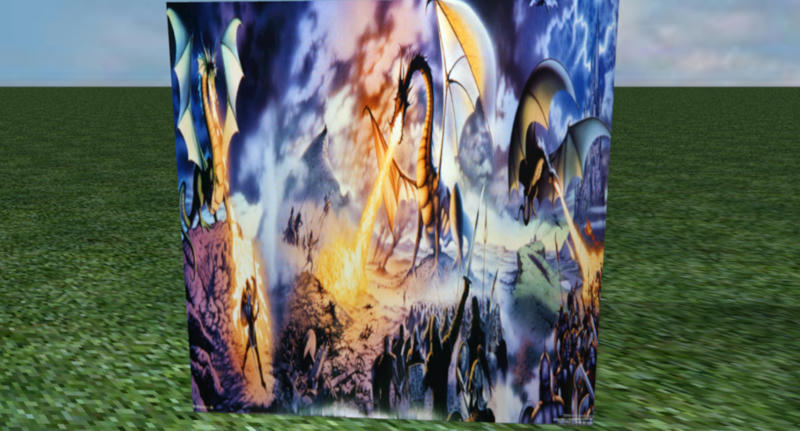
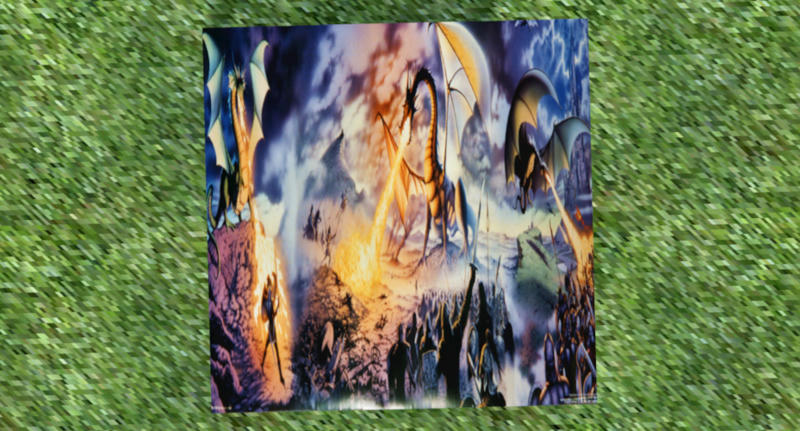
Re: using own textures to show posters? SilentStrider I think you are trying to make a picture frame for your wall am i right? Well i also have been thinking on asking Puybaret if he could make a frame where any picture can be inserted by changing the texture but i found another way using box to create own frame so i dropped out the question.....here is a picture frame with the picture you posted. Picture Frame There is a pattern how the texture in the box works: 1. on one side of the box ( lets say back) the texture is applied as a reflected image so you get a image opposite than the image you chose and it is same for bottom part also. ![]() 2.And on other side( i.e front) it is same like the picture and on the top also it is same. FRONT: ![]() TOP: ![]() 3. other two sides do not take texture.. so keep that in mind if you like to create a picture frame of your own.. |
| Posted by SilentStrider at Dec 21, 2010, 1:52:02 AM |
|
Re: using own textures to show posters? thank you very much :) |
|
|
Current timezone is GMT Dec 20, 2025, 10:26:22 PM |