|
Sweet Home 3D Forum » List all forums » » Forum: 3D problems » » » Thread: Make my own worklamp |
|
| Print at Dec 26, 2025, 1:18:52 AM | View all posts in this thread on one page |
| Posted by condo at Mar 4, 2014, 6:55:13 PM |
|
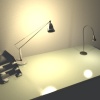
Make my own worklamp Hi all, I can hardly believe I'm the first who wants to create his own worklamp but as it seems I'm the first to post it here as I couldn't find a lot of threads about lamps let alone about tiny lamps like the worklamp is supposed to be. I've made my own IKEA Husvik work lamp (left model). This is the problem that I'm encountering: ![]() http://imgbox.com/yNskwvzu The minimum size of the available light sources is 0.1 (meters). I should be half of this to fit properly inside the Husvik lamp shade. Now it casts its light into unwanted directions (eg. wall) and just looks wrong. Is there a workaround? And how BTW was the included work lamp made (seen on the right in my picture)? It has a much smaller lightsource, I want it to look like this. Is that possible or does that require some serious coding? |
| Posted by Puybaret at Mar 5, 2014, 9:03:02 AM |
|
Re: Make my own worklamp The minimum size isn't 0.1 meter, but 0.1 centimeter i.e. 1 millimeter. But apparently, text fields won't let you enter 0.001 value when the length unit is set to Meter. Please use Centimeter unit until this issue is fixed in a coming version. ---------------------------------------- Emmanuel Puybaret, Sweet Home 3D creator |
| Posted by Puybaret at Mar 5, 2014, 9:39:18 AM |
|
Re: Make my own worklamp In the current version, you can still reduce to 1 millimeter with the size indicator shown at object corner in the plan. ---------------------------------------- Emmanuel Puybaret, Sweet Home 3D creator |
| Posted by condo at Mar 5, 2014, 5:29:13 PM |
|
Re: Make my own worklamp Wow, absolutely didn't know that, this drove me crazy in a number of situations. I never use the object corner icons nor was I aware I could set the unit to other metrics units. Thank you for your enlightment, Puybaret. Simple solution then for a problem which seemed complicated ![]() http://imgbox.com/LA70jGrD This looks perfect now! I will have to redo a number of lights now, will keep me busy the next couple of hours ![]() |
| Posted by hansmex at Mar 5, 2014, 9:57:08 PM |
|
Re: Make my own worklamp Your lamp rocks! ---------------------------------------- Hans new website - under constuction hansdirkse.info |
| Posted by condo at Mar 8, 2014, 10:24:58 AM |
|
Re: Make my own worklamp Thank you hansmex. It turned out a lot better than what I had expected. I'm new in blender and at first had no idea how to do it. |
| Posted by okh at Mar 8, 2014, 11:16:10 AM |
|
Re: Make my own worklamp I'm new in blender and at first had no idea how to do it. Congratulations. Blender is incredibly powerful, but not that easy to learn... :-)If you consider sharing your model - which would be nice - beware of this thread. IKEA is somewhat unappreciative of models of their designs. In the office I had a very expensive desk-lamp. IKEA made a similar one, that I also bought. For my drawing, I made a generic lamp which looks a bit like both lamps. (Not as nice as yours, though :-) ). ok |
| Posted by WriterBLAlley at Nov 1, 2014, 7:55:14 PM |
|
Re: Make my own worklamp If you make a light in another program, can you set it to emit light as part of the model, or do you have to add the light source afterwards? |
| Posted by okh at Nov 2, 2014, 11:05:47 AM |
|
Re: Make my own worklamp The supported import formats (such as .obj) do not support light sources. But, yes, you can add (several) light sources to the SH3D properties if you use the Furniture Library Editor and edit the file with the properties. See for instance thread 5206 and SVG mini guide pages 9-10. However, for normal use, placing one of the included lightsources within or next to your lamp, is probably easier. ok |
|
|
Current timezone is GMT Dec 26, 2025, 1:18:52 AM |