|
Sweet Home 3D Forum » List all forums » » Forum: Sweet Home 3D bar » » » Thread: Adding lights to my house |
|
| Print at Dec 18, 2025, 10:49:49 AM | View all posts in this thread on one page |
| Posted by choppyleo at Aug 22, 2014, 9:32:46 AM |
Adding lights to my housePlease I have adding lights to my house but don't know how to put it on cause by default it's off I guess. Maybe that is why I can't see the effects of lights in my house every where seems to have the same intensity of natural light. Not from the bulbs I added. Can someone please explain to me how to put lights ON or tell me what am I not doing right? |
| Posted by hansmex at Aug 22, 2014, 10:43:06 AM |
|
Re: Adding lights to my house There are two types o f lamps in SH3D: - lamps with light - lamps without light. When a lamp has light, do Modify furniture and at the bottom left you see a Light power (%). There is a way to add light to a lamp, described by user OKH. You can read about it in this short manual (PDF). Hans ---------------------------------------- Hans new website - under constuction hansdirkse.info |
| Posted by okh at Aug 22, 2014, 1:27:09 PM |
|
Re: Adding lights to my house In addition to what hansmex correctly writes, you may want to consider: - The easiest way of adding lights, is to use the included light-sources in the library and place them where the lamp is. - Lights have a default power of 50%. - Lights will only show in photo-rendering (highest qualities). - Lights are not very visible if they compete with sunlight, try a time later in the evening. - The "auto ceiling lights" checkbox may interfere with the effect of accurately placed light-sources. - Pay attention to the colour of the light-source you choose. ok |
| Posted by choppyleo at Aug 22, 2014, 2:07:34 PM |
|
Re: Adding lights to my house Thanks hansmex I have tried but I get maybe I don't understand how to do it. Can someone direct me or have a toturial on the light issue |
| Posted by okh at Aug 23, 2014, 8:48:44 AM |
|
Re: Adding lights to my house Depends what you want to do, the easiest is to combine your models with the light-sources included in SH3D. That is easy, and you can group lamp and light-source. Adding light-sources to your own models in a library requires some more work, but you will find several threads in the forum discussing this, like this recent one. ok |
| Posted by choppyleo at Aug 29, 2014, 10:21:25 AM |
|
Re: Adding lights to my house Thanks guys I have tried and seems to still have problems to render the bulbs glowing. Can someone mail to me a simple project with the light demonstration.Please its very important and kind of urgent. Thanks in advance |
| Posted by okh at Aug 29, 2014, 1:30:31 PM |
|
Re: Adding lights to my house The light sources included with SH3D are invisible (just represented with bulbs in furniture list), so you need to add lamp/bulb. Sent you a file - maybe that makes it clearer. ok |
| Posted by okh at Sep 5, 2014, 9:47:10 AM |
|
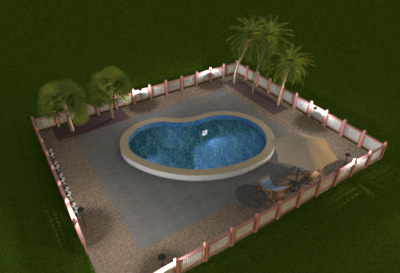
Re: Adding lights to my house Hi choppyleo, the blog post on how to design a swimming pool, with an example .sh3d file, is a good demonstration on how to use light-sources too. ok How to design a swimming pool ![]() |
|
|
Current timezone is GMT Dec 18, 2025, 10:49:49 AM |