|
Sweet Home 3D Forum » List all forums » » Forum: Sweet Home 3D bar » » » Thread: 2D Symbols |
||
| Print at Dec 15, 2025, 6:55:23 PM |
|
|
| Posted by dorin at Dec 8, 2014, 1:36:22 PM |
|
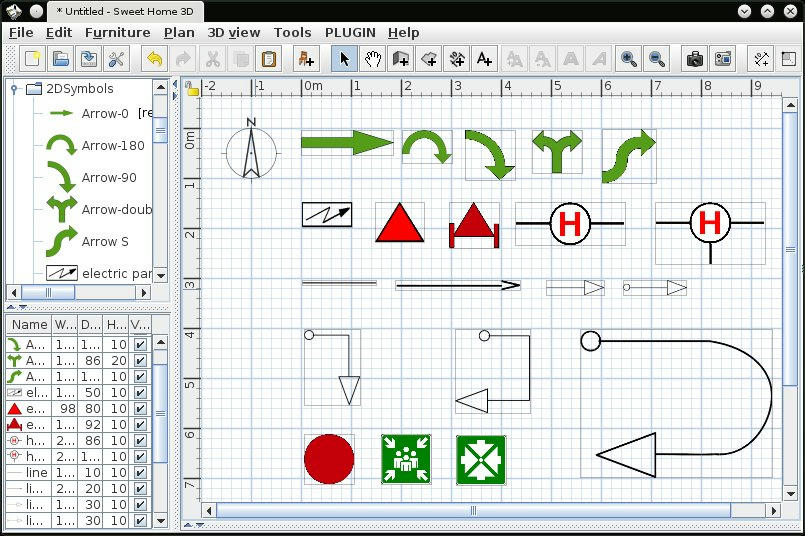
2D Symbols I've made a new version of a 2D symbols library. The symbols appear only in 2D plan. I could improve it with more symbols. See this 2DSymbols ![]() ---------------------------------------- A computer program does what you tell it to do, not what you want it to do. Murphy's Law When all else fails, read the instructions. Murphy's Law If you don't like "AS IS", DIY. Dorin's law |
| Posted by okh at Dec 8, 2014, 6:57:41 PM |
|
Re: 2D Symbols Thanks, useful. I could improve it with more symbols. Sure that would be appreciated. ok |
| Posted by bitacovir at Dec 24, 2014, 1:51:49 PM |
|
Re: 2D Symbols I think your work is very useful. I saw many times people using CAD drawings to create these emergency plans with these symbols and everything is a mess, without clear standard. As a suggestion you could create a group of symbols related with other kind of plans such as orientation plans used in Shopping centers: http://i.imgur.com/fWbVfhN.png Or maybe you can create symbols for electrical plans: Anyway thanks four your contribution. |
| Posted by okh at Dec 26, 2014, 11:16:42 AM |
|
Re: 2D Symbols For amateurs like me, this is useful. Both the symbols library (dorin/eTeks) and the legend provided by bitacovir. Just a note on usage that works for me: Use models for the various fittings (sockets, lamps, etc.) and then group them with the symbol. That way the 2D plan shows the symbol, while the 3D view shows the correct lamp, socket etc. However, I have not managed to figure out what are standard symbols (especially for electricity). Lamp is easy, and already indicated with the light-sources, but for other elements I struggle. E.g. dorin's socket seems to have a slightly different meaning from bitacovir's. So if a pro cares to elaborate on the symbols library, so some text elaborate on the standard symbol sets would help. Wikimedia commons' collection of electrical symbols is of limited use to me without further explanation of what each symbol means. ok ok |
| Posted by okh at Jan 26, 2015, 12:47:24 PM |
|
Re: 2D Symbols I could improve it with more symbols. Playing around with the concept of symbols, I found out I actually needed to see the symbol location in both 2&3D views. At the same time I only wanted the lightsource itself when rendering. Very similar to the included light sources, but I wanted to make the mounting points more visible.However, it is also reasonably easy is to do the same for wall-lamps - and without the light source: electric sockets, switches etc. For cable pipes I suppose one could use the arrow set or use dimensions. Attributes for reference in the SF thread: 2DSymbols ok ![]() |
| Posted by dorin at Apr 12, 2015, 4:22:14 PM |
|
Re: 2D Symbols Like I promise, here is a new version. I've added some new symbols and I've remove the electrical. At this time the electrical diagram could be made bather with DIA. See this 2D Symbols ![]() Link to library 2DSymbols v1.2 ---------------------------------------- A computer program does what you tell it to do, not what you want it to do. Murphy's Law When all else fails, read the instructions. Murphy's Law If you don't like "AS IS", DIY. Dorin's law |
| Posted by carpearch2 at May 14, 2015, 7:39:41 PM |
|
Re: 2D Symbols What are you using to make the symbols? And how do you make them only show on the 2d-view? I have made electrical symbols using sh3d and export to obj but I could improve them if I could use something else to make them |
| Posted by dorin at May 17, 2015, 9:01:07 PM |
|
Re: 2D Symbols A) Prepare the system: 1. Install LibreOffice 2. Install GIMP 3. Download 2DSymbols 1.2.sh3f 4. Unzip in a folder named 2DSymbols (autodetect folders) 5. Make a new folder with name Electrical (for eg.) 6. Locate in 2DSymbols 1.2 the file with names: -invisibleCube.obj -PluginFurnitureCatalog.properties 7. Copy this files to Electrical folder 8. Open PluginFurnitureCatalog.properties and erase all exept the entry for the first symbol *Learn whats mean every entry in this kind of file B) Made the symbols: 1. Open a new LibreOfficeDraw file 1a. Draw the symbol whit the tools provided by LibreOffice 1b. Export it as png 1b1. Select the draw objects -> group it 1b2. Select the group -> convert as bitmap 1b3. File -> Export... -> as PNG [select the Electrical folder (give some-name.png)] 1b4. File -> Export... -> as PNG [select the Electrical folder (give some-namePlanIcon.png)] 2. Open the some-name.png in GIMP 2a. Image -> Auto Crop 2b. Colors -> Color to Alpha... (select white backgound to convert to alpha) 2c. File -> Owerwrite some-name.png 3. Open the some-namePlanIcon.png in GIMP 3a. Image -> Auto Crop 3b. Image -> Canvas Size... (make a square canvas to be showed in furniture catalog) 3c. File -> Owerwrite some-namePlanIcon.png C) Prepare the library: 1. Open the PluginFurnitureCatalog.properties in a text editor 1a. edit every entry 1b. for every entry select for model#[nr]= /invisibleCube.obj 1c. for every entry set width and depth as is for some-name.png 1d. ZIP the library D) Test library in SH3D ---------------------------------------- A computer program does what you tell it to do, not what you want it to do. Murphy's Law When all else fails, read the instructions. Murphy's Law If you don't like "AS IS", DIY. Dorin's law |
| Posted by ElfenM at Sep 14, 2015, 6:37:16 PM |
Re: 2D SymbolsI think your work is very useful. I saw many times people using CAD drawings to create these emergency plans with these symbols and everything is a mess, without clear standard. As a suggestion you could create a group of symbols related with other kind of plans such as orientation plans used in Shopping centers: http://i.imgur.com/fWbVfhN.png I have not seen a Woolworths in years! This made my day, if not the week! ![]() |
| Posted by dorin at Sep 15, 2015, 12:16:57 PM |
|
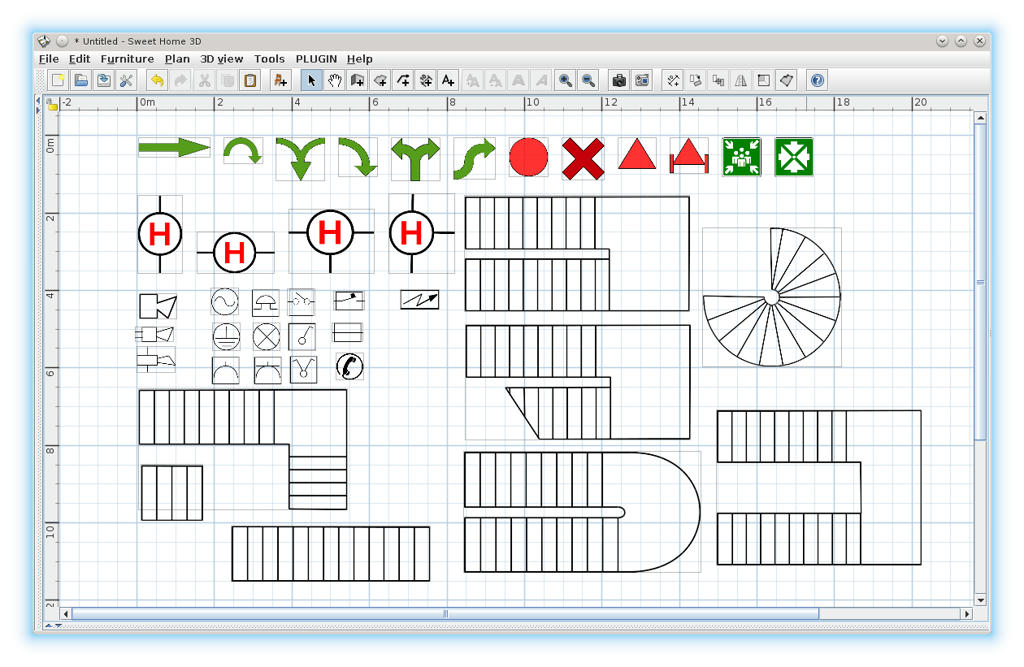
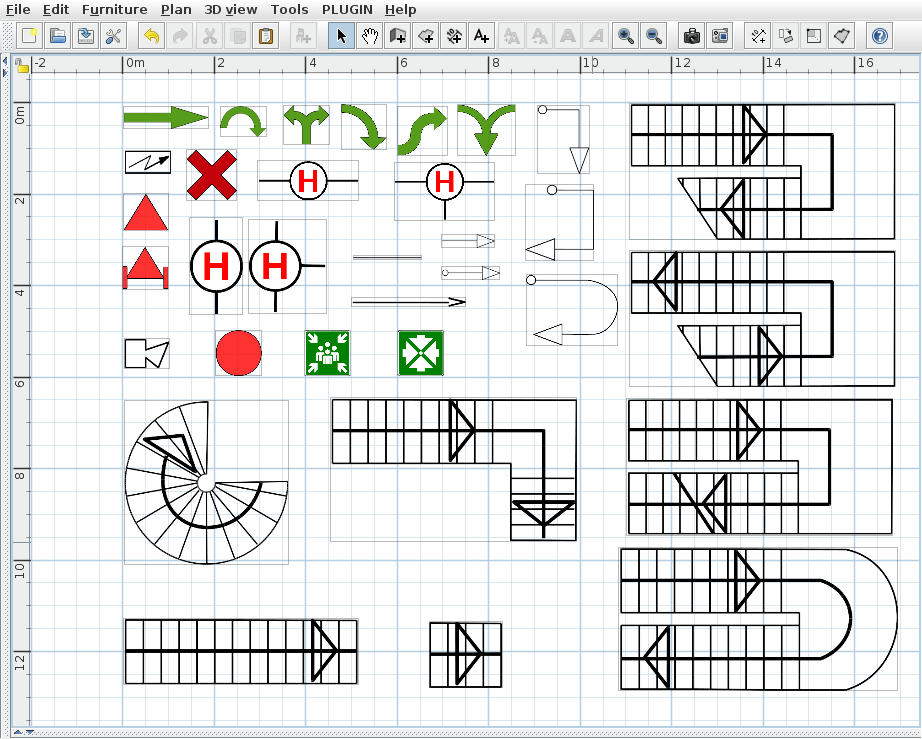
Re: 2D Symbols New version. I've put back the electrical, I've add few new ones. I've remove lines and arrow lines. With new features of SH3D-v5.0 it's possible to make more. Here is the link to library 2DSymbols.v1.5.0.sh3f and here ---------------------------------------- A computer program does what you tell it to do, not what you want it to do. Murphy's Law When all else fails, read the instructions. Murphy's Law If you don't like "AS IS", DIY. Dorin's law |
|
|
|
Current timezone is GMT Dec 15, 2025, 6:55:23 PM |