Print at Dec 18, 2025, 1:37:33 PM View all posts in this thread on one page
Posted by mishi at Sep 11, 2016, 6:33:36 PM
3D card problem
How do I find what my current DirectX and OpenGL drivers are? What should I do to update these? Please give specific direction if possible.

Posted by FDpaffie at Sep 15, 2016, 12:08:20 PM
Re: 3D card problem
is this what you mean
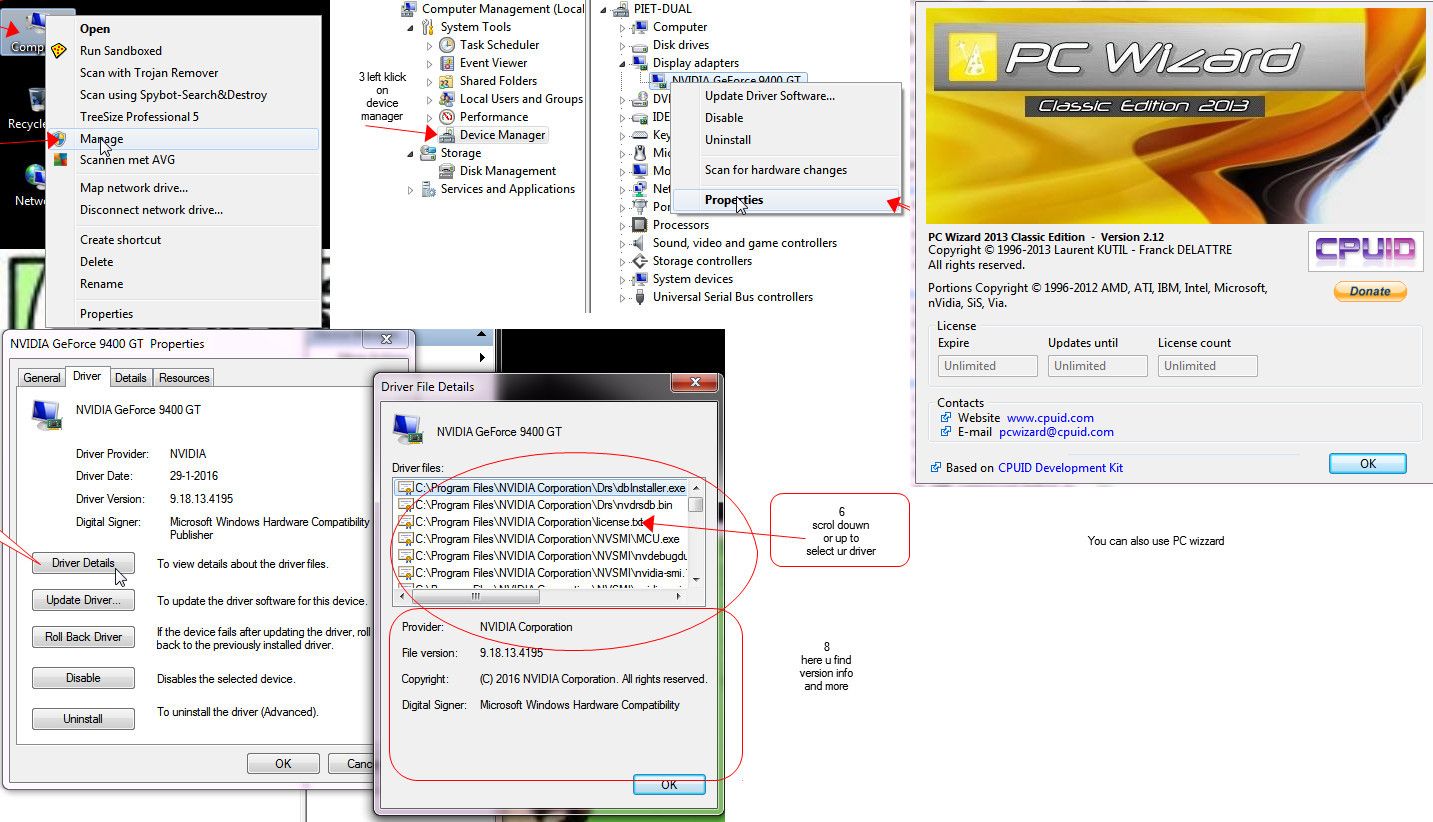


1 right click on ur computer icon
2 select Manage
3 left click device manager
4 right click display adapter / select properties
5 driver tab / select driver details
6 scroll up or douwn to view ur drivers
7 select driver by clicking ur mouse pointer
8 view ur version in lower panne
Done !

or you can download PC WIZZARD ..Url is on the picture

smile
----------------------------------------
To Draw or not to Draw ...... Thats nolonger a question .. We draw

Posted by FDpaffie at Sep 15, 2016, 12:18:37 PM
Re: 3D card problem
the diagnostic program for Direct X is in the
C:\Windows\System32\dxdiag.exe
folder

How to install the latest version >>
https://support.microsoft.com/en-us/kb/179113
----------------------------------------
To Draw or not to Draw ...... Thats nolonger a question .. We draw

Posted by FDpaffie at Sep 15, 2016, 12:39:13 PM
Re: 3D card problem
OpenGL Driver are tricky every graphic card has is own
if u conna mangle wit those ,,make sure u create a restore point

OpenGL Driver Support
https://developer.nvidia.com/opengl-driver
----------------------------------------
To Draw or not to Draw ...... Thats nolonger a question .. We draw