|
Sweet Home 3D Forum » List all forums » » Forum: Sweet Home 3D bar » » » Thread: A major challenge? |
|
| Print at Feb 4, 2026, 12:16:40 PM | |
| Posted by Ceciliabr at Sep 13, 2016, 5:01:51 AM |
|
A major challenge? Question: Is it very difficult to include alpha channels for sky or ground ( or both) as an option? According to this paper alpha channels are already supported in Sunflow. I'm not into coding and hold no expertise in the field, so I'm just wondering if it's a major challenge. cec |
| Posted by mazoola at Sep 14, 2016, 4:13:47 AM |
|
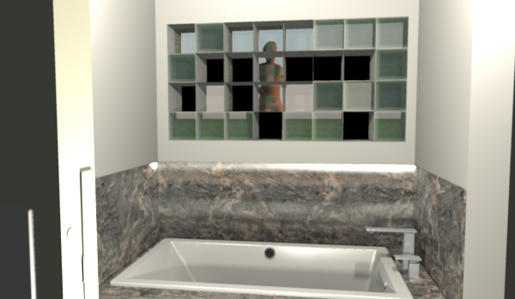
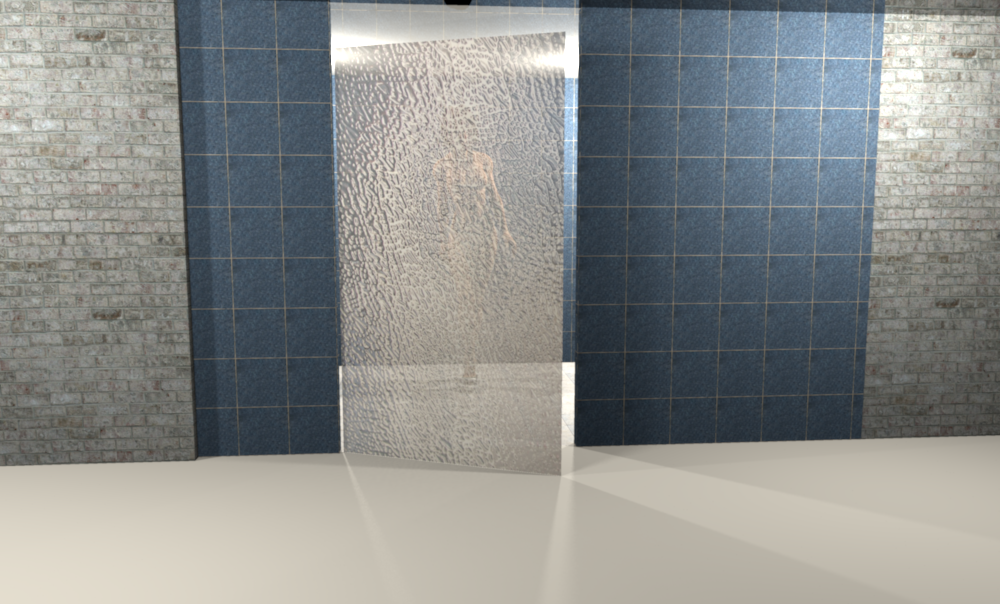
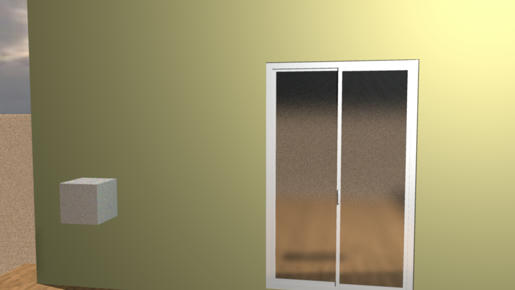
Re: A major challenge? I've used images with an alpha channel as textures, with varying degrees of success. (For instance, in my never-ending quest to find a functional 'frosted glass' material, I came up with this: ![]() That uses a black-to-grey diffusion cloud image with a different black-to-white diffusion cloud as the alpha channel. While it's an interesting effect, I can't say it's an entirely successful one: For one thing, in the scene there's a nude woman[1] standing immediately beyond where you see that square grey shadow; for another, that square grey shadow is somehow being cast by the cube in the left foreground -- through the wall, with light from a nonexistent source.) So, as long as you don't mind the resulting image thoroughly violates the laws of physics of the virtual universe where the scene resides, I guess you could say alpha channels work. Actually, I probably could have lived with a chaotic upheaval of the basic rules of existence had I only been able to get them to fail dependably. Instead, the outcome of the render was incredibly variable, based on a range of factors I could never identify. For instance, when I took the texture used in the previous example and applied it to individual bricks in this 8 x 4 glass brick bathroom wall[2], this was the result:[3] ![]() Ultimately, I threw in the towel and tried to find another way to fake it. Maz __________ 1. After all, this was a test for a frosted glass shower stall. 2. Similar to the one in the house where I grew up. 3. The other very obvious bug -- namely, the 'melting' marble splash panel -- was the result of my having erroneously both softened and smoothed edges in the original SketchUp model. |
| Posted by okh at Sep 14, 2016, 8:27:39 AM |
|
Re: A major challenge? Ah, yes those pesky frosted windows. Glad to hear I am not the only one who has struggled with those. What looks fine in the 3D window, somehow turns out quite differently when rendering. And also, if to semi transparent surfaces overlap (one behind another), they are sometimes displayed in the wrong order. But with some trial and error, I usually get it right (for my limited purposes, anyway). However, I suspect what Cec would want, is to apply transparency to ground and sky - to remove all or parts of the surroundings of a construction. I can see that for her designs (and sometimes even mine) it could be useful to remove background completely - but maybe I misunderstand. ok |
| Posted by Ceciliabr at Sep 14, 2016, 9:00:48 PM |
|
Re: A major challenge? @mazoola Hm.. I never had any trouble with frosted glass... I think. There'a a reason God let there be light. Without proper lighting, her mammalian protuberances are (unintentionally ?) quite visible : ![]() It's like thin, semi-transparent curtains: they prevent us from being seen during the day, but when the night falls, they offer no protection at all - unless we light them from the outside. cec |
| Posted by Miker777 at Sep 14, 2016, 9:49:12 PM |
|
Re: A major challenge? tut tut cec wouldn't catch me doing something like that ![]() |
| Posted by Ceciliabr at Sep 14, 2016, 9:57:45 PM |
|
Re: A major challenge? @okh No, you did not misunderstand me. It's only the sky and the ground that do not utilise transparent textures. The reason I'm mentioning this yet again ( yes, I have posted a question about this earlier), is because I have come across other threads wishing for the same. Most other 3D applications offers both alpha channels and shadow-catchers, and people designing homes, might like to place renderings of their homes on snapshots of the location it's meant for – a pre-visualisation of their future home. I'm just wondering if implementing alpha channels for sky and ground are very difficult tasks to perform. cec |
| Posted by Ceciliabr at Sep 14, 2016, 10:00:44 PM |
Re: A major challenge? @Miker777Like what? Like showering in high heeled shoes? ![]() |
| Posted by okh at Sep 15, 2016, 7:58:23 AM |
|
Re: A major challenge? ..you did not misunderstand me... Glad we see eye-to-eye. What also would be nice, is to have the (general) transparency slider bar available in the material dialogue (as it briefly appeared in a 4.2 beta, see thread 4444). Just my fifty American dollars worth... PS Mammalian disturbances aside, I suppose rooms/walls do not support transparency either - but probably also not necessary? |
| Posted by Ceciliabr at Sep 15, 2016, 1:32:28 PM |
|
Re: A major challenge? @okh I forgot walls and rooms, probably because, as you suggest, it's unnecessary. A transparency slider bar would be great. I'm using Photoshop to manage transparency values of textures, but, as my illustration shows, the effect of semi-transparency depends a lot upon how the lights are placed. cec |
| Posted by okh at Sep 15, 2016, 3:52:02 PM |
|
Re: A major challenge? Cec, you are absolutely right, and prove it often, that it is possible to work miracles with lights (and transparency) in terms of rendering. Alas, my favourite computer is pretty slow (but tiny, fanless and absolutely silent) and I am not very patient. Still, I manage to create renderings that are good enough for my purposes. But what I have tried to do, but have yet to manage, was making a lampshade that would let through a soft glow coloured by the lamp shade (and normal light under). After having tried different combinations of - transparency in the .mtl file, - transparent, combined and semi-transparent .png/.gif textures, - and a few other things, the result always came out - well - underwhelming. For a short period during the 4.2 beta-testing the colour dialogue looked like this. This, would be nice to see operational (was there something with Java in Linux?). Ah yes, and I just spotted Miker777's comment. tut tut cec wouldn't catch me doing something like that That's fine, I can live with that The most pleasant surprise with this whole discussion, though, is the fact that this thread is now appears to be in breach of Facebook community standards. Whatever else comes out of it, that counts for something... ok |
| Posted by Miker777 at Sep 15, 2016, 8:11:20 PM |
|
Re: A major challenge? Hi cec Hi okh I only metioned tut tut cec wouldn't catch me doing something like that as the image i posted recently in "1st showing" was similar.But now you've mentioned the high heels, i have to say i only wear them on special occasions ![]() Though i would love to help with the "major challenge", I cannot, being dyslexic numbers mean very little to me and words are not much better, walls though..... i can draw them ![]() |
| Posted by mazoola at Sep 16, 2016, 12:34:04 PM |
|
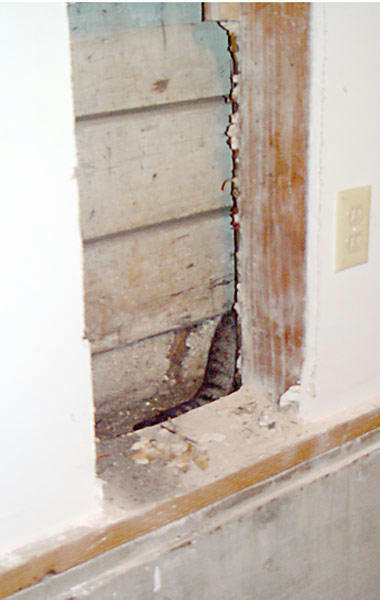
Re: A major challenge? Cecilia - An excellent work-around for the frosted glass issue. Unfortunately, it isn't quite applicable to my needs. Here in San Francisco, houses generally can be built to 6 inches (1/2 foot) of the property line. (In practice, they often extend even nearer to the boundary than that; this is a photo of my cat who, having escaped outdoors, became disoriented during a thunderstorm and sought shelter between my and a neighbor's houses. After more than a week, we finally located her; after 4 hours of careful work, I managed to cut through interior and exterior walls to reach her, wedged into a spot a little more than 4 inches wide. [She was approximately 12 feet from the edge of the wall, nearly 3 feet lower than where she had entered, and somehow had managed to turn herself around.] She was wedged so tightly, it took another 90 minutes to free her. ) As one might imagine, there are all sorts of rules and regulations pertaining to windows placed along property lines. In an early stage of one design, I had chosen to keep the outside wall of a bathroom 5 feet from the edge of the property as sort of a light well between buildings. Currently, there are no windows in the room, as there is a tub/shower enclosure along the outside wall. In my plans, I changed this to a half-bath/powder room (that is, containing a sink and w.c. but no tub or shower), and I decided to add a frosted glass window to open the space up somewhat. That marked my first attempt to achieve a frosted glass effect -- one that needed to work even with strong backlighting. In the end, my inability to create such an effect caused me to eliminate the window, which in turn led me to eliminate the 5-foot setback, which had the happy result of opening up the design in unexpected ways, resulting in a much more organic and usable floor plan -- all for the want of frosted glass. Two floors higher up, though, I again ran into problems. Because of other provisions in local planning codes, I found space to be at a premium in the master bedroom suite; I also found myself somewhat at a loss as how best to take advantage of an unparalleled view over the city. I hit upon the idea of having the rear wall of the bedroom also be the outer wall of the master bath shower -- a wall made from switchable or 'smart' glass: Depending on the setting, the wall could be 100% transparent, 100% frosted (about 92% opaque), or partly transparent and partly frosted, with a 30-inch-high modesty panel obscuring the bathers' 'naughty bits' from any telescope-equipped voyeurs based in Pacific Heights. This sent me on a repeated search for ways to fake frosted glass, with results as unsatisfying as my first. (To make things even more difficult, I'd spec'ed the shower to include Kohler illuminated "Raintiles" overhead, so the frosted illusion had to withstand a color wash of backlighting.) Ultimately, I chose to go with a 9% transparent white texture for the modesty panel, coupled with judicious post-processing use of Photoshop's blur brush. I still had issues with the amount of refraction displayed -- but I've since discovered that can be corrected by hand-editing the MTL file. On the other hand, I much prefer your bathing model -- heels and all -- to the one I eventually used. ![]() OKHoff -- would these images be considered harmful matter? maz |
| Posted by okh at Sep 16, 2016, 6:23:26 PM |
|
Re: A major challenge? OKHoff -- would these images be considered harmful matter? Hi Maz, yup, if you look at the end of my comment, in the not-so-brave, new, 'global communities' of certain social media, Cec' images could easily be considered harmful as the depiction does not include breastfeeding... While I am really trying to be understanding, my gut feeling is that most Europeans would find it extremely hard to understand how Cec' esthetically pleasing work could possibly pose any clear and present danger to the emotional development of future generations. (Don't get me started on this, I am trying my best to be unbiased ).Now, much more important, did your cat survive in the end? Did my share of animal rescue, ranging from kittens to a 1200kg bull trapped in tight spot. Hint, cats are notoriously hard to locate, but an RFID chip which makes finding them a lot easier. And also - any practical experience with the smart glass? I have been wondering about those for years - have they finally matured? I have no idea what I should use them for (see above), but I like the concept. ok |
| Posted by Ceciliabr at Sep 17, 2016, 6:26:26 PM |
|
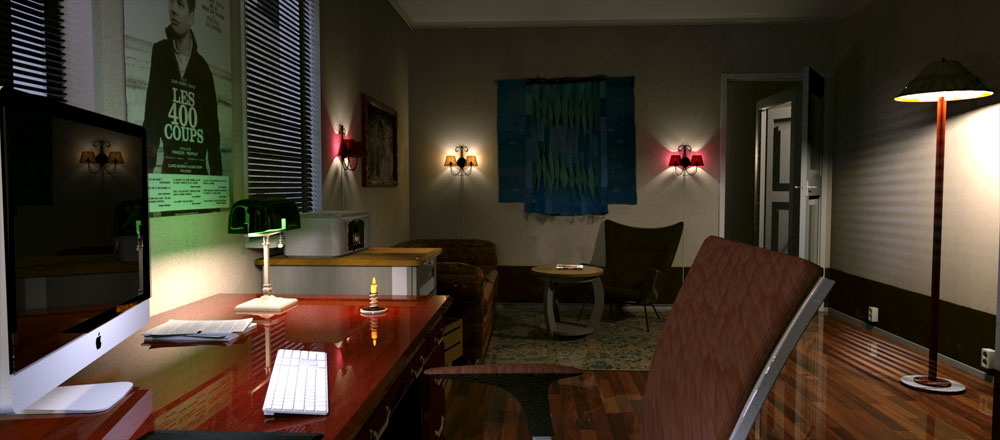
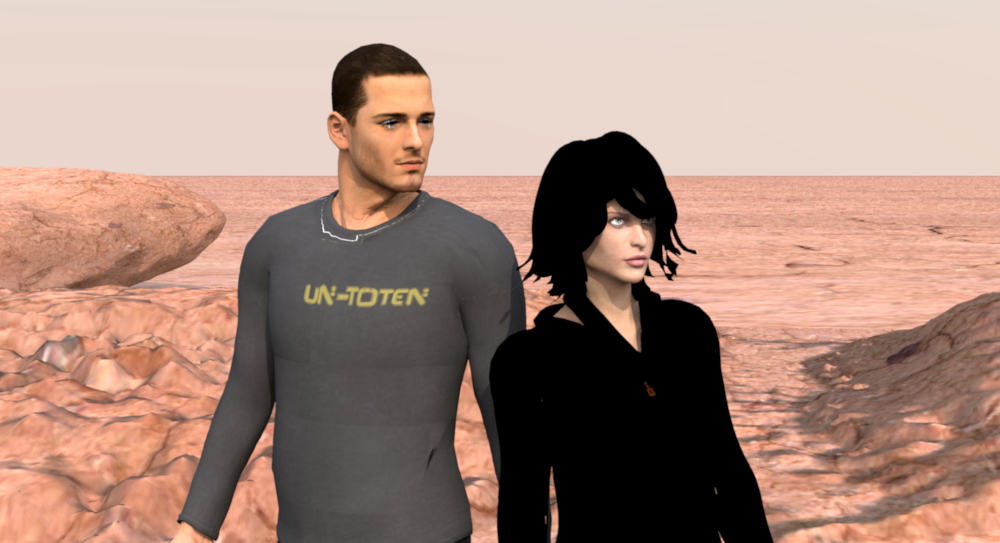
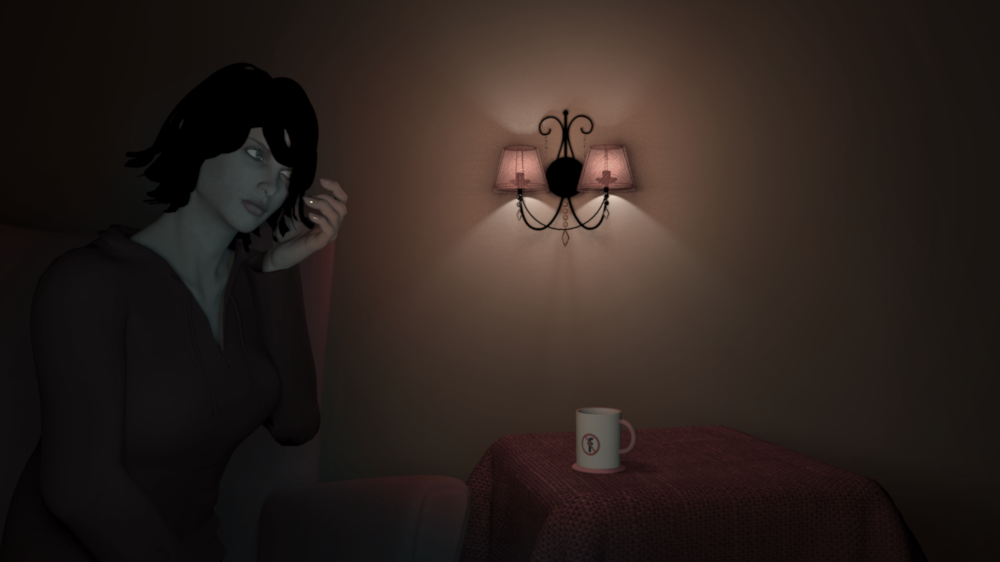
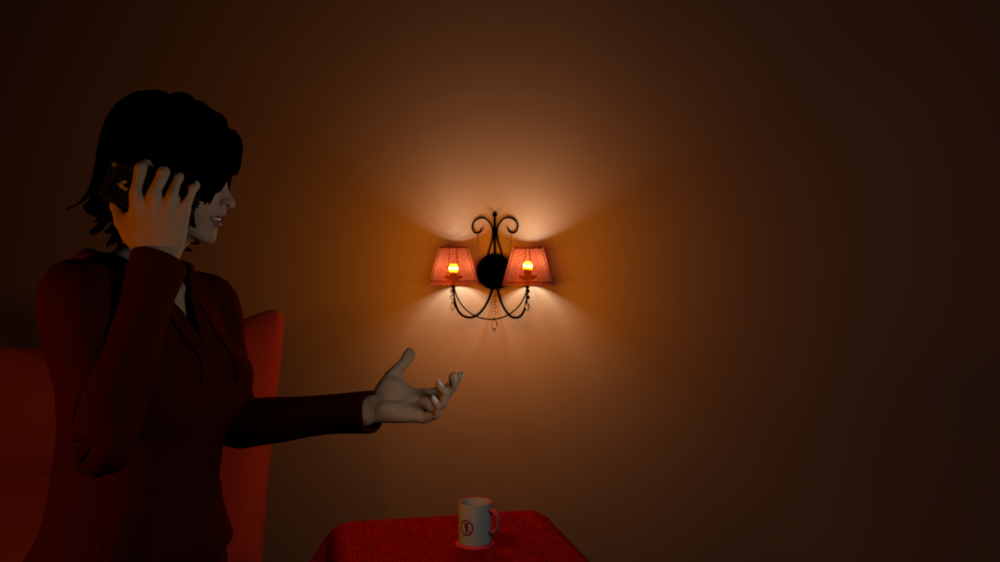
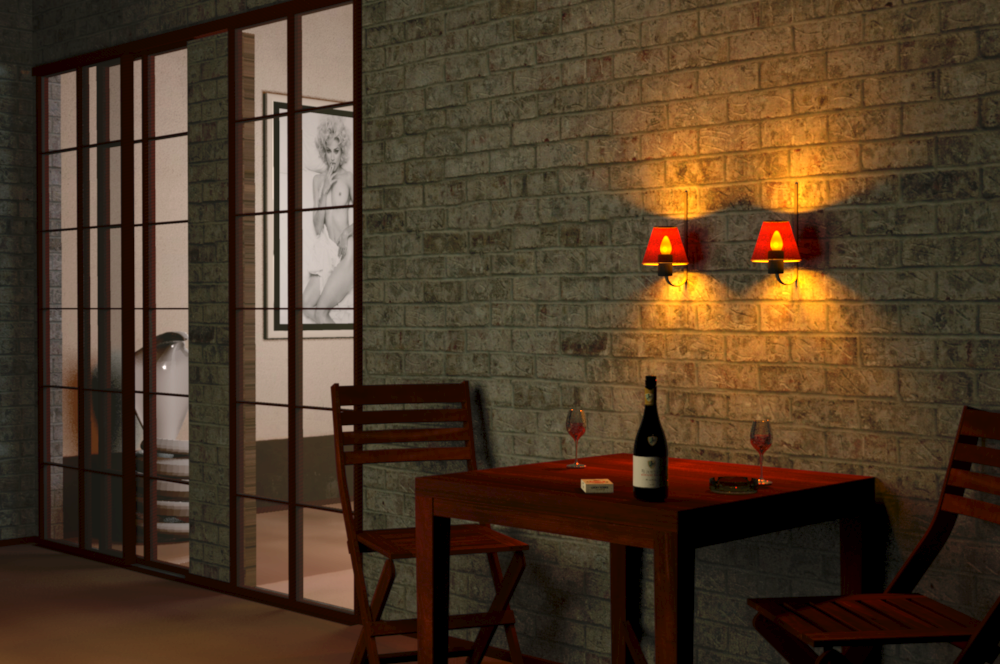
Re: A major challenge? @okh But what I have tried to do, but have yet to manage, was making a lampshade that would let through a soft glow coloured by the lamp shade (and normal light under). I have never thought about that. It's a great idea. You should have told me before I rendered this image for my next video : How can I create the illusion of a bulb shining through a semi-transparent lampshade? Placing a light on the inside, like I did when I created the image above, is obviously not the right solution, so I thought there had to be an object inside the lampshade, a reflective, solid object that resembles a bulb and reflects the lights that are being shined on it. Maybe a stretched-out sphere with a shiny surface would do the trick? So I tried that, and this is how it turned out: ![]() Far from perfect, but it was a good starting point. If you (or anyone) should want the project-file, it's here: Girl-with-mug-and-lampshade.sh3d So what could I do to improve it? First of all I should change the lighting and the colour-scheme, make myself a new palette. ( Making a palette is the first thing to do when decorating a home. For people who are not familiar with matching colours, there's a very good pallet-designer here: http://www.colorexplorer.com/colormatch.aspx ) I made a red palette, to create a warmer feeling, and adjusted the lights, and this came out: The next thing is to give the lampshade a better texture, more opaque ( maybe 60%). With a not quite so see-through texture, I think the result will improve. But I don't have time for that right now. So if anyone feels an urge to experiment with textures, they can download the adjusted file here: Girl-with-mug-and-lampshade-red-palette The girl, btw, is a demo, not at all finished. She is a part of a series of posing models that I'm working on. My project is to create some alternative or complimentary 3D models to the ones offered, with an attempt to create a lifelike appearance and a changeable set of clothing (changed by using the transparency option). I still have some work to do, like fixing the hair texture and the eyelashes,and work some more on the clothing, but once the basics are done, I can create all sorts of different poses in a jiffy – even on demand. And, while I'm at it; the image above was created with the default renderer. She looks a lot better when using the enhanced renderer, where you can get a better exposure by selecting 'Enhance external brightnes' Here is a close-up – in daylight, where she's lost in a sort of Martian landscape. Here you can see her complexion better – and you can see the reason I'm working on her eyelashes. ![]() This is the same image created with the default renderer: ![]() Here she is with her friend James: ![]() And here they are posing with two models I have downloaded: ![]() It seems my models are matching up quite well. The most pleasant surprise with this whole discussion, though, is the fact that this thread is now appears to be in breach of Facebook community standards Eh… is Facebook controlling and censoring this forum? I certainly hope not. In my family, Facebook, with their immense profit-hunger and Victorian censorship, is totally banned. Our children will NEVER be shielded from nakedness. In Denmark we have signs on the beach informing people if for some reason nudism is NOT allowed. cec |
| Posted by bdfd at Sep 17, 2016, 7:42:29 PM |
|
Re: A major challenge? Great job cecilia ! However, I tried to download the two zipped files and I could not open them. ![]() Hey the others, Do you have the same problem that me ? ---------------------------------------- Evil progresses when good people do nothing! --- SH3D 7.1 and nothing else - W11 64b in 4K |
| Posted by okh at Sep 17, 2016, 8:39:15 PM |
|
Re: A major challenge? Beautiful and interesting renderings as usual. I will study your stuff tomorrow. Maybe I will have another go at a lamp model then. Or later if weather keeps, swimming last half of September this far North is a treat to be cherished. Eh… is Facebook controlling and censoring this forum? I certainly hope not.... Exactly, the pleasant surprise is that this forum would (probably) not censor a normal image. Whereas FB might. ok |
| Posted by Ceciliabr at Sep 18, 2016, 4:31:23 AM |
|
Re: A major challenge? @bfdb Sorry about that, but it's no wonder you can't unzip the files, since the files are not zipped. They are .sh3d-files. Just download and open with SH3D. ( On a Mac you right-click on the link and select Save target as.) I have just checked, and so far two downloads have been made on the first file, and nine on the second. cec |
| Posted by bdfd at Sep 18, 2016, 5:42:45 AM |
|
Re: A major challenge? Exactly ! The download are in zip format but once the files renamed in sh3d they open with 80% damaged items... ![]() ---------------------------------------- Evil progresses when good people do nothing! --- SH3D 7.1 and nothing else - W11 64b in 4K |
| Posted by Miker777 at Sep 18, 2016, 9:26:15 AM |
|
Re: A major challenge? Beautiful work there Cec, your model appears well superior. Both files downloaded and opened fine, try just "open with" bdfd, instead of saving. Table cloth may appear elsewhere though. . Soft furnishings just dont have the same affect made of boxes and triangles, lolMike |
| Posted by Miker777 at Sep 18, 2016, 9:27:41 AM |
|
Re: A major challenge? Is there much difference in the size of your model compared to the ones already available? |
| Posted by Ceciliabr at Sep 18, 2016, 2:35:54 PM |
|
Re: A major challenge? @bdfd Bonjour. I think I know what has happened. In the dialogue-box that opens when you right-click and select "Save target as", you should select the "all files" option as your file format. Windows is probably using zip as default. cec |
| Posted by Ceciliabr at Sep 18, 2016, 3:16:03 PM |
|
Re: A major challenge? @ Miker777 Thank you! Ah, the double table cloth – that was my grandmothers way of decorating her bedside table – one cloth on top of another. I made it with Poser, and used it when I decorated my bedroom. The size of the models should be 180 for James and 178 for the girl ( with high heels). But I'm not really concerned about size. I'm concerned about illusions, and resize models as I see fit. cec |
| Posted by Miker777 at Sep 18, 2016, 3:37:40 PM |
|
Re: A major challenge? Hi Cec Sorry, i did not mean physical size, kb my bad Mike |
| Posted by Ceciliabr at Sep 18, 2016, 3:37:49 PM |
|
Re: A major challenge? @okh I have changed the fabric on the lampshade, adjusted the lights a little bit, and made a new rendering: I actually used the same fabric as I'm using on the tablecloth, just reducing the fill to 20%. And yes, I adjusted the colours a bit. The problem with using a tiny light source inside the lampshade, is that it creates very hard shadows. I have an idea I might be able to avoid that by making a small circle of tiny, tiny lights to go around the bottom of the bulb, but I have to try that later. To quote Hannibal Lecter: "I'm having an old friend for dinner tonight", so I have to get busy. cec |
| Posted by Ceciliabr at Sep 18, 2016, 4:04:48 PM |
|
Re: A major challenge? @Miker777 I just assumed, since I actually got a mail asking about the size, pointing out the fact that the chair did not fit the girls body. So I naturally thought you were referring to the conspicuous disparity between the elements. At the moment the models are about 30Mb including the ( very large) textures. I'm still experimenting, and will not do anything to reduce the size until they are done. But I'm not going to reduce the size to the extent that the quality is lessened. I want them to look as best they can, even on close-ups. Besides, I think modern computers can handle large 3D-models easily. Even my oldest MacBook from 2013 is able to handle projects weighing around 2GB. cec |
| Posted by okh at Sep 18, 2016, 6:21:19 PM |
|
Re: A major challenge? ..tiny light source inside the lampshade, is that it creates very hard shadows... Yes, and a larger light-source inside the boundaries of the model keeps interfering with the model itself. Still, your result is better than I managed so far. But then, I got caught up in getting the bulb to look right as well. Will work with your inspiration exploring the .mtl opacity further at some point, but not tonight. A boat trip around the Oslofjord put me in a different mood - really this hot, this time of year... Not normal. Good luck with the dinner party. Love dinner parties, except the last 10 minutes before when getting everything ready seems impossible (and the tidying up afterwards). Hope your guest tastes well ok |
| Posted by Ceciliabr at Sep 19, 2016, 10:01:49 AM |
|
Re: A major challenge? @okh Have a look at this: ![]() Making the bulbs round and placing a circle of tiny lights around them, really made the difference. The shadows appear a lot more diffuse with multiple light sources. The texture is now 50%, but I think maybe 80% will give an even better result. The project file is here( not zipped :)LAMP-with-shades-and-bulb.sh3d Just the lamp and the wall this time. 21Mb. My Norwegian grandmother used to have lids on top of her lamps, to avoid lighting up the ceiling. Love dinner parties, except the last 10 minutes before when getting everything ready seems impossible (and the tidying up afterwards). He was fashionably late, as expected. No stress. And (I probably should not mention this) we have a girl living with us, an au-pair, or rather; a nanny for my daughter. Well, being a nanny was the job she applied for. But today we just call her "bestyrerinden" - oder die Geschäftsführerin - our manageress. She has taken over the management of our household, our accounts, the logistics and the kitchen, as if it's in her nature to be the boss. Unfortunately we are losing her after Christmas. She has qualified for a scholarship from a medical company, and is moving to France to study bio-chemistry. Me and all my digressions ... A boat trip around the Oslofjord... I envy you. Norway is such a beautiful country, and especially in the autumn. I have memories of my birthday-parties in Norway, beautiful tables, decorated with autumn leaves... When I lived in Oslo, I felt Danish at heart, but after moving back to Denmark, I have started to introduce myself as Norwegian when I make new acquaintances. I never thought I would miss Norway. cec |
| Posted by Puybaret at Sep 19, 2016, 10:33:18 AM |
|
Re: A major challenge? Just to answer to the initial question of this very interesting thread, I made a quick test for transparency support in Sunflow, enabling alpha channel in the generated image (with TYPE_INT_ARGB instead of TYPE_INT_RGB in PhotoPanel class), but this doesn't seem to be enough. Will need further investigation... ---------------------------------------- Emmanuel Puybaret, Sweet Home 3D creator |
| Posted by okh at Sep 19, 2016, 4:57:00 PM |
|
Re: A major challenge? Yes, very nice result, pretty much the kind of effect I have been looking for. Thanks, some good ideas here. Making the bulbs round and placing a circle of tiny lights around them, really made the difference. Absolutely. I did not try that. In part because typing up all those light-source properties in the model will take some time. As my objective is a bit different, I need to experiment further: Aim is to make a relatively simple model with built-in lights for a library file. While this is a step in the right direction, there are a couple of things I still need to look at (once the weather discourages after-work trips out in the fjord).
..grandmother used to have lids on top of her lamps, to avoid lighting up the ceiling... Sounds very familiar. Actually, I still have a fondness for ceilings hidden in the dark. But then, I quite like dark - or at least subdued light - in general. ..answer to the initial question of this very interesting thread... A thread with lots of twists and digressions, but it would be nice to know more about the initial question too. ok |
| Posted by okh at Sep 20, 2016, 10:16:20 AM |
|
Re: A major challenge? @maz -- a wall made from switchable or 'smart' glass: Depending on the setting, the wall could be 100% transparent, 100% frosted (about 92% opaque), or partly transparent and partly frosted,... Speaking of alpha channels and transparency - and not least building materials - you may enjoy this demonstration of smart glass: snooperscharter.co.uk (or YouTube). A video stunt related to the UK Investigatory Powers Bill. ok |
| Posted by Ceciliabr at Sep 21, 2016, 1:18:52 PM |
|
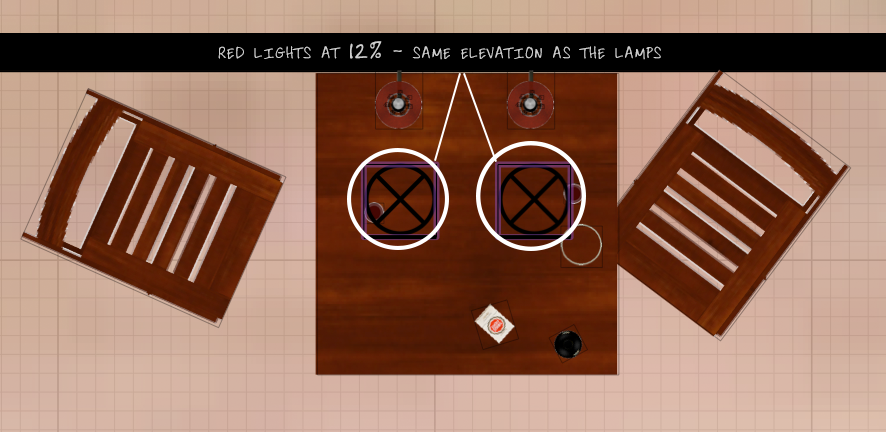
Re: A major challenge? @okh The rendering of this lamp is pretty demanding on the cpu I think the the lamp itself is to blame for the long rendering time. As an experiment, I constructed a very simple lamp. With 14 fireglow light-sources inside, it rendered quite fast. It might take a bit longer on a slower computer, but the lamp itself is only 700kb. Simple lamp Here's an example showing how I have lighted it: Wall-lamp-example.sh3d In order for the lamp to light up the surrounding area "through" the lamp-shade, it will, I think, need (large, soft) light-sources outside the perimeter of the lamp itself. Yes. But that's how we have to light a 3D room anyway if we want a "decent exposure". The lamps are really just props. Also, the light-source should have a tint in the same colour as the lamp-shade. Yes and no. The light that is emitted through the shade could be coloured by it, but in my opinion the light that comes out at the top and the bottom, should not be tinted. A tint can be applied by using outside light-sources. This image has two 25 X 25 cm red light-sources at 12% strength, placed right in front of each shade. ![]() I am under the impression that Puybaret does not want to over-complicate the general SH3D interface… That's quite understandable. Just imagine all the support-questions he would have to answer. I think the question is whether Puybaret really wants to expand into something more than home decorating. And then, of course, there's the fact that the Sunflow renderer is long since discontinued. Switching to another rendering engine will at some point become necessary. but it would be nice to know more about the initial question too. It appears Mr. Puybaret is working on it. That's promising In the meantime; enjoy the Indian summer in Norway. cec |
| Posted by MartinSK at Sep 22, 2016, 6:19:05 AM |
|
Re: A major challenge? Thanx @Cecilia for this lamp model... It's great. Martin |
| Posted by okh at Sep 22, 2016, 8:24:25 AM |
|
Re: A major challenge? ..lamp itself is only 700kb. Yes, smaller size (if not small ) helps. But the light-sources still take their toll on a slow computer. Actually the .png appears to constitute most of the size. I had a quick look and if I understand correctly the .png uses a palette with partly transparent colours(?) as there seemed to be no transparency in the .mtl file. The effect is very nice even if the bulb will remain slightly too visible in rendering (at least until other decorative/ambience light-sources are added to the plan). And this is the essence of my problem - getting the .mtl transparency to balance with the .png to create a good "frosted" look like a real lamp-shade. And I agree with MartinSK, it is a very nice lamp that deserves to be part of the collection (preferably with pre-fitted light-sources). And clearly, as you have demonstrated, using your techniques it is certainly possible to create the beautiful images. ..top and the bottom, should not be tinted. No, of course not. It is clearly no problem to use various colours in the different light-sources in the model. But the trouble is that the colours will stay fixed even if I change the hue of the texture.The lamps are really just props. Ah yes, this is certainly true if you want to create beautiful renderings. One will need to cheat. However, from my perspective when I do real life redecoration, I move lamps and light-source continuously and my purpose is only to do very quick tiny renderings to get a general impression of how the lamps can work in the room. In other words, my aim is not picture perfect lamps and perfect renderings - it is to produce a quick and good impression of light in the room, straight out of the box, so to speak.But I have a couple of ideas that I might try if work and other minor annoyances did not keep interfering... ok |
| Posted by Ceciliabr at Sep 22, 2016, 1:43:25 PM |
|
Re: A major challenge? @okh the .png uses a palette with partly transparent colours(?) as there seemed to be no transparency in the .mtl file. Yes. And the reason for that, is to enable the user to determine the amount of transparency he wants. With a predefined transparency in the model itself, the user can not choose to have an opaque lampshade. My own preferences on how I would want a lamp to work, is to be given the possibility to change parameters for every element. By making the bulb a separate, editable element, any colour or texture can be applied to it, making it easier to achieve the desired result. Darkening the bulb, and tinting it with the colour of the lampshade, will produce a softer glow. Giving the bulb a semi-transparent texture, might even soften it more. I will experiment further when time allows. if you want to create beautiful renderings. One will need to cheat Yes, of course we need to cheat! ... or? Since we are hanging in the bar, why not get philosophical (or quasi-philosophical) for a moment : I think we can agree on the fact that a 3D-model must be rendered as a photographic image in order to be revealed, and to create a photographic image, we must use a camera. Using a real camera photographing an interior or an exterior in the real world, we will try to create a photographic image that gives us the best visualisation of our object. Now, in the real world, using a real camera, we can change the exposure by adjusting aperture size and shutter speed. But even that is not enough to emulate the perfect image we get by just looking at an object with our own eyes. A camera does not have anywhere near the capacity to handle the vast dynamic light-range offered by our brain. So, in order to reduce the dynamic range, so we can capture our image photographically, we must use extra lighting to compensate and enhance our photographic image – and especially when trying to emulate the way our eyes are perceiving interiors. A camera can just record light – it cannot predict, and it does not have any dynamic selectivity to offer us, like our eyes have when we are scanning the world around us. We are constantly adjusting the aperture, dependent upon the light conditions of the object we are watching. Rendering photographic images in SH3D, we can't even adjust aperture or shutter speed, so how can we expect a rendered image to be anywhere close to resemble the image we get from looking at a real model in the real world? Every photograph in brochures and property prospects are artificially lighted – as well as being enhanced during the post-production procedure. Every photographer is cheating. But then, what is really cheating? After all we are using 3D modelling software to visualise an idea. If you look at it from a philosophical viewpoint, the idea of cheating cannot be applied to only one single part or event in the 3D-modelling process. Either everything you can do within SH3D is cheating, or nothing is. The lamp is not real, the light sources are artificial – and we are viewing our created image using a computer that has been mathematically calculating every shadow we see on the screen. The way I see it, cheating is the only way to create an illusion – and you can quote me on that. cec |
| Posted by Ceciliabr at Sep 22, 2016, 2:13:02 PM |
|
Re: A major challenge? @ MartinSK Thank you! I will center the bulb correctly and update the model shortly. cec |
| Posted by okh at Sep 23, 2016, 10:25:13 AM |
|
Re: A major challenge? ..cheating is the only way to create an illusion... Quoted... Might use it again. Agree with (almost) all of what you say as a good summing up. Could go on about perceived reality or perceived truth, but then I would end up with courtroom stories about witnesses - or Ibsen's livsløgn. As long as we acknowledge that we only glimpse reality, it is not too bad staying in the illusion. How is that for quasi...bar talk? ok |
| Posted by Ceciliabr at Sep 23, 2016, 11:19:32 PM |
|
Re: A major challenge? @okh As long as we acknowledge that we only glimpse reality, it is not too bad staying in the illusion. No, it's not too bad... we don't really mind living the illusion. Tick - tock, the time is running, in a world of created linearity, where man, an insignificant and perishable parenthesis in the universe, is letting his short existence be governed by mechanical devises. Sure, it's all a game, and we know it, but yet; we have given ourselves no other options than to play along - we can't escape the illusion – so we call it democracy, and keep on playing. And the rich get richer, and the poor get nothing. After all, it's just a matter of choosing the right parents when you're born. We have chosen to live on top of the world. Lucky for us. Come gather 'round people Wherever you roam And admit that the waters around you have grown And accept it that soon you'll be drenched to the bone. If your time to you is worth savin, then you better start swimmin' or you'll sink like a stone, for the times they are a-changin'. How is that for quasi...bar talk? Perfect! This is far from perfect, but I think it's the best I can do: And it really doesn't take long to render: This time rendered on an iMAC quad-core i5. Here is the project file ( not zipped): Lampetter-6.sh3d And here is the model (only 231 kb, – and that IS small.. or?): Lampette-01.3ds The model is based on a photograph of my grandmothers lampette. Have a nice weekend. cec |
| Posted by okh at Sep 24, 2016, 2:35:11 PM |
|
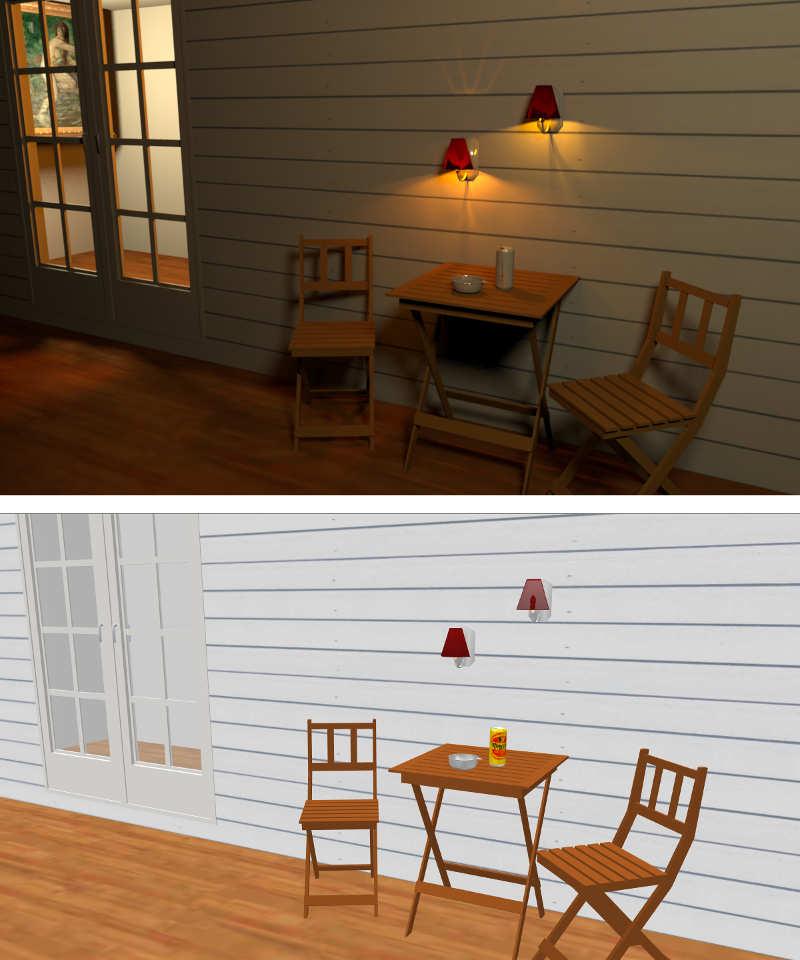
Re: A major challenge? @cec Well, your rendering is pretty close to perfect in my view. But I could not help myself and try the same with very simplified models/textures to speed it up. A similar room, - with a replica of Cec' lamp shrunk to 14 KB including texture (but much rougher, of course), - simpler chair and table, also a fraction of the size, - same with other textures / models, - swapped the wine/glass with drinking beer from a can (seemed more appropriate given the lack of finesse). Beauty and the beast if you like. Now, clearly Cec' version is far better in all sorts of ways. But, there is something to be said for the rough approach too - the total plan is less than 10% the size of the pretty one. Which means it is faster and easier to work with on a slower machine. The plan is (for me) sufficient to see what I want to do in real life. As for adding light-sources in the lamp model properties, that still annoys me. Could not get that right, but a few lessons learnt:
okPut the models and a demo in SF 3d models 400 in case someone wants to improve or tell me a better way. Plan with demo: lampette.sh3d Lamp model (.obj, without light sources): lampette.zip ![]() |
| Posted by Miker777 at Sep 24, 2016, 4:31:25 PM |
|
Re: A major challenge? Hi okh lmao @ swapped the wine/glass with drinking beer from a can (seemed more appropriate given the lack of finesse). |
| Posted by okh at Sep 24, 2016, 5:35:24 PM |
|
Re: A major challenge? ..swapped the wine/glass with drinking beer from a can... Yes well, seems we have run out of wine anyway. Remind me to lock that cupboard next time teenagers stay home alone. Funny what happens during week-end shopping. The stupid mistake in above example dawned on me over a display of avocados: The Y-axis values are calculated from the wrong side of the model, so the light-sources are placed outside the lamp-shade, hence the wrong reflection. Also, the lampshade needs a different material on the inside. Fixing the co-ordinates, and setting the inside of the lampshade to a material transparency to an .mtl value of d 0.5, the result suddenly became much closer to what I wanted. Yes, I know, certainly nowhere near perfect, but the lamp model is now getting closer to usable. The remaining issues should be fixable. Thanks a lot to cec for steering me in the right direction. Time for some Saturday cooking and a ... well, can ... of something. Updated/corrected SF page . New plan (model has built in light): lampettefix.sh3d New model (obj. without light-sourcs): small_lamp_3.zip ![]() |
| Posted by Ceciliabr at Sep 26, 2016, 4:37:37 AM |
|
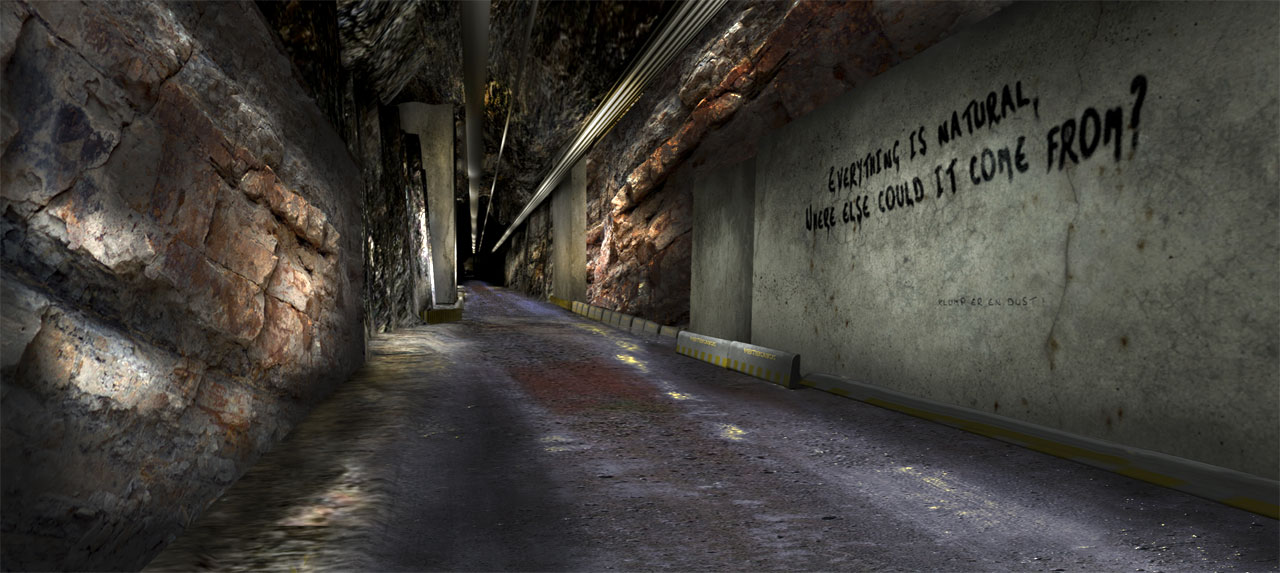
Re: A major challenge? @okh Thanks a lot to cec for steering me in the right direction. Now, now, it was your idea in the first place! Remember? I have been thinking about what is piloting our objective, yours being to make models as small as possible, models that are easy to handle and renders fast, while I tend to ignore both the size and the time it takes to render an image. I'm happy if my images renders over night, when I sleep, but sometimes my constructions are so complex that they take days to render, even on a twelwe-core MacPro. Here are about two hundred and fifty light sources and over a hundred MB of textures. Original rendering is 4K. The whole tunnel-project is 7.8 GB. And this image, that took 17 hours to render, is just a backdrop, and will only be seen for about ten seconds in my video. I think my objective is to test the limits of SH3D – find out what I can really do with this impressive peace of software. That's probably why I asked the initial question: Is it a major challenge to apply alpha-channels to sky and ground? Sometimes I imagine how SH3D would have been with a timeline and key-frames, to enable simple animated movements. I can clearly see the point in working with models that are easy to handle, and I sometimes wonder if I'm overdoing my models, making them bigger than they need to be. But I really tried to make my lampette as small as possible, and I'm really amazed that you were able to make it so incredibly small. I obviously have a lot to learn. Anyway, I have a contribution I would like to make, a one-sided disc, with an opening in the middle: Ring-InnerUp.zip It's great for making lampshades ( and other things), and it's only 8kb. (Well, for me that's "only". If you have a way to make it smaller; go ahead.) Here are some examples of what it can do: ![]() cec |
| Posted by okh at Sep 26, 2016, 8:40:35 AM |
|
Re: A major challenge? ..a contribution..Ring-InnerUp.zip ... Thanks, my kind of model. As you say, it can be used for lots of things with a very low payload. Really like that. ..lampette as small as possible... My love for compact has a practical background. Working with lots of looong documents - often emailed or downloaded on dodgy connections - I have really come to appreciate compact formats. To take an example, a while back, when abroad on a lousy gsm connection, I received documents for review, Word/PDF mostly. While the content only was 40 pages of text, the combined file-size was 20 times the size of the Bible. So my thought is, that if a deity can say all he or she has to say about everything in < 4000 KB, it seems rather unnecessary for me to spend over an hour of downloading and roaming costs equal to my fee, just to read, well, pretty insignificant, plain text. Now, I am not hysteric about these things, but it has become sort of a hobby to create everything digital as small and with as little redundant information as possible. Small is beautiful.Useful detail - such as what is needed for making the kind of renderings you create - is fine. Because the result is also a lot better. So when the purpose is a beautiful rendering, simplified models are (often) not good enough. Therefore if you were to use simplified models, you would probably also cheat the forum for some of your wonderful pictures. But using SH3D for strictly practical purposes that level of aesthetics is not always needed. Some of the 3d warehouse models can be so large that the initial planning process takes forever. Sometimes even making rendering impossible. Trees and shrubbery being one major culprit. Which is why it can be a good idea to start out by using very simple models, and only put in the advanced ones (trees especially) at the very end. And/or keep the big models in a separate file and just paste them in for rendering. That way, SH3D will be super-fast even on slow computers while doing the basic layout. But then, I have quite come to enjoy the challenge of creating the smallest possible replica of an object. To an extent where I sometimes waste more time making a small (inferior) model than it would have taken me to get a proper render But heck, it is a hobby, isn't it?ok |
| Posted by Ceciliabr at Jan 9, 2017, 1:49:06 AM |
|
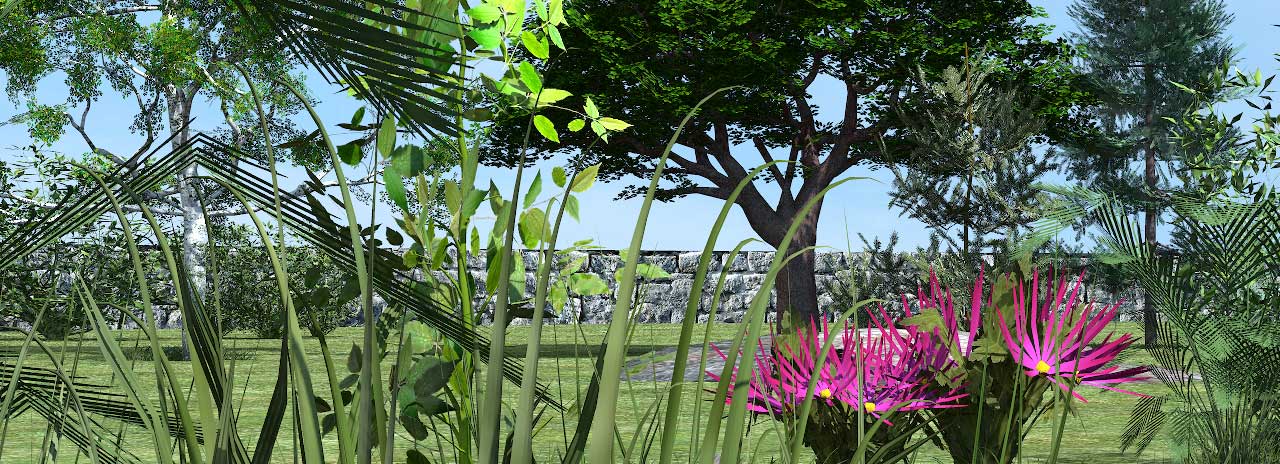
Re: A major challenge? @okh Which is why it can be a good idea to start out by using very simple models, and only put in the advanced ones (trees especially) at the very end. And/or keep the big models in a separate file and just paste them in for rendering. I agree. Another way do it is to place heavy objects on separate levels, so we can make the most CPU-intensive objects disappear by making their levels un-viewable whilst working on the basic construction, and, as you say; just bring them in for rendering. Especially trees... and yes, I have been constructing some trees and plants from time to time, and the biggest ones can easily become around 50 - 60Mb, including textures. The textures of course have to be.png -files to support transparency, which adds even more weight. A medium sized texture (good enough, unless you want real close-ups), can easily be around 6Mb. ![]() (Orig size) But heck, it is a hobby, isn't it? Exactly, and that's why we take it so seriously. Cec |
| Posted by okh at Jan 9, 2017, 3:04:04 PM |
|
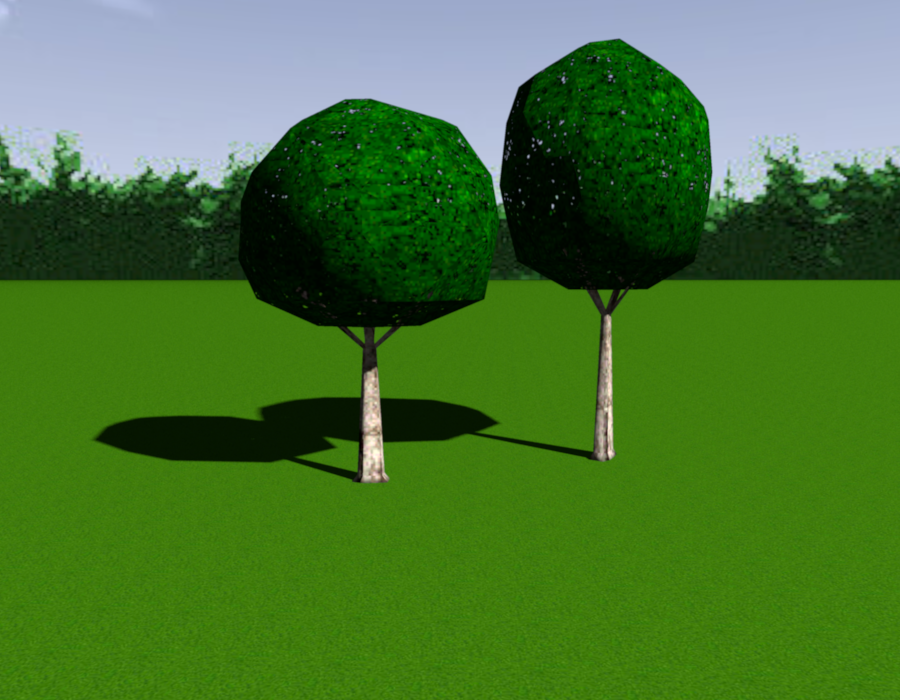
Re: A major challenge? Those are lovely trees and plants, Cec! Better than most tree models I have seen. Certainly interesting for sharing if you feel so inclined. I cannot help thinking that most man-made objects can be reduced to very simple models, but once you try nature's own creations it gets pretty complicated. .. heavy objects on separate levels... Absolutely, but even so, working on a slow (but blissfully fanless and very portable) computer, it has advantages using very simple tree-outlines until rendering. Even if the simplified tree models are annoyingly ugly, they will show light and shadow with a very limited payload. Useful for, to take an actual example, chopping down a tree in front of the house and get an impression of interior light at different times and different times of the year (using sunlight simulation). The illustrations below show some ugly models in SF 3D models 261. Note the link Puybaret posted for generating more complicated trees: Arbaro. Another trick is to use multiple instances of a very simple tree scaled to different sizes, and then simply open the zipped (compressed) .sh3d file and replace the simple model with a more advanced one at time of rendering. That way it is possible to change an entire little forest of ugly trees to prettier ones with just a couple of key-clicks (caution, keep backup). As for the .pngs - I am sure you know, but for those who have not used the .png format a lot - there are some tools to reduce sizes (like PNG optimizer for Windows) which at least is helpful for file sizes. ok PS. And thanks for the interesting extras - Stelton/Magnussen kaffekanne, witchbrew, Dagbdalet... Always a joy. SVG rendering of sunlight. Sunlight rotation fairly easy to change. ![]() |
| Posted by Ceciliabr at Jan 10, 2017, 7:17:52 AM |
|
Re: A major challenge? @okh Certainly interesting for sharing if you feel so inclined. Yes... why not, indeed. I'm a fan of sharing. I'll post a file later (after breakfast). cec |
| Posted by tablecloth.linen at Jan 11, 2025, 12:33:45 PM |
|
Re: A major challenge? Great idea for the use of tablecloth, love the fabric! |
|
|
Current timezone is GMT Feb 4, 2026, 12:16:40 PM |