Print at Dec 19, 2025, 5:34:37 PM
Posted by Ceciliabr at Oct 20, 2016, 6:14:46 PM
This is cheating...
... but then, "I'm a nasty woman", so I don't mind cheating. cool

This is originally a part of a little demo I did at a writers course I'm attending, but I thought maybe someone might get some inspiration here as well, so here goes:


The Snow Mountain Project.

First:
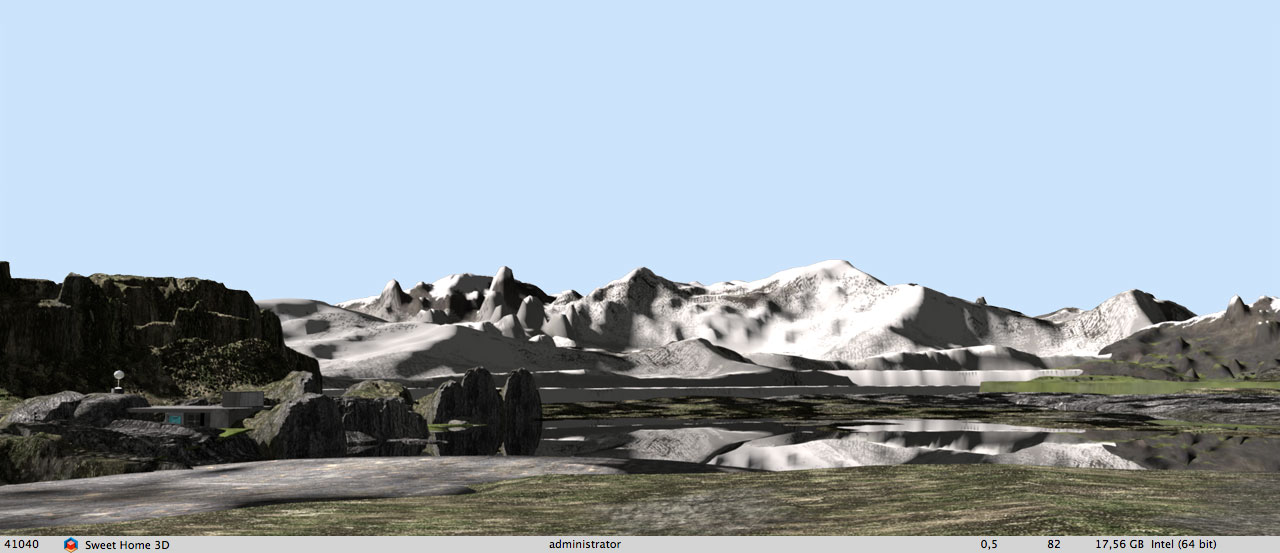
Snow mountains, rendered with the default renderer:


Okay, so we are suffering from climate change and a lot of pollution is falling down on the glaciers, but even so; that is some dirty snow mountains!
I don't want that. I want the Norwegian fairyland mountains, with the illusion of fresh, clean and transparent mountain air.
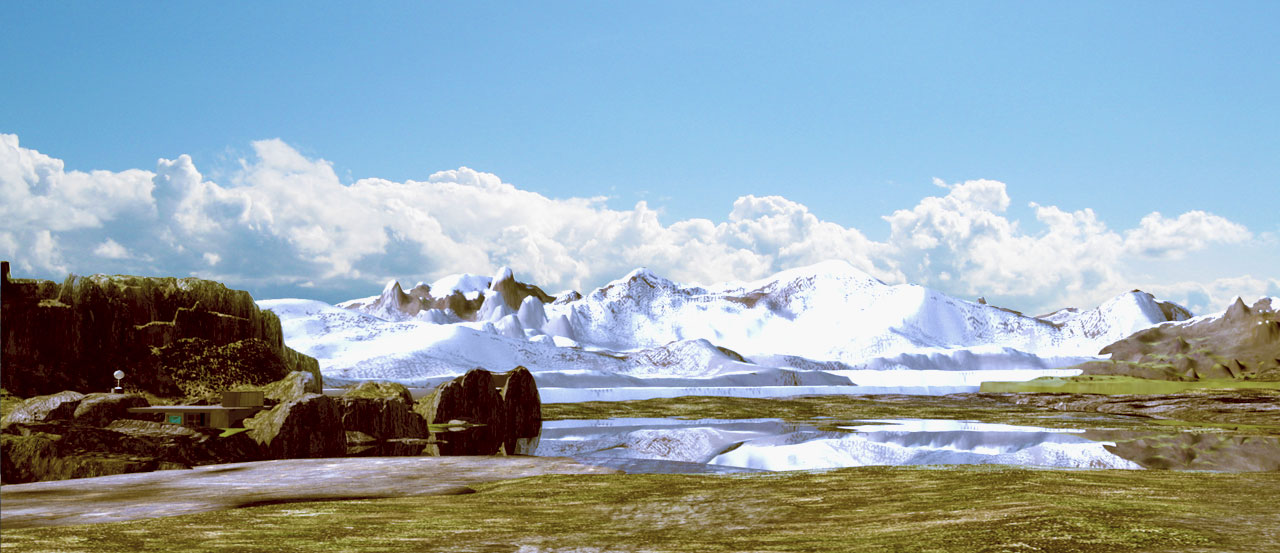
Let's try the other renderer, with enhanced external brightness:

Rendered with renderer-1.3.2, using the Enhance external brightness option :


Yes, that's better. At least my snowy mountains now looks more like the real thing.
But I miss the blue sky, and I think the image as a whole lacks dynamics. The shadows are too soft.
The overall feeling is that the image is a bit dull.

Maybe a combination will do the trick?
In the default rendering, it's just the mountains and the reflections in the water I'm not happy with, so I'll just mask them out, like this:


and then replace the mask with the enhanced rendering.


Ah, a lot better.
But still not quite what I want.

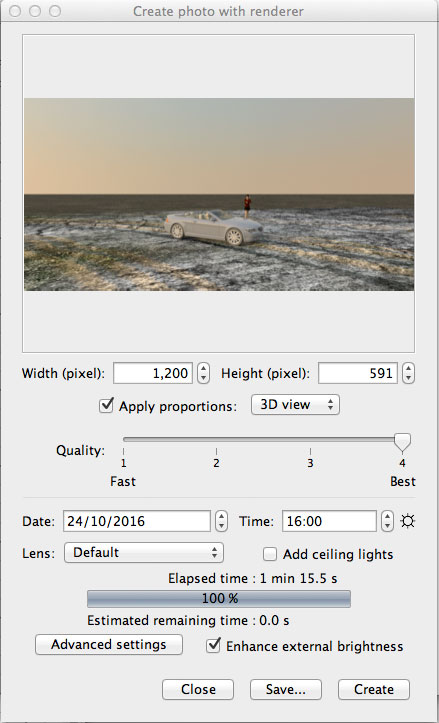
The "Enhance external brightness" option in Renderer-1.3.2 will not work with textured sky, but I used a textured blue sky for the default rendering, so in my first rendering the sky is an even blue, making it easy to mask out.
So I will replace the sky and add a photo filter (Warming filter 81) to make it more like summer.

Well... I'm pretty happy with the final result:


(The images are downsized from 2K)


Cec

Posted by okh at Oct 20, 2016, 6:55:39 PM
Re: This is cheating...
Beautiful renderings, nasty woman, as usual. Meant as the compliment the last 24 hours have taught the world it is. And the story behind the mysterious installation to the left? Looking forward to the full story. ok

Posted by Ceciliabr at Oct 21, 2016, 1:39:52 PM
Re: This is cheating...
The mysterious installation on the left is Brakke 24 (Barrack 24).


The name, Brakke 24, in fact holds a reference to "Brakke 12",
where the secret political agreements were negotiated following the
Nazi capitulation and the surrendering of Norway to the allied forces in 1945.

In the story I'm writing on, an underground military installation
from the cold war has been sold to a private company – and the deal
is kept secret. This article from 2012 has been the inspiration.

I have been researching post-war Scandinavia for some years, trying
to write the story behind my paternal grandmothers early death in 1961.
I could not believe she had killed herself, and wanted to prove she didn't.
But to my surprise, all my research only led to a confirmation of the
fact; she had indeed committed suicide.
So I lost the drive to continue the story.
Now I'm using all my post-war research to write another story.

Well, we are at the bar, so I suppose digressive rambling is accepted...

cec

Posted by okh at Oct 21, 2016, 2:18:48 PM
Re: This is cheating...
..digressive rambling is accepted...
But, of course, only adds to the images. Post-war history in Europe interestingly still holds many secrets, although stories gradually appear - such as those about stay-behind - even briefly mentioned in official documents. As for military installations, the example you mention is not unique in any way. Suffice to mention the latest, known, controversy of Olavsvern.

But you probably know all this. Hope you keep sharing. Like both topic and illustrations - think this could be good.

ok

Posted by Miker777 at Oct 21, 2016, 2:24:15 PM
Re: This is cheating...
Hi ce hi okh
If this is classed as rambling then please continue, thoroghly enjoying it here, in the mean time would it be possible toexplain in a little more detail how the background images wee achieved, i am still learning more each day about sh3d, but the backgrounds allude me.
thx in advance

Mike

Posted by Miker777 at Oct 21, 2016, 2:24:57 PM
Re: This is cheating...
sad sorry typo Cec

Posted by Ceciliabr at Oct 21, 2016, 2:45:05 PM
Re: This is cheating...
@ Miker777

Eh... could you be a bit more specific?
What exactly is it you are referring to as "background images"? Textures?


cec

Posted by okh at Oct 21, 2016, 3:14:16 PM
Re: This is cheating...
Hi Miker777, just one little comment from an amateur, you can to a lot with the Gimp (meaning, you can manage without commercial packages). It really is excellent software. If you mask off SH3D background (which would be easier with background transparency), then play around with colour substitution and transparency you can do pretty much anything. Sometimes frustrating, but very addictive. I guess looking up cec' posts and the recent blog post is already a pretty good image tutorial.
..please continue...
cec' renderings are really something special, so yes, please keep posting. ok

Posted by Ceciliabr at Oct 21, 2016, 3:47:04 PM
Re: This is cheating...
@okh

Thank you for the links.

But you probably know all this.


No. I'm curious to read chapter 5. I haven't read it, or at least, after reading the first few pages, I can't remember reading it, so I will print it out and read it later.

Post-war history in Europe interestingly still holds many secrets


Absolutely.
We obviously share some of the same interest in the post-war history.
I have read and placed my bookmarks all aver the 900 pages of
Olav Njølstads impressive biography on Jens Chr. Hauge – but the book
unfortunately does not reveal any of JCH's dark secrets.
He was the biggest of all the big post-war spiders, and he took his
darkest secrets with him to the grave.
A man has to think about his legacy – or construct it.
I think JCH did both.

The sale of Olavsvern has been one of the cases that has inspired me,
and I am also mentioning it in my story, when my heroine (under the
pseudonym Dana Israel) is summoned before the once very secret
Enlarged Committee on Foreign Affairs and Defence.


Hope you keep sharing.


Of course, I will keep sharing, as long as anyone find any interest in it. smile

cec

Posted by Miker777 at Oct 21, 2016, 4:51:25 PM
Re: This is cheating...
Hi.
sorry i was not understood, looking at the 5th image you posted, is that achievable within sh3d, i have tried "modifying 3d view"
but i just end up with lots of tiles of a given image. To surround a project with a backdrop and fore ground such as you have created would be excellent, but i have no idea how to go about doing it. I will have a look at the links okh has kindly posted.

Mike

Posted by Ceciliabr at Oct 21, 2016, 8:29:55 PM
Re: This is cheating...
@Miker777

Ah, I think I see what you mean.

looking at the 5th image you posted, is that achievable within sh3d,


No, unfortunately it's not, and that has to do with both the rendering process and the way SH3D is handling the sky.
The number one and the number two images are presented as they are rendered within SH3D. The following images are picturing the post production done with Photoshop (and can also be done with GIMP, as okh points out), thus the title: This is cheating...


... but i just end up with lots of tiles of a given image


Yes, and that's mainly because the textures are tiny.
My ground textures are quite big.
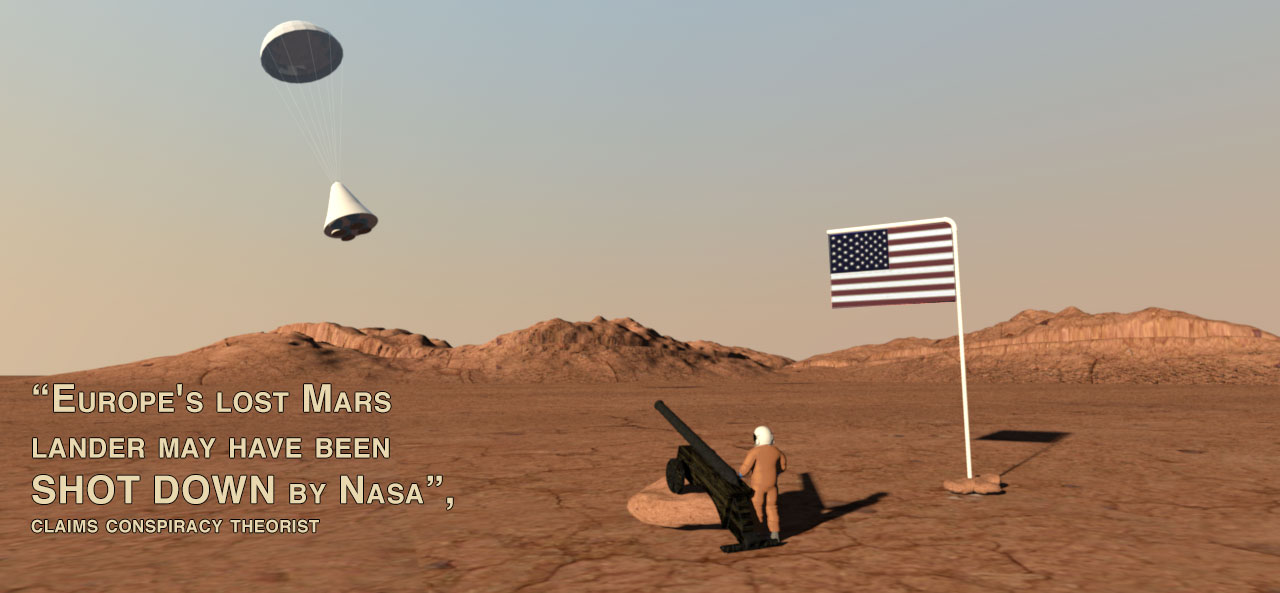
I made this as an example:


Here is the project file, 55MB, in case you (or anyone else) would like to take a look. Mars.sh3d

To surround a project with a backdrop and fore ground such as you have created would be excellent


The foreground and the background are made of textured terrains that I have made with a program called Vue, but you can make something similar with free programs. Just search for "free terrain creator" on the net, and you will find plenty of free apps that can auto-generate terrains or let you create your own terrains from heightmaps. You can create heightmaps with Photoshop ( or Gimp), like Slartibartfast smile


Here is link to a more useable terrain I have made. You can adjust the height to make it into a lawn or a slighty bumpy field.

CBR-terrain.zip 4MB

And just for the fun of it:


cec

Posted by Miker777 at Oct 21, 2016, 9:32:29 PM
Re: This is cheating...
tyvm Cec, your a star. smile

Posted by Miker777 at Oct 21, 2016, 9:56:50 PM
Re: This is cheating...
Dont let bdfd see these images, he (she????) will be arming his astronauts, and trying to get left hand drive vehicles in those spaces. biggrin

Posted by Ceciliabr at Oct 23, 2016, 2:43:58 PM
Re: This is cheating...
@Miker777


he (she????) will be arming his astronauts, and trying to get left hand drive vehicles in those spaces.


Haha!
I certainly hope so. It would be nice to get some income from the parking lot.
And what's wrong with left hand drive? It's perfect when you are driving on the "right" side of the road.
I'm having nightmares about driving in London, and wake up going the wrong way in the roundabout.

But: she????
Hmm...


cec

Posted by Miker777 at Oct 23, 2016, 7:59:22 PM
Re: This is cheating...
@Cec
I have nightmares about driving in london and i go there all too often, as for left hand drives, no problem with them in thier natural environment, but too many here and too many of ours taken to europe.
Him or Her, i would be guessing for most people in the forum, i usually try to say they, but forgot.

Mike

Posted by Miker777 at Oct 23, 2016, 8:03:22 PM
Re: This is cheating...
Cbr terrain is excellent, thx again, i will post some images when i have them sorted, working on a manhatton styled loft idea at mo, keeping me occupied.

Mike

Posted by okh at Oct 24, 2016, 9:54:04 AM
Re: This is cheating...
..is that achievable within sh3d, i have tried "modifying 3d view" but i just end up with lots of tiles of a given image....
Cec' method is the elegant way to get the high quality depth Cec is so good at.

However, it is possible to use a 360° panorama image as sky texture (see thread 5976). The sky image will render around the horizon / distant view (image 1), but you may still have to use objects/terrain (and raise plan) in the vicinity of your construction, eg with a simple, curved forest edge as a supplement (image 2). Nowhere near as elegant as playing with perspectives and objects as Cec does, but still my preferred solution for an actual construction project: quicker, less plan clutter, easy to see view out window from the normal 3D view. I prefer private site photos for a panorama image, but of course, lots of images/services online too. My preferred service, especially for mountain landscapes (Scandinavia, but also the alps) is norgei3d / virtualglobe. Yes, the virtual globe is an 'old' project, and may have some (Mac) compatibility issues, but it is easy to use and renders the sky in a consistent blue that can very easily be edited/removed/masked off. For rural landscapes in flatter countries "street-view" images are probably better. Beware copyright restrictions on some services.

Various software or Gimp plug-ins can help stitch several images together. As for the alignment of the image, see the links in thread 5976.

ok

Two old, quick mock-ups to illustrate:

Image one: Actual horizon created from a panorama picture (building just thrown in).


Image two: Plain gradient sky + curved forest line:


Posted by Miker777 at Oct 24, 2016, 10:34:54 PM
Re: This is cheating...
Thankyou okh, anything to improve the view is appreciated. smile

Posted by Ceciliabr at Oct 24, 2016, 11:14:18 PM
Re: This is cheating...
@okh

I absolutely see the point in keeping 3D models small as a general rule for most purposes,
but I have also noticed that a majority of the renderings shown on this forum lately,
are images with very high quality, almost photo realistic.
They can take a long time to render.
My experience is that terrains in fact render quite fast.

The black line that appears at the horizon has been mentioned a few times in the past,
with questions about ways to get rid of it.
Using backdrops works well, and is an easy way to create more realistic surroundings.
But in all my experiments with using images as backdrops, I have ended up with images
that are fairly big in order to get a high quality rendering, besides; using images instead of 3D models,
may easily cause unwanted reflections, especially when using artificial lighting.

Since I have been traveling a bit lately, I have used my old Macbook a lot, and I have worked a bit with SH3D
without noticing any limitations, despite that the version of SH3D on my Macbook has the standard memory configuration – 1024M.


I wanted to do a little experiment.
Would a 360Ëš model of a horizon noticeably slow down the rendering?
How much?
So I made a 360Ëš horizon with Verto Studio 3D, and constructed a
scene with a car (14MB), a woman (23MB), a road (3MB), and applied a
large texture to the ground. The entire project was 90MB when I had added the 360 horizon.

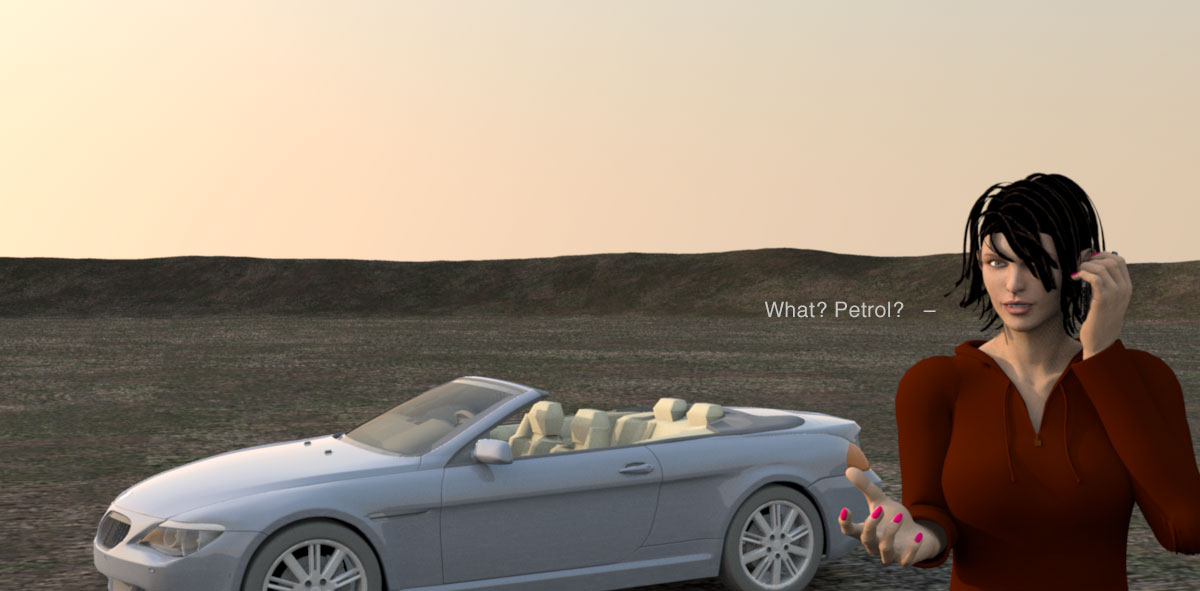
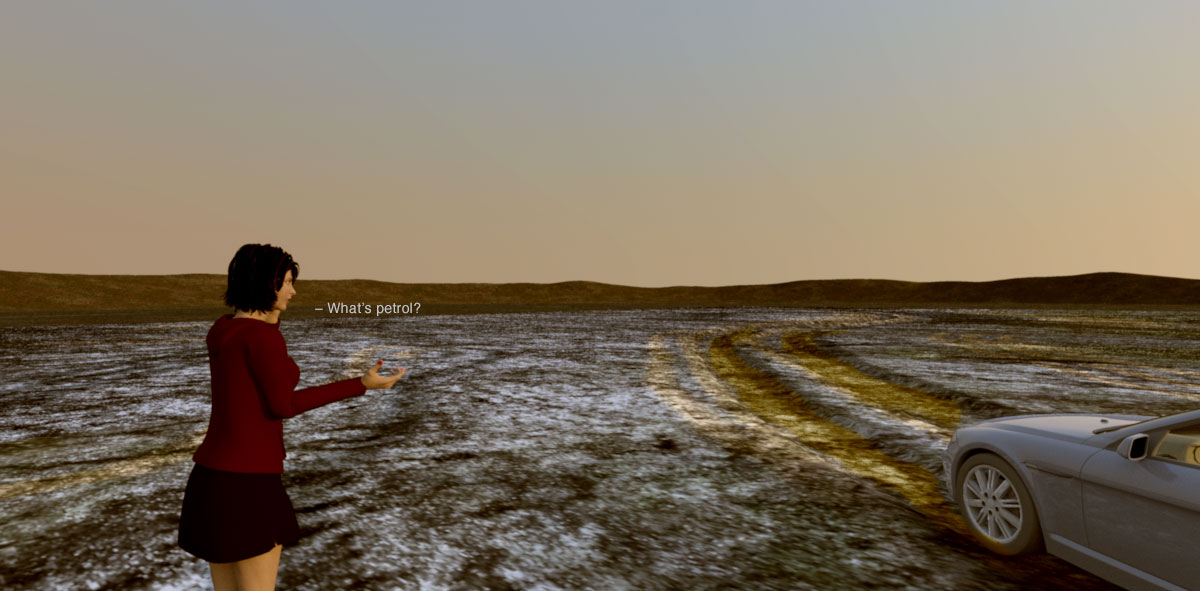
First I rendered an image without the horizon:


And then one with horizon:


...and another one:


Well, yes, I have to admit that it takes a few seconds longer,
but what if I use a panoramic image instead?
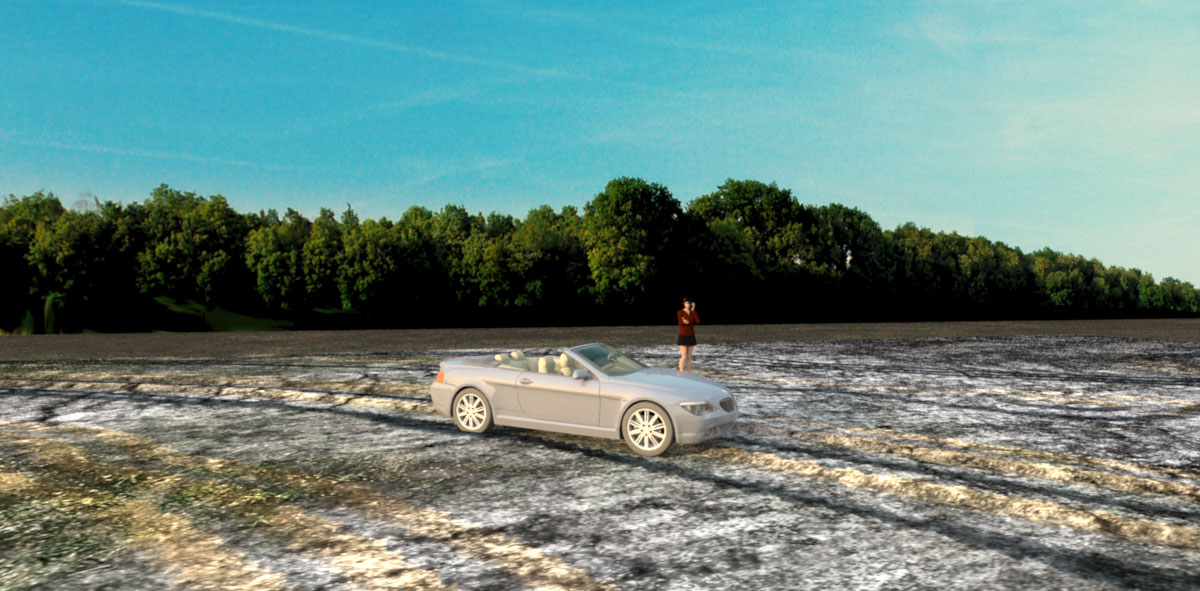
For instance a nice forest line and a blue skye
(2.7 MB, 3840 x 1444 applied to a 9243cm x 3476cm box).


I could have looked harder, spent some more time on finding the perfect image, but it served the purpose for the experiment.
It doesn't quite match the time of day, but it works quite well – and I got the blue sky as an added bonus.

Conclusion?

Using a backdrop
has the advantage that you don't actually have to create it. It's easy to use, and it renders quite fast.

Using a 3D model has the advantage of being extremely flexible - width, height and placement. It's easy to texture and blends in whatever light or time of day you choose - and it actually covers the entire horizon in all directions.


So in case anyone wants a 360Ëš horizon, it can be downloaded it here:

CBR-Horizon.zip 7.3 MB, incl texture.

Cec

Posted by VeroniQ at Oct 24, 2016, 11:37:40 PM
Re: This is cheating...
Very interesting, Cecilia! Thank you very for sharing. And great images as usual.

Posted by okh at Oct 25, 2016, 9:36:44 AM
Re: This is cheating...
Thanks for testing this, Cec. Good to know, your conclusion pretty much sums it up and I love the way you always provide brilliant illustrations. Also, there are the tricks in VeroniQ's blog post about adding scenery.

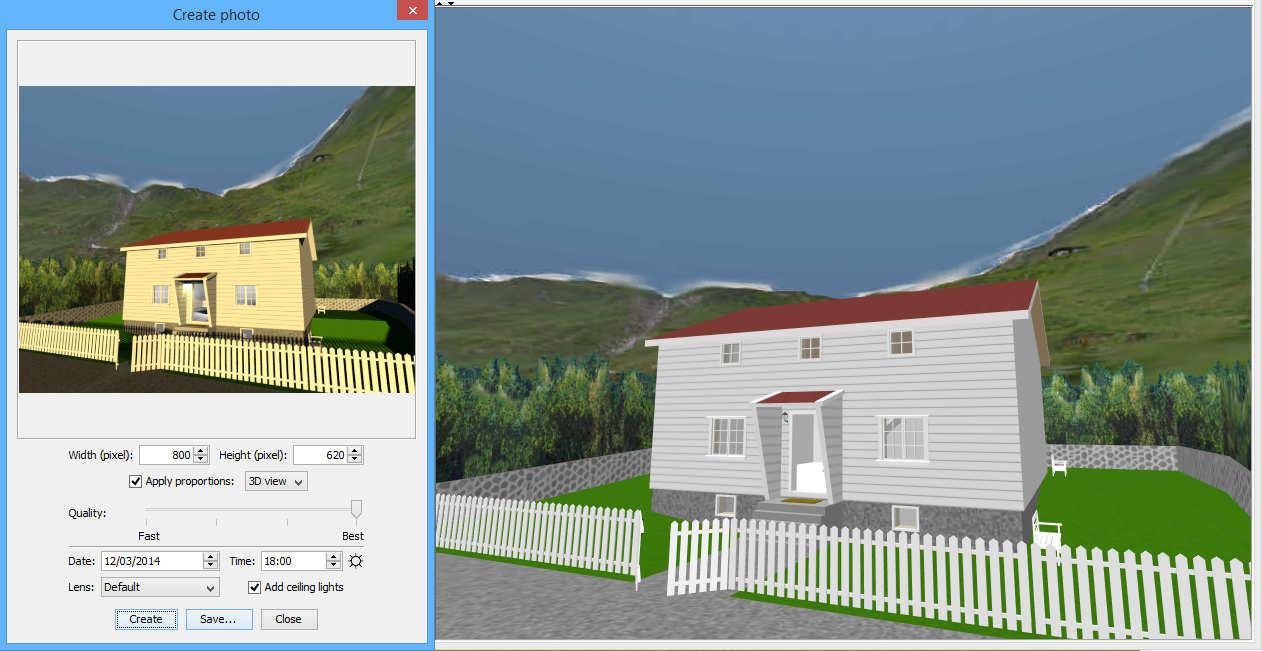
I admit to a fondness for the 360° panorama textured sky. This works quite well if you - for whatever reason - want as little clutter in your plan as possible, have a distant view from the construction and want to limit the file size. The images below is from a sh3d file that compressed is < 192KB - where the sky texture and the curved tree line account for some 50% - the panorama background is a 1600×600 <40KB jpg stitched together with the Gimp. Sure, the result is pretty basic, but it will help visualize the view around the building and a will provide a lot of effect with little added file-size.

If the background has mountains or other objects that go far above the horizon, there are some distortion issues which may have to do with the equirectangular projection (?). And the 3D view and the photo-rendering seem to give slightly different perspectives (see feature request 668).

ok


Posted by Ceciliabr at Oct 25, 2016, 11:57:00 PM
Re: This is cheating...
@okh
I admit to a fondness for the 360° panorama textured sky. This works quite well if you - for whatever reason - want as little clutter in your plan as possible, have a distant view from the construction and want to limit the file size.


Yes, the 360 panorama sky/horizon works well. I can admit that.

The cluttering is avoided if you use Levels and Shift+Command+H for hide and view.

A distant view will in fact become more realistic with a 3D horizon, because the size of the sky projection is locked to the field of view.

And yes, the size is increased – but not a lot though, since a high resolution panorama image can weigh just as much as a 3D-modeled horizon.

And then, of course,if you are seeking realism, you are stuck with the direction of the shadows, and have to find the right position of the sun.

And lastly, the real world offers a lot of details. It's dirty, eroded and organic.
3D-models with limited file-size are mostly clean to the point of being sterile, since tiny textures tends to become tiles if they have any irregularities in them.
The models will not blend in properly, like you can see when looking more closely at the 5th image in my last post. Even if I did my best to colour-correct the highlights and match the shadows, it's still obvious that the picture is a combination of two different images.

Well... I'm just looking for arguments...


However, I have looked at the blog post you recommended, and feel I need to comment on the methods that are suggested.
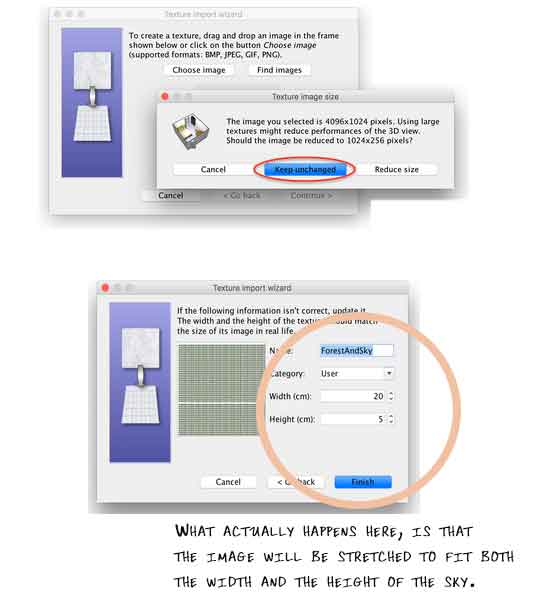


Using a non-square image will not give the best result, as the sky is actually projected from a square image.

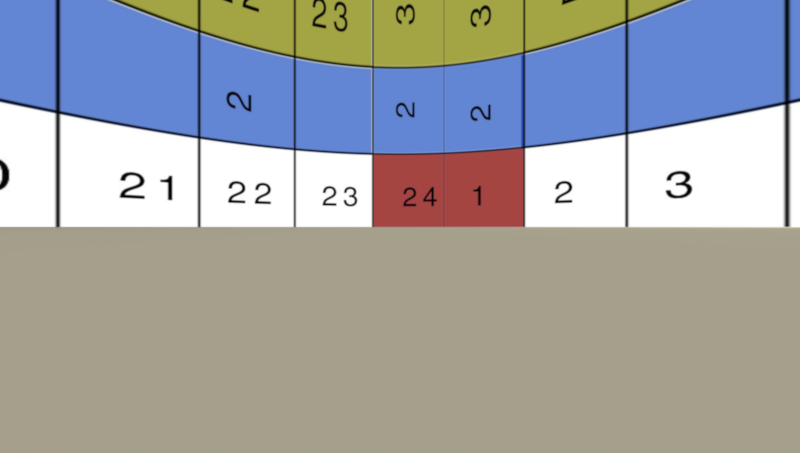
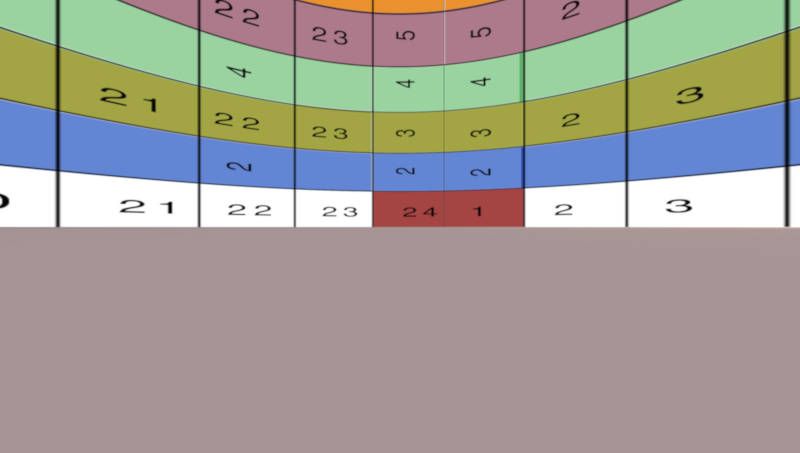
A rectangular image is automatically stretched to fit a square when it is applied to the sky, and it will appear oversized and loose a portion of it's original resolution. A 4096X1024 image will lose 3/4 of its resolution.
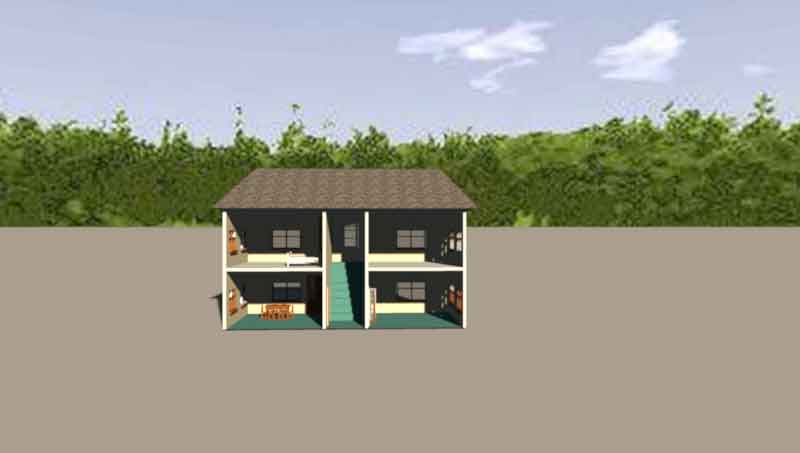
Applying a rectangular 4096x1024 image will look like this:


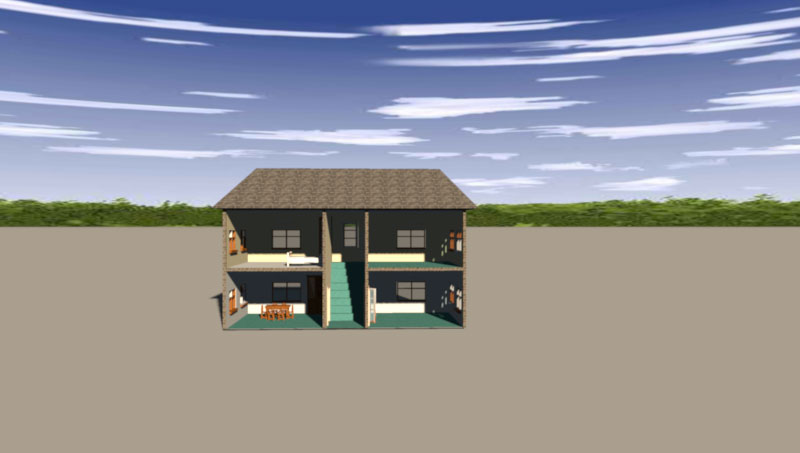
Fitting the image to a square matrix is a better way to apply an image to the sky. Then it will keep most of it's qualities:


And it will render like this:

But then there's the distortion that we have to adjust for:


Now it renders like this:
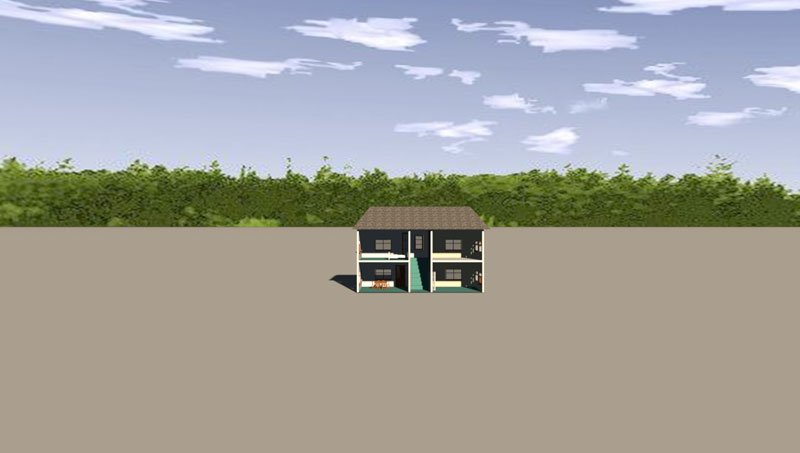

The sky image used in the above renderings is the one used as example in the blog-post, and not a high quality image.
Here I have changed to a better quality image:
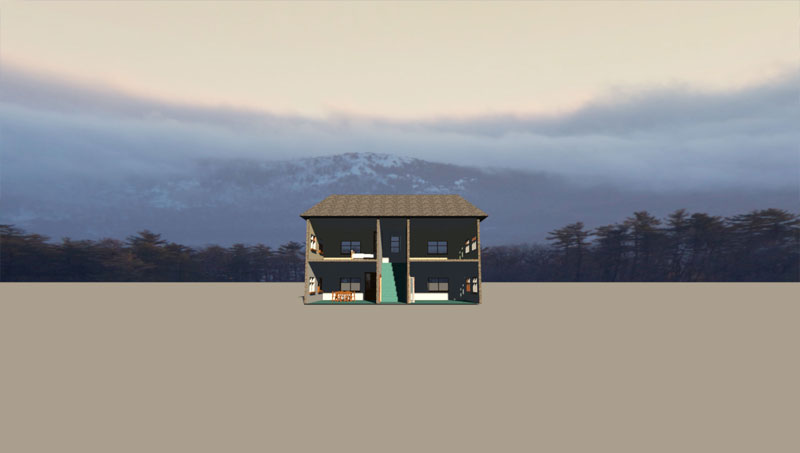

So it's absolutely possible to get a great looking sky.
But I' don't think the same goes for the horizon.

In my opinion, the drawback with having the horizon fixed to the sky, is that it will not change perspective or size
unless you change the Field of view on the camera.
Moving the camera further back, will only change the size of the 3D objects, and there's no way to avoid a mismatch unless you zoom in or out.
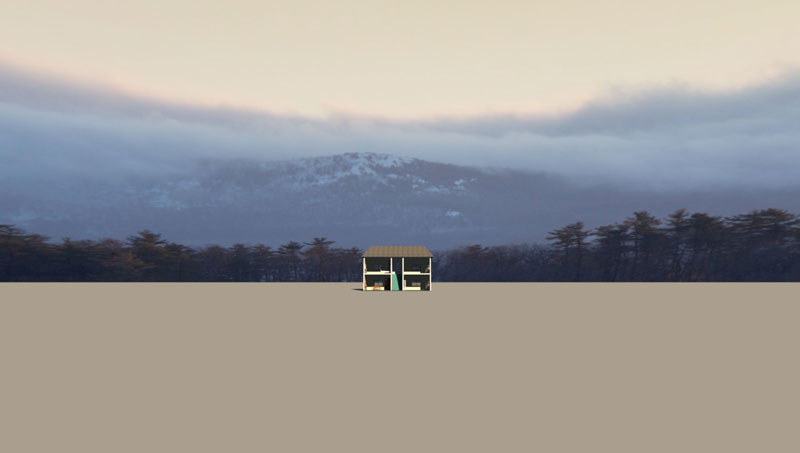


When using a 3D horizon, that's not an issue.
Here is a close camera position:
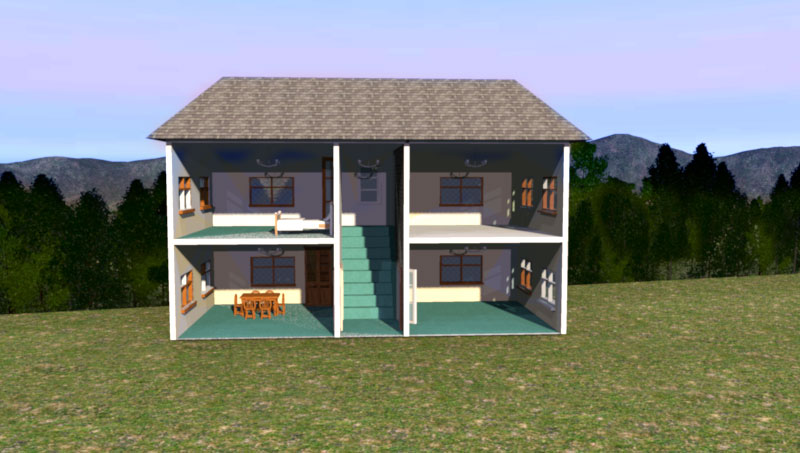


And moving the camera back, here is a far cameraposition, with the same field of view:
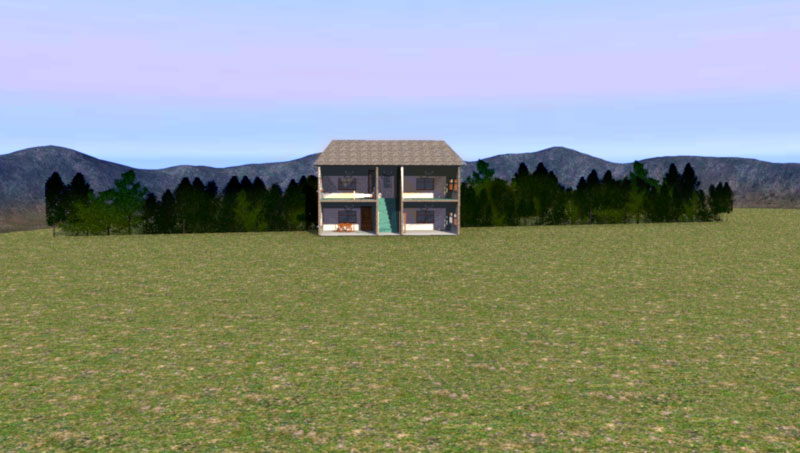


The size of the horizon and the trees will follow the camera movement.

I have constructed a Matrix that is quite handy for users who want to make a distortion-free sky without to much trial and error. It's a 4096x4096 jpg-file, 454 kb. It's also handy for making UV-maps.

I have also discussed this in an earlier post.
Snowmantest
I have learned a lot since then.

I will address the problems with using a textured wall as a backdrop later.

Cec.

Posted by okh at Oct 26, 2016, 10:17:34 AM
Re: This is cheating...
@Cec

Yes to pretty much all you say. Thanks for your patience in your testing. Most useful.

First, you will find no objection to your point that the 3D landscapes have great advantages and is inevitable for the high quality rendering. And yes, hiding the levels (Shift-Ctrl-H for non-Mac users) is a must. Having a separate 'terrain' level to hide/unhide is almost always a good idea. Or indeed, keep the terrain in a separate file and copy in for rendering.

So my sky-texture advocacy is really about something else: How to break up the default prairie horizon that looks so misplaced in this part of the world. But, with ever so many shortcomings as you point out.

..the distortion that we have to adjust for:
When stretching it to a dome, the clouds will appear more correct from one point of view - but not if you turn around. But then, clouds and horizons really are two different things. In real life clouds are not glued to the heavenly dome, but pass in relatively straight lines (forget the meteorology for a sec). This means that fluffy clouds high in the sky will look distorted on a background picture. Except maybe when they hover just above the horizon/mountains/treeline.
Using a non-square image will not give the best result, as the sky is actually projected from a square image.
Hmm, this is interesting. My first attempts used panoramas from a camera which indeed were long and narrow. That will look wrong. The sky certainly does need to be stretched up to the zenith. Still, I wonder about the proportions of a good sky texture. In my world, the sky comes in the ratio 4:1 - that is a 360° horizon and 90° up to zenith. Which is so far the ratio I have assumed would be the best. But then, there is the equirectangular projection which will 'compress' the lower part of the image and stretch the upper part of the image. Which probably means a square image could be easier to work with.

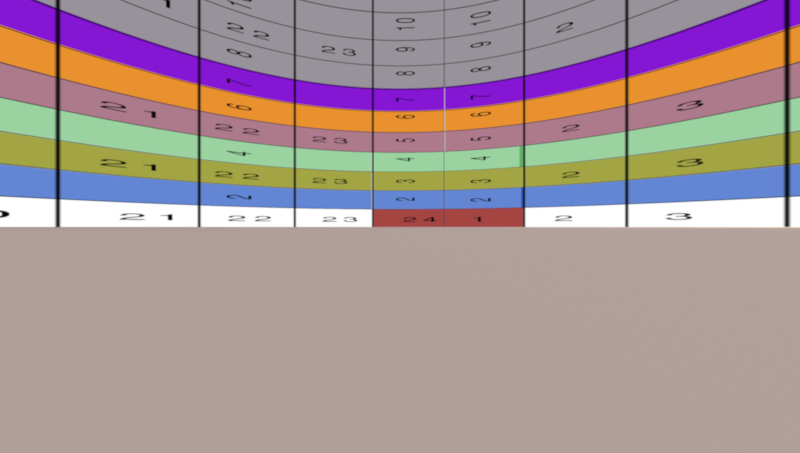
I tried with a 3600:900 grid, result below. I am not yet convinced that a square is better, but maybe I am missing something. Views?

What is a slight annoyance, though, is that the 3D window and the photo rendering appears to project differently. Especially for the higher mountains the effect is noticable.

Now, this becomes pretty much a theoretical discussion. For the (inferior)sky-texture technique one needs to work only along a narrow strip at the bottom of the picture. For the upper part, the sky dome, it is better to use a gradient (or a contrast colour to be masked of later). In fact, I suppose the only planetary objects would render correctly above on sky-texture projection - so for a night sky, maybe.

And also - do not get me wrong - this is sidetracking Cec' original issue. So ignore this and scroll far back if you are looking for how to make nice sceneries... :-)

ok


Posted by Ceciliabr at Oct 26, 2016, 2:40:08 PM
Re: This is cheating...
@okh

In real life clouds are not glued to the heavenly dome, but pass in relatively straight lines (forget the meteorology for a sec).This means that fluffy clouds high in the sky will look distorted on a background picture. Except maybe when they hover just above the horizon/mountains/treeline.


Absolutely, but the geometry is already present in the original photo. Our projection should be as linear as possible.

I am not yet convinced that a square is better, but maybe I am missing something. Views?


Well, the distance around zenith is four times the distance to the pole, so a one-by-four ratio is what I also figured would be the best back when I first started to experiment with the rectangular projection.


The reason for choosing a square, is that it leaves me with plenty of headroom at the top.

I have rendered some test images.

One-by-four rectangle.
Field of view: 110


One-by-two rectangle.
Field of view: 110


Square rectangle.
Field of view: 110


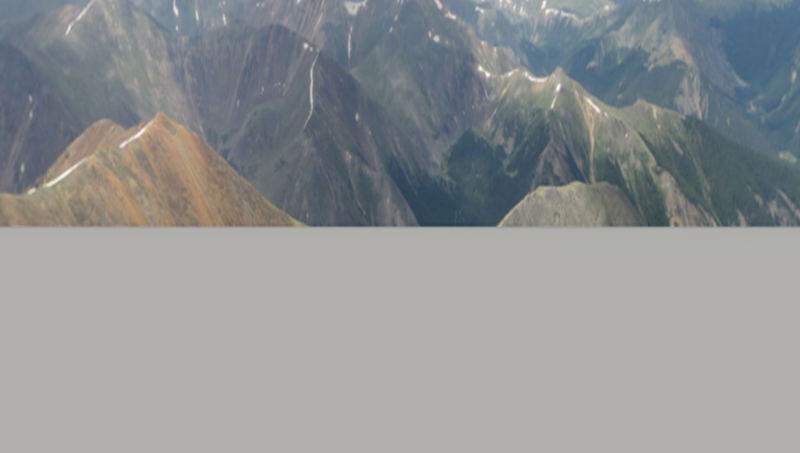
And then I have added a sky with mountains:


One-by-four-rectangle.

Image 4096X1024


One-by-two-rectangle.

Image 4096X2048 - sky applied to the lower half. Not adjusted for distortion


Square.
Image 4096X4096 - sky applied to the lower quarter. Not adjusted for distortion.


Any views on what comes out best?


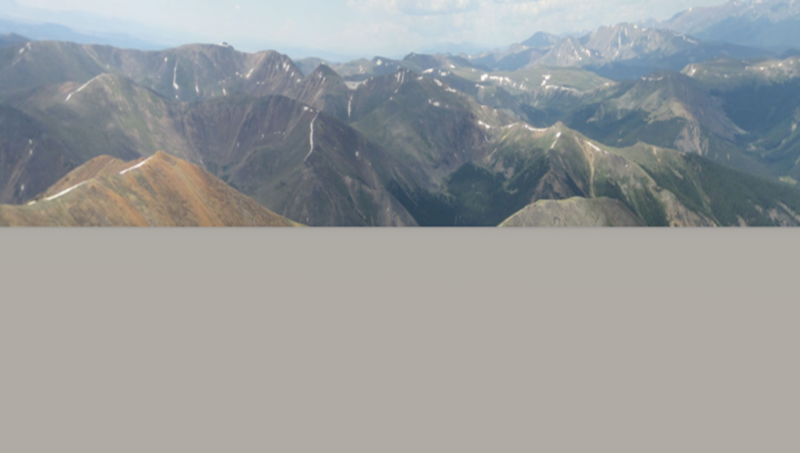
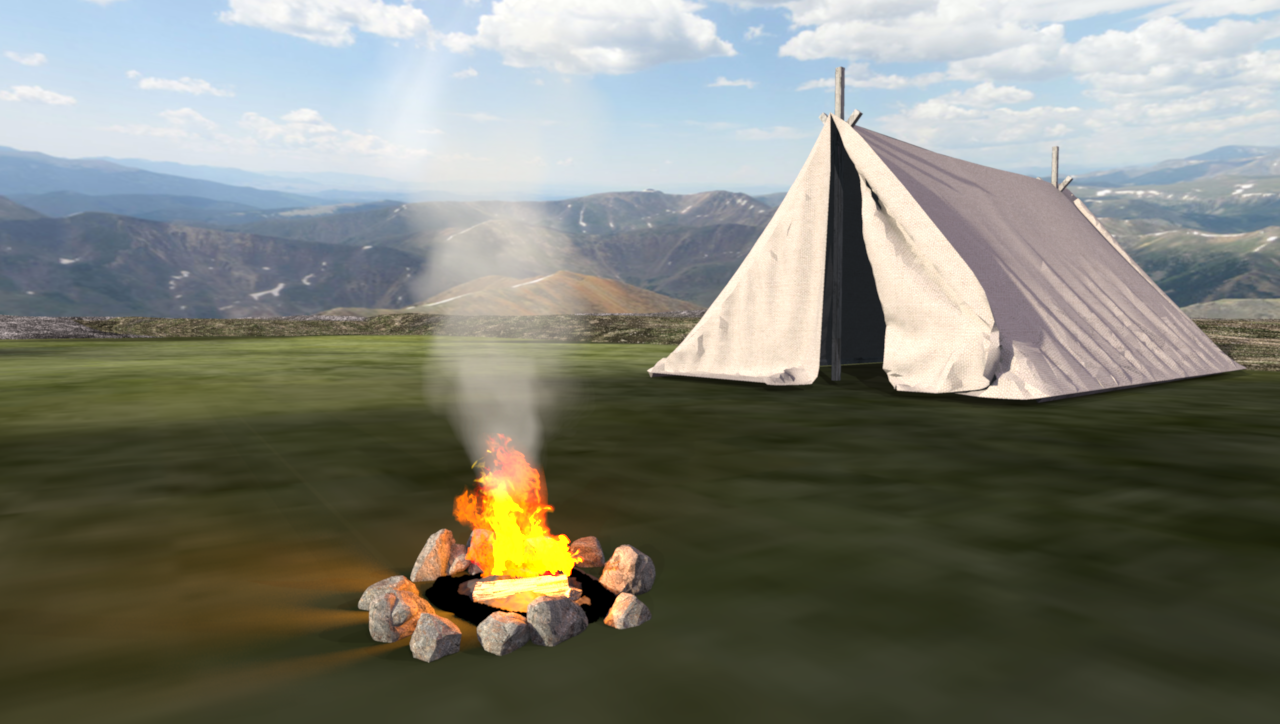
Tent and campfire Sky adjusted slightly for distortion


Cec

Posted by Ceciliabr at Oct 26, 2016, 3:06:51 PM
Re: This is cheating...
Forgot:

For the upper part, the sky dome, it is better to use a gradient (or a contrast colour to be masked of later).


Actually, for the upper part it's best to use a background colour that matches the sky exactly. The reason for this is that although radiosity is evidently not supported in Sunflow, there will be reflections from the sky on any reflective surface, and especially if there are reflecting water surfaces. So the right colour is very important.

I once tried to substitute the sky with green, in order to use chroma-keying to replace it in the post production, but I ended up with a lot of green reflections and immediately abandoned the idea.

Cec

Posted by okh at Oct 27, 2016, 9:09:18 AM
Re: This is cheating...
Annoyingly nice illustrations. Actually, you just made the case for sky-texture better than I could have smile
..best to use a background colour that matches the sky...
You are right - now that I think about it, I also tried an off colour that gave all sorts of horrid reflections. Gradients - typically between dark and light blue - work quite well, though.
..reason for choosing a square, is that it leaves me with plenty of headroom at the top....
Yes, that it of course a point - it may be easier to work with.

By the way, in my test texture I have somehow put 10 and not 9 lines to represent the 90° to zenith. While it still illustrates the distortion, it needs adjustment if anyone wants to use it for measuring horizon objects such as a high mountain.

As most smartphones have compass/plumb/level functions (usually a separate app is needed), the angle to the mountaintop can be calculated quite easily as can the alignment of the background texture (starts to the right in the 2D plan, East if compass is due North). That way, it is possible to create a surprisingly accurate horizon around the model which can be completed with other objects close to the building.

But I need to emphasise - that Cec' approach with extensive use of 3D objects is much better for the beautiful renderings where the sun and shades caress the landscape. The rougher texture-sky-treeline approach has a more practical merit: When I work in the 2D plan I want a simple, instant way for the 3D window to display the view around the building. For instance, will it be possible to see mountain X through window Y from my favourite chair.

A rough technique for real life projects where rendering is not the objective, but the point is getting the construction details right through planning with various tools (as mentioned in threads 6162 and 5953).

ok

Posted by okh at Oct 27, 2016, 4:25:14 PM
Re: This is cheating...
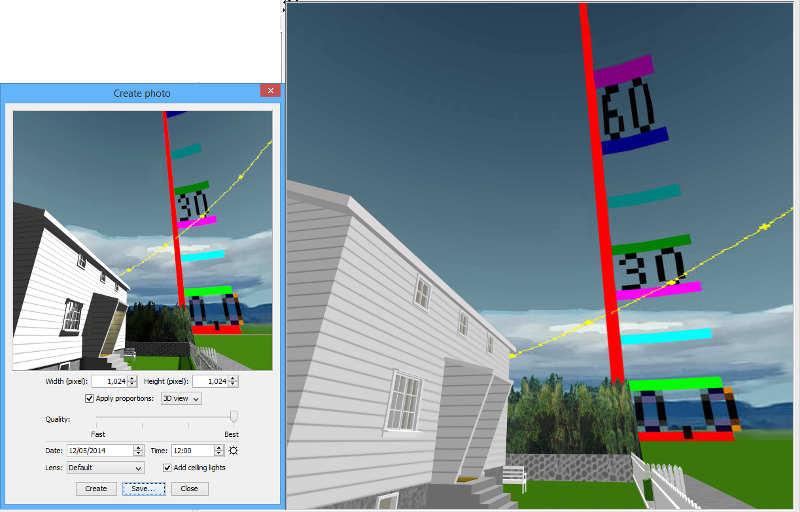
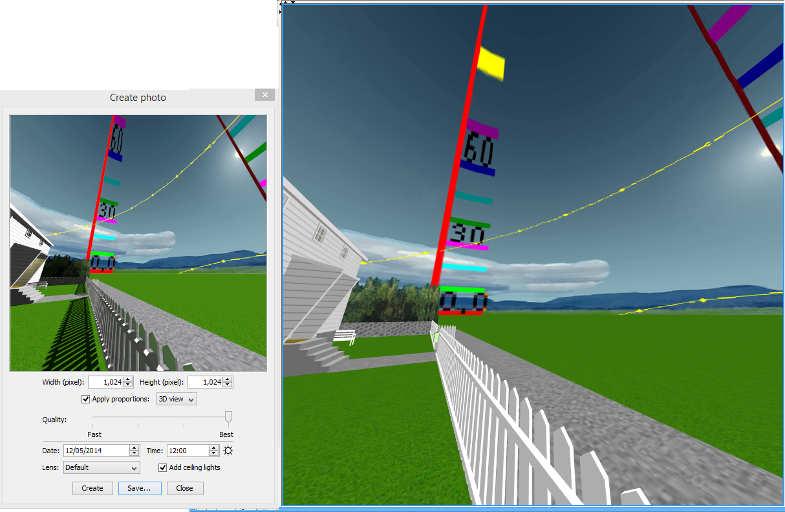
Just to explain the curiosity about how the sky texture is aligned. In this example, with absolutely no rendering ambitions, the aim is to visualize light on a building. Sun path at winter and summer solstice on the background. 2048×512 canvas/texture, degrees and sun path are relatively correct on canvas (the rest of the rest of the sky-texture is based on a couple of random + gradient sky and noon/May Sun).

See the 3D viewer for the full picture. The rendered photo seems more correct than the 3D view - but still off. Would it be useful if celestial objects were correctly placed on the sky texture? Or, more likely, is there a reason for this projection that I am missing? More a question of curiosity than anything else.

ok


Posted by Ceciliabr at Oct 27, 2016, 4:51:08 PM
Re: This is cheating...
@okh


...you just made the case for sky-texture (...)


Which was my intention smile
I'm not trying to talk it down, I'm in fact using sky textures a lot,
although I prefer not to include the horizon. As you can see from the
tent-&-Campfire illustration, even though I did my very best, there's
still a feeling that the foreground is glued to the background – if
you look closely. And the larger the image, the more clearly it will appear.
I actually made a video a year ago, showing how to improve and handle
sky texturing. But I never got around to finishing it with sound and VO.
But it kinda works without.
In case someone wants to see it:

Lef-click to play in a new window or right-cl...e target to DOWNLOAD 16MB

...for real life projects where rendering is not the objective, but the point is getting the construction details right through planning with various tools (as mentioned in threads 6162 and 5953).

Thanks for the link to Geogebra. That is one extremely useful tool. smile

Understanding my views ( as I know you do) it's important to
acknowledge that my viewpoint is from an illustrators perspective.
I'm using SH3D with the sole intention of illustrating, and as a
general rule I want my constructions to be video-compatible (meaning
that all objects, including the horizon, will behave according to the
laws of physics when I move the camera). That's why I cannot have the
horizon fixed to the sky. That's also why I am texturing everything
- even the ground ( and the main reason I would very much like to
substitute the sky with an alpha-channel).

But when my intention is to produce an artistic image only, I use
every technique I know, including fixed horizons on a textured sky as
well as atmospheric layers and transparent pngs og one-sided planes
(like with the fire and smoke in the tent-&-Campfire illustration.

I hope there are other users that can find our discussions as useful as I do.
Thank you for participating and sharing your knowledge. smile

cec

Posted by okh at Oct 27, 2016, 6:41:39 PM
Re: This is cheating...
..a video a year ago, showing how to improve and handle sky texturing...
Right, very interesting. And a very good example of the illustrator's eye - it goes to show how SH3D is useful from two very different perspectives. Please, keep the link, I need to study this video again to make sure I understand fully. Really quite amazing how you combine the tools to create such results.
Thanks for the link to Geogebra . That is one extremely useful tool.
Yes, Geogebra is useful. As many with teenagers in the house have found out, Geogebra is a free tool used in school maths many places. To maintain a very minimum of dignity trying to help out with maths homework, I had no option but to teach myself the basics of Geogebra. First thing I could think of was a SH3D discussion about intercepting walls and angles. And it was lots of fun making the wall intercept thingy even if it meant finding out how much trigonometry I had forgotten - and the result hardly impressive. Then, seeing the usefulness of the tool, I went on to use Geogebra to re-teach myself some principles of celestial navigation + finding satellites in geostationary orbit (that is, putting up the satellite dish, which I probably could have done in a fraction of the time by rough guessing). All that said, I highly recommend downloading Geogebra for anyone who used to enjoy maths in school but remember very litte. And for a nuts-and-bolts approach to SH3D construction, it can be a very useful supplement.
..participating and sharing your knowledge.
In this thread, I am certainly the one who is learning from the unrivalled master of beautiful SH3D renderings. I quite enjoy learning something so very different from my day-to-day work. So thank you! ok

Posted by VeroniQ at Oct 27, 2016, 7:37:24 PM
Re: This is cheating...
Not sure to understand totally either, but thank you for sharing this video, Cec, and, both of you, for this skilled thread.

Posted by Ceciliabr at Oct 31, 2016, 1:04:01 PM
Re: This is cheating...
@ VeroniQ

Reviewing my posts, I can see that I have made mistakes that makes some of my statements completely confusing. In trying to keep my posts as short as possible, I have omitted and shortened my text, and been in too much of a hurry.

No wonder you have trouble understanding; parts of this really doesn't make sense.

Sorry.

Cec