|
Sweet Home 3D Forum » List all forums » » Forum: Features use and tips » » » Thread: How to create a down light embedded in the ceiling |
|
| Print at Feb 11, 2026, 12:38:42 AM | |
| Posted by qythyx at Sep 19, 2017, 4:04:27 AM |
|
How to create a down light embedded in the ceiling Does anyone have any experience or ideas about how to make a down light embedded in the ceiling? I played around with a few ideas and didn't get anything working, but I think I thought of a way to do this. It would be a bit difficult, so I'm hoping someone has better ideas. Here's my idea: It seems the only way to cut out a hole in a ceiling is using stairs, so I would create a fake round stairs just for this purpose. Fortunately, even if you set all of the textures as invisible it will still cut the hole. Next, it seems the stairs will always cut a whole all the way through the ceiling, where I want it only partially cut. So, I would need to create two levels of ceiling and have the stairs cut only through the bottom one. Finally, I would then position a down light object in the same place as the stairs. I think this will work. If I group the light and the stairs then it should be manageable. The biggest problem is that I would need to make sure the two layers of ceiling are always aligned correctly. Any other ideas are welcome. |
| Posted by Ceciliabr at Sep 19, 2017, 11:34:36 AM |
|
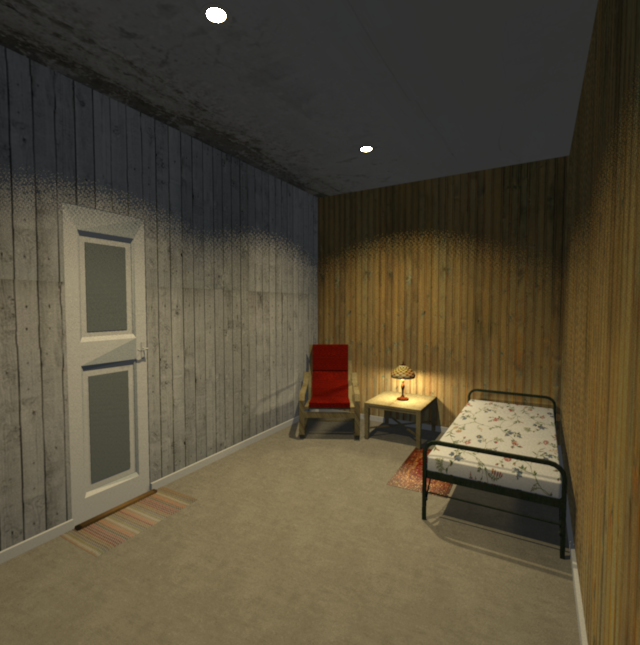
Re: How to create a down light embedded in the ceiling Using stairs is a very inventive method. I have done something similar, but instead of using stairs, I have created a pipe and imported it as stairs – so that it makes a hole in ceilings and floors. If you insert a light source inside, you have a downlight with adjustable light angle. ![]() ![]() My downlight is here if you want it. Just copy the group to your project. Cec |
| Posted by qythyx at Sep 20, 2017, 5:18:12 AM |
|
Re: How to create a down light embedded in the ceiling Thanks. I'll try your light. Did you also do a double floor/ceiling layer? I guess if you don't have a 2nd floor it doesn't matter since you wouldn't see the light from the top. In my case I do have a 2nd floor. |
| Posted by Ceciliabr at Sep 20, 2017, 11:07:48 AM |
|
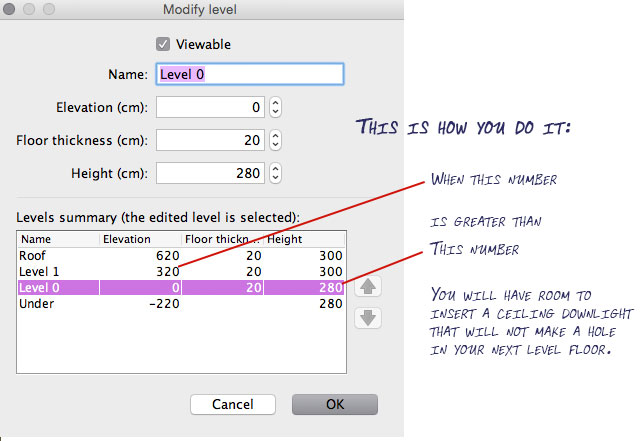
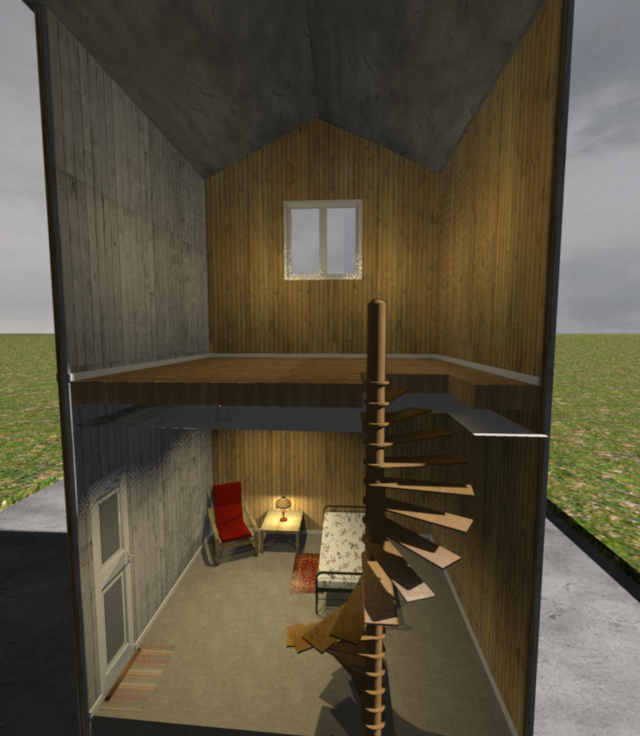
Re: How to create a down light embedded in the ceiling Yes, I have several floors. The trick is to manage the levels. ![]() ![]() Cec |
| Posted by VeroniQ at Sep 20, 2017, 4:43:39 PM |
|
Re: How to create a down light embedded in the ceiling Nice tip, Ceciliabr. Thank you! |
| Posted by qythyx at Sep 25, 2017, 8:37:23 AM |
|
Re: How to create a down light embedded in the ceiling Thank you very much for this, it's great. One question, is it possible to make the hole a cylinder within a cylinder instead of within a square? What tools do you use to make these objects? |
| Posted by Ceciliabr at Sep 25, 2017, 4:07:30 PM |
|
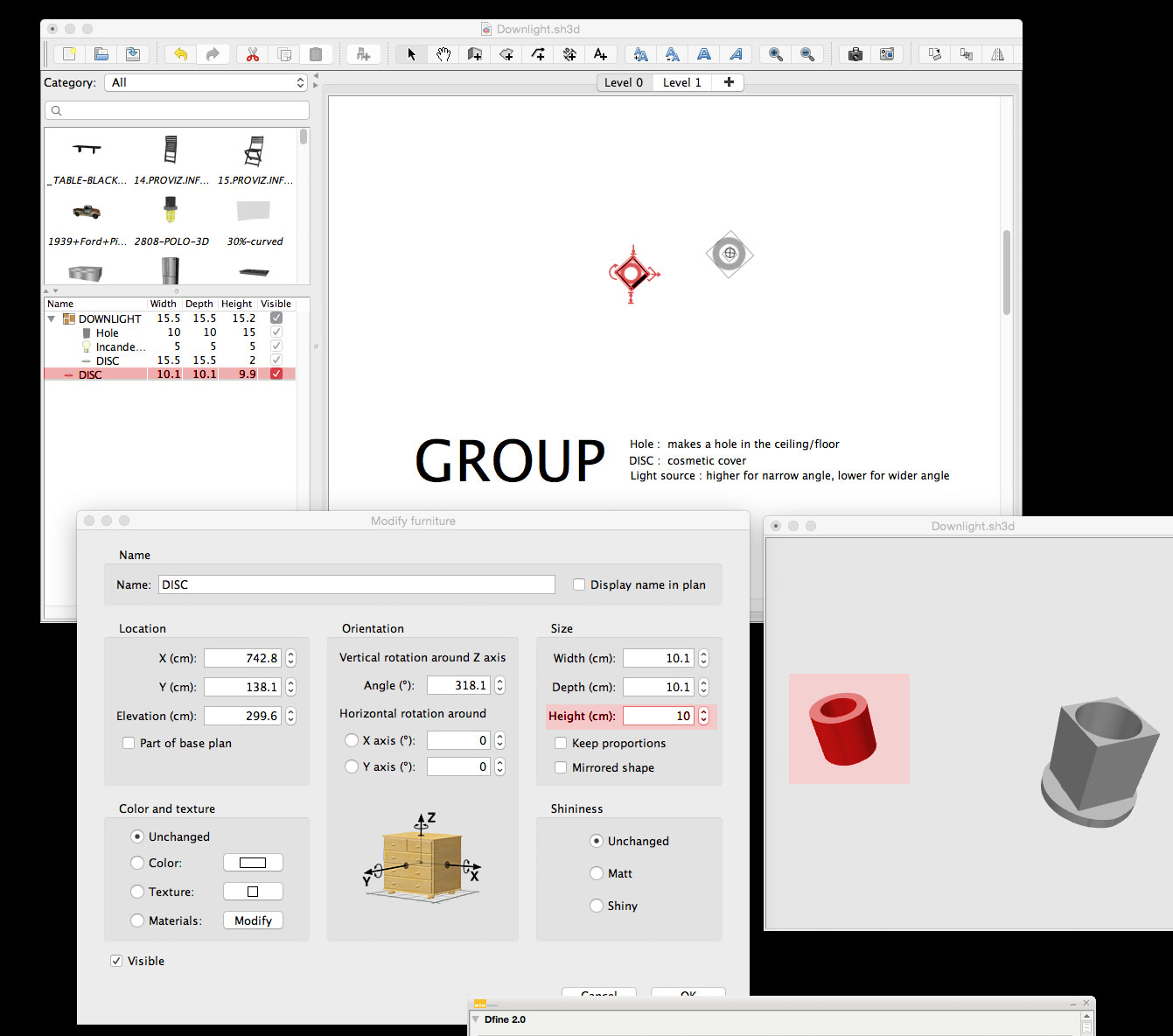
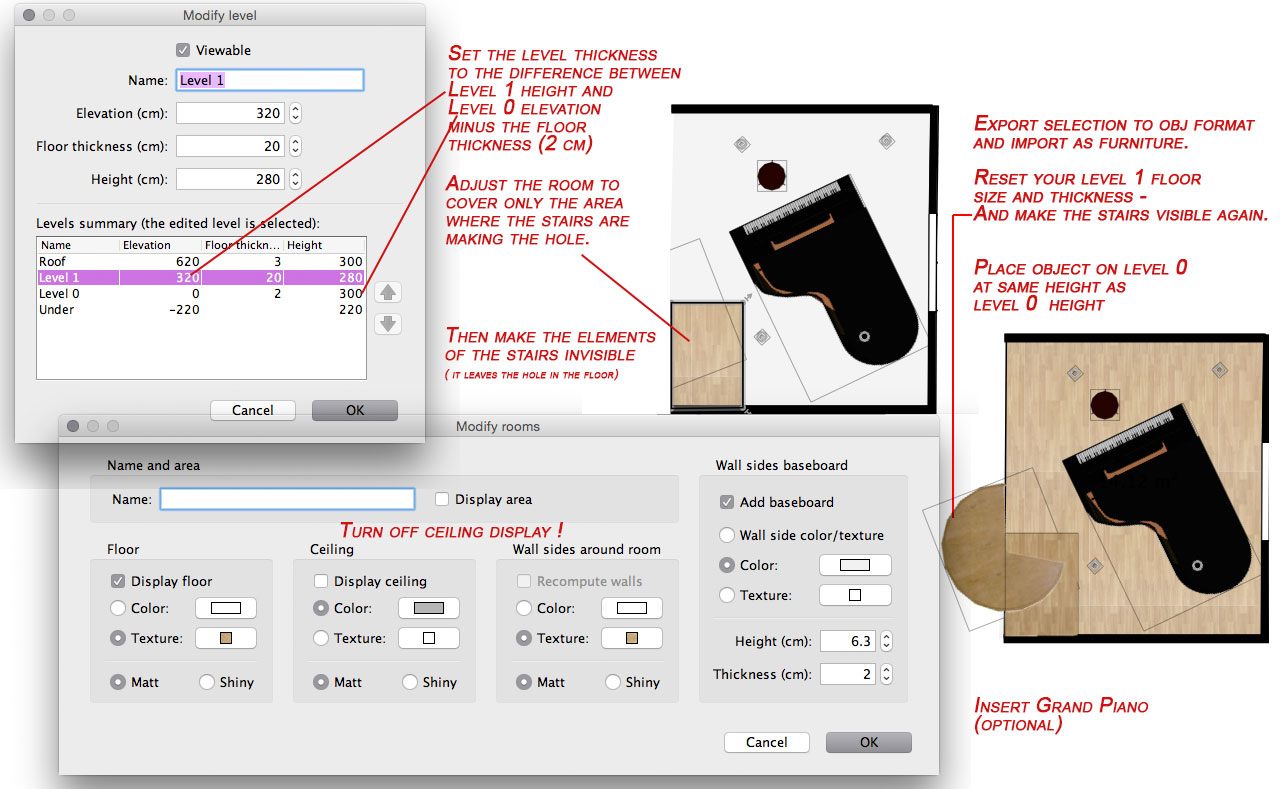
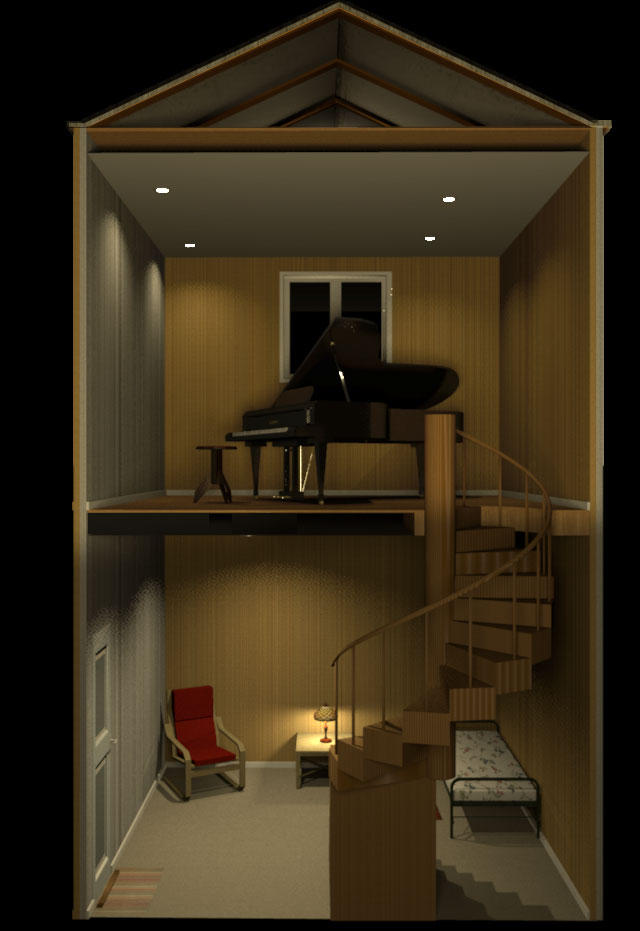
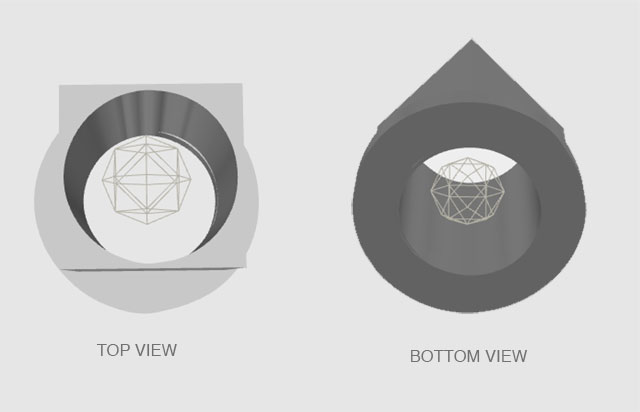
Re: How to create a down light embedded in the ceiling @gythyx One question, is it possible to make the hole a cylinder within a cylinder instead of within a square? Well, the cylinder with a hole in it is already there: ![]() Just export the selection (disc) as 3D object, an re-import it as furniture, and remember to have the "stairs" option selected. The reason I chose a square was that whether I insert a square or a cylinder into a ceiling, it will make a square hole anyway. I know there are ways of fixing that, but I haven't yet had time to explore the hidden subtleties of this wonderful program to their full extent. Maybe someone who has more insight would care to join the discussion? What tools do you use to make these objects? The objects are made with 3D extrusion in Photoshop, since it's a program I'm familiar with and have at hand. ![]() But there are lots of less expensive (even free) apps that can do 3D-extrusions. Maybe Gimp can do it...? Maybe someone has a suggestion? And – while I'm at it: In my example illustration, the floor thickness is 20 cm. Normally I use 2 cm for floor thickness, since floor separators are closer to 20 cm than to 35 cm heigh. This will, however, create a small problem when inserting stairs, since the floor thickness will no longer cover the hole in the floor. So, here is what I do: Since the ceiling is a one-sided plane, it is only visible from below. Hope this is making sense. I'm suffering from a slight attack of "morning sickness" these days... cec |
| Posted by hansmex at Sep 26, 2017, 8:19:47 AM |
|
Re: How to create a down light embedded in the ceiling Morning sickness? Are congratulations in order?? H ---------------------------------------- Hans new website - under constuction hansdirkse.info |
| Posted by Ceciliabr at Sep 26, 2017, 9:03:36 AM |
|
Re: How to create a down light embedded in the ceiling @Hansmex 12 weeks, so it's official Thanks! cec |
| Posted by hansmex at Sep 26, 2017, 10:38:11 AM |
|
Re: How to create a down light embedded in the ceiling Thinking of an appropriate way to say "congratulations", I searched Google with "denmark 12 weeks custom" and THIS is what it comes up with... So what is it going to be: a couch or a bike? Confusing customs... ---------------------------------------- Hans new website - under constuction hansdirkse.info |
| Posted by okh at Sep 26, 2017, 11:51:57 AM |
|
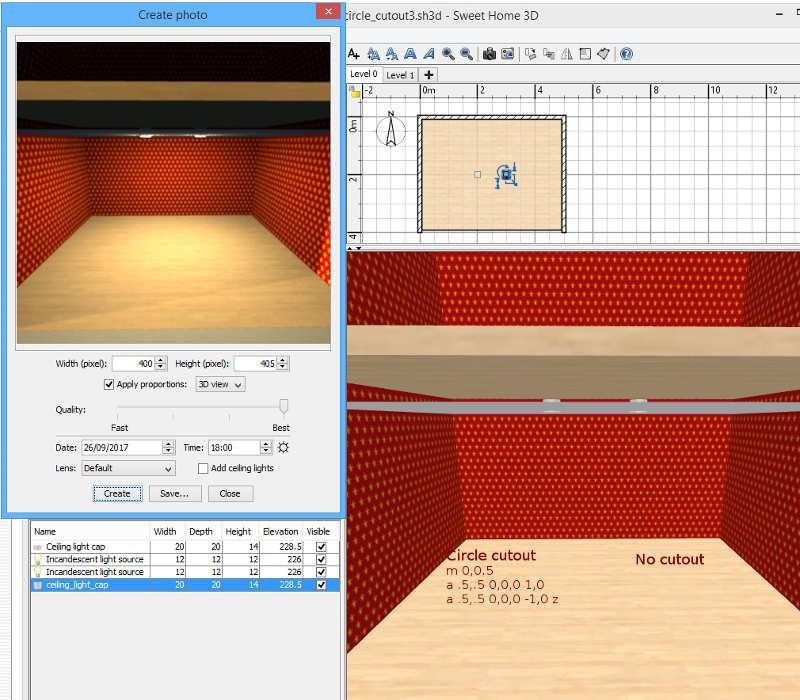
Re: How to create a down light embedded in the ceiling The reason I chose a square was that whether I insert a square or a cylinder into a ceiling, it will make a square hole anyway. Forgive me if I am missing the point here as I have not studied the thread in detail. But if the idea is to create a circular cutout for an object in a ceiling, you will need to add a (circular) SVG cutout path to the object with the Furniture Library Editor. I know there are ways of fixing that, but I haven't yet had time to explore the hidden... Just noticed that a full circle is not really described in the mini-manual, but using the following staircase cutout path, should do the trick for a circle: m 0,0.5 a .5,.5 0,0,0 1,0 a .5,.5 0,0,0 -1,0 zThe cutout above follows the edges of the model, and if the model is scaled with different proportions (oval), the cutout should follow the object. A couple of additional notes for users who wish to explore the details of how this works (no need to read on for most users): - As far as I remember, it is not possible to add both light-source properties AND staircase properties to one object, which means that a cutout model needs to be used with a separate light source. - I also seem to remember that the ceiling cutout only works if there is a level above (?). - The path is not one circle, but two half arcs which for several reasons is the easiest way to create a full circle with the path command. - The SVG matrix used for SH3D is always 0,0 to 1,1. - The format for the Elliptical Arc in a path: - a rx,ry x-axis-rotation largearc-flag,sweep-flag,x,y - Where - - rx and ry are the x and y radii - - x-axis-rotation and largearc-flag make no difference in this case - - sweep-flag 0 indicates direction of the arc - - x and y are the end co-ordinates of the arc (relative to the starting point as a lower case a is used), - - z returns the path to the starting point (and may not be necessary in this case) - As lowercase letters (m,a,z) are used, the co-ordinates are relative, but SH3D can do absolute (capital letters) or a mix too. In fact, I think any thinkable valid SVG path will work. At least, I have not yet managed to come up with a path that SH3D did not handle (but only path - not other elements, like circle). - When I write above that one needs to use the Furniture Library Editor to create a path, that is actually not entirely true. In later versions of SH3D, there is the Home.xml file where it is possible (if maybe not advisable) to edit/add the cutout directly in the model where a cutout is indicated like this: <pieceOfFurniture ....... staircaseCutOutShape='m 0,0.5 a .5,.5 0,0,0 1,0 a .5,.5 0,0,0 -1,0 z' ............../>ok PS Congratulations/Gratulerer, Cec! |
| Posted by Ceciliabr at Sep 26, 2017, 4:35:40 PM |
|
Re: How to create a down light embedded in the ceiling @okh (...) you will need to add a (circular) SVG cutout path to the object with the Furniture Library Editor I must admit: I never bothered to even try using the Furniture Library Editor. I thought it was for editing or creating a furniture library ( as the name indicates), not for editing single furniture. I had already tried the textures library editor, and found that it could handle a too small number of textures for my use, and imagined ( obviously in error) that the Furniture library editor was a similar program, therefore of little value to me. I will surely change my mind now. And, thank you ![]() |
| Posted by Ceciliabr at Sep 26, 2017, 4:36:57 PM |
|
Re: How to create a down light embedded in the ceiling @ hansmex I would go for the Harley C |
| Posted by hansmex at Sep 26, 2017, 5:26:55 PM |
|
Re: How to create a down light embedded in the ceiling What a nice idea... ![]() ---------------------------------------- Hans new website - under constuction hansdirkse.info |
| Posted by Ceciliabr at Sep 27, 2017, 10:58:26 PM |
|
Re: How to create a down light embedded in the ceiling @hansmex ![]() |
| Posted by okh at Sep 28, 2017, 8:48:54 AM |
|
Re: How to create a down light embedded in the ceiling ...the Furniture Library Editor. I thought it was for editing or creating a furniture library ( as the name indicates), not for editing single furniture. First: Best of luck with the more important things in life, Cec. In addition to Cec's useful tips, I add some reference links for those who have read this far and wants to play with custom models - and some expectation management may be in order. The Furniture Library Editor is indeed primarily for managing a library. But a few additional properties can be edited. Most notably the cut-out path, which is an editable field in the Editor but still requires some knowledge of SVG paths: SVG mini manual for SH3D and detail of paths in W3C: SVG Paths and MDN SVG paths. A couple of words for those not familiar with model issues: SH3D reads different 3D model files: OBJ, DAE, 3DS, can be zipped in KMZ or ZIP. But these formats basically just describe the surfaces + textures/colours). SH3D, however, has additional properties that can be assigned to a model: who created it, whether it can be moved when plan is locked (movable), which icon to use in the 2D (viewplanIcon), whether it is a window / door / staircase, and if so, how the wall/ceiling/floor-above should be cut and whether a door-swing should be displayed in the 2D plan. See full list of properties Not all of these properties are currently used by SH3D, but some are very useful. Favourites being the cut-out for stairs/doors/windows, letting a door window align to a wall with the frame outside the wall, door swing, multiple light sources in the model, and information that lets you add web links (basic html to a model in SH3D). The primary virtue of the Furniture Library Editor is that it creates a library of models in an SH3F file just by drag-dropping (multiple) models into the list. And will let you edit some properties. However, playing with more advanced properties, you need to extract the PluginFurnitureCatalog.properties file from the .sh3f file (which is a zipped file), default catalogue looks like this: DefaultFurnitureCatalog.properties The mini manual attempts to explain some SVG but also briefly how to work with the rest of the properties (p9), but around the forum there are various threads discussing different sets of properties: thread 2006 on Door/win properties and 5206 on Lightsource properties. And, of course, useful information can also be found in the (long 1550) Furniture Library Editor thread. With the help of the above links, it is possible to enter additional SH3D properties (not supported by the 3D files alone). Maybe not straightforward for normal use, and the properties themselves can be confusing. Which I beleive why it is kept out of the normal SH3D interface. Still, I really would not mind if there was an advanced button within SH3D or the Editor that brought up the properties list with all properties directly (just a text file if need be) as it would speed up the process of creating custom models. But I also see the point that it would probably be pretty confusing in the context of 'normal' SH3D use. For the brave, who wants to skip the Furniture Library Editor and edit properties in Home.xml, a quick word of warning: the format used for the properties is not always the same (e.g. radians instead of degrees for door swing). ok |
| Posted by Ceciliabr at Sep 29, 2017, 12:05:40 AM |
|
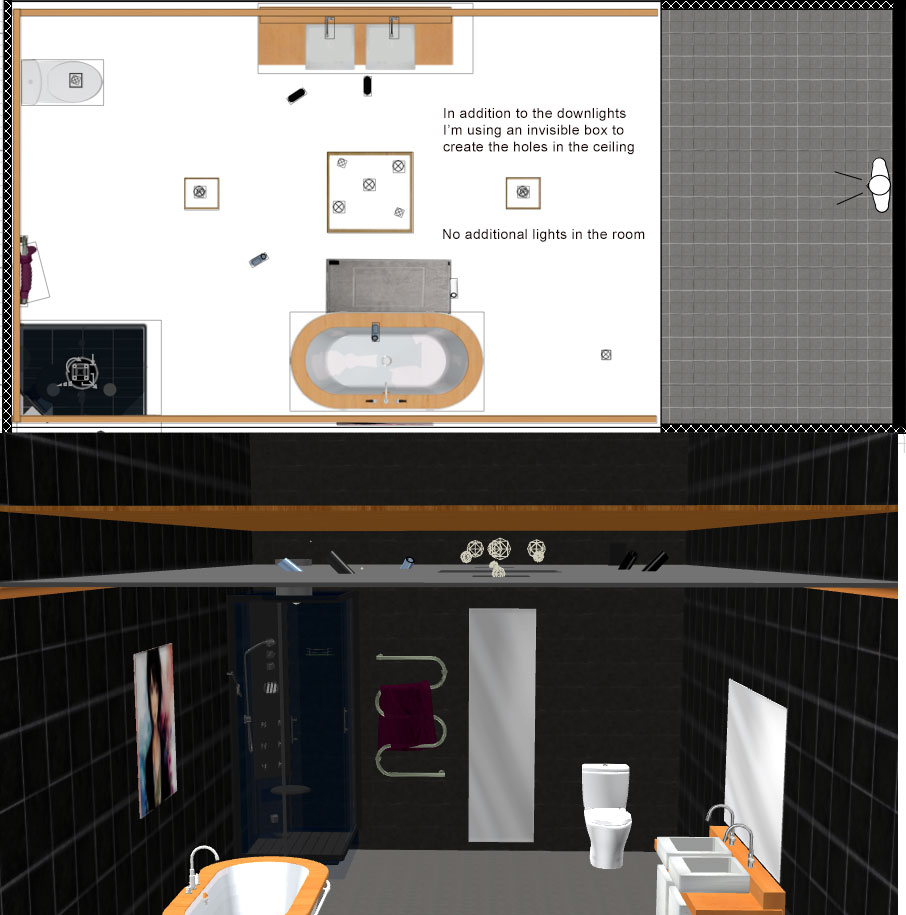
Re: How to create a down light embedded in the ceiling @OKH Of course, the important things in life... thanx I have tried the Furniture Editor now, and managed to create a pipe with a circular cut-out, using your coordinates. BUT: I probably did something wrong at some point, as it appears the cut-out follows both the outer and the inner circle after being sloped. So I ended up inserting an invisible object into the centre of the pipe, to open up for the light. This can probably be done easier with the DefaultFurnitureCatalog.properties, so maybe exploring the DefaultFurnitureCatalog.properties shall be upgraded to one of the "important things in life"... A nice detail with most downlights, is that they can be angled and pointing in different directions, which is nice when you want to eliminate shadows. Being left handed, I know the problem only too well: Windows are always on the left side of the classrooms. Well, what I wanted to say was that inserting a light source into a sloped pipe can be a trial – which I have approached like this: By texturing the pipe with a see-thru texture, it's easy to place the light source inside it. I often use this technique for placing light sources inside objects. Another thing I like to mention while I'm at it: We don't actually need a downlight to place light sources in the ceiling. We just need a hole in the ceiling. As long as we use hollow floor separators, we can place our light sources in the hollow area, and let it shine through the holes – round or square doesn't really matter. Here is an example: And this is how it renders: Okay... cec |
| Posted by bdfd at Sep 29, 2017, 7:44:04 AM |
|
Re: How to create a down light embedded in the ceiling Great design cec ! the ground shines really . Watch out for wet feet... it looks like the shower floats above the floor (2nd picture), no ? ---------------------------------------- Evil progresses when good people do nothing! --- SH3D 7.1 and nothing else - W11 64b in 4K |
| Posted by okh at Sep 29, 2017, 2:26:33 PM |
|
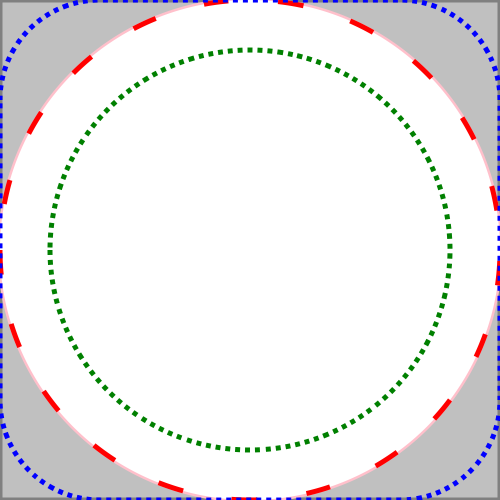
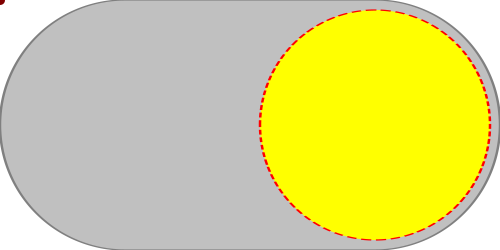
Re: How to create a down light embedded in the ceiling I keep seeing that kid in the sidebag whenever my neighbour fires up his Harley. Not a bad thought... ..nice detail with most downlights, is that they can be angled and pointing in different directions... Yes, that is why all downlights here are directed towards my better half's wardrobe while mine is left in darkness... Thanks for this. Your technique is interesting. And design is very nice. It seems the cutout is less important than I thought in terms of using lights placed above the ceiling. Still, in the normal 3D view the ceiling is visible inside the lamp, whereas with the cutout it is not. But for rendering it seems your way of doing it saves the detour. I put a quick experiment with and without cutout in SourceForge 3D models 400 with the lamps from thread 7108. ![]() And just to complete the cutouts for reference with SVG file for visualisation: Pink: M 0,0.5 A .5,.5 0,0,0 1,.5 a .5,.5 0,0,0 -1,0 z Red dash: m 0,0.5 a .5,.5 0,0,0 1,0 a .5,.5 0,0,0 -1,0 z (pink is absolute, red dash is relative - shape is the same) Blue (rounded corners): m 0,0.2 a .2,.2 0,0,1 .2,-.2 h.6 a .2,.2 0,0,1 .2,.2 v .6 a .2,.2 0,0,1 -.2,.2 h-.6 a .2,.2 0,0,1 -.2,-.2 z Green (circle cut 10% from edge): m .1,.5 a .4,.4 0,0,0 .8,0 a .4,.4 0,0,0 -.8,0 z ok |
| Posted by Ceciliabr at Sep 30, 2017, 12:48:12 PM |
|
Re: How to create a down light embedded in the ceiling @bdfd it looks like the shower floats above the floor (2nd picture), no ? You are right, and you are truly a master of observation! You see, I really didn't think it made any difference, since the discussion was about downlights – but I shall definitely make an effort to avoid making any equally disturbing blunders in the future. Cec, wishing you a blessed weekend! |
| Posted by bdfd at Sep 30, 2017, 1:15:43 PM |
|
Re: How to create a down light embedded in the ceiling @cec, It was just a very little detail (5,5 cms over) for your great work ! Regards. ---------------------------------------- Evil progresses when good people do nothing! --- SH3D 7.1 and nothing else - W11 64b in 4K |
| Posted by Ceciliabr at Sep 30, 2017, 2:15:04 PM |
|
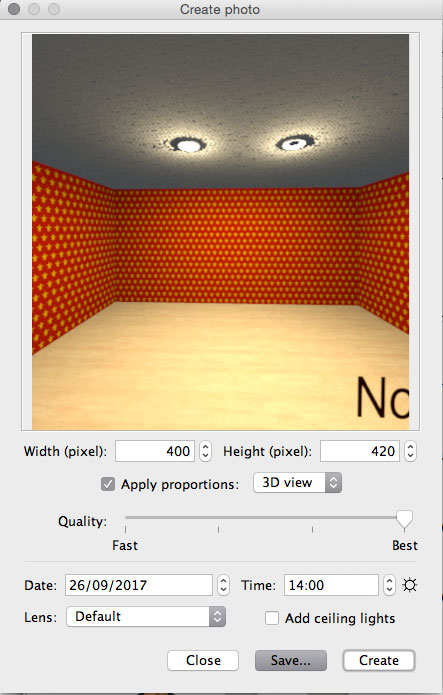
Re: How to create a down light embedded in the ceiling @okh all downlights here are directed towards my better half's wardrobe while mine is left in darkness What had you expected? You men can wear the same suit for years ( like Obama, who didn't change his tux once during his eight years of presidency) Imagine a woman wearing the same dress twice! The Norwegian princess recirculating her wardrobe... pføy!!! The fashion critics had a field day! So stop sulking! Ever since the early stone age, any caveman has been capable of examining the contents of a dimly lit armory . It seems the cutout is less important than I thought in terms of using lights placed above the ceiling. With the entire light source above the ceiling, you definitely need a cut-out for the light to be visible. I have taken the liberty to adjust the height of your light sources, and made some renderings: Here is the original file, unchanged, but with a different camera angle, that allows us to se the ceiling. Notice the black dot in the middle of the right downlight. That means the light source is intersecting the ceiling, whereas the left downlight, with a cut-out, is perfect. Here I have adjusted the height of the light source of the downlight with the cut-out ( and made it smaller in order to get a more focused light beam). On the right rendering, both light sources are above the ceiling. BTW: Your reference to Thread 7108 reminded me of a question I forgot to ask: How did you make the SVG-file with the animation? cec |
| Posted by okh at Sep 30, 2017, 4:46:55 PM |
|
Re: How to create a down light embedded in the ceiling What had you expected? You men can wear the same suit for years ... So stop sulking! Me, sulk? Never! And women waring the same dress twice? Perish the thought. ..entire light source above the ceiling, you definitely need a cut-out for the light to be visible... Oops, seems I did not test as thoroughly as I thought. You are absolutely right. Good news is that the SVG exercise can be of some use.How did you make the SVG-file with the animation? Short answer is: with the help of a text editor.Longer answer is that the trouble with SVG (and to some extent with HTML / CSS), is that most editors are limited and do not really let the user exploit the full potential of the format. Inkscape, for instance, is a wonderful piece of software, but does not (I think) support animations natively. Which means that I amateurishly try to do like my more competent (and puritan) friends, write the code manually. The animation in thread 7108 was just a first experiment. Basically just using W3C SVG Animation and MDN <animate> code plunked into and SVG file with a text editor. Not elegant, but I proved to myself that it could be done without too much effort. SVG animation has a great potential, including the possibility to animate raster graphics supported by SVG (like png/jpg). A downside is that it is not supported by Microsoft / Internet Explorer. ok PS BTW, there are several techniques to animate SVG, including CSS. |
| Posted by okh at Oct 1, 2017, 4:10:35 PM |
|
Re: How to create a down light embedded in the ceiling It struck me that if Cec absolutely insists on pointing the downlights on her own wardrobe, it might be better with a downlight suited for just that purpose. Recently bought a set of LED downlights where the light pivots inside the cap, meaning it looks flat even when the light points towards a warderobe. So I posted a quick model angled 45° in the same ticket. Main point is that the cutout will be different, but also a tribute to Cec approach. Now all that remains is to see whether I am patient enough to use it for my own projects... ok ![]() |
| Posted by Ceciliabr at Oct 5, 2017, 9:58:33 PM |
|
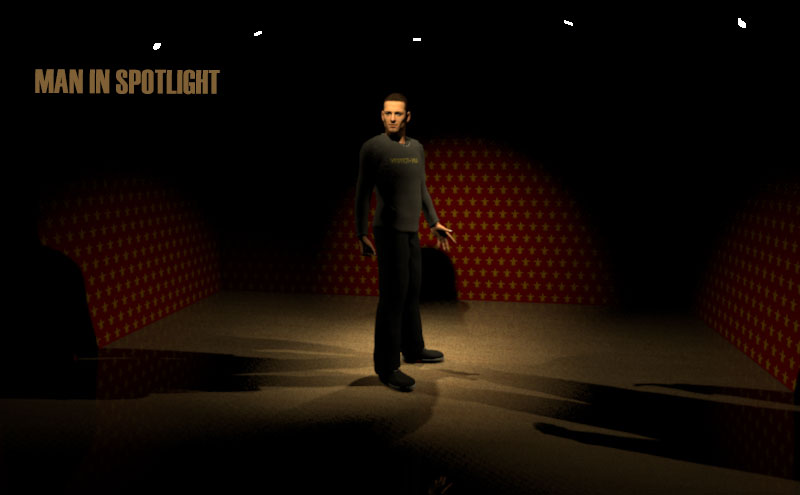
Re: How to create a down light embedded in the ceiling @ okh I didn't get around to try it until to day, but it works and looks very good. And then I got an idea... A downlight embedded in the ceiling must consist of minimum two elements: A pipe (to perform the cut-out) plus a light source, since, as far I have understood it, a 3d model can't hold both a cut-out and a built in light source at the same time. But a reflector with a light source in it should be possible to make, and using a reflector formed as a spotlight with a light source inside it, we will be able to easily rotate the light beam in any direction and almost any angle we want, and not have to worry about the shape of the cut-out. I thought it was worth a try. Well, I gave up. My head wasn't working, so I ended up with a spotlight with no embedded light source. But it works: ![]() This is as far as I got: circle_cutout_with_spotlight.sh3d Maybe you want to give it a try? It's time to put the man in the spotlight... ![]() cec |
| Posted by okh at Oct 6, 2017, 10:09:17 AM |
|
Re: How to create a down light embedded in the ceiling quote].. reflector formed as a spotlight with a light source inside it, we will be able to easily rotate the light beam in any direction...Yes, it is exactly something like this that would be useful. But to take it to a more generic level, a lamp in the basic collection that can be turned and focus the light in any direction. This should be useful in many contexts. As for the downlight, another thought struck me. If I remember correctly, a model in a library imported with both lightsource and staircase-cutout will strip either the light-source or the staircase from the properties in PluginFurnitureCatalog.properties. What if the model/properties was not taken through the import process, but if both lightsource and cutout was added to the model <pieceOfFurniture> manually in the home.xml entry? Shot in the dark, and I do not expect it to work, but unless someone jumps in tells me it will not work, I also will not be able to resist the temptation to try. But later. My head is not working either. Down with a cold. PS And as you know Cec: det er ikke noe sykere enn en syk mann... Så nå har jeg nok med å pleie min selvmedlidenhet. Men i det minste kan jeg avhjelpe med en Calvados i kveld. |
| Posted by Ceciliabr at Oct 7, 2017, 11:14:16 AM |
|
Re: How to create a down light embedded in the ceiling @okh to take it to a more generic level, a lamp in the basic collection that can be turned and focus the light in any direction. This should be useful in many contexts. Agree! But then it would need to have a separate mounting bracket for wall or ceiling – a bracket that was connected to the spotlight, but not affected by the angle or direction of it. In order for that to work, we would need a possibility to define our own anchor-points. Like it is now, the pivot is glued to the centre of the object, but by defining our own anchor-points and then maybe connect objects at their anchor-points... Alternatively, two separate objects might work: a bracket and a reflector. ![]() ... especially if the reflector had a light source embedded... Get well! ![]() Cec edit: Spotlights.sh3d |
| Posted by okh at Oct 9, 2017, 1:47:14 PM |
|
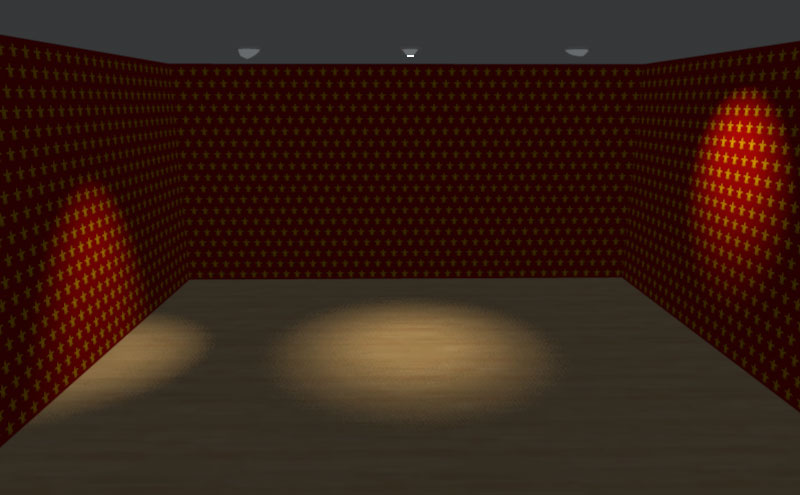
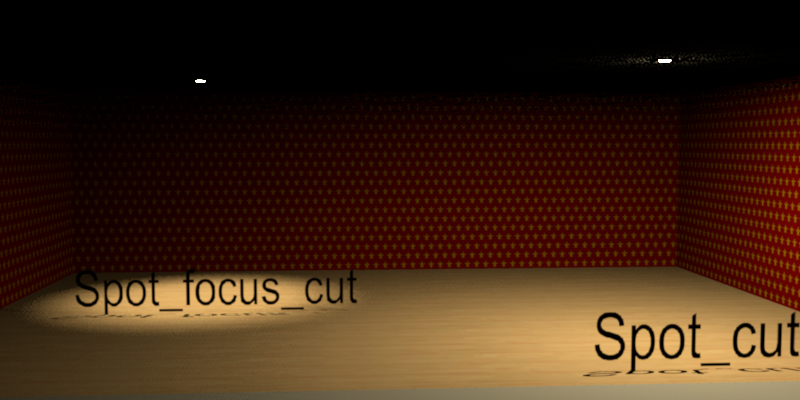
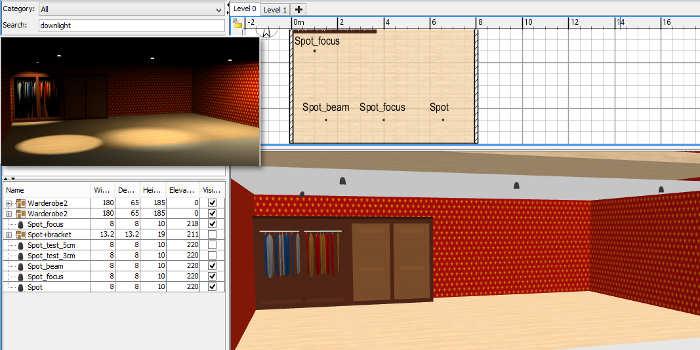
Re: How to create a down light embedded in the ceiling Two approaches tested and posted in SF 3D models 400. First combining cutout and light in one model. - Apparently not possible with FurnitureLibraryEditor / PluginFurnitureCatalog.properties. - However in Home.xml (within the .sh3d file) a model with light is called <light ..>, while normal models are <pieceOfFurniture ..>. - While a <pieceOfFurniture ..> cannot (I think) take light properties, a <light> seems to support staircaseCutOutShape The downside is that a <light > model cannot be rotated along three axis as can a <pieceOfFurniture> spot_light_cutout.sh3d Second, spotlights with lightsource that can be rotated and pointed at different objects. Simple model (no brackets, no textured glass), three different light-source locations: - Spot: wide - Spot_focus: medium - Spot_beam: narrow But this is where I am pretty useless. How best to place the lightsource within a model to get Cec quality renderings is Swedish to me. spot_light_pivot.sh3d Light-source relevant items in PluginFurnitureCatalog.properties for the three downlights (other properties snipped): id#12=okh#spot7ok PS Takk for omtanken, Cec. Bedre nå. |
| Posted by okh at Oct 9, 2017, 6:27:18 PM |
|
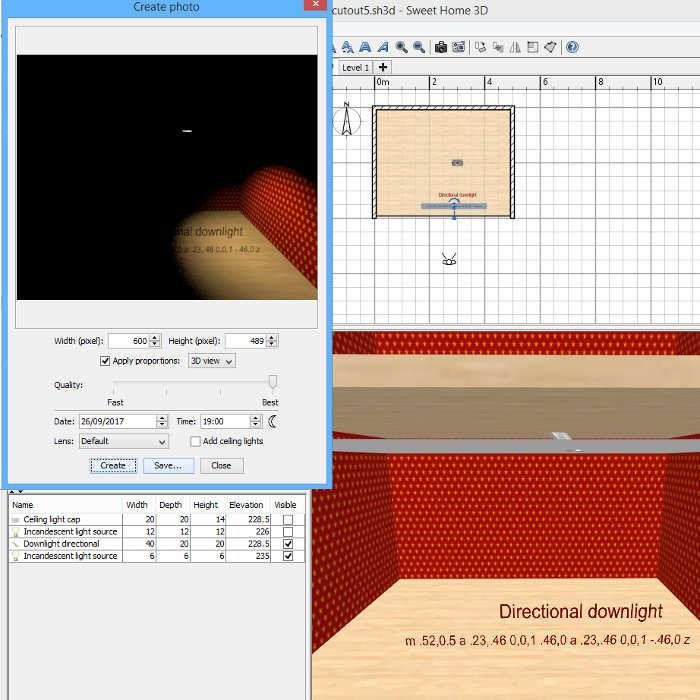
Re: How to create a down light embedded in the ceiling Maths is confusing for lawyers, evidence depending on two events, each 70% likely, sounds pretty probable to most. Which is wrong. Never give a lawyer two variables. Last attempt of the day, a directional downlight with <light catalogId='okh#spot_dir_cut' name='Spot_focus_dir' creator='okh' model='1/downlight_directional.obj' icon='0' x='69.5' y='290.55923' width='20.0' depth='10.0' height='10.0' modelSize='14936' staircaseCutOutShape='m .52,0.5 a .23,.46 0,0,1 .46,0 a .23,.46 0,0,1 -.46,0 z' power='0.4'>All models in spot_light_cutout_dir.sh3d should be placed 0,5 cm below the ceiling for the cutout to work. The Spot_focus_dir model can be adjusted in height to raise/lower the beam. But is any of this useful? Not sure. Could it be with the right settings. Probably... ok spot_light_cutout_dir.sh3d ![]() |
| Posted by Ceciliabr at Oct 9, 2017, 10:26:46 PM |
|
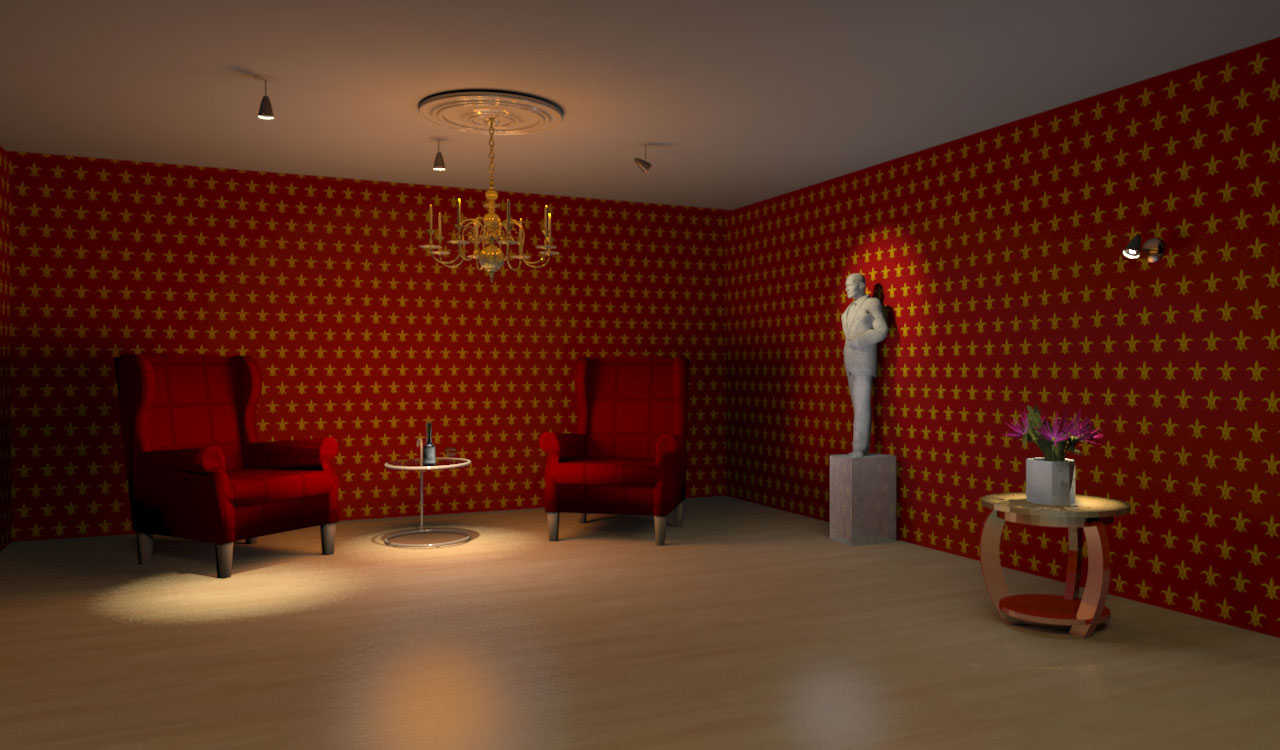
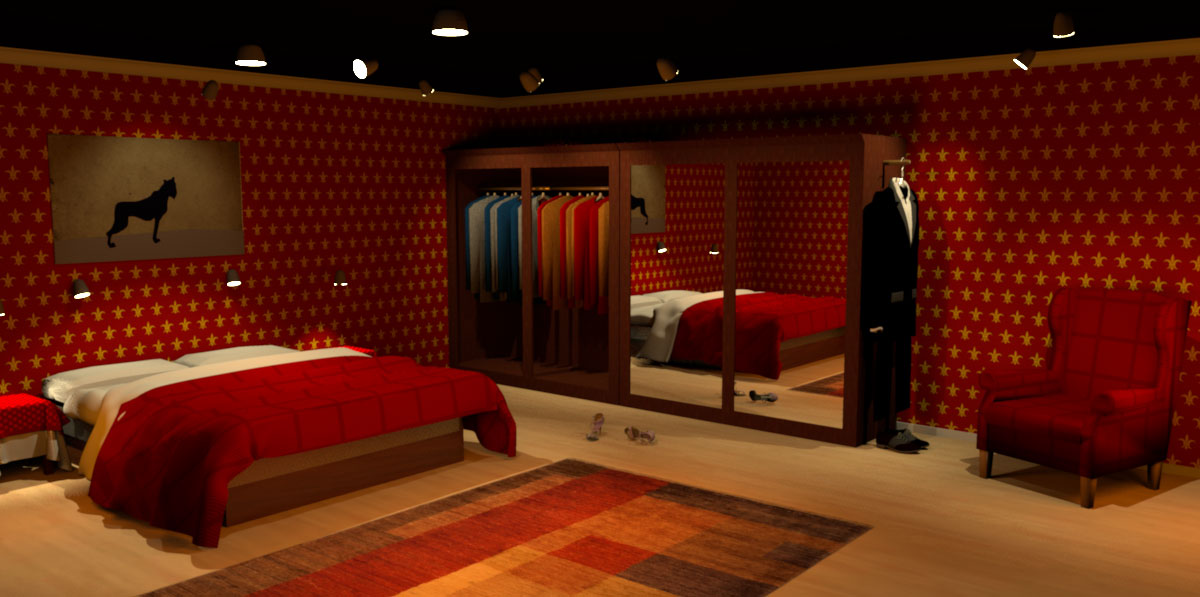
Re: How to create a down light embedded in the ceiling @okh Perfect! (...) to get Cec quality renderings is Swedish to me. Swedish is easy – user manuals, on the other hand, can be as understandable as some secret variation of ancient Mongolian tribal lingo. Sometimes I get the feeling that instruction manuals are written by men who are so familiar with the product that they are completely unable to view it from a users point of view. That's probably the reason why most products ( and computer programs) no longer comes with a hardcopy of the user manual. Everyone knows that the user manual is headed for the trash bin anyway, along with the unbreakable plastic wrapping – once you're able to open it... The FurnitureLibraryEditor doesn't come wrapped in plastic – but it comes with an option to load a furniture... ... from where? Where do I find the piece of furniture I want to load into the FurnitureLibraryEditor? Why doesn't it just point me to the right directory, like other programs do? And where did they dig up this prehistoric version of the file manager? Well, that's why I'm so glad there are lawyers around – intelligent people, who are able to decipher these cryptic instructions, and actually do something useful with these programs. Simplicity, right! Sometimes I'm on the wrong planet... There is no need for any mounting bracket. The bracket is just make-up and at best only serves the purpose of creating an illusion. There are other ways – and better ways – of creating an illusion, and, bluntly speaking; if the illusion breaks as a consequence of a missing mounting bracket, I'd say it wasn't much of an illusion to begin with. The illusion lies in the way we use lights. Light and shadow – the difference between a Q1 and a Q4 rendering. Maybe it's Swedish, but it isn't Mongolian. Here is some Swedish: ![]() My own 5 basic rules: 1) Never tick the "Add ceiling light"-box. It ruins every rendering. 2) Try to avoid lighting up the ceiling ( unless it's the Sistine Chapel or the lounge of the Berner's Hotel). 3) Use a lot of light sources, and keep the intensity low – very low! 4) Don't let walls obstruct the placement of the camera. It's better to temporarily remove or alter walls than to shoot at extreme wide angles. 5) Try different light settings and make A LOT of previews at low resolution ( Q3 - 400px) before rendering a high quality photo. ![]() I took the liberty of substituting the wardrobe doors with mirrors. Hope you don't mind. And, as you can see, the male wardrobe now has got it's own spotlight. No mounting brackets in use! The SH3D project is HERE Cec ps, I haven't got around to trying the cut-out version yet. I will... maybe tomorrow. pps (Sukk... ingen Calva på meg de nesrte seks månedene...) ds |
| Posted by okh at May 4, 2018, 10:38:18 AM |
|
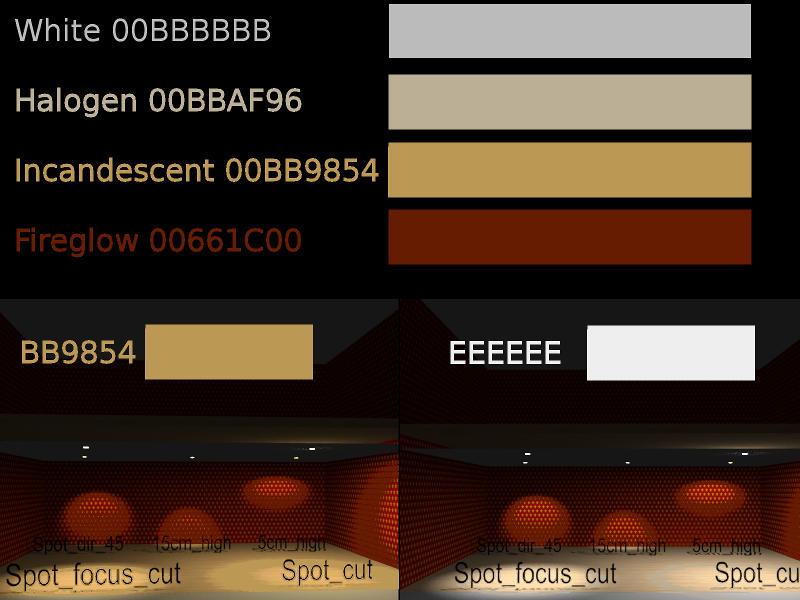
Re: How to create a down light embedded in the ceiling A suggestion from Ðнтон to use neutral lightsource insted of the above Incandescent, same models, but lightsource colour changed from #BB9854 to #EEEEEE. SF 3D models 400 updated with new 'neutral light' file: spot_light_cutout_dir_eeeeee_neutral.sh3d There are many elements to lightsources and renderings. Key to get a better result is studying posts by Ceciliabr and enkonyito on multiple lightsources and advanced rendering. Just for reference, image below lists some of the predefined lightsource colour settings (to compare with the built in lightsources). ok |
| Posted by enkonyito at May 6, 2018, 12:12:26 AM |
|
Re: How to create a down light embedded in the ceiling okh, in relation to your interrogation, Last attempt of the day, a directional downlight with here are some details.<light catalogId='okh#spot_dir_cut' name='Spot_focus_dir' creator='okh' model='1/downlight_directional.obj' icon='0' x='69.5' y='290.55923' width='20.0' depth='10.0' height='10.0' modelSize='14936' staircaseCutOutShape='m .52,0.5 a .23,.46 0,0,1 .46,0 a .23,.46 0,0,1 -.46,0 z' power='0.4'>By default, SH3D uses the SphereLight type to render lights with the Sunflow rendering engine. As you already know, just add these properties for an object to be considered a light by SH3D. The LIGHT_SOURCE_DIAMETER property is optional. If it is not present, a default value is used for the calculation of the radius of the sphere as for the lights created before SH3D-3.0. When it is present, its value is taken into account and makes it possible to obtain soft shadows when the size of the light is enlarged. Regarding the position of the light source in the Home.xml file, the values ​​represent a percentage of the width-depth-height of the object containing it. In your example, <lightSource x='0.25' y='0.5' z='0.7' color='00BB9854' diameter='0.125'/>lightSourceX#n=0.25*lightWidthMy trick to properly position the light sources of a light is to match the lower left corner of the object with the origin (0, 0) of the Sweet Home 3D plan knowing that the Y axis is reversed. modelXplan = modelWidth / 2modelElevationProperties = modelElevationPlanHoping to have been pretty clear. ---------------------------------------- EnkoNyito |
| Posted by rontant at Jul 13, 2018, 2:44:19 AM |
|
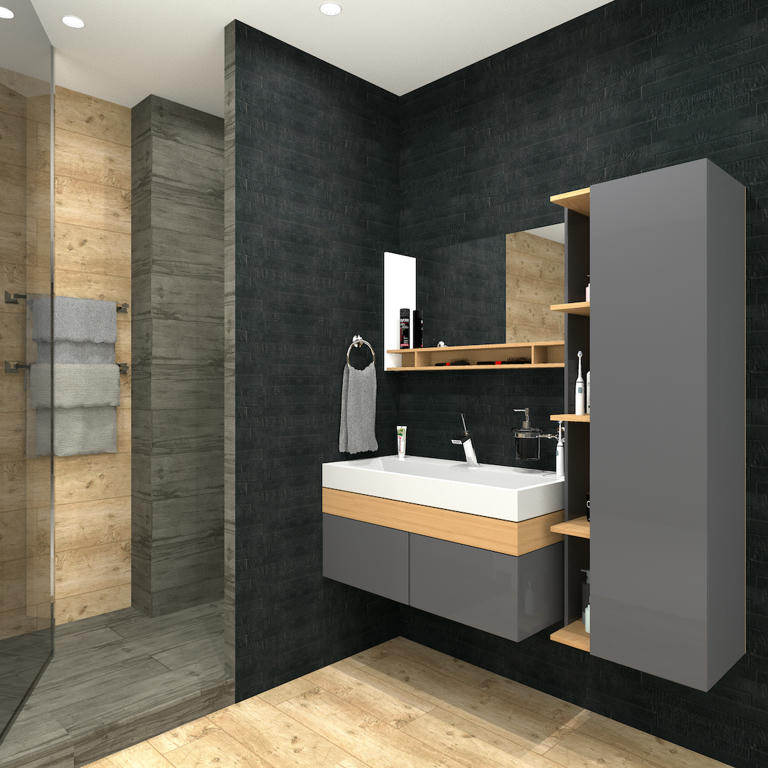
Re: How to create a down light embedded in the ceiling This is a very informative thread that got buried deep and maybe it should be made sticky. Now, if I observe correctly, basically a false ceiling is proposed to accomodate the embedded ceiling light without creating a hole on the floor on upper level. I see there's one issue though on certain house design. A gap between the false ceiling and the upper level floor can be exposed. Please look at my rendered photos below: Look at the LEFT side of the photo. How do you guys put an embedded light on the ceiling on the first level without getting the gap (of the false ceiling) exposed? ![]() Same, if we are to put a false ceiling above the painting, wouldn't the gap be exposed? |
| Posted by Ceciliabr at Jul 13, 2018, 11:15:12 AM |
|
Re: How to create a down light embedded in the ceiling Same, if we are to put a false ceiling above the painting, wouldn't the gap be exposed? Sure, but it's easy to just insert a box to cover the gap.Or you can have a look at this post . Half way down, starting with: And – while I'm at it: you will find a fix to mask the more complex cut-outs, like from a spiral staircase. Cec EDIT: How hard can it be for me to get a link working today... |
| Posted by rontant at Jul 14, 2018, 12:41:13 AM |
|
Re: How to create a down light embedded in the ceiling Thanks Ceciliabr. I'll study it. |
| Posted by r921vs at Aug 19, 2018, 6:42:11 AM |
Re: How to create a down light embedded in the ceiling New light sources give excellent opportunities! Thank you, okh! |
| Posted by knxville at Oct 29, 2018, 7:51:55 AM |
Re: How to create a down light embedded in the ceiling New light sources give excellent opportunities! Thank you, okh!How on earth did you light this? It's so even. I can't for the life of me get even lighting on all my walls and ceiling. |
|
|
Current timezone is GMT Feb 11, 2026, 12:38:42 AM |