Print at Dec 19, 2025, 5:05:24 PM
Posted by Ceciliabr at Sep 30, 2017, 11:58:08 AM
Same image – like night & day - a miracle?
A "strange phenomena" occurred when I was making an illustration for this discussion.
I must have accidentally changed the time from day to night (which I would presume should not have any effect when rendering an image in a room without windows), and all of a sudden my ceiling had gone black.
And not only that, as you can see:

Daytime:


Night:
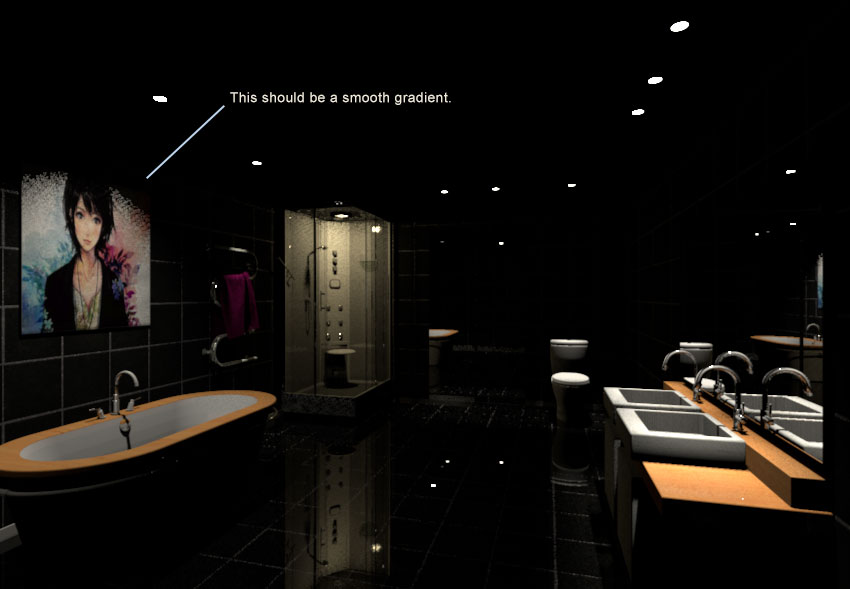

I tried changing the settings, but it had no effect.
The ceiling goes black when the sun goes down:


Is there any rational explanation for this peculiar abnormality?

Cec

edit:
I have a link to the sh3d-file here .

Posted by bdfd at Sep 30, 2017, 12:59:01 PM
Re: Same image – like night & day - a miracle?
@cec,

I've found the same result. crying
For a minute I thought of the absence of roof.
But no change with a roof... very Strange !
----------------------------------------
Evil progresses when good people do nothing!
---
SH3D 7.1 and nothing else - W11 64b in 4K

Posted by enkonyito at Oct 4, 2017, 5:00:02 PM
Re: Same image – like night & day - a miracle?
Is there any rational explanation for this peculiar abnormality?

This is a "normal" behavior of the renderer.

The default global illumination uses Ambient Occlusion and its parameters allow to have at daytime a minimum luminosity in a room completely closed.
So at night, without additional lighting, the image is black.

P.S.: At daytime, you have the same effect with diffusedBounces=0.
----------------------------------------
EnkoNyito

Posted by Ceciliabr at Oct 9, 2017, 11:33:31 PM
Re: Same image – like night & day - a miracle?
@ enkonyito

This is a "normal" behavior of the renderer.


Ok. That's good to know.

I have noticed some other forms of "unexpected behaviour" that you might interested in:


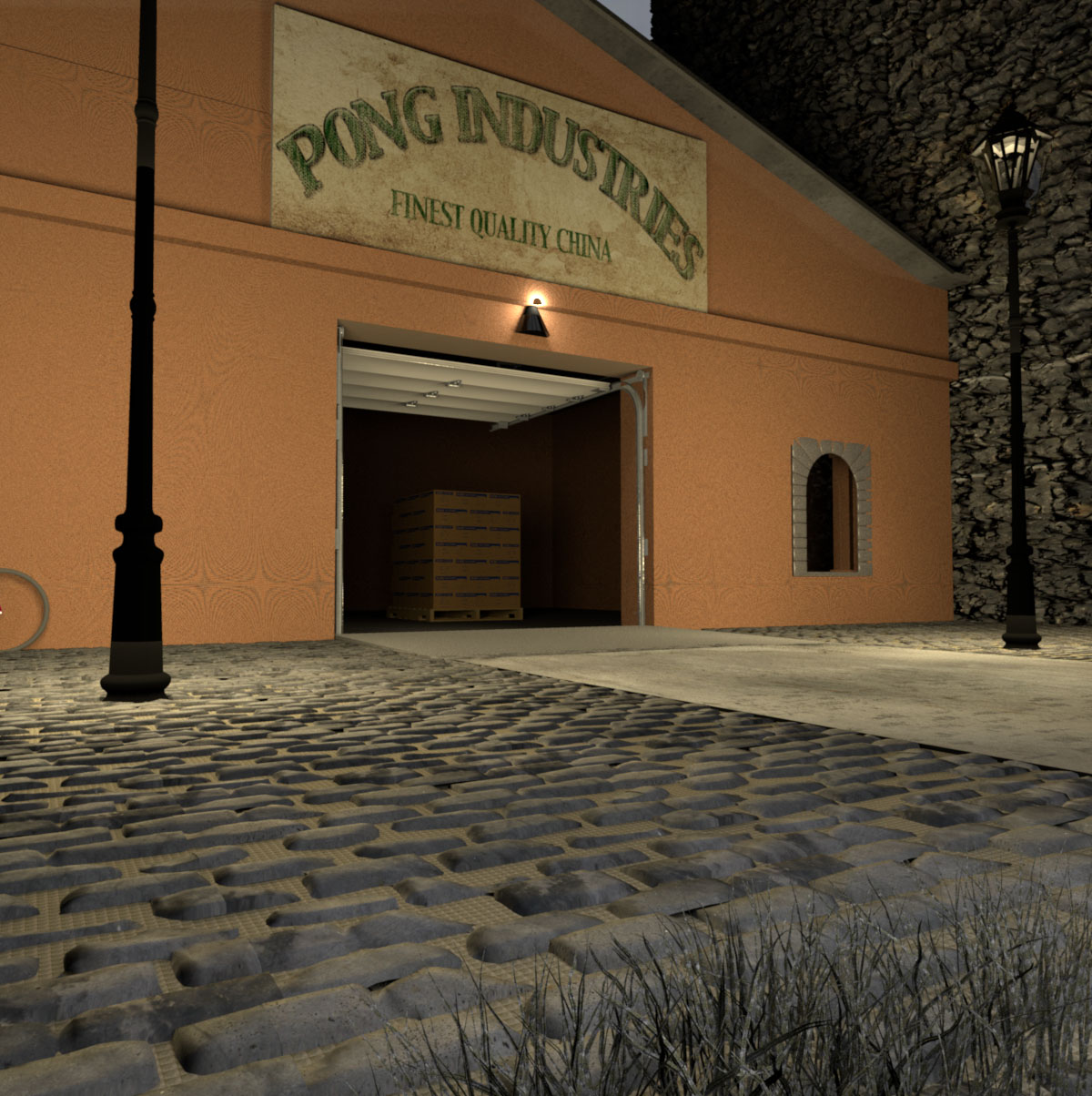
It seems the wall texture is not rendering like it should when I'm using the Create photo with renderer:

Here with the default renderer:


And here with the Create photo with renderer:


The texture of the ground beneath the cobblestones don't look right. It has some kind of waffle-appearance compared to the image rendered with the default renderer.

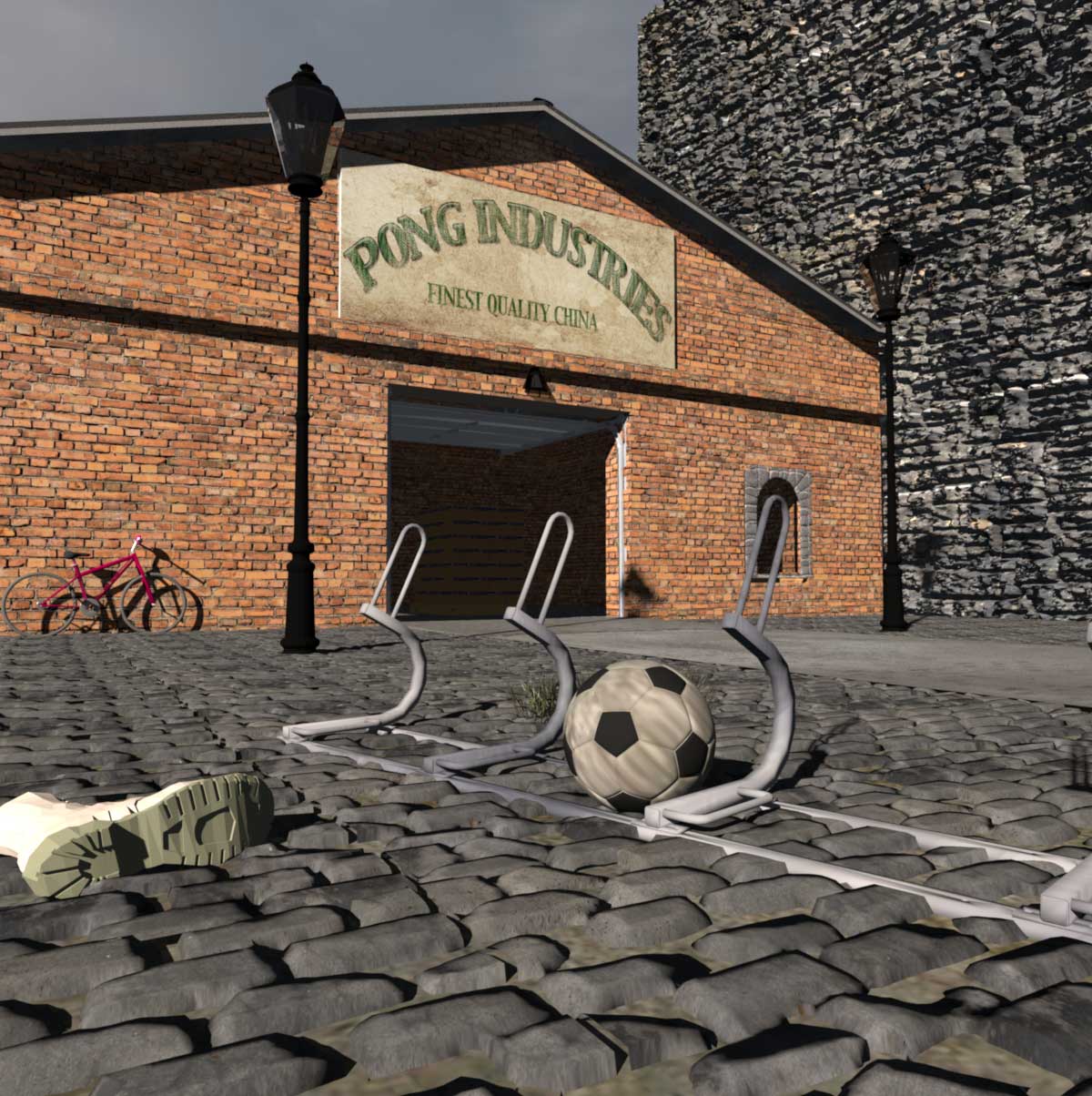
I wanted to see if the same happened at daytime:


It seems it did.

Here with the default renderer:


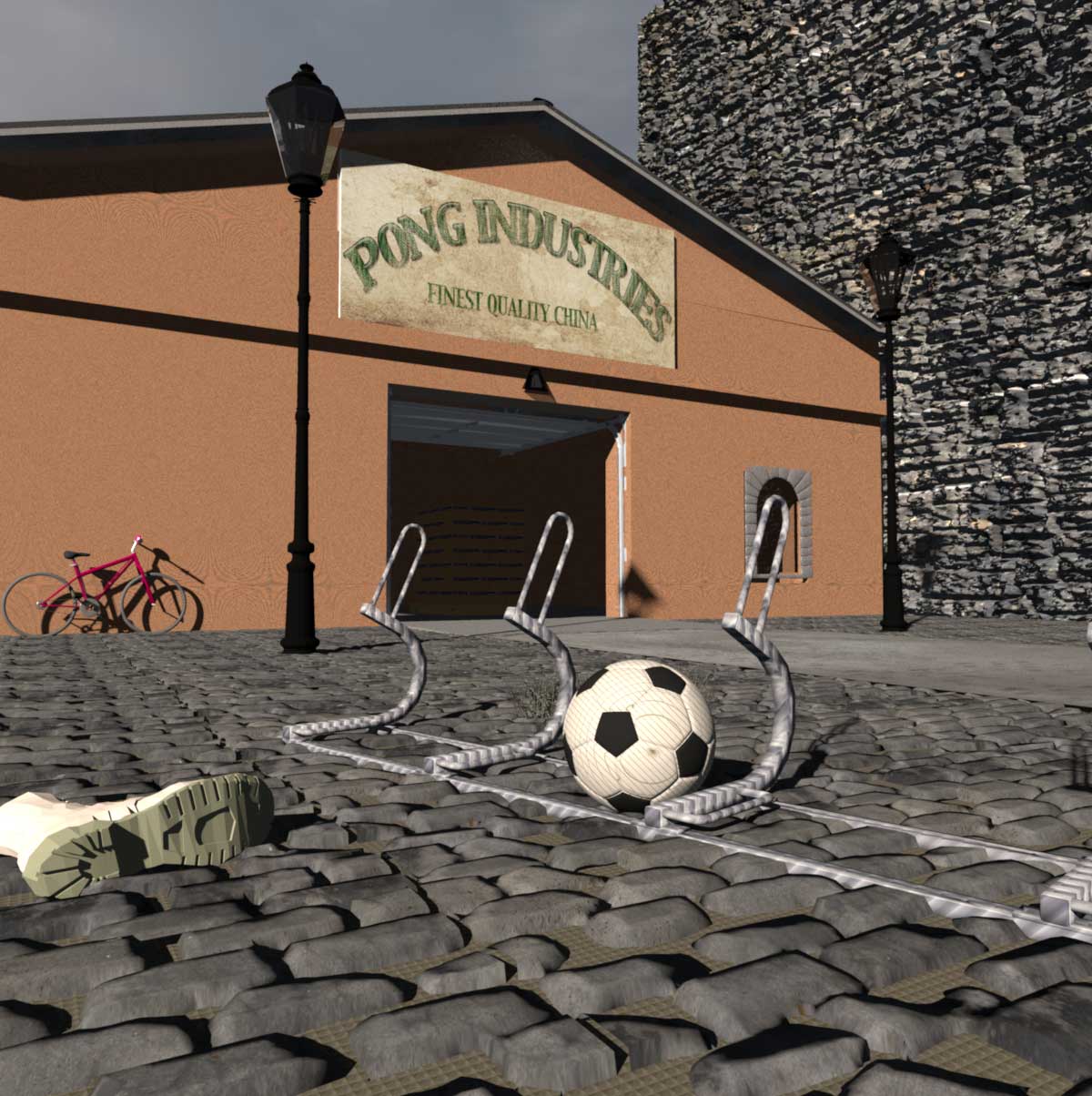
And this is with the Create photo with renderer::


And, as you can see, it's not only the walls and the ground texture that are different, the bicycle stand and the football also renders with a different looking texture.

I have the v1.3.2 version of the Create photo with renderer, and my settings for these renderings are the default settings of Q4.


Cec.

Posted by enkonyito at Oct 17, 2017, 8:57:07 PM
Re: Same image – like night & day - a miracle?
You should use the PhotoVideoRendering plug-in .
----------------------------------------
EnkoNyito

Posted by Ceciliabr at Oct 20, 2017, 9:16:09 PM
Re: Same image – like night & day - a miracle?
@ enkonyito

Aha! A lot better.
But there's a minor issue with the light...


It seems the positioning of the light source is not correct, compared to the default renderer.

cec

Posted by enkonyito at Oct 24, 2017, 1:55:03 PM
Re: Same image – like night & day - a miracle?
Cecilia,

Which version of Sweet Home 3D and PhotoVideoRendering plug-in do you use?
Since SH3D-5.5 the lights are managed differently, in this case it is necessary to use the last version of the plug-in (PVR-1.3).

If the problem persists, can you send me your file?
----------------------------------------
EnkoNyito

Posted by Ceciliabr at Oct 28, 2017, 2:23:28 PM
Re: Same image – like night & day - a miracle?
@enkonyito

Perfect! smile


cec

Posted by enkonyito at Jan 5, 2018, 3:51:34 AM
Re: Same image – like night & day - a miracle?
@Ceciliabr
Is there any rational explanation for this peculiar abnormality?

This is a "normal" behavior of the renderer.

The default global illumination uses Ambient Occlusion and its parameters allow to have at daytime a minimum luminosity in a room completely closed.
So at night, without additional lighting, the image is black.


I changed the behavior of the default global illumination to have a minimum nighttime brightness for a sky texture.
This option is disabled for a sky color because it changes to a blue hue that varies with time.

Dark value = 1/255
Daytime
Nighttime

Dark value = 2/255
Daytime
Nighttime

What result (value) do you prefer?


Here is another example without light, at night.
Dark value = 1/255
Dark value = 2/255
----------------------------------------
EnkoNyito

Posted by Ceciliabr at Jan 9, 2018, 9:16:09 PM
Re: Same image – like night & day - a miracle?
@enkonyito

What result (value) do you prefer?


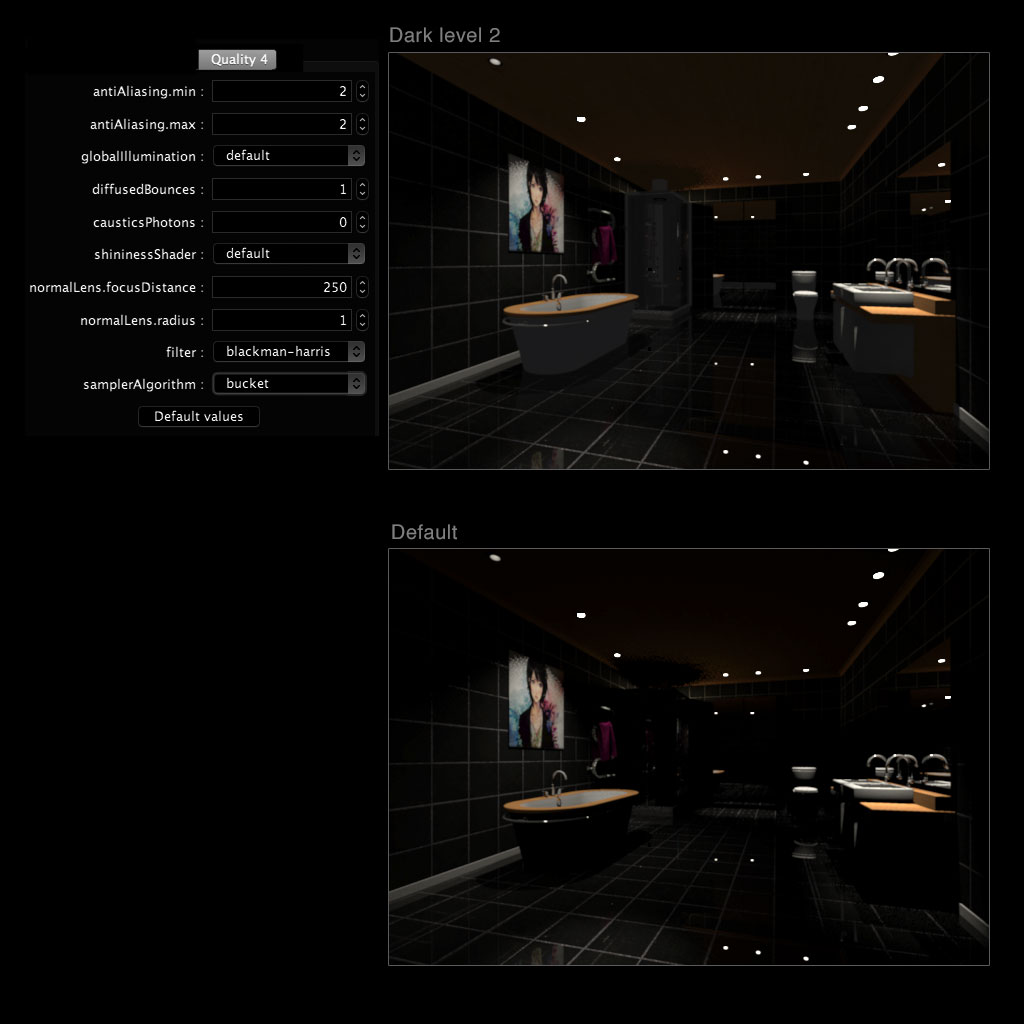
I think I prefer dark level 2. The difference might seem minimal on these small pictures, but will probably be a lot more visible on a larger image.

changed the behavior of the default global illumination to have a minimum nighttime brightness for a sky texture. This option is disabled for a sky color because it changes to a blue hue that varies with time.


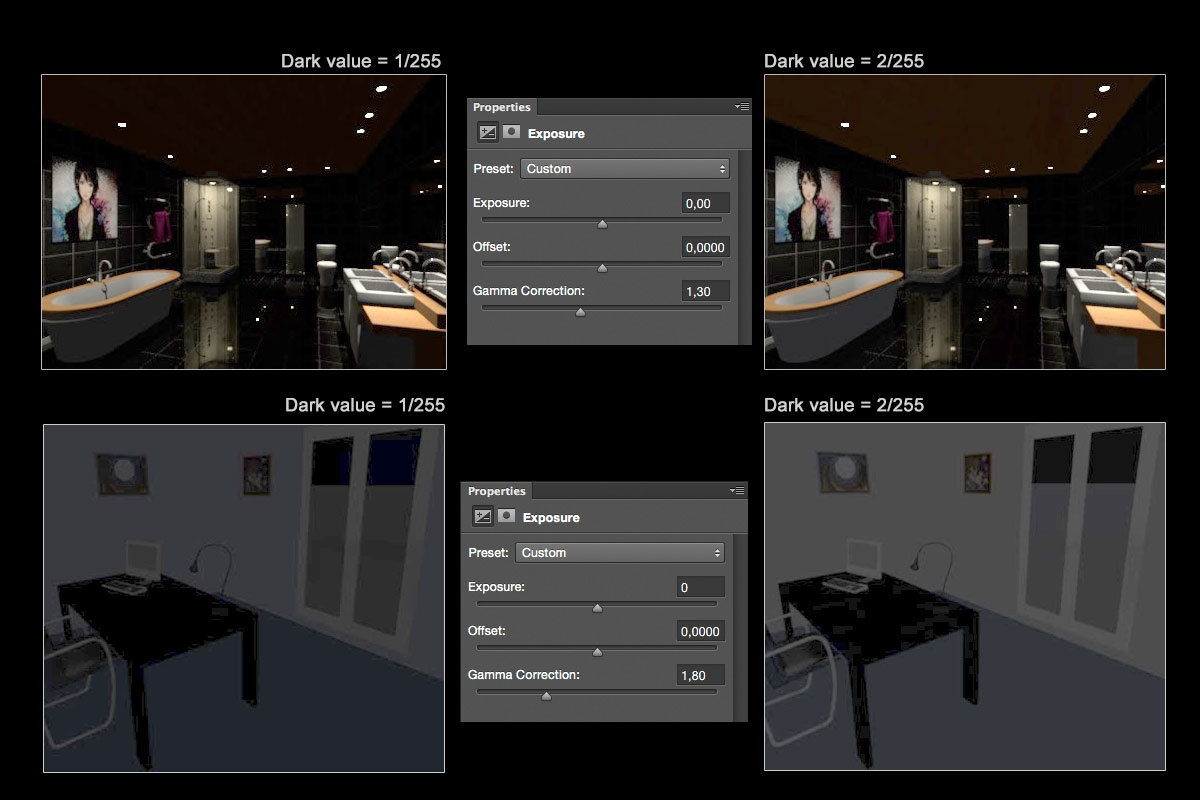
I did a Gamma Correction on your last images, and got this result ( used black background for easier viewing):


On the two lower images I can see there is a blue hue that is more visible on dark level 1 than on dark level 2, but it seems to be the other way around on the two bathroom images. Does this have anything to do with sky texture or colour?

BTW: It's amazing how well all the details are preserved, even if the rendering is very dark.

Cec

Posted by enkonyito at Jan 10, 2018, 3:42:43 AM
Re: Same image – like night & day - a miracle?
@Ceciliabr

I think I prefer dark level 2. The difference might seem minimal on these small pictures, but will probably be a lot more visible on a larger image.
By default, the dark value is 0.
You can test the minimum night brightness (dark value 1/255) with the beta version of the plug-in .
[If it's possible, I'll try to embed a dark level test instead of changing the value in the source code.]

On the two lower images I can see there is a blue hue that is more visible on dark level 1 than on dark level 2, but it seems to be the other way around on the two bathroom images. Does this have anything to do with sky texture or colour?
As the SimpleRoom.sh3d project has an outside opening, I used a black texture for the sky.
----------------------------------------
EnkoNyito

Posted by Ceciliabr at Jan 11, 2018, 9:10:05 AM
Re: Same image – like night & day - a miracle?
You can test the minimum night brightness (dark value 1/255) with the beta version of the plug-in .


I did, but I did not notice any difference from the default renderer.


cec

Posted by enkonyito at Jan 11, 2018, 6:30:01 PM
Re: Same image – like night & day - a miracle?
I did, but I did not notice any difference from the default renderer.

With your project, the difference between dark value = 0 (default renderer) and dark value = 1 is not obvious. That's why I added dark value = 2.
The PVR-1.4_betaTest version will allow you to choose the desired dark level (0, 1 or 2). smile


Enko
----------------------------------------
EnkoNyito

Posted by Ceciliabr at Jan 12, 2018, 5:09:54 PM
Re: Same image – like night & day - a miracle?
Perfect!


With dark level 2 I can see the body of the bathtub.

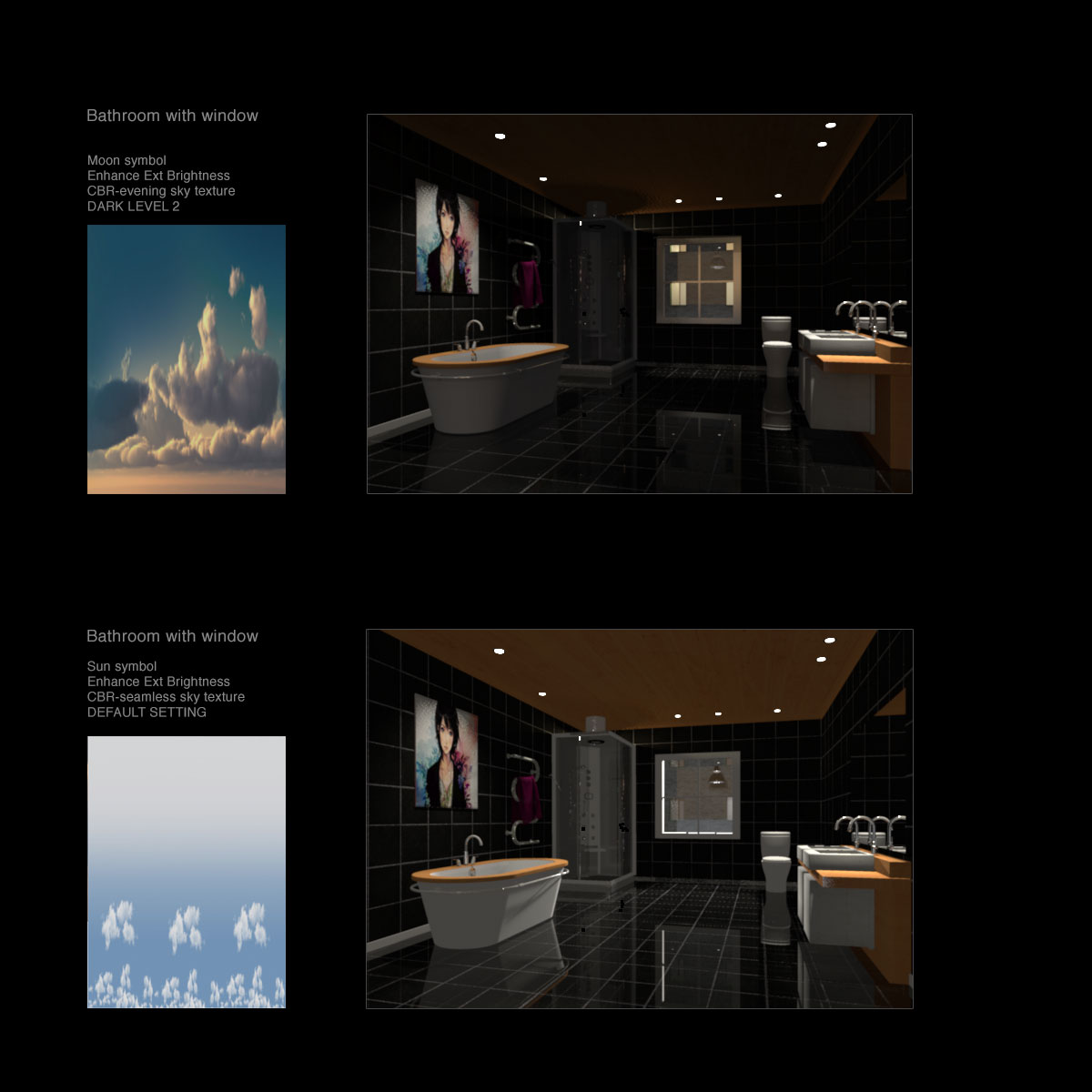
This bathroom has no windows.
I will make a window and do another test after dinner :)


I think adjustable DARK LEVEL is a keeper.

cec

Posted by Ceciliabr at Jan 12, 2018, 8:45:56 PM
Re: Same image – like night & day - a miracle?
Bathroom with window.


cec

Posted by enkonyito at Jan 13, 2018, 4:50:24 PM
Re: Same image – like night & day - a miracle?
The option can also be used for the exterior.


I think I will also choose dark level 2 for the final version of the plug-in.
----------------------------------------
EnkoNyito

Posted by VeroniQ at Jan 13, 2018, 7:40:57 PM
Re: Same image – like night & day - a miracle?
I like dark level 2 renderings! Thank you EnkoNyito.