|
Sweet Home 3D Forum » List all forums » » Forum: 3D models and textures » » » Thread: Tin Can Alley |
|
| Print at Dec 16, 2025, 2:26:29 PM | |
| Posted by okh at Jan 19, 2018, 9:00:41 PM |
|
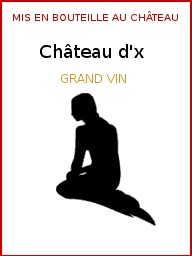
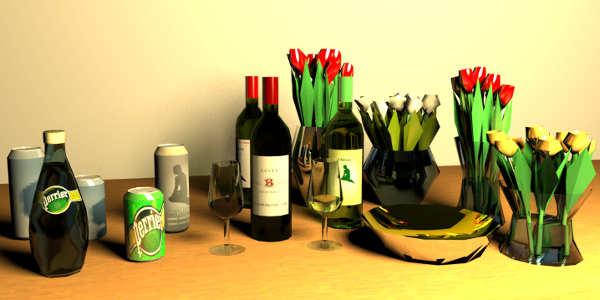
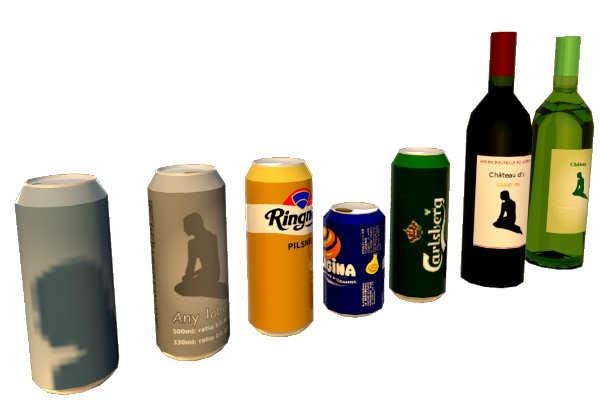
Tin Can Alley For reasons now forgotten, I needed a beverage can. As a result of an exchange with Cec on lights and small models a beer can was called for to illustrate a rougher approach. But after Simplifying .obj in SF261 the can seemed ridiculously large without even texturing well. So nothing for it but starting over, size matters and one can to rule them all: texture mapping so any brand label can be added, as few vertices as possible, open/close by setting opening to invisible, scalable for any size/volume. Point is to have a mix-and-match model: Import one can to home, copy paste around, add different labels, open and close: lots of different drinking containers with one only obj model in the .sh3d file. Of course, for super renderers discussing reflections in Perrier bottles, there are better models to be found or made. Still, the beverage container is just to show options for a model if the goal is versatility and small size. To get a local brand, create/copy a label to an image, edit and use texture for Material 'Label' in SH3D (image can be scaled to 512×512, 128×128, etc. it stretches to entire surface on model). Change other colours, set Alu_top_closed to invisible to 'open' the can. To resize to 333ml can, set height to 11,5 cm. Applied same to wine bottle. Possibly less elegant than the existing ones, but a fraction of the size and easier to change label. So for my own use, I plan to revisit some essential models and compile similar microversions in a library, to be shared if anyone is interested. Will it make a difference? Maybe not for everyone, but it will let me do basic home design faster and with smaller files. TINY Model details: Alucan - 6KB, 2,87KB compressed with holding label: - 500ml: 6,62×16,8 - label surface: 20,8×14,5 (1:1,434) - original - 330ml: 6,62×11,5 - label surface: 20,8×9,2 (1:2.256) - same model resized Wine bottle - 10KB, 5,74KB compressed with holding label: - 750ml: 7,8×30 - label surface 7,7×10,9 (0,75:1) Everything in SF 3D models 461 Models: alucan_wine_simpler.sh3d ![]() ![]() Label examples |
| Posted by okh at Jan 22, 2018, 9:22:46 PM |
|
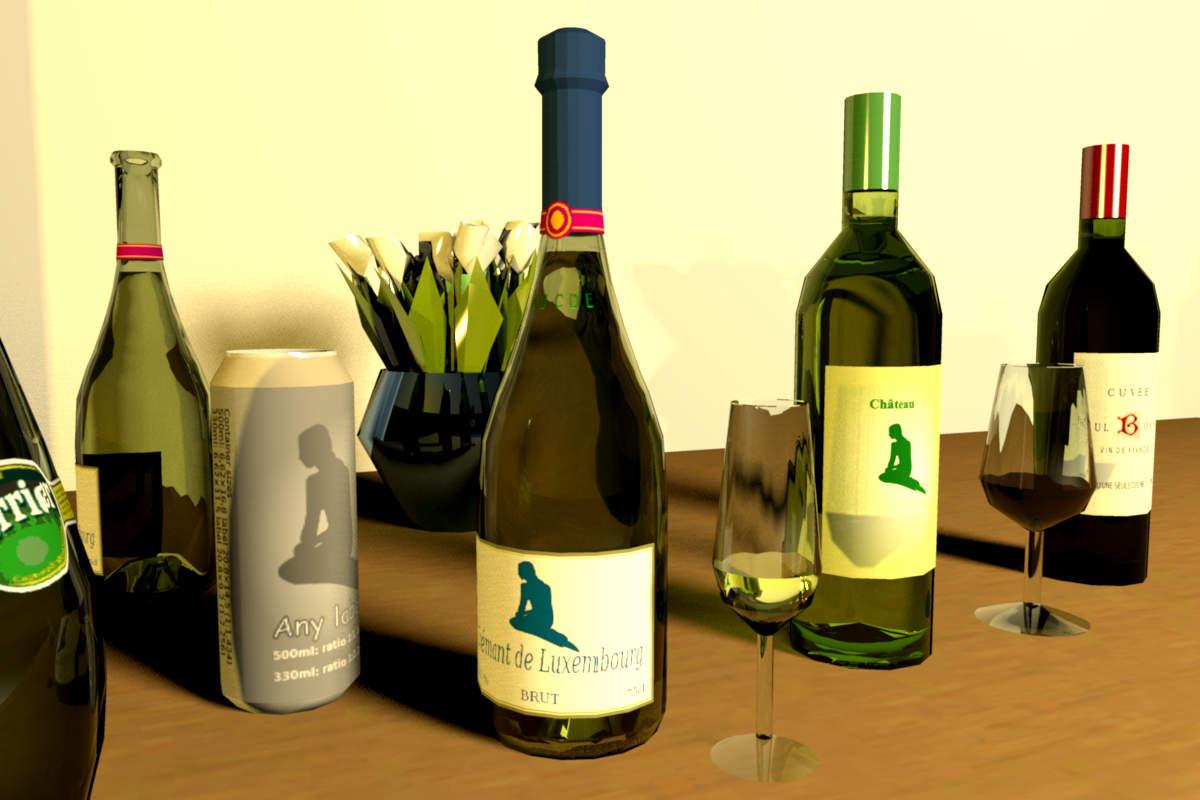
Re: Tin Can Alley Getting lost in transparency and reflections. Just in case anyone thought Scandinavians drink wine from the bottle, I added a glass. ISO standard wine tasting glass no less. Intended for a 50ml fill, but, well... What eats me, is that I do not really understand the .mtl settings; when what works how. But it seems, by accident, there is a distortion of the transparency in the liquid. Added a saucepan with mirror effect. Still a lot of room for improvement. If anyone can help with my primitive attempts (screwups, please comment. Please test if so inclined. But no matter, the models are small and still work reasonably well for their size. It is also appropriate to pay a tribute to the late Paul Bocuse. Nouvelle cuisine or not, "Il n'y a qu'une seule cuisine... La Bonne" One of the greatest has passed away. ok All in SF 3D models 461. Link to models: alucan_wine_glass_simpler.sh3d ![]() ![]() |
| Posted by VeroniQ at Jan 22, 2018, 11:15:10 PM |
|
Re: Tin Can Alley Thank you, Okh! This time, these bottles are full!! |
| Posted by okh at Jan 22, 2018, 11:24:20 PM |
|
Re: Tin Can Alley ..these bottles are full!! Well, you could set the material 'Wine' to invisible, but then, that probably would not be my preferred way... Thanks. ok |
| Posted by Ceciliabr at Jan 31, 2018, 7:54:03 PM |
|
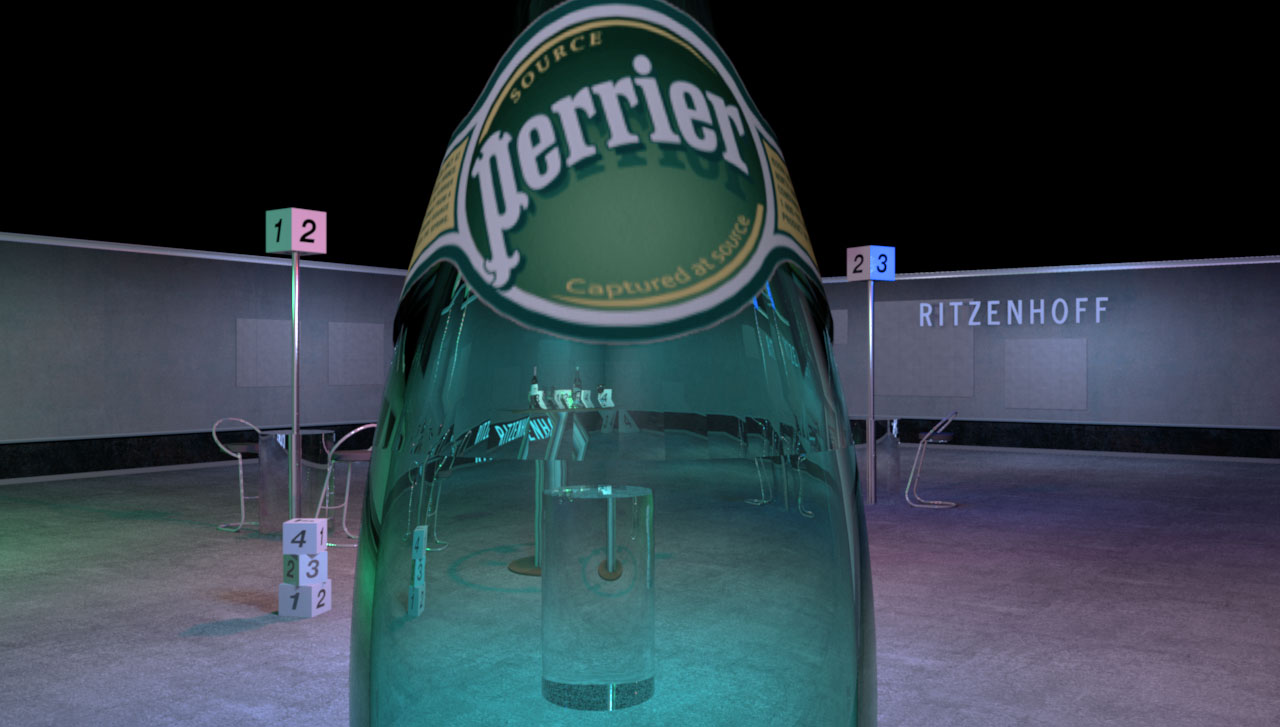
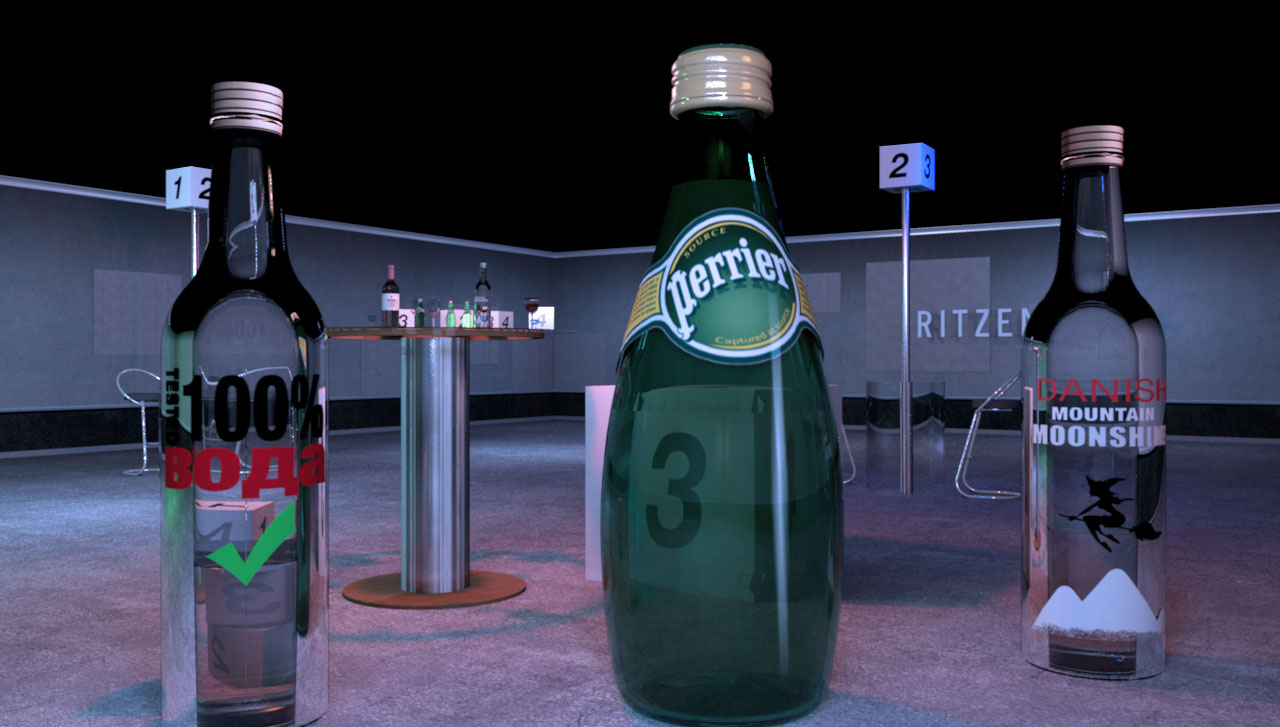
Re: Tin Can Alley Interesting thread. Of course, for super renderers discussing reflections in Perrier bottles, there are better models to be found or made Just like in real life, sometimes you feel compelled to view the world thru a bottle of Perrier just to find out how it looks – and then you just might let your curiosity get the better of you... Anything that has a weight comes at a cost. This Perrier bottle weighs 6.252kb, and the rendering time for this image ( 1280 X 727) was 1 h 0 min 43 s. The Perrier mtl (in case anyone is interested): Here is the image that was wrongly posted earlier ( sorry) : (2048 X 1163) rendering time: 6 h 07 min 32 s. What eats me, is that I do not really understand the .mtl settings; when what works how That's a mystery for me too. You can find a quite in-depth explanation here, but I think Sunflow only supports some of these settings. Cec |
| Posted by okh at Jan 31, 2018, 8:59:33 PM |
|
Re: Tin Can Alley ..view the world thru a bottle of Perrier... Now, there is novel a thought But the effect is very nice though. Now I know...Perrier bottle weighs 6.252kb... Surely that must be overkill? Of course, you would not get your good rendering at proposed < 10kb models, but it should be interesting to see the .obj file. How many sides does the polygon have to simulate the circle? Gut feeling tells me that it could come down to <500kb or a whole lot less without noticeable quality loss - even in your rendering. ok |
| Posted by Puybaret at Jan 31, 2018, 9:39:42 PM |
|
Re: Tin Can Alley Very nice attempts from both of you to obtain either small 3D models or very nice renderings with a row of bottles For your information, you should know that the Ni factor in MTL files is used as the optical density (see MTL specs here). If glass has an optical density of 1.5 like Cec used it, other materials have often a different value like water which optical density is 1.333. It would be interesting to test that if some of you have the patience. ---------------------------------------- Emmanuel Puybaret, Sweet Home 3D creator |
| Posted by Ceciliabr at Feb 1, 2018, 10:42:24 AM |
|
Re: Tin Can Alley Surely that must be overkill? Probably. Here is the original file @ archive3D.net: https://archive3d.net/?a=download&id=284ad5c5 And here is my modified version: ceciliabr.com/sh3d/Perrier.zip I don't think I'm allowed to re-distribute these files, but I guess it's OK for "educational purposes"...? Cec |
| Posted by Ceciliabr at Feb 1, 2018, 10:48:41 AM |
|
Re: Tin Can Alley Very nice attempts from both of you... Thank you I will make an attempt to perform a new test after lunch. Cec |
| Posted by okh at Feb 1, 2018, 9:34:08 PM |
|
Re: Tin Can Alley ..guess it's OK for "educational purposes"... ..guess it is educational for ok ... So, thanks.Looked at your bottles which render beautifully, especially after your touches, but it is - quite literally - quite a mesh. A look at the mesh in Blender was a bit confusing, but then, I am used to simpler stuff. Also put your bottle through EP simplification procedure (removing normals, adding smoothing), but for some reason that did not work as nicely as expected. So just to compare (and save rendering time), I mocked-up a model with very few surfaces to compare. There the simplification worked. Never mind the lousy texturing and obvious shortcomings, but for the size 21kb compared to the original at 6243kb, at least it makes testing .mtl very much faster. But again, not your quality level. Will send comparison file by e-mail. It is a bit strange that the smoothing does not work even nicer on your bottle, but maybe the upper and lower part should be split and regrouped as there appear to be an intended row of flat-ish surfaces on top. Cannot remember, did not drink Perrier in a while. ..Ni factor in MTL files is used as the optical density (see MTL specs here),,, Once I think I have understood something about Wavefront, new ideas are turning up. I really should be doing more homework. Most interesting. Will do more testing, but initial test with my primitive models look very cool. Optical density... Of course, there must be such a thing. Looking through a bottle will never be the same again. ok Updated SIMPLE file (not the nice Cec' stuff ): low_poly_drinking.sh3d Test bottle model: bottle_perrier.zip ![]() |
| Posted by Ceciliabr at Feb 2, 2018, 12:53:54 PM |
|
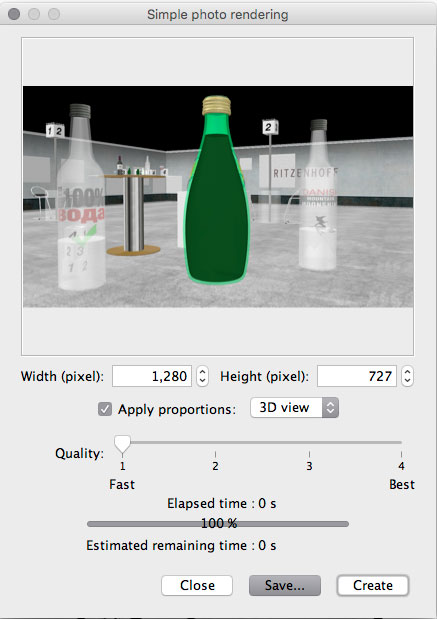
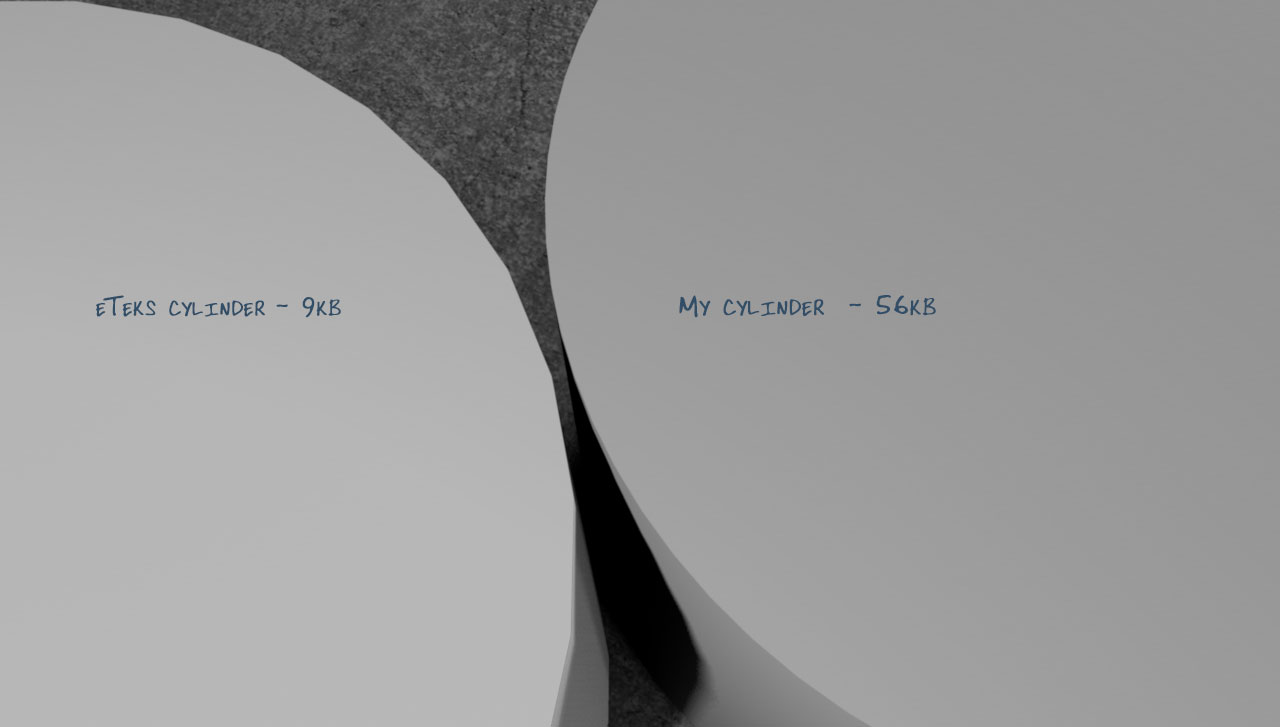
Re: Tin Can Alley Also put your bottle through EP simplification procedure (removing normals, adding smoothing), but for some reason that did not work as nicely as expected In art school I learned that Hi-Res is the key word – both when it comes to sowing and graphics. They used to call me "the lazy seamstress", since I often used long threads and too much space between my stitches when I was impatient and in a hurry – which was more or less my normal state. Eventually I gave up fashion-design, and concentrated on photo: "A snapshot is done the minute it's taken", I wrongly assumed. When you travel on economy, you pay less – and you get less. You are compressed and squeezed into a tiny seat, often in an uncomfortable proximity to people not particularly concerned about their personal hygiene, and there is no room for elbows or legs – a bit like when you compress jpegs; you loose more than you think. Is it likely that a reflective surface can reflect it's surroundings at a higher quality than the reflective surface itself? Puybaret asked for a test where the optical density of the water was set to 1.333. He was linking to the same MTL material format-file that I was linking to, which is a sort of a Bible for handling your mtl-files. Here is the result: Here is a screenshot: ![]() The Perrier-bottle is full. The other bottles are 2/3 empty. An interesting phenomena occurs of the bottle on the left, where you can see that the image reflected through the liquid is mirrored – a phenomenon that does not occur with the Perrier-bottle, although the density of the water is the same. !The reason I use a screenshot instead of a Q1-rendering, is that after the hither/yon settings were reprogrammed some versions ago, the Q1 and Q2 options are no longer as usable as they once were...) The curving is the crux: A plane (like f.i. eTeks mirror @ 8kb) can be small, but a curved object weighing 21kb cannot possibly hold the same reflective qualities as a curved object weighing 6240kb. Look at this: 9 kb vs 56 kb. Already at 6 times better resolution, the quality of the roundness is vastly increased. I really should be doing more homework. Me too! But right now I'm not overly motivated: We opened the window – and in flew Enza! Thanks for your mail. Cec. |
| Posted by Mike53 at Feb 4, 2018, 1:47:14 PM |
|
Re: Tin Can Alley Great work Cec and Ok on the glass material, i have no idea what all the chat was about, but lovely renderings and ty for sharing them in the forum. Mike |
| Posted by okh at Feb 5, 2018, 12:38:04 PM |
|
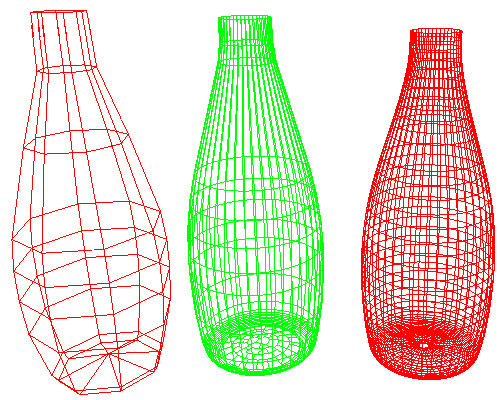
Re: Tin Can Alley @Mike53: ..what all the chat was about, but lovely renderings... Trying to figure that out too, I think the chat is about an economy class type, trying to convince Cec to get a discount on her private jet, the drinks you get, and what life looks like through a Perrier bottle... ![]() In art school I learned that Hi-Res is the key word ... Ah, yes, paying attention to what teach us in school can sometimes be a good idea. As for quality vs price, you usually find me in economy class trading potential discomforts for a luxury meal at the destination. No doubt, your journey and renderings are stunning and a joy to see, but at a price I hesitate to pay when rendering is secondary....When you travel on economy, you pay less – and you get less. ... like when you compress jpegs; you loose more than you think. Is it likely that a reflective surface can reflect it's surroundings at a higher quality than the reflective surface itself? But still, there is no reason not aiming for the highest quality when cost is low. Such as the above .svg AnyLabel can_label_txt.svg . A design/text template: edit to any design at perfect quality regardless of scale/resolution, then convert to .png or .jpg (depending on the image) at any compression or resolution. Full control over quality vs. cost. test where the optical density of the water was set to 1.333... a Bible for handling your mtl-files. Very beautiful and interesting renderings. I still try to get my head around how best to combine the settings, thanks for the homework. Had a quick look and I am looking forward to being confused at a higher level.The curving is the crux: True, true. And in a world where circles are represented by polygons the quality trade-off is exactly the point. A plane (like f.i. eTeks mirror @ 8kb) can be small, but a curved object weighing 21kb cannot possibly hold the same reflective qualities as a curved object weighing 6240kb. 1)Somewhere I read an article about using (Bézier) curves in .obj files. Annoyingly I cannot find it again, to check whether it is valid generally. Does anyone know? 2) The aim of the oversimplified bottle in a world of polygon 'circles', was not aiming for the perfect, but to test the EP simplification on curved objects using .obj smoothing / letting SH3D recalculate the normals. Testing cans/and bottles from pentagons to 24 sided polygons, I was pleasantly surprised that a smoothed octagon actually resembled a bottle. This I had not expected. Of course, an octagon is Economy class, but working your way up, my impression is that you will reach a level where you no longer can see a difference. To me there is a lesson in this: how best to make curved surface models. To revisit the bottle:
![]() ![]() Here the outside of the bottle in three versions. Very simple octagon vs the model Cec used. The middle one is a possible compromise with the latter using Blender to reduce surfaces, and adding smoothing in the .obj file. Or a Crémant bottle (bottle_cremant.zip, there is a limit to how much Perrier I can drink): 18 segment 'circles' and simplified (should have added a couple more polygons vertically). Everything is smoothened, except the capsule. Not good enough for Cec' HQ renderings, but somewhere between 40 and 18 segment 'circles', there may be a compromise using smoothing where I doubt it is possible to tell the difference. Even at Cec' level. I think. low_poly_cremant.sh3d Of course, there are some other elements here. For the cylinder, viewed from Cec' angle, you will need lots of 'circle' segments anyway. And yes, even if the tiny models do render a lot quicker, glass and optical density and all the other cool settings, will in themselves suck up a lot of rendering time. With all my previous mistakes in mind, I may just make a model a Rizenhoff beer glass. A not-so-subtle gift, emphasis being glass. ... and in flew Enza And I suppose you cannot take a glass of my favourite cure... Poor you. Hope for quick recovery.ok |
| Posted by bdfd at Feb 5, 2018, 6:13:52 PM |
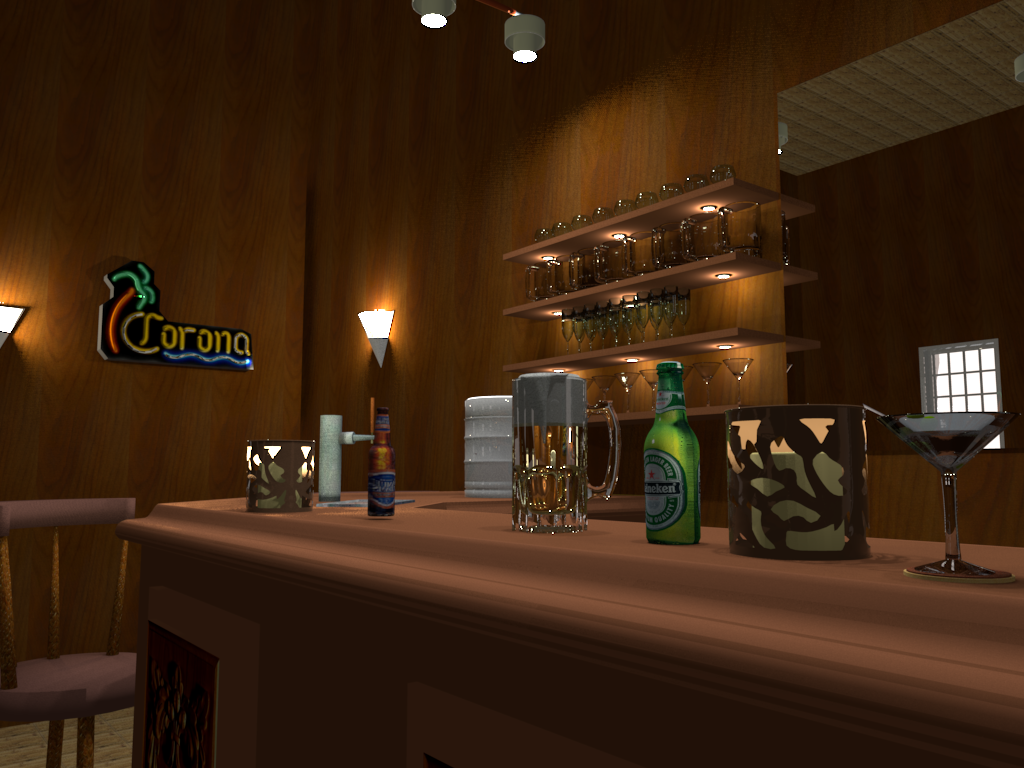
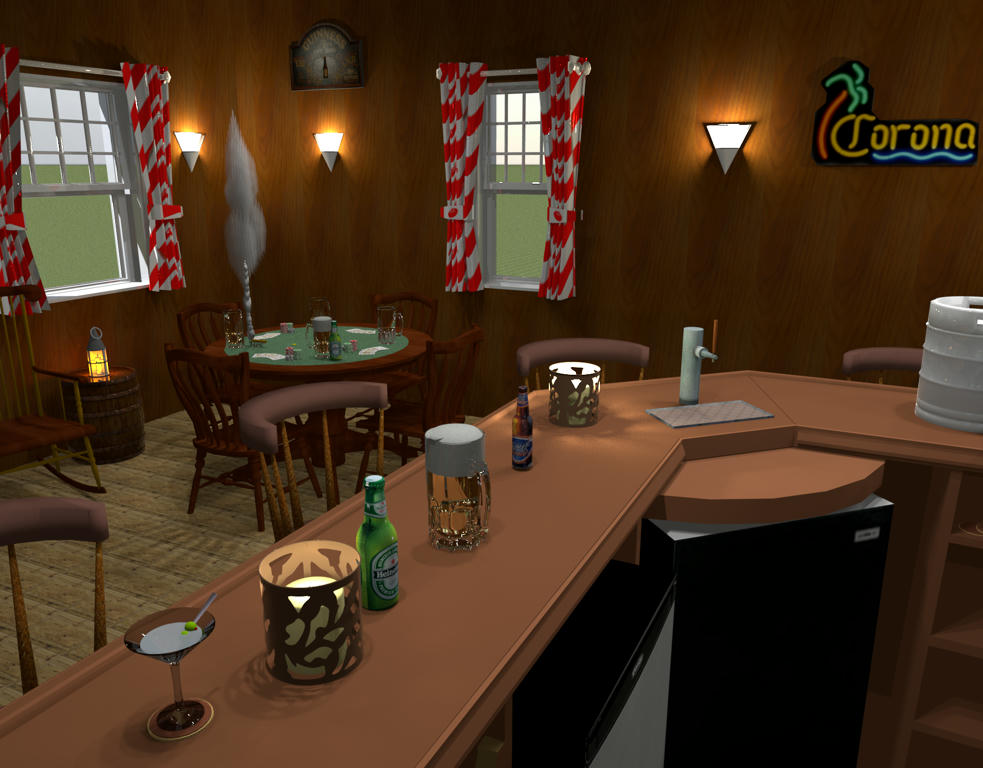
Re: Tin Can AlleyAll these bottles made me thirsty, did not you? Direction abar with few friends for a little fresh beer ! ![]() ---------------------------------------- Evil progresses when good people do nothing! --- SH3D 7.1 and nothing else - W11 64b in 4K |
| Posted by okh at Feb 5, 2018, 10:57:40 PM |
|
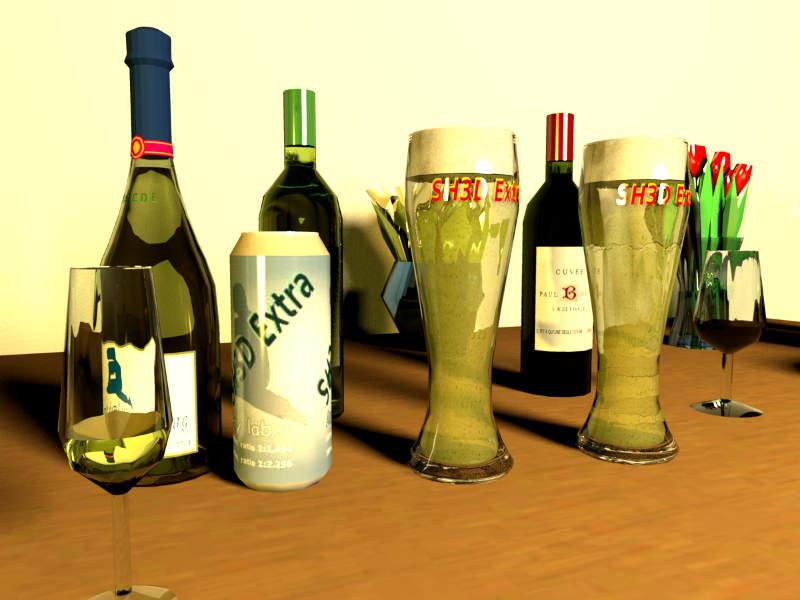
Re: Tin Can Alley Well, it is pretty hard to find the right balance. A quick test with a beer glass and I had to give up on Hi-Res. Just took too much time. Not the creation, but the rendering tests were killing. Beter leave Hi-Res rendering to Cec and her models. So I go with the simple ones. Even if the beer glasses are a bit beyond the initial intention of using tiny models. Cec is such a bad influence... Feel free to test and alter models, much can be done. The shortcomings should be pretty visible in this test rendering. The beer was not really intended to be a light Weizenbier, but the bubble texture can easily be altered. As can the label, head and everything else. low_poly_bglass.sh3d glass_beer_simple.zip glass_beer_simple_blend.zip ![]() |
| Posted by okh at Feb 5, 2018, 11:15:54 PM |
|
Re: Tin Can Alley bar with few friends Very nice rendering, what are the settings (size/.mtl stuff) for the tankard, bottles and glasses especially for the tankard, that looks very good? ok |
| Posted by bdfd at Feb 6, 2018, 6:32:47 AM |
|
Re: Tin Can Alley bar with few friends Very nice rendering, what are the settings (size/.mtl stuff) for the tankard, bottles and glasses especially for the tankard, that looks very good? okHere is the link for the zipped file : HERE (mtl, obj, texture) @bdfd FYI : I used Enkonyito's 'PVR 1.4 beta2' for this rendering. Enjoy ! ![]() ---------------------------------------- Evil progresses when good people do nothing! --- SH3D 7.1 and nothing else - W11 64b in 4K |
| Posted by Ceciliabr at Feb 7, 2018, 12:13:11 AM |
|
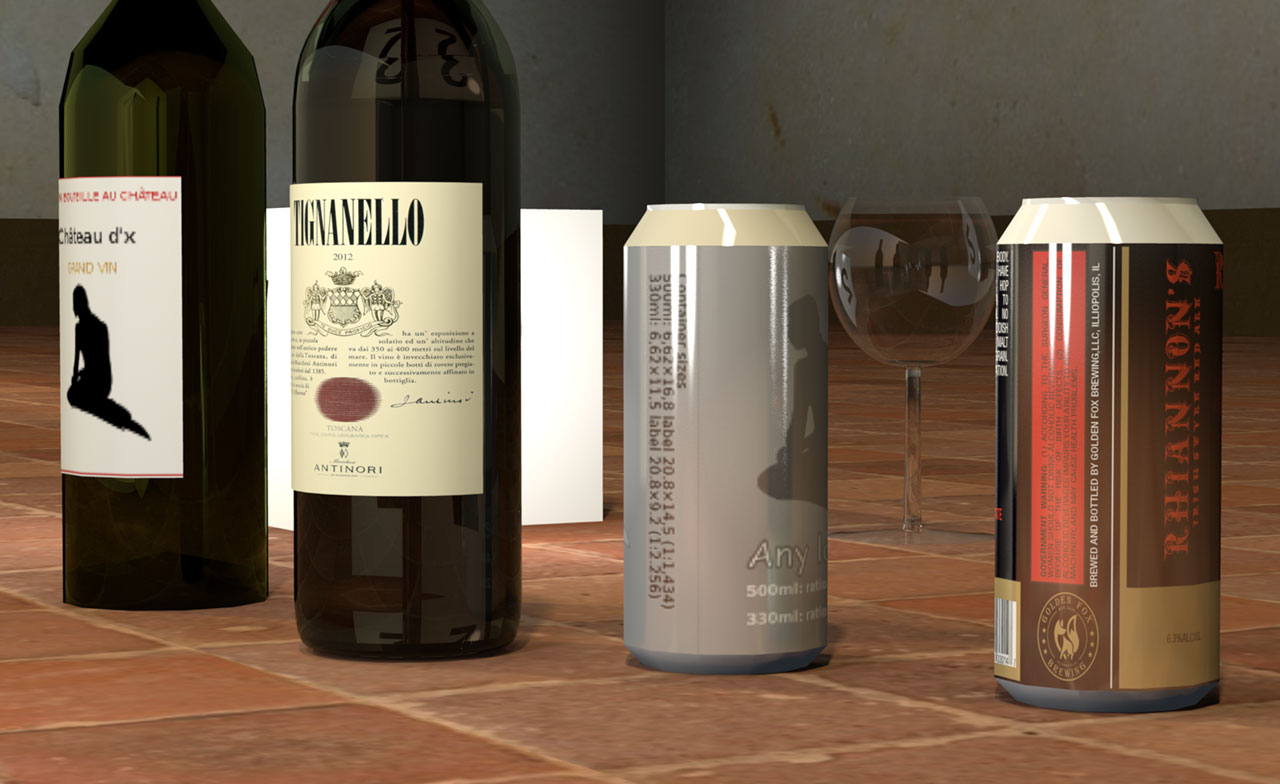
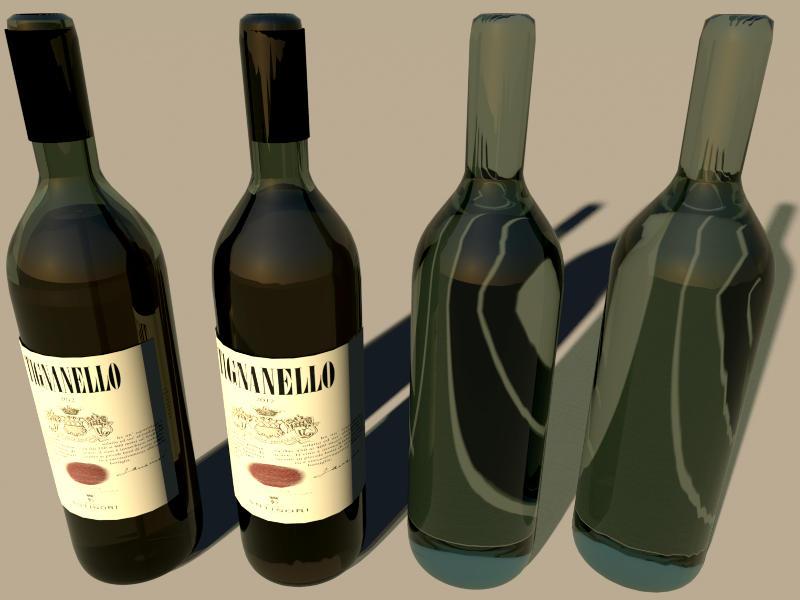
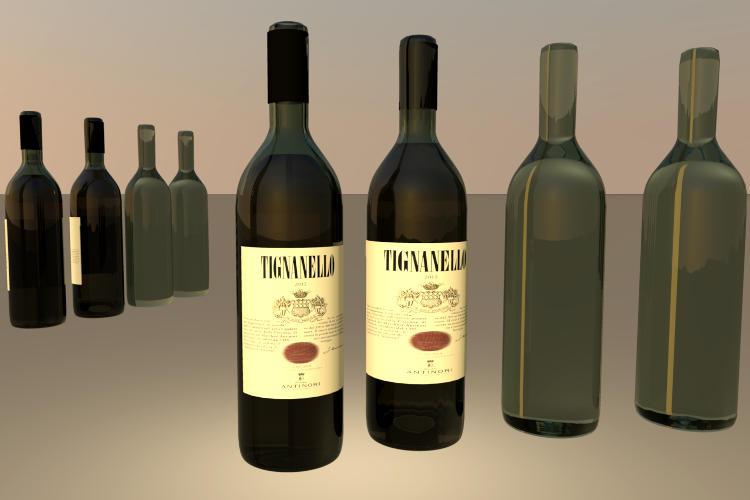
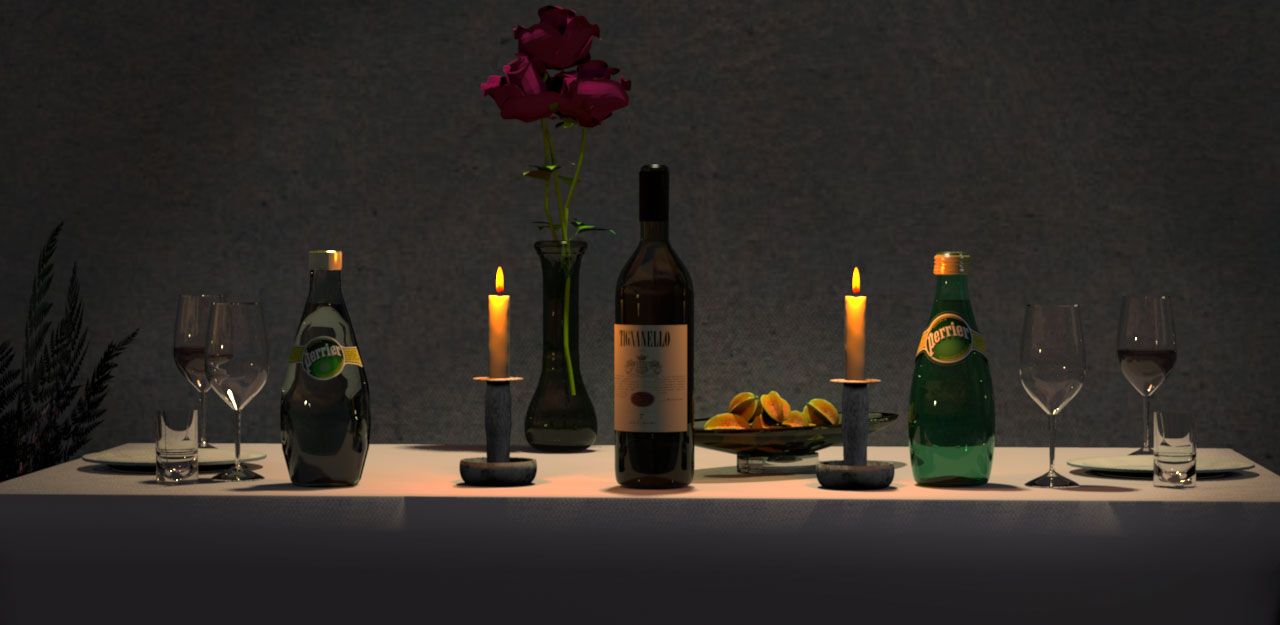
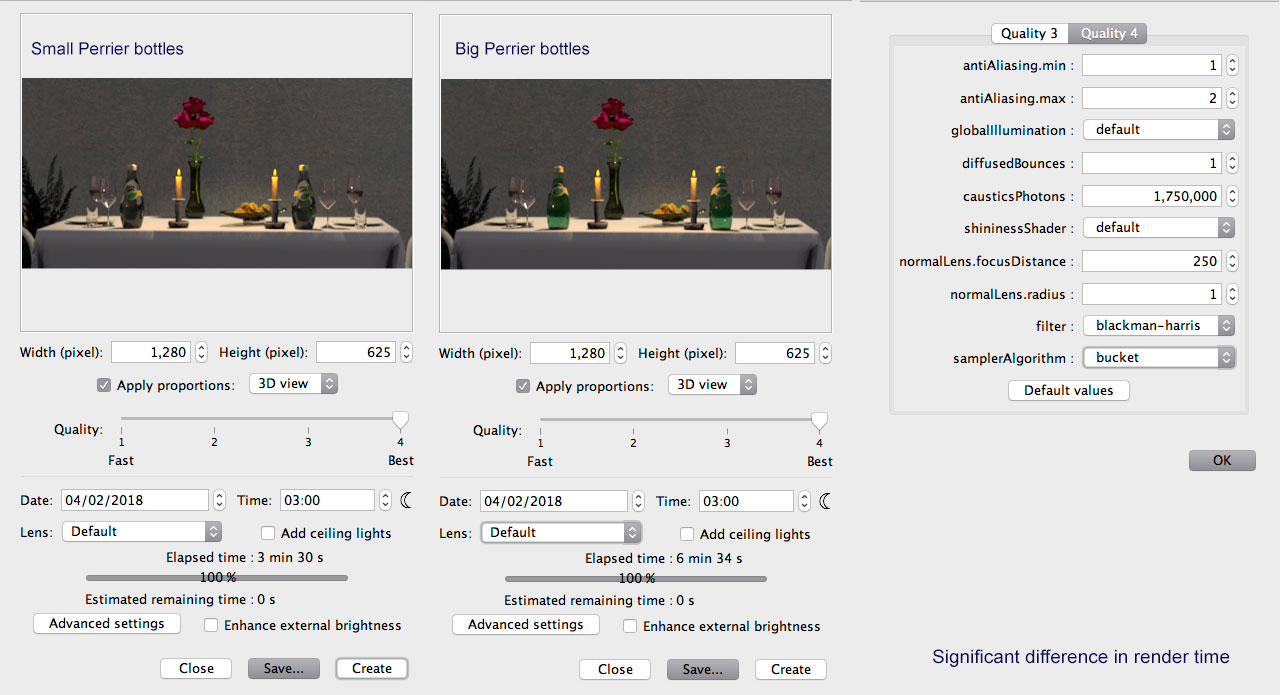
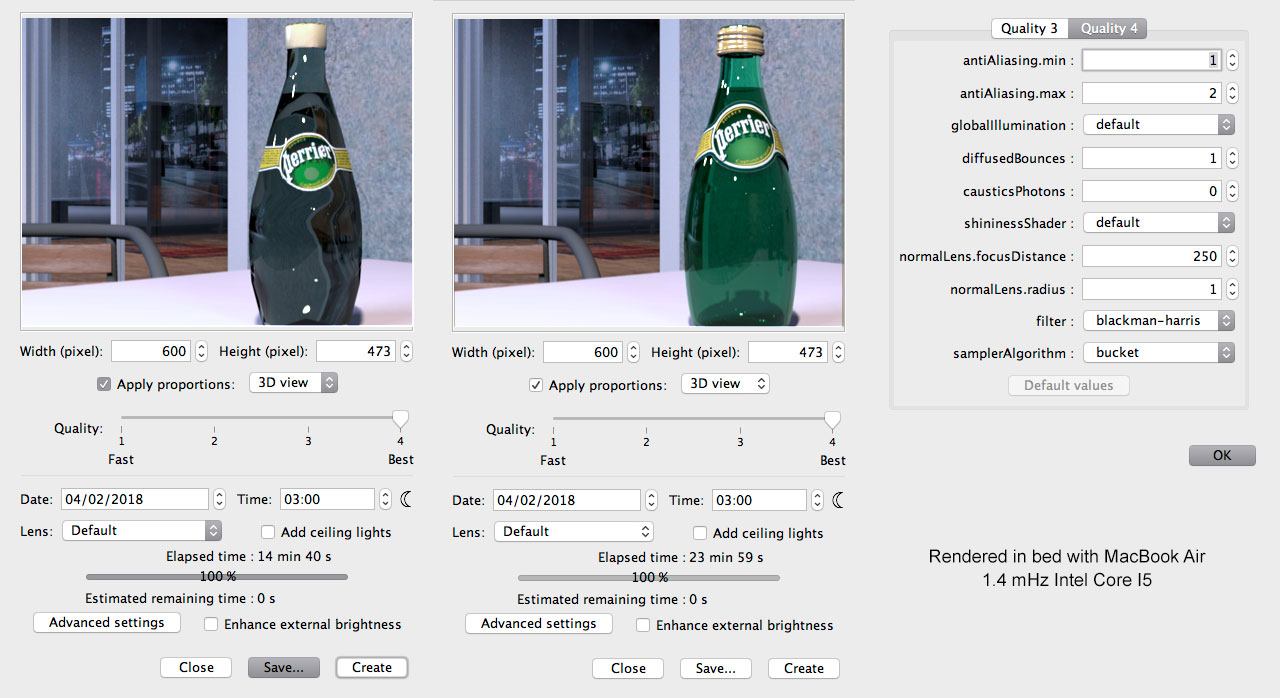
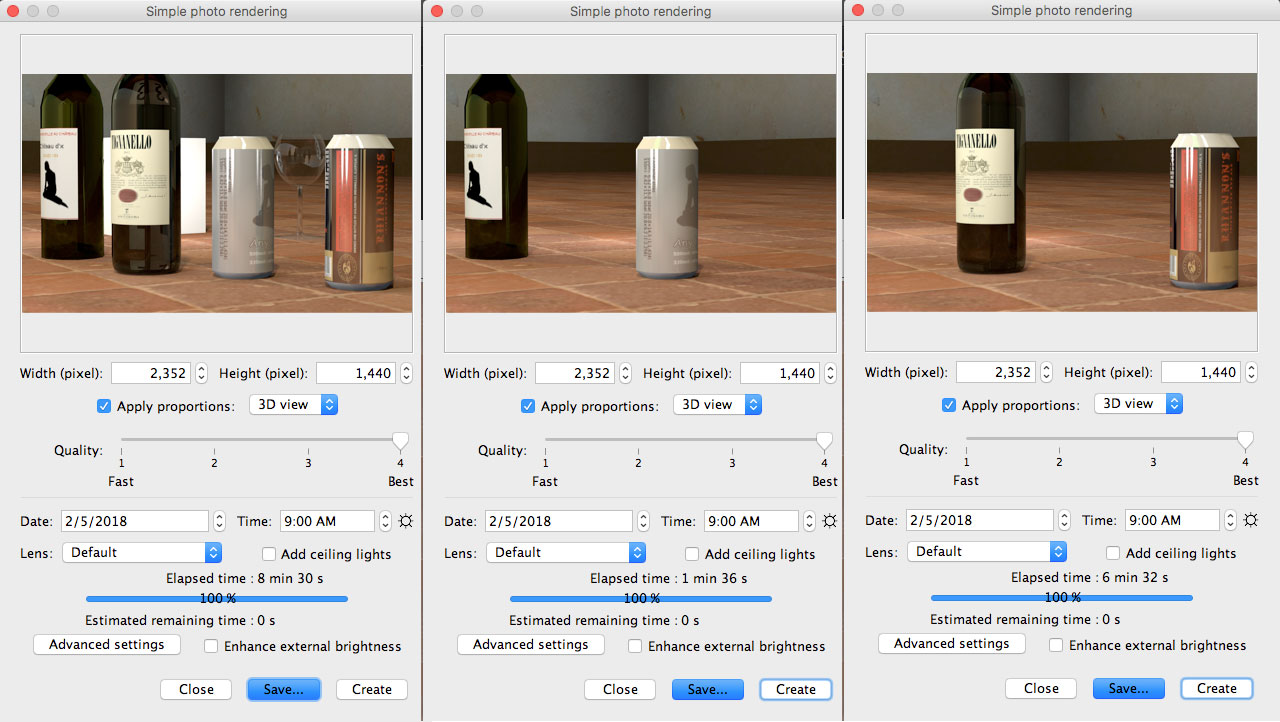
Re: Tin Can Alley ..what all the chat was about, but lovely renderings… Don't mind the gobbledegook, just look at the pictures @okh First I have to say this: I’m both impressed, surprised and baffled, seeing how a 6240kb model can be shrunk by 99.5% and still contain so much of the original information. And yes, even if the tiny models do render a lot quicker, glass and optical density and all the other cool settings, will in themselves suck up a lot of rendering time. So we can assume that the main purpose of reducing the size of a model from 6.240kb to 36kb, is to improve the overall performance of SH3D. How much will we gain, compared to what we loose? I really didn’t notice any difference in handling the 36kb Perrier bottle vs handling the 6.240kb Perrier bottle. In fact SH3D still performed quite smoothly after adding several other high-res models, and as the project finally reached 63.4 MB, SH3D still performed as well as expected on a tiny MacBook Air. No lagging, no bouncy movements and no graphic hiccups when changing the aspect of the preview window. The tiny Perrier bottle (36kb) is on the left. There's really a surprisingly small difference in the visual appearance between the big and the small bottle – at least there's not a 99.5 % difference. ![]() The difference becomes a bit more visible when I zoom in. I no longer feel any need to point out that the tiny bottle is on the left. ![]() So let's look at the render time: Using two big Perrier bottles almost doubles the time it takes to render, compared to using two of the tiny bottles. ![]() The visible difference really becomes noticable when I do some close-ups, and the rendering time increases. ![]() A nine-minute-difference when rendering on a three-year-old MacBook Air. On other computers, the difference will most likely be less than nine minutes. Of course nine minutes can feel lkke a long time, especially when waiting for something. But think of all the things you can do within nine minutes: You can make a yourself a nice cup of tea in nine minutes, or a cup of hot chocolate – and you can send a nice sms to your girlfriend, boyfriend, wife, husband, lover, mistress… and you can call your mother. As for quality vs price, you usually find me in economy class trading potential discomforts for a luxury meal at the destination. Something tells me you have never been pregnant in seat 23B, squeezed between two fat-bottomed American heavyweights for six hours. Let me try another angle I sometimes travel to Frankfurt with a small group of business men. They are middle aged men, carrying only their small leather cases, and occasionally an additional plastic bag with gifts or personal paraphernalia picked up at the tax-free store. They prefer to travel light. They smile, and exchange glances and comments as they are looking at me struggling with lifting my suitcase, until one of them politely offers to help me place it in the overhead locker. Then, the same evening, when I meet them for dinner at the restaurant, they are amazed when they see me: Wow! they say, and I can see them quickly glancing around the room, to see if anyone is noticing that they have this elegant lady in their midst. Themselves they have maybe shaved for the occasion, but they’re still wearing the same suit as they wore on the flight. And on the flight back home, they still wear the same suits, and the same glances and smiles are exchanged, and the same comments are mumbled; why are women always travelling with so much luggage? (…) there may be a compromise using smoothing where I doubt it is possible to tell the difference. Even at Cec' level. I think. Even at Cec’ level… I wonder. What about close-ups? Is the goal to find out how much reduction that can be done to a model before it is noticeable? In that case, I need to define at what level the term “noticeable†becomes significant when viewing a rendered depiction of a 3D object. I remember from art-school one time we wanted to paint an old wreck of a VW black for use in a short film. The original colour of the car was light green. So we calculated the size of the surface of the car, and then went to the local paint shop to get advice and to buy exactly the amount of paint we needed to paint the wehicle. We were on a budget ( economy class), and wanted to spend as little as possible. The man behind the counter was a skilled professional, and could not resist giving us a lesson about the difference between painting a surface and just applying colour to it. Being amateurs, he told us, we just might make the car look black, if seen from a distance, but if we wanted close-ups, we had better get a professional to do the job. Well, we didn’t listen to him – and the result was a complete catastrophe. In the merciless combination of close-ups and heavy lights, the qualities of an object ( as well as the lack thereof ), become shockingly evident. I have looked at the files you sent me, and made some renderings that I was not completely happy with. So in my feverish state of ineffectiveness, I set forth to construct a new wine bottle – one of my favourite wines – the Tignanello from Antinori. I wanted to make a model that would look good on close-ups. So it ended up weighing 9.843 kb. Here is a comparison, where I have placed it alongside one of your size-reduced wine bottles, and I have also upgraded the label (only) of one of your beer cans – to match “my levelâ€. ![]() This is a downscaled image. An unscaled rendering of this image can be seen here: 2352x1440 and a 4K rendering can be seen here: (3840 × 1391- 5.1Mb, png-format.) (These images are rendered on a MacPro 12 core with 24 threads and 96GB memory.) Rendering time differences: ![]() My Tignanello-bottle is far from perfect yet. There are still work to be done, especially the cap and the wine inside the bottle needs more work, and I need to make a new placeholder for the curved label… and I also need to study the mtl-Bible some more, in order to get the right balance between reflection and refraction. But feel free to download it and use it – improve it – reduce it ... or whatever… or just expel it to the rubbish-bin. And I suppose you cannot take a glass of my favourite cure... Poor you. Hope for quick recovery. Well, I can find pleasure in drinking a nice cup of hot chocolate, or a glass of hot tea with lots of lime and sugar. The temperature is rising... outdoors, and my fever has finally lost it’s grip. So I can’t really blame the fever for chattering away like I’m in a bar. Maybe I'm suffering from some post-flu-syndrom – something that gives me an unstoppable urge to produce harangues of digressive babble... @bdfd Nice rendering, and your Heineken-bottle is especially realistic and very well done! Made it yourself? Care to share it? Cec |
| Posted by okh at Feb 7, 2018, 4:35:09 PM |
|
Re: Tin Can Alley ..main purpose of reducing the size of a model from 6.240kb to 36kb, is to improve the overall performance of SH3D. How much will we gain, compared to what we loose? Well, it is for me, anyway. Thanks for these tests. Seems my theories on size and rendering times were not too far off. Long distance: little difference: close-up, longer renders vs quality loss. So for renders with bottles at a distance, it really is quite amazing how small models can be used. The octagon Perrier still baffles me, proves how useful smoothing in the .obj file can be.However, even if there may not be as much to save on rendering as expected, the overall performance of SH3D is greatly improved by using smaller models. At least on a slow computer. And reduced file size is an advantage for online presentations. a model that would look good on close-ups. So it ended up weighing 9.843 kb. ..feel free to download it and use it - improve it - reduce it ... It looks good and renders beautifully. Even so, being a silly man with a dash of vanity, how could I possibly resist a challenge? Goal, shrink with little or no loss in quality.The elephant in the file is the .png label, an optimizer shrinks it to 11% without quality loss (but it would compress also in .sh3d, so no big save in terms of compressed .sh3d file size). But as the original at some point was a .jpg, the smudges can be removed by a quick colour manipulation/posterization: 1,4%of the orignial. 8406919 100% original_Tignanello-2012_Stolichnaya_bottle6_3.pngLabel is not the key issue here, though. As for the model, tried a tiny cleanup, removed some unnecessary surfaces and elements, but kept the general number of visible surfaces. Some weight saved. Then after a touch more editing and using the EP simplification smoothing, size comes down quite a bit more. The number of visible surfaces are are approximately the same. Now, if you were to compromise also on the number of surfaces (e.g. Blender Limited dissolve), reduction can be significant. Tried with outside of the bottle just to visualise. The size reductions shown in the model size column in tig_btl_comparison.sh3d. The entire model is down quite a bit, even without counting the label, just with the smoothing. Just the bottle outside reduced indicates the potential. Frankly, I struggle to see the quality difference. Or if anything, it seems that as long as we are working with polygons for circles, there will always be imperfections. So increasing segments may not even help, but then I work at a lower rendering level. ..surprisingly small difference in the visual appearance between the big and the small bottle – at least there's not a 99.5 % difference Yes, that is what amazes me as well. Your renderings and tests are very valuable in analyzing the model making process. Where to go for high detail, and where it makes very little difference. Thanks to your input, I am really learning a lot about strategy when making models. Materials will still be a hit and miss, but I think I am beginning to understand which compromises to make for different models. ..pregnant in seat 23B... Nope, not tried that, for obvious reasons, but that would most certainly qualify for an upgrade. Luggage issue familiar, except that on holiday my suitcase magically fills with women's items that I did not put there. So much for travelling light.Files in the SourceForge #461, including a .zip with the .blend files and the .pngs. For models, either use the zipped .obj files, or pick from the .sh3d test file: tig_btl_comparison.sh3d ok |
| Posted by bdfd at Feb 8, 2018, 7:22:04 AM |
|
Re: Tin Can Alley ... Nice powerly machine for your great pictures !An unscaled rendering of this image can be seen here: 2352x1440 and a 4K rendering can be seen here: (3840 × 1391- 5.1Mb, png-format.) (These images are rendered on a MacPro 12 core with 24 threads and 96GB memory.) ... TY cec, nice compliment coming from you. @bdfd Nice rendering, and your Heineken-bottle is especially realistic and very well done! Made it yourself? Care to share it?] Cec No, I updated it only and found on a celeb site often spoken here... => improvements can be made on the texture. You can download it HERE ---------------------------------------- Evil progresses when good people do nothing! --- SH3D 7.1 and nothing else - W11 64b in 4K |
| Posted by Ceciliabr at Feb 8, 2018, 4:48:02 PM |
|
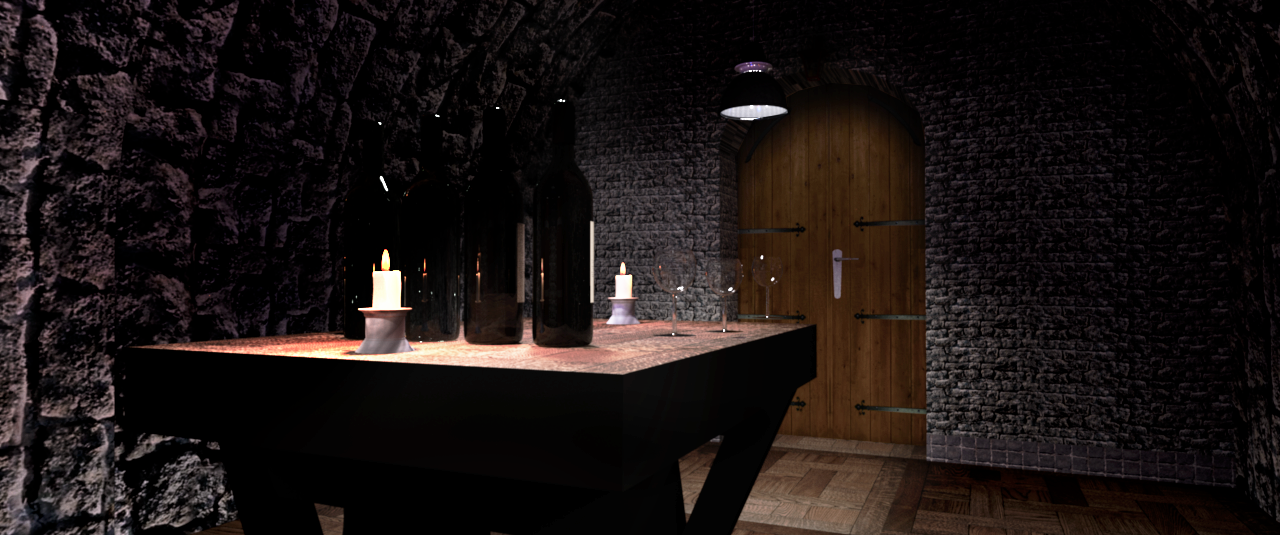
Re: Tin Can Alley being a silly man with a dash of vanity, how could I possibly resist a challenge? Goal, shrink with little or no loss in quality. I have downloaded your comparison project, and again I’m BAFFLED & FLABBERGAST seeing what you have achieved. There is one thing that needs to be mentioned before I go on: I have received an e-mail from a another user at the forum (he didn’t want to post his question in public), asking why I needed to “show-off†every time I visualise my arguments with an illustration. "Why else would you bother to make so much out of it, if not to show off your skills?" was what he wanted to know. Well, it's a timely question, and I don’t deny that wanting to parade creations that I’m proud of is part of the equation, But showing off like that also serves it's purpose in other ways, one of them being to show what the somewhat underestimated Sunflow Renderer is capable of, and another being to show what a splendid software SH3D really is. But none of these arguments defeats the main reason: How can we judge an objects reflection without giving it something to reflect? And the same goes for refraction: If we don’t provide a source that can create an illusion of waveform transmission, we won’t have anything to judge the effect by! This is the main reason why I bother to create environments and place my objects inside them. But, of course, I enjoy being in a creative state. Well... Example: What does THIS tell us: Compared to THIS: Even on a small image like this, we can clearly see the varying effect of the distorted waveform-transmission seen through the two bottles on the right. My HiRes glasses, however, that have been given the correct optical density for glass, in my opinion renders a far more accurate refraction. Let me just mention that the barrels are low-poly-creations downloaded from Trimble. They serve only as "decorative" elements. Here is a shot from the reverse angle, so you can see it's a closed room. And here is a shot through a HiRes glass: ![]() So much for "show-off". Time to get down to the dirty business of exposing the hidden hazards of tampering with the contents of a perfectly tempered bottle of Tignanello. Seems my theories on size and rendering times were not too far off Not at all. They were spot on. There's a surprisingly tiny difference, a difference really not worth mentioning, unless you are watching close-ups on a screen with 4K resolution (or higher), and at the same time partaking in a nerdy discussion about the pros and cons of object-shrinking, polygon-reduction, removal of normals and heavy compression. But part from me, I don’t think you’ll find any other geeky graphic-wonks at this forum, and certainly not anyone working on two 43†Phillips 4K monitors. My arguments here are naturally coloured by the line of work I do. My last job was retouching a 320" billboard poster (1.88GB), so I’m well trained in detecting almost unnoticeable faults. I have to be, because when the customer is standing next to the finished print – an 8 by 3 meter poster, where every tiny detail becomes visible – he or she had better not find any reason to point a finger at something that can justify any reason to start a negotiation about price-reduction. ;) The elephant in the file is the .png label, an optimizer shrinks it to 11% without quality loss Not entirely true. Not without quality loss. But you could say; “with little and barely noticeable quality loss.â€, and still have kept your words intact. So where is this loss of quality, you might ask? ![]() Look closely at the labels. You don't see it? Then look at this image [url=http://ceciliabr.com/Glass/Tigna-comp-project-label.png[/url] Now you can see that there is a quite visible inconsistency in the black level. Lots of grey spots can be seen – if you look for them. That said: The label is one of the things I'm not very comfortable with. I have noticed that you have lifted the contents of the bottle a bit. As I mentioned when I made this model available for download, that was part of the work that remains. Another important par ( to me) is to make a correct cap, with the right colour and the correct Antinori insignia. About the refraction: If you look closely at the base of the models, you will notice the differing quality of the refraction. ![]() If I was to print a high quality image of this bottle, I would rather increase than reduce the resolution of the .obj-file Just so that there is no room for misunderstanding: My arguments are mostly for the sake of arguing, and hold no importance to the majority of the users visiting this thread. There's absolutely no need to use a 10MB .obj-file where a reduced 340kb file will do just as well. Ho-hum. Consider this: If you were to drink a bottle of Tignanello 2012, would you be happy to be served a reduced and watered down version? Cheers! Cecilia cec |
| Posted by Ceciliabr at Feb 8, 2018, 4:51:05 PM |
|
Re: Tin Can Alley TY cec, nice compliment coming from you. Maybe I'm nicer than you think Thanks for the file! Cec |
| Posted by okh at Feb 9, 2018, 5:13:10 PM |
|
Re: Tin Can Alley .."show-off" every time I visualise my arguments... I find that to be a strange comment. I do not see these or any of your renderings as show-off. The images and text are highly relevant to why this thread started: the effects of reducing model size and rely on s 1 smoothing. High quality images with background and light sources reveal issues that I would not discover in my 900×600 renders. So thanks, for me this is very useful. And, btw, even if the posts were show-off, that would still be fine. Of course, users wish to show stuff they are proud of and get a pat on the back as acknowledgement. Forum would not be the same without them...tiny difference, a difference really not worth mentioning ... 8 by 3 meter poster, where every tiny detail becomes visible... But it is worth mentioning. Again, it all depends on the purpose. No cheating: for high quality print other formats and higher resolutions are essential. Just got some A5 signs back from a print shop based on a vector original. Result was perfect, as it should be, even if I doubt anyone else would have noticed. So I agree, no short-cuts when it comes to the real stuff.But that also means I should explain my preference for low-quality graphics in the models: It is unlikely I will ever use the original texture again. The working texture is just a place-holder for texture mapping. As the original model is saved in the .sh3d file, there is no point in including high-res graphics I will not need. Later, when I next need a bottle, I will apply a new texture in SH3D. At whatever resolution I require. Much tidier. So for each model, I tend to save a texture template for easy editing later (along with the original model file, but I do not put these in the zipped model file). Such as the AnyLabel in the first post. can_label_txt.svg An .svg file that is easy to change into anything I like, at any resolution I need. Like these two models with different textures and colours: Can to the left only has the holding texture, the three to the right have altered textures. Bottle same thing, original with small label to the left, changed colours and label to the right. Actually, all the textures in this example are rubbish, mock-ups made in a couple of minutes, but that is not the point, it is possible to replace them with decent ones. The elephant in the file is the .png label, an optimizer shrinks it to 11% without quality loss Not entirely true. ... But you could say; "with little and barely noticeable quality loss.", and still have kept your words intact.If I was to print a high quality image of this bottle, I would rather increase than reduce the resolution of the .obj-file Obviously you wish to use the resolution necessary to get the result you wish. And in some cases, I suppose that will require a higher resolution model. But I also think there is a point where it is impossible to tell the difference, i.e. where the s 1 smoothing produces a result identical to a high number of edges. At least seen from the side.If you were to drink a bottle of Tignanello 2012, would you be happy to be served a reduced and watered down version? No. Absolutely not. Having had teen-agers in the house, watering down brings shivers down my spine. I gladly forgive nicking a taste or two, but trying to conceal theft with water is another story... Then again, I gladly drink a cheap, simple wine if it serves my purpose and pleases me. At a recent dinner party, expensive wine was served, everyone else seemed to love it. Tasted horrible, the back-up bag-in-box was infinitely better with the spicy food served. But that was me. Purpose and personal taste. ok PS @bdfd: nice compliment coming from you Looked at your bottle. .obj pretty effective and just plastering the entire model with an image is an interesting approach. But I am not sure how you would go about testing the optical density at close-up using a full texture? |
| Posted by bdfd at Feb 17, 2018, 5:48:56 PM |
|
Re: Tin Can Alley just for cec. Another point of view of the saloon, it was a good exercice. Sorry cec, I haven't found danish beer. ![]() ---------------------------------------- Evil progresses when good people do nothing! --- SH3D 7.1 and nothing else - W11 64b in 4K |
| Posted by Ceciliabr at Mar 2, 2018, 3:50:54 PM |
|
Re: Tin Can Alley Nice! ![]() |
|
|
Current timezone is GMT Dec 16, 2025, 2:26:29 PM |