I was working fine but today the furnitures disappears, only shows icons. How do I fix it?
My proyect looked like this:
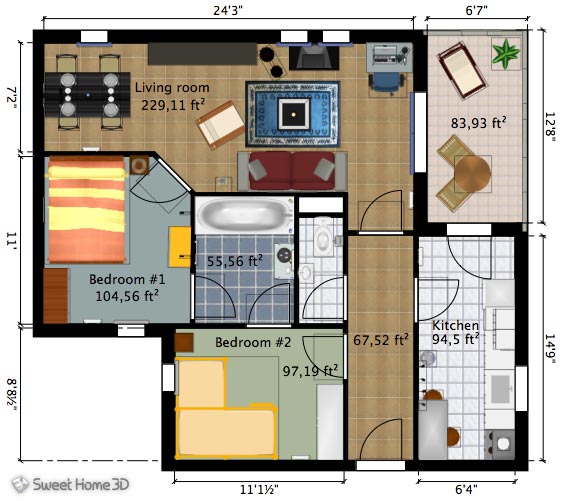
But now it looks like this:
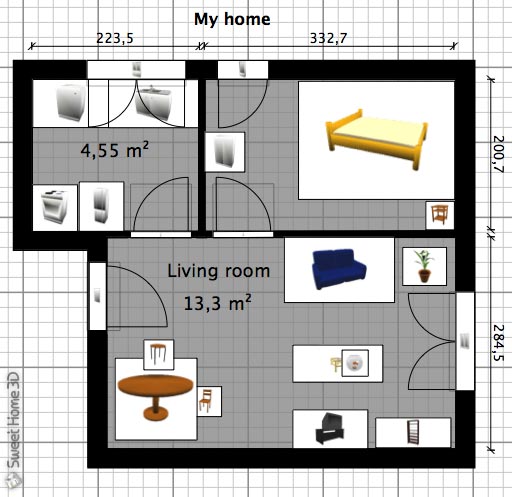
How to fix it?
|
Sweet Home 3D Forum » List all forums » » Forum: 3D problems » » » Thread: Icons in stead of furnitures |
|
| Print at Sep 24, 2026, 2:24:42 PM | View all posts in this thread on one page |
| Posted by gamerzcr at Jul 29, 2018, 11:26:00 PM |
|
Icons in stead of furnitures I was working fine but today the furnitures disappears, only shows icons. How do I fix it? My proyect looked like this: But now it looks like this: How to fix it? |
| Posted by VeroniQ at Jul 30, 2018, 9:53:19 AM |
|
Re: Icons in stead of furnitures Check Furniture icons in plan item in Preferences menu. |
| Posted by gamerzcr at Jul 30, 2018, 2:40:06 PM |
|
Re: Icons in stead of furnitures It was checked on Top view, I switched it to icon catalog, restarted it, now it is is grayed out, can't switch back to Top view. |
| Posted by UbuntuBirdy at Jul 30, 2018, 3:18:33 PM |
|
Re: Icons in stead of furnitures Which version of SH3D have you installed and on which OS? ---------------------------------------- Pascal SH3D 6.6 / Ubuntu 22.04 (Mainline-Kernel) / Radeon RX580 / Ryzen 7 5800x |
| Posted by Puybaret at Jul 30, 2018, 3:26:45 PM |
|
Re: Icons in stead of furnitures If it’s grayed out, it means that this option isn’t available, probably because it’s not possible to compute off screen images. ---------------------------------------- Emmanuel Puybaret, Sweet Home 3D creator |
| Posted by gamerzcr at Jul 31, 2018, 5:02:54 AM |
|
Re: Icons in stead of furnitures Which version of SH3D have you installed and on which OS? Windows 7 x64 SweetHome 3D 5.7 and 5.7 portable Something weird happend, if I decompress the 5.7 portable it shows the furnitures the very first use, if I Exit and Open it again it only show icons. It was displaying furnitures few days ago, suddenly it only displays icons. |
| Posted by UbuntuBirdy at Jul 31, 2018, 6:37:45 AM |
|
Re: Icons in stead of furnitures And which version of java are you running? ---------------------------------------- Pascal SH3D 6.6 / Ubuntu 22.04 (Mainline-Kernel) / Radeon RX580 / Ryzen 7 5800x |
| Posted by gamerzcr at Jul 31, 2018, 7:48:33 AM |
|
Re: Icons in stead of furnitures Tried jre-8u181-windows-i586 and jre-10.0.2_windows-x64_bin No difference |

|
Current timezone is GMT Sep 24, 2026, 2:24:42 PM |