|
Sweet Home 3D Forum » List all forums » » Forum: Sweet Home 3D bar » » » Thread: Problem with "Hole" Visibility while Import |
||
| Print at Dec 17, 2025, 4:25:17 AM |
|
|
| Posted by kvepete at Oct 30, 2018, 1:14:09 PM |
|
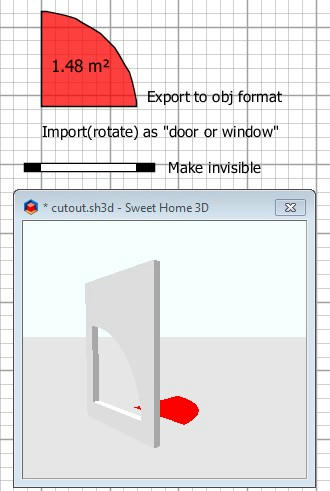
Problem with "Hole" Visibility while Import Hello Dear Forum, im stil using sh3d for a while. Now i have a problem with the "hole"-visibility from objects. Using sh3d 5.7, today update to 6.0 - same problem. 1) 1st Hole - with Rounded Door from BuildIn Library 2) 2nd Hole - with WallOpeningInvisible 3) Red Arc - Rounded Door from Build-in-lib export to *.obj then reimport with door/window At that moment the object is included in the wall, the hole is going lost? Same when i include it in the "Invisible Wall". This is happening with every Objects i import. See the screenshot here: I spent a couple of hours to find a solution, but i didn't find helpful informations. Any ideas what i'm doing wrong, or what's wrong? Thank you for help. Peter |
| Posted by Puybaret at Oct 30, 2018, 1:55:56 PM |
|
Re: Problem with "Hole" Visibility while Import Why exporting / reimporting models found in the default catalog? You'll lose their cutout. You should just use the models in the furniture catalog. ---------------------------------------- Emmanuel Puybaret, Sweet Home 3D creator |
| Posted by kvepete at Oct 30, 2018, 2:16:58 PM |
|
Re: Problem with "Hole" Visibility while Import thank you for the reply, Export/Reimport was for example - when i construct a "special hole" with different objects, export it for use in the library. But the same problem is when i download this object: http://www.sweethome3d.com/models/roundDoorFrame.zip When i import it (door/window option checked) there is no cutout in the wall? Same with the "arc.zip" i've downloaded from this thread. http://www.sweethome3d.com/support/forum/viewthread_thread,3747#17527 See my screenshot Thank you. Kind Regards Pete |
| Posted by alaX at Oct 30, 2018, 6:47:14 PM |
|
Re: Problem with "Hole" Visibility while Import Guide for SVG Path cut-outs and other furniture properties (PDF) by OKH |
| Posted by dorin at Oct 31, 2018, 7:26:03 AM |
|
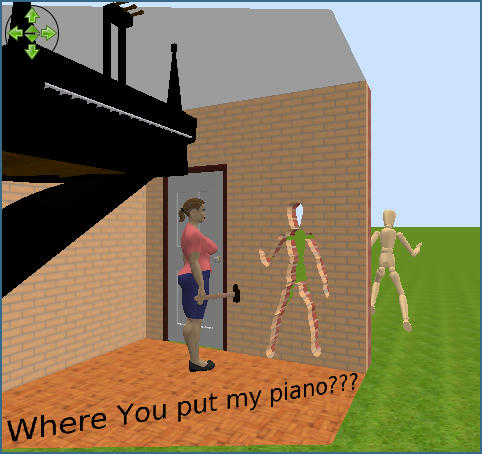
Re: Problem with "Hole" Visibility while Import For a few versions ago is more simple. e.g. The straight way ![]() ---------------------------------------- A computer program does what you tell it to do, not what you want it to do. Murphy's Law When all else fails, read the instructions. Murphy's Law If you don't like "AS IS", DIY. Dorin's law |
| Posted by dorin at Oct 31, 2018, 7:59:14 AM |
|
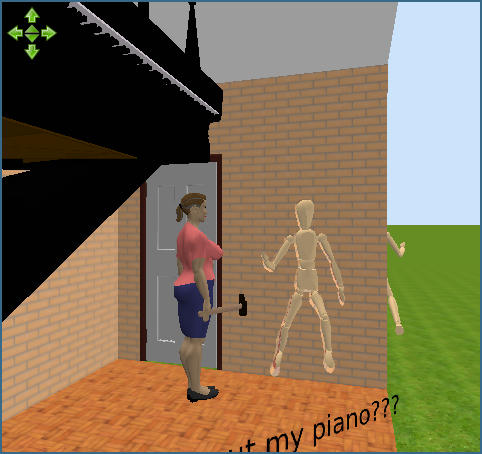
Re: Problem with "Hole" Visibility while Import Update ![]() ---------------------------------------- A computer program does what you tell it to do, not what you want it to do. Murphy's Law When all else fails, read the instructions. Murphy's Law If you don't like "AS IS", DIY. Dorin's law |
| Posted by UbuntuBirdy at Oct 31, 2018, 10:49:41 AM |
|
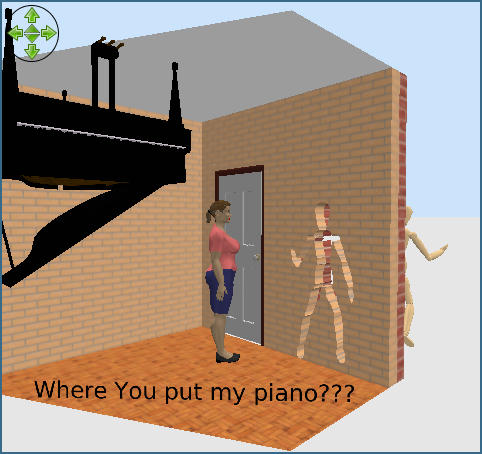
Re: Problem with "Hole" Visibility while Import @dorin - WTF! How did you create this SVG-path? I always spend hours for creating a simple cutout for my boats and it would take my hole life to create a cutout like this one in your picture! ---------------------------------------- Pascal SH3D 6.6 / Ubuntu 22.04 (Mainline-Kernel) / Radeon RX580 / Ryzen 7 5800x |
| Posted by dorin at Oct 31, 2018, 11:46:19 AM |
|
Re: Problem with "Hole" Visibility while Import Well, when You have a hammer over head You make a hole instantly. Now the steeps: 1. Peeve Your wife. 2. Export the mannequin as object; import as door 3. Insert it in a straight single (not splinted) wall. Will make the cut over contour. 4. Modify furniture -> Modify texture -> select all -> Invisible ->OK NOTE: It don't work on angled or curved walls even for simple forms. ---------------------------------------- A computer program does what you tell it to do, not what you want it to do. Murphy's Law When all else fails, read the instructions. Murphy's Law If you don't like "AS IS", DIY. Dorin's law |
| Posted by UbuntuBirdy at Oct 31, 2018, 12:03:35 PM |
|
Re: Problem with "Hole" Visibility while Import hmm... I haven't thought it's as simple as this. It seems I'm often thinking to far... But I'm not sure if I can adapt this solution to my problem... ---------------------------------------- Pascal SH3D 6.6 / Ubuntu 22.04 (Mainline-Kernel) / Radeon RX580 / Ryzen 7 5800x |
| Posted by alaX at Oct 31, 2018, 1:01:44 PM |
|
Re: Problem with "Hole" Visibility while Import Kvepete - if you want only cut-outs, without frame etc, make single face (any shape without holes). Example: ![]() |
|
|
|
Current timezone is GMT Dec 17, 2025, 4:25:17 AM |