Print at Dec 16, 2025, 4:29:53 PM
Posts: 21   Pages: 3   [ Previous Page | 1 2 3 | Next Page ]
View all posts in this thread on one page
Posted by thoron at Feb 6, 2019, 3:53:18 PM
Re: Various issue with walls/textures
Hello Ceciliabr,

thank you for this explanation. I think I understood that I can not assign textures to an object with various areas, because they don't have the texture coordinates.

The workaround you proposed by building the object of many samll boxes and exporting to obj-file and importing again works if the material change option is used. But I have to live with a scale effect and need rescaling (in the case of the red bricks I need to rescale from 100% to 1000%). I do not understand where this is coming from, as the texture when imported was scaled to certain size in "meters". Maybe you have an answer to this as well.

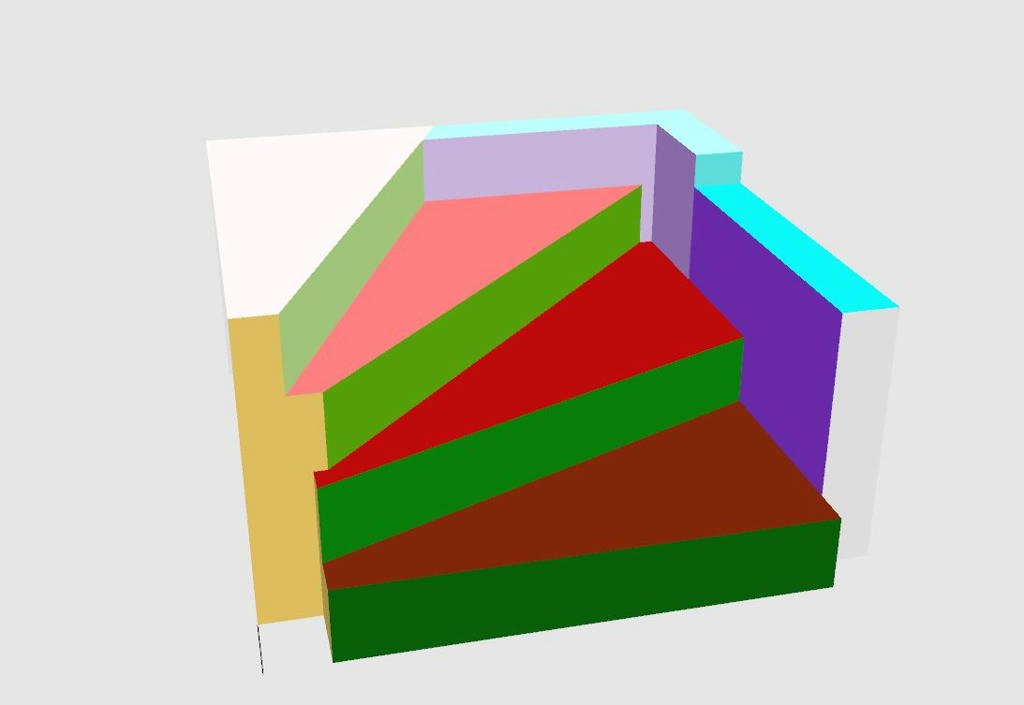
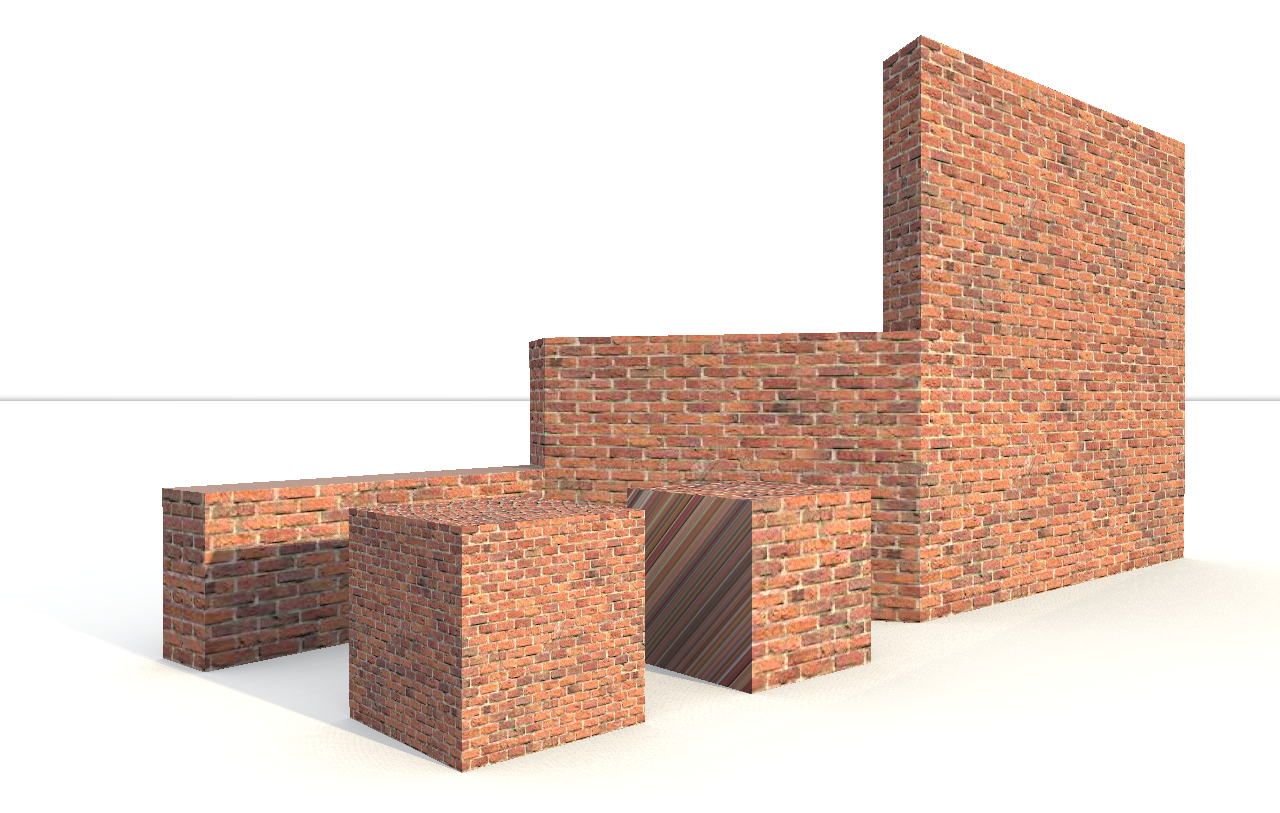
What secondly I don't understand is the following. When I do the object in Sketch up and assigning a color to each of the areas the object should have the texture coordinates. Importing this object as collada file and change (see picture) the texture results still in distorted textures.

This is the object imported from Sketch up as Collada-file:


That's what I get opening the material editor:
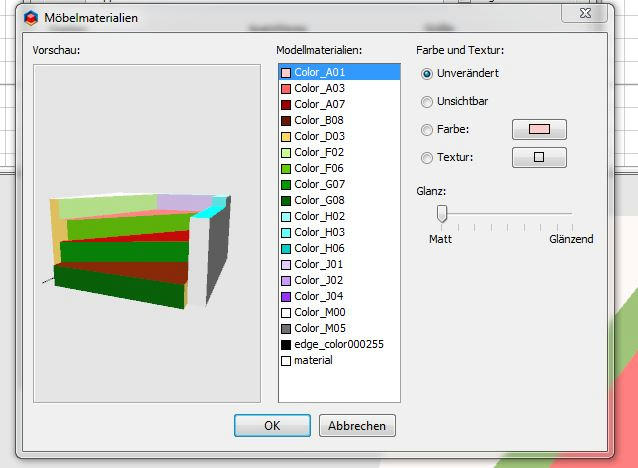
then change texture

and I am getting this
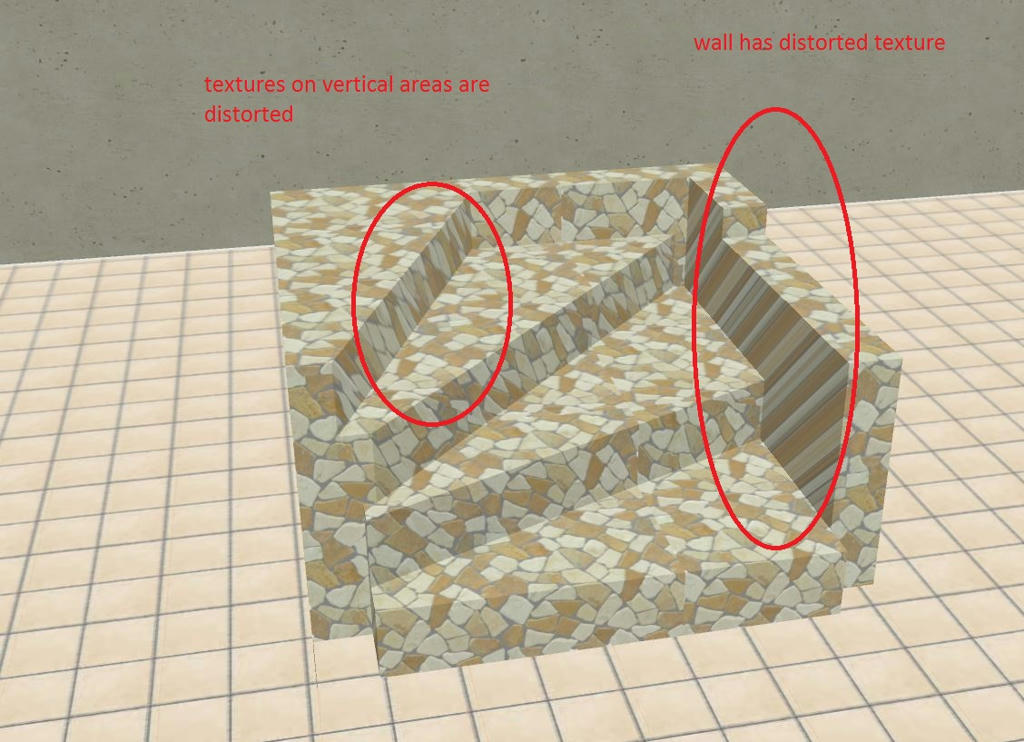


Why??? I really would like to understand.
Posted by Ceciliabr at Feb 6, 2019, 6:30:59 PM
Re: Various issue with walls/textures
Why??? I really would like to understand.

I will try to explain this with an example:

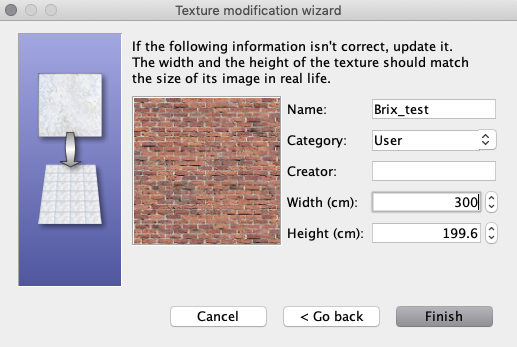
Let say you have a brick wall texture that is 300 x 200 cm.


When you apply this texture to a wall, this texture will cover an area of 300 x 200 cm on that wall. If the wall is higher or longer, the texture will be tiled and repeat itself to cover
the entire wall. If the wall is lower or narrower, the texture will be truncated.

If you just apply this texture to a 100 x 100 cm cube using method 1, the texture will keep its size.
But if you apply this texture using using the material change panel to all sides of a 100 x 100 cm cube, 100% of the 300 x 200 cm texture will by default be squeezed to fit inside each 100 x 100 cm surface of the cube.


In my experience, Sketchup-models do not always behave as expected when imported into SH3D ( or into any of my other 3D programs, for that matter). But Sketchup is supposed to be a great tool,
and there are members of this forum that are experienced Sketchup users and might be able to offer you an explanation.

If you should have any interest of it, I have written some words about how I texture models in this thread.


Cec

Posted by thoron at Feb 7, 2019, 3:56:52 PM
Re: Various issue with walls/textures
Thank you very much Ceciliabr,

I think, now I got the logic. If I am not wrong, I can es well explain the upscaling factor of 10 which I needed to get the stairs right with the red bricks. You scaled the box down to 0.2m (Factor 1/5) and used a 50% scale in the texture property (Factor 1/2). Makes together Factor 1/10. Right?

Nevertheless I consider all these issues as somewhat annoying and as well the walkarounds are not really perfect. My question would be:

Is it theortically possible to solve these issues in SW3D by improving the code (future update?)?

As I am trying to build my house as near as possible to reality I need anyhow to construct most of the objects (furniture and other stuff) myself as the objects in the SW3D library are not similar enough. For this I am using Sketch up and I can assign the textures as well in Sketch up which would be a good way of circumvent all these issues, especially as Sketch up offers a lot of options to deal with textures. (And I did this already successfully).

But if I want to use textures from the SW3D library I did not find a way how to import them in Sketch up. Do you have any idea?

If you should have any interest of it, I have written some words about how I texture models in this thread.


I looked at this briefly and it is really nice and interesting. Will look more deeply into it in the next time.

Posted by hansmex at Feb 7, 2019, 6:11:04 PM
Re: Various issue with walls/textures
The most important is that you assign textures to individual surfaces in SketchUp. After importing in SH3D you can easily apply other textures.

H
----------------------------------------
Hans

new website - under constuction
hansdirkse.info

Posted by thoron at Feb 7, 2019, 7:28:29 PM
Re: Various issue with walls/textures
Hello Hans,

unfortunately this is not always true. As you can see in the pictures above in my post at the top of the page, I did exactly this (assign texture in Sketchup to each surface, imported into SW3D, assign a new texture), but some textures are nevertheless distorted.

Posted by thoron at Feb 7, 2019, 8:01:08 PM
Re: Various issue with walls/textures
By the way, I really would like to understand, why this method does not work always. Maybe I am doing something wrong.

Posted by Ceciliabr at Feb 7, 2019, 9:10:13 PM
Re: Various issue with walls/textures
IBut if I want to use textures from the SW3D library I did not find a way how to import them in Sketch up. Do you have any idea?

If you want to use SH3D textures in Sketchup, I assume you can apply f.i. six different textures to a box and then export the box as OBJ-file.
Then the textures will be exported as .jpg or .png files that you should be able to import with Sketchup.
Personally I don't use Sketchup unless I'm forced to, so I'm really not the right person to answer questions about it.

I have come to appreciate the way SH3D v6 handles textures, once I grasped the logic of it.


Cec

Posted by thoron at Feb 8, 2019, 4:55:59 AM
Re: Various issue with walls/textures
Sketch Up does not support the import of obj-files, not even the Pro-version. There is a plugin available, but it costs $79.

Hoped to find an alternative way.

Posted by Ceciliabr at Feb 8, 2019, 2:01:36 PM
Re: Various issue with walls/textures
You don't import the OBJ-file, you import the texture:

Apply textures to a box,
create a directory,
export the box to the directory you created.
In the directory you will find the exported textures as image files along with the obj-file and the mtl-file.
Sketchup can import image files as textures.


Cec

Posted by thoron at Feb 8, 2019, 3:19:46 PM
Re: Various issue with walls/textures
Thank you, that's it.
I should have come on this myself as I have already seen these images , when exporting to obj.

Posts: 21   Pages: 3   [ Previous Page | 1 2 3 | Next Page ]