|
Posted by Puybaret
at Mar 22, 2019, 12:19:35 AM
|
Re: Concentric cylinders not displaying correctly in plan view, but 3D view is correct
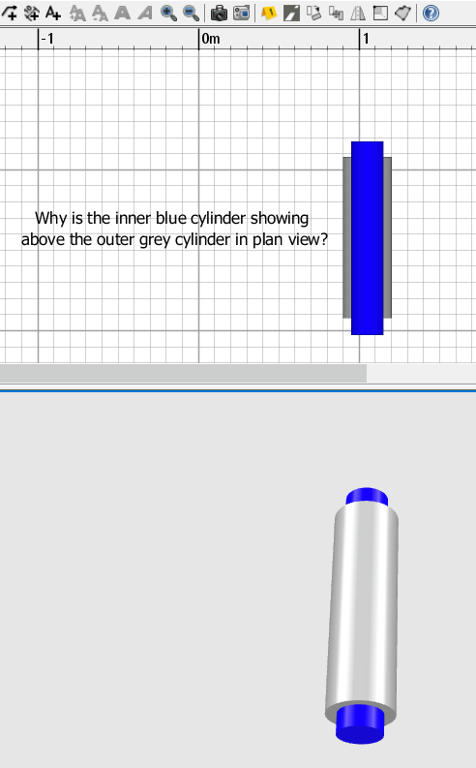
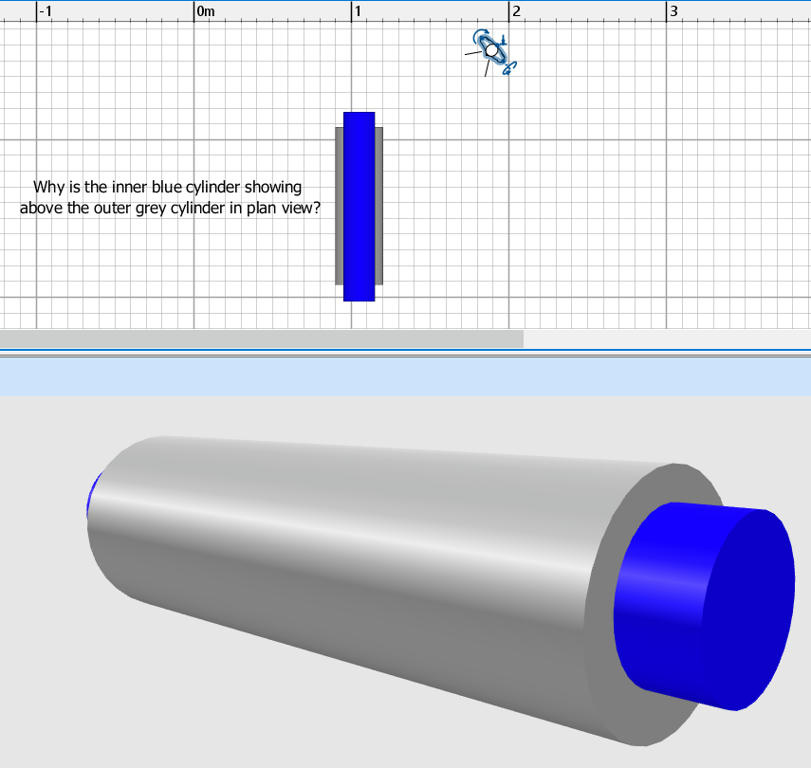
In the plan, the objects are drawn in the order of the smallest to the highest elevation, then if at the same elevation, in the order they were added to the plan. There’s no hidden faces computation like in the 3D view.
If you want to hide the inner blue parts, you should create one 3D model containing both cylinders, for example by selecting the 2 cylinders, then choosing 3D view > Export to OBJ format menu item (click on Export selection when prompted) and reimporting the exported OBJ file with Furniture > Import furniture menu item.
----------------------------------------
Emmanuel Puybaret, Sweet Home 3D creator
|
 Re: Concentric cylinders not displaying correctly in plan view, but 3D view is correct